
Quick-Pick Verdicts: Best For at a Glance
- Best for non-technical users: Zapier. Linear builder, guided setup, no learning curve.
- Best for power users and ops teams: Make. Visual canvas, routers, iterators, granular error handling.
- Best for freelancers on a budget: Make — if your workflows use webhooks and run complex multi-step logic. Zapier — if your workflows are simple and you value cost predictability over raw savings.
- Best for students: Make. Its free plan includes 1,000 credits/month versus Zapier's 100 tasks — ten times more room to experiment.
- Best for small teams: Zapier for broad app access and collaboration features. Make for ops-heavy teams running complex data flows.
These verdicts are not the whole story. The right choice depends on your workflow complexity, expected monthly volume, and technical comfort level. The sections below explain exactly why.
What Zapier Does and What Make Does: Plain-Language Overview
Both tools let you connect apps and automate repetitive tasks without writing code. But they approach that goal very differently.
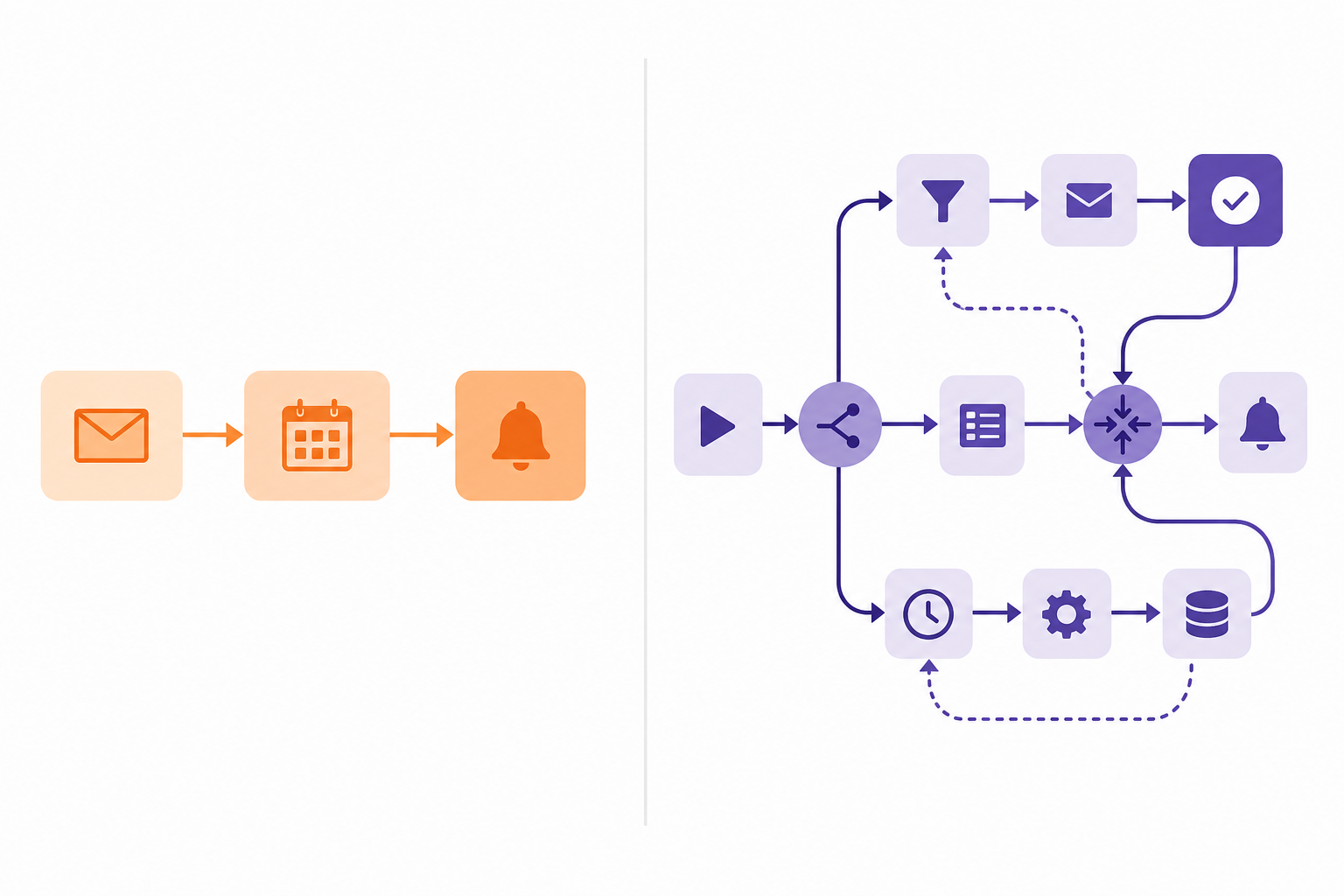
Zapier uses a trigger-action model. You pick a trigger ("when a new row is added to Google Sheets") and one or more actions ("create a task in Asana" and "send a Slack message"). The builder is linear and step-by-step. You don't need to understand how the pieces connect — Zapier walks you through each one. This is its core strength: you can build a working automation in minutes, even on your first day.
Make uses a visual canvas. You drag and drop modules onto a workspace and connect them with lines. Branching paths, loops, data transformations, and parallel processing are all visible at once — you can see your entire workflow as a diagram rather than a list of steps. This makes complex logic much easier to reason about, but it also means there's more to learn before your first workflow runs.
The philosophical difference: Zapier is built for speed and accessibility. Make is built for control and complexity. Neither is a compromise version of the other — they serve genuinely different use cases, and the right one depends on what you're actually trying to automate.
Side-by-Side Comparison: Key Dimensions at a Glance
| Dimension | Zapier | Make |
|---|---|---|
| Ease of use | Beginner-friendly, linear builder | Steeper curve, visual canvas pays off over time |
| Free plan | 100 tasks/month | 1,000 credits/month, max 2 active scenarios |
| Entry paid plan | $19.99/mo (annual) — 750 tasks | $9/mo (annual) — 10,000 credits |
| Billing unit | Tasks (successful actions only) | Credits (every module execution, including polling) |
| App integrations | 9,000+ apps | 3,000+ apps |
| Integration depth | Broad coverage, variable depth | Fewer apps, often deeper per-app control |
| Workflow complexity | Paths, loops, Sub-Zaps — good for moderate complexity | Routers, iterators, aggregators — built for complex branching |
| AI / MCP support | Zapier MCP (2 tasks per tool call); Zapier Agents (separate product) | Make MCP Server (all plans); Make AI Toolkit; AI Agents (beta) |
| Error handling | Replay feature — covers basics | Granular retry, skip, and error-type routing |
| Polling interval (free) | Trigger checks are free; no polling cost | 15-minute minimum; polling uses credits |
| Polling interval (paid) | Frequency varies by plan | Down to 1-minute on Core and above |
| Team features | Shared Zaps, roles, SAML SSO on higher plans | Team roles, template sharing on Teams plan |
| Platform | Web | Web |
Ease of Use and Learning Curve
Building your first Zapier workflow takes about five minutes. You pick a trigger app, authenticate it, choose an action app, map the fields, and turn it on. The interface labels everything clearly, catches common mistakes inline, and doesn't require you to understand what's happening under the hood. For someone who has never automated anything before, this is the right experience.
Make's first workflow takes longer — not because the tool is poorly designed, but because the canvas model requires you to think spatially about your automation. You need to understand what a module is, how to connect outputs to inputs, and what the difference between a router and a filter is. Most new Make users spend 30–60 minutes on their first working scenario.
The payoff for Make's learning investment is real. Once the canvas model clicks, complex workflows that would require multiple nested Zaps in Zapier become a single readable diagram in Make. Visual thinkers often prefer Make precisely because they can see the full logic at once.
Specific friction points to expect in Make as a new user:
- Module connections require manual field mapping — there is no auto-suggest equivalent to Zapier's field-mapping UI.
- Test runs consume credits, which matters on the free plan (1,000 credits/month is generous but not unlimited).
- Scenario activation is a separate step — it's easy to build a scenario and forget to turn it on.
- The credit model requires awareness of polling costs before you design your trigger setup (more on this in the pricing section).
Neither of these tools is hard to use in an absolute sense. Zapier is optimized for the first 20 minutes. Make is optimized for the hundredth workflow.
Pricing Explained: Tasks vs Credits and What They Actually Cost You
The pricing models are structurally different, and that difference creates real surprises if you don't understand it before you commit.
How Zapier counts tasks
Zapier charges only for successful action steps. A long list of built-in tools — Filter, Formatter, Paths, Delay, Looping, Sub-Zap, Digest, Tables, Forms — do not count as tasks. Triggers never count. If a Zap runs but the filter condition isn't met and nothing executes, you pay nothing. This makes Zapier's costs highly predictable: you pay roughly one task per meaningful output your automation produces.
How Make counts credits
Make counts every module execution — including trigger polling, action steps, failed steps, and test runs. Each counts as one credit. This model rewards efficiency: a six-step webhook-triggered scenario that runs 1,000 times costs 6,000 credits. But it punishes polling-heavy setups.
Verified 2026 pricing
| Plan | Zapier | Make |
|---|---|---|
| Free | 100 tasks/month | 1,000 credits/month, 2 active scenarios, 15-min polling |
| Entry paid | $19.99/mo (annual) — 750 tasks | $9/mo (annual) — 10,000 credits, 1-min polling, unlimited scenarios |
| Mid tier | $69/mo (annual) — 2,000 tasks (Team) | $16/mo (annual) — 10,000 credits (Pro) |
| Team | $69/mo — 2,000 tasks, shared workspaces | $29/mo — 10,000 credits, team roles, template sharing |
A worked cost example
Consider a six-step AI processing workflow running 1,000 times per month — analysis, lookup, transformation, response generation, quality check, database update. On Zapier Professional, that's roughly 6,000 tasks, which exceeds the 750-task plan and would require a higher tier, putting monthly costs in the $150–300 range depending on task volume. On Make Core using webhook triggers (no polling), the same workflow uses roughly 6,000 credits — well within the 10,000-credit plan at $9/month.
That cost gap is real and significant for complex, high-volume workflows using webhooks. But it narrows or reverses for simple polling-heavy workflows. Make is not always cheaper — it is cheaper when you design your scenarios to use webhooks and keep step counts lean.
Integration Breadth vs Depth: 9,000+ Apps vs 3,000+ Apps
Zapier's 9,000+ app ecosystem is a genuine advantage. If you need to connect a niche CRM, an obscure email marketing platform, or a specialized SaaS tool your team adopted last quarter, Zapier is more likely to have it. This breadth matters most when the specific app you need is the deciding factor.
Make's 3,000+ integrations are fewer in number but often go deeper per app. More API fields are exposed, data mapping is more granular, and the module design gives you finer control over what gets sent and received. For apps that both platforms support, Make frequently offers more options per integration.
A practical note: integration counts are marketing claims. Not every app in Zapier's 9,000 has deep, well-maintained coverage — some are thin wrappers with limited trigger and action options. Quality-adjusted breadth matters more than raw numbers.
- Choose Zapier for breadth: when you need a specific niche app connected quickly and can't find it in Make's library.
- Choose Make for depth: when you need granular control over what data flows between apps and the apps you're connecting are in both catalogs.
Workflow Complexity and Logic: Paths vs Routers, Iterators, and Aggregators
For simple workflows — trigger fires, one or two actions run — both tools handle the job equally well. The difference emerges when your logic branches, loops, or needs to transform data in multiple steps.
Zapier's Paths feature lets you add conditional branches to a Zap. It works well for two or three conditions. When you need five branches with different logic in each, or when branches need to reconverge and share data, the linear model starts to feel constrained. Zapier also has Looping, Sub-Zaps, and Digest — it is not a feature-limited tool. But the interface is optimized for workflows where the happy path is straightforward.
Make's routers, iterators, and aggregators are designed for exactly this kind of complexity. A router splits data into parallel branches. An iterator breaks an array into individual items for per-item processing. An aggregator collects processed items back into a single bundle. These aren't bolt-on features — they're native to how Make thinks about data flow.
- Simple scenario — Zapier wins: A new form submission triggers a Slack notification. One trigger, one action. Build it in Zapier in three minutes.
- Complex scenario — Make wins: A new CRM lead is scored, routed to one of four sales reps based on territory and deal size, triggers a personalized email sequence, and logs the outcome back to a dashboard. Make's visual canvas makes this readable and maintainable; the same logic in Zapier would require multiple interconnected Zaps.
- Batch processing — Make wins significantly: Processing 500 rows of data through an AI model and aggregating the results is a native Make pattern using iterators and aggregators. In Zapier, the same task requires careful task-count management and often multiple Zaps.
AI Agents and MCP in 2026: What's New and What It Means for Your Workflows
MCP stands for Model Context Protocol — a standard that lets AI tools (like Claude or GPT-based agents) call external services and trigger actions in connected apps. In plain terms: instead of manually building a Zap or scenario, an AI agent can autonomously trigger your automations when it decides an action is needed. Both Zapier and Make added MCP support in 2025–2026.
Zapier MCP
Zapier MCP connects AI tools to Zapier's 9,000+ app ecosystem. An AI agent can call Zapier to send an email, create a task, update a spreadsheet, or trigger any Zap. It's available on all Zapier plans.
Make MCP Server
Make MCP Server connects AI tools to Make scenarios. When an AI agent triggers a Make scenario via MCP, it runs like any other scenario and consumes credits normally. Make MCP Server is included on all plans, including the free tier.
- Make AI Toolkit: native modules for sentiment analysis, text summarization, and content extraction — available on all plans.
- Make AI Agents: autonomous agent functionality, currently in beta as of June 2026. Feature scope and pricing may change.
- Zapier Agents: a separate Zapier product with its own activity-based pricing, not included in standard Zapier workflow plans.
The practical takeaway: if you're building AI-augmented workflows today, Make's MCP Server has no hidden per-call cost and its AI Toolkit modules integrate natively into scenarios. Zapier MCP's breadth (9,000+ apps) is a real advantage for AI agents that need to reach niche tools, but the two-task-per-call cost needs to be factored into your quota planning.
Error Handling and Reliability
For simple automations, error handling rarely matters — you fix the broken Zap when you notice it. For production workflows where a missed step has real consequences (a lead not routed, an invoice not sent), error handling becomes a meaningful differentiator.
Make offers granular error control. You can configure retry logic (wait and retry after N minutes), skip-on-error routing (continue the scenario with a fallback value), and alerting after consecutive failures. Crucially, you can distinguish between different error types — a timeout error and a bad-input error can trigger different responses. This is professional-grade reliability tooling.
Zapier's Replay feature lets you re-run failed tasks once the underlying issue is fixed. It covers the most common recovery need but doesn't offer the same level of nuance for routing different error types to different fallback paths.
- For simple, low-stakes automations: Zapier's error handling is sufficient.
- For complex, production-critical workflows: Make's granular retry and error-routing logic is a genuine advantage.
Real-World Workflow Scenarios: Which Tool Wins Where
| Scenario | Winner | Why |
|---|---|---|
| Simple notification: new Typeform submission → Slack message | Zapier | Build in under 5 minutes. One trigger, one action. No logic complexity. Zapier's linear builder is faster here. |
| Multi-branch lead routing: new CRM lead → score → route to 1 of 4 reps → conditional email → log outcome | Make | Visual canvas makes the branching logic readable and maintainable. Routers handle the conditional paths natively. Cost is lower at volume using webhooks. |
| Batch AI processing: 1,000 records → sentiment analysis → aggregate results → update dashboard | Make | Iterators and aggregators handle batch processing natively. Webhook mode avoids polling costs. Estimated cost: ~$30–60/month on Make vs $150–300/month on Zapier at this volume. |
Persona-Based Verdicts: Which Tool Fits Your Situation
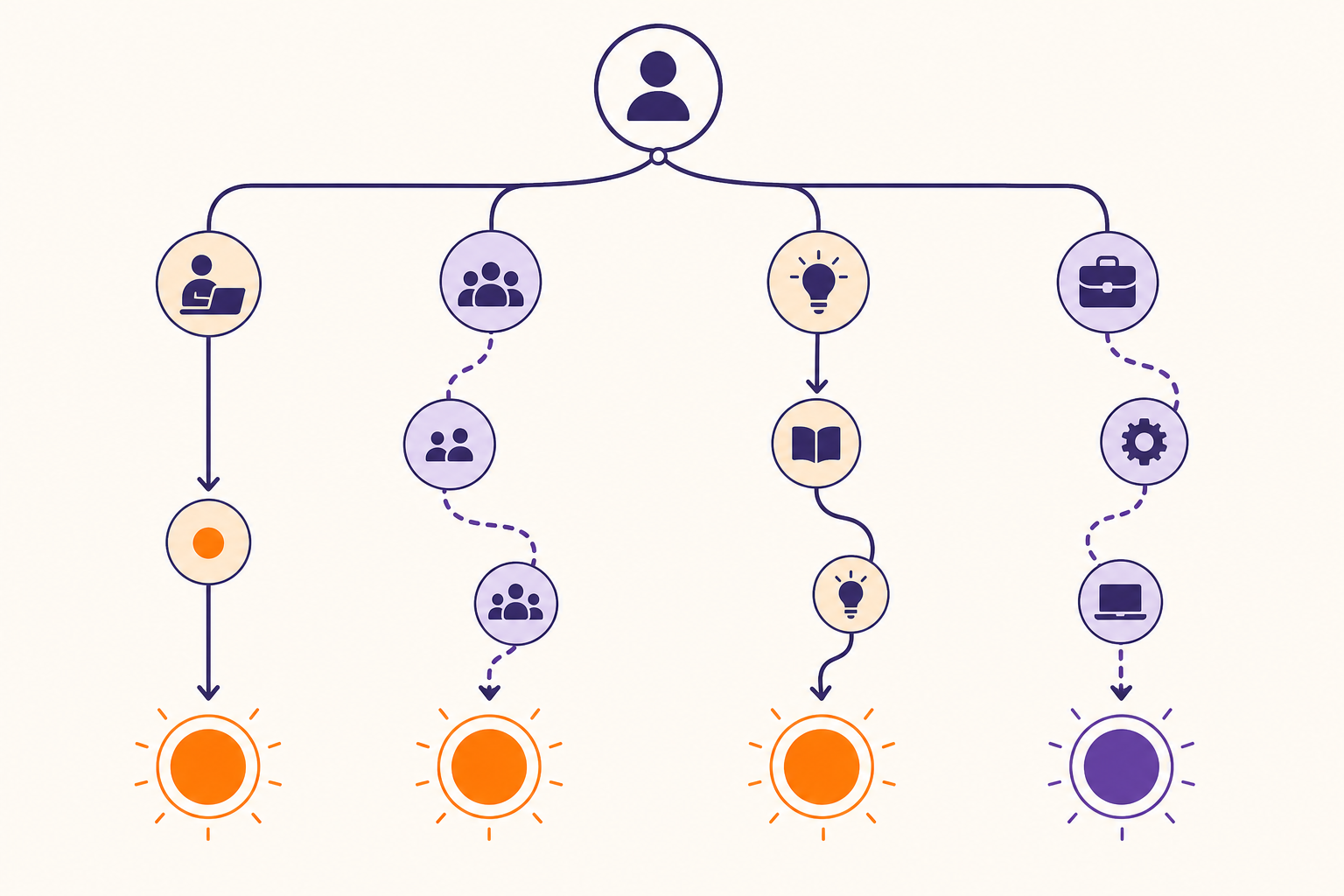
- Non-technical user → Zapier. The guided builder, clear error messages, and vast template library mean you can automate real workflows without understanding what's happening under the hood. Start here.
- Power user or ops team → Make. The visual canvas, routers, iterators, and granular error handling are worth the learning investment. You'll build workflows that would be impractical to maintain in Zapier.
- Freelancer on a budget → depends on your workflows. If you run complex, high-volume automations using webhooks, Make Core at $9/month is significantly cheaper. If your automations are simple and you value predictable billing over optimization, Zapier's task model is easier to budget.
- Student → Make. 1,000 credits/month on the free plan gives you real room to build and experiment. Zapier's 100-task free limit is genuinely restrictive for learning.
- Small team → Zapier for broad app access and easier onboarding; Make for ops-heavy teams. Zapier's Team plan includes shared Zaps and collaboration features that work well for mixed-technical teams. Make's Teams plan adds roles and template sharing, which suits teams that have a dedicated ops person managing automation.
Not for You If: Honest Limitations for Each Tool
Zapier is not for you if:
- You need complex branching logic across many conditions — Zapier's Paths feature works but becomes unwieldy beyond three or four branches.
- You run high-volume workflows where per-task pricing becomes expensive — at 50,000+ actions per month, the cost gap with Make is substantial.
- You want to see your full workflow structure as a diagram — Zapier's linear list view doesn't give you the visual overview that Make's canvas does.
- You need native batch processing with iterators and aggregators — Zapier can loop, but it's not designed for this pattern.
Make is not for you if:
- You need a specific niche app that only Zapier supports — check Make's app catalog first, but if your app isn't there, Zapier's 9,000+ ecosystem is the practical choice.
- You want zero learning curve — the canvas model requires 30–60 minutes of orientation before your first scenario runs reliably.
- Your workflows rely heavily on polling-mode triggers — the credit consumption from polling can exhaust your monthly allowance faster than expected, especially on the free plan.
- You need predictable, easy-to-explain billing — Make's credit model is efficient when optimized, but it requires more attention to manage than Zapier's task model.
Switching Between Zapier and Make: What Migration Actually Involves
There is no automatic migration tool. Zaps and Make scenarios use fundamentally different logic structures — a Zap cannot be imported into Make, and a Make scenario cannot be exported to Zapier. Every workflow must be manually rebuilt in the destination platform.
This is a real cost to factor into your decision, especially if you have 20 or more active automations. Budget roughly 1–2 hours per workflow to rebuild and test.
- Start with your highest-volume or most complex workflows — these deliver the fastest cost or capability gains and are worth prioritizing.
- Run old and new in parallel for at least two weeks before cutting over — this catches edge cases that don't show up in initial testing.
- Simple automations can often wait — if a Zap works fine and costs little, there's no urgency to migrate it.
Final Recommendation: How to Choose
The decision comes down to three factors: workflow complexity, expected monthly volume, and your technical comfort level.
Start with Zapier if you are new to automation, if your workflows are linear with one or two actions, or if the specific apps you need are in Zapier's catalog and not Make's. Zapier's free plan (100 tasks/month) is limited, but its paid entry point ($19.99/month for 750 tasks) is reasonable for straightforward use. The predictable billing model and zero learning curve make it the right default for most non-technical users.
Choose Make if you have outgrown linear workflows, if you need visual branching logic or batch processing, or if you're running high-volume automations where Make Core's 10,000 credits at $9/month represents a meaningful cost advantage over Zapier's equivalent task volume. Make's free plan (1,000 credits/month) is also the better option for students and experimenters who want to build real automations without hitting a wall in the first week.
Neither tool is the wrong choice in absolute terms. Zapier and Make are both mature, well-supported platforms with active development. The question is which one fits the workflows you're actually building — not which one wins a feature checklist.