
The Automation Reality Check for Small Businesses
The numbers paint a stark picture. According to a 2026 survey, 68% of employees report having too much work to handle in a standard day, and 94% of companies admit they still perform repetitive, time-consuming tasks that could be automated. More tellingly, 86% of employees believe automation would help them work more efficiently. These aren't enterprise-specific problems — they hit small teams hardest because there is no bench to absorb the overflow.
Yet small businesses have a structural advantage here. Data from Cflow indicates that smaller firms report 65% greater automation success rates than large enterprises. The reason is straightforward: fewer stakeholders, shorter approval chains, and the ability to iterate on a workflow in days rather than quarters. A solopreneur can decide to automate lead capture on a Tuesday morning and have it running by lunch. An enterprise team would still be scheduling the kickoff meeting.
The global workflow automation market was valued at $26.5 billion in 2024 and is projected to exceed $78 billion by 2030, growing at a 19.5% CAGR. That growth is driven partly by the democratization of tools — platforms that once required a developer to configure now offer visual builders, AI assistants, and free tiers that make automation accessible to anyone with a browser. The question for a small business owner is no longer "should I automate?" but "which platform gives me the most value for my specific situation without locking me into a pricing model that punishes growth?"
The Real Cost of Manual Work for Small Teams
Before comparing platform pricing, it is worth quantifying the problem. McKinsey estimates that 60% of employees could save 30% of their time by automating routine tasks. For a five-person team with an average loaded cost of $35 per hour, that 30% recovery translates to roughly $2,100 per week — or over $100,000 annually — in reclaimed productivity. The automation tools themselves cost a fraction of that.
The most common time sinks for small businesses fall into a few predictable categories:
- Lead capture and CRM data entry: Manually copying contact details from web forms, email inquiries, or social media into a CRM consumes 2–5 hours per week per team member handling sales.
- Invoicing and payment follow-ups: Generating invoices, sending them, and chasing late payments can eat 3–6 hours per week for a business processing 20–50 invoices monthly.
- Email follow-up sequences: Sending personalized follow-ups after meetings, proposals, or support inquiries is often done manually or forgotten entirely.
- Customer support ticketing: Routing inquiries from email, social media, and chat into a shared system without automation means responses are slow and inconsistent.
- Expense and receipt tracking: Manually categorizing expenses and matching them to bank transactions is a low-skill, high-frustration task that most small business owners dread.
Forrester's 2024 Total Economic Impact study documented a 248% three-year ROI for enterprises deploying workflow automation platforms. Small businesses with leaner operations and faster adoption cycles can expect even shorter payback periods — often measured in weeks rather than years.
Platform Comparison: Pricing and Features from an SMB Lens
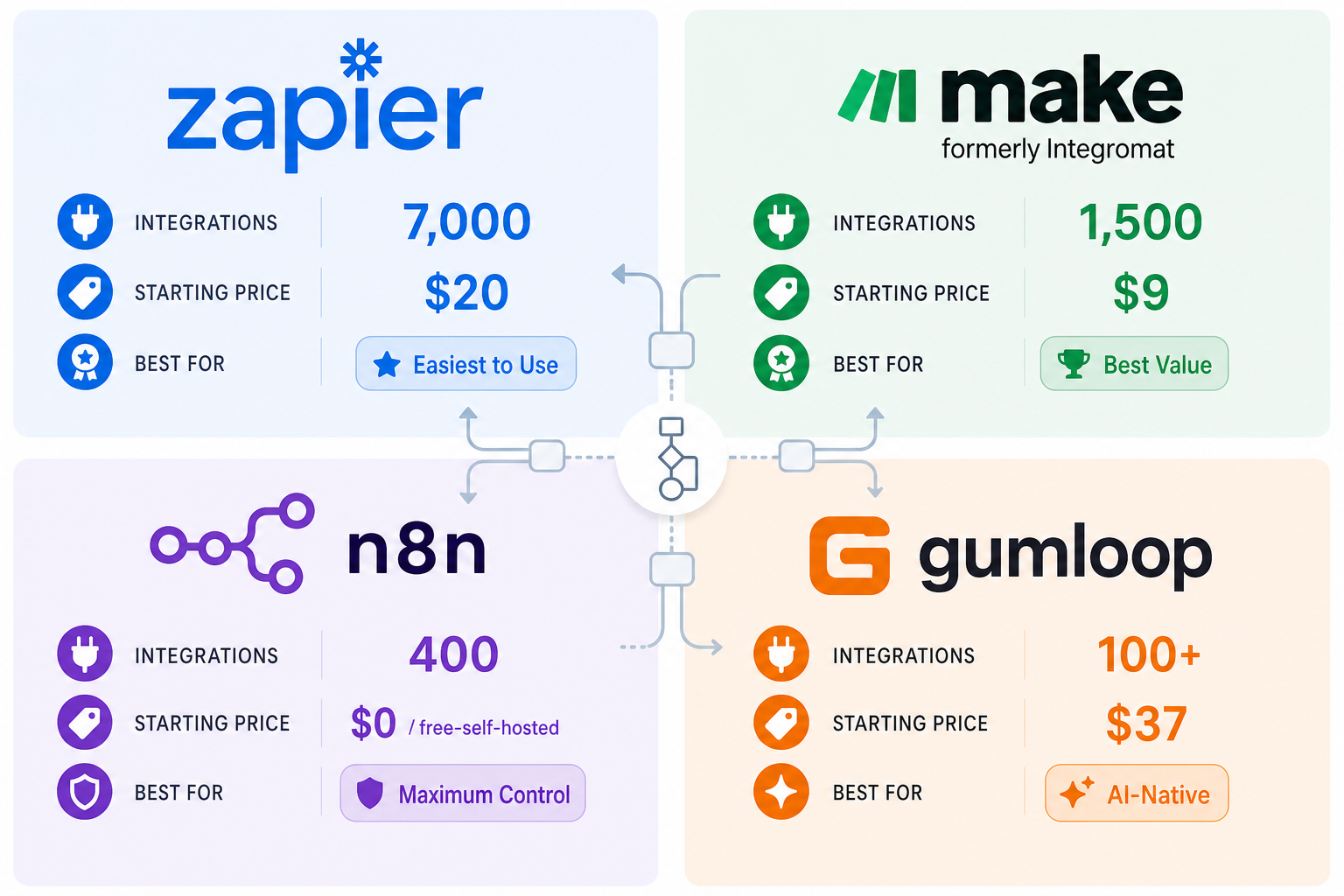
The four platforms covered here — Zapier, Make, n8n, and Activepieces — represent the spectrum from easiest to most powerful, and from most expensive per-task to most cost-effective at scale. The table below focuses on the pricing and capacity that matter most to a small business evaluating its first or second automation tool.
| Platform | Free Tier | Entry-Level Paid Plan | Execution Model | Integration Count | Best For |
|---|---|---|---|---|---|
| Zapier | 100 tasks/month, 5 Zaps, 2-step Zaps only | Starter: $20/month for 750 tasks | Per task (each step in a multi-step Zap counts as 1 task) | 9,000+ apps | Non-technical users who need the widest app coverage and are willing to pay for simplicity |
| Make | 1,000 operations/month | Core: $9/month for 10,000 operations | Per operation (each module execution counts as 1 operation) | 1,500+ apps | Users who want visual scenario building and significantly more capacity per dollar than Zapier |
| n8n (Self-Hosted) | Community Edition: free, unlimited executions | Starter Cloud: $20/month for 2,500 executions | Per workflow execution (a 10-step workflow processing 1,000 records = 1 execution) | 400+ native integrations | Technical users or those with hosting access who need unlimited volume, data sovereignty, or GDPR compliance |
| Activepieces | Community Edition: free, self-hosted | Standard: $5 per active flow per month | Per active flow (not per task or execution) | 586+ pre-built integrations | Users who want an open-source option with a simple per-flow pricing model for straightforward automations |
The most striking takeaway from this comparison is the cost-per-automation gap. Make's Core plan at $9/month delivers 10,000 operations, while Zapier's Starter plan at $20/month delivers only 750 tasks. Because Zapier counts each step in a multi-step Zap as a separate task, a three-step automation that runs 250 times would consume all 750 tasks in the Starter plan. The same workflow on Make would consume 250 operations — leaving 9,750 operations unused. DigitalApplied estimates that Make costs roughly 60% less than Zapier at equivalent volumes.
n8n's execution-based pricing is even more favorable for complex workflows. A 10-step automation processing 1,000 records counts as a single execution on n8n, whereas on Zapier it would consume 10,000 tasks. Intuz notes that for complex, high-volume workflows, n8n's execution model can reduce automation costs by 80–90% compared to Zapier. The trade-off is that n8n requires more technical skill to set up and maintain, especially in its self-hosted form.
Most Impactful Workflows to Automate First
Not all automations deliver equal value. For a small business with limited time to set up workflows, prioritizing the highest-ROI processes is critical. Based on common patterns across the platforms and the time sinks identified earlier, these five workflows should be at the top of your list.
- Lead capture to CRM: When a new contact submits a web form, sends an email inquiry, or fills out a Google Sheet, automatically create or update a contact record in your CRM (HubSpot, Pipedrive, Salesforce). This eliminates manual data entry and ensures no lead falls through the cracks. Estimated time saved: 2–5 hours per week. Complexity: Low.
- Invoicing and payment reminders: When an invoice is created in your accounting tool (QuickBooks, Xero, FreshBooks), automatically send it to the client and schedule follow-up reminders at 3, 7, and 14 days if unpaid. Estimated time saved: 3–6 hours per week. Complexity: Low to Medium.
- Email follow-up sequences: After a meeting ends, a proposal is sent, or a support ticket is closed, trigger a personalized follow-up email sequence. This keeps communication consistent without requiring manual tracking. Estimated time saved: 1–3 hours per week. Complexity: Low.
- Customer support ticketing: When a support inquiry arrives via email, social media DM, or website chat, automatically create a ticket in your help desk tool (Zendesk, Freshdesk, Help Scout) and send an acknowledgment to the customer. Estimated time saved: 2–4 hours per week. Complexity: Low.
- Expense tracking: When a receipt is emailed or uploaded, automatically extract the amount, vendor, and category, and log it in your accounting or expense management tool. Estimated time saved: 1–2 hours per week. Complexity: Medium.
For a complementary list of budget-friendly tools that pair well with the platforms compared here, see our Best Workflow Automation Tools for Small Businesses in 2026 roundup.
Concrete Workflow Example: Automate Lead Capture in Under an Hour
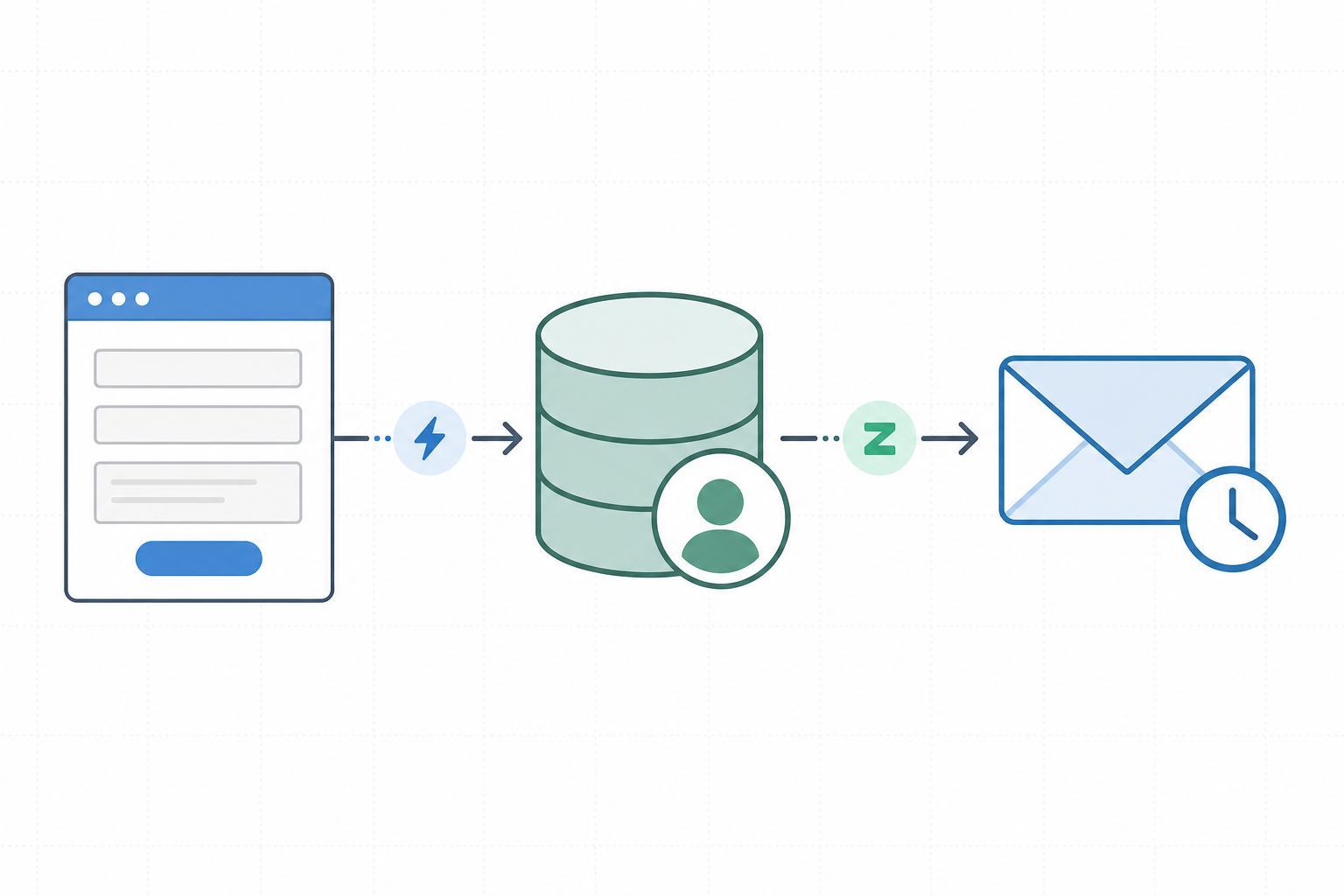
To make this concrete, here is a step-by-step example of automating a lead capture workflow. The logic applies across all four platforms, but the instructions use Make's visual builder because it offers the best balance of ease and power for this use case.
The goal: When a potential customer submits a contact form on your website, automatically add their details to your CRM and send a personalized follow-up email.
- Set up the trigger: Connect Make to your web form tool (e.g., Google Forms, Typeform, or a custom webhook). Configure the trigger to fire when a new submission is received. This takes about 5 minutes.
- Add a CRM module: Add a module for your CRM (HubSpot, Pipedrive, or Salesforce). Map the form fields — name, email, phone, company — to the corresponding CRM fields. Set the action to "Create or Update Contact." This takes about 10 minutes.
- Add a filter (optional): If you only want to follow up with leads from certain industries or regions, add a filter module that checks a condition before proceeding. This takes about 5 minutes.
- Add an email module: Connect your email platform (Gmail, Outlook, or a marketing tool like Mailchimp). Create a template email that includes the lead's name and a personalized message. Set the trigger to send immediately or after a delay. This takes about 15 minutes.
- Add a notification module (optional): Send a Slack message or SMS to your sales team when a high-value lead comes in. This takes about 5 minutes.
- Test and activate: Run a test submission, verify that the data flows correctly, and turn on the scenario. Total time: under one hour.
The same logic can be replicated on Zapier using Zaps, on n8n using workflows, or on Activepieces using flows. The key difference is cost at scale: the workflow above, running 500 times per month, would consume 500 operations on Make (well within the Core plan's 10,000 limit) but 1,500 tasks on Zapier (exceeding the Starter plan's 750 tasks and requiring the $49/month Professional plan).
Decision Guide: Which Platform Fits Your Small Business Profile?
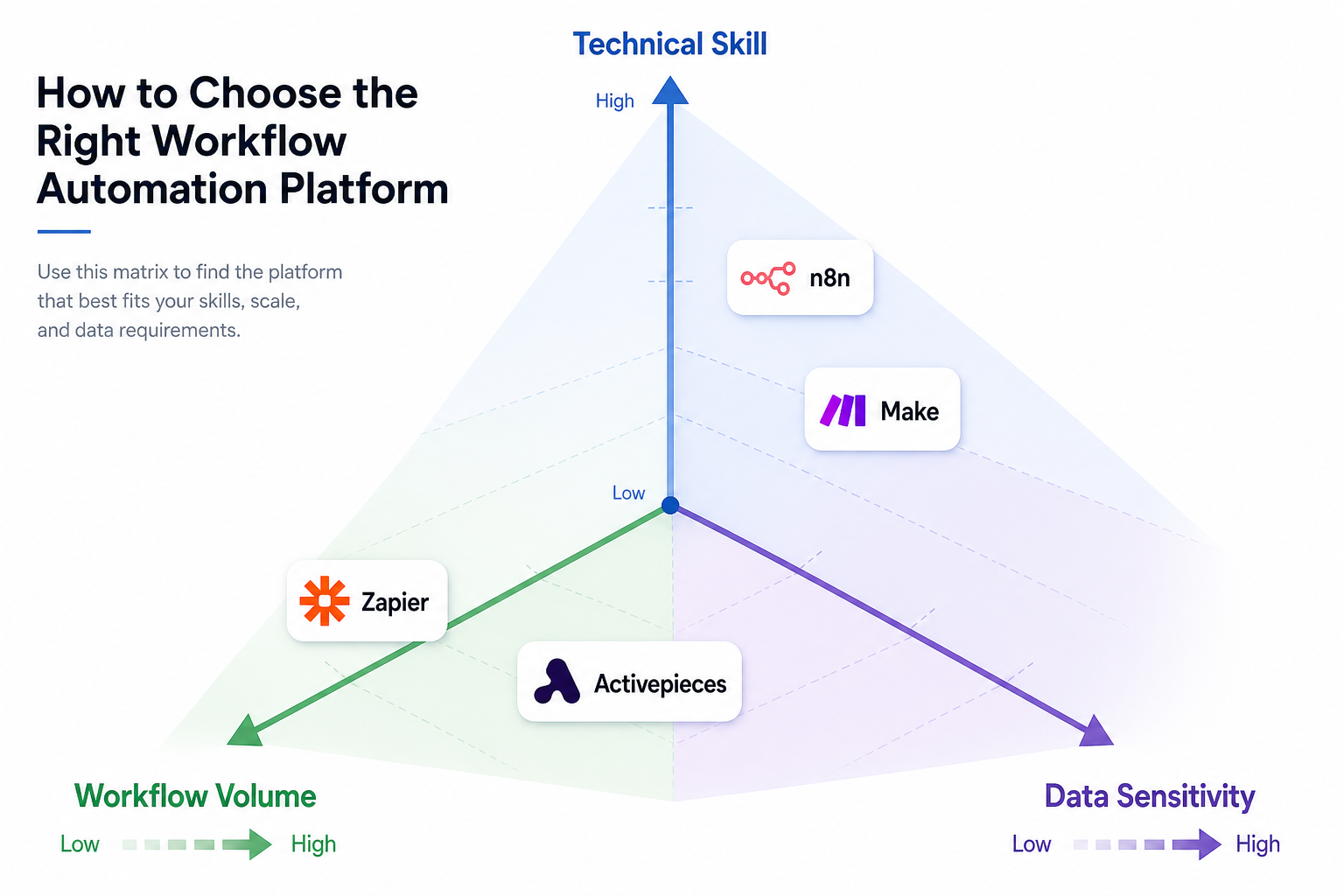
Choosing the right platform depends on three variables: your team's technical skill, your monthly workflow volume, and your data sensitivity requirements. The matrix below maps each platform to a specific profile.
| Profile | Technical Skill | Monthly Volume | Data Sensitivity | Recommended Platform | Why |
|---|---|---|---|---|---|
| The non-technical solopreneur | Low (no coding, no hosting) | Low (under 500 tasks/month) | Low (cloud tools are fine) | Zapier (Starter, $20/month) | Widest app coverage, simplest setup, no infrastructure to manage. The premium over Make is worth it if you value speed of setup over cost. |
| The growing micro-team | Low to Medium (comfortable with visual builders) | Medium (1,000–5,000 operations/month) | Low to Medium | Make (Core, $9/month) | 10x more capacity per dollar than Zapier at this volume. Visual builder is intuitive. Scales to 10,000 operations without a plan upgrade. |
| The tech-savvy founder with hosting access | Medium to High (can deploy a Docker container or use a VPS) | High (5,000+ executions/month) | High (GDPR, HIPAA, or proprietary data) | n8n (Self-Hosted Community, free) | Unlimited executions, data never leaves your infrastructure, execution-based pricing makes complex workflows dramatically cheaper. Requires ongoing maintenance. |
| The budget-conscious micro-business | Low to Medium | Low (under 500 operations/month) | Low | Activepieces (Standard, $5/active flow/month) | Simple per-flow pricing means predictable costs. Open-source Community Edition available. Good for straightforward automations with 586+ integrations. |
Getting Started Checklist
If you are ready to start automating but do not know where to begin, follow this checklist. It is designed to get you from zero to your first live automation in a single afternoon.
- Audit your most repetitive tasks: Spend 30 minutes listing every task you or your team performs more than three times per week. Highlight the ones that involve moving data between apps (e.g., copying email addresses into a CRM, sending the same invoice template). These are your automation candidates.
- Pick one workflow to automate first: Choose the task that is most painful and most repetitive. Do not try to automate everything at once. A single successful automation builds confidence and momentum.
- Choose your platform using the decision guide above: Match your technical skill, volume, and data sensitivity to the recommended platform. If you are unsure, start with Make's free plan (1,000 operations/month) — it gives you room to experiment without committing to a paid plan.
- Set up your first automation: Follow the lead capture example above or use a pre-built template from your chosen platform's template library. Most platforms offer templates for common workflows like "New Typeform entry → Add to Google Sheets → Send Slack notification."
- Measure time saved: Before activating the automation, note how much time the manual process takes. After one week, compare. If the automation saves at least 30 minutes per week, it is a keeper. If not, iterate or try a different workflow.
For a deeper dive into calculating ROI and evaluating vendors, read our Process Automation Tool Buyer's Guide 2026. It covers what to look for, what to avoid, and how to build a business case for automation that goes beyond the initial time savings.