
The price shock in a digital note taking app rarely arrives on day one. It arrives after the notes are imported, the phone widget is muscle memory, the shared workspace has clients in it, or the AI summaries have quietly become part of every Monday. So this comparison treats price as total cost over 1 year and 3 years, not as the friendliest monthly number on a pricing page. The seven apps here are Notion, Evernote, Obsidian, OneNote, Apple Notes, Google Keep, and Capacities.
| App | Usable $0 path in Q2 2026 | AI cost shape | Storage, sync, or archive pressure | Team-seat implication | Likely 1-year / 3-year impact |
|---|---|---|---|---|---|
| Notion | Works for light non-AI personal use, but the economics change once AI matters. | New users need Business at about $30/user/month for AI access; AI is no longer a roughly $10/month standalone add-on, a roughly 3× jump for AI access.[1] | Database and workspace lock-in matter more than raw storage for many users. | Every AI-using collaborator can become a Business-seat decision. | AI-heavy solo user: about $360 / $1,080. Small team: multiply by seats. |
| Evernote | Free plan is capped at 50 notes, 1 notebook, and 1 device.[1] | AI sits with the higher Advanced tier at about $25/month; Starter is about $13/month but capped at 1,000 notes.[1][2] | A real archive can outgrow Free immediately and Starter soon after. | Less attractive for teams unless everyone accepts the paid-plan path. | Starter: about $156 / $468. Advanced: about $300 / $900. |
| Obsidian | Free for personal and commercial use, with local files at the center.[1] | No built-in AI subscription is the main pricing event here. | Optional Sync is about $5/month; optional Publish is about $10/month, and users can work around sync with other storage methods.[1] | Not a seat-priced team workspace in the Notion sense. | Local-only: $0 / $0. With Sync: about $60 / $180. Sync plus Publish: about $180 / $540. |
| OneNote | Unlimited notes across platforms with 5 GB of OneDrive storage at $0.[2][3] | Copilot requires a paid Microsoft 365 Copilot license, not the free OneNote app.[2] | The 5 GB OneDrive allowance is the practical ceiling to watch. | Team cost depends on the wider Microsoft 365 setup, not OneNote alone. | Free baseline: $0 / $0 until storage or Copilot requirements enter. |
| Apple Notes | $0 for core use on Apple devices.[1][2] | Apple Intelligence writing, summarization, and image features are included at no extra charge on supported devices.[1] | iCloud storage and Apple-device dependence are the real constraints. | Poor fit as a cross-platform team note system. | Apple-only personal use: often $0 / $0 for the app itself. |
| Google Keep | $0 for core capture and reminders.[1][2] | No comparable paid AI note layer is the central cost driver. | Organization is weaker; the cost is often workflow sprawl, not subscription price. | Works best as light capture inside Google accounts, not as a team knowledge base. | Light capture: $0 / $0 for the app itself. |
| Capacities | Unlimited notes, objects, spaces, and sync at $0, making it unusually generous among newer structured-note apps.[1] | AI cost is not the main reason to choose the free tier in the available pricing evidence. | The free sync baseline removes a cost that Obsidian users may choose to pay for. | Evaluate carefully if your use case is a managed team workspace. | Structured solo use: $0 / $0 if the free tier continues to fit. |
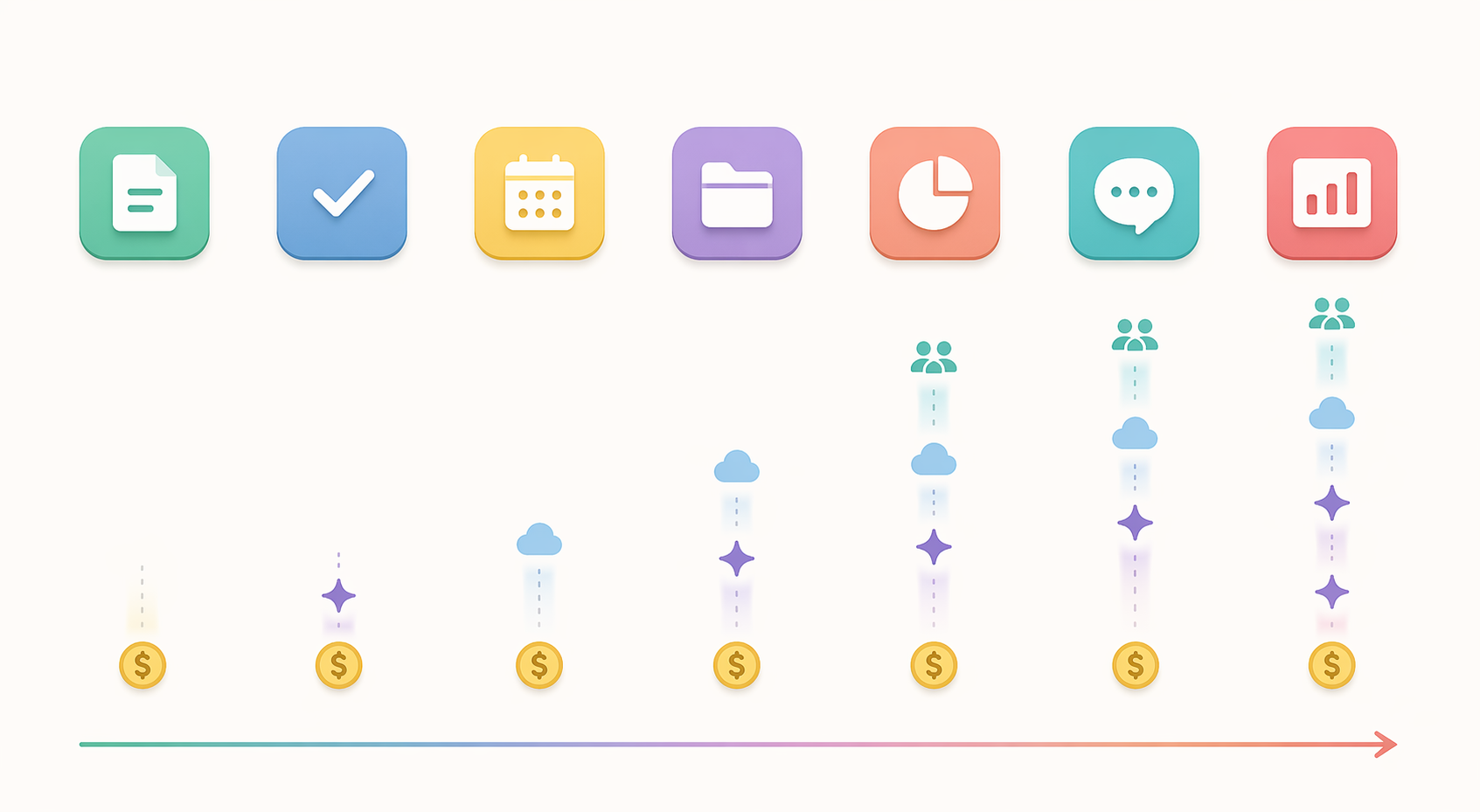
That table is why the old “free versus paid” question no longer works. A free app can be the cheapest choice for years, or it can be a waiting room for an unavoidable upgrade. A paid app can be fair if its ceiling is visible. The bad bargain is the plan that lets someone build a life around the product before revealing that the real feature they need lives one tier higher.
There is a reason vendors are testing these structures now. The note-taking app market reached $13.3 billion in 2026, according to TBRC, with a reported 20.6% CAGR.[4] A growing category attracts heavier infrastructure, AI features, and team use. It also attracts pricing architecture that makes the first month look simpler than the third year.
The Notion AI change turns a feature decision into a tier decision
Notion’s 2026 pricing deserves the most careful reading because the change is not merely “AI costs money.” That would be reasonable. The sharper issue is that AI access for new users moved from a standalone add-on of roughly $10/month to the Business tier at roughly $30/user/month.[1] For someone who already wanted Business, the bundle may feel clean. For a solo note-taker who mainly wants summarization, rewriting, or AI help inside a personal workspace, the entry price for AI has effectively changed category.
The one-year math is blunt: about $360 for one AI-using user. Over three years, that becomes about $1,080 before any team expansion. The cost does not look outrageous if Notion is running projects, documents, databases, and collaboration in one place. It looks very different if the user came shopping for a digital note taking app and only later discovered that the AI help they wanted sits behind a business subscription.
The team version is where this stops being a personal annoyance and becomes an admin problem. If one freelancer upgrades for AI, that is a renewal-calendar item. If a three-person studio standardizes on Notion with AI expectations, the calculation becomes seat-based. That is when an app that felt like a flexible workspace becomes a recurring software line that someone has to justify.
For a deeper look at that shift, see the related breakdown of Notion pricing in 2026.
Evernote’s free tier is no longer a serious archive plan
Evernote is the clearest example of a free plan that can look available while being functionally unusable for long-time note-takers. The free plan is limited to 50 notes, 1 notebook, and 1 device.[1] That may work for someone testing the interface over a weekend. It is not an escape hatch for a user with years of clipped articles, scanned receipts, meeting notes, PDFs, and old project files.
The Starter tier, at about $13/month, raises the ceiling but still caps users at 1,000 notes.[1][2] That number matters because note archives age differently from task lists. A person does not usually know which notes are disposable until they have searched the archive during a tax filing, a client dispute, or a research sprint. For a 3,000-note migration, the available research points to a $300–$600 cost over 2 years, depending on the plan path.[1]
Advanced, at about $25/month, is the plan that removes the note ceiling and adds AI.[1][2] That makes Evernote less a cheap note app than a paid archive product. Some users may accept that; OCR, capture, and continuity have value. But the budget question must be asked before import, not after the archive is inside a system whose free tier cannot hold it.
If the current decision is “leave Evernote or pay,” the migration cost is its own project. A practical starting point is this Evernote alternative decision framework, because the cheapest replacement is not always the least disruptive one.
Where the genuinely cheap paths still exist
OneNote has the strongest free baseline in this group for ordinary cross-platform note-taking: unlimited notes, all platforms, and 5 GB of OneDrive storage at $0.[2][3] The catch is cleanly placed. Copilot is not part of the free OneNote app; it requires a paid Microsoft 365 Copilot license.[2] That separation is easier to budget around than a free plan that quietly becomes useless after the archive grows.
Apple Notes remains a very good zero-dollar answer for people who live on supported Apple devices. Core use is free, and Apple Intelligence features such as rewriting, summarization, and image generation are included at no extra charge on supported hardware.[1][2] The limitation is not the app bill. It is the device boundary and the likelihood that iCloud storage, not Notes itself, becomes the practical constraint.
Google Keep is also $0 for core use, but it is a different kind of free. It is excellent for quick capture inside a Google-heavy day and much weaker as a serious knowledge system. The hidden cost is not a surprise invoice; it is the time spent compensating for shallow organization when notes become research, client history, or long-running project memory.[1][2]
Capacities is the newer app in this set with the most generous free structure in the available evidence: unlimited notes, objects, spaces, and sync at $0.[1] That combination is unusual because sync is often the moment a free note app becomes paid. The cautious note is durability. Generous free tiers in younger products deserve periodic rechecking, especially before a user turns the app into a personal operating system.
For readers who want to stay strictly inside free plans, the better comparison is not “which app is nicest?” but “which free limit will I hit first?” A separate free note-taking app comparison is useful because free tiers fail in different places: notes, devices, storage, sync, AI, or organization.
Obsidian is cheap because the paid parts are optional
Obsidian’s pricing is unusually legible in 2026. It is free for personal and commercial use, while Sync costs about $5/month and Publish about $10/month.[1] The important part is not simply that those numbers are low. It is that the app still works if the user declines them.
That makes Obsidian the cheapest serious path for a certain kind of user: privacy-conscious, comfortable with files, and willing to think about backup. A solo professional can keep local Markdown notes at $0, add Sync for about $60/year, or use other storage methods instead. Over three years, official Sync is about $180. That is less than one year of many AI-bundled note plans.
There is a trade-off. Obsidian does not behave like a polished shared workspace out of the box. If the job is to invite clients into a clean collaborative database, it may be the wrong kind of cheap. If the job is to own a durable personal knowledge base without handing the renewal decision to an AI bundle, it is one of the cleanest cost structures in the category.
Choose by usage pattern, not by the lowest advertised tier
The cheapest app changes once the user is made real. A student on a laptop and phone, a consultant with 8 years of PDFs, and a small agency sharing client notes are not buying the same thing, even when all three type “best digital note taking app” into a search bar.
| Usage pattern | Best-value direction in Q2 2026 | Why |
|---|---|---|
| Solo personal notes, no AI requirement | OneNote, Apple Notes, Google Keep, Capacities, or Obsidian | The $0 paths are credible if the device mix and organization model fit. |
| AI-heavy individual note-taking | Compare Notion Business against Apple Notes on supported Apple devices and any Microsoft Copilot plan already being paid for | AI access is now the price driver, not basic note storage. |
| Large archive migration | Avoid Evernote Free and be cautious with Evernote Starter | The 50-note free cap and 1,000-note Starter cap can force a paid decision before the archive is usable.[1][2] |
| Apple-device-only personal setup | Apple Notes | The app cost stays at $0, and supported Apple Intelligence features do not add a separate app subscription.[1] |
| Google ecosystem light capture | Google Keep | Fast capture is free; the weakness appears when notes need deeper structure. |
| Privacy-conscious power use | Obsidian | Local files and optional Sync keep the user from being forced into a subscription for the core note base.[1] |
| Small-team collaboration | Price by seat before committing to Notion, Evernote, or any workspace-style system | The first collaborator can change the budget more than the first thousand words of notes. |
Small teams should run the calculation differently from individuals. A solo user can tolerate a workaround: manual export, local folders, or a second app for capture. A team pays in coordination. If the admin has to train people, manage permissions, and explain why AI access requires a higher tier, the subscription is only one part of the cost. For that use case, compare seat rules directly before choosing a shared workspace; a dedicated team note-taking pricing guide will usually be more useful than a general app roundup.
Device mix also changes the answer. OneNote’s free baseline is especially compelling for Windows users who want a broad canvas without immediate subscription pressure. Apple Notes is much harder to beat for someone who is already fully inside Apple hardware. If the decision is platform-specific, compare the practical limits in a Windows note-app pricing guide or a Mac free-versus-paid guide instead of treating every app as equally convenient on every device.
The renewal-calendar test
Before importing a serious archive or inviting collaborators, write down four numbers: the cost today, the cost with AI, the cost after storage or sync becomes necessary, and the cost after every regular collaborator has a seat. Then multiply the realistic version by 36 months. The answer will often be different from the price that made the app attractive in the first place.
In Q2 2026, the cleanest bargains are the ones whose limits match the way the user actually takes notes. OneNote is the best free baseline for broad cross-platform personal use. Apple Notes is hard to beat for Apple-only users. Google Keep remains a free capture tool, not a full archive strategy. Capacities has the most generous free structure among the newer structured apps in the available evidence. Obsidian is the most honest low-cost path for people who can live with files and optional sync. Notion can still make sense when its workspace and AI bundle replace multiple tools, but it is no longer cheap AI note-taking. Evernote is defensible as a paid archive product, not as a free-plan refuge for large note libraries.
The smartest choice is not the app with the lowest advertised price. It is the one whose AI, storage, sync, and seat model does not punish the way you actually take notes.
References
- Best Note-Taking Apps 2026: Tested and Ranked — Tech Insider AU
- The Best Note-Taking Apps We've Tested for 2026 — PCMag
- The 7 best note taking apps in 2026 — Zapier
- Note Taking App Market Report 2026 — TBRC