
Free Is Great — Until It Isn't
Every semester, thousands of students download a free note-taking app, fill it with lecture notes, PDF annotations, and study guides — and then hit a wall. The app stops syncing. A notification appears: "Storage full." Or "Upgrade to add more notebooks." Or "You've reached the 50-note limit." The free tier that seemed generous in August becomes a bottleneck by October.
This isn't an accident. Free tiers are designed to be good enough to hook you, but limited enough to push you toward a paid plan. The problem is that most students don't realize where those limits are until they've already invested hours — or hundreds of notes — into a single app. By then, the cost of switching isn't measured in dollars; it's measured in lost formatting, broken links, and an afternoon of manual export-import gymnastics.
This guide doesn't just list features. It quantifies exactly where each free tier breaks — the storage cap, the notebook limit, the upload ceiling — and calculates whether the migration cost of switching later is worth more than a modest subscription. If you're a student choosing a note-taking app today, you need to know not just what you get for free, but what you lose when you don't pay.
Free Tier Limits at a Glance
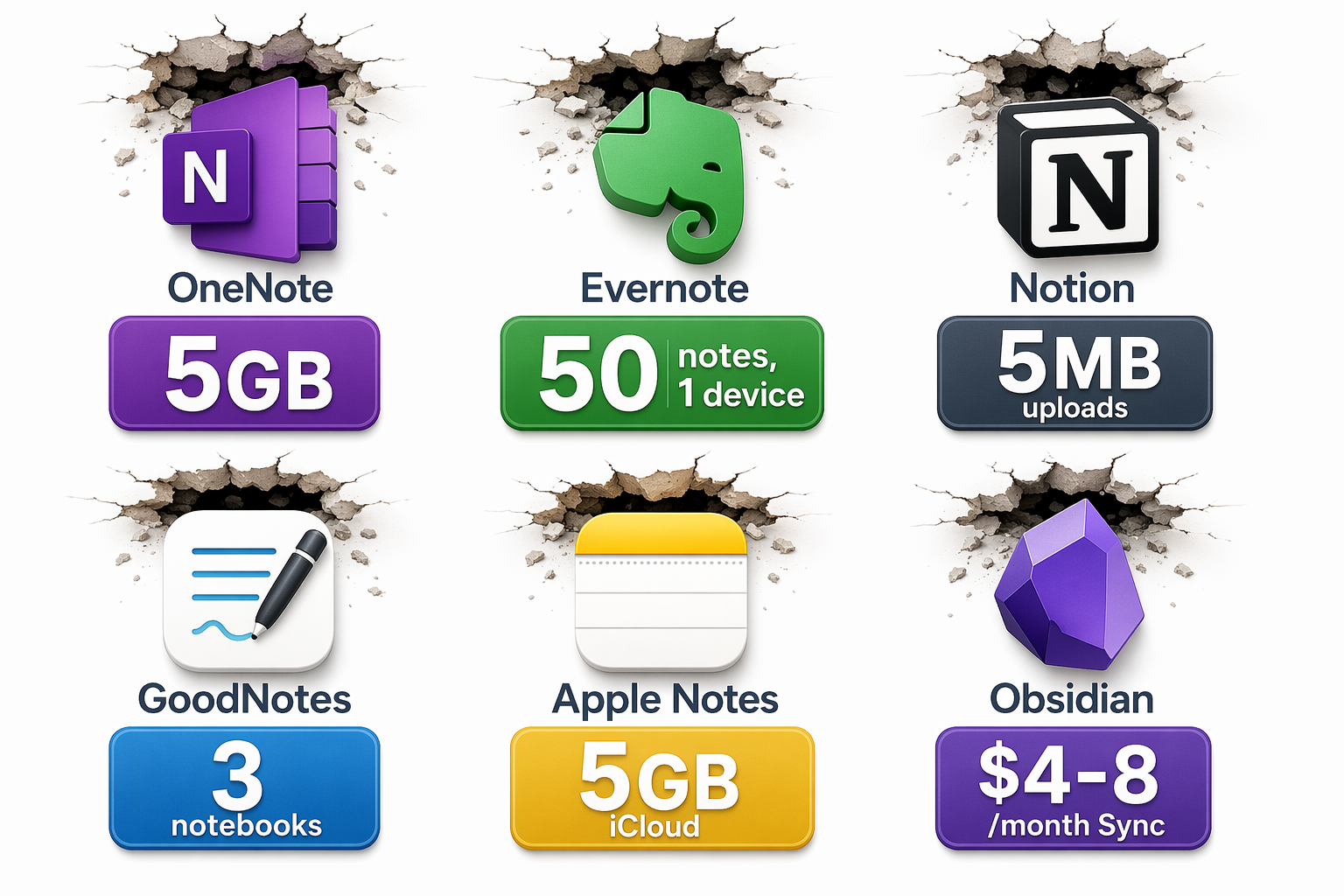
The table below summarizes the hard ceilings of the most popular free note-taking apps for students. These are not soft recommendations — they are the specific, documented limits that will stop you from adding another note, uploading another file, or syncing to another device.
| App | Free Tier Limit | Key Restriction | Paid Plan Starts At |
|---|---|---|---|
| Microsoft OneNote | 5 GB OneDrive storage | Unlimited notebooks, but total storage capped at 5 GB across all notes, attachments, and recordings | Microsoft 365 Personal: $9.99/month or $99.99/year (1 TB storage) |
| Evernote | 50 notes, 1 device, 250 MB/month upload | Cannot create more than 50 notes; only usable on one device; monthly upload cap | Personal plan: ~$10.99/month |
| Notion | 5 MB per file upload, 7-day version history | No cap on pages or blocks, but each file attachment is limited to 5 MB; version history rolls off after 7 days | Plus: $10/month billed yearly; free with .edu email |
| GoodNotes | 3 notebooks | Free tier allows only 3 notebooks total — most students fill this in one semester | $9.99/year or $11.99/year cross-platform |
| Apple Notes | 5 GB iCloud storage | Shared across all iCloud services (photos, backups, etc.); no per-note limit but total storage is capped | iCloud+: $0.99/month for 50 GB |
| Obsidian | Unlimited local notes (free core app) | Sync costs $4–8/month; no built-in cross-device sync on free tier | Sync: $4/month or $8/month; Publish: $5/month |
| Google Keep | 15 GB across Google apps | Shared with Gmail, Google Drive, and Google Photos; simple notes only, no handwriting or PDF annotation | Google One: $1.99/month for 100 GB |
Where Each Free Tier Breaks
Microsoft OneNote: The 5 GB Storage Trap
OneNote's free tier is one of the most generous on paper: unlimited notebooks, real-time collaboration, searchable handwriting, ink-to-text conversion, and audio recording — all at no cost. It works on Windows, Mac, iOS, Android, and the web, and many universities include Microsoft 365 with student accounts, which bumps the storage to 1 TB.
But without that university upgrade, the free tier is limited to 5 GB of OneDrive storage. That 5 GB is shared across all your notebooks, including embedded images, PDF attachments, and audio recordings. A single 90-minute lecture recording can consume 50–100 MB. If you record three lectures per week and annotate a few PDFs, you can exhaust 5 GB in 8–10 weeks. OneNote does not have built-in study features like flashcards or AI summaries, so students who need those tools must look elsewhere or pay for a third-party add-on.
Evernote: The Worst Free Option for Students
Evernote's free plan has become so restrictive that it's essentially unusable for any serious student. The limits are stark: 50 notes total, 1 device, and 250 MB of monthly upload capacity. A single semester's worth of lecture notes, readings, and research clips will easily exceed 50 notes within the first few weeks. The 1-device restriction means you cannot take notes on your laptop and review them on your phone — a dealbreaker for students who move between devices throughout the day.
Multiple sources, including Zapier and Drawboard, confirm these limits. Evernote's brand recognition still draws new users, but the free tier is a shadow of what it once was. For students, it's hard to recommend Evernote free over any other option on this list.
Notion: Unlimited Pages, Tiny Uploads
Notion's free plan is generous for personal use: unlimited pages and blocks, a flexible editor, and database capabilities that go far beyond traditional note-taking. It's the most-installed note-taking app among college students in 2026, according to Atlas Workplace. But the free tier has two critical limits: file uploads are capped at 5 MB per file, and version history is limited to 7 days.
The 5 MB upload limit is a problem for group projects. If a teammate tries to attach a presentation PDF, a dataset, or a high-resolution image, it may exceed the cap. The 7-day version history means that if you accidentally delete a page or overwrite important content, you have only one week to recover it. For students who use Notion as a long-term knowledge base, this is a genuine risk.
The exception: Notion's Student Pro plan (now called the Education Plus plan) is available for free with a .edu email address. This upgrade removes the upload limit and extends version history. If you have a .edu address, this is arguably the best free deal in note-taking — but only if you can claim it.
GoodNotes: 3 Notebooks and You're Done
GoodNotes is the leading handwriting app for iPad users, and its free tier is deceptively simple: you get 3 notebooks. That's it. No storage cap, no note limit — just three notebooks. For a STEM student who takes handwritten math equations, annotates PDFs, and keeps a lab notebook, three notebooks can fill up by midterms.
The paid plan is $9.99 per year (or $11.99 per year for cross-platform access). That's less than $1 per month. The free tier is a trial, not a long-term solution. Students who plan to use GoodNotes for more than one semester should budget for the subscription from the start.
Apple Notes: Free but Tethered to iCloud
Apple Notes is completely free with an Apple ID and includes features that rival paid apps: Smart Folders, tags, real-time collaboration, Apple Pencil support, searchable handwriting, and even Apple Intelligence summarization. The catch is the 5 GB iCloud storage limit, which is shared across all iCloud services — photos, device backups, messages, and notes.
For students who take lots of photos, back up their iPhone, and store notes with embedded images, 5 GB disappears quickly. Upgrading to 50 GB costs $0.99 per month. Apple Notes also lacks advanced features like backlinks, graph views, or a robust tagging system — it's a great free option for Apple-only users, but not for students who need cross-platform access or a full PKM system.
Obsidian: Free Core, Paid Sync
Obsidian's core app is 100% free for local use. There are no limits on notes, no storage caps, and no feature paywalls for the local experience. It supports backlinks, graph view, plugins, and Markdown-based note-taking — making it a favorite among students who want a local-first, future-proof system.
The catch is sync. Obsidian Sync costs $4 per month (or $8 per month for a higher-tier plan with version history and end-to-end encryption). Without Sync, you cannot access your notes on another device unless you manually set up a third-party sync service like iCloud, Dropbox, or a self-hosted solution. For students who take notes on a laptop and review them on a phone or tablet, the free tier requires technical setup. Obsidian Publish, which lets you share notes as a website, starts at $5 per month.
If you're comfortable with a bit of technical configuration, Obsidian's free tier is unmatched. If you want seamless cross-device sync out of the box, you'll need to pay or use a workaround.
Google Keep: Simple and Free, but Limited
Google Keep is fully free for normal use, with 15 GB of storage shared across Google apps. It's excellent for quick capture — grocery lists, reminders, voice memos, and short notes. But it is not a note-taking app for serious academic work. It lacks handwriting support, PDF annotation, robust organization (no folders, only labels), and any form of backlinking or knowledge management. For students who need to synthesize lecture notes, annotate readings, or build a study system, Google Keep is insufficient as a primary tool.
When the Free Tier Breaks: Real Student Scenarios
Free-tier limits aren't abstract. They manifest in specific, frustrating moments during the semester. Here are three common scenarios where students hit the ceiling.
- The STEM student with GoodNotes: A mechanical engineering student takes handwritten notes for calculus, physics, and thermodynamics — three notebooks. By week 8, all three are full. To start a fourth notebook, they must either delete old notes or upgrade to the $9.99/year plan. Deleting mid-semester notes is not an option. They upgrade under pressure, losing the chance to evaluate alternatives.
- The humanities student with OneNote: A history major annotates PDFs of primary sources, records lecture audio, and stores scanned book excerpts. By week 10, the 5 GB OneDrive storage is nearly full. OneNote refuses to sync new notes. The student must either delete old files, move them to an external drive, or upgrade to Microsoft 365. The interruption happens during finals preparation.
- The group project in Notion: A team of four students uses Notion to coordinate a final project. One teammate tries to upload a 10 MB dataset. Notion's free tier blocks the upload with a 5 MB limit. The team scrambles to find a workaround — linking to Google Drive, compressing files, or splitting the dataset. The friction costs time and trust.
These scenarios are not hypothetical. They happen every semester to students who chose a free app without understanding its limits. The common thread: the limit is discovered at the worst possible time — mid-semester, during finals, or in the middle of a group project.
The Hidden Costs of Switching Later
When a student hits a free-tier limit, the natural reaction is to look for a new app. But switching note-taking apps is not like switching email clients. Notes are interconnected: they contain internal links, embedded files, tags, and formatting that rarely survive a migration intact.
Here's what typically gets lost or broken during a migration:
- Formatting: Bold, italic, headings, bullet lists, and tables often render differently or break entirely when moved between apps.
- Internal links: Backlinks and wiki-style links (common in Obsidian, Notion, and Roam) do not transfer to apps that don't support them.
- Attachments: Embedded images, PDFs, and audio files may detach or require manual re-uploading.
- Tags and metadata: Custom tags, dates, and properties often do not map cleanly between different data models.
- Folder structure: Hierarchical folder systems (OneNote, Apple Notes) do not translate to database-driven systems (Notion) or graph-based systems (Obsidian).
The time cost is real. Migrating 200 notes from OneNote to Obsidian can take 2–4 hours of manual cleanup, even with export-import tools. For a student during finals week, that's time they don't have. The frustration cost — losing the organizational system they've built over months — is harder to quantify but equally significant.

The Migration Math: When $10/Year Is Cheaper Than Moving 3 Years of Notes
Let's do the math. A GoodNotes subscription costs $9.99 per year. Over a 4-year degree, that's roughly $40. An Obsidian Sync subscription at $4 per month costs $48 per year, or $192 over 4 years. A Notion Plus plan (if you don't have a .edu email) costs $10 per month billed yearly, or $120 per year — but the .edu upgrade makes it free.
Now consider the alternative: staying on a free tier until you hit the limit, then migrating to a different app. If you have 300 notes with internal links, embedded files, and custom metadata, the migration could take 4–6 hours. At a minimum wage of $7.25 per hour, that's $29–$43.50 of your time. But for a student whose time is scarce during the semester, the opportunity cost is higher — that's 4–6 hours that could have been spent studying, working on projects, or resting.
| Scenario | Cost of Staying Free + Migrating Later | Cost of Upgrading Early | Verdict |
|---|---|---|---|
| GoodNotes user, 3+ notebooks per semester | 4–6 hours migration + lost formatting + frustration | $9.99/year ($40 over 4 years) | Upgrade early — the subscription costs less than one textbook |
| Obsidian user needing cross-device sync | Manual sync setup (30–60 min) or third-party service | $4/month Sync ($48/year) | Pay for Sync if you value seamless access; free tier works if you're technical |
| Notion user with .edu email | N/A — Plus plan is free with .edu | $0 | Claim the .edu upgrade immediately — it's the best free deal |
| Notion user without .edu email, large file attachments | 5 MB upload limit blocks group projects; workaround costs time | $10/month Plus plan ($120/year) | Consider whether you actually need large uploads; if yes, upgrade |
| OneNote user with school M365 | N/A — 1 TB storage included | $0 | Check if your school provides M365 — most do |
| OneNote user without M365, heavy audio recording | 5 GB fills in 8–10 weeks; migration mid-semester is disruptive | $9.99/month M365 Personal ($99.99/year) | Upgrade only if you record lectures; otherwise, reduce audio use |
The pattern is clear: for apps with a low-cost subscription (GoodNotes at $10/year, Obsidian Sync at $4/month), the upgrade is almost always cheaper than the time and frustration of migrating later. For apps where the free tier is genuinely generous (Notion with .edu, OneNote with school M365), there's no need to upgrade. The key is knowing which camp your app falls into before you hit the limit.
Final Verdict: Start Free, Know Your Limit, Upgrade Only When You Hit It
Free note-taking apps are a great starting point. They let you test the interface, the workflow, and the ecosystem before committing money. The mistake is treating the free tier as a permanent solution without understanding its ceiling.
Here's a simple decision framework:
- If you use GoodNotes, start with the free 3-notebook tier. When you fill the third notebook — and you will — upgrade to the $9.99/year plan. It's cheaper than a single textbook.
- If you use Notion and have a .edu email, claim the Education Plus plan immediately. It's the best free deal in note-taking.
- If you use Notion and don't have a .edu email, stay on the free tier as long as you don't need large file uploads. If group projects require attachments over 5 MB, upgrade to Plus.
- If you use OneNote, check whether your school provides Microsoft 365. If yes, you have 1 TB of storage — no upgrade needed. If no, monitor your storage usage and upgrade to M365 Personal only if you record lectures or store large PDFs.
- If you use Obsidian and need cross-device sync, decide upfront: either pay $4/month for Sync, or set up a third-party sync solution. Don't start taking notes on one device and expect seamless access on another without planning.
- If you use Apple Notes and stay within the Apple ecosystem, the free tier is sufficient for most students. Upgrade to 50 GB iCloud ($0.99/month) only if you run out of storage.
- If you use Evernote free, switch now. The 50-note, 1-device limit makes it unusable for any serious student. Pick any other app on this list.
The 2024 Flanigan meta-analysis, which examined 24 studies, found that taking and reviewing handwritten notes produced higher course achievement (Hedges' g = 0.248, p < 0.001) compared to typing alone. This is one data point, not a definitive rule — subsequent research has noted that the handwriting advantage diminishes when the review step is omitted. But it does suggest that students who prefer handwriting should not feel pressured to switch to a typing-only app just because it's free. GoodNotes and Apple Notes both support handwriting on the free tier, and Obsidian supports it through plugins. The tool should fit your learning style, not the other way around.
Free tiers are a feature, not a flaw. They let you try before you buy. But they are also a trap if you don't know where the ceiling is. Know your limit, plan your upgrade, and never let a storage notification catch you off guard during finals week.