
The first serious choice in a meeting note taking app is not whether the summary is prettier, whether the action items appear in Slack, or whether the interface feels modern. It is whether the app joins the call as a visible participant or captures audio from your own device.
That sounds like a product detail until the client pauses mid-sentence because “OtterPilot,” “Fireflies Notetaker,” or “Fathom Notetaker” has appeared in the participant list. From that point forward, the meeting is no longer just a conversation with people. It is a conversation with a named recording agent in the room.
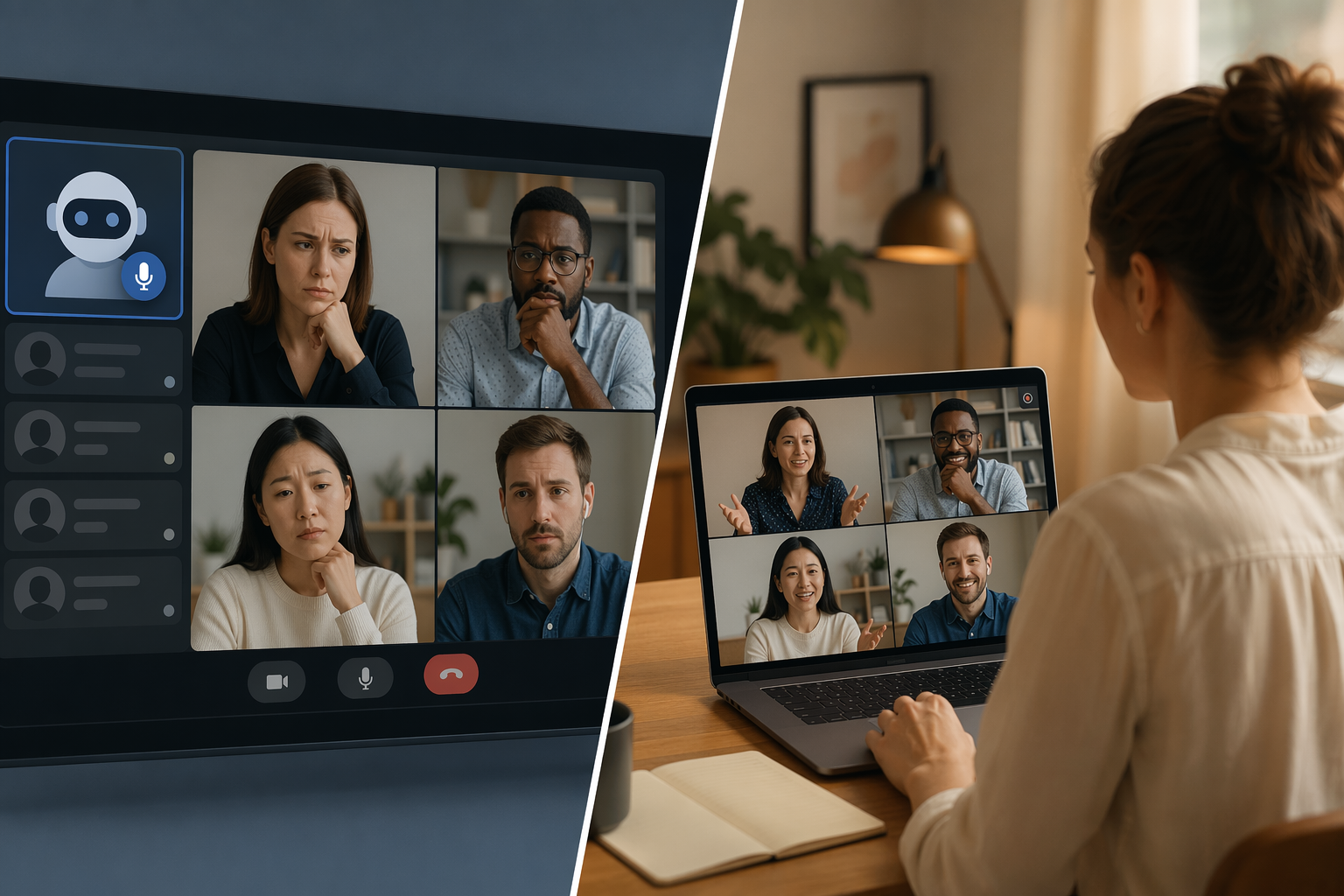
For client-facing, legal, healthcare, regulated, and enterprise teams in 2026, bot-free capture is the safer default. Bot-based tools can still fit internal, low-sensitivity meetings where everyone expects a visible recorder and IT has approved it. But if the meeting depends on candor, confidentiality, or reliable access through Google Meet, capture method decides whether the rest of the feature list matters.
The Fork: A Bot in the Room or Audio From Your Device
Bot-based meeting assistants join Zoom, Google Meet, or Microsoft Teams as a visible attendee. Otter uses OtterPilot, Fireflies uses Fireflies Notetaker, and Fathom uses Fathom Notetaker. The advantage is obvious: the assistant can be scheduled, invited, and treated like another meeting participant. The drawback is just as obvious to anyone who has run a delicate call: the participant list now contains a recorder with a name.
Bot-free tools take a different route. Granola, Laxis, Krisp, Bluedot, Convo, and Tactiq are examples of products that can capture from the user’s device, browser, operating system, or local audio path rather than requiring a named third-party participant to enter the meeting. The exact implementation varies, and some products blur the category by offering more than one capture mode. That distinction matters: “bot-free” should mean the meeting does not depend on admitting a visible external note-taker bot.
| Capture model | How it appears in the meeting | Where it tends to fit | Main failure point |
|---|---|---|---|
| Bot-based | A named assistant joins as a visible participant, such as OtterPilot, Fireflies Notetaker, or Fathom Notetaker | Internal meetings, routine team calls, meetings where participants expect a visible recorder | Participant discomfort, consent friction, platform blocking, IT review |
| Bot-free | The app captures from the user’s device, desktop, browser, or local audio path without adding a bot participant | Client calls, legal work, healthcare, regulated industries, sensitive sales or advisory meetings | Still requires consent, careful data handling, and vendor review |
A broader meeting note-taking app comparison can help if the question is general productivity. But for sensitive work, the capture model has to be settled first.
A Visible Bot Changes the Conversation Before It Takes a Note
The cleanest argument for bot-free capture is not aesthetic. It is behavioral. Laxis’s State of Meeting Note-Taking 2026 report says 84% of users change their behavior or withhold information when they notice a bot on the call.[1] Because Laxis is itself a vendor in this market, that figure should be read with source awareness rather than treated as neutral public infrastructure. It is still a useful benchmark because it measures the exact thing many teams already see but rarely quantify: the meeting becomes more guarded once the recorder is personified.
That behavior change does not have to look dramatic. A prospect stops explaining the messy internal politics behind a buying delay. A patient gives the safe version of symptoms. A client asks whether the bot stores the recording, and the first ten minutes of the call become a privacy explanation. A lawyer or consultant gets a cleaner transcript but loses the unfinished, candid context that made the meeting valuable.
Consent remains necessary either way. The point is not to record secretly or to pretend local capture removes legal obligations. The point is that a consented recording can still feel socially different depending on how it is implemented. A visible third-party bot turns recording into a participant-level event. A bot-free app can keep the disclosure and the capture workflow under the meeting owner’s control without adding another named entity to the call.
This is where ordinary feature comparisons can mislead buyers. A bot-based app may produce excellent summaries, extract action items, and sync neatly to a CRM. Those capabilities are useful only if the team can comfortably bring the tool into the meetings that matter. In client-facing work, the first five minutes often decide whether the app will be used honestly or quietly abandoned.
In 2026, Bot Blocking Is Also an Operations Problem
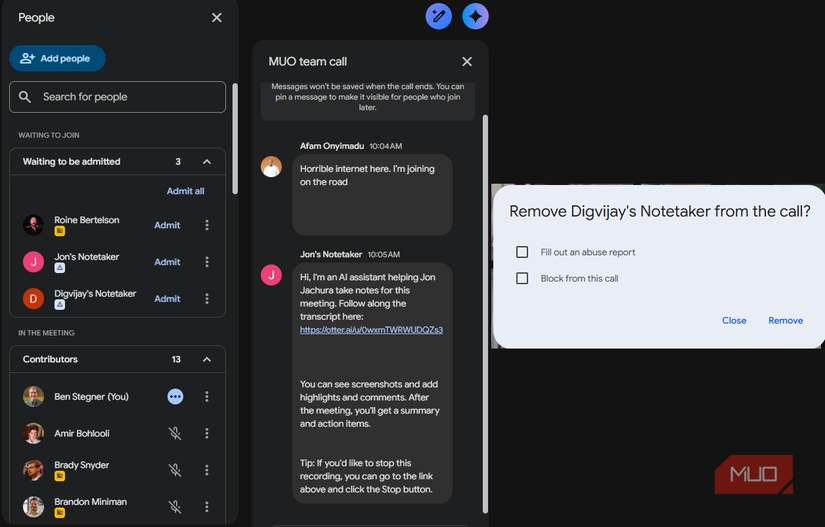
The etiquette problem has become a reliability problem. Laxis reports that Google Meet’s March 2026 update flags third-party note-taker bots as a “potential risk” and defaults to denying entry.[1] That changes the buying question from “Will people mind?” to “Will this work on the calls our team actually has?”
For a team that lives in Google Meet, a bot-based tool may work in some meetings and fail in others depending on host settings, organizational policy, and how the platform treats the assistant. That conditional access is hard to defend in procurement. A note-taking workflow cannot be mission-critical if it is also waiting in the lobby.
The same report says 73% of businesses cite privacy as the number one barrier to broader AI note-taker adoption, and 50% of non-adopters name privacy and security as their main reason for not using AI note-takers.[1] Those are not objections to transcription as a concept. They are objections to handing sensitive meeting payloads to systems that have not passed governance review.
The adoption gap points in the same direction. Laxis reports that 78% to 81% of small and midsize businesses have adopted AI note-takers, compared with 43% of enterprises with more than 5,000 employees.[1] Demand is not the bottleneck. Governance is.
That gap also explains why note-taking apps often enter companies as shadow IT and get formalized later. The individual user wants relief from typing during calls. The company later has to answer harder questions: where the audio went, who can search the transcript, what model processed the prompt, whether client data crossed a boundary, and why a bot appeared in an external meeting before legal or security reviewed it. Laxis describes this adoption pattern as typically starting in shadow IT and being formalized 18 months later.[1]
For more on why individual AI savings do not automatically become organizational gains, the same procurement tension shows up in the AI productivity paradox. Meeting notes are a small example of the larger pattern: a tool that helps one worker can still create unresolved risk for the organization.
Privacy Risk Is Not One Thing
Bot-free capture reduces one visible and operational risk, but it does not make an app private by default. The better privacy review looks at payloads.
- Audio file: the rawest and often most sensitive artifact, because it contains voices, tone, interruptions, and sometimes background information that never needed to become searchable.
- Transcript: easier to search, copy, forward, retain, and accidentally expose; useful for knowledge capture but more portable than the original conversation.
- LLM prompt payload: the under-reviewed layer where transcript excerpts, meeting context, speaker names, summaries, and requested outputs may be sent for processing.
That third layer is where many casual comparisons stay too shallow. A team may ask whether the meeting was recorded but not ask what text was sent to a model to generate the recap. For legal, healthcare, finance, consulting, and enterprise sales teams, the prompt payload can contain the same sensitive substance as the transcript, only packaged for inference.
A procurement review should therefore separate the social question from the data question. Bot-free capture can avoid the awkward participant-list moment and reduce platform-blocking risk. It still needs answers on retention, deletion, model training, admin controls, workspace ownership, export permissions, and whether the vendor can support the organization’s compliance obligations.
Where the Main 2026 Tools Fit
The market is moving fast enough that price should be treated as a last-verified snapshot, not a durable fact. The details below reflect pricing and positioning reported between March and June 2026.[1] If free tiers are part of the decision, compare current limits against the more detailed free meeting notes app comparison before standardizing.
| Tool | Primary capture note | Reported pricing snapshot | Best-fit caution |
|---|---|---|---|
| Otter | Bot-based; OtterPilot joins as a visible participant | Not specified in cited pricing snapshot | Check client comfort and platform access before using externally |
| Fireflies | Bot-based; Fireflies Notetaker joins as a visible participant | Not specified in cited pricing snapshot | Useful only where a visible recorder is accepted and approved |
| Fathom | Bot-based; Fathom Notetaker joins as a visible participant | Not specified in cited pricing snapshot | Treat Meet reliability and participant disclosure as purchase criteria |
| Granola | Bot-free desktop-style capture | $14/month, last verified March-June 2026 | Strong fit for users who want notes without adding a bot participant |
| Laxis | Offers bot-free and bot-based capture modes; also offers OSO earbuds for in-person meetings | $15.99/month, last verified March-June 2026 | Confirm which capture mode is enabled for each workflow |
| Krisp | Bot-free capture aligned with desktop audio workflow | From $8/month with a 7-day trial, last verified March-June 2026 | Review audio processing and enterprise controls |
| Bluedot | Chrome extension capture; supports 100+ languages | Not specified in cited pricing snapshot | Browser dependency may matter for locked-down environments |
| Convo | Bot-free; Mac only | $20/month, last verified March-June 2026 | Platform fit is the first filter |
| Tactiq | Browser extension capture | Free 10 transcripts/month, last verified March-June 2026 | Free limits may suit individuals before team rollout |
The table should not be read as a claim that all bot-free tools are interchangeable. A Mac-only app, a Chrome extension, an audio-enhancement product, and a meeting intelligence platform will not pass the same IT review in the same way. The common advantage is narrower: they can avoid depending on a visible third-party meeting bot.
When a Bot-Based App Still Makes Sense
Bot-based note-takers are not useless. In a recurring internal team meeting, a visible assistant can be perfectly acceptable. Everyone knows the meeting is being captured. The host has approved the tool. The organization has reviewed the vendor. The meeting content is not especially sensitive. In that setting, scheduling a bot may be simpler than asking every participant to manage a local capture workflow.
They can also be convenient for teams that want a meeting artifact owned by a shared workspace rather than an individual attendee. If the assistant is already approved and participants expect it, the visible bot is less of a surprise and more of a declared process.
The danger is taking that internal comfort and carrying it into external or regulated meetings. A weekly product standup and a client dispute call do not have the same social contract. A sales forecast meeting and a medical intake do not carry the same privacy weight. A vendor demo and an attorney-client conversation should not be governed by the same default recording behavior.
How to Choose Without Getting Distracted by Feature Lists
Start with the meetings that would cause real damage if handled poorly. If those meetings involve clients, confidential strategy, regulated information, legal advice, healthcare information, employee issues, or enterprise customers with strict vendor policies, choose a bot-free meeting note taking app first. Then evaluate summary quality, action item extraction, integrations, and workflow automation.
If the app needs to feed a broader system, solve that after the capture decision. A clean note-taking workflow can still connect to follow-up tools, CRMs, task managers, and automation platforms. The sequencing matters: pick the capture model that survives the meeting, then decide how to automate meeting notes with Zapier or another workflow layer.
- Use bot-free by default for client-facing, legal, healthcare, finance, HR, regulated, or confidential meetings.
- Use bot-based tools mainly where the recorder is expected, visible, approved, and unlikely to change participant candor.
- For Google Meet-heavy teams, test whether bot admission is reliable under current domain policies before buying.
- For enterprise rollout, review audio, transcript, and LLM prompt handling separately instead of asking only whether the app records.
- For earlier-stage buyers, map the tool to the actual workflow using a guide to choosing a note-taking app by workflow before committing team-wide.
Bot-free is not magic. It does not erase consent duties, retention risk, model-processing questions, or the need for a clear internal policy. It does, however, remove one of the most common points of failure: the moment a third-party bot enters the meeting and everyone has to decide whether they are still comfortable saying the real thing.
Choose bot-free first when the meeting involves clients, confidential information, regulated work, or Google Meet reliability. Consider bot-based tools mainly for internal meetings where participants expect a visible recorder and IT has explicitly approved it.
References
- State of Meeting Note-Taking 2026, Laxis, 2026