
Why Mac Note-Taking Deserves a Mac-Specific Guide
Most note-taking app roundups treat all laptops the same. They compare features, pricing, and platform availability as if a MacBook Air with 8GB of unified memory and an M2 chip runs apps identically to a MacBook Pro with 36GB of RAM and an M4 Max. It does not. The difference between a native Swift app and an Electron wrapper is not a footnote — it is the difference between a tool that feels like an extension of macOS and one that feels like a web page with a dock icon.
This guide exists because the generic list approach fails Mac users in a specific way: it does not tell you which app will drain your battery during a lecture, which one will stutter when you have 30 browser tabs open, or which one respects macOS conventions like Quick Note and Spotlight. The core thesis is simple — the best notes app for your Mac depends on your specific hardware tier and your workflow priorities. There is no single winner.
To understand why the market has shifted, you can read our broader analysis of how the old buying advice no longer applies, but the short version is this: Apple has invested heavily in Notes, Electron apps have not solved their resource problem, and the gap between native and non-native performance on Apple Silicon is wider than ever.
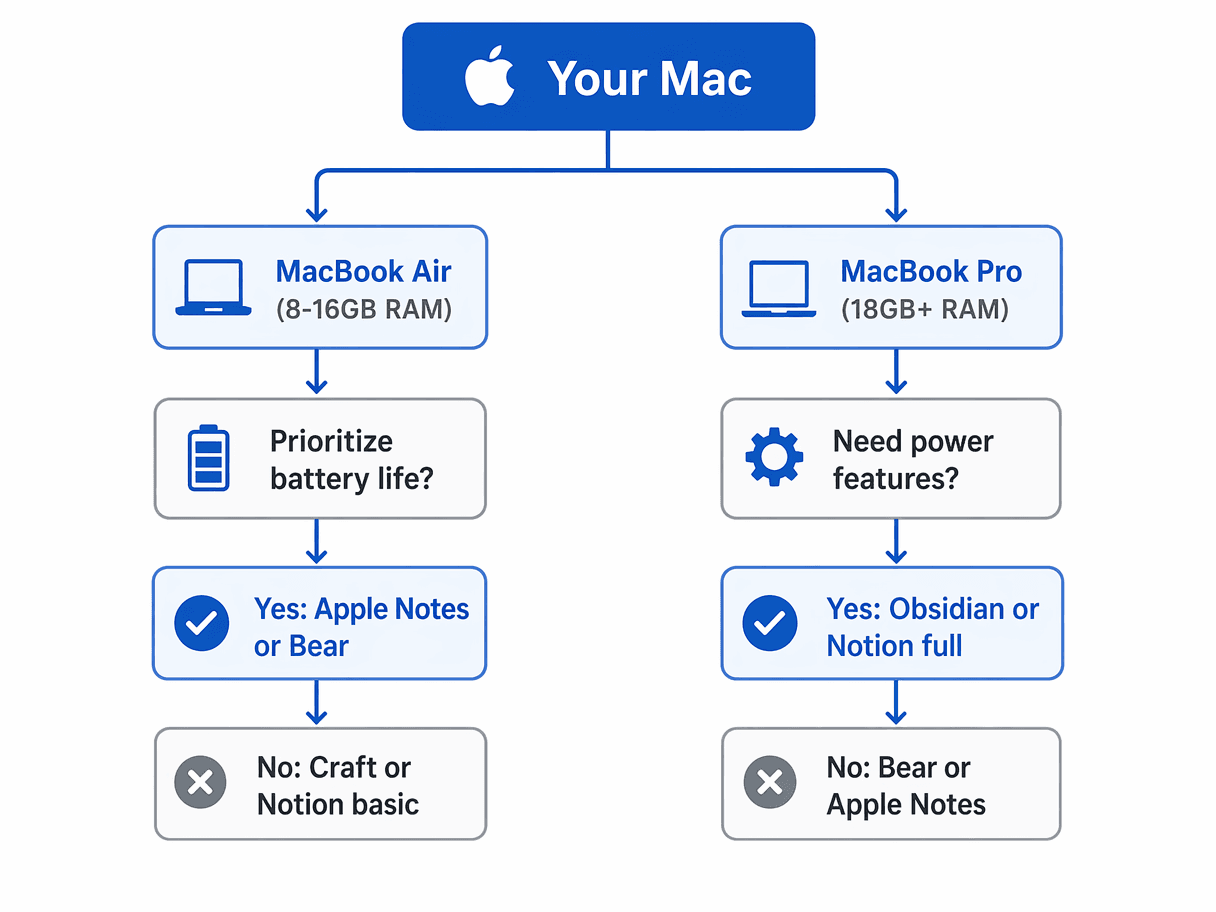
The Quick Decision Tree: Which App for Your Mac?
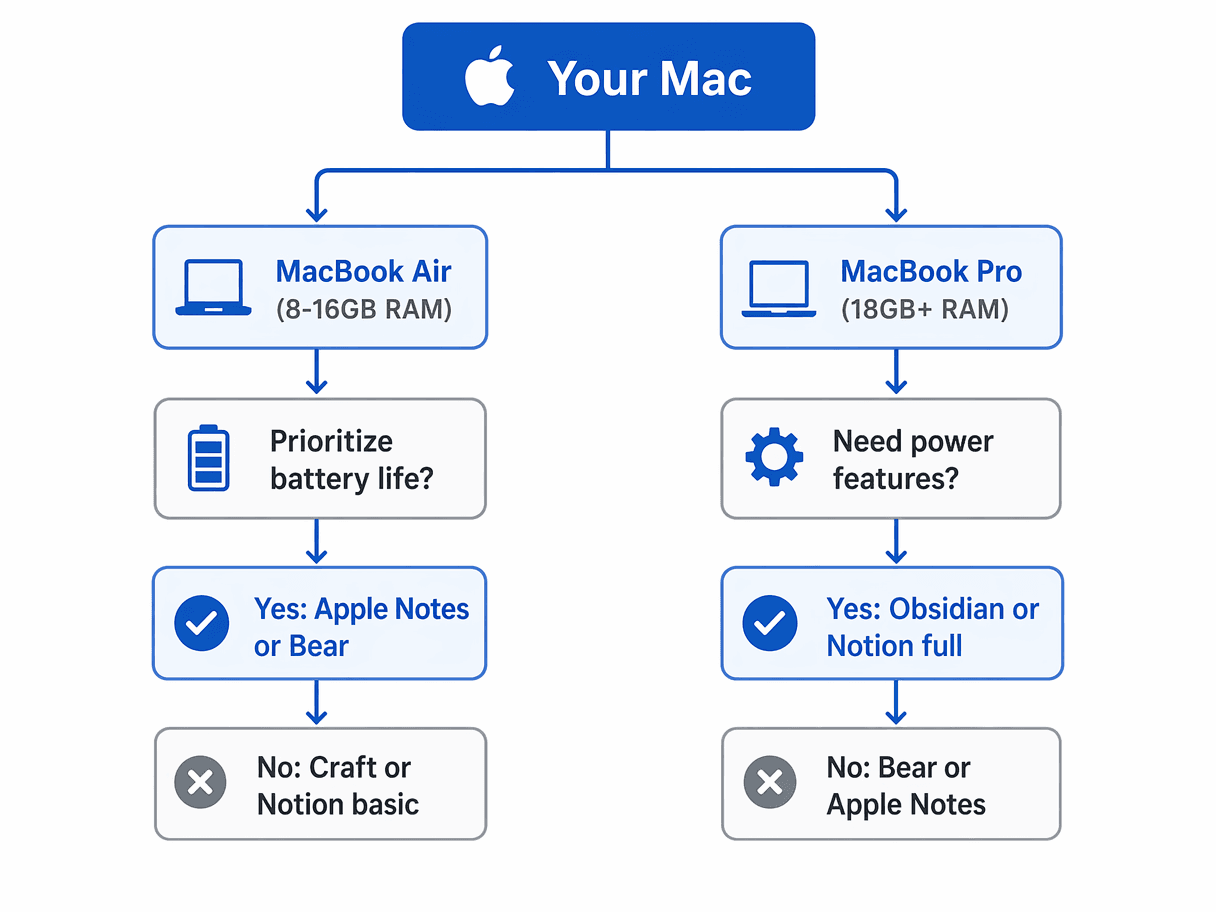
If you want the shortest path to a recommendation, use this decision tree. It routes you based on your Mac hardware tier and your primary use case. The logic is simple: if you own a base MacBook Air with 8GB or 16GB of RAM, you should prioritize native apps that stay under 200MB of memory usage. If you own a MacBook Pro with 18GB or more, you have the headroom to run heavier tools like Obsidian or Notion without degrading your daily experience.


Comments
Join the discussion with an anonymous comment.