
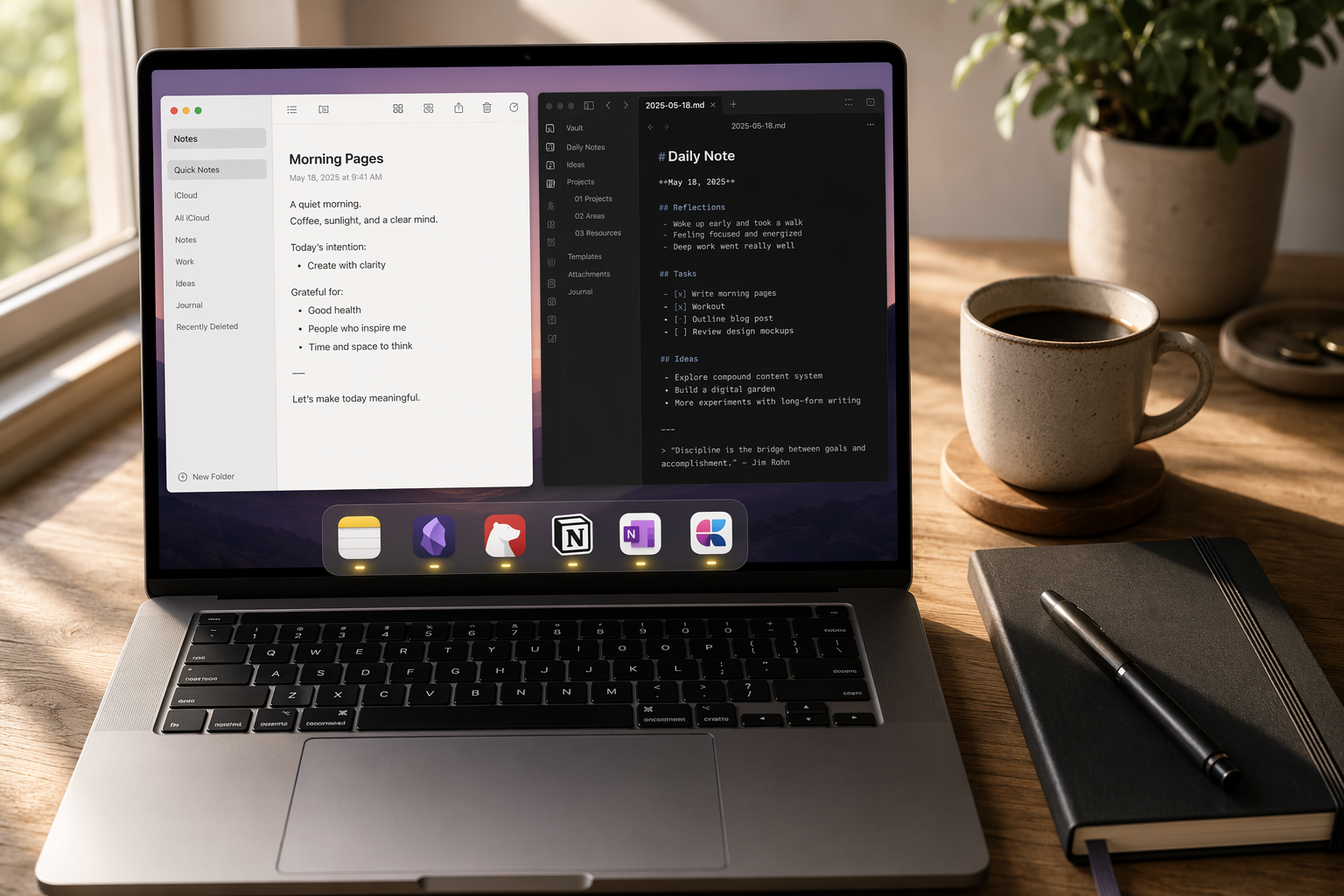
Why Your Note-Taking App Choice Matters More in 2026
The days of picking a note-taking app based solely on how it handles text are over. In 2026, the decision hinges on a more complex set of factors: how deeply AI integrates into your workflow, whether you need a local-first knowledge base or a collaborative team workspace, and how much you're willing to pay for features that actually move the needle on your productivity.
For Mac users, the landscape is particularly rich. Apple has turned its free, built-in Notes app into a surprisingly capable tool with Apple Intelligence features like on-device summarization and live transcription on Apple Silicon Macs. Meanwhile, specialized apps like Obsidian and Bear have matured into powerful ecosystems for knowledge management and focused writing. Notion continues to blur the line between notes, databases, and project management. And open-source options like Joplin offer a compelling path for users who prioritize data ownership above all else.
This comparison covers seven apps—Apple Notes, Obsidian, Notion, Bear, OneNote, Craft, and Joplin—evaluated specifically for Mac users in 2026. We'll look at pricing verified in Q2 2026, native Mac performance, AI capabilities, and the specific workflows each app serves best. The goal isn't to crown a single winner, but to give you a decision framework that matches an app to your actual needs.
Quick-Reference Comparison Table
Before diving into the details, here's a side-by-side look at the seven apps across the dimensions that matter most for Mac users in 2026.
| App | Price (2026) | Platform | AI Features | Storage | Key Strength | Best For |
|---|---|---|---|---|---|---|
| Apple Notes | Free | Mac, iPhone, iPad, Web | Apple Intelligence (summarization, rewrite, transcription on Apple Silicon) | 5GB iCloud (free); up to 2TB ($9.99/mo) | Instant sync, zero setup, deep OS integration | Casual users, students, Apple ecosystem loyalists |
| Obsidian | Free (personal); Sync $4/mo; Publish $10/mo | Mac, Windows, Linux, iOS, Android | Community plugins (e.g., Smart Connections, AI assistants) | Local storage (unlimited); optional Sync | Plain Markdown, 2,000+ plugins, local-first | PKM enthusiasts, researchers, developers |
| Notion | Free (personal); Plus $10/user/mo; AI $24/user/mo (Business) | Mac, Windows, Web, iOS, Android | Notion AI (writing, summarization, Q&A) | Unlimited for Plus and above | Databases, wikis, project management, collaboration | Teams, project managers, all-in-one workspace seekers |
| Bear | $2.99/mo or $29.99/yr | Mac, iPhone, iPad (Apple-only) | OCR search for images and PDFs | iCloud sync (unlimited with Bear Pro) | Polished Markdown, beautiful design, fast search | Writers, Apple-only users who want a premium experience |
| OneNote | Free | Mac, Windows, Web, iOS, Android | Copilot (limited on Mac—current note only); OCR search | 5GB OneDrive (free); more with Microsoft 365 | Freeform canvas, OCR search, freeform layout | Students, users who need a freeform digital notebook |
| Craft | $10/mo (Pro) | Mac, iPhone, iPad, Web | AI writing assistant, summarization | iCloud sync; 1GB file uploads (Pro) | Block-based editor, combines notes/tasks/calendar | Knowledge workers who want a modern, block-based experience |
| Joplin | Free; Joplin Cloud from €2.99/mo | Mac, Windows, Linux, iOS, Android | None built-in; community plugins | Local storage (unlimited); optional cloud sync | Open-source, end-to-end encryption, Markdown | Privacy-conscious users, developers, self-hosters |
Apple Notes: The Free Powerhouse for Most Mac Users
If you own a Mac, you already have Apple Notes. And in 2026, that's a much stronger starting point than it was even two years ago. Apple has steadily transformed Notes from a simple text editor into a genuinely useful app, especially for users who live entirely within the Apple ecosystem.
What Makes It Stand Out in 2026
The biggest differentiator is Apple Intelligence. On Apple Silicon Macs and iPhone 15 Pro or later, Notes now includes on-device summarization, rewrite, proofreading, and live transcription for audio recordings. These features are free and deeply integrated—no subscription, no separate AI add-on. For a student recording a lecture or a professional summarizing a meeting, this is a significant capability that no other free app matches.
Beyond AI, Apple Notes offers a solid set of core features: tagging, rich text formatting, attachment support (images, PDFs, sketches, scanned documents), and iCloud sync that is instantaneous across all your Apple devices. The app loads instantly and requires zero setup—it's ready to use the moment you open your Mac.
Where It Falls Short
- Limited export options: You can export notes as PDF or image only. There is no native Markdown export, which makes it difficult to migrate to another app later.
- No plugins or extensions: Unlike Obsidian or Notion, you cannot extend Apple Notes with custom functionality. What you see is what you get.
- Performance at scale: While Apple Notes handles a few thousand notes without issue, it can slow down noticeably past roughly 10,000 notes. Obsidian, by contrast, handles 100,000+ notes on a modern laptop.
- No cross-platform support: There is no native Windows or Android app. If you ever switch platforms, your notes are effectively locked into the Apple ecosystem.
The verdict on Apple Notes is straightforward: it's the best choice for the vast majority of casual users, students, and anyone who wants a free, reliable, and instantly available note-taking app. But if you need advanced features like bidirectional linking, a plugin ecosystem, or the ability to export your data in an open format, you'll quickly hit its limits.
Obsidian: The Knowledge Base for Power Users
Obsidian has become the default choice for anyone building a long-term personal knowledge base (PKM). Its core philosophy is simple: your notes are plain Markdown files stored on your local machine. You own them, you control them, and you can access them with any text editor even if Obsidian the company disappears tomorrow.
What Makes It Stand Out in 2026
Obsidian's defining feature is its plugin ecosystem. With over 2,000 community plugins, you can add virtually any functionality you can imagine: AI-powered smart connections, Kanban boards, daily notes, spaced repetition, and even full project management systems. The graph view, which visualizes connections between your notes, is a powerful tool for discovering relationships you might otherwise miss.
For Mac users, Obsidian is a native app that runs smoothly on Apple Silicon. It's free for personal and commercial use, with optional paid add-ons: Sync ($4/month billed annually) for encrypted cloud sync across devices, and Publish ($10/month) for turning a vault into a public website. The commercial license is $25/month per user.
Where It Falls Short
- Steeper learning curve: The sheer number of options and plugins can be overwhelming for new users. It's not an app you can open and start using effectively without some upfront investment in learning.
- No built-in collaboration: Obsidian is designed for individual use. There is no native real-time collaboration or shared workspace feature, which makes it a poor choice for teams.
- Sync requires a paid add-on: While the app itself is free, syncing your vault across devices requires Obsidian Sync ($4/mo) or a third-party solution like iCloud or Dropbox, which can be less reliable.
Obsidian is the best choice for researchers, developers, and anyone who wants to build a long-term, interconnected knowledge base. It's not for casual note-takers or users who want a simple, out-of-the-box experience.
Notion: The All-in-One Workspace (When You Need More Than Notes)
Notion is not a note-taking app in the traditional sense. It's a flexible workspace that combines notes, databases, wikis, project management, and collaboration tools into a single platform. This makes it incredibly powerful for teams and individuals who need more than just a place to write text.
What Makes It Stand Out in 2026
Notion's core strength is its database functionality. You can create relational databases that link projects, tasks, notes, and people together in ways that simple note-taking apps cannot match. For a team managing a product roadmap, a content calendar, or a knowledge base, this is a game-changer.
Notion AI, available on the Business plan at $24/user/month, adds writing assistance, summarization, and Q&A across your workspace. For teams that need to generate meeting notes, draft documents, or query their knowledge base, this can be a significant productivity boost.
The free plan is generous for personal use, and the Plus plan at $10/user/month adds unlimited file uploads and version history. The Mac app is a native wrapper around the web app, but it's well-optimized and supports offline access.
Where It Falls Short
- Over-engineered for pure note-taking: If all you need is a place to jot down quick thoughts, Notion is overkill. The database structure, while powerful, adds friction to simple note capture.
- Performance can lag: With large databases or complex pages, Notion can feel sluggish, especially compared to the instant-loading Apple Notes or Obsidian.
- Vendor lock-in: Your data is stored on Notion's servers. Export options exist (Markdown, HTML, CSV), but the structure of relational databases doesn't always transfer cleanly to other tools.
Bear, Craft, OneNote, and Joplin: The Specialists
Beyond the three heavyweights, four other apps deserve consideration depending on your specific needs. Each has a clear niche and excels in its own domain.
Bear: The Polished Apple-Only Writing Experience
Bear is the app for writers who care deeply about aesthetics and the writing experience. It's available only on Apple devices (Mac, iPhone, iPad), and it shows. The interface is clean, the typography is beautiful, and the Markdown editor is one of the best in the business.
Bear Pro costs $2.99/month or $29.99/year and unlocks iCloud sync, note encryption, advanced export (PDF, HTML, DOCX, JPG), over two dozen themes, and OCR search for text inside PDFs and images. The OCR search is a standout feature—it makes your image-based notes fully searchable, which is rare in a Markdown-focused app.
Bear's main limitation is its Apple-only nature. If you ever need to access your notes on Windows or Android, you're out of luck. It's also not designed for collaboration or complex knowledge management—it's a focused writing tool, and it does that one thing exceptionally well.
Craft: The Modern Block-Based Workspace
Craft is a relative newcomer that has quickly gained a following among Mac users who want a modern, block-based editor similar to Notion but with a stronger focus on individual writing and design. It combines notes, tasks, and a calendar into a single, visually appealing interface.
Craft Pro costs $10/month and includes iCloud sync, 1GB file uploads, and an AI writing assistant. The app is native on Mac and feels fast and responsive. Its block-based approach makes it easy to create rich documents with images, tables, and code blocks without wrestling with formatting.
Craft's main drawback is its price. At $10/month, it's one of the more expensive options on this list, and its feature set overlaps significantly with free alternatives like Apple Notes and OneNote. It's best suited for knowledge workers who value design and are willing to pay for a premium experience.
OneNote: The Freeform Digital Notebook
Microsoft OneNote remains a strong contender, especially for students and users who prefer a freeform canvas over a linear document. You can click anywhere on a page and start typing, insert images, draw with a stylus, and organize notes into notebooks, sections, and pages.
OneNote is free with 5GB of OneDrive storage. Its OCR search is excellent—it can find text inside images and PDFs, making it a powerful tool for scanning handwritten notes or documents. The web clipper is also one of the best in the business.
However, OneNote's Mac version lags behind the Windows version in several areas. Most notably, Copilot on Mac is limited to querying the currently open note—it cannot search across your entire notebook. This is a significant limitation for users who want to use AI to find information across their full note collection.
Joplin: The Open-Source Privacy Champion
Joplin is the go-to choice for users who prioritize data ownership and privacy above all else. It's free and open-source, stores all notes as plain Markdown files locally, and supports end-to-end encryption for syncing.
Joplin is available on Mac, Windows, Linux, iOS, and Android. It supports tags, notebooks, and a web clipper. Optional Joplin Cloud starts at €2.99/month for syncing and 2GB of storage, but you can also sync via Dropbox, OneDrive, or your own Nextcloud server.
Joplin's main weakness is its user interface. While functional, it's not as polished as Bear or Craft. It also lacks built-in AI features, though community plugins can add some functionality. It's best suited for developers, privacy-conscious users, and anyone who wants complete control over their data.
Decision Framework: Which Notes App Fits Your Workflow?
The right app depends on your specific needs. Here's a practical framework to help you decide, organized by common use cases and user personas.
| If You... | Start With... | Why |
|---|---|---|
| Want a free, simple app that just works on your Mac and iPhone | Apple Notes | It's free, instant, and deeply integrated. Apple Intelligence adds summarization and transcription at no extra cost. |
| Need a long-term knowledge base with backlinks and a plugin ecosystem | Obsidian | Local Markdown files, 2,000+ plugins, and bidirectional links make it ideal for building a personal knowledge base. |
| Collaborate with a team on projects and need a shared workspace | Notion | Databases, wikis, and real-time collaboration make it the best choice for teams. Notion AI adds powerful Q&A. |
| Want a beautiful, Apple-only writing experience with OCR search | Bear | Polished Markdown, beautiful design, and OCR search for images and PDFs. Best for focused writing. |
| Need a freeform digital notebook for handwritten notes and sketches | OneNote | Freeform canvas, excellent OCR search, and free with 5GB OneDrive. Best for students and visual note-takers. |
| Want a modern, block-based workspace that combines notes and tasks | Craft | Block-based editor, native Mac app, and AI writing assistant. Best for knowledge workers who value design. |
| Prioritize data ownership, privacy, and open-source software | Joplin | Free, open-source, end-to-end encryption, and local Markdown storage. Best for privacy-conscious users. |
Three-Year Cost Comparison
For the paid apps, here's what you can expect to spend over three years. This helps put the subscription costs in perspective.
| App | Monthly Cost | Yearly Cost | 3-Year Cost |
|---|---|---|---|
| Apple Notes | Free | Free | Free |
| Obsidian (with Sync) | $4/mo (billed annually) | $48/yr | $144 |
| Notion (Plus) | $10/user/mo | $120/user/yr | $360/user |
| Notion (Business with AI) | $24/user/mo | $288/user/yr | $864/user |
| Bear Pro | $2.99/mo or $29.99/yr | $29.99/yr | $89.97 |
| OneNote | Free | Free | Free |
| Craft Pro | $10/mo | $120/yr | $360 |
| Joplin (with Cloud) | €2.99/mo | €35.88/yr | €107.64 |
The Verdict: No Single Winner — Choose Your Tool Based on Workflow Depth
After evaluating all seven apps, the conclusion is clear: there is no single best notes app for Mac in 2026. The right choice depends entirely on the depth of your workflow and your specific needs.
For the vast majority of casual users—students, professionals who just need to jot down ideas, and anyone already embedded in the Apple ecosystem—Apple Notes is the clear winner. It's free, it's fast, and Apple Intelligence adds meaningful AI capabilities without any additional cost or complexity. It covers roughly 80% of what most people need from a note-taking app.
For power users who need a long-term knowledge base with bidirectional linking, a plugin ecosystem, and complete data ownership, Obsidian is the best investment of your time and money. The learning curve is real, but the payoff in terms of a connected, searchable, and future-proof knowledge base is substantial.
For teams and individuals who need more than notes—databases, project management, and collaboration—Notion is the obvious choice. Just be aware that it's over-engineered for simple note-taking and comes with a subscription cost that adds up over time.
And for the specialists—writers who want a beautiful Markdown experience (Bear), privacy advocates who want open-source software (Joplin), or users who need a freeform digital notebook (OneNote)—each app serves its niche well.