
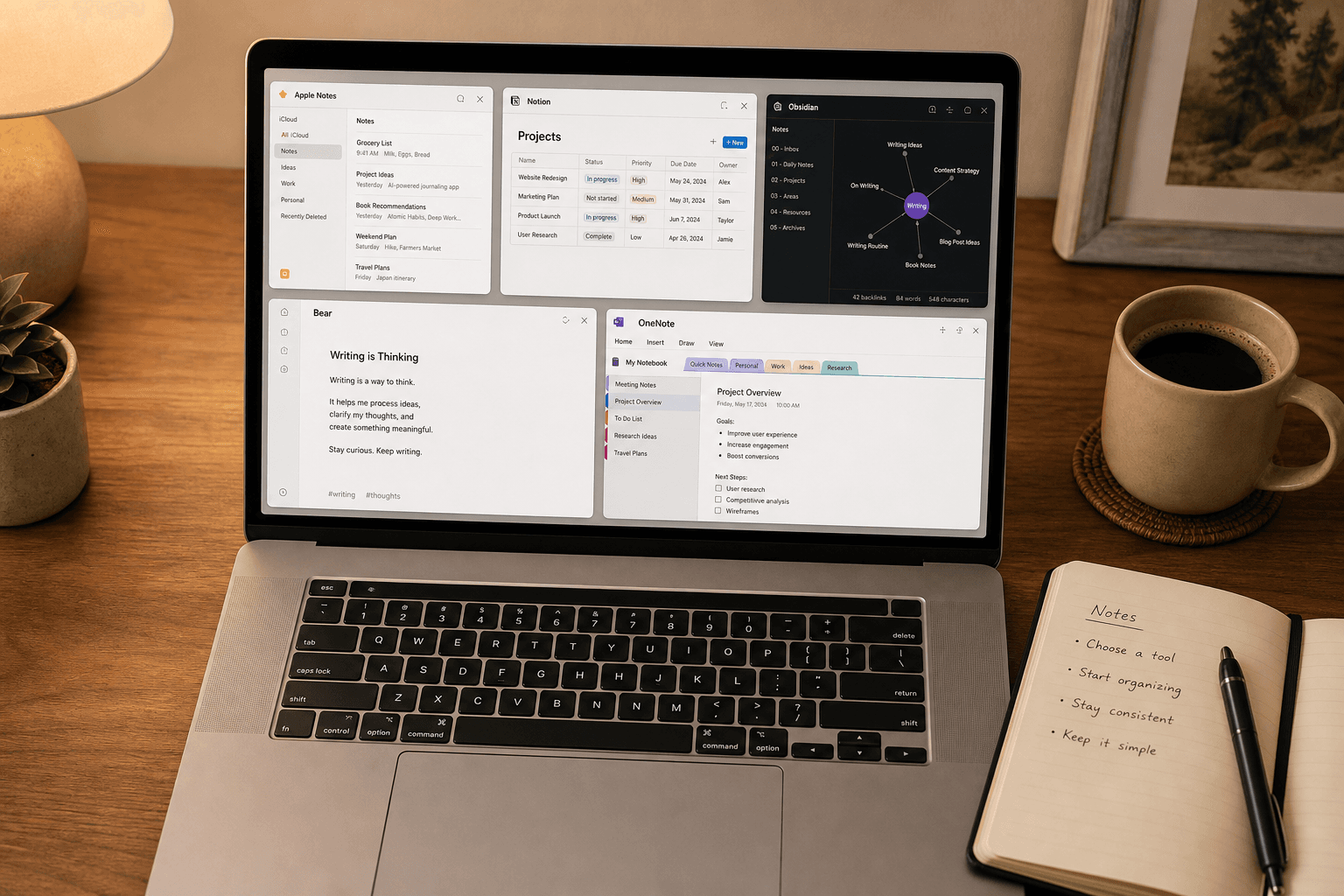
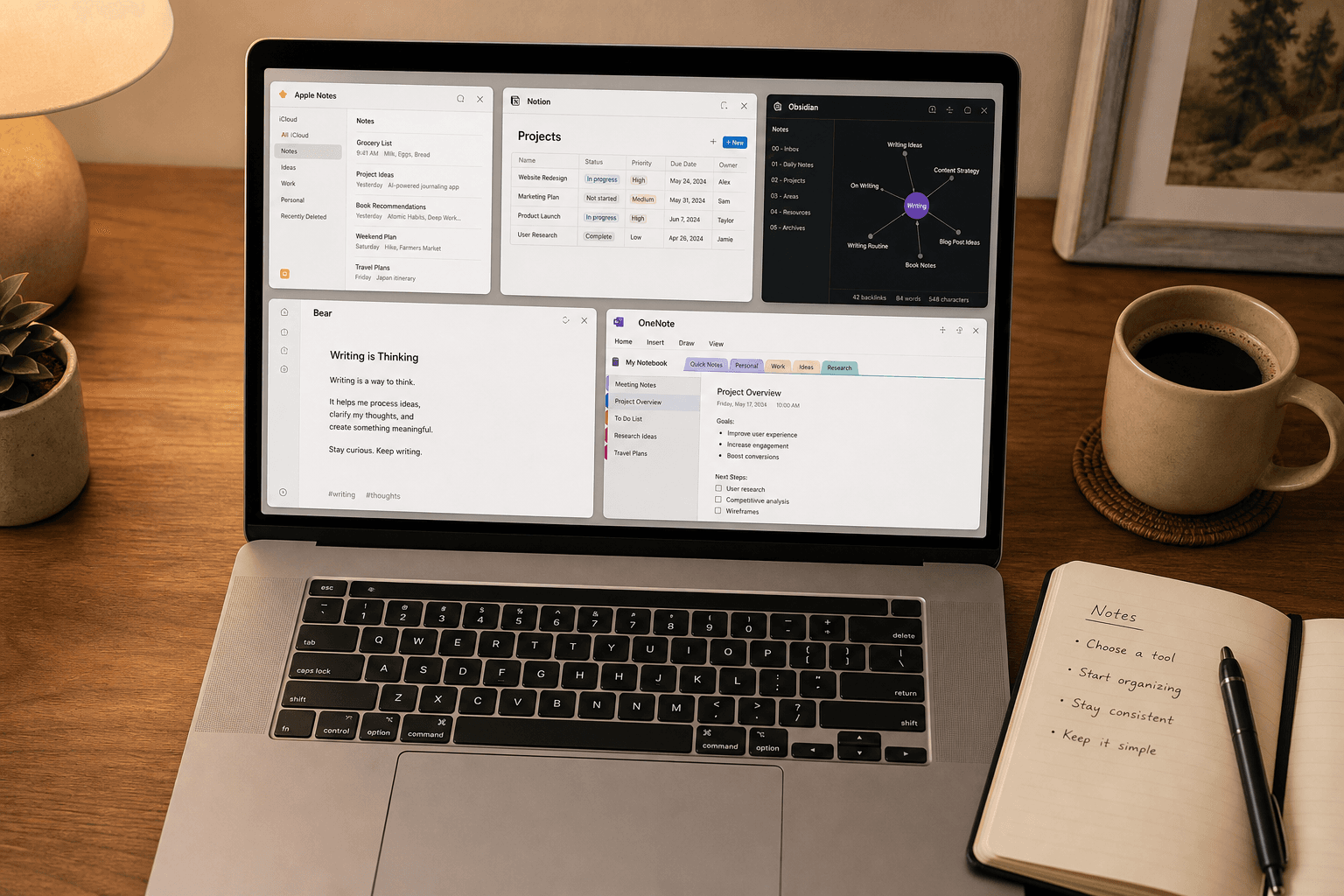
The ‘Just Use Apple Notes’ Advice Got More Complicated in 2026
For years, the conventional wisdom for Mac users was straightforward: if you take simple notes, Apple Notes is fine; if you need anything more, use a third-party app. That binary advice has been eroding since 2024, and in mid-2026 it has become almost useless. Apple Intelligence has brought audio transcription, AI summarization, Writing Tools, Math Notes, and Smart Folders to the built-in app — features that previously required a paid subscription to a dedicated tool. The question is no longer “Can Apple Notes handle basic notes?” but rather “Has Apple Intelligence made Apple Notes good enough to replace my third-party app entirely?”
The honest answer, as you might expect, is: it depends. Apple Notes has closed the gap in several meaningful ways, but it still has structural limitations that no amount of on-device AI can fix. This article walks through what has changed, what hasn’t, and how to decide whether you can simplify your stack or still need a dedicated tool for synthesis and knowledge management.
What Apple Notes Now Does Well: AI Features, Speed, and Ecosystem Integration
The most significant change in Apple Notes over the past two years is the integration of Apple Intelligence. The app can now record audio directly within a note, generate a live transcript, and then produce an AI summary of that transcript — all without leaving the note or sending data to a third-party server. According to Apple’s support documentation, the summary can be copied or shared directly from the note interface. This single feature closes a gap that previously required a dedicated app like Otter.ai or a third-party integration.
Beyond audio, Apple Intelligence brings Writing Tools (rewrite, summarize, proofread) directly into the note editor, and Math Notes allows you to type or write equations that resolve in real time. These are not gimmicks — they are genuinely useful for anyone who takes meeting notes, studies, or brainstorms in text.
Then there is the speed advantage. Independent testing by Atlas Workspace on a MacBook Air M3 running macOS Sonoma found that Apple Notes opens and is ready for typing in 0.3 to 0.4 seconds. That is faster than any third-party app tested in the same environment: Bear at 0.6–0.7 seconds, Obsidian at 1.2–1.3 seconds, and Notion at 2.6–2.7 seconds. For the “I need to capture this thought before it disappears” use case, Apple Notes is still the undisputed champion.
Other ecosystem advantages remain intact:
- Quick Note — summon a new note from any app using a hot corner or keyboard shortcut, with automatic context linking to the current page or app.
- Spotlight search — Apple Notes is the only notes app with native, system-level full-text search that indexes note content, scanned text in images, and handwritten text.
- iCloud sync latency — median sync time of 1.4 seconds, compared to 4.7 seconds for Notion’s web sync in the same test environment.
- Smart Folders — automatically group notes by rules (e.g., all notes tagged #meeting created in the last 7 days).
- RAM efficiency — Apple Notes idles at approximately 142 MB, significantly less than Obsidian (478 MB) or Notion (312 MB), though more than Bear (84 MB).
For users who live entirely within the Apple ecosystem and whose note-taking needs are centered on capture, quick reference, and light organization, these improvements make Apple Notes a genuinely compelling option — possibly the best option.
Where Apple Notes Still Falls Short: The Dealbreakers for Power Users
For all its improvements, Apple Notes retains fundamental architectural limitations that no amount of AI features can work around. The question is not whether these limitations exist — they do — but whether they matter for your specific workflow.
Proprietary Format Lock-In with No Bulk Markdown Export
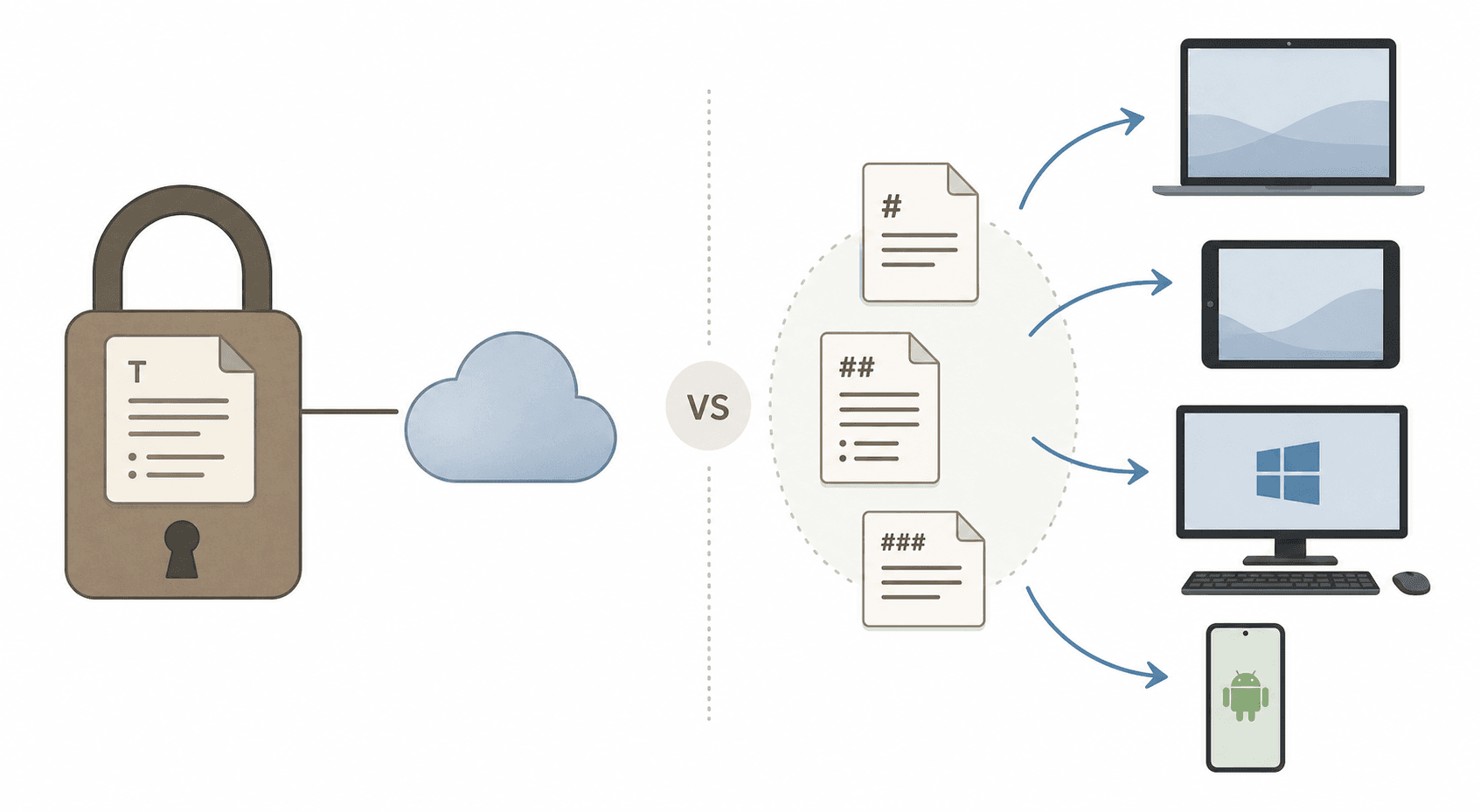
Apple Notes stores all data in a proprietary iCloud database. You can export individual notes as PDFs, but there is no official way to bulk export your entire notebook collection to Markdown, HTML, or any other open format. Third-party tools exist to extract Apple Notes data, but they are unsupported, break with OS updates, and often lose formatting. This is the single biggest risk for anyone who treats their notes as a long-term knowledge asset.
No Graph View or Bidirectional Linking for PKM
Apple Notes supports internal links between notes (you can link to another note by typing its name), but it has no graph view, no backlink panel, and no way to visualize connections between your ideas. For users practicing Personal Knowledge Management (PKM) — building a network of linked, atomic notes over time — this is a fundamental missing layer. Obsidian’s graph view and backlink system are not a nice-to-have; they are the core mechanism for discovering relationships you did not explicitly create.
No Database System
Notion’s database system — with filter, sort, relate, roll-up, and formula capabilities — has no equivalent in Apple Notes. If you track projects, manage a content calendar, or maintain a CRM in your notes app, Apple Notes simply cannot do the job. Smart Folders are a pale substitute: they can group notes by tag or date, but they cannot sort by a custom field, relate one note to another, or aggregate data across multiple notes.
Weak Cross-Platform Access
Apple Notes is available on iPhone, iPad, Mac, and via iCloud.com on the web. There is no native Windows app, no Android app, and no Linux client. If you use a Windows PC at work or an Android phone as your daily driver, Apple Notes is effectively inaccessible on those devices. OneNote, Notion, and Obsidian all offer native apps on Windows and Android. For anyone with a mixed-device household or a workplace that issues Windows machines, this alone is a dealbreaker.
Apple Notes vs. Bear, Obsidian, Notion, and OneNote: Head-to-Head Comparison
The table below compares Apple Notes against four major third-party alternatives across 12 criteria. Performance benchmarks are drawn from Atlas Workspace’s controlled testing on a MacBook Air M3 (macOS Sonoma). Pricing was last verified in June 2026.
| Criterion | Apple Notes | Bear | Obsidian | Notion | OneNote |
|---|---|---|---|---|---|
| Launch to typing | 0.3–0.4s | 0.6–0.7s | 1.2–1.3s | 2.6–2.7s | ~1.5s (estimated) |
| RAM idle | 142 MB | 84 MB | 478 MB | 312 MB | ~200 MB (estimated) |
| Markdown support | No native | Full Markdown | Full Markdown | Partial Markdown | No Markdown |
| Bulk export | PDF only | MD, TXT, PDF, HTML, DOCX | MD, PDF | PDF, HTML, CSV | PDF, DOCX |
| AI features | Transcription, summarization, Writing Tools, Math Notes | None | Via plugins | AI writing assistant | Copilot (limited on Mac) |
| Database system | None | None | None (plugins add limited DB) | Full (filter, sort, relate, roll up) | None (table-based) |
| PKM linking | Basic internal links | Basic internal links | Bidirectional links + graph view | Basic internal links | Basic internal links |
| Cross-platform | Apple only + web | Apple only + web beta | Win, Mac, Linux, iOS, Android | Win, Mac, iOS, Android, web | Win, Mac, iOS, Android, web |
| Offline access | Full | Full | Full | Limited | Full |
| Pricing | Free (5 GB iCloud) | $2.99/mo Pro | Free (Sync $4/mo) | Free (Plus $10/mo) | Free (5 GB OneDrive) |
| Best for | Quick capture, Apple-only users | Writers, Markdown lovers | PKM, local-first users | Project management, databases | Free-form, cross-platform |
Deep Dive: The Four Gaps That Matter Most in 2026
The comparison table surfaces several gaps, but four of them are structural — they cannot be fixed with a software update or an AI feature. Understanding these four gaps is the key to making the right decision for your workflow.
1. Format Portability and Vendor Lock-In
This is the most consequential gap. Apple Notes stores your notes in a proprietary iCloud database with no official bulk export path. If you ever want to leave — because Apple changes the app, raises iCloud pricing, or you switch to a non-Apple device — you face a manual, note-by-note extraction process. Obsidian, by contrast, stores every note as a plain Markdown file on your local disk. You can open those files with any text editor, back them up with any file-sync tool, and migrate them to any other Markdown-compatible app at any time. Bear offers full Markdown export (including bulk export). Notion and OneNote have better export options than Apple Notes but still use proprietary storage formats that lose some fidelity on export.
2. Linking Depth and Graph-Based PKM
Apple Notes supports internal links — you can type >> to link to another note — but it does not show you which notes link back to the current one, and it has no graph visualization. For users who practice any form of Personal Knowledge Management (Zettelkasten, Second Brain, or even a loose network of linked ideas), this is a critical missing feature. Obsidian’s backlink panel and graph view are not decorative; they are the primary mechanism for discovering connections between ideas that you did not explicitly create. Bear and Notion have basic backlink support but no graph view. If your note-taking practice involves building a web of interconnected ideas over time, Apple Notes will actively hinder that process.
3. Database Structure for Project Management
Notion’s database system is in a category of its own. The ability to create a table of projects with status fields, assignees, due dates, and related notes — then filter, sort, and roll up data across multiple databases — is something no other app in this comparison can do natively. Apple Notes has Smart Folders, which can group notes by tag or date, but that is the extent of its organizational logic. If you use your notes app to manage projects, track tasks, or maintain any structured dataset, Apple Notes will not work for you. Notion is the obvious alternative, though Obsidian with the Dataview plugin can approximate some database functionality for users willing to invest in setup.
4. Cross-Platform Sync for Mixed-Device Users
Apple Notes syncs beautifully across Apple devices — iCloud sync latency averages 1.4 seconds in testing — but it stops there. There is no native app for Windows, Android, or Linux. If you use a Windows PC at work, an Android phone, or a Chromebook, Apple Notes is effectively inaccessible on those devices. OneNote, Notion, and Obsidian all offer native apps on Windows and Android. For anyone with a mixed-device ecosystem, this single limitation outweighs all of Apple Notes’ advantages.
Who Should Stick with Apple Notes — and Who Needs Something More
Based on the analysis above, the decision framework is relatively clear. Here is the honest segmentation:
Stick with Apple Notes if:
- You use only Apple devices (Mac, iPhone, iPad) and have no plans to use Windows or Android.
- Your note-taking is primarily capture-oriented: quick thoughts, meeting notes, voice memos, grocery lists, and reference material you search for later.
- You do not need databases, graph views, or bidirectional linking.
- You value launch speed and system-level search above all else.
- You are comfortable with the risk of vendor lock-in because you do not plan to migrate your notes.
Choose a third-party app if:
- You use Windows, Android, or Linux alongside your Apple devices.
- You practice PKM and need bidirectional links, backlinks, or a graph view to navigate your knowledge base.
- You manage projects, track data, or maintain any structured database in your notes app.
- You want your notes stored in an open, portable format (Markdown) that you can migrate at any time.
- You need a dedicated writing environment with full Markdown support and minimal distractions (Bear is the best fit here).
Verdict: Apple Notes as the Capture Layer, a Second App for Synthesis
The most honest answer to the “should I switch back?” question is not a binary yes or no. It is a two-app strategy that is emerging as a best practice among knowledge workers who have tried both extremes.
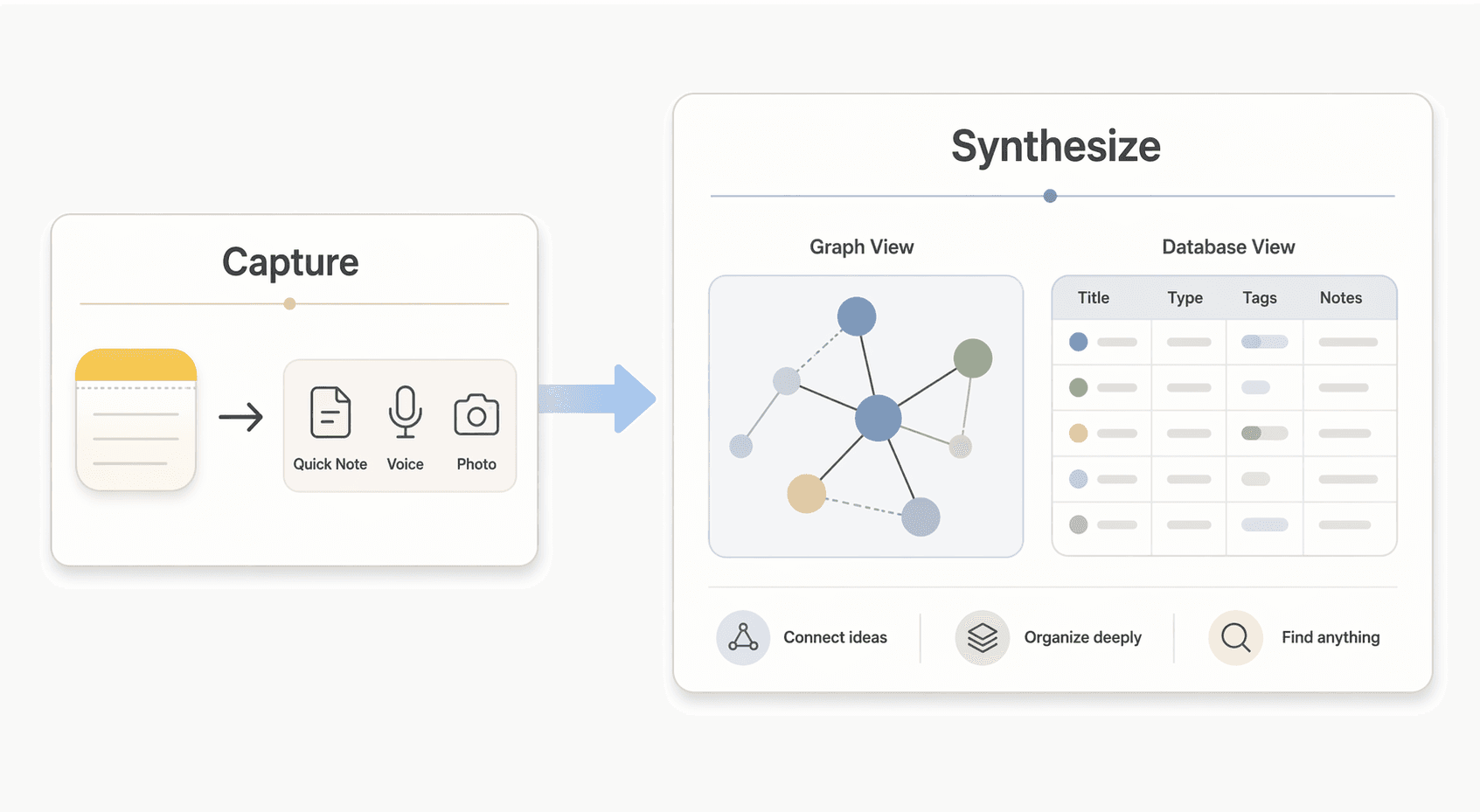
Use Apple Notes as your capture layer. Its 0.3-second launch speed, Quick Note shortcut, Spotlight search, and audio recording with AI transcription make it the best tool for getting information into digital form as fast as possible. Voice notes from meetings, quick thoughts, web clippings, and photos of whiteboards all belong in Apple Notes because friction is the enemy of capture.
Then use a second app — Obsidian for PKM, Notion for databases, or Bear for long-form writing — as your synthesis layer. Periodically (daily or weekly), review your Apple Notes inbox, process each capture, and move the ones that need linking, structuring, or long-term storage into your synthesis app. This keeps Apple Notes in its strength zone (fast capture) and your second app in its strength zone (organization and retrieval).
This approach is not for everyone. If you are a pure Apple ecosystem user with simple note-taking needs, Apple Notes alone is now genuinely sufficient. If you are a PKM enthusiast who wants everything in one graph, Obsidian alone is the better choice. But for the large middle ground — users who want the best of both speed and structure — the two-app stack is the most honest recommendation we can make in 2026.


Comments
Join the discussion with an anonymous comment.