The AI Shift: From Passive Capture to Active Study Assistant
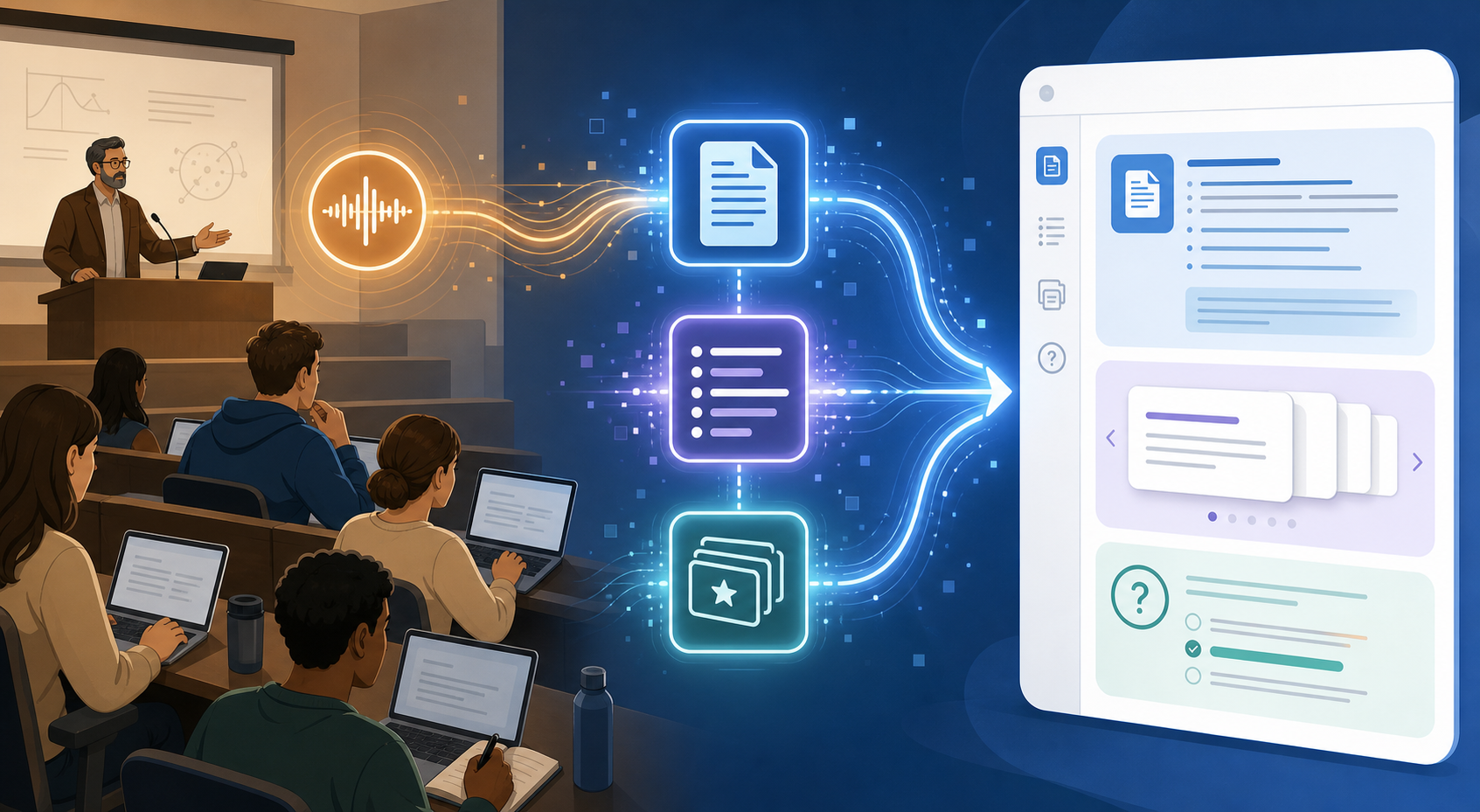
For years, the value proposition of a note-taking app was simple: capture what the professor said, store it somewhere searchable, and maybe — if you were diligent — review it before the exam. That era is over. The 2025–2026 wave of AI-powered tools has fundamentally rewired the pipeline. Instead of merely recording a lecture, these apps now ingest the audio or PDF and autonomously produce summaries, flashcards, quiz questions, and structured study guides. The student's job shifts from transcription to curation and active recall.
This matters most for students carrying heavy memorization or synthesis loads — pre-med, law, engineering, and research-heavy majors — who can spend four to six hours manually condensing a single two-hour lecture into studyable material. The new generation of tools claims to collapse that timeline to under a minute. The question is not whether AI can help, but which tool fits your specific workflow, how much you can trust the output, and where the privacy boundaries lie when lecture audio contains other students' voices.
App-by-App Breakdown: How Each Tool Handles the Student Workflow
The following table compares nine AI note-taking tools across the dimensions that matter most to students: AI study features, platform availability, free-tier generosity, and the specific student use case each tool serves best. Pricing and feature data were last verified in June 2026.
| Tool | Core AI Study Features | Platforms | Free Tier | Best For |
|---|---|---|---|---|
| NotebookLM | Source-grounded Q&A, auto-generated study guides, audio overviews tied to uploaded PDFs | Web | Free (Google account required) | Research-heavy courses, textbook analysis, source verification |
| Notion AI | AI summarization, Q&A across workspace, auto-generated action items | Web, Mac, Windows, iOS, Android | Free with .edu email (Plus plan) | Students who already use Notion for project management and note-taking |
| Otter | Real-time lecture transcription, AI-generated summaries, highlight extraction | Web, iOS, Android | Free (300 min/month transcription) | Lecture-heavy courses, live transcription needs |
| GoodNotes 6 | AI handwriting recognition, spell check, math conversion (no native AI summarization) | iOS, iPadOS, Mac | One-time purchase ($9.99) | iPad users who prefer handwriting with basic AI assistance |
| Notability | Audio-synced handwriting, AI-powered note enhancement (Notability Learn) | iOS, iPadOS, Mac | Freemium (limited features) | Recording lectures while handwriting notes |
| RemNote | Built-in spaced repetition (SRS), notes-to-flashcards conversion, AI-generated quiz questions | Web, Mac, Windows, Linux, iOS, Android | Free (unlimited flashcards and notes) | Memorization-heavy courses (pre-med, law, languages) |
| PolarNotes AI | Lecture-to-structured notes, auto-generated study packs, quiz question generation | Web, iOS, Android | Freemium (limited generations per month) | Students wanting an all-in-one lecture-to-study-pack pipeline |
| Mem | AI-powered note organization, daily review summaries, spaced reminder | Web, Mac, iOS, Android | Free (limited AI features) | Students who want AI to surface past notes for review |
| Fireflies | Meeting/lecture transcription, AI search, auto-generated summaries and action items | Web, iOS, Android, Chrome extension | Free (limited credits) | Group study sessions and recorded lecture review |
A few tools deserve deeper explanation. NotebookLM, for instance, does not just summarize a PDF — it keeps every AI output explicitly tied to the source material, which means you can click a generated claim and see exactly which paragraph in your textbook it came from. That source-grounded approach is a significant advantage for research-heavy students who cannot afford hallucinated citations. RemNote, on the other hand, is built around a different philosophy: it treats every note as a potential flashcard and schedules review using a spaced repetition algorithm, which is why it has become the default recommendation for pre-med and law students who need to retain thousands of discrete facts across a semester.
Workflow Comparison: Lecture-to-Notes, PDF-to-Study-Guide, Voice-to-Notes
The real test of an AI note-taking tool is not its feature list — it is how well it handles the three core student workflows. Each pipeline has different requirements for speed, accuracy, and output format. The table below maps which tools lead in each workflow and how long the AI processing step typically takes.
| Workflow | Top Tools | AI Processing Time | Manual Equivalent |
|---|---|---|---|
| Lecture-to-Notes | Otter, PolarNotes AI, Fireflies | Under 60 seconds for a 2-hour lecture | 2–4 hours of manual transcription and summarization |
| PDF-to-Study-Guide | NotebookLM, Notion AI, PolarNotes AI | 30–90 seconds per 50-page PDF | 3–5 hours of reading, highlighting, and condensing |
| Voice-to-Notes (ad-hoc recording) | Notability, GoodNotes 6, Otter | Near real-time during recording | Manual note-taking during lecture (variable speed) |
The most dramatic time savings come from the lecture-to-notes pipeline. According to data cited in multiple student productivity surveys, students using AI tools report saving 5–7 hours per week on busywork like transcription and basic summarization. That is roughly one full workday reclaimed per week — time that can be redirected to active recall, problem-solving, or simply recovering from sleep debt.
Best for Memorization-Heavy Courses: RemNote and Spaced Repetition
If your coursework requires memorizing hundreds of discrete facts — drug classifications, legal precedents, anatomical structures, vocabulary — then the tool you choose needs to do more than summarize. It needs to schedule review. This is where RemNote separates itself from every other app in this comparison.
RemNote's built-in spaced repetition system (SRS) is not an add-on or a premium feature. It is the core of the application. When you take a note, you can instantly convert any line into a cloze-deletion or question-answer flashcard. The app then schedules that card for review on an optimal timeline — showing it again just before you would naturally forget it. For pre-med and law students, this is not a nice-to-have; it is the difference between cramming the night before and actually retaining material across a full semester.
The workflow looks like this: record or import a lecture, let RemNote's AI generate an initial set of notes and flashcards, then spend 10–15 minutes refining the cards and adding your own. From that point forward, the app handles the review schedule. A typical pre-med student using RemNote might review 40–60 flashcards per day in 15-minute sessions, with the algorithm prioritizing cards that are closest to being forgotten.
- RemNote is free for unlimited flashcards and notes — no paywall for the core SRS functionality.
- The AI quiz generation feature can produce 15–25 multiple-choice questions from a single lecture, which you can then answer from memory and review incorrect responses.
- Available on web, Mac, Windows, Linux, iOS, and Android — no platform lock-in.
Best for Research-Heavy Courses: NotebookLM and Source-Grounded Studying
Research-heavy courses — advanced seminars, thesis preparation, literature reviews — present a different challenge. The volume of reading is high, but the real difficulty is synthesizing across sources without misattributing claims or hallucinating connections. This is where NotebookLM's source-grounded architecture becomes the decisive advantage.
When you upload a PDF or a set of readings to NotebookLM, the AI generates summaries, study guides, and even audio overviews — but every output is explicitly tied to the source material. If the AI generates a claim, you can click it and see exactly which paragraph in which PDF it came from. This dramatically reduces the hallucination risk that plagues general-purpose chatbots when asked to summarize academic content.
For a student writing a research paper, the workflow is straightforward: upload your 10–20 source PDFs, ask NotebookLM to generate a study guide organized by theme, then use the source-grounded Q&A feature to explore specific questions. The AI will answer using only the material you provided, which means you can trust the output in a way you cannot with a tool that draws on its general training data.
- NotebookLM is completely free with a Google account — no premium tier, no usage limits for typical student workloads.
- The audio overview feature generates a podcast-style discussion of your sources, which is useful for review during commutes or workouts.
- Limitation: NotebookLM is web-only and does not support real-time lecture recording. It is a post-hoc analysis tool, not a live capture tool.
Best for Lecture-Heavy Courses: Otter and Real-Time Transcription
For students whose primary input is the live lecture — humanities survey courses, introductory science sequences, professional school lectures — the most critical feature is real-time transcription with accurate speaker identification. Otter leads this category for a simple reason: it was built for this use case from day one.
Otter transcribes lectures in real time, identifies different speakers, and generates an AI summary after the session ends. The free tier includes 300 minutes of transcription per month, which covers roughly five to six hours of lecture — enough for a typical course load if you are selective about which sessions you record. The paid tier ($16.99/month) removes the limit and adds advanced search and export features.
For students who prefer handwriting, Notability offers a complementary approach: it syncs audio recording with handwritten notes in real time. When you tap on a handwritten word, the playback jumps to the exact moment in the lecture when you wrote it. This is not AI summarization, but it is a powerful recall tool — and a 2025 survey of over 6,500 students found that students using audio-synced notes reported a 34% better understanding of complex lecture topics compared to those using text-only notes.
Evidence: Time Savings and Retention Boosts
The quantitative claims around AI note-taking tools fall into two categories: those with credible academic backing and those that come from the tools' own marketing. It is worth distinguishing between them.
| Claim | Source | Credibility Assessment |
|---|---|---|
| Students save 5–7 hours per week using AI study tools | Ask Maeve survey (6,500+ students) | Directional — survey methodology not independently verified |
| Retention boost of over 78% with AI-generated study materials | Tool marketing pages | Promotional — treat as upper-bound estimate |
| AI-generated summaries in under 60 seconds for a 2-hour lecture | Polarnotesai.com | Plausible — aligns with observed tool performance |
| 34% better understanding of complex topics with audio-synced notes | Ask Maeve survey | Directional — source has commercial interest in AI tools |
| Structured-template note-taking improves recall (Hedges' g = 0.248, p < 0.001) | Flanigan 2024 meta-analysis (24 studies, Educational Psychology Review) | Credible — peer-reviewed, published in reputable journal |
| Students with organized digital note-taking systems report 15% lower exam stress | 2025 student survey (cited by Ask Maeve) | Directional — source attribution unclear |
The most reliable data point in this table is the Flanigan 2024 meta-analysis, which found a small but statistically significant effect (Hedges' g = 0.248) for structured note-taking over freeform approaches. This does not directly measure AI tools, but it supports the broader thesis that structured, organized notes — which AI tools excel at producing — improve recall. The 2025 PMC neuroimaging review, also cited in the research context, provides additional neurological evidence that organized note-taking engages different cognitive pathways than passive transcription.
Caveats: Accuracy, Privacy, and the Hybrid Approach
AI note-taking tools are powerful, but they come with three categories of risk that every student should understand before relying on them for graded material.
Accuracy and Hallucination Risk
Every AI model hallucinates — it generates plausible-sounding but factually incorrect content. The risk is highest when summarizing dense technical material or when the AI tries to fill gaps in its understanding. NotebookLM mitigates this by keeping outputs tied to source documents, but even source-grounded models can misinterpret or misattribute. The safest approach is to treat AI-generated summaries and flashcards as a first draft that requires human review before you study from them.
FERPA and Privacy Considerations
Recording a lecture that includes other students' voices raises FERPA (Family Educational Rights and Privacy Act) considerations in the United States. While most universities allow lecture recording for personal study use, the rules vary by institution and by state. Before using any tool that records audio in a classroom setting, check your university's policy on lecture recording and, if in doubt, ask your professor for explicit permission.
On the data privacy side, the major note-taking platforms — Notion, Atlas, OneNote, and Apple Notes — all state that user content is not used to train third-party foundation models. However, this policy applies to the content you store, not necessarily to the audio you process through their AI features. If you are using a tool's AI transcription or summarization feature, your lecture audio is being sent to a server for processing. For sensitive or proprietary course material, consider using a tool that offers on-device processing or end-to-end encryption.
The Hybrid Approach: AI Draft + Human Refinement
The most effective strategy is not to choose between AI and manual note-taking — it is to combine them. A Cambridge International study found that while traditional note-taking was more effective for recall, students found AI chatbots more helpful for understanding complex concepts. The implication is clear: use AI to generate the initial structure and summary, then use your own cognitive effort to refine, question, and connect the material.
A practical hybrid workflow might look like this: record a lecture with Otter or Notability, let the AI generate a summary and key terms, then spend 15–20 minutes manually editing the output — adding your own annotations, correcting misinterpretations, and linking the material to previous lectures. That final step of human engagement is where deep learning happens. The AI saves you the grunt work; you still have to do the thinking.