
In about ten minutes, you can usually tell whether a process belongs in simple workflow automation or needs workflow orchestration tools. The test is not how impressive the diagram looks. It is whether the process has to remember what already happened, coordinate dependent work across systems, wait for human decisions, and recover safely when something fails halfway through.
Tool labels will not settle this for you. Some products sold as automation platforms have orchestration features; some orchestration vendors also let you build simple trigger-action workflows. The cleaner question is operational: if this breaks on Thursday afternoon, can someone retry it without creating duplicates, skipping approvals, or leaving two systems telling different stories?
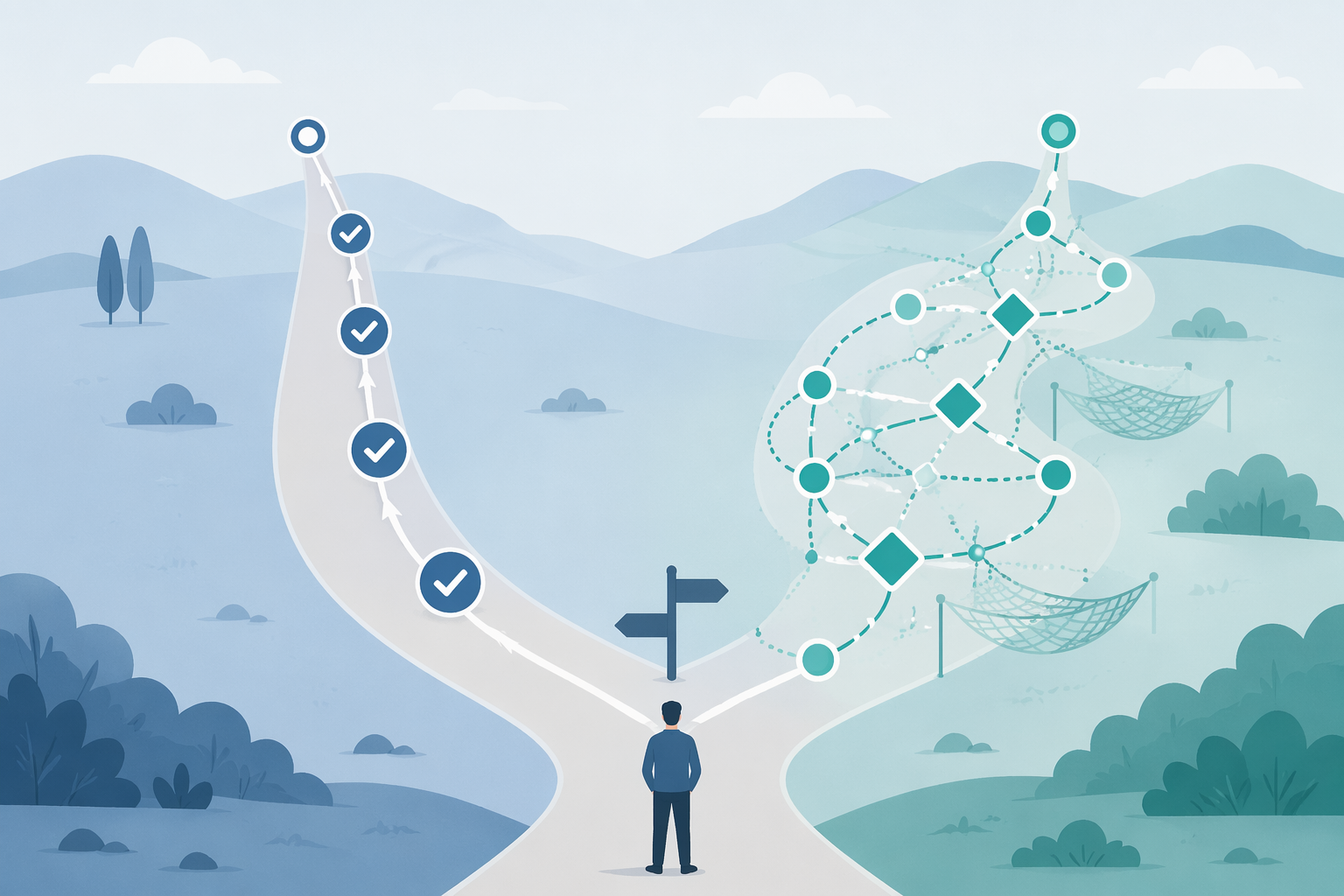
The 10-minute diagnostic quiz
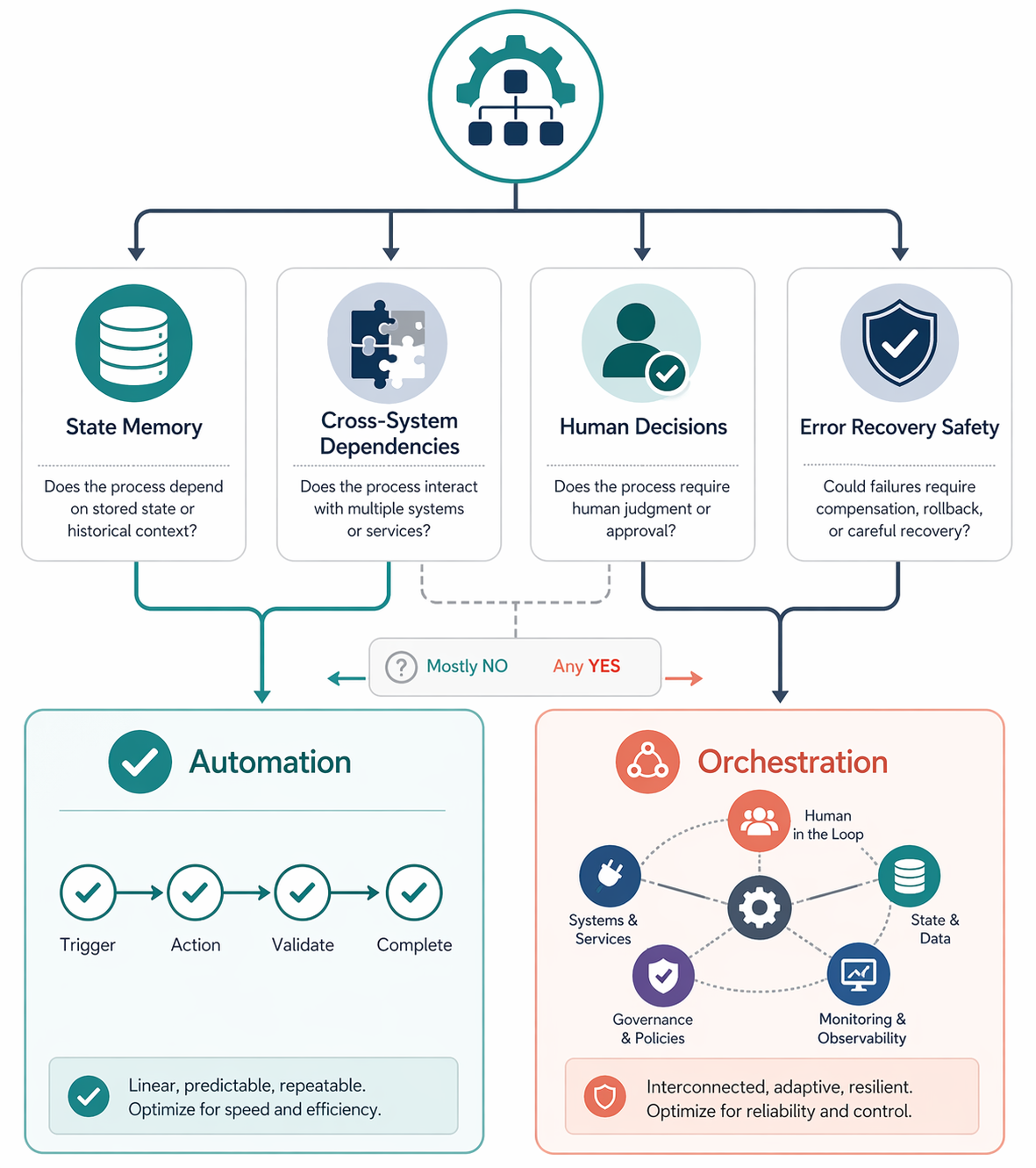
Pick one real process, not a department-wide aspiration. “Notify sales when a lead fills out a form” is useful. “Improve customer onboarding” is too broad. For each question, answer yes only if the condition is part of the normal process, not a rare exception.
| Question | If yes, what it signals |
|---|---|
| 1. Does the process need to know which steps already completed before it decides what to do next? | State memory may matter. |
| 2. Could retrying the whole workflow create duplicate records, duplicate messages, duplicate tasks, or duplicate charges? | Safe recovery is required. |
| 3. Do later steps depend on confirmed outcomes from earlier steps, rather than just on the original trigger? | Dependency tracking is required. |
| 4. Does the process update or reconcile more than one system of record? | Cross-system consistency is at stake. |
| 5. Does a human approval, review, exception, or timeout change the path? | The workflow is no longer a simple linear handoff. |
| 6. If one step fails, does someone need to resume from the failed point instead of restarting from the beginning? | The process needs controlled error recovery. |
| 7. Would a partial failure create business confusion: one team thinks the work is done, another system says it is pending, and a customer or stakeholder may receive the wrong signal? | Orchestration is likely the safer category. |
A “yes” on one question does not automatically mean you need a heavy platform. A “yes” on questions 2, 4, 6, or 7 should make you slow down. Those are the questions that turn a broken automation from an annoyance into cleanup work with consequences.
How to read your answers
If most of your answers are no, you are probably looking at workflow automation. A trigger happens, one or more actions run, and a failure can be handled by fixing the input or rerunning the step. A long notification chain can still fit here. For example, a form submission might create a task, send a Slack message, and add a row to a spreadsheet. If the Slack message fails, the team can resend it without changing the meaning of the task or corrupting the spreadsheet.
If several answers are yes, especially around duplicate prevention, cross-system updates, human approval, and partial-failure recovery, you are moving into orchestration territory. Camunda describes orchestration as becoming necessary when work spans multiple systems, stakeholders, and long-running decisions, because teams need governance and observability over the whole process rather than isolated task automation.[1]
The difference is easiest to see in who has to clean up after failure. In a simple automation, a failed step usually means a missing notification, an uncreated task, or a record that never moved forward. That is irritating, but often visible and recoverable. In an orchestration problem, the process may have partly succeeded. One system has the new customer record. Another system does not. An approval may have been granted, but the downstream status still says pending. A retry might repair the gap, or it might create a second customer, a second invoice, or a second email.
The failure pattern that gives the game away
The most useful test is the double-execution problem. n8n describes it plainly: when a workflow fails midway and the system has no reliable record of state, restarting the whole workflow can rerun steps that already succeeded and create duplicate data.[2]
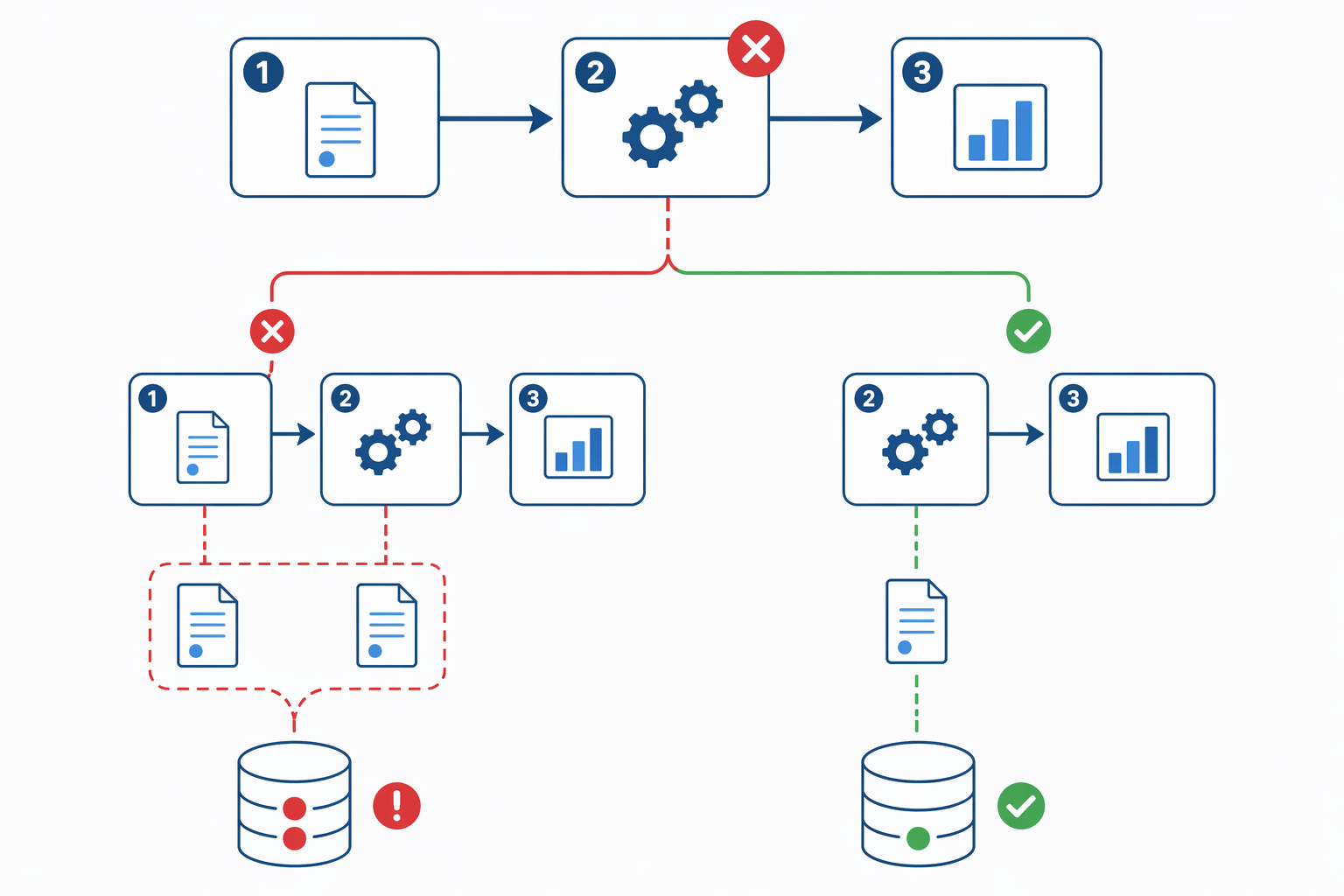
Imagine a simple-looking onboarding workflow. A signed contract arrives. The workflow creates the customer in the CRM, opens a project in the project management tool, notifies finance, and waits for an operations lead to approve the kickoff date. The project creation step fails after the CRM record is already created.
If someone restarts the workflow from the beginning, the CRM step may run again. Now the team may have two customer records, one project, and a finance notification that refers to whichever record the automation happened to use. If the workflow instead remembers that the CRM step already completed, it can resume at project creation, preserve the original customer record, and keep the process coherent.
That is the practical meaning of state management. It is not a fancy word for “more steps.” It means the process carries a reliable account of what has happened, what is still waiting, what failed, and what should not be repeated. For a knowledge-work team, that account matters because people make decisions based on statuses. If the status is wrong, the next person’s work is wrong.
State, dependencies, and recovery in plain operational terms
State management answers: “Where are we in this process, and which actions are already final?” Dependency tracking answers: “What has to be true before the next step is allowed to run?” Error recovery answers: “If something failed, what can be retried safely, what must be skipped, and what needs human review?”
Those questions matter more than the number of apps connected. A three-step workflow can need orchestration if step two changes a system of record and step three must not run until a human approves the change. A fifteen-step workflow can remain ordinary automation if each step is a low-risk notification or enrichment action that can be rerun without changing the underlying truth.
This is also where observability stops being a dashboard vanity metric. In an orchestrated process, the operations lead should be able to see which instance is waiting for approval, which one failed at a vendor handoff, which one has already written to the CRM, and which one is safe to retry. Without that view, the spreadsheet or ticket queue becomes the unofficial source of truth, usually maintained by the person least excited to own it.
When automation is enough
Keep the process in workflow automation when the work is mostly linear, the side effects are small, and a retry does not change the business record in a harmful way. These workflows are often valuable precisely because they are boring: send a notification, copy information from one place to another, create a reminder, enrich a lead, post a summary, or route a low-risk request.
- A failed run can be repeated from the beginning without creating duplicate business objects.
- The workflow does not need to pause for a human decision that changes later routing.
- There is one obvious source of truth, and the automation is not responsible for reconciling several of them.
- The consequence of failure is a missed or delayed action, not an inconsistent customer, employee, invoice, or project record.
In that category, the next step is usually not to buy a heavier orchestration layer. It is to choose better templates, clearer ownership, and a platform that fits the team’s appetite for setup and maintenance. Start with workflow automation templates by use case and platform, then compare the practical differences in Zapier vs Make vs n8n. For broader buying decisions, the business process automation guide for knowledge workers is the more relevant route.
When orchestration is the safer choice
Move toward orchestration when the process is responsible for keeping several systems and people aligned over time. The warning signs are not subtle once you look for them: a workflow waits on approvals, branches after exceptions, updates multiple records, coordinates handoffs between teams, or must resume from the point of failure instead of starting over.
IBM’s workflow orchestration guide frames orchestration around coordinating workflows across people, applications, data, and systems, with particular relevance when AI agents and automated systems need to work across enterprise environments.[3] That coordination layer is what keeps a process from becoming a set of disconnected automations that each succeeded locally while the larger business process failed.
Look for capabilities that match the failure modes you found in the quiz: persistent workflow state, idempotent or duplicate-safe execution, dependency controls, human-in-the-loop handling, audit trails, retry rules, exception queues, and visibility into each running instance. The exact product category may vary by team, but the requirement is the same: the platform has to know enough about the process to recover without making the mess larger.
If your quiz answers put you here, use a workflow orchestration tool comparison only after you know the process pattern you are solving. The most useful next stop is workflow orchestration tools compared by team type, because an operations team coordinating approvals does not need the same buying lens as an engineering team orchestrating deployments or a service team managing cross-system cases.
AI agents make the same test more urgent
AI does not remove the distinction between automation and orchestration. It raises the cost of pretending the distinction is only semantic. IBM reports that 86% of surveyed operations executives say process automation and workflow reinvention are becoming more effective because of AI agents, while also emphasizing that agents need orchestration to coordinate work across systems.[3]
That does not mean every AI-assisted workflow needs orchestration. An agent that drafts a reply, summarizes a ticket, or creates a reversible reminder may still fit inside ordinary automation. An agent that updates CRM fields, triggers approvals, changes project status, and notifies customers is different. If its work can create inconsistent outcomes, someone needs to know what it changed, what it skipped, and where supervised recovery begins.
Market forecasts point in the same direction, though they should not be treated as a reason to overbuy. Research and Markets valued the workflow orchestration market at about $21.93 billion in 2026 and projected it to reach $36.45 billion by 2030, a 13.5% CAGR.[4] That is useful context: orchestration is becoming a mainstream infrastructure category. It is not, by itself, proof that your team’s newsletter handoff needs an orchestration platform.
For the AI side of the buying conversation, compare traditional workflow automation vs AI-native platforms and the 2026 guide to AI automation platform categories. Read those after the process diagnosis, not before it.
The routing decision
Keep simple, retry-safe workflows in automation. Move stateful, dependency-heavy, failure-sensitive processes into orchestration. If a failed step can be rerun without side effects, do not make the process more elaborate than it needs to be. If a failed step can corrupt records, duplicate work, or leave systems disagreeing about what happened, choose tools that can remember state, control recovery, and show exactly where the process stands.
References
- Orchestration vs. automation: Differences and use cases, Camunda, July 2023
- Workflow vs orchestration, n8n Blog, April 2026
- What is workflow orchestration?, IBM, updated April 2026
- Workflow Orchestration Market Report, Research and Markets
Comments
Join the discussion with an anonymous comment.