
Start where the work gets stuck
Business workflow management usually becomes urgent after the same small failure has happened too many times: an approval sits in someone’s inbox, a customer request is copied into three places, a finance review starts without the right attachment, or a teammate spends Friday afternoon cleaning up work that should have arrived clean. Automation sounds attractive at that point. Kissflow cites research that 94% of companies perform repetitive, time-consuming tasks that could be automated, which is a useful warning sign about the amount of repeat work hiding in normal operations. It is not, by itself, a reason to automate first. If the team cannot see the workflow clearly, automation may only move the confusion faster. [1]
The better first move is mapping. Not a months-long process architecture project. Not a polished diagram built for a presentation. A practical workflow map should show who starts the work, what input they need, what happens to that input, where decisions are made, where the work waits, and what counts as a finished output.

The plain anatomy of a workflow
Before choosing a diagram style, reduce the workflow to three parts: input, transformation, and output. IBM describes a workflow as the sequence that turns an input into an output through a set of activities, and that simple structure is enough to begin useful mapping. [2]
- Input: the request, document, ticket, form, message, data, or trigger that starts the work.
- Transformation: the reviewing, drafting, approving, routing, checking, editing, entering, or decision-making that changes the input.
- Output: the completed thing the next person, customer, system, or team can use.
That framing keeps the conversation honest. If nobody can name the input, the team is probably arguing about a workflow that starts too late. If the transformation has twenty steps but only three people understand them, the process depends on memory. If the output is vague, the next team inherits the cleanup.
A six-step method for mapping the workflow
IBM’s workflow guidance lays out a six-step route: determine the process, gather information, outline the steps, diagram the flow, get feedback, and finalize the workflow. That sequence works well for small teams because it separates documenting the current work from improving it. [2]
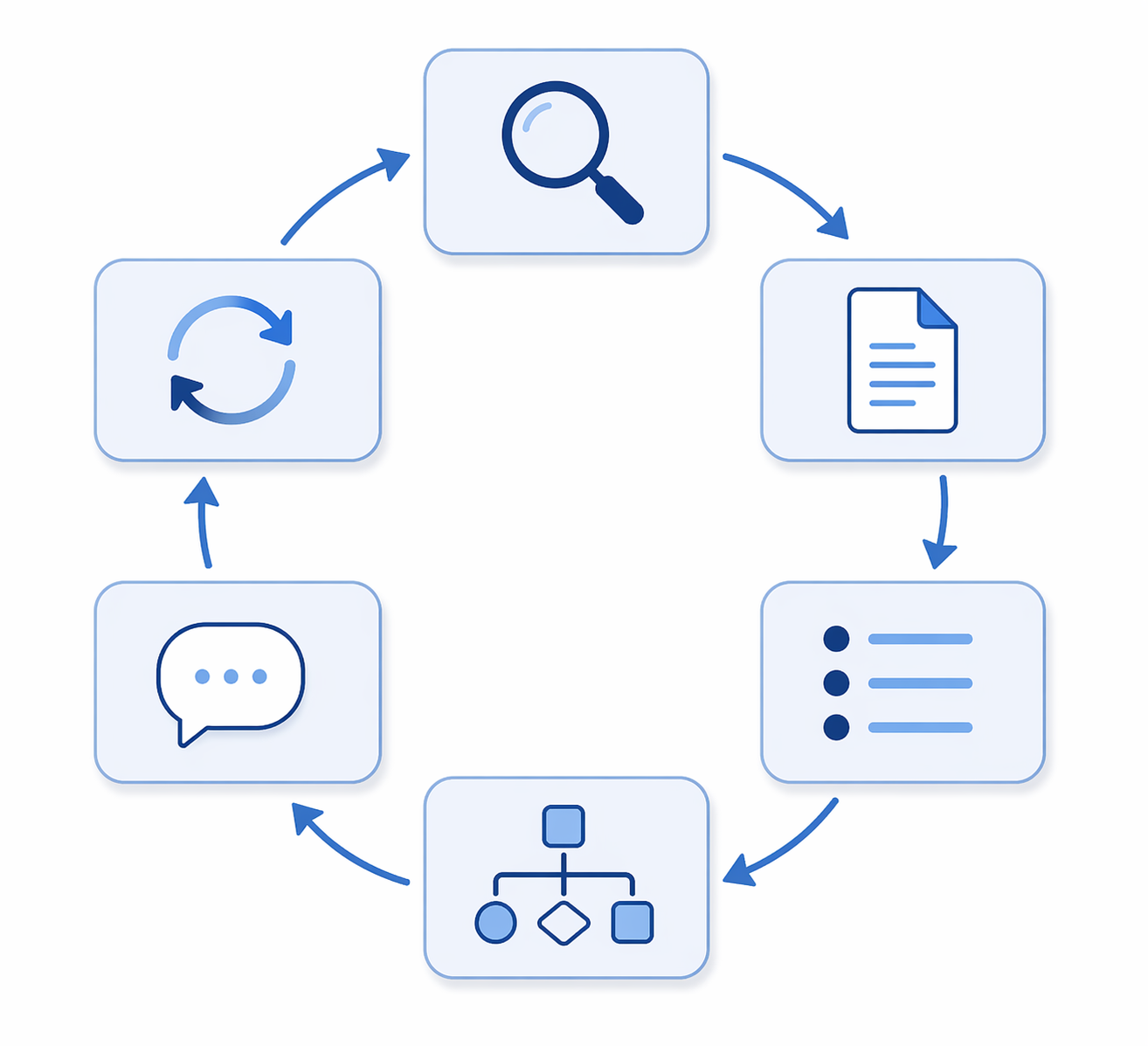
| Step | What to do | What good looks like |
|---|---|---|
| 1. Determine the process | Pick one workflow with a clear start and finish. | The team can name the trigger, the final output, and why this workflow is worth fixing. |
| 2. Gather information | Bring in the people who do, receive, approve, or depend on the work. | The map reflects real handoffs, not only the manager’s memory of how things are supposed to happen. |
| 3. Outline the steps | Write the current steps in order before drawing a formal diagram. | Every step starts with an action verb, and waiting points are included. |
| 4. Diagram the flow | Turn the outline into a visual map using the simplest useful format. | A new teammate can follow the path without a live explanation. |
| 5. Get feedback | Review the map with stakeholders and the people who handle exceptions. | The team finds missing steps, duplicate work, unclear decisions, and bottlenecks. |
| 6. Finalize and iterate | Publish the agreed version, use it, and revise it when the work changes. | The diagram becomes a working reference, not an artifact from a one-time cleanup meeting. |
1. Determine the process
Do not begin with “everything our team does.” Start with one workflow that hurts enough to deserve attention. Good candidates are easy to spot: the same request gets reworked, approvals regularly stall, status updates require manual chasing, or customers notice delays before the team does.
Set the boundary before mapping. For example, a customer onboarding workflow might begin when a signed agreement arrives and end when the customer has access, billing is set up, and the account owner receives the handoff. Without that boundary, the map will keep expanding until it becomes too broad to fix.
2. Gather information from the people inside the work
The person who owns the workflow rarely sees every workaround. Include the people who submit the request, do the work, approve it, receive the output, and repair the mistakes. If a role is represented only by a policy document, the map will miss the actual operating procedure.
Collect the artifacts people already use: forms, email templates, checklists, intake fields, spreadsheets, tickets, approval messages, and handoff notes. These are often more reliable than memory because they show what the team asks for, what it forgets to ask for, and what it has learned to patch manually.
3. Outline the current steps before drawing
A workflow map gets messy when the team tries to design the diagram and diagnose the process at the same time. First, write the current steps as a rough list. Use ordinary verbs: receive request, check completeness, assign owner, draft response, review draft, send approval, update record.
Add the uncomfortable steps too. “Wait for missing information” is a step. “Ask manager in chat” is a step. “Copy the same data into the tracker” is a step. These may not belong in the future workflow, but they absolutely belong in the current-state map. Leaving them out protects the diagram and punishes the people doing the repair work.
4. Diagram the flow with the simplest useful format
Once the steps are visible, turn them into a diagram. For most knowledge-worker workflows, a basic flowchart is enough: start point, task boxes, decision diamonds, arrows, and an end point. The goal is not to impress anyone with notation. The goal is to let the team point at a specific handoff and say, “This is where the request loses two days.”
Process mapping is useful precisely because it exposes bottlenecks, redundancies, and improvement areas that are easy to miss when work is described only in meetings or documents. Both IBM and Asana describe process mapping as a way to make those hidden issues visible. [2][3]
5. Get feedback where the exceptions happen
A first map is a draft, even when it looks clean. Walk through a normal case, then walk through the cases that break the pattern: missing information, urgent requests, rejected approvals, duplicate submissions, customer changes, absent reviewers, and system downtime. Exceptions reveal the real workflow because they show who has to improvise.
Ask reviewers to correct the map, not merely approve it. The useful comments are specific: “Legal reviews this only above a certain risk level,” “Sales sends the wrong document half the time,” “Finance does not see the request until after the customer has been told a date,” or “This status update happens in Slack, not in the ticket.”
6. Finalize, use, and iterate
Finalize the workflow only after the people closest to the work have reviewed it. Store it where the team already works, give it an owner, and mark the version or review date. A workflow that nobody maintains will slowly turn into office folklore: everyone knows there is a diagram somewhere, but nobody trusts it enough to follow it.
Iteration does not need to be ceremonial. When a form field changes, an approval moves, or a handoff becomes automated, update the map. The maintenance burden should be small enough that the diagram survives normal work.
Choose the map style by the problem you need to see
A team does not need a catalog of diagram types before it can start. Still, choosing the right lens can keep the map from hiding the very issue you are trying to fix. Asana identifies common process mapping formats including flowcharts, swimlane diagrams, SIPOC diagrams, and value stream maps. [3]
| Mapping technique | Use it when | What it helps reveal |
|---|---|---|
| Flowchart | The workflow is mostly sequential and the team needs a fast shared picture. | Basic steps, decisions, loops, and missing end points. |
| Swimlane diagram | Multiple people, teams, or departments touch the same work. | Handoffs, role confusion, approval queues, and work bouncing between teams. |
| SIPOC | The team is unclear about where the workflow begins or who depends on the output. | Suppliers, inputs, process, outputs, and customers. |
| Value stream map | The team needs to examine delay, waste, or the path from request to delivered value. | Waiting, rework, non-value-added steps, and flow interruptions. |
Flowcharts are the safest starting point because almost everyone understands boxes and arrows. Swimlanes become useful as soon as the sentence “Then another team handles it” appears more than once. SIPOC is helpful when the team keeps arguing about scope. Value stream mapping is better when the workflow technically works but takes too long or contains too much rework.
BPMN is optional, not a ticket to legitimacy
Business Process Model and Notation, usually shortened to BPMN, is a formal graphical notation for modeling business processes. IBM describes BPMN 2.0 as a standardized notation that uses defined symbols to make process models more consistent across teams and systems. [4]
That standard can be useful, especially when a workflow will be shared with analysts, developers, automation specialists, or a larger operations team. It is not mandatory for a small team trying to understand why work keeps getting stuck. If BPMN helps the conversation, use it. If it makes people stop participating, use a simpler diagram.
The small set of BPMN symbols worth recognizing is enough for most lightweight documentation:
- Start and end events show where the workflow begins and finishes.
- Tasks show work that someone or something performs.
- Gateways show decisions or branching paths.
- Sequence flows show the order in which work moves.
- Subprocess markers show that a step contains another smaller process.
Those symbols are enough to read many BPMN-style diagrams without turning workflow mapping into a notation exam.
How to improve the workflow after it is mapped
The map earns its keep after the team starts marking what the workflow does to people’s time. Use a different color, tag, or comment for each kind of friction. The point is to make the cost visible enough that the team can choose a fix instead of arguing from anecdotes.
- Waiting: work is ready, but a person, system, approval, or missing input is not.
- Rework: the same item comes back because the input was incomplete, the decision was unclear, or the output failed review.
- Duplicate entry: someone copies the same information into another tool because systems or teams do not share a source of truth.
- Unclear ownership: more than one person assumes someone else is responsible for the next step.
- Unnecessary approval: a review step exists because of habit, not because it changes the outcome or manages a meaningful risk.
- Hidden exception path: the documented process handles the clean case, while the real work happens in side messages and one-off decisions.
This is where automation can re-enter the conversation carefully. Kissflow reports that 86% of employees believe automation will help them work more efficiently. That is an attitude measure, not proof that any specific automation will succeed. It does show why teams are eager to remove repetitive work once they can see it clearly. [1]
Look first for fixes that reduce handoffs, clarify inputs, or remove needless decisions. A better intake form may prevent more rework than an automated reminder. A named owner may do more for cycle time than a new dashboard. A single shared checklist may outperform a complicated routing rule if the real problem is inconsistent review.
When a step is stable, repetitive, rule-based, and already understood, it becomes a better automation candidate. When the step still depends on judgment, missing context, or frequent exceptions, map it more carefully before handing it to software.
A practical stopping point
A useful workflow map does not have to be beautiful. It has to be accurate enough that the team can find the next bottleneck, honest enough to include the awkward handoffs, and maintained enough that people still trust it next month.
Once the workflow is legible, tool decisions become smaller and better. The team can tell whether it needs a checklist, a clearer owner, a changed approval rule, a shared template, a lightweight automation, or a dedicated workflow platform. The method comes first because it creates a shared view of how the work actually moves, which makes later software choices easier to judge.
References
- 50+ Crucial Workflow Automation Statistics and Trends for 2026 — Kissflow
- What Is a Workflow? — IBM
- What Is Process Mapping? — Asana
- What is Business Process Modeling and Notation (BPMN)? — IBM
Comments
Join the discussion with an anonymous comment.