
A personal knowledge management system usually feels most convincing on the day it is least useful. The dashboard is clean. The tags make sense. The folders promise that future-you will know exactly where everything belongs. Then a real Tuesday arrives: a meeting starts in twelve minutes, a client asks about something you read last month, or a draft needs the one paragraph you vaguely remember saving. The system is full, but it does not answer.
That is the point where many people decide they chose the wrong app. Notion was too flexible. Obsidian was too plain. The graph view was distracting. The database became a chore. There is probably some truth in the fit problem, but it is rarely the whole story. A figure often repeated in PKM writing says 68% of people who adopted a PKM tool abandoned it within six months; that number comes from a 2021 Forte Labs survey as cited in industry reporting, not from a source independently verified here, so it should be read as a useful signal rather than a law of nature.[1] Still, it names a familiar pattern: the setup phase feels like progress, and the use phase quietly exposes the design flaw.

The System Was Built for Filing, Not for Use
Most failed PKM systems do not fail because they contain too little structure. They fail because the structure is pointed at the wrong job. A tidy archive can still be a dead archive. If notes go in smoothly but rarely come back out during actual work, the system is acting more like a storage unit than a thinking environment.
A useful way to see the imbalance is to split PKM into four jobs: capture, organize, retrieve, and synthesize. Atlas Workspace uses this four-part frame to describe what a working knowledge system must do: collect material, place it somewhere meaningful, bring it back when needed, and combine it into something new.[2] The first two jobs are visible. They reward setup energy. The last two are quieter, but they decide whether the system earns its keep.
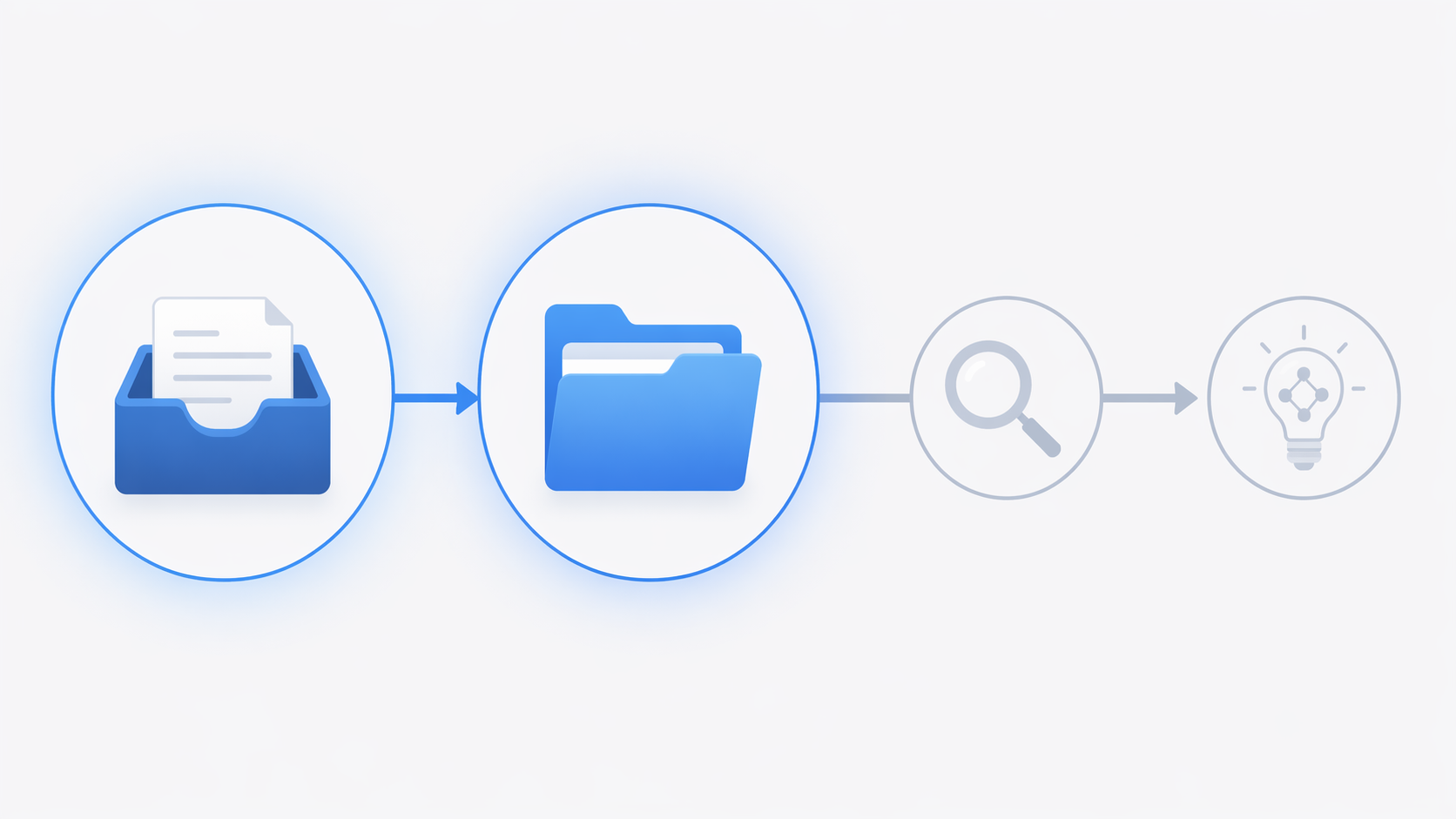
Capture is easy to mistake for learning. A highlight lands in an inbox. A quote gets clipped. A podcast idea becomes a bullet. Organizing then gives the capture a sense of completion: tags, backlinks, properties, folders, maybe a color-coded status field. None of that is bad. The trouble starts when capture and organization absorb all available maintenance time. The system becomes excellent at receiving information and poor at returning it.
This is also why tool-hopping is so tempting. A new app briefly resets the emotional state of the system. The old clutter disappears, the new architecture looks rational, and the user gets another clean beginning. But if the new setup still has no deliberate retrieval habit, it inherits the same failure mode with better typography.
Retrieval Is Where PKM Becomes Real
Retrieval is not just search. Search is what you do when you already know enough to ask for the right thing. Retrieval is broader: the system helps a useful note re-enter active work at the moment it can change a decision, strengthen an argument, prevent repeated research, or connect two ideas that were captured weeks apart.
A note that resurfaces during work has a different life from a note that merely exists. The first can compound. The second becomes an orphaned file with a reassuring title. This is the practical difference between a knowledge system and a collection of saved things.
Memory does not rescue a weak retrieval design. The Ebbinghaus forgetting curve is commonly summarized in PKM guides as showing that, without spaced re-engagement, people forget roughly 90% of new information within a week.[3] The exact shape of forgetting varies by material and context, but the direction is enough for PKM design: if a note is captured once and never re-encountered, it is unlikely to remain available when the work needs it.
There is an older workplace version of the same leak. McKinsey’s 2012 social economy report is widely cited for the estimate that knowledge workers spent 19% of the workweek searching for information, nearly a full day.[4] That figure is now 14 years old, so it should not be treated as a current measurement of every workplace. But as a directional warning, it still matters: a lot of knowledge work is not limited by what people have encountered; it is limited by whether they can get back to it without burning the afternoon.
The Minimum Viable PKM
A durable personal knowledge management system does not need to start as a cathedral. It needs to survive a busy quarter. That means the first version should be almost disappointingly small: one capture surface, one organizational spine, and one weekly review habit.
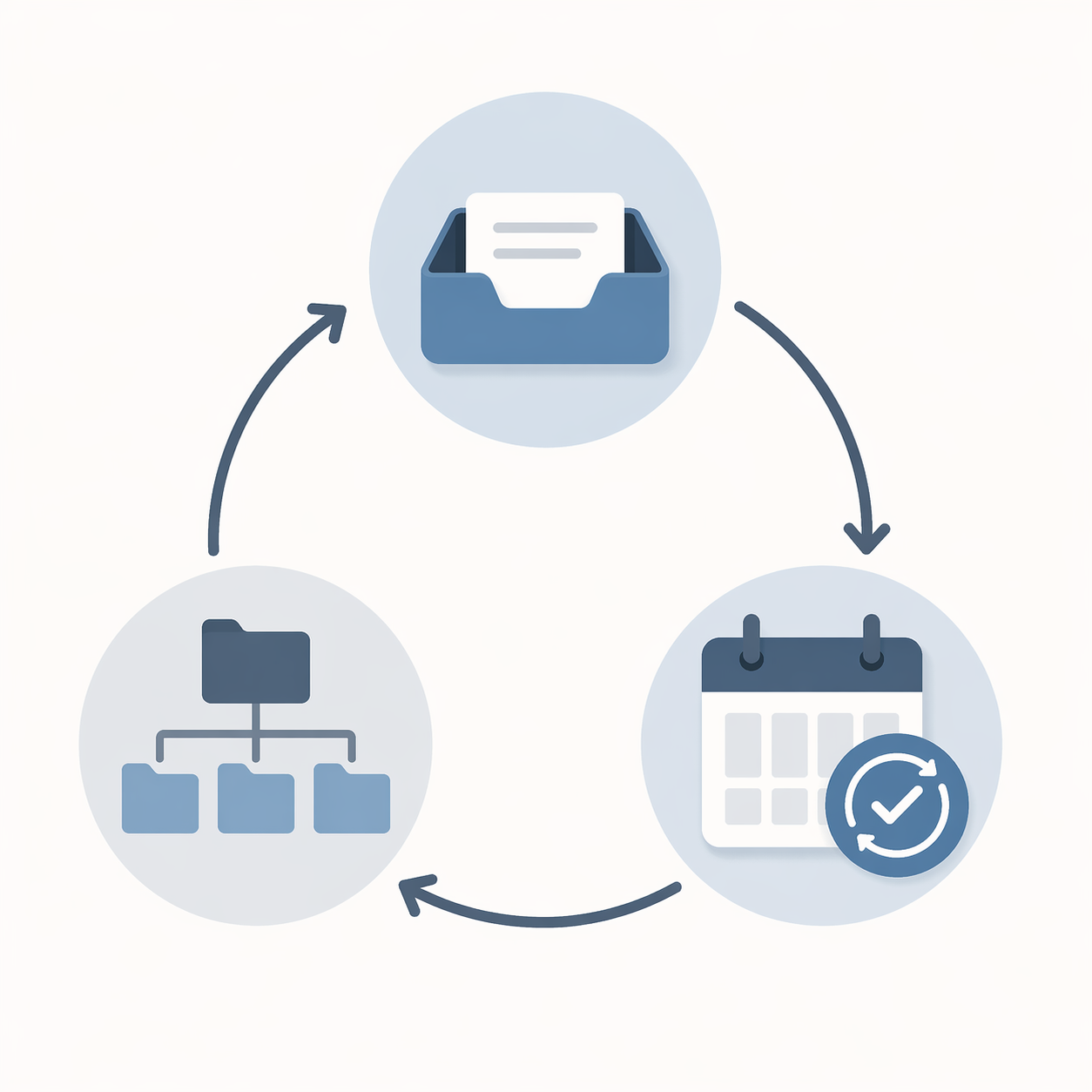
| Piece | What it prevents | What good looks like |
|---|---|---|
| One capture surface | Scattered notes across apps, chats, bookmarks, and documents | Every unprocessed idea lands in one inbox before it is sorted |
| One organizational spine | Endless taxonomy design and folder debates | Notes have a default place to go without requiring a new theory |
| One weekly review | Orphaned files and forgotten highlights | Useful notes are revisited, moved, linked, or turned into work |
One Capture Surface
The point of one capture surface is not purity. It is reducing the number of places your future self has to remember. If ideas can land in five inboxes, then review begins with a scavenger hunt. A single inbox gives unfinished material one address. It can be a page in Notion, a daily note in Obsidian, a plain text file, or a task manager inbox. The tool matters less than the rule: unprocessed knowledge enters through one door.
This also creates a useful constraint on capture. If every highlight, quote, screenshot, and stray thought has to pass through the same inbox, the cost of indiscriminate saving becomes visible. You start noticing which material deserves distillation and which material was saved because saving felt easier than deciding.
One Organizational Spine
PARA is a sensible default spine because its categories are tied to use rather than abstract subject identity: projects, areas, resources, and archives. Atlas Workspace describes PARA as a practical way to organize knowledge around active outcomes, ongoing responsibilities, reference material, and inactive items.[2] That distinction matters. A note about hiring may belong in an active project this month, an area of responsibility next month, and an archive later. Its value depends on where it can help.
PARA is not the only valid method. Some people blend PARA for filing, Zettelkasten for idea development, and CODE for output workflows; PageStash describes this kind of method blending in its comparison of PKM systems.[5] But blending should come after the system has demonstrated that it can retrieve and use notes, not before. Otherwise the method becomes another form of pre-work.
For a first durable version, use PARA as the default unless you have a clear reason not to. It gives enough structure to prevent chaos without inviting you to spend the weekend designing a private library science.
One Weekly Review
The weekly review is the part people most often skip because it feels less exciting than building the system. It is also the part that keeps the system alive. During review, the inbox gets cleared, project notes are checked against current work, resource notes are renamed or merged, and a few items are pulled forward because they may matter soon.
This is where spaced re-engagement becomes practical. You are not reviewing because a productivity doctrine says weekly reviews are virtuous. You are reviewing because captured material decays when it is never touched again. A weekly pass gives useful notes another chance to become available before they disappear into the archive fog.
- Clear the single inbox before it becomes a second system.
- Move notes into projects, areas, resources, or archives based on where they can be used next.
- Rewrite vague captures in your own words when the idea still matters.
- Surface two or three notes that could support active work in the coming week.
- Delete or archive material that no longer deserves attention.
If you want a more guided implementation after the minimum is clear, a 30-day PKM build plan or a starter system template can help. The danger is using templates to avoid the harder question: how will this note come back when I need it?
What to Ignore Until the System Works
The PKM market has no shortage of new surfaces to rebuild on. One industry guide cites Grand View Research for a knowledge management software market size of $2.45 billion in 2024, with projected annual growth of 16.3% through 2030; that figure covers the broader knowledge management software market, not PKM-only apps.[1] Growth explains why the category feels crowded. It does not prove that the average user’s notes are becoming more useful.
AI features deserve the same test. Auto-tagging, summarization, semantic search, and graph-style retrieval can help if they make relevant material easier to bring into work. They are less helpful when they simply increase the volume of captured material. A system that can ingest more than you can review is not smarter by default; it may just fail at a larger scale.
Tool comparisons are useful once the method is settled. If you need that decision later, use a PKM tool decision framework or a current app comparison. But switching tools before fixing retrieval usually moves the mess into a nicer container.
The Test That Matters
Do not judge your PKM by how it looks on a quiet afternoon. Judge it by what happens under pressure. When a project gets busy, can you find the notes that matter? When a question returns after three weeks, does the system help you recover your thinking? When several saved ideas point toward the same problem, do they become a draft, a decision, a brief, or a conversation?
A system that lasts does not need to contain everything. It needs to keep useful material in motion: captured in one place, organized well enough, reviewed often enough, and retrieved when the work can still benefit from it. The clean dashboard is optional. The return path is not.
References
- Personal Knowledge Management (PKM): The Complete Guide, Glasp
- Personal Knowledge Management (2026): The Honest Guide, Atlas Workspace
- Personal Knowledge Management for Beginners, Matthias Frank
- The Best Personal Knowledge Management Software, Tools & Apps, GoLinks
- PKM Systems Compared, PageStash
Comments
Join the discussion with an anonymous comment.