
A workable first-time San Diego weekend note should answer four questions at a glance: where you are spending each day, when the day is intended to move, what must be checked or booked, and what remains usable if the connection or schedule changes. A compact version might look like this:

- Day 1 — Balboa Park, Downtown or Gaslamp, and Coronado
- Day 2 — La Jolla
- Each day — time blocks, a checklist, place and reservation links, addresses, and a backup block
- Before leaving — verify hours, closures, timed entry, and save a locally available copy
This is a planning structure, not a claim that every first visit should follow the same route. It works because it keeps the map and the execution details in the same note without requiring a polished travel template.
Start with geographic clusters, not a list of attractions
For a two- or three-day visit, begin by grouping places that belong to the same broad area. One published San Diego itinerary groups Downtown, Balboa Park, and Coronado together, while giving La Jolla its own day.[1] That is a reasonable starting shape: it gives each day a geographic center instead of making the itinerary a sequence of disconnected pins.
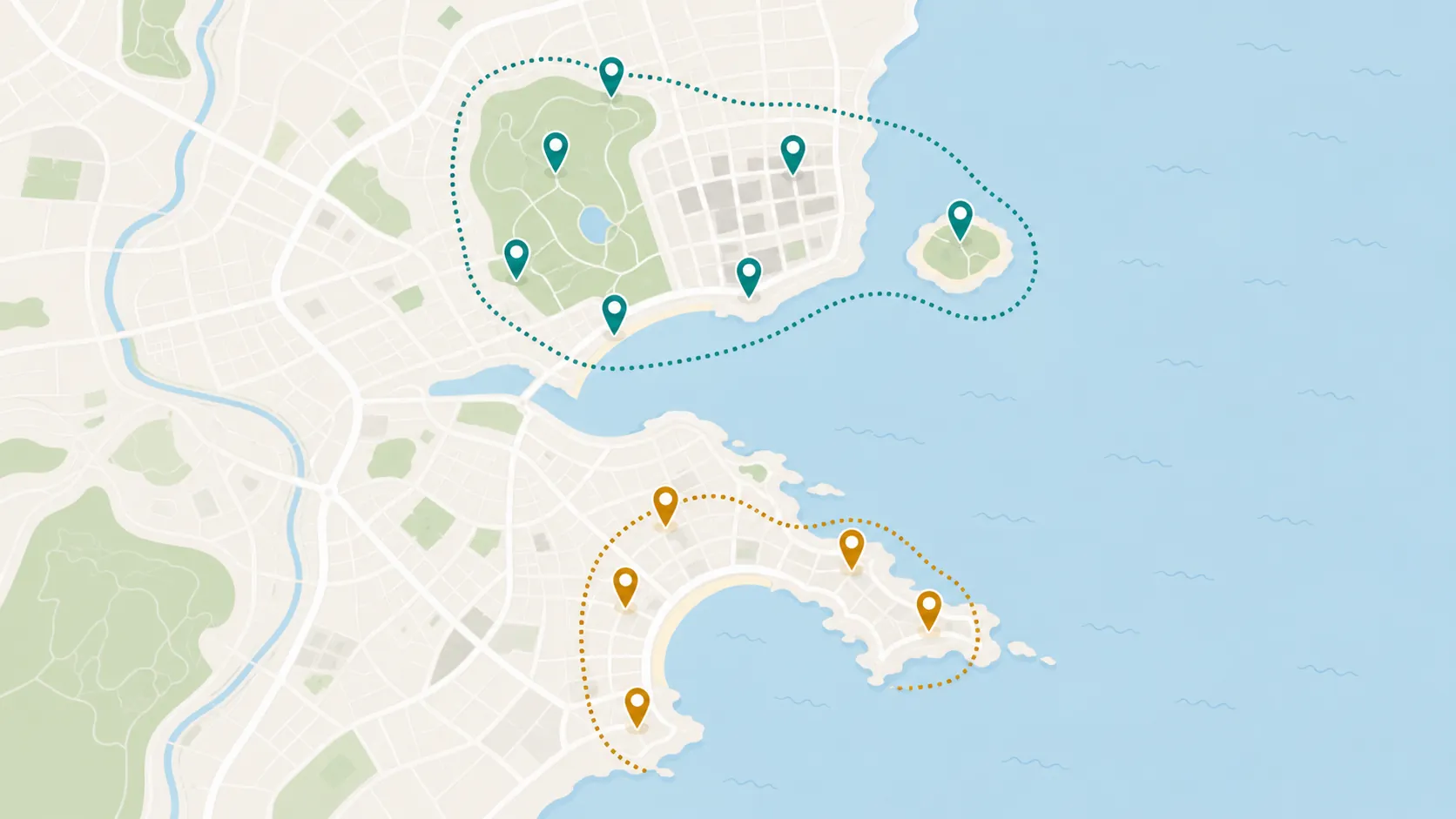
Treat the grouping as a decision aid, not as measured transportation advice. The available material does not establish reliable travel times between these neighborhoods, so avoid writing promises such as “this takes 15 minutes” into the reusable note. Instead, use the clusters to decide what deserves attention on the same day, then check the route and current conditions when the dates are known.
Your note can begin with two headings:
- Balboa Park / Downtown / Gaslamp / Coronado
- La Jolla
If the trip has a third day, duplicate the structure only after deciding whether it is a slower revisit, a second coastal area, or additional time for the first cluster. Do not fill a spare day merely because the app has room for another heading.
Turn each cluster into time blocks
Under each geographic heading, create broad blocks rather than a minute-by-minute schedule. The blocks describe the intended movement of the day: morning anchor, midday area, afternoon option, and evening plan. They should be easy to revise when a reservation, closure, or energy level changes.

For example, the first day might be laid out like this:
- Morning — Balboa Park anchor
- Midday — selected museum or zoo visit, only after checking its current schedule
- Late afternoon — Downtown or Gaslamp option
- Evening — Coronado or a flexible dinner plan, depending on the day's timing
The second day can use the same logic without pretending that every coastal stop has a fixed duration:
- Morning — La Jolla starting point
- Midday — primary activity or reservation
- Afternoon — flexible coastal option
- Evening — return, dinner, or an earlier finish
Keep the blocks deliberately wider than the commitments inside them. A time block tells you what the day is trying to do; it does not prove that the attraction will be open, that entry will be available, or that the route will run as expected.
Add a checklist layer so the schedule does not carry every detail
A time block is too easy to misread as a completed plan. Under it, add a checklist for the operational details that should not be left to memory:
- Check the attraction's official hours for the actual visit date
- Check closures, holiday exceptions, and timed-entry requirements
- Save the address and the official ticket or reservation page
- Record the reservation time and any arrival requirement
- Choose one replacement activity in the same cluster
- Mark anything that must be decided before leaving the hotel
The San Diego Museum of Art provides a useful example of why this layer matters: its published hours are 10 a.m. to 5 p.m., with Sunday hours from noon to 5 p.m.[2] That is the kind of detail worth checking against the day block. It does not justify assuming that every Balboa Park museum follows the same schedule.
The same caution applies to the San Diego Zoo. The available material does not establish its 2026 hours or timed-entry rules, so put “verify zoo hours and entry requirements” in the checklist rather than inserting a confident opening time. Museum closures and other schedule-dependent details belong in the same category.
Attach links where a decision happens
Links are most useful when they sit beside the place or task they support. A place entry can contain its official website, ticket page, map link, address, and a short note about what still needs verification. Avoid creating a separate link dump at the bottom of the note; on the street, it forces you to remember which link belongs to which decision.
A practical entry might be organized as:
- Place name — role in the day
- Time block — intended visit window
- Official hours — checked on [date]
- Tickets or reservation — link and confirmation details
- Address — saved for quick access
- Backup — nearby alternative or a decision to make later
This is also where a reusable template earns its keep. The labels can stay the same for another city while the places, dates, and verification notes change.
Use the Obsidian schema as a design reference, not a requirement
A documented community-built Obsidian travel planner shows how far a notes-app itinerary can go. It places a map view near the top, uses icons for individual landmarks, attaches Wikipedia and ticket links, moves notes through tags, and connects tasks to a task template.[3] Those choices make the underlying design visible: location, reference material, status, and actions can live together.
You do not need to reproduce the vault. In Apple Notes, the same logic may be a pinned note with headings, checkboxes, and links. In Notion, it may be one page with toggles or a small table. In Obsidian, it may become linked daily notes if you already use that system. The important parts are the relationships between the blocks, not the software's ability to automate them.
Fabric describes the difference between Apple Notes and Notion as Apple Notes asking you to type while Notion asks you to build a system.[4] That is vendor framing, not independent evidence, but it captures a useful choice: use the least elaborate structure that keeps the itinerary executable. If you use Notion, the existing guide for testing New York three-day itinerary templates can provide a separate example of neighborhood clustering and PDF backup.
Make the backup layer explicit before the weekend starts
“Offline” should mean more than hoping the app opens. Create a small backup section containing the day's addresses, reservation confirmations, essential links, and the current version of the plan. Export or otherwise save it somewhere locally available, then open that copy before the trip.

The available app comparison describes Apple Notes as offering limited cached offline editing with generally reliable iCloud synchronization. It describes Notion as cloud-only while also listing offline editing on its Plus tier, and reports possible synchronization lag of 5 to 30 seconds.[5] Those statements do not resolve exactly what will happen on a particular phone during a particular trip. There are also no traveler-specific failure reports in the supplied material.
That uncertainty is a reason to test the backup, not to declare one app safe and another unsafe. Turn on airplane mode, open the note, find an address and reservation, and confirm that the information you would need most is still available. If an edit matters, check that it has synchronized before leaving reliable Wi-Fi.
Run a final change-and-closure test
The finished note should survive an ordinary disruption without requiring a fresh planning session. Review each day and ask:
- If the first attraction is closed, is the replacement in the same geographic cluster?
- Which bookings have fixed times, and which blocks can move?
- Have current hours, closures, and entry rules been checked from official sources?
- Can the address, ticket, and next decision be found without searching through other apps?
- Can the essential plan be opened with weak or absent connectivity?
A late-August account describes lower crowds around La Jolla, but it is a single traveler's observation rather than a general seasonal rule.[6] Keep notes like that in an optional context field, separate from facts that control entry or timing. The note should distinguish a useful possibility from something you are relying on.
The result is a reusable note rather than a rigid itinerary: places are grouped before they are scheduled, time blocks show the intended rhythm, checklists surface the decisions, links stay attached to the relevant place, and a local backup remains visible. That is enough structure to make a first San Diego weekend easier to execute while leaving room to verify what the city and the apps actually do on your dates.
References
- 3 most amazing days in San Diego + Itinerary — A Charming Escape
- Hours & Admission — San Diego Museum of Art
- Obsidian Travel Planner- your offline trip planner — Obsidian Forum, May 22, 2025
- Notion vs Apple Notes — Fabric
- Notion vs Apple Notes (2026) — Atlas, 2026
- A First-Timer's Weekend Guide to San Diego — Val the Backpacker, October 11, 2025
Comments
Join the discussion with an anonymous comment.