
The useful part of ChatGPT is also the risky part: it works best when you give it context. A messy meeting transcript becomes a clean brief. A stalled email becomes sendable. A bug report becomes readable. But the same paste box that saves 20 minutes can also swallow a client name, a contract clause, a private file path, a token, or a quote from a confidential thread.
So the practical question is not whether ChatGPT is safe in some absolute way. It is: what should change in the exact moment you use it for work? The strongest safe ChatGPT productivity tips pair the task with a small data-safety move before the prompt is sent.
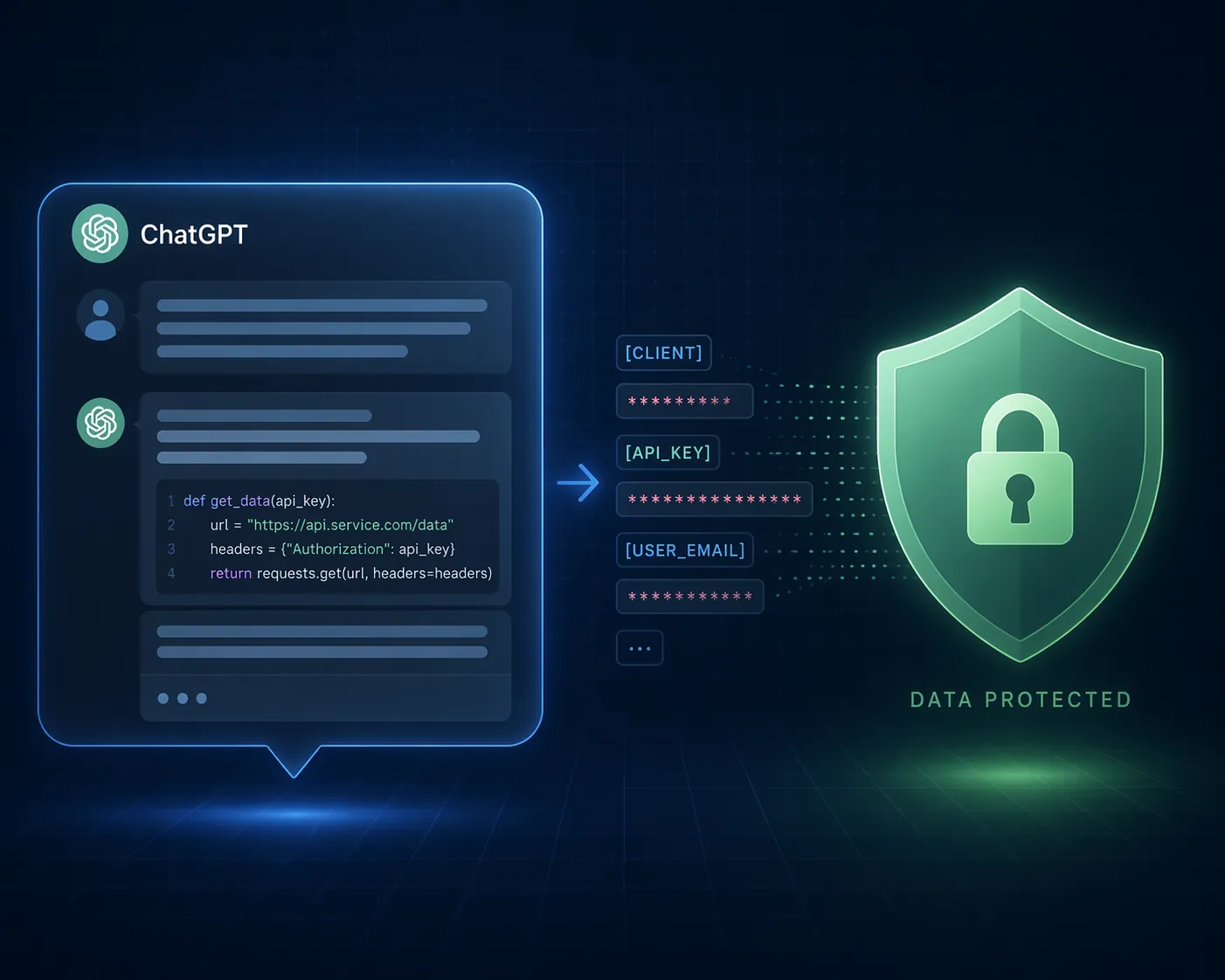
One major warning sign comes from Cyberhaven, whose Q4 2025 report found that 34.8% of employee ChatGPT inputs contained sensitive data, up from 11% in 2023.[1] That number deserves attention, not panic. Cyberhaven is a data-loss-prevention vendor, so its commercial interest is worth keeping in view. Still, the direction of the behavior matches what many teams already see: people are using AI inside real work, and real work contains sensitive material.
The safer pattern is simple enough to use under deadline pressure: decide what ChatGPT needs to know, remove what it does not, and choose the lowest-exposure mode that still gets the job done.
The Safe-by-Design Rule
Before any work prompt, make one small exchange: give ChatGPT the pattern, structure, question, or decision context; withhold the identity, credential, private location, or exact proprietary detail unless your organization has explicitly approved that use.
| Workflow | Productivity gain | Safety move before you send |
|---|---|---|
| Document summarization | Turn long notes, calls, or documents into briefs | Use Temporary Chat and strip identifiers |
| Email drafting | Get a usable reply, escalation, or follow-up | Replace names, companies, and deal details with placeholders |
| Research and analysis | Compare sources, extract themes, pressure-test a claim | Use placeholders and verify cited sources yourself |
| Code debugging | Explain errors and suggest fixes faster | Remove API keys, secrets, internal paths, and customer data |
| Brainstorming and planning | Generate options, agendas, risks, and plans | Disable Memory before the session |
A second baseline setting is worth changing before the five workflows: turn off model improvement for your consumer ChatGPT account if you have not already. In ChatGPT, go to Settings > Data Controls and toggle off "Improve the model for everyone." Privacy guides from ESET, Kaspersky, and Private Internet Access all describe this as a key step, with the important caveat that past conversations already used for training cannot be pulled back after the fact.[2][3][4]
1. Summarize Documents Without Handing Over the Whole Room
Summarization is where people overshare because the workflow feels harmless. A transcript is already written. A project note is already internal. A contract excerpt is already in a document. The temptation is to paste the whole thing and ask for a summary.
That is also exactly why summarization needs the most boring, repeatable safety habit: use Temporary Chat for one-off sensitive work, and strip identifiers before the paste.
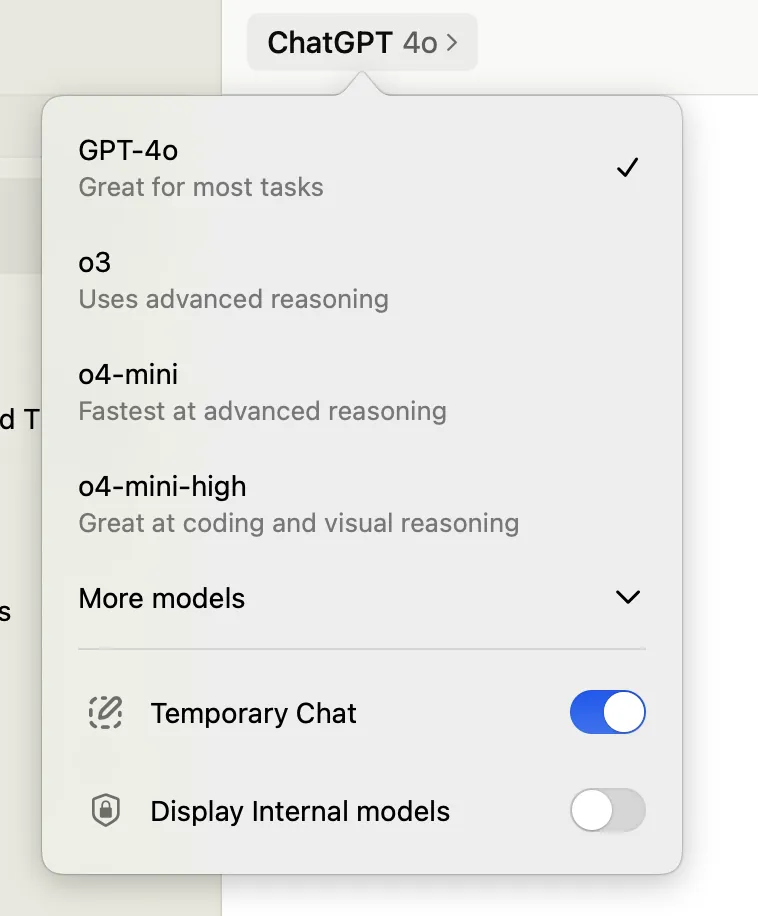
Temporary Chats are useful because they are not stored in your chat history and are not used for model training, according to Kaspersky's privacy configuration guide. They are not zero-retention: OpenAI may keep a copy for up to 30 days for abuse monitoring. Kaspersky also notes an evolving June 2025 legal wrinkle, citing OpenAI's response to New York Times data demands: a court order required OpenAI to preserve Temporary Chat data indefinitely pending appeal.[3]
That does not make Temporary Chat useless. It makes it a shield with edges. It reduces routine history and training exposure, but it should not become permission to paste raw client records, HR details, legal advice, financial data, or anything your company policy forbids.
The practical edit takes less than a minute. Replace names with roles, exact companies with categories, addresses with regions, and unique facts with neutral descriptions. If the model needs chronology, keep dates broad unless the exact date matters. If it needs accountability, preserve the role rather than the person.
| Raw detail | Safer replacement |
|---|---|
| Jane Miller at Northstar Capital | [CLIENT_FINANCE_LEAD] at [CLIENT] |
| Contract clause naming a specific customer | [CONTRACT_CLAUSE_ABOUT_RENEWAL] |
| Internal file path to a shared drive | [INTERNAL_FILE_PATH_REMOVED] |
| Exact employee complaint with names | [EMPLOYEE_RELATIONS_SUMMARY_WITH_NAMES_REMOVED] |
Safe prompt template: "Temporary Chat is on. Summarize the notes below into decisions, open questions, risks, and next steps. I have replaced names and sensitive details with placeholders; keep those placeholders in your output."
2. Draft Emails From the Situation, Not the Secret
Email drafting does not usually require the real client name, the actual contract amount, or the private backstory. ChatGPT needs the relationship, tone, constraint, and desired outcome. Those can be described without making the prompt a copy of the inbox.
Instead of pasting a forwarded thread, write a quick scenario in placeholders. The point is not to hide so much that the model becomes useless. The point is to separate reusable communication structure from sensitive business facts.
| What ChatGPT needs | What it usually does not need |
|---|---|
| Recipient role and relationship | Recipient's real name |
| Tone: firm, warm, apologetic, concise | Full email thread |
| Decision or ask | Exact commercial terms |
| Constraints and deadline category | Internal blame, private notes, or side comments |
Safe prompt template: "Draft a concise email to [CLIENT_ROLE]. We need to explain that [DELIVERABLE] is delayed because [GENERAL_REASON], offer [NEXT_STEP], and preserve the relationship. Do not invent facts, promises, dates, or concessions."
That last sentence matters. A safe prompt is not only about privacy; it is also about control. If the draft adds a concession, admits fault, or invents a delivery date, the risk has simply moved from data exposure to business exposure. Treat the output as a draft, not a delegated decision.
3. Research With Placeholders, Then Verify the Sources Yourself
Research prompts often start with a private question: "What should we do about this client, this market, this pricing issue, this vendor?" The safer version keeps the analytical shape while removing the parts that identify the live situation.
For example, ask ChatGPT to compare categories, summarize public sources, identify decision criteria, or produce a due-diligence checklist. Use placeholders for the company, product, buyer segment, region, and internal constraint. Then verify the cited sources yourself before the research becomes a recommendation.
If you use power-user features that connect ChatGPT to other tools, the safety surface changes. Connectors can make research faster because they reduce copy-paste work, but they also expand what the assistant can access. Before turning them on, it is worth reviewing how different ChatGPT connectors and apps for productivity handle permissions, workspaces, and data boundaries.
Safe prompt template: "Research public information about [MARKET_CATEGORY] for a [COMPANY_TYPE] evaluating [DECISION]. Use only public-source reasoning, separate facts from assumptions, and include source names so I can verify them before using the analysis."
Image uploads deserve their own pause here. Private Internet Access warns that photos uploaded to ChatGPT can expose metadata such as location data, device information, and timestamps.[4] If an image is relevant to analysis, remove metadata first and check the visible background too. A whiteboard photo, office screenshot, badge, shipping label, or browser tab can leak more than the object you meant to discuss.
4. Debug Code After Removing Keys, Paths, and Customer Data
Code debugging is one of the best legitimate uses of ChatGPT. It can explain stack traces, spot a missing parameter, rewrite a confusing function, or turn an error into a checklist. It is also one of the easiest places to paste something that should never leave your environment.
Before sending code, remove secrets and environmental breadcrumbs: API keys, access tokens, database strings, private URLs, internal hostnames, customer IDs, proprietary model names, full file paths, and comments that reveal architecture or incidents. Replace them with placeholders that preserve the type of value without exposing the value.
Bad: Authorization: Bearer sk_live_actual_secret_here
Better: Authorization: Bearer [API_KEY_REMOVED]

Bad: /Users/mara/company/client-acme/contracts/private-renewal-tool.py
Better: /path/to/[PROJECT]/[SCRIPT].py

Bad: customer_id = "real-customer-id-123"
Better: customer_id = "[CUSTOMER_ID]"
Safe prompt template: "Debug this error using the redacted code and stack trace below. Secrets, paths, and customer identifiers have been replaced with placeholders. Explain the likely cause, ask for any missing non-sensitive context, and do not request real credentials."
If your workflow uses local tool connections or MCP servers, do not treat that as a separate universe from prompt safety. The same question applies: what can the assistant see, execute, read, or transmit? Developers using tool-connected assistants should review the security implications of MCP tools for personal productivity before connecting them to sensitive directories or services.
Account security belongs in this conversation even if it is not a prompt-writing trick. ESET cites reporting that more than 225,000 ChatGPT credentials were found for sale on dark web markets after being harvested by infostealer malware.[2] A careful redaction habit does not help much if someone else can log in and read your chat history, so use a unique password and MFA where available.
5. Brainstorm With Memory Off When the Context Should Not Follow You
Brainstorming feels low-risk because the material is unfinished. That is the trap. Early ideas can include acquisition targets, restructuring plans, pricing changes, personnel concerns, product names, legal worries, and half-formed strategy. They may be more sensitive precisely because they are not ready to be written down cleanly.
Memory makes that more complicated. Kaspersky notes that Memory is on by default and that fully erasing a saved memory requires deleting both the memory and the specific chat it came from.[3] A user can think they are casually exploring an idea, then later discover that a useful bit of context has become persistent context.
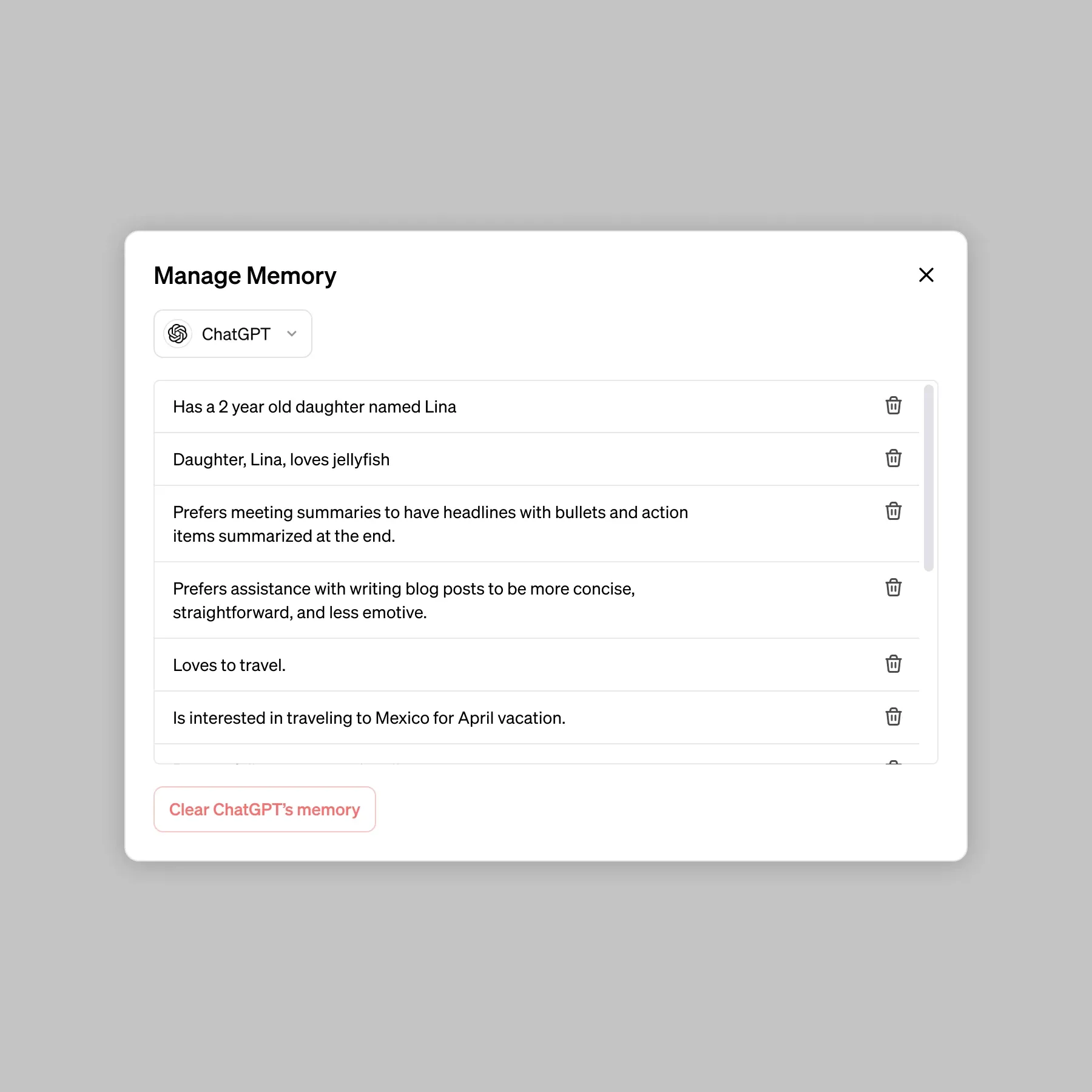
For ordinary productivity, Memory can be helpful. It can remember writing preferences, recurring projects, or how you like plans formatted. For sensitive brainstorming, disable it before the session. If the topic involves confidential strategy, personnel, legal, financial, or client material, do not rely on later cleanup as the main control.
- Before the session: turn Memory off or use a mode your organization has approved for sensitive work.
- During the session: use placeholders for people, clients, projects, and markets.
- After the session: delete any saved memory that should not persist, then delete the chat it came from if you need the memory fully erased.
- Before sharing output: rewrite placeholders back into real terms only inside approved internal systems.
Safe prompt template: "Memory is off for this session. Help brainstorm options for [SENSITIVE_WORKFLOW] using placeholders only. Do not store or infer lasting preferences from this conversation, and keep the output organized as options, risks, and next questions."
The 20-Second Pre-Flight Check
The habit that scales is not a giant approval flow. It is a short pause before the prompt leaves your hands.
- Mode: Should this be a Temporary Chat, a normal chat, or an approved enterprise workspace?
- Training: Is model improvement turned off for this account where appropriate?
- Identity: Have names, clients, employees, vendors, and unique deal details been replaced?
- Secrets: Are keys, tokens, paths, URLs, and customer identifiers removed?
- Memory: Should this session be prevented from becoming future context?
- Attachments: Do uploaded files or images contain metadata, hidden tabs, comments, or visible background leaks?
If your organization pays for an enterprise AI plan, check the current agreement rather than assuming the public consumer settings apply. ESET and Metomic summarize enterprise-tier controls such as compliance and data-handling commitments, but those claims can change and the binding source is your organization's actual contract and admin configuration.[2][5]
The same hygiene travels to other AI tools. If you compare ChatGPT with the best AI tools in 2026 or experiment with lower-cost alternatives such as Chinese AI models for productivity, the prompt still needs the same split: enough context to be useful, not enough sensitive detail to create unnecessary exposure.
The goal is not fear, abstinence, or blind trust. It is pairing every productivity gain with the smallest safety move that prevents avoidable leakage: Temporary Chat for summaries, placeholders for drafts and research, stripped secrets for code, Memory off for sensitive brainstorming, and a quick check before anything leaves the paste box.
References
- AI Insider Threats: How Generative AI Creates Data Security Risks (2026) — Cyberhaven
- Is ChatGPT safe? The complete 2026 security & privacy guide — ESET
- How to configure privacy and security in ChatGPT — Kaspersky
- ChatGPT and Privacy: Everything You Need to Know in 2026 — PrivateInternetAccess
- Is ChatGPT Safe for Business in 2026? The Real Risks Start Before the Prompt — Metomic
Comments
Join the discussion with an anonymous comment.