
Prince George is not the useful part of this story because he is royal. He is useful because his family has publicly described a boundary many adults keep failing to hold for themselves: the phone may be useful, but it does not get automatic access to every room, every hour, and every emotional pause.
In late 2025, Prince William described phones as a “tense issue” in his household and said, “We communicate why we don’t think it’s right,” rather than treating the limit as a command with no explanation.[1] That sentence matters more than any fantasy about royal discipline. Phone limits are tense because phones carry work, friends, school, maps, photos, boredom relief, and status in the same glass rectangle. Adults resent being told to “just put it away” for the same reason children do: the device is not only entertainment.
So the adult version of how to limit phone distractions like Prince George without buying a dumb phone is not to pretend the smartphone can disappear. It is to separate communication from distraction, spaces from devices, and limits from punishment.
The rule worth borrowing is not “no phone.” It is “not everywhere.”
The Wales family’s publicly shared approach points first to place. A phone is not simply handed over because a child wants one, and the adults attach the boundary to ordinary life: conversation, family time, physical play, music, and attention that can stay in the room. The same principle works better for adults when it starts with geography rather than ambition.
Choose one phone-free zone before you choose a screen-time target. The dining table is the obvious candidate because it exposes the real cost. Catherine, Princess of Wales, co-authored a 2025 essay with Harvard Medical School professor Robert Waldinger that described smartphone distraction as an “epidemic of disconnection” and named the modern pattern cleanly: people can be “physically present but mentally absent.”[2] That is a sharper measure than daily minutes. A person can have a respectable screen-time report and still make every dinner, bedtime, walk, and conversation feel interruptible.
A phone-free zone should be boringly specific. “I will use my phone less at home” is too soft to survive a stressful Tuesday. “No phone on the dining table, kitchen counter during dinner, or bedside table after lights-out” is enforceable. The point is not purity. If a call needs to be taken, take it standing up somewhere else. If a recipe is on the phone, open the recipe and put the device on Do Not Disturb before cooking. A zone works when it removes negotiation from the exact moment your attention is weakest.
| Wales-style limit | Adult translation | What changes |
|---|---|---|
| Phones do not automatically enter family spaces | Create one phone-free zone at home or work | Attention stops being renegotiated every few minutes |
| Access is delayed rather than treated as inevitable | Use simplified modes before buying new hardware | Communication remains available without the full app buffet |
| Screens compete with real activities | Prepare replacements before the craving hits | The phone has fewer empty moments to occupy |
| Limits are explained | Write the reason for each limit in plain language | Restriction feels less like self-scolding |
| The device is treated as a tool, not a companion | Rearrange the phone around jobs, not impulses | Useful apps become easier to reach than compulsive ones |
Use the brick-phone idea without buying a brick phone
The cleanest example of the “communication without full distraction” model comes from Eton College, where Year 9 students were reportedly issued Nokia-style phones for calls and texts while using academic iPads for schoolwork.[3] The policy is vivid because it does not confuse access with total access. A student can contact home. A student can do assigned digital work. A student does not need an always-available pocket casino of social feeds, games, group chats, alerts, and algorithmic video to accomplish either job.
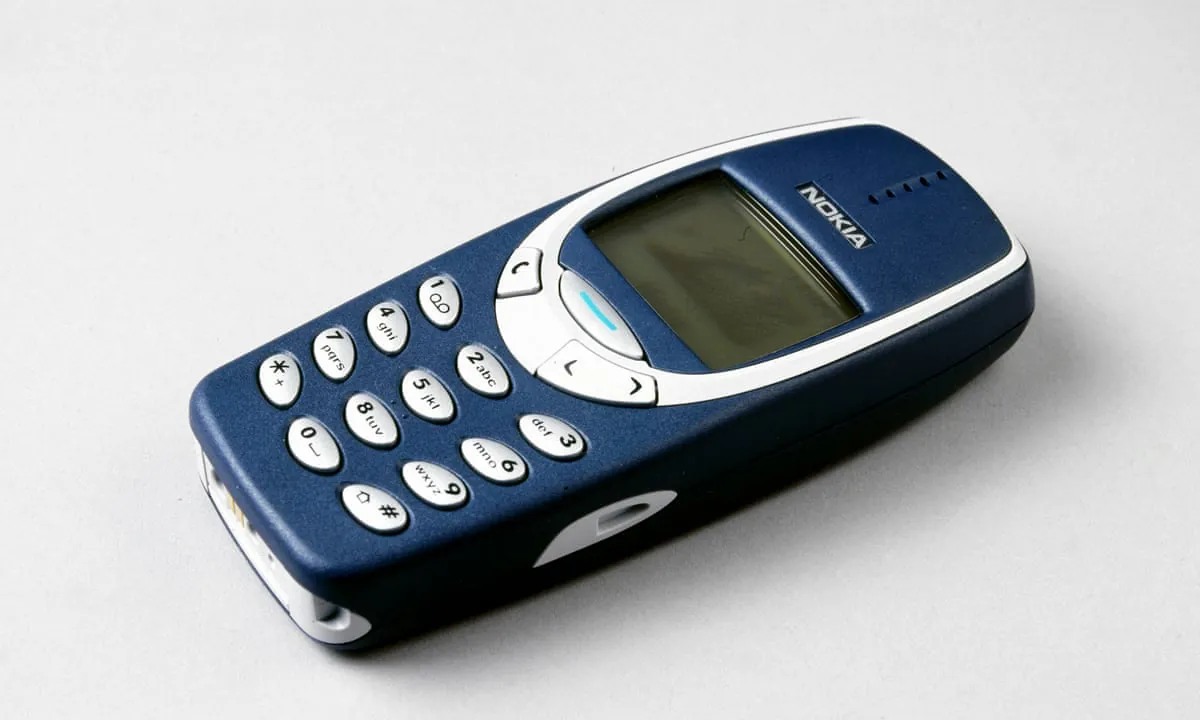
Most working adults cannot switch to a calls-and-texts-only device without making life harder in pointless ways. They need banking apps, two-factor authentication, ride-hailing, calendars, maps, photos, family logistics, client messages, and sometimes social platforms for real professional reasons. The better question is whether your current phone can have a brick-phone mode.
On an iPhone, Assistive Access is the most direct bridge. Newsweek described it as an Apple feature that can simplify an iPhone into a near-brick-phone experience, with large icons and a limited set of apps, accessible through a triple-click shortcut.[4] That matters because it makes the limit reversible. You are not declaring a new identity. You are changing the state of the device for a walk, a dinner, a work block, a commute, or an evening.
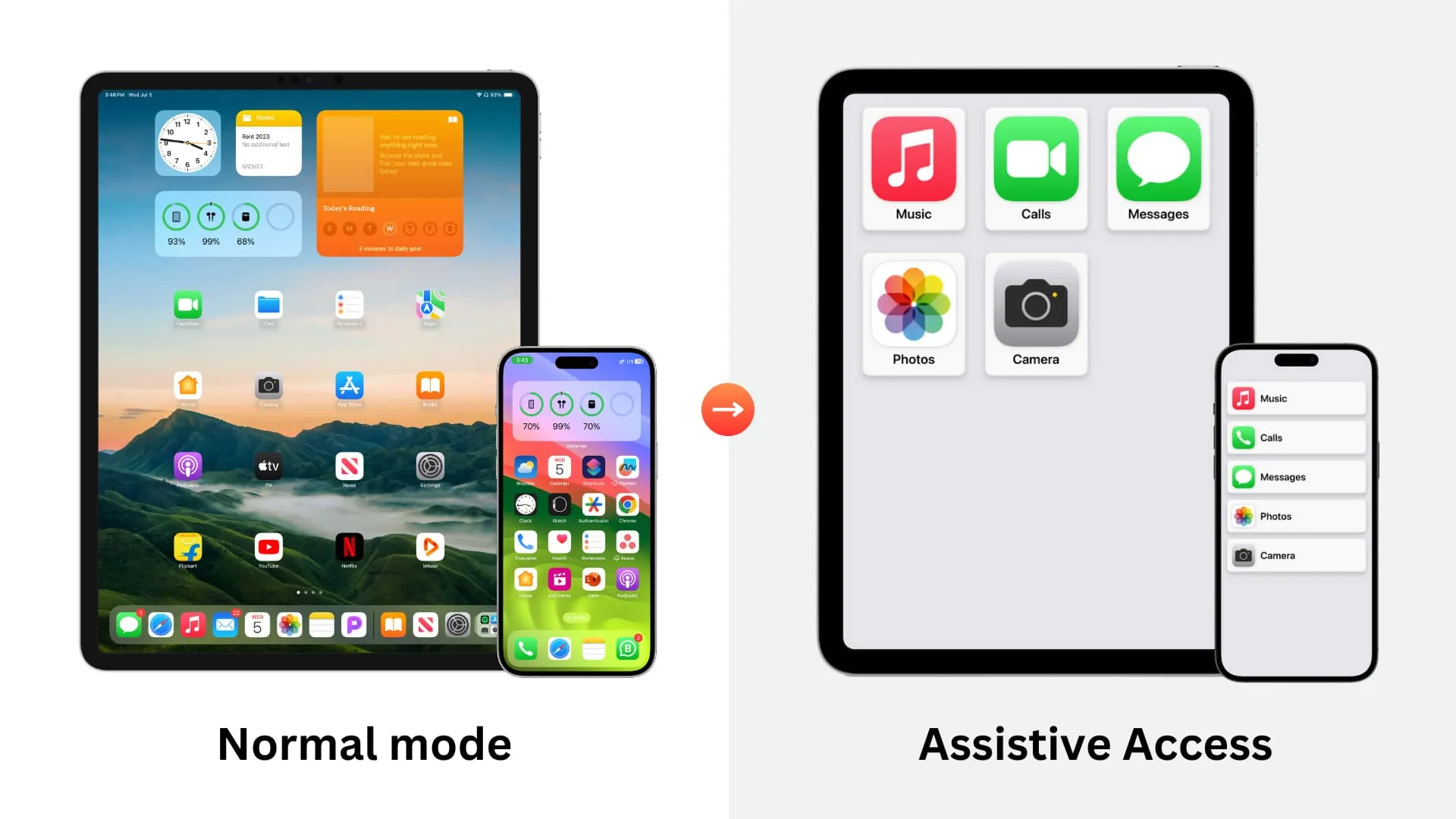
A practical adult setup might include Phone, Messages, Maps, Calendar, Camera, and one audio app. Leave out email, social apps, browsers, shopping, news, and video. That is not because those apps are morally inferior. It is because they are not needed during the specific window you are trying to protect.
- For focused work: allow calls from key contacts, calendar, notes, and one music or white-noise app.
- For errands: allow maps, wallet, messages, camera, and grocery or transit apps.
- For evenings: allow calls, messages, camera, and audio; remove work email and feeds.
- For sleep: allow alarm and emergency contacts; keep everything else out of reach.
The standard smartphone home screen asks, “What do you feel like checking?” A brick-phone mode asks, “What do you need this device to do right now?” That difference is small enough to implement and large enough to change the next hour.
Rearrange the phone while you are calm
Nir Eyal’s 59-minute “hack back” system is useful here because it turns a vague intention into one contained maintenance session. His framework is Remove, Replace, Rearrange, and Reclaim: remove unnecessary triggers, replace bad habits with better ones, rearrange the phone environment, and reclaim attention for what matters.[5] It should not be treated as a universal cure. A difficult job, an anxious season, or a social-media-heavy profession may require more than one tidy hour. But as a first pass, it gives the device a reset without demanding a personality transplant.
Start with removal because notifications are where many attention leaks become automatic. Turn off badges for anything that is not time-sensitive. Disable lock-screen alerts for news, shopping, games, social platforms, and most email. Keep alerts for people and services that genuinely require a timely response: family, childcare, calendar events, banking security, travel changes, and direct work channels if your role requires them.
Then rearrange for friction. Put practical tools on the first screen: calendar, maps, camera, notes, weather, password manager, banking, and whatever you use to move through the day. Put feeds, video, shopping, and news inside folders on a later screen, or remove them from the phone and use them on a computer. If deleting a social app would damage your work or community, do not delete it to prove a point. Make it slightly less available.
That “slightly” is doing real work. A phone habit often survives because the path is polished: unlock, swipe, tap, scroll. Add one or two seams. Require search to open the app. Log out of the most impulsive platform. Move the browser off the dock. Set app limits that require a passcode you do not type from muscle memory. None of these barriers is heroic. That is why they are worth using.
Replace the phone before the empty moment arrives
Prince William has publicly pointed to ordinary replacements for screen time, including sports, trampoline, and music.[6] The adult version is not to schedule a more impressive life. It is to make non-phone options visible enough that the phone is not the only available answer to fatigue, awkwardness, waiting, or decompression.
This is where many screen-time plans fail. They remove the phone and leave a vacuum. A tired person standing in a kitchen at 9:40 p.m. does not need a lecture about dopamine. They need the paperback already on the chair, the walking shoes by the door, the guitar on its stand, the knitting basket beside the sofa, the podcast downloaded, the vegetables already washed, the friend they can text to meet for coffee, or the notebook open to the next blank page.
A replacement does not have to be wholesome in a cinematic way. It only has to be real enough to absorb attention. Cooking works because hands are busy. Walking works because the body gets a pace. Reading works when the book is easier to reach than the phone. Music works because it changes the room without requiring a feed. A hobby works best when the first step is already set up.
- If you check your phone between tasks, place a paper notebook beside your keyboard and write the next action before opening anything.
- If you scroll after dinner, put a book, puzzle, instrument, or project where you usually sit.
- If you lose time before bed, charge the phone outside the bedroom and keep the replacement inside the room.
- If you use the phone to decompress, choose an audio-only option before the evening begins.
Treat the nervous system, not just the screen-time report
The most persuasive case for phone limits is not that the weekly screen-time number looks embarrassing. It is that constant checking changes the texture of a day. Clinical psychologist Dr. Jennifer Rolnick told Newsweek that high screen time “keeps our nervous system in a constant state of stimulation and arousal, while also pushing it toward shutdown or dissociation.”[4] That explains why phone distraction can feel both wired and dull: too much input, too little restoration.
This is why phone-free zones and simplified modes work better than scolding yourself after the fact. They reduce the number of moments in which your nervous system has to decide whether to respond. A lock-screen alert is not a neutral piece of information when you are tired, lonely, behind, or avoiding a hard task. It is an invitation to leave the room mentally while your body stays put.
The adult goal is not to become unreachable. It is to stop treating every possible input as equally eligible for your attention. A calendar reminder for a meeting, a message from a partner, and a flash sale notification should not have the same power to interrupt a thought.
Explain the limit so you do not experience it as punishment
William’s line about communicating the “why” behind phone limits is easy to dismiss as parenting language, but adults need the same clarity.[1] A restriction with no reason starts to feel like deprivation. A restriction tied to a value is easier to enforce calmly.
Write the reason in a sentence plain enough that it would still persuade you when you are irritated. “No phone at dinner because I want one conversation each day where no one has to compete with a screen.” “Assistive Access during deep work because I need my phone for calls, not for escape routes.” “No social apps before noon because my best attention should not be spent reacting to other people’s posts.”
This also helps with other people. If colleagues, friends, or family are used to instant replies, a small script prevents the limit from looking like disappearance: “I’m keeping my phone in a simplified mode during focus blocks, so I’ll reply at lunch.” “I don’t keep my phone at the table, but I’ll check messages after dinner.” The boundary is firmer when it is not mysterious.
A small implementation plan for the phone you already own
Do not start by trying to become a low-tech person. Start by making one part of your day less available to interruption.
- Pick one protected zone or time: dining table, bedroom, first work hour, commute, workout, or the last hour before sleep.
- Decide what the phone is allowed to do there: calls only, messages from key people, maps, music, camera, calendar, or nothing.
- Use settings to match the rule: Focus mode, notification changes, removed badges, app limits, or Assistive Access.
- Place one replacement in the same environment before the protected time begins.
- Write the reason for the limit in one sentence and use that sentence when the rule becomes inconvenient.
The Wales approach is useful for productivity because it treats distraction as both a design problem and a relationship problem. The phone is not framed as evil, and the person who wants it is not framed as weak. Access is shaped. Explanations are given. Real activities are protected. That is a more durable model than a dramatic digital detox that collapses the next time work, family, or modern life requires a smartphone.
One phone-free zone or one simplified phone mode is enough for a first test. If it works, expand it. If it fails, adjust the design before blaming your discipline.
References
- Prince William’s “tense issue” phone-limit comments, People, Nov. 2025, link
- Kate Middleton’s 2025 Harvard essay with Prof. Robert Waldinger, BBC, 2025, link
- Eton College brick-phone policy for Year 9 students, BBC, 2025, link
- Dr. Jennifer Rolnick’s clinical analysis of screen time and iOS Assistive Access, Newsweek, 2026, link
- Nir Eyal’s 59-minute “hack back” system, Nir and Far, link
- Prince William’s comments on sports, trampoline, and music as screen alternatives, Hello Magazine, Apr. 2026, link
Comments
Join the discussion with an anonymous comment.