
The short answer: if you want Muse Glimmer 30B to do real local note-taking work, treat 24 GB of unified memory or VRAM as the floor, not the comfortable target. The “under 20 GB” line is about compressed model weights. It does not, by itself, answer whether your laptop can also hold the vision projector, DFlash drafter, KV cache, note context, and runtime overhead without turning your weekend into a load-failure clinic.
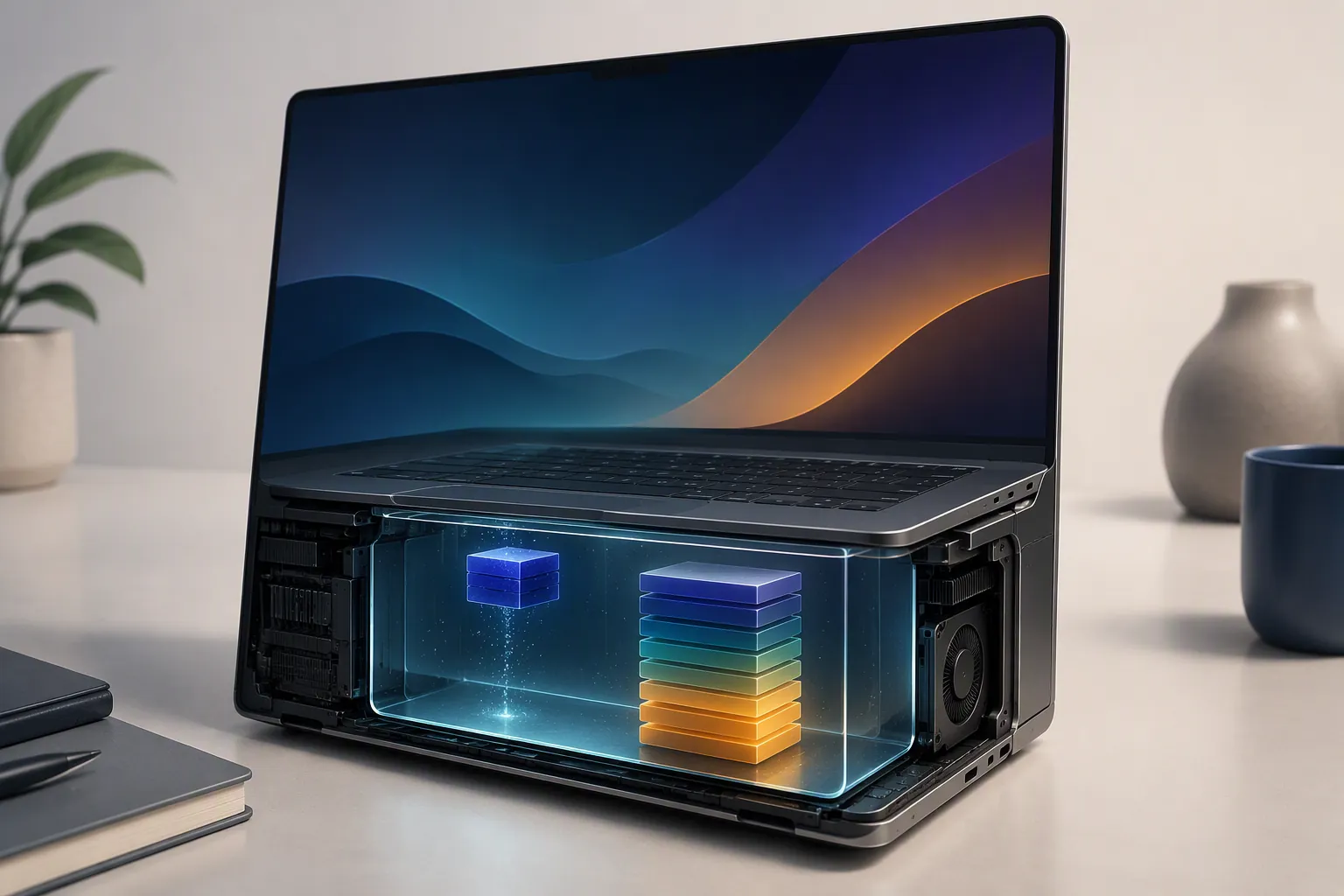
Muse Glimmer 30B is Meta’s open 30B-class agentic model, and it is interesting for local-first note users because it can be run on your own machine instead of sending a vault or meeting transcript to a hosted assistant. But for note-taking system requirements, the useful question is not whether a file can fit on disk. It is which tier your hardware can run while there is still enough memory left for the work notes actually create.
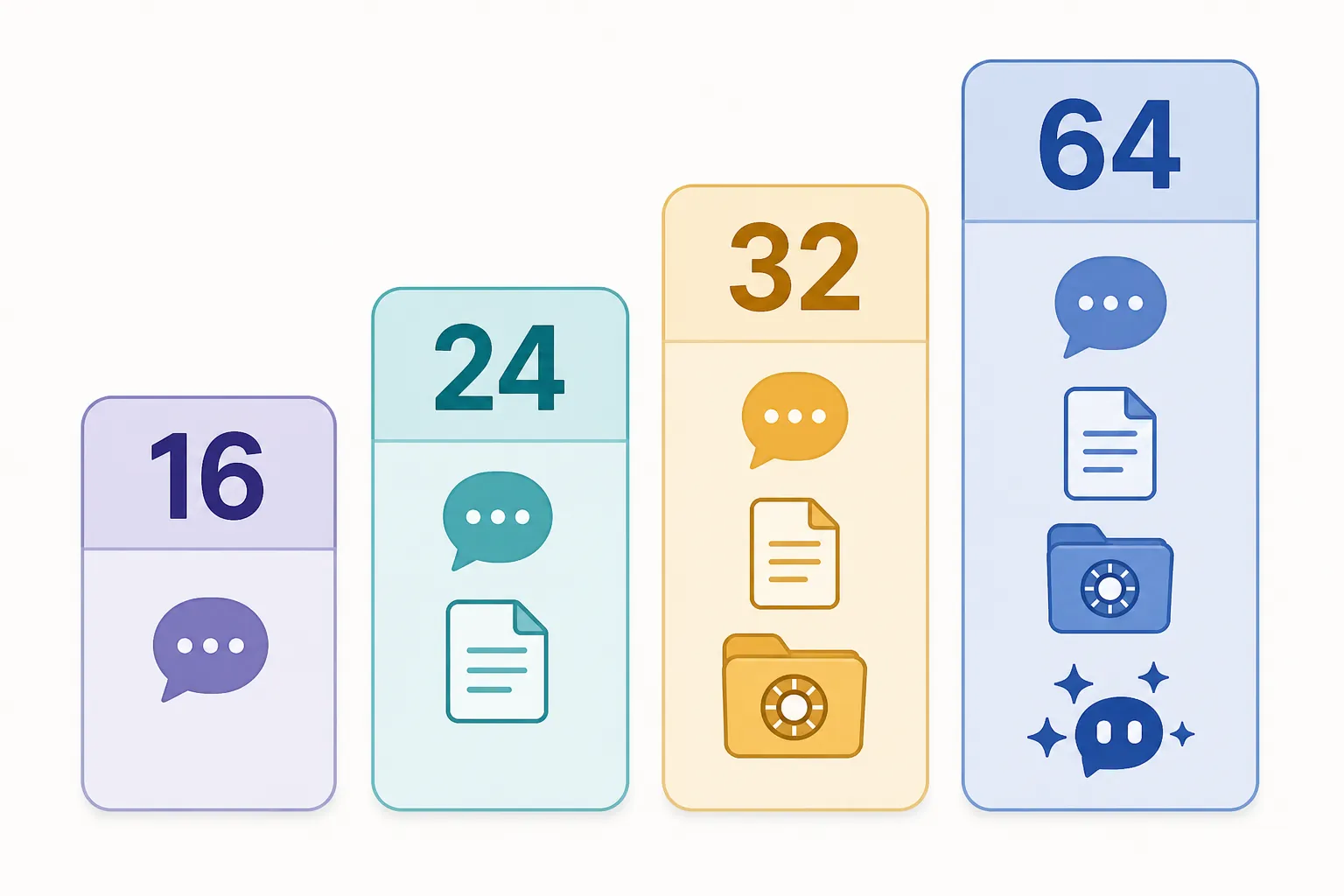
Meta’s own targets put the K-Quant-17GB build at 24 GB, the K-Quant-Dynamic build at 32 GB, and full precision at 64 GB VRAM; the same official materials report average benchmark degradation of 1.0% for K-Quant-17GB and 0.2% for K-Quant-Dynamic against the higher-precision baseline [1][2]. Those benchmark numbers matter, but only after the machine can actually hold the setup.
| Memory tier | Muse Glimmer 30B lane | What it means for notes |
|---|---|---|
| 16 GB unified memory / VRAM | Only heavily compressed community 2–4-bit builds, if your runtime supports them | Short-note chat and small summaries only; do not plan on long vaults, full meeting transcripts, or agent workflows |
| 24 GB unified memory / VRAM | K-Quant-17GB floor | The first validated tier for a working local note assistant; still be disciplined with context and background apps |
| 32 GB unified memory / VRAM | K-Quant-Dynamic target | The sensible target for higher-fidelity local note use, with Meta reporting only 0.2% average benchmark degradation [1][2] |
| 64 GB VRAM / high-memory unified system | BF16 / full precision and heavier agent work | Where full precision and larger long-vault or multi-step agent work become realistic [1][2] |
That table is the buying decision. A 16 GB machine is not worthless, and nobody needs to be embarrassed by owning one. It just belongs in the short-note box. If your actual plan is to ask questions over a small note, summarize a clipped article, or test local chat against a few paragraphs, you may have a lane. If your plan is to point an assistant at an Obsidian vault, feed it a long meeting transcript, and ask it to revise project notes while keeping context, you are below the real floor.
Why “under 20 GB” is not the requirement
The number that trips people up is the compressed-weight number. It sounds like a normal 18 GB or 20 GB machine should be fine, especially on a Mac where unified memory is marketed as flexible. But weights are only the central block. A working local note setup also needs supporting components and room for the active context.
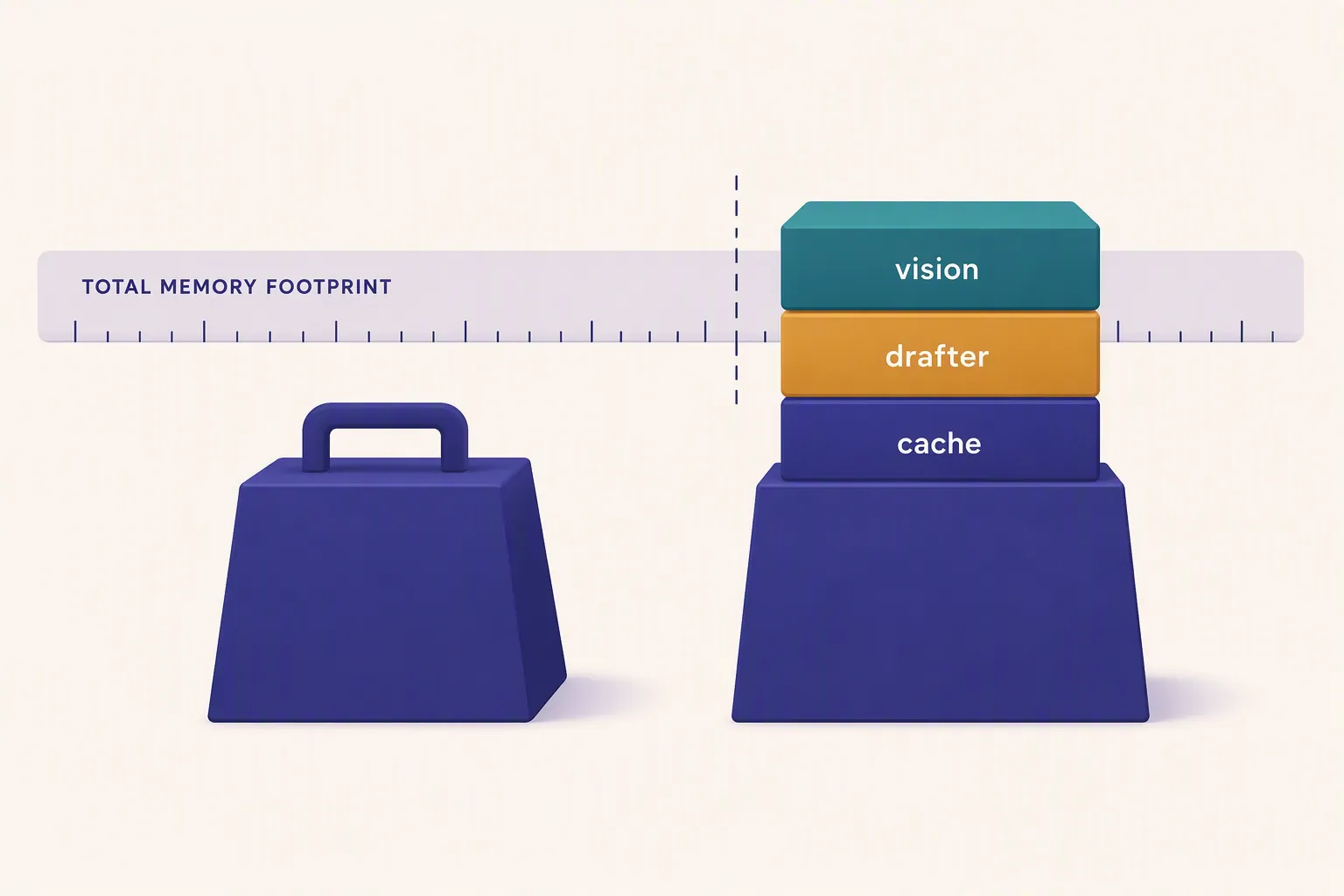
The file breakdown makes the problem visible. Kingy AI lists the K-Quant-17GB main GGUF at 16.76 GB, but that is before adding the 1.40 GB vision projector and the 1.63 GB DFlash drafter. It also lists the K-Quant-Dynamic build at 19.65 GB and the BF16 shards at 59.55 GB [3]. A model card can honestly describe a compressed artifact as under 20 GB while the working setup still needs substantially more than 20 GB of usable memory.
The KV cache is the part note users tend to feel first. It grows with context. A quick chat over a single short note is one kind of load; a meeting transcript, several linked notes, and a long instruction stack are another. The model weights may sit still, but the active memory used for the prompt does not. That is why a setup can load successfully in one test, then stall or fail when the first serious transcript lands in the window.
There is also a difference between disk size and runtime memory. A file that fits on your SSD has not proved that your GPU, unified memory pool, or runtime can keep the model, projector, drafter, cache, and note app alive together. For note-taking, that distinction is not pedantic. It decides whether the assistant can stay useful after the initial demo prompt.
The 24 GB floor
At 24 GB, you are no longer trying to make the headline number do work it was never meant to do. This is the official target for the K-Quant-17GB build [1][2]. It is the first tier I would treat as a real local note-taking setup rather than an experiment with sharp edges.
That does not mean 24 GB is spacious. On a Mac, unified memory is shared by the operating system, note app, browser, runtime, and model. On an NVIDIA laptop or desktop card, the VRAM limit is more direct: if the model stack and context exceed available VRAM, the setup either fails, spills into slower memory paths, or forces you to cut context. AMD hardware belongs in the same decision tree: if your local runtime can use the GPU backend you intend to use, the memory math still does not change.
For an Obsidian, Logseq, or Apple Notes user, 24 GB is enough to start building a careful workflow around short-to-medium notes: summarize today’s meeting notes, ask for action items from a contained document, rewrite a project brief, or chat with a small selected set of notes. It is not the tier where you should casually paste an entire month of meeting transcripts and expect agent-like planning across the whole vault.
Why 32 GB is the better local note-taking target
The 32 GB tier is where the trade-off becomes more attractive. It is the official target for K-Quant-Dynamic, the build Meta reports at only 0.2% average benchmark degradation [1][2]. That does not mean every note-taking task will feel identical to full precision. It means the quality compromise is small enough that memory headroom becomes the more important practical difference.
A DataCamp local run using K-Quant-Dynamic with DFlash, vision, and a 64K context measured roughly 23.8–24 GB of VRAM on an RTX 5090 [4]. That measurement is useful because it includes the pieces the compressed-weight headline omits. It also shows why a 24 GB device is a floor, not a cushion, when you start pushing context.
For note work, 32 GB gives you a more forgiving lane for the tasks people usually mean when they say they want local AI in their notes: summarizing longer meeting records, comparing a handful of related notes, asking for contradictions across project material, or using a local assistant while a browser and note app remain open. You still need to be deliberate about what you feed the model. The difference is that ordinary note-taking behavior is less likely to knock the setup out of memory immediately.
What 16 GB can still do
The honest lane for 16 GB is narrow: heavily compressed 2–4-bit community builds, small prompts, and modest expectations. The reported edge case is about 3.5 tokens per second with a hard prompt ceiling of roughly 2,000 tokens [3]. That is not a setup for a long-vault assistant. It is a setup for asking a small model-shaped version of Muse Glimmer to work on a short chunk of text.
That can still be useful. A 16 GB user might select one note and ask for a cleaner summary, paste a short daily log and ask for next actions, or test whether local AI fits their writing habits before buying different hardware. The mistake is treating that experiment as proof that the machine is ready for sustained note automation.
The failure mode is predictable. The first few prompts work because they are small. Then a longer transcript, a folder of notes, or a retrieval plugin adds more context. The model either slows sharply, clips what you thought it had read, or refuses to load in the configuration you actually wanted. If your notes matter, that is not a privacy win. It is just local fragility.
64 GB is for full precision and heavier agents
The 64 GB tier is not necessary for every local note user. It is the tier for people who want the BF16/full-precision lane or heavier agent work. Meta’s official target for full precision is 64 GB VRAM, and the BF16 shard size reported by Kingy AI is 59.55 GB [1][2][3]. That leaves little room for pretending this is a normal laptop requirement.
This tier makes sense if the model is expected to do more than answer questions over a selected note. Think larger project vaults, longer context windows, multimodal inputs, and agent-style work where the assistant reads, drafts, checks, and revises across multiple pieces of material. Even there, retrieval design and prompt discipline still matter. More memory does not make a messy vault magically coherent.
Mac, NVIDIA, and AMD: use the same memory decision
Mac users should read the requirement as unified memory, not storage and not “available RAM” after a clean reboot screenshot. A 24 GB Mac is the first realistic floor for K-Quant-17GB. A 32 GB Mac is the more sensible target if this assistant will live beside Obsidian, a browser, a PDF reader, and a meeting-notes workflow. A 16 GB Mac may be pleasant for writing and terrible for this particular local model setup.
NVIDIA users should read the requirement as VRAM first. The DataCamp 23.8–24 GB measurement for a K-Quant-Dynamic run with DFlash, vision, and 64K context is the warning label here [4]. A card that looks close on paper can become uncomfortable once the full stack and context are active.
AMD users need one extra compatibility check: whether the local runtime and backend they plan to use support their GPU path well enough. But after that, the same practical tiers apply. Do not let backend optimism erase the memory budget. If the build, projector, drafter, and cache do not fit cleanly, the note workflow is the part that suffers.
Match the model tier to the note job
A local AI note setup usually fails because the user chose hardware for the model announcement rather than for the notes. Notes are not a single benchmark prompt. They are messy: short scraps, meeting transcripts, PDFs, browser captures, daily logs, internal links, tags, and half-finished project plans. The hardware tier decides how much of that material can safely enter the active working set.
| Note task | Minimum tier to consider | Practical judgment |
|---|---|---|
| Chat with one short note | 16 GB edge build | Possible with heavy compression and a tight prompt |
| Summarize a contained note or short meeting record | 24 GB | Reasonable if context stays controlled |
| Work across several related notes | 32 GB | Better target because K-Quant-Dynamic has more headroom |
| Long meeting transcripts and vault-style retrieval | 32 GB or higher | Do not plan this around the 16 GB edge case |
| Full precision or heavier local agent workflows | 64 GB | This is the lane Meta targets for full precision |
This is why a setup guide should not begin with Ollama commands, LM Studio screenshots, or an Obsidian plugin list. Those choices matter later. First you need to know whether the machine is in the right class. A smooth install does not help if the first real meeting transcript pushes the model past the memory boundary.
If you have less than 24 GB, expect constrained short-note use only. If you have 24 GB, the K-Quant-17GB build is the validated floor. If you have 32 GB, K-Quant-Dynamic is the sensible local note-taking target. If you have 64 GB, full precision and heavier agent work become realistic.
References
- Muse-Glimmer-30B — Hugging Face
- Introducing Muse Glimmer: an open agentic model — Meta Research
- Muse Glimmer 30B Benchmarks & Hardware: Run — Kingy AI
- How to Run Muse Glimmer 30B Locally — DataCamp
Comments
Join the discussion with an anonymous comment.