
The strange thing about workload in 2026 is that the day has not necessarily gotten longer. In one large ActivTrak analysis of 443 million work hours, the average workday was 2% shorter, dropping from 8 hours 53 minutes to 8 hours 44 minutes. At the same time, productive hours rose 5%, focus efficiency fell to a three-year low of 60%, and the average focused session shrank to 13 minutes 7 seconds, down 9% from 2023.[1]
That is the real answer behind the search for how to manage workload for better productivity. The problem is not always that there is more time on the clock. It is that more work is being pressed into smaller usable fragments of attention. A calendar can look technically survivable while the day itself feels like it has no clean edge, no recovery space, and no obvious place where thinking is supposed to happen.
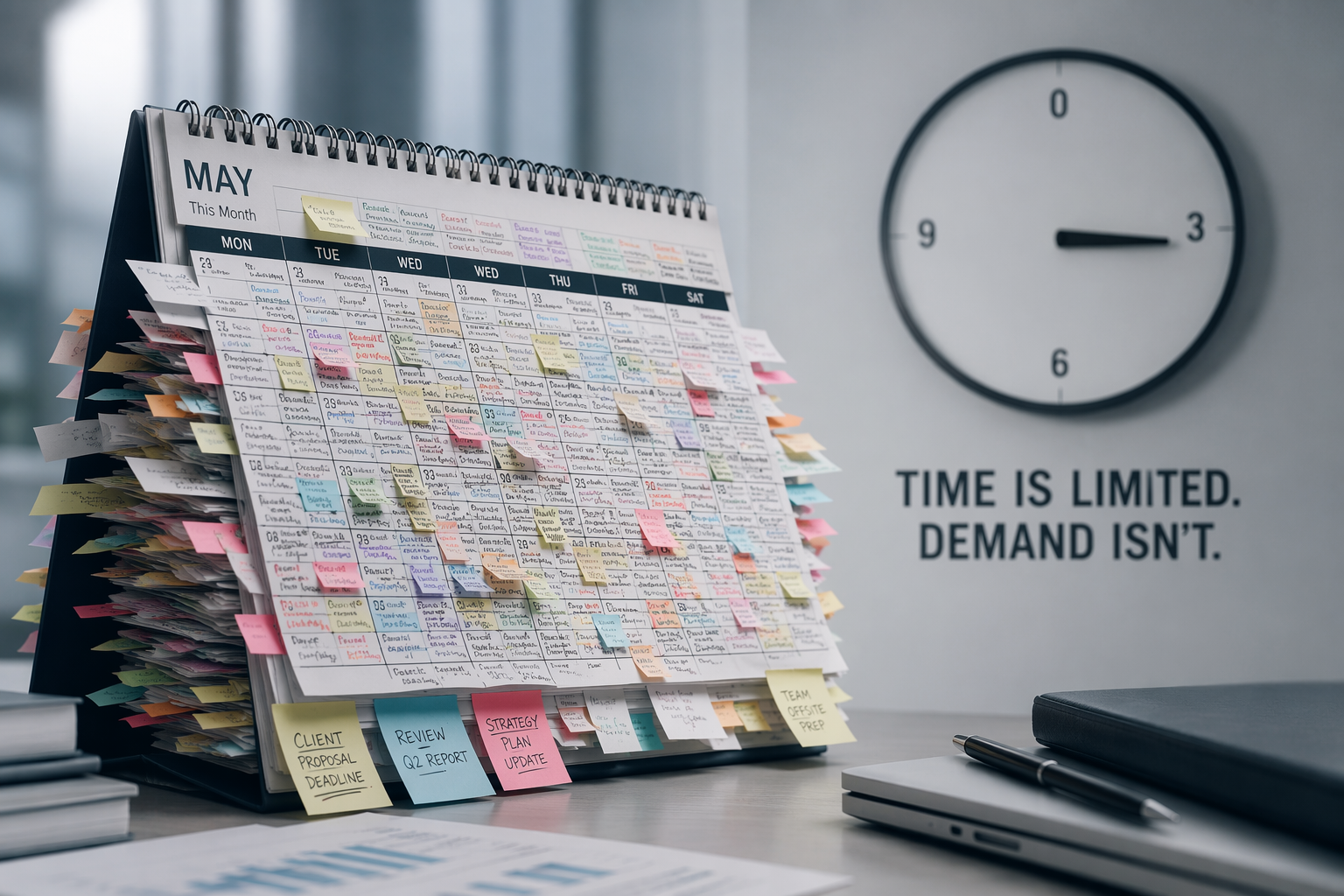
This is why the familiar advice lands badly. Prioritize better. Block your calendar. Use a smarter app. Ask AI to summarize the meeting. None of those are useless. They are just too small for a workload that is being multiplied by routing, interruptions, tool switching, and unclear ownership. If a fix does not change how work enters, expands, gets interrupted, or gets handed off, it usually changes only the story you tell yourself about why you are still behind.
The Workday Is Shorter, but the Work Is Denser
A nine-minute reduction in the average workday is not something most people will feel as relief. It is too small for that. The important finding is the combination: less time, more productive activity, lower focus efficiency. In plain terms, people are spending slightly less time logged into the workday while squeezing in more measured work, and that work is happening with less sustained attention.[1]
That matters because productivity tools usually promise to remove friction from individual tasks. They rarely remove the demand that created the task, the message asking for a revision, the second system where the update must be copied, or the meeting where the same decision gets reopened. A shorter task can still leave behind more coordination residue than it saves.
The same ActivTrak report found that after AI adoption, time spent in major activity categories did not decline. Among 10,584 users in a 180-day pre/post analysis, email time rose 104%, chat rose 145%, and business-management work rose 94%.[1] That does not prove AI caused every increase. It does show that adoption and relief are not the same thing.
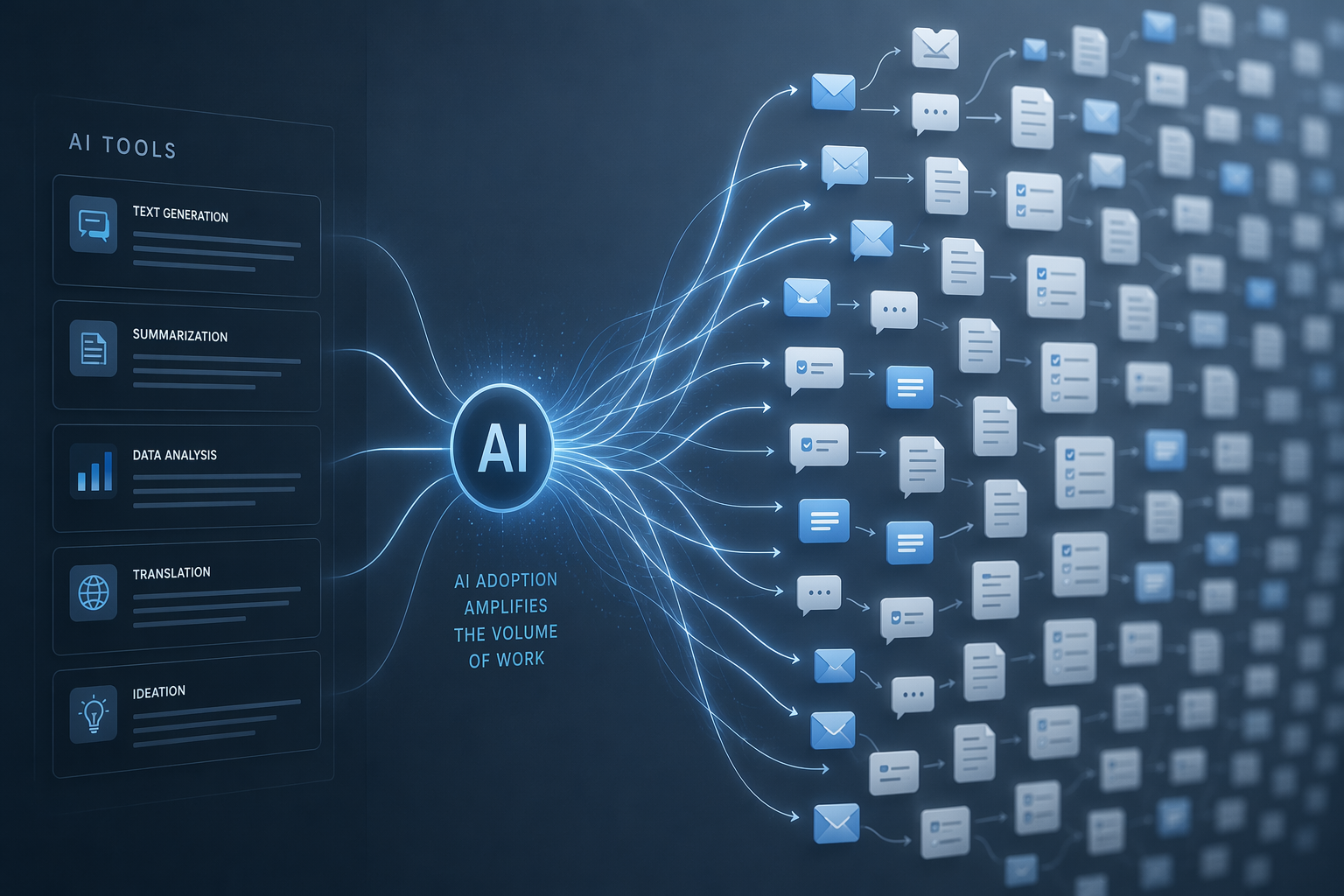
The pattern is familiar by now. AI drafts the first version, so there are more first versions. AI summarizes the meeting, so more people can be pulled into the thread afterward. AI makes it easier to generate options, so someone has to compare, clean, approve, and operationalize the options. The bottleneck moves from creation to review, routing, judgment, and cleanup.
That is not an argument against AI. ActivTrak found a narrow productivity sweet spot: only 3% of AI users reached the 7% to 10% usage range where productivity peaked at 95%.[1] The useful lesson is not “use less AI” or “use more AI.” It is that AI helps when it is attached to a well-bounded workflow. When it is layered onto a messy one, it can make the mess faster.
This is also where tool sprawl becomes a workload issue rather than a software preference. A team does not just adopt a writing assistant, a meeting recorder, a project board, a chat app, and a dashboard. It adopts the handoffs among them. If those handoffs are not designed, the worker becomes the integration layer. A smaller, more deliberate stack often beats another round of tool enthusiasm; the same principle is behind choosing the AI tools you actually need instead of letting every team solve the same problem with a different subscription.
Interruptions Make the Day Feel Smaller Than It Is
A workday can contain eight hours and still fail to contain a single serious hour. Microsoft’s 2025 Work Trend Index reported an average of 275 interruptions per day, based on trillions of Microsoft 365 signals. The same report cites Gloria Mark’s UC Irvine research that it can take 23 minutes 15 seconds to regain focus after an interruption.[2]
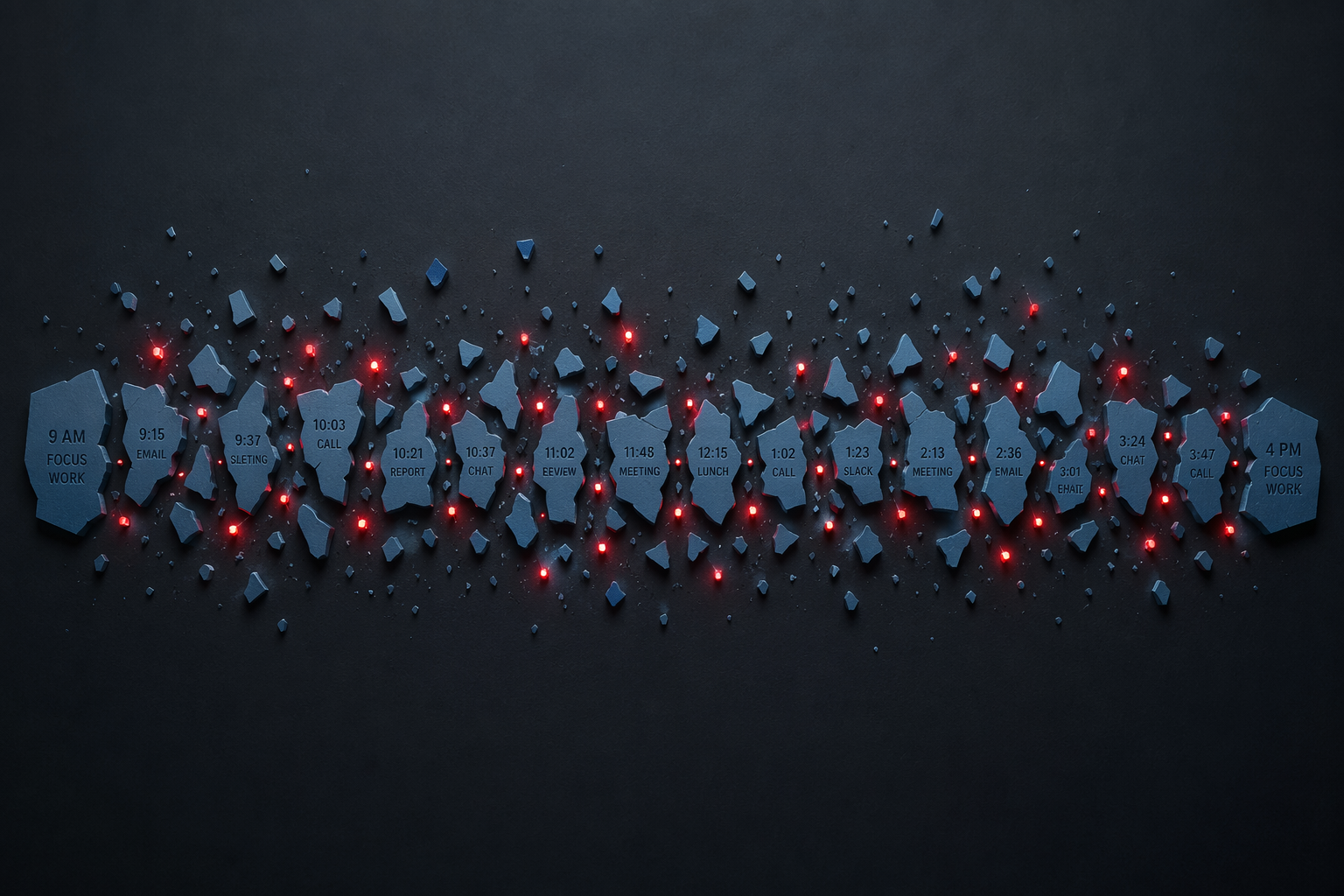
The arithmetic should not be read as a literal multiplication problem. Nobody has enough waking hours to recover fully from 275 interruptions in the way a lab study isolates a single disruption. The point is harsher and more practical: recovery is being asked of the brain constantly, and much of that recovery is invisible. It does not appear as a meeting. It does not appear as a task. It appears as the drag between tasks, the rereading, the missed context, the low-grade sense that every action requires restarting.
This is why “just focus” is not a plan. Focus is not only a personal virtue; it is an environmental condition. If the day is organized around pings, status checks, urgent-but-unclear requests, and meetings that scatter context across five systems, the worker is not failing to concentrate. The work system is spending their concentration before they can use it.
The ActivTrak focused-session number gives the Microsoft interruption finding a shape you can recognize: 13 minutes 7 seconds is barely enough time to settle into the hard part of many knowledge tasks.[1] It is enough to answer a message, skim a document, adjust a slide, triage a ticket, or add a comment. It is not much time for writing a strategy, debugging a tangled issue, designing a process, or making a decision that will survive contact with other teams.
This also explains why the day can look productive in telemetry while feeling unproductive in memory. A person may complete many measurable actions and still make little progress on the work that actually requires continuity. The system records activity. The worker experiences fragmentation.
AI Did Not Remove the Coordination Work
The broad frustration is not limited to people who dislike new tools. In EY’s Work Reimagined Survey of 15,000 workers, 64% of knowledge workers said their workload had increased in the prior 12 months, according to Business Insider’s coverage.[3] That is a perception measure, not proof that every worker’s objective workload rose. Still, it fits the measurable density problem: more messages, more coordination surfaces, more review work, and more fragments competing for the same attention.
A Harvard Business Review article framed the issue bluntly in its title: “AI Doesn’t Reduce Work—It Intensifies It.”[4] The useful part of that framing is not that AI is bad. It is that organizations often adopt AI at the task level while leaving the surrounding workflow untouched. The draft is faster; the approval chain is not. The summary is instant; the decision rights remain cloudy. The analysis is easier to generate; the meeting to interpret it still lands on everyone’s calendar.
There is a quiet trap here for competent people. The better you are at absorbing ambiguity, the more likely you are to become the place where unclear work goes to be made usable. You rewrite the AI output. You reconcile the dashboard with the spreadsheet. You turn a vague executive note into four tasks. You answer the chat thread because you remember the decision from two months ago. Then the organization calls the system efficient because the work still gets done.
That is why workload management has to begin with diagnosis, not self-accusation. Some problems can be improved by changing your own habits. Others are policy, routing, staffing, meeting, or ownership problems wearing the costume of personal productivity.
A Four-Step Workload Audit That Looks at the Work, Not Your Character
Run this audit over one normal workweek if you can. Do not pick a launch week or a vacation week. The goal is not to create a perfect time diary. The goal is to see where the workload is being manufactured, fragmented, duplicated, or handed to you without being named.
| Audit step | What to capture | What it reveals |
|---|---|---|
| 1. Map the entry points | Where work arrives: meetings, chat, email, tickets, documents, dashboards, verbal requests | Whether demand is routed through a few accountable channels or scattered across too many doors |
| 2. Count the fragmentation | How often your focused work is interrupted or delayed by messages, meetings, approvals, and context switching | Whether the day has enough uninterrupted space for the work being assigned |
| 3. Track expansion and duplication | Where AI, tools, or unclear ownership create more drafts, summaries, updates, reviews, or rework | Whether efficiency gains are being consumed by coordination work |
| 4. Separate personal fixes from structural fixes | Which problems you can change directly and which require a manager, team norm, or policy decision | Whether the workload problem is within your control or being misassigned to you |
1. Map the Entry Points
Start with a simple inventory: where did work enter your week? Do not write down only official assignments. Include the “quick question” in chat, the comment on a document, the meeting action item that never made it into the project system, the forwarded email with no owner, and the dashboard metric someone asked you to explain.
Then mark each entry point as either authorized, tolerated, or accidental. Authorized channels are where work is supposed to arrive. Tolerated channels are unofficial but widely used. Accidental channels are the ones that depend on memory, proximity, or whoever happened to respond first.
The pattern matters more than the exact count. If five systems can assign you work but only one system is used to judge your capacity, your workload is already being undercounted. If meetings create work that never appears in the planning tool, the planning tool is not a source of truth. If senior people can bypass the queue through chat, the queue is decorative.
2. Count the Fragmentation
For two or three representative days, mark every time a focused work block is broken. You do not need a stopwatch. Use rough labels: meeting, message, approval wait, tool switch, urgent request, self-interruption, or unclear next step.
This step is not about proving that notifications are bad. Everyone already knows that. The more useful question is which interruptions have authority behind them. A message from a teammate may be optional. A message from a customer channel may not be. A status request from leadership may be politically urgent even when the underlying work is not. Treating all interruptions as equal leads to advice that sounds brave and fails by Wednesday.
Look for three signals. First, are interruptions clustered around predictable rituals, such as recurring meetings that generate follow-up work? Second, do interruptions mostly ask for information that already exists somewhere else? Third, do they require you to reload complex context, or can they be handled cleanly at the edge of the day?
The third signal is often the expensive one. A two-minute reply can be cheap if it happens between tasks. The same reply can be costly if it lands while you are holding a complicated problem in working memory.
3. Track Expansion and Duplication
Now look for work that exists because another piece of work exists. A meeting creates a summary. The summary creates comments. The comments create a revised document. The revised document creates a project-board update. The update creates a chat thread. The chat thread creates another meeting.
This is where AI deserves a sober audit. For each AI-supported workflow, ask what decreased and what increased. Did drafting time fall, but review time rise? Did meeting notes improve, but follow-up threads multiply? Did a research assistant speed up gathering, but increase the number of sources someone had to verify? Did automation remove a task, or did it create a new monitoring chore?
If the answer is unclear, the tool may still be useful, but the workload claim is not proven. This is the same discipline used in evaluating which AI productivity tools actually pay for themselves: measure the whole workflow, not the most impressive task inside it.
A practical test is to name the owner of the cleanup. If nobody owns cleanup, the most conscientious person will inherit it. That person may be you. The workload will not appear as a new initiative. It will appear as polish, reconciliation, “can you just,” and “since you already know the context.”
4. Separate Personal Fixes From Structural Fixes
The audit becomes useful only when it separates control from influence. Otherwise it turns into another private ritual where the worker documents overload and then gets blamed for not transcending it.
- Usually personal: batching low-stakes replies, turning off nonessential notifications, clarifying your next action before leaving a meeting, using templates for repeat responses, and reserving your highest-attention work for the part of the day least exposed to interruption.
- Usually shared with your manager: renegotiating deadlines, making hidden work visible, reducing duplicate reporting, changing which meetings you attend, and agreeing on which channel is authoritative for new work.
- Usually structural: unclear decision rights, tool mandates, staffing gaps, meeting norms, cross-functional approval chains, customer-response expectations, and leadership habits that create urgent work outside the official system.
This distinction protects you from two bad conclusions. The first is helplessness: “The system is broken, so nothing I do matters.” The second is overresponsibility: “If I were disciplined enough, I could absorb all of this.” Neither is accurate. Some friction is yours to reduce. Some friction is the organization’s design showing up in your calendar.
What You Can Change Without Waiting for Permission
Individual tactics are still worth using when they are honest about their size. They should reduce avoidable fragmentation, expose hidden work, or prevent tools from multiplying obligations. They should not pretend to solve a capacity problem by rearranging the same overloaded week.
Start by creating a visible intake rule. If work arrives through chat, email, meetings, and documents, choose one place where accepted work is recorded. You do not need to win an organization-wide standards debate before doing this for your own commitments. When someone asks for something outside that place, respond by moving it into the place where capacity can be seen: “I’ll add this to the queue and confirm timing.” That sentence is not magic. It simply stops invisible work from staying invisible.
Next, protect attention by type of work, not by fantasy calendar blocks. A two-hour block labeled “deep work” is fragile if your role requires live response in the middle of the day. A more durable approach is to identify which tasks truly require continuity and defend those from the highest-cost interruptions. Some work can survive a fractured hour. Some cannot. Treating them the same is one reason days feel full and strangely unfinished.
Then reduce AI use where it creates review debt. If a tool helps you produce more drafts than you can responsibly inspect, the output is not free. If meeting summaries create more follow-up than the team can absorb, the problem may be the meeting, not the summary. Selective automation is valuable when it removes a step or makes ownership clearer. It is less valuable when it turns one unresolved conversation into six polished artifacts. For more tactical automation choices, use tools like AI task automation software only after deciding which handoff should disappear.
Finally, replace vague productivity reflection with a short weekly workload review. Three questions are enough: What entered my week without a clear owner? What interrupted work that required continuity? What did a tool or process duplicate instead of remove? If those questions reveal the same pattern for several weeks, you no longer have a mood. You have evidence.
What Requires a Manager or Team Redesign
A manager who asks people to manage workload better has to be willing to change where workload comes from. Otherwise the request becomes etiquette: answer faster, summarize better, keep the board updated, attend the meeting, use the new tool, and somehow find focus in the gaps.
The first managerial job is to make intake real. Teams need a shared answer to a basic question: what counts as assigned work? If a chat request, a meeting comment, and a project-board card all carry equal force, capacity planning is theater. Pick the authoritative channel for committed work, then make exceptions visible rather than letting them become side doors.
The second job is to put meeting culture under the same scrutiny as individual calendars. A meeting is not just the time it occupies. It is the preparation before it, the recovery after it, the follow-up it generates, and the context switching it forces onto surrounding work. Reducing meeting load is useful only if the decisions, ownership, and follow-up paths become clearer at the same time.
The third job is to define review capacity before increasing production capacity. AI can help teams generate more drafts, analyses, summaries, and options. But if review, approval, legal, customer success, engineering, or operations capacity does not expand with it, the backlog simply moves downstream. The team may feel faster at the front and heavier everywhere else.
The fourth job is to stop treating tool adoption as workload strategy. A new tool should come with an explicit retirement plan for an old step, an old meeting, an old report, or an old channel. Without that trade, the tool is an addition. Additions can be worthwhile, but they should be named honestly.
For individual contributors, the useful move is to bring managers patterns rather than complaints. “I’m overwhelmed” may be true, but it is hard to act on. “This week, eight requests arrived outside the planning system, three required same-day turnaround, and two duplicated work already captured in the project board” gives the conversation somewhere to go.
The Better Productivity Question
Generic productivity advice often begins with the individual: your habits, your discipline, your stack, your morning routine. There is a place for that. A person still needs methods that fit their work style, and a diagnostic approach is more useful than copying someone else’s system. That is the more modest promise of guides such as matching productivity methods to your work style.
But the better productivity question in 2026 is less flattering and more useful: what is the work system asking people to carry in their heads? Every unclear handoff, duplicate tool, unofficial request channel, and unnecessary interruption transfers design debt to the worker. The worker pays it as fatigue, rework, vigilance, and the uneasy feeling that a shorter day has somehow become heavier.
Managing workload well now means redesigning the route work takes before asking people to try harder inside it. Personal tactics can reduce noise at the edges. The larger gains come from changing how work is assigned, interrupted, reviewed, automated, and handed off.
References
- 2026 State of the Workplace, ActivTrak.
- Breaking down the infinite workday, Microsoft WorkLab, 2025.
- Employees' workload is increasing with AI workslop, EY Work Reimagined, Business Insider.
- AI Doesn't Reduce Work—It Intensifies It, Harvard Business Review, 2026.
Comments
Join the discussion with an anonymous comment.