
Grocery delivery apps can save time, but the useful answer is not “an app makes groceries effortless.” The useful answer is closer to this: a household that normally spends 1–2 hours getting groceries can often cut the active ordering work to under 10 minutes, and reported weekly savings commonly land somewhere between 30 minutes and 2 hours. The tradeoff is that full delivery often costs more — CNET’s 39-item comparison found a grocery delivery premium of roughly 10% across Stop & Shop, FreshDirect, and Amazon Fresh, though that result is directional rather than universal because it reflects three retailers, not every market or basket. [1][2][3]
That is enough to make delivery worth considering. It is not enough to make delivery the automatic winner. The better default for many households is curbside pickup: you still build the cart online, skip the aisles and checkout line, and avoid many delivery fees. Business Insider’s pickup comparison found curbside pickup typically free at Walmart, Target, and Kroger and capable of cutting total grocery chore time to under an hour. [4]
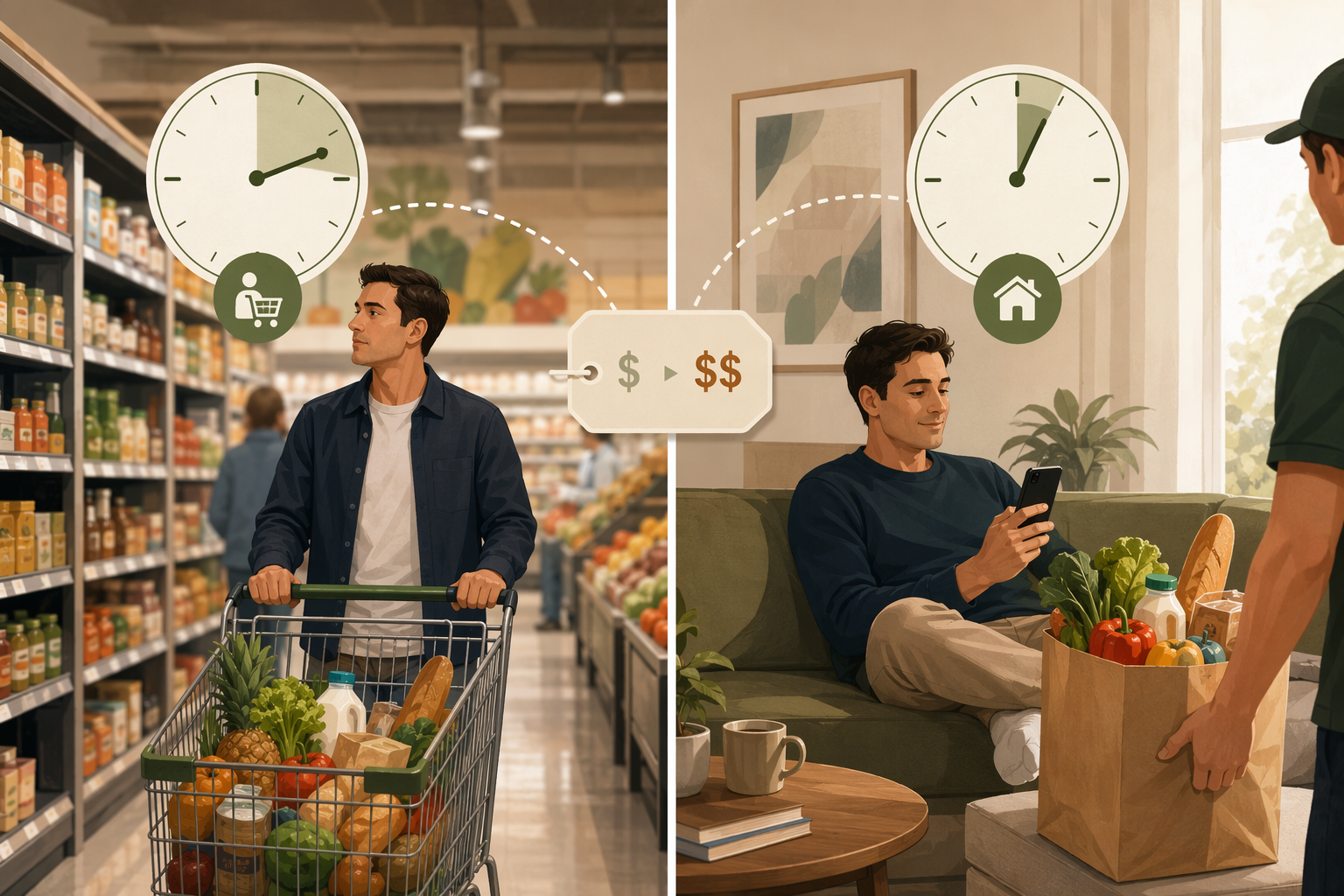
The grocery time math: active time is not the same as total chore time
A grocery errand has more than one clock running. There is active time, which is the time you spend choosing items, driving, parking, walking aisles, loading bags, and putting food away. There is elapsed time, which includes the delivery window or the pickup slot. Then there is interruption time: the text from a shopper asking whether the out-of-stock yogurt should be replaced, the app notification that needs a quick decision, the moment you stop working to check whether the bananas are acceptable.
Delivery apps look best when you count active time. AUR’s grocery time comparison describes a typical in-store trip as 1–2 hours when driving, parking, aisles, and checkout are included, while online ordering can take under 10 minutes of active time. [2] That is the real productivity appeal: not that food teleports into the kitchen, but that the aisle-walking and checkout portion of the job disappears.
The 30-minute-to-2-hour weekly savings range is best treated as a reported range, not a lab result. Users on Reddit’s r/productivity have repeatedly described grocery delivery as saving about 30 minutes to 2 hours per week, but those reports are anecdotal and depend heavily on store distance, household size, substitution frequency, and whether the person was already doing disciplined list-based shopping. [3]
| Shopping mode | Active time | Total chore time | Typical cost effect | Best fit |
|---|---|---|---|---|
| In-store shopping | Highest: driving, parking, aisles, checkout, loading | Often 1–2 hours for a normal trip | Lowest direct cost, but more exposure to impulse buys | People near a store, shoppers who prefer choosing produce themselves, small baskets |
| Curbside pickup | Low: build the cart online, drive to pickup, load groceries | Often under 1 hour when pickup is nearby | Often no per-order delivery premium at major chains | Most households that want the strongest time-to-value tradeoff |
| Full delivery | Lowest planned active time, but substitutions can interrupt | Depends on delivery window; active work can be very low | Often around a 10% premium in CNET’s comparison, plus possible fees, tips, or membership costs | Parents protecting evenings, people without easy store access, high-stress weeks, households with high order frequency |
Why curbside pickup often beats full delivery on time-to-value
Curbside pickup is easy to underrate because it does not sound as luxurious as delivery. You still have to leave the house. You still have to drive. You still have to put the groceries away. But it removes the two parts of grocery shopping that consume the most attention: navigating the store and waiting to pay.
That matters because the weekly grocery job is not just a transportation problem. The tiring part is often the sequence: remember the list, compare prices, find the right aisle, decide whether the store-brand item is acceptable, steer around other carts, wait at checkout, bag, load, unload. Pickup turns much of that into one planned cart-building session. If the store is close and pickup is free, the remaining trip can be short enough that full delivery’s premium becomes harder to justify.
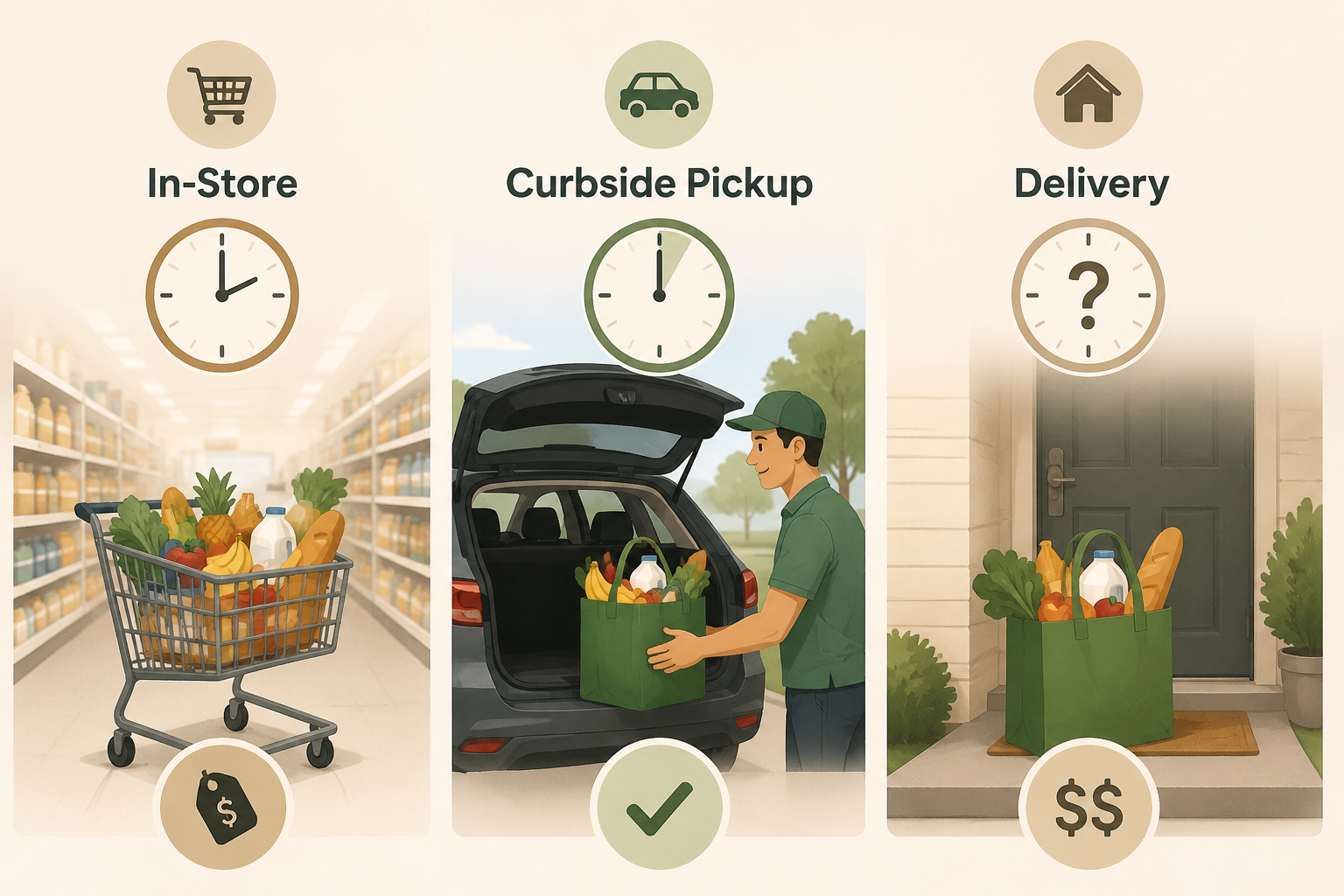
This is the distinction that most “save time with grocery delivery apps” advice misses. If the question is “How do I spend the least active time?” full delivery usually wins. If the question is “How do I cut the grocery chore dramatically without adding a recurring premium?” curbside pickup is often the cleaner answer.
The cost premium: when a $10–$15 order premium is sensible
CNET’s 39-item test is useful because it gives the tradeoff a number: delivery cost about 10% more than buying the same grocery basket in store across the retailers it checked. [1] The exact premium can move around by region, item mix, store pricing, delivery fee, service fee, tip, and membership status, but 10% is a reasonable planning anchor.
On a $100 grocery order, that rough premium behaves like a $10 convenience cost before any unusual local pricing difference. On a $150 order, it behaves more like $15. That does not mean delivery is wasteful. It means the saved trip has a price tag. If a delivery keeps a parent from dragging a tired child through a store at 6 p.m., that $10–$15 may be a perfectly rational household expense. If the store is five minutes away and pickup is free, the same premium may be buying very little.
There is one cost offset worth counting, carefully. Capital One Shopping reports that in-store shoppers average $45.70 per transaction while online grocery orders average $108, a much larger basket; it also reports that 41% of shoppers say they make fewer impulse purchases online. [5] Those two facts do not prove online grocery saves money. A larger online basket can simply mean people consolidate trips. But for households that routinely add unplanned snacks, seasonal items, or “while I’m here” purchases in the store, online ordering can make the list more visible and the checkout more deliberate.
The membership break-even test
Memberships change the math, but only if you order often enough. Grocery delivery subscriptions in the research set commonly sit in the $98–$139-per-year range, and Fortune and CNET both frame the value as depending on frequent use, with waived fees typically paying off around 4–8 orders per month. [6][7]
That is a high bar for a household that orders twice a month. It is not a high bar for a family placing one or two weekly orders, especially if the membership also supports other deliveries the household already uses. The mistake is treating the subscription as a sunk convenience upgrade. It should clear the same test as any other recurring expense: how many orders will actually happen, and which fees will actually disappear?
A simple decision rule
The right grocery setup depends less on the “best app” and more on which part of the chore is expensive for your household. Use this as the practical filter:
- Choose in-store shopping when the store is close, the basket is small, you care about choosing produce or meat yourself, or you are not currently losing meaningful time to the errand.
- Choose curbside pickup when you want to remove aisles and checkout without paying a delivery premium. This is usually the best first move for households trying to reclaim time without turning groceries into another subscription.
- Choose full delivery when the avoided trip is worth more than the premium: bad weather, no car, tight workday, sick kids, mobility constraints, evening schedule compression, or a store that is far enough away to make pickup inconvenient.
- Choose a membership only when your order frequency is high enough to make waived fees predictable, not aspirational.
The household stress line matters here. A 45-minute grocery trip after work is not the same as a 45-minute walk on a quiet Saturday morning. The same number of minutes can carry a different cost depending on who is waiting, what else is scheduled, and whether the trip breaks the only usable block of the day.
Which app saves the most time depends on the bottleneck
App comparisons are useful only after the household decision is clear. CNET’s 2026 grocery delivery service comparison distinguishes services by coverage, speed, store selection, and membership model rather than declaring one universal winner. [7] That is the right way to think about it: the app that saves the most time is the one that removes your specific bottleneck with the least follow-up work.
| If your main problem is… | Look for… | Watch for… |
|---|---|---|
| You need groceries quickly | Same-day delivery availability, short delivery windows, reliable local shopper coverage | Higher fees, tips, rushed substitutions |
| You hate fees more than you hate driving | Store-run curbside pickup from a nearby chain | Pickup minimums, limited time slots |
| You order several times a week | A membership that waives delivery fees on orders you would place anyway | Subscription lock-in and minimum order thresholds |
| You buy the same staples repeatedly | Saved carts, reorder tools, auto-replenish for predictable items | Over-ordering because a previous cart was too easy to repeat |
| You are picky about replacements | Clear substitution controls and the ability to mark “refund” by item | Real-time approval messages interrupting work |
Substitutions deserve their own caution because they are where “under 10 minutes” can quietly become a fragmented half hour. CNET’s reviewer described Instacart’s real-time substitution process as distracting and time-consuming, which is exactly the kind of hidden time cost that does not show up in a clean delivery estimate. [7] The fix is not necessarily avoiding delivery; it is setting substitution preferences before the order goes live.
Why these services feel mainstream now
Online grocery is no longer a fringe errand workaround. Brick Meets Click reported that December 2025 set a U.S. online grocery sales record of $12.7 billion, with delivery accounting for more than 45% of sales in that measure. [8] Capital One Shopping’s 2026 statistics also report that 77% of online grocery shoppers cite time savings as the top reason they order digitally, though the page compiles public sources and does not detail the original survey methodology behind that figure. [5]
Those numbers explain why the tools keep improving and why more households are trying them. They do not settle the personal productivity question. A market can grow because a service is useful, heavily promoted, subsidized by memberships, normalized by habit, or all of the above. The household-level test still comes back to minutes reclaimed and dollars added.
Protect the time savings from app fiddling
A grocery app can give time back on the first order and then slowly take some of it away through browsing, comparison shopping, notifications, promo hunting, and substitution decisions. The goal is to make ordering boring.
- Keep a default cart for weekly staples instead of rebuilding the order from memory.
- Use auto-replenish only for items with stable usage, such as paper goods or recurring pantry basics; do not automate items that vary by week.
- Set substitution rules item by item: acceptable replacement, refund only, or shopper choice.
- Put delivery or pickup ordering on the calendar instead of opening the app repeatedly whenever something runs out.
- Check the final cart once for duplicates, delivery minimums, and fees before checkout.
AARP’s online grocery tips also point to practical habits such as using auto-replenish carefully, paying attention to ordering days, and watching for cart-related discounts. [9] Those are useful, but only if they do not turn grocery planning into a coupon-mining session. The best version of online grocery is the one you can finish and forget.
So, how much time can grocery delivery apps save?
For a household that currently spends 1–2 hours on a grocery run, full delivery can plausibly save 30 minutes to 2 hours per week, or 26–104 hours per year, with a working cost estimate of about a 10% premium over in-store shopping. [1][2][3] The upper end is more realistic when the store is far away, the trip is bundled with traffic and parking, or the errand lands in an already overloaded part of the week.
Use curbside pickup as the default if you want the strongest time-to-value tradeoff. Use full delivery when the saved trip is worth more than the premium or when your schedule makes the store trip unusually costly. Consider a membership only when your order frequency is high enough — roughly several orders per month — to make the waived fees real rather than theoretical.
References
- “Here’s How Much It Costs to Have Groceries Delivered,” CNET.
- “AUR blog,” AUR.
- “r/productivity,” Reddit.
- “Curbside Pickup Made Grocery Shopping Easier,” Business Insider.
- “Online Grocery Shopping Statistics,” Capital One Shopping, 2026.
- “4 Best Grocery Delivery Services,” Fortune, 2026.
- “The 9 Best Grocery Delivery Services of 2026,” CNET, 2026.
- “December 2025 set a record of $12.7B in US online grocery sales,” Brick Meets Click.
- “13 Smart Tips for Online Grocery Shoppers,” AARP.
Comments
Join the discussion with an anonymous comment.