
If your team has been choosing chat by default because “Gen Z wants everything instantly,” the evidence calls for a reset. Email is the favorite workplace channel for 42% of surveyed Gen Z respondents. Women in the survey selected it more often than men, at 45% compared with 39%.[1] A separate account of the same research puts email at roughly twice the share of Slack or WhatsApp, while only 7% preferred a phone call over a video call.[3]
That finding is useful, but it is not a routing rule for every person or every task. It measures a stated favorite channel, not response speed, work quality, or the productivity effect of moving conversations into email. A workable team communication guide should therefore start with channel preference and end with channel-by-content rules: what belongs in chat, what belongs in email, when a conversation needs a person rather than a tool, and how quickly anyone is actually expected to respond.

What the email finding tells a manager
Email’s position as the leading stated preference overturns a familiar assumption: that younger employees necessarily want every exchange compressed into Slack, Teams, or another chat stream. It also has a plausible human explanation. Sixty percent of surveyed Gen Z workers said they use email to avoid awkward conversations and workplace anxiety.[2] Email can create distance from an uncomfortable moment, provide time to compose an answer, and leave a written record that can be reread before someone acts.
That motive deserves careful handling. A written channel may lower the immediate emotional cost of a difficult message, but it can also postpone a conversation that needs clarification, accountability, or repair. The preference is not evidence that email is always the healthiest channel. It is evidence that teams should stop treating email as an outdated obstacle when some employees experience it as a more manageable way to work.
There is also a source-version problem worth preserving rather than smoothing away. ZeroBounce’s current report page is labeled “Gen Z at Work – The 2026 ZeroBounce Report,” while the related press and news references describe the findings as coming from a 2025 survey.[1][2][3] The figures can be used with that qualification; the materials do not establish whether the page reflects a newly released edition, a relabeled report, or an update to the same survey.
Route the work, not the generation
The practical question is not “Which channel does Gen Z like?” It is “What kind of work is this, and what record or response does it require?” A team can acknowledge email’s popularity without assigning every employee to an inbox. The routing below is an operating choice built from the research baseline, not a measured law of Gen Z behavior.
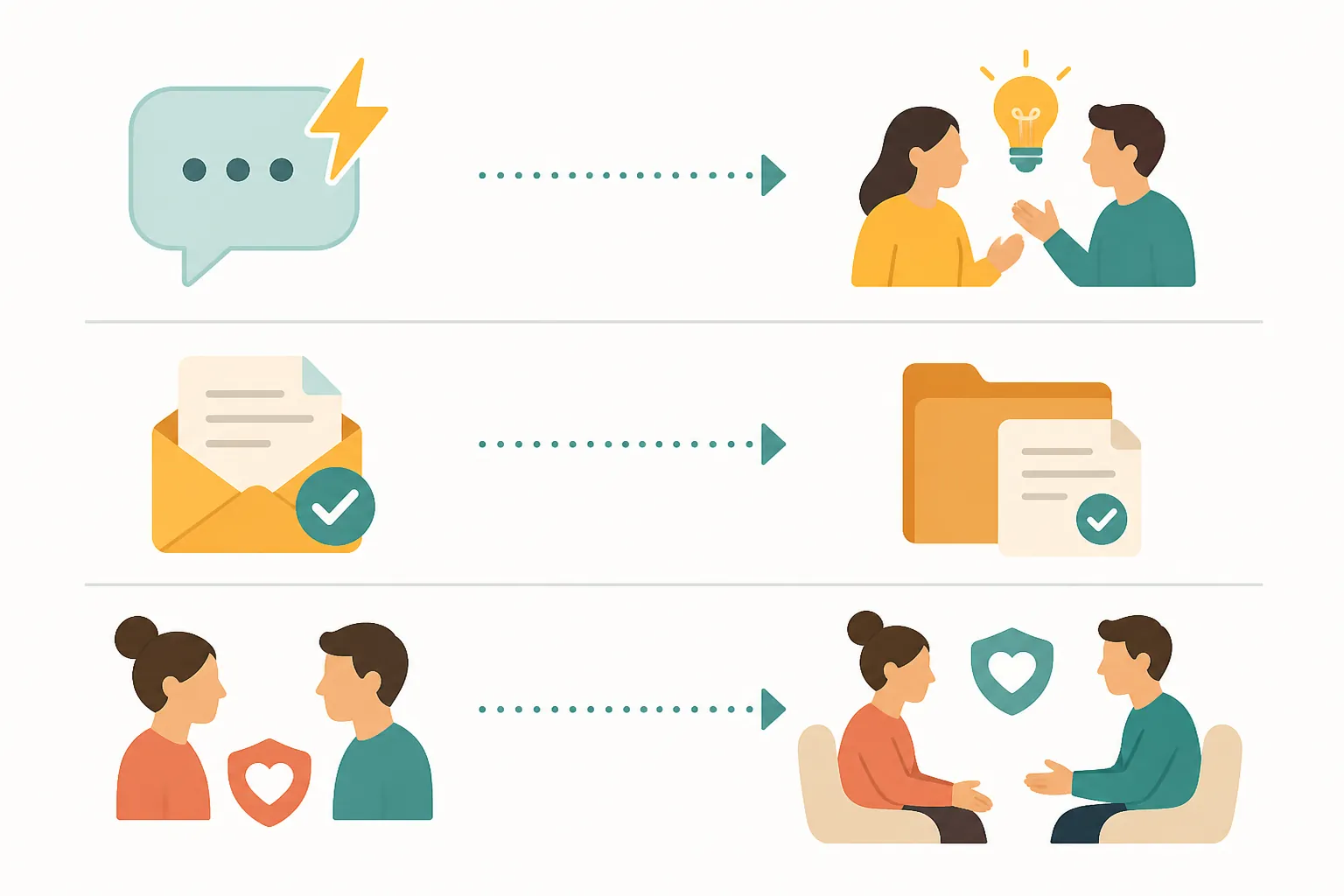
| Work situation | Default channel | What the channel should accomplish |
|---|---|---|
| Fast collaboration, brainstorming, and status checks | Chat | Keep the exchange moving, make participation easy, and close the loop when the decision is made |
| Sign-offs, deliverables, approvals, and compliance-sensitive information | Create a durable record with the owner, decision, attachments, and next action visible | |
| Conflict, sensitive feedback, ambiguity, or a question where trust and truthfulness matter | Face-to-face or phone | Give people enough context and interaction to clarify what a text exchange may obscure |
| A decision developed in chat that others will need later | Email or a linked project record | Move the final decision out of the stream and preserve its status, owner, and effective date |
The last row is where many handoffs fail. A chat thread can be excellent for reaching a decision and poor at preserving one. Once the discussion ends, someone should record the decision in the place where a colleague will look for it later. That may be an email, a project document, or a ticket; the important point is that the working conversation and the durable record do not have to be the same artifact.
Email also should not be used to evade every uncomfortable exchange. If the message concerns performance, a relationship breakdown, or a disputed account of events, email can be a useful pre-read or follow-up record, but not necessarily the whole conversation. The manager’s job is to separate the need for documentation from the need for dialogue.
Face-to-face and phone communication remain relevant here. Research cited by AGN indicates that Gen Z and Baby Boomers both prefer those channels when veracity matters, rather than relying entirely on remote delegation through project-management tools.[6] That does not make synchronous communication the default. It means that a team trying to document everything asynchronously can lose the very context needed to determine whether a message is understood and candid.
Response expectations should be published, not guessed
Channel norms fail when availability is mistaken for obligation. A chat indicator that says someone is online does not tell the team whether that person is free to interrupt concentrated work. An email sent at 4:55 p.m. does not establish that the recipient owes an answer before the next morning. Teams need an explicit response expectation for each channel, along with a definition of what counts as urgent.
| Channel | Recommended team norm | Evidence status |
|---|---|---|
| Chat | Use for fast collaboration and status questions. A four-hour response window can be adopted for ordinary chat requests. | The four-hour window is a recommendation in the source material, not a measured Gen Z expectation.[4] |
| Use for approvals, deliverables, and records. A 24-hour response window can be adopted for ordinary business email. | The 24-hour window is recommended, not shown to improve productivity or reflect a universal preference.[4] | |
| Brainstorming in Slack or Teams | Use when rapid back-and-forth is genuinely useful; a response target of under two hours may suit a live working session. | The under-two-hour target is prescriptive and unverified as a productivity intervention.[4] |
| Urgent matters | State the deadline and use the agreed escalation path instead of labeling every message urgent. | This is an operating rule, not a survey finding. |
The source packet connects communication overload with stress and productivity concerns, but it does not contain controlled outcome data showing that these particular windows improve measured productivity. One secondary account attributes figures of 52% for email-related stress and 92% for email volume hurting productivity to the same survey, and also cites broader Gartner findings about employees and managers feeling overwhelmed by excessive communication.[4] Those figures describe reported experience and correlation. They do not prove that switching channels, or enforcing a four-hour or 24-hour service level, will produce a specific performance gain.
A manager can still adopt the windows. The honest framing is that they are starting assumptions designed to reduce ambiguity. Test them against missed decisions, duplicated work, escalation volume, and interruptions. If the team regularly needs an answer within two hours, either the work is more urgent than the rule allows or it belongs in a live collaboration process. If a 24-hour email window leaves approvals stalled, the process needs an owner and an escalation path rather than a louder subject line.
Make asynchronous work easier to enter and exit
Async communication works best when the recipient does not have to reconstruct the assignment. Every request should make four things visible: what decision or action is needed, who owns it, when it is needed, and where the final record belongs. For an approval, include the version being approved and the consequence of waiting. For a chat question, say whether a quick answer is enough or whether the response will become part of a formal decision.
- Put the requested action near the beginning of the message.
- Name a due time only when the work genuinely has one.
- Move the final decision, approved file, or exception into the team’s durable record.
- Use an escalation route for deadlines that cannot wait for the normal channel window.
- End a thread when the decision is complete instead of continuing to add commentary to a stale stream.
Async pre-reads can support this pattern by giving people context before a meeting or decision. They are another recommended tactic from the research material, not a demonstrated cause of higher productivity. Keep them short enough to be used, identify the decision they support, and do not create a pre-read simply to move meeting preparation into another inbox.
Tone is a refinement, not a personality test
Guidance associated with Gen Z workplace communication commonly emphasizes short, direct messages, caution around unexpected calls, and asking colleagues when uncertain.[5] These are sensible defaults for a mixed team, provided they remain defaults. A concise email can be clearer than a formal one, but brevity should not remove the context needed for an approval or sensitive decision. Likewise, an unexpected call may be stressful for one employee and welcome by another.
Ask about preferences where the cost is low: whether someone wants a message before a call, which channel they monitor most reliably, and what “urgent” means in their role. Do not turn the answer into a permanent label. People’s preferences change with the task, the relationship, the deadline, and the consequences of getting the message wrong.
That variation matters because technology can increase connection in one situation and reduce it in another. The research packet includes a Freeman finding that 69% of Gen Z respondents said technology makes them feel less connected at work, but the supplied materials do not establish the full source details needed to verify or generalize that figure here. The broader caution remains sound: adding a channel, notification, or response target is not the same as improving collaboration.
Put the rules in onboarding, then check what they change
A communication norm is only useful when a new employee can find it before the first ambiguous handoff. Publish the channel map, ordinary response windows, definition of urgent, escalation route, and location of final decisions in onboarding materials. Explain the exceptions: a compliance issue may require email even when chat is faster; a sensitive conversation may require a call before its written follow-up; a live incident may temporarily suspend ordinary response windows.
Then review whether the rules are solving the problems they were meant to solve. Look for fewer reopened decisions, less duplicated work, fewer missed approvals, and a manageable number of interruptions. Ask employees whether they know where to look, whether deadlines are visible, and whether “urgent” requests are actually distinguishable from ordinary work. If the numbers do not improve, revise the routing or the workload; do not assume that the team failed to use the tool correctly.
Email deserves a legitimate place in that system. It is a measured favorite for a substantial share of surveyed Gen Z workers and a deliberate way for many to handle difficult exchanges. But its value is greatest when the team assigns it work that benefits from time, clarity, and a record. The standard to publish is not “email everything” or “answer chat immediately.” It is simple enough to operate: match the channel to the work, make the response owed explicit, and verify that the arrangement reduces friction rather than merely moving it.
Comments
Join the discussion with an anonymous comment.