
The familiar smartwatch failure starts with a harmless wrist check. You only wanted the time, or maybe a quick glance at your calendar. Then there is a message preview, a red dot, a weather complication, a sleep score, a training prompt, and suddenly the clean edge of a work block has been nicked open.
That is why the most interesting Garmin Cirqa features for productivity and focus are not the ones that add more information to your wrist. The more useful idea is that Cirqa removes the screen entirely. Garmin introduced it on July 21, 2026, as a screen-free health and fitness band with an “inconspicuous design” meant to “help minimize distractions.” It is a health tracker that deliberately refuses to become another tiny workstation, inbox, or dashboard during the day.[1]
That distinction matters. Cirqa is not being sold by Garmin as a productivity device in the same way a task manager or focus app is. The workday argument is a practical one: if a wearable can collect sleep, recovery, stress, and energy data without giving you a glowing surface to poke at every ten minutes, it may support better decisions without becoming one more decision trap.
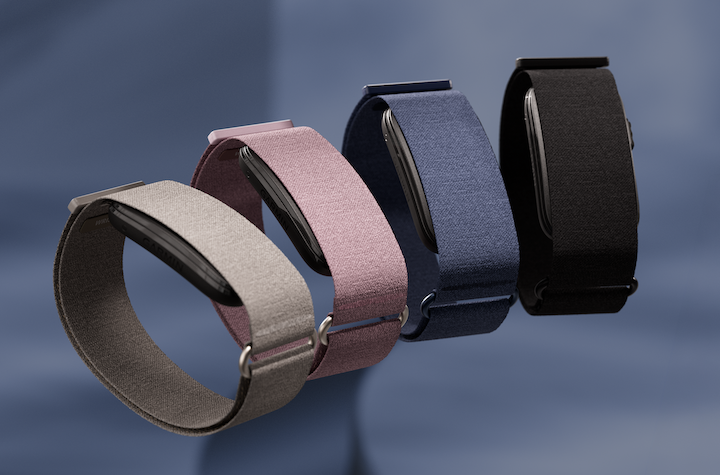
The screenless design is the first productivity feature
A screenless band changes the default interaction. With a smartwatch, restraint depends on settings, discipline, and a willingness to ignore a device designed to be looked at. Do-not-disturb helps, but the screen is still there. It can still light up, invite a tap, or reward the bored half-second between paragraphs.
Cirqa’s absence of a display makes the interruption harder to begin. There is no watch face to customize, no notification list to scroll, no miniature app grid to browse while a document is open on the laptop. For deep work, that is not a minor aesthetic choice. It removes a whole category of wrist-level checking.
The single physical button reinforces that slower interaction model. Garmin says the button can be used for deliberate actions such as starting a workout, holding for heart-rate broadcast, or snoozing alarms.[1] A button is not magic, but it is different from a touchscreen. It asks for a specific action rather than inviting casual exploration.
This is also where Cirqa becomes relevant for people who already wear a mechanical watch, a dress watch, or no watch at all. Many health bands solve tracking by adding another visible device. Cirqa’s appeal is that it can sit quietly as a sensor, leaving the more expressive or screen-based choices elsewhere.
Body Battery turns recovery data into a work-planning signal
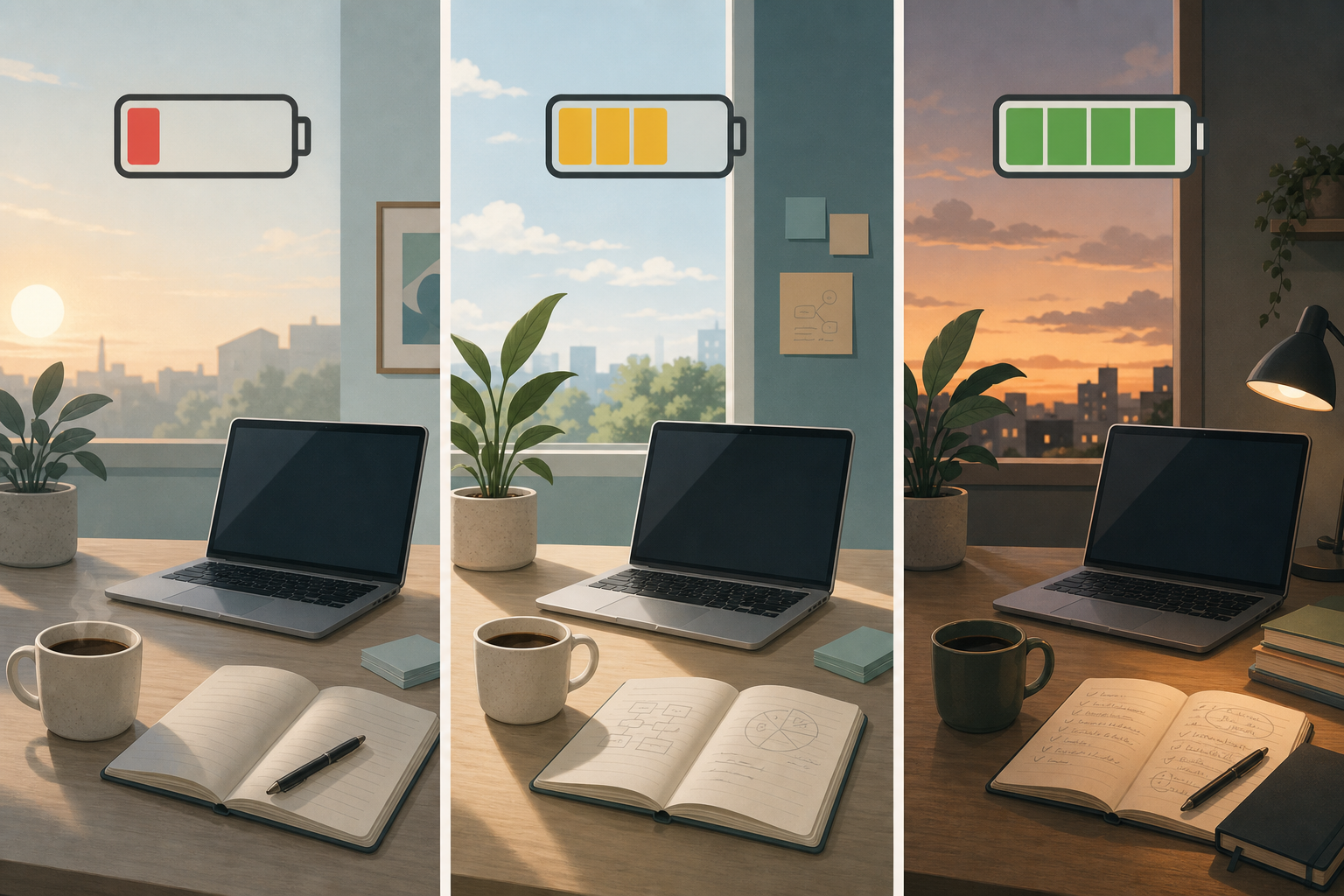
Once the screen is gone, the data has to justify its existence later, not constantly. Body Battery is the Cirqa feature that most directly carries that burden for work. Garmin describes Body Battery as an energy-reserve estimate that uses heart rate variability, stress, sleep, and activity data, updating through the day as your body charges and drains.[2]
Garmin’s own language makes the productivity connection unusually direct for a health metric. In an October 2024 Garmin blog post, the company wrote: “The higher the number, the greater your ability at that moment to focus, cope and bounce back from challenges.” The same post says Body Battery can help with “better sleep, work and training decisions.”[3]
That still does not make Body Battery a cognitive-performance test. It is not proof that a high score guarantees good writing, clean analysis, or a decisive planning session. It is better treated as a scheduling cue: one more piece of context for matching demanding work to the state you are likely bringing into it.
| Body Battery pattern | Workday use |
|---|---|
| Higher reserve | Protect the next clean block for deep work, strategy, writing, design, or difficult review. |
| Falling reserve after a demanding morning | Move lower-stakes admin, inbox clearing, status updates, or routine meetings into the lower-energy window. |
| Low reserve before the day starts | Reduce the number of cognitively expensive commitments where possible and avoid pretending the calendar is neutral. |
| Recovery improves later in the day | Use the later window for one carefully chosen task instead of scattering attention across several unfinished items. |
The useful behavior is not checking the number every few minutes. It is checking it at natural planning moments: before committing the morning to deep work, before accepting a difficult meeting, or when deciding whether a late-afternoon task deserves real attention or should wait.
Stress tracking is useful when it catches tension before you turn it into behavior
Stress tracking is the second Cirqa feature that fits naturally into focused work. Launch-week hands-on coverage describes continuous stress monitoring on a 0–100 scale, with rest below 25 as the benchmark and configurable high-stress alerts that can notify the user even during sedentary desk work.[4]
That is not the same as a productivity score. It should not be read as a moral judgment on how well someone is working. The better interpretation is tension awareness. If stress rises while you are physically still, the problem may not be exertion; it may be the meeting, the deadline, the unresolved message thread, or the fact that you have been forcing concentration past the point where it is still useful.
A screened watch can show that alert and then immediately offer five other distractions. Cirqa’s advantage is narrower and cleaner: it can collect the signal and, when configured, nudge the wearer without opening a wrist interface. The next move can happen somewhere more intentional — a breathing break, a walk, a calendar adjustment, or simply noticing that the current task is being done under more strain than expected.
For knowledge work, that matters because stress often leaks into process before it is named. People reread the same paragraph, answer the wrong message, over-polish a slide, or turn a small ambiguity into a much larger delay. A stress trend cannot fix that. It can make the pattern visible soon enough to change the next hour.
Training Readiness is a broader capacity check, not just a gym score
Training Readiness sounds like it belongs entirely to runners and cyclists, but its inputs overlap with the same factors that make a workday feel easy or punishing. Launch coverage describes the metric as combining Acute Load, sleep, Recovery Time, stress, and HRV status into a daily score that updates throughout the day.[4][5]
For work planning, the safest use is not “obey the score.” It is “notice the load.” If the score is low after poor sleep, elevated stress, or heavy recent activity, that may be a bad day to stack a hard workout, a high-stakes presentation, and three hours of analytical work back-to-back. If the score is stronger, it may support choosing one demanding priority and giving it the best part of the day.
This is where Cirqa’s screenless form helps again. The metric can inform the plan without asking to be consulted constantly during execution. Planning and doing stay separated.
Sleep coaching affects the next workday before the laptop opens
A focus tool that only starts working at 9 a.m. is already late. Cirqa includes sleep score, HRV trends, Sleep Coach recommendations, and a Smart Wake Alarm, according to Garmin’s launch materials and early coverage.[1][6] Those features belong in a productivity discussion because the next day’s attention is often decided the night before.
The Health Status dashboard adds a wider overnight view by comparing vitals such as HRV, SpO2, respiration, and skin temperature against personal trends.[6] For a worker, the point is not to diagnose anything from a band. It is to notice when the body is giving unusual signals and avoid building a day that assumes normal capacity.
Smart Wake Alarm is a smaller but practical feature in the same chain. A gentler wake window will not rescue an overloaded schedule, but avoiding the worst possible wake moment can make the first work block less ragged. That is a modest claim, which is the right size for a launch-week reading of the device.
The no-subscription model changes the cost of paying attention
Pricing matters after the feature set is clear. Cirqa launched at $199.99, with Garmin’s core metrics available without a subscription.[7] Tom’s Guide also reported the $199.99 launch price and contrasted the model with competitors that rely on recurring plans, including Whoop starting at $199 per year and Fitbit Air advanced features requiring a $99-per-year Google Health Premium subscription.[8]
As of July 22, 2026, that makes Cirqa’s productivity argument cleaner: the user is not paying monthly for a coaching feed that may become another place to check. The value is in quiet collection, later review, and a few durable metrics that can shape the day.
Availability is also launch-timed. Garmin announced Cirqa on July 21, 2026, with availability beginning July 24, 2026.[1] That is important because there is no mature body of long-term Cirqa testing yet. Early hands-on impressions can describe the design and feature set, but they cannot settle whether the band changes habits after three months of real workdays.
Where Cirqa fits in a focused workday
The most defensible use pattern is simple. Wear Cirqa as the quiet sensor. Review Body Battery, stress, sleep, and readiness when planning the day. Put the hardest cognitive work where your recovery data suggests you have the best chance of doing it well. Leave the band alone while the work is happening.
- Before deep work: check Body Battery and decide whether the next block should hold the most demanding task.
- Before meetings: notice whether stress and recovery suggest you should reduce context switching or add recovery space afterward.
- After a poor night: use sleep and Health Status trends to make the calendar more realistic instead of forcing a normal-performance day.
- During work: let the lack of a screen do its job; do not replace smartwatch checking with phone checking.
This approach keeps the claim narrow. Cirqa does not make someone focused by measuring them. It may help a focused person defend attention by removing wrist distractions and by making energy, stress, and recovery easier to factor into the calendar.
Who should consider it, and who should wait
Cirqa is most compelling for knowledge workers who already know their wrist has become a distraction point. If a smartwatch has turned into a notification surface, but losing health and recovery data feels like a bad trade, this band has a coherent purpose. It is also a natural fit for people who want to keep wearing a traditional watch while still collecting 24/7 metrics.
It is less certain for readers who want app-like coaching on the wrist, real-time screen feedback, or a long-term verdict on accuracy and behavior change. Because Cirqa launched only this week, the strongest claims are about design intent, documented features, and reasonable workday use cases — not proven productivity gains.
Taken that way, Cirqa’s best productivity feature is restraint. It tracks enough to help you plan the day more honestly, then gives you very little to do with your wrist while the work is actually happening.
References
- Meet Cirqa: Smart band, the screen-free health and fitness tracker from Garmin, Garmin, July 21, 2026
- Body Battery Energy Monitoring, Garmin
- 5 Reasons Your Body Battery Is Running Low, Garmin Blog, October 2024
- Garmin Cirqa: Everything You Need To Know, DC Rainmaker, July 2026
- Garmin Cirqa Is Here: 10 Top Facts About Garmin’s Screen-Free Tracker, Forbes, July 21, 2026
- Garmin’s turn: the Cirqa is a screenless band, and you get all-day help without a subscription, Android Central
- Garmin Cirqa smart band fitness tracker wearables, The Verge
- Garmin Cirqa smart band launch: Garmin debuts a screen-free Whoop and Fitbit Air competitor, Tom’s Guide
Comments
Join the discussion with an anonymous comment.