
Yes, your county library card may include free online homework help and tutoring, and it is often a real live-tutor service rather than a pile of worksheets. The part that decides whether you can use it tonight is not the national promise on a tutoring company’s website. It is your own library system’s current page: which platform it licenses, which card types work, what login fields it asks for, and what the live hours actually are.
Most library tutoring access in the examples below runs through one of two platforms: Brainfuse HelpNow or Tutor.com. You do not usually pick between them as a household. Your library picks by contract, and you follow that path. LA County Library currently points students to Brainfuse, and an older LA County post documents a 2020 move away from Tutor.com to Brainfuse; Wake County Public Libraries, by contrast, announced free online tutoring through Tutor.com and paired it with an instant digital card path for immediate access.[1][2][3]
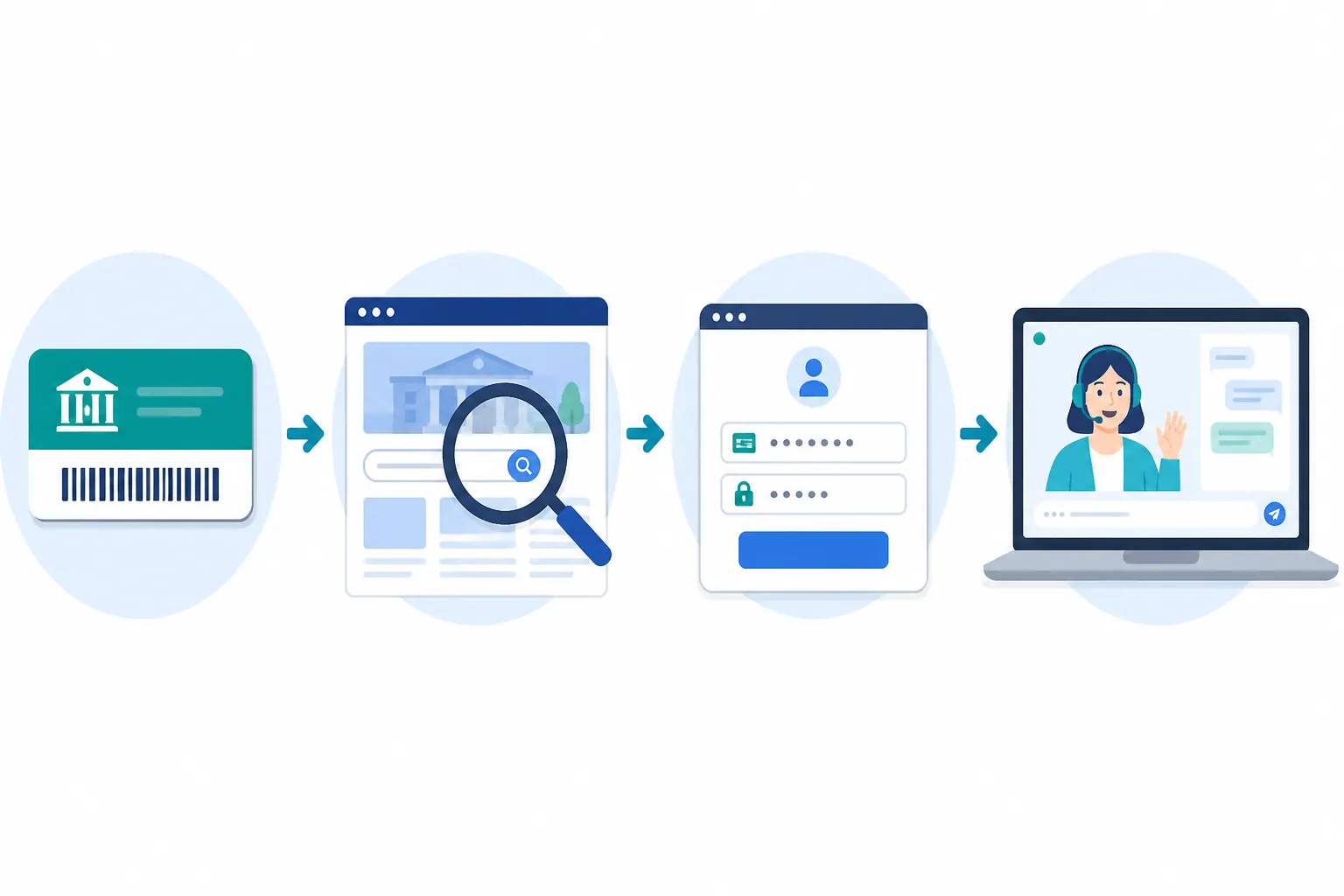
That distinction matters because “free online homework help and tutoring via county library” is not one national login. It is a local benefit routed through a local card. The American Library Association has described libraries as playing an expanded role in digital equity and educational support, but that big picture still leaves a family with the same small problem after dinner: finding the right link before the homework hour is gone.[4]
Find the library page that actually controls access
Start on your county or city library website, not on Brainfuse.com or Tutor.com. Search your library site for these terms: “homework help,” “student resources,” “online resources,” “tutoring,” “Brainfuse,” and “Tutor.com.” If the library’s own search is poor, use a web search with your county name and one of those phrases.
The service may be hiding under a perfectly reasonable label that does not say “tutoring” first. San Diego Public Library puts homework support inside “Do Your Homework @ the Library,” while Fairfax County Public Library places online help within a homework research guide.[5][6] Neither location is wrong. Both are the kind of page a tired parent can miss if they only scan the homepage for a big “free tutor” button.
Once you find the page, look for the platform name before you do anything else. A Brainfuse page may say “HelpNow,” “Live Tutoring,” “Writing Lab,” or “Brainfuse.” A Tutor.com page may say “Tutor.com,” “live homework help,” or “online tutoring.” If the library page links out to a vendor without saying what card types qualify or what hours apply, keep the library page open in another tab. It is the page you will come back to when the login asks for a card number, PIN, barcode, school card, home library, or ZIP-code-based access.
| Step | What to verify on your own library site | Why it matters |
|---|---|---|
| 1. Find the local page | Homework help, student resources, online resources, Brainfuse, or Tutor.com | The local page tells you which contract your card can use. |
| 2. Identify the platform | Brainfuse HelpNow or Tutor.com | The login screen, features, and hours depend on the licensed platform. |
| 3. Check card eligibility | Resident card, digital card, student card, e-card, or temporary card rules | Some digital resources work only with certain card types. |
| 4. Test the login | Card number, barcode, PIN/password, ZIP code, or home-library selection | This is where many people fail before reaching a tutor. |
| 5. Confirm live hours | Today’s live tutoring window, not an old announcement | “24/7” does not mean the same thing in every system. |
| 6. Note a backup path | Statewide tutoring program, if available | Useful when the county page is weak, blocked, or unclear. |
Brainfuse or Tutor.com: what you are identifying, not choosing
If your page says Brainfuse HelpNow, expect the library link to send you into Brainfuse’s tutoring environment. LA County is the clean example here because its current student page points to Brainfuse, and its older announcement explains that Brainfuse replaced Tutor.com in that system in 2020.[1][2] That is exactly why old bookmarks and old library blog posts are risky. A household may remember “the library uses Tutor.com,” while the current student page says otherwise.
If your page says Tutor.com, follow the library’s Tutor.com route rather than creating a consumer account from the company homepage. Wake County’s announcement is useful because it shows a library system offering Tutor.com access and telling residents that an instant digital library card can provide immediate access.[3] For a family without a working card in the drawer, that one sentence is not decoration. It is the difference between “we’ll try next week” and “we can test this tonight.”
Do not worry at this stage about which company has the longer feature list. The first job is simpler: match your library to its licensed platform. A county can change vendors, a city system can use different access language than the county next door, and a statewide program can sit beside a local one. The vendor name on the current library page is the reliable starting point.
Get the right card, then expect the boring login problems
Library tutoring is free to the user, but it is not usually open to anyone who lands on the page. The normal proof is a library card number or barcode, sometimes paired with a PIN or password. If you have a plastic card, find it before the student is already upset. If you only have a school-issued card, e-card, digital card, or old card from another branch system, test it early instead of assuming it will work.
Digital cards can be enough in some places. Wake County’s Tutor.com announcement specifically says residents can sign up for an instant digital library card and get immediate access.[3] That does not mean every county’s digital card unlocks every database. It means the card-type question is worth checking on the local page before you drive to a branch or give up.
The PIN is the unglamorous trap. Many people know they have a library card and have no idea what PIN was set years ago. Try the login before the tutoring window is almost closed. If the page rejects the card, look for your library’s “forgot PIN,” “reset password,” “my account,” or “contact us” path. If the card has expired, the tutoring platform may not be the problem at all; the library account may need renewal.
Some systems add one more field that feels small until it blocks you. The New York Public Library’s Brainfuse instructions tell users to choose “The New York Public Library” from a Home Library dropdown after entering Brainfuse.[7] That kind of step is easy to miss because it is not a tutoring decision; it is an authentication decision. If your login screen asks for a home library, choose the system that issued the card, not the branch you wish were closest and not a neighboring county with a similar name.
A practical way to reduce friction is to do a two-minute test before anyone needs help: open the library tutoring page, click through to the platform, enter the card number and PIN, and stop when you reach the tutoring dashboard or subject menu. You do not have to start a session. You are only proving that the card works.
What a first live session usually feels like
After login, the student usually chooses a subject or type of help, then enters a live tutoring room or submits work for review. For a math problem, that may mean typing a question, using a whiteboard, uploading or sending a problem image, or working through steps with the tutor. For writing, it may mean sending a draft and waiting for feedback rather than expecting a live editor to rewrite the paper.
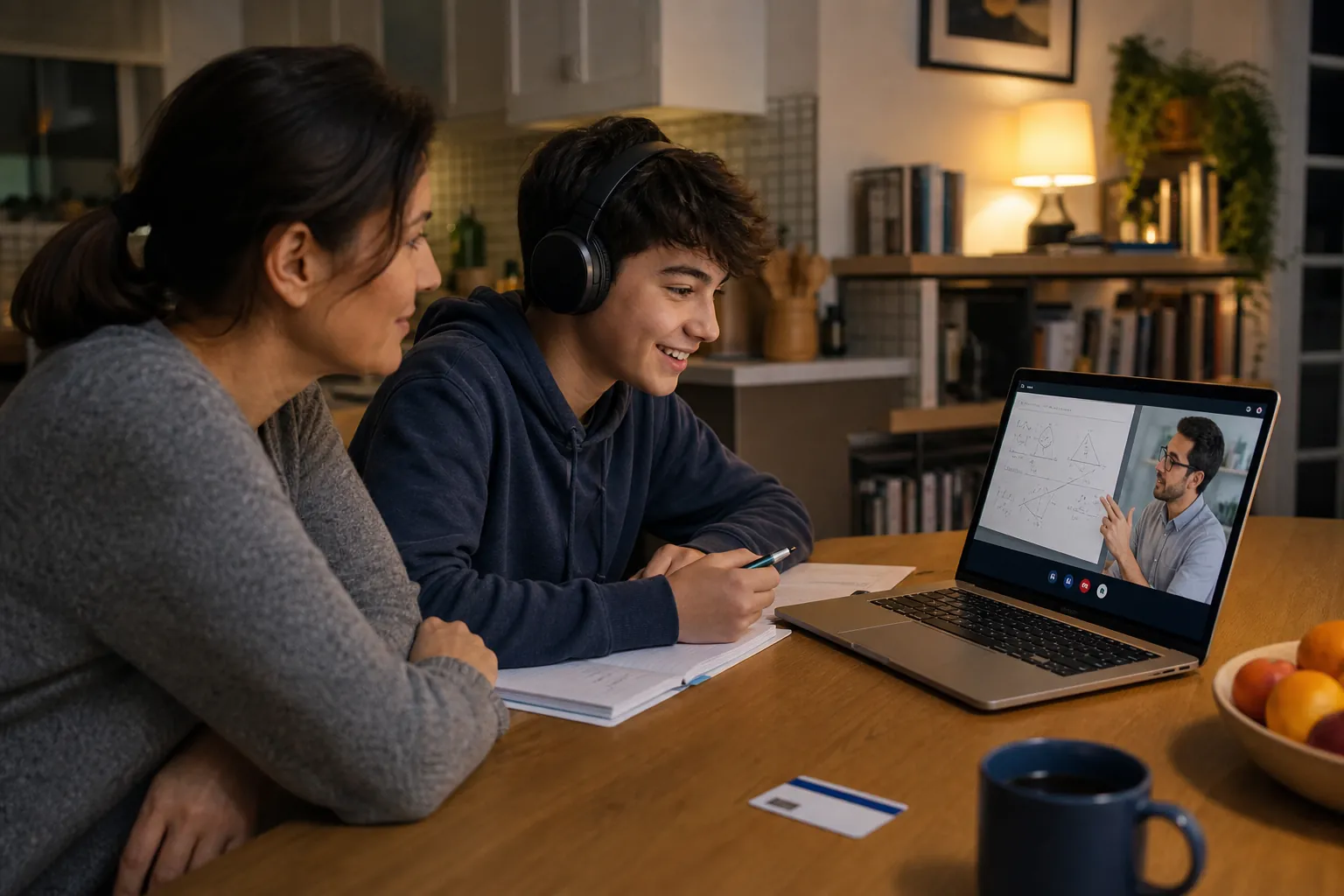
Tutor.com says its library service can provide anonymous sessions and describes a tutor vetting process that includes education verification, ongoing background checks, a subject exam, and an interview.[8] Treat those as Tutor.com’s platform claims, not as a substitute for your own judgment about what help your student needs. If a child is nervous, anonymity can be useful because the student can ask a basic question without feeling watched by classmates.
Brainfuse describes HelpNow tools including Snap-n-Send, an equation editor, screen sharing, Spanish-language tutoring, and a Writing Lab that returns feedback within 24 hours.[9] Those features are genuinely useful once you are inside. A photo upload can rescue a worksheet problem that is hard to type. A writing-feedback option can help an adult learner or high-school student who wants another reader before submitting a draft. Spanish-language tutoring matters for families where the person helping at home is doing mental translation before even getting to the math.
Still, the first session does not need to use every tool. A good first target is modest: one algebra problem, one paragraph of a draft, one chemistry concept, one practice question. If the tutor room works and the student understands how to ask a question, the service has crossed its first real threshold.
If your county page is weak, check for a statewide route
A county library page should be your first stop, but it is not always the only route. California’s HomeworkCA is a Tutor.com program presented as a statewide homework-help path, and it is worth checking when your county page does not give you a usable route.[10] Homework Louisiana is another statewide Tutor.com route worth checking, especially when a local page is unclear or when access depends on being connected to a parish library system.[11]
Use these statewide pages as a side path, not as proof that your county card works everywhere. They can be helpful when a student is traveling, when a county library page is hard to navigate, or when a local link is temporarily broken. But if your county already has a current tutoring page, that page still wins for local card rules and local hours.
The “24/7” claim is where you must slow down
The phrase “24/7 tutoring” can mean several things: live help around the clock, writing review available by submission, a platform that is technically open all day, or a library page that has not been updated with enough precision. Before promising a student that a tutor will be available at 10:30 p.m., check today’s live tutoring hours on your own library page.
The examples, checked against current pages on August 26, 2026, do not line up neatly. Hennepin County Library’s homework help page presents 24/7 online tutoring access.[12] Camden County Library’s Tutor.com page gives a defined live tutoring window of 2 p.m. to midnight.[13] NYPL’s Brainfuse page states live tutoring hours of 2 p.m. to 11 p.m.[7] LA County shows why current pages matter: its current student page presents Brainfuse with 24/7 language, while its 2020 Brainfuse announcement listed live tutoring from 1 p.m. to 10 p.m.[1][2]
That is not a reason to dismiss the benefit. It is a reason to read the current local page before building the evening around it. A library can change vendors, expand hours, reduce hours, or leave an old announcement online after the service has moved on.
Pre-session checklist for tonight
- Find your county or city library’s current homework help, student resources, online resources, Brainfuse, or Tutor.com page.
- Identify the licensed platform: Brainfuse HelpNow or Tutor.com.
- Confirm that your card type works, including any digital, student, e-card, or temporary card limits.
- Test the card number and PIN before the student needs a live tutor.
- Select the correct home library if the platform asks for one.
- Check today’s live tutoring hours on the library page, not only on an old announcement or vendor landing page.
- Note a statewide backup option if your state offers one and your county path fails.
References
- Students — LA County Library
- Introducing Brainfuse — LA County Library, 2020
- Wake County Libraries launch free online tutoring services — Wake County
- National survey finds libraries play expanded role in digital equity, bridging gaps in communities — American Library Association, 2021
- Do Your Homework @ the Library — San Diego Public Library
- Online Resources — Fairfax County Public Library
- Brainfuse: Homework Help & Tutoring — The New York Public Library
- Tutor.com for Libraries — Tutor.com
- HelpNow for Libraries — Brainfuse
- HomeworkCA — Tutor.com
- Homework Louisiana: Learn More — Tutor.com
- Homework help — Hennepin County Library
- Tutor.com — Camden County Library
Comments
Join the discussion with an anonymous comment.