
Last checked: September 1, 2026 (Q3 2026).
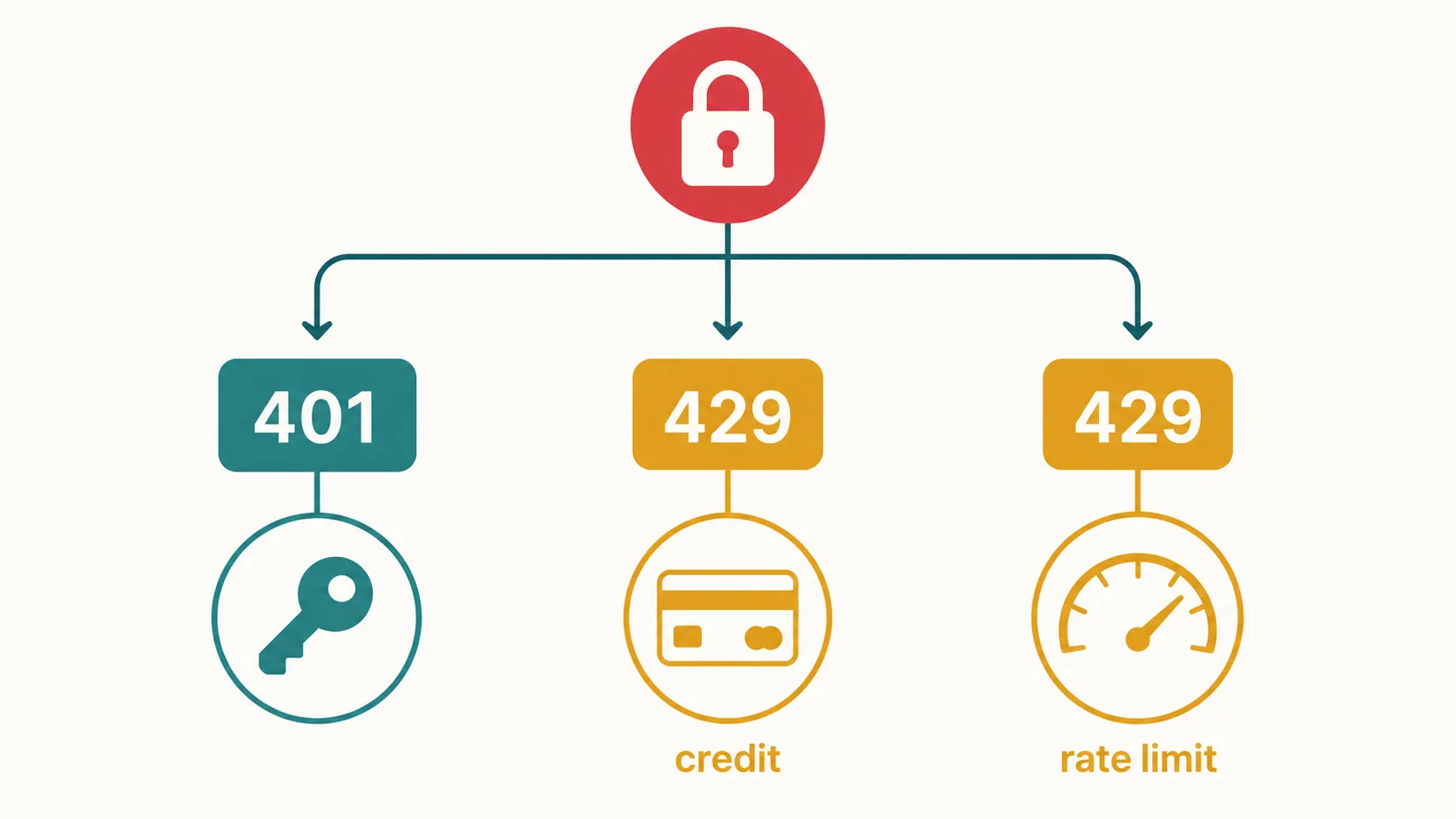
| What you see | Likely official error class | Probable cause | Matching repair | Verification checkpoint |
|---|---|---|---|---|
| 401, AuthenticationError, or plugin wording such as “invalid,” “expired,” “revoked,” or “missing” key | 401 Invalid Authentication / AuthenticationError | The integration did not receive a valid OpenAI API credential. | Regenerate the key from OpenAI’s organization API-key settings, then replace the credential in the integration. | Retry the same note-app action. The repair worked only if the 401-class error no longer returns. [1] |
| 429 with credit_balance_exhausted, or plugin wording that likely refers to an exhausted balance | 429 credit_balance_exhausted | The prepaid API credit balance is depleted. | Add prepaid credit. Regenerating the key and repeatedly retrying will not restore access. | After credit is available, repeat the same action and check whether the billing-related 429 returns. [1] |
| 429 described as a rate limit, too many requests, or a plugin “limit” warning | 429 rate-limit error | Possible triggers include a shared key, low free-plan limits, or project limits. | Investigate key sharing, current plan limits, project limits, and request volume. Do not assume a new key changes the limit. | Repeat the same action after addressing the limiting condition and check whether the rate-limit 429 returns. [1] |
This guide covers note apps with a verified OpenAI or connection-authentication surface, particularly Obsidian, Logseq, and conditional Notion setups. It does not cover Apple Notes, GoodNotes, Notability, or Evernote because no such surface was verified for those apps. That exclusion does not mean an integration cannot exist.
Before reopening settings for a third time, capture the complete error if the plugin exposes it. A friendly message such as “authentication failed,” “over my limit,” or “quota exceeded” may compress different server responses into the same alert. The decisive evidence is a 401 or 429 status, followed by the underlying error identifier when available.
For a 401, replace the credential
OpenAI defines AuthenticationError as a credential that is invalid, expired, or revoked. Its documented response is to regenerate the API key from the dashboard.[1] A blank credential can lead to the same practical branch: the plugin has nothing valid to send.
Open OpenAI’s organization API-key settings, regenerate the key there, and replace the credential in the note-app integration’s provider or API-key field. OpenAI’s cited documentation does not establish a more detailed official rotation procedure, so do not add unsupported project-versus-organization steps.
A June 2023 OpenAI community case shows the simpler version of this failure. The traceback said “No API key provided,” and the reproduction path pointed to supplying the credential through openai.api_key, the OPENAI_API_KEY environment variable, or the platform API-key page.[2] It is one dated case, not evidence that every note-app 401 is caused by an empty field. Its value is narrower: it demonstrates that a credential can exist in the user’s account while still never reaching the request.
Saving the new value is not the checkpoint. Return to the interrupted action—send the same prompt, generate the same note, or run the same command—and see whether the 401-class response comes back. If it does, the credential path remains unresolved; do not switch to billing repairs without evidence of a billing error.
A 429 must be split into billing and rate limiting
The number 429 alone does not tell you to create another key. OpenAI’s guide uses that status class for both depleted prepaid credit and request limiting, but those conditions do not share a repair.[1] Look for the error identifier or fuller response before changing anything.
If the response says credit_balance_exhausted
The prepaid API balance has been depleted. Add credit to the relevant OpenAI API billing account. OpenAI explicitly notes that retrying does not restore access in this condition.[1] Key regeneration does not add funds, so replacing a perfectly valid key only creates another credential attached to the same billing problem.
Once credit is available, repeat the exact integration action that failed. If the same billing-related 429 remains, the test has not passed merely because the billing screen changed.
If the response is a rate-limit 429
Investigate whether the key is shared, whether the account is constrained by low free-plan limits, or whether a project limit is being reached; OpenAI identifies each as a possible rate-limit trigger.[1] Also consider what the plugin was doing immediately before the error. A note command that launches several requests can encounter a limit even though the credential itself remains valid.
Address the limiting condition rather than rotating the key reflexively. Then rerun the same command and watch for the same 429. A successful settings save, a reopened plugin panel, or a newly generated key does not demonstrate that request capacity changed.
If a plugin reports insufficient quota while the account appears to have a positive balance, verify that the balance, project, and error response refer to the same API context. OpenAI community reports from August and September 2023 described a “probable OpenAI bug” involving paid accounts and positive balances, but those reports were unverified and conflict with the documented billing explanation.[3] They are a dated escalation lead, not proof of current behavior in 2026.
Where to apply the repair in each note app
Obsidian and ChatGPT MD
ChatGPT MD documents a community-plugin setup in which the user supplies a key for the chosen provider. Its README also requires Obsidian 1.11.4 or later for secure key storage.[4] For a 401 in this setup, the practical placement is therefore the provider credential field in ChatGPT MD’s settings: replace the invalid or missing key there, then repeat the command that originally failed.
Confirm the Obsidian version before diagnosing a storage problem on an older installation. At the same time, treat the plugin’s 2026 maintenance status as unconfirmed: the repository does not show a dated release establishing current maintenance. That uncertainty does not alter the meaning of an OpenAI 401 or 429, but it does limit claims about current plugin behavior and wording.
Logseq
A community Logseq GPT-3/OpenAI plugin was announced on June 6, 2022, but the announcement does not establish whether the relevant installation authenticates with an API key, OAuth, or another mechanism.[5] Do not assume the Obsidian field location applies.
Instead, identify the installed plugin and inspect its authentication setting or exposed response. If it accepts a user-supplied OpenAI key and returns a 401, use the credential repair. If the raw response identifies exhausted credit or a rate limit, use the matching 429 branch. The plugin name alone is not enough to choose.
Notion
Notion documents two authorization frameworks for integrations: OAuth connections, which include an authorization flow and page picker, and personal access tokens, which have neither.[6] Notion’s documentation does not confirm an official ChatGPT integration or establish which mechanism an “Ask ChatGPT” product uses. The product’s actual authentication method must therefore be identified before applying a fix.
- If the tool asks you to connect a Notion workspace and choose pages, an expired or broken authorization grant is a plausible OAuth-path problem. Reauthorization is a framework-derived test, not a confirmed fix for an official Notion–ChatGPT integration.
- If the tool uses a Notion personal access token, it does not follow Notion’s OAuth flow. Reconnecting an OAuth connection would address the wrong credential path.
- If a third-party tool asks separately for an OpenAI API key, classify any OpenAI response by its 401 or 429 code and use the shared triage above.
OAuth troubleshooting sometimes mentions a blocked localhost callback and a device-code fallback. The cited source documents that pattern for Codex CLI authentication, not for note apps.[7] Use a device-code route only when the particular integration explicitly offers it; its existence in a different OpenAI product does not prove that a Notion or community-plugin connection supports it.
The working result is concrete: identify the official error class, make only the repair associated with that class, and confirm that the original note-app action now completes. This guide reflects sources available through Q3 2026. The cited OpenAI error-code list was only partially available, so this guide does not claim to cover every possible authentication or API error code.
References
- Error codes — OpenAI Developers.
- API authentication issue — OpenAI Developer Community, June 14, 2023.
- Probable OpenAI bug: insufficient quota error on paid account with available balance — OpenAI Developer Community, August–September 2023.
- chatgpt-md — GitHub.
- Announcement: Logseq GPT-3 OpenAI plugin — Logseq Forums, June 6, 2022.
- Authorization — Notion Developers.
- Authentication — ChatGPT Learn.
Comments
Join the discussion with an anonymous comment.