
The hardest part of choosing the best AI tools for productivity in 2026 is no longer finding one. It is deciding which one deserves a place in your actual workday. The AI tools market is estimated at $184 billion in 2026, with more than 14,200 active tools, 72% of U.S. businesses using AI, and 68% year-over-year market growth.[1] That is not a marketplace; it is a second inbox.
There is still a reason to sort through it. Reported productivity benchmarks are strong enough to take seriously: knowledge workers are saving hours per week in AI-assisted workflows, daily AI users report higher productivity and satisfaction, and AI deployments can produce measurable ROI when they are attached to repeatable work rather than vague experimentation.[2][3] The useful question is narrower: which tool belongs against the task you repeat most often?
This roundup uses one main rule: one well-vetted pick per category. That is a bias, and a deliberate one. Messy teams may need hybrids, and larger organizations may standardize around different vendors. But if you are paying for subscriptions, maintaining the stack, and explaining the workflow to clients or teammates, a 40-tool list is rarely helpful. For a deeper buying framework before you choose, see how to evaluate AI productivity tools based on ROI, not features.

Quick comparison: the best AI productivity tools by category
Pricing changes quickly, so the table uses pricing tier rather than pretending a monthly number will stay accurate. Tiers were last checked against public plan pages and current market roundups in Q2 2026. The budget point matters: the average solopreneur AI subscription spend is reported at $95 per month, while the average enterprise spend is $4,100 per month.[1] A tool has to earn its slot.
| Category | Winning tool | Best for | Pricing tier, last verified Q2 2026 | Productivity reason to care | Skip it if |
|---|---|---|---|---|---|
| Chatbots & assistants | ChatGPT | General-purpose thinking, drafting, brainstorming, and everyday task support | Free tier plus paid individual, team, and enterprise tiers | Broad assistant use maps well to the reported productivity gains among daily AI users.[2] | You mostly analyze long documents and need careful extended reasoning. |
| Writing & editing | Claude | Long-form drafting, document analysis, rewriting, and editorial reasoning | Free tier plus paid individual, team, and enterprise tiers | AI-assisted content workflows are associated with substantially faster content creation in benchmark summaries.[3] | You mainly need grammar correction inside email, docs, and browser fields. |
| Meetings & transcription | Granola | AI-native meeting notes without turning every call into a full recording workflow | Paid individual and team tiers | Meeting-note automation removes a repeat task that otherwise lands after the meeting, when context is already fading. | Your organization requires full video recording, sales-call coaching, or strict centralized compliance controls. |
| Scheduling | Motion | Auto-planning tasks and calendar blocks for people whose day changes often | Paid individual and team tiers | Scheduling-focused AI tools are reported to cut scheduling time by 29%.[5] | You only need a lightweight link-based booking page. |
| Automation & workflow | Zapier | Connecting everyday SaaS tools and automating repeat handoffs | Free tier plus paid individual, team, and enterprise tiers | Automation benchmarks show large cost-per-task reductions when repeat work is properly mapped.[3] | Your workflows need custom browser agents or highly flexible AI-native process building. |
| Project management | Asana | Teams that already run work through projects, tasks, owners, and status updates | Free tier plus paid team and enterprise tiers | AI is most useful here when it reduces status chasing and turns work history into summaries. | Your projects live mostly in chat, docs, or a personal calendar. |
| Design & presentations | Canva | Fast, good-enough visuals, decks, and branded assets for non-designers | Free tier plus paid individual, team, and enterprise tiers | The productivity gain is speed to usable first draft, not design originality. | You need advanced design systems, complex data visualization, or professional creative control. |
| Research & knowledge | Perplexity | Research-backed answers with source trails | Free tier plus paid individual and enterprise tiers | It fits work where the saved time is in finding, checking, and summarizing sources rather than producing copy from scratch. | You need private internal knowledge management more than web research. |
| Email & inbox | Superhuman | High-volume email users who want triage, drafting, and speed inside the inbox | Paid individual and team tiers | The value is concentrated for people whose work queue genuinely lives in email. | You receive normal email volume or already manage work in a shared ticketing system. |
Chatbots & assistants: ChatGPT is still the safest general-purpose pick
For most people, the assistant category is where AI first becomes useful and where it most easily becomes clutter. A good general assistant should help with rough drafts, planning, brainstorming, summarizing, spreadsheet logic, interview questions, code snippets, and the uncomfortable middle stage where you know what you mean but have not yet shaped it.
ChatGPT is the pick here because it is the most defensible default for mixed work. It appears consistently across major productivity roundups, including broad comparisons from Zapier and hands-on lists from Cohorte and TechRadar.[4][8][9] That does not make it the best at every specialized task. It does mean that if the job is “help me move this from stuck to started,” it is the least awkward recommendation.
The productivity case is strongest when ChatGPT replaces tiny recurring stalls: turning a messy brief into an outline, drafting a client email from bullet points, converting meeting notes into action items, or generating alternate phrasings before you lose another 20 minutes polishing one sentence. Slack’s workplace research reports that daily AI users are 64% more productive and 81% more satisfied at work, which is a workplace signal rather than a guarantee for any one app.[2]
Skip ChatGPT as your main paid subscription if your work is mostly long-document review, legal-style comparison, academic synthesis, or deep document reasoning. In those cases, Claude is often the more natural fit.
Writing & editing: Claude wins when the draft is long and the reasoning matters
Writing tools split into two different jobs. One is surface cleanup: grammar, tone, concision, and polish. The other is editorial thinking: structure, argument, synthesis, and whether the piece is saying the right thing in the right order. For everyday grammar assistance, Grammarly remains a sensible browser-layer tool. For the category as a productivity pick, Claude is stronger because it handles the heavier part of writing work.
Claude is best for long-form drafting, rewriting dense material, reviewing documents, and asking for a more coherent version of something that already has substance. That makes it more useful for consultants, editors, analysts, founders, and marketers who spend more time shaping arguments than correcting commas.
The benchmark support is directional. AI-assisted content creation has been reported as meaningfully faster in productivity research summaries, but that should not be read as “every blog post takes half the time.”[3] The actual time saving appears when you give the tool enough context to reduce rework: audience, source notes, required angle, examples to preserve, and claims to avoid.
Skip Claude if your writing problem is not writing. If the real blockage is approvals, missing subject-matter review, or a weak content strategy, another drafting assistant only adds more text to manage.
Meetings & transcription: Granola is the cleanest pick for people who want notes, not another media library
Meeting AI is one of the few categories where the saved work is visible immediately. Someone no longer has to decide whether to listen, take notes, or participate. The right tool captures the useful record, extracts decisions, and gives the next person enough context to act.
Granola is the pick for meeting notes because it treats the note as the product. It is especially appealing for customer calls, internal reviews, interviews, and recurring check-ins where a clean summary matters more than maintaining a searchable archive of full recordings. Several 2026 productivity roundups place meeting assistants near the top of practical AI use cases because the task is repetitive, high-frequency, and easy to evaluate: did the note reduce follow-up work or not?[4][7]
The category boundary matters. If your sales team needs call coaching, speaker analytics, objection tracking, or CRM-heavy revenue intelligence, a more specialized meeting platform may be the better fit. If your legal or compliance rules require strict retention controls, procurement will matter more than note quality. For a more detailed split by use case, compare AI note-taking apps by use case and the best meeting note-taking apps for 2026.
Scheduling: Motion is for calendars that need rebuilding, not just booking
Scheduling AI is easy to oversell because not everyone has a scheduling problem. If you have three meetings a week and a stable task list, a booking link and a normal calendar are enough. Motion becomes interesting when your day keeps breaking: tasks slide, meetings appear, priorities change, and the calendar has to be rebuilt again.
Motion is the pick for AI scheduling because it combines task planning with calendar allocation. Its own comparison of AI productivity tools places scheduling in a high-friction workflow category, and scheduling tools such as Motion and Reclaim are associated with a reported 29% reduction in scheduling time.[5] Treat that as a category benchmark, not a personal promise. The benefit depends on whether the tool is allowed to manage enough of your real task list.
Choose Reclaim instead if your main need is defending focus time, syncing personal and work calendars, or coordinating team availability around habits and routines. Choose Motion if the job is more forceful: decide when the work gets done, move it when the day changes, and keep the plan visible.
Automation & workflow: Zapier is the default; Gumloop is the one to watch for AI-native workflows
Automation is where AI productivity claims become easiest to test. Either the handoff happened or it did not. Either the lead moved into the CRM, the transcript became a task list, the invoice reminder went out, the support ticket was routed, or someone still had to do the same copy-paste work by hand.
Zapier is the safest pick because it connects the everyday business tools most small teams already use. It is not always the most adventurous automation platform, but it is the one most likely to cover the ordinary workflow that causes ordinary waste: form submission to spreadsheet, email to task, meeting note to project update, new sale to onboarding checklist. Zapier’s own productivity roundup also reflects the platform’s bias toward practical app-to-app work rather than isolated AI demos.[4]
Gumloop deserves the caveat because it is more AI-native and more interesting for teams building flexible agentic workflows. Its 2026 productivity list naturally emphasizes automation-heavy use cases, which makes it a useful counterweight to general tool roundups.[6] If your workflow requires browsing, classifying, extracting, and branching around semi-structured information, Gumloop may be a better trial than Zapier.
The ROI case is stronger here than in many categories. Automation benchmark summaries cite major cost-per-task reductions in well-designed deployments, including figures as high as 66x in Bain-related benchmarks.[3] That is the ceiling of a good workflow, not the average outcome of connecting two apps at random. If you want to pressure-test payback before subscribing, use the AI productivity tools ranked by actual ROI and payback period or the more practical guide to designing an AI workflow that actually saves time.
Research & knowledge: Perplexity is best when sources matter
Research work has a different failure mode from drafting. A fluent answer is not enough. The user needs to know where the claim came from, whether the source is current, and whether the answer is compressing uncertainty into false confidence.
Perplexity is the pick for research-backed answers because its core workflow is built around source trails. It is useful for market scans, quick literature-style overviews, competitor checks, terminology research, and “what changed recently?” questions where a normal chatbot answer would need extra verification. Broad AI productivity roundups regularly include research and answer engines as a distinct category, which is the right separation: this is not the same job as writing a paragraph faster.[7][9]
Still, source-backed does not mean finished. Perplexity can help you find the trail; it does not absolve you from checking whether the trail is good. For high-stakes work, the productivity gain should be measured by how much faster you reach credible source material, not by how quickly you can paste a generated answer into a document.
Project management: Asana is the practical pick when work already has owners
AI in project management is not mainly about magic scheduling or auto-generated motivational summaries. The useful work is more mundane: turning updates into status reports, surfacing overdue dependencies, summarizing project history, and helping a manager see what changed since the last check-in.
Asana is the pick because it starts from a clear project structure: task, owner, due date, dependency, status. AI is more useful when the underlying work graph is already legible. If your team already runs projects through Asana, adding AI summaries and status support is less disruptive than buying a separate assistant and asking everyone to maintain another layer.
Skip this category as a first AI investment if your work is not yet organized. AI will not rescue a project system where no one updates tasks, owners are ambiguous, and decisions happen in side-channel messages. Fix the workflow first; then automate the reporting.
Design & presentations: Canva is the speed pick for non-designers
Design and presentation AI should be judged by the first usable version. Can the marketer make a social graphic without waiting on a designer? Can the founder turn a rough outline into a deck good enough for internal review? Can the operator produce a simple one-page visual without losing half a day to layout?
Canva is the pick because it sits where many productivity users actually are: they need acceptable branded assets quickly, not a professional design environment. PlusAI and TechRadar both cover the broader design and presentation space in 2026, but for general business users, Canva’s advantage is the combination of templates, brand controls, and AI-assisted generation inside a familiar workflow.[7][9]
Skip it if design quality is the differentiator. A polished client pitch, a complex data story, or a product launch identity still needs human design judgment. Canva saves time best when the cost of “good enough” is lower than the cost of waiting.
Email & inbox: Superhuman only makes sense if email is truly your work queue
Email AI is a category where many people overbuy. If you process a normal number of messages, the best productivity move may be better folders, fewer newsletters, and more decisive replies. A premium inbox tool starts making sense when email volume is high enough that triage, search, response speed, and follow-up discipline affect your day.
Superhuman is the pick for that narrow group. It is built for people who live in the inbox: founders, account leads, recruiters, consultants, executives, and operators whose work arrives as messages. AI drafting and summarization help, but the real productivity case is the whole system around fast processing.
Skip it if your team uses a shared help desk, CRM inbox, or project system as the real source of truth. In that setup, the better AI investment is usually automation or knowledge management, not a faster personal mailbox.
How to choose without turning the stack into another job
Do not start with the newest model. Start with the recurring pile of work. The tool should remove, shorten, or improve something that happens every week: drafting, meeting notes, scheduling, research, inbox triage, project reporting, or a handoff between apps.
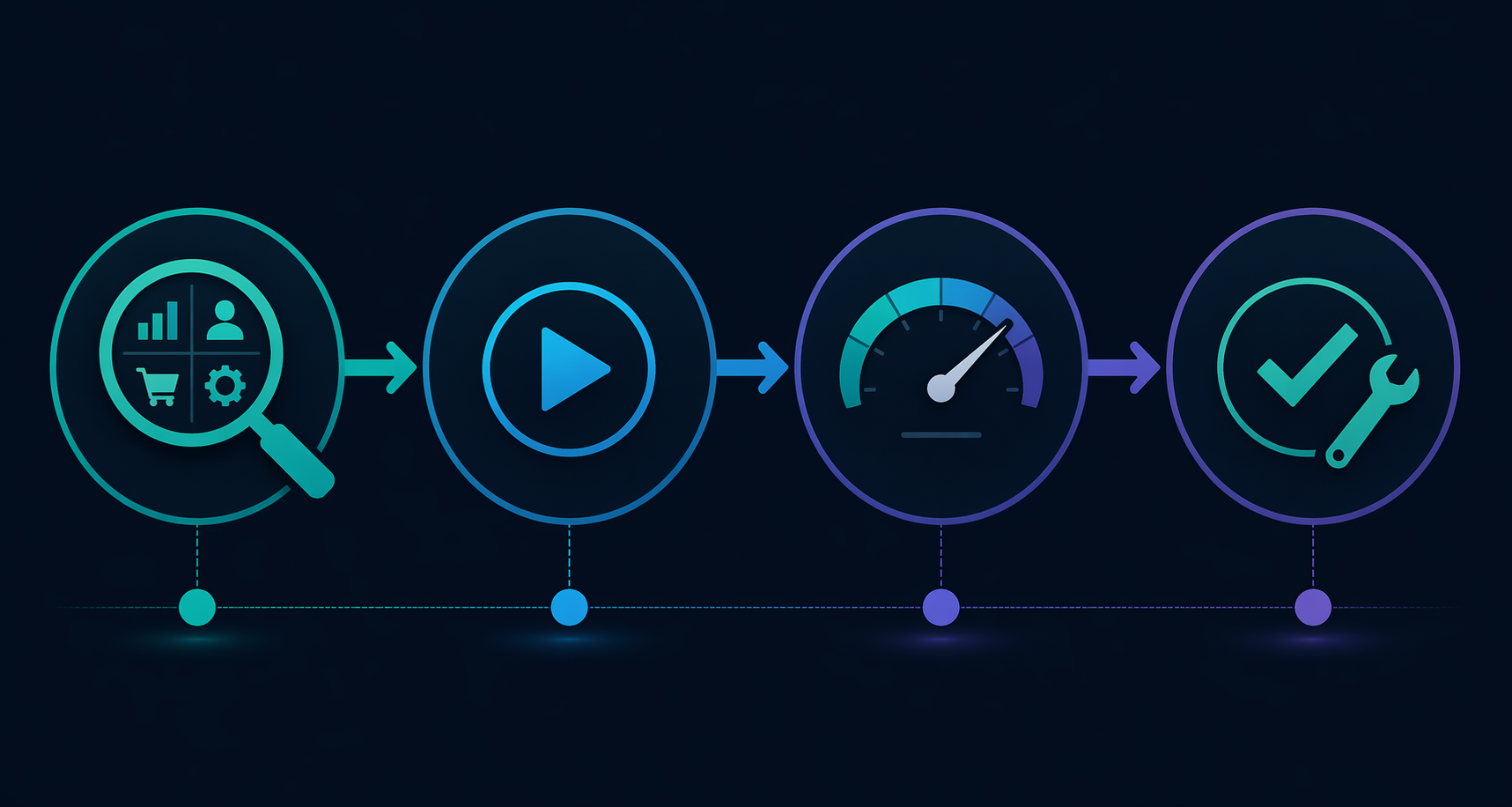
- Name the category where work piles up most often. If the problem is meetings, do not trial a writing tool because it looks impressive.
- Pick one tool for that category and run it for a defined trial period. Avoid parallel trials unless someone is responsible for comparing results.
- Measure one visible outcome: hours saved, drafts completed, follow-ups sent, meetings summarized, tasks created, or handoffs automated.
- Keep the tool only if the saved time or improved output is obvious enough to justify the subscription and setup cost.
If you want to build by role rather than by category, the next useful read is a role-based AI productivity stack for every professional. Budget-conscious readers should also compare whether AI productivity apps save more than they cost.
The shortlist is simple enough: ChatGPT for general assistance, Claude for long-form writing and document reasoning, Granola for meeting notes, Motion for active calendar planning, Zapier for everyday automation, Asana for structured project work, Canva for fast business visuals, Perplexity for source-backed research, and Superhuman for people whose inbox is genuinely overloaded. Add the next tool only after the first one has proved its place.
References
- AI Tools Statistics 2026 | Usage, Growth & Market Data, Searchlab, 2026.
- The Best AI Productivity Tools for 2026, Slack, 2026.
- AI Agent Productivity Statistics 2026, Digital Applied, 2026.
- The best AI productivity tools in 2026, Zapier, 2026.
- We Tested 50+ AI Productivity Tools. Here Are The 16 Best Tools, Motion, 2026.
- 18 best AI productivity tools I can't live without in 2026, Gumloop, 2026.
- Best AI productivity tools (2026): 20 tools to help you work smarter, PlusAI, 2026.
- Best AI Tools for Productivity in 2026: 10 We Actually Use Every Day, Cohorte, 2026.
- I tried 70+ best AI tools in 2026, TechRadar, 2026.
Comments
Join the discussion with an anonymous comment.