
Six months ago, a freelance designer I know mapped her entire client onboarding process in Notion. Flowchart drawn, steps tagged, handoffs color-coded. Then she closed the laptop and never looked at the map again. She still forgot to send the brief. The client still waited three extra days for the invoice. Nobody measured any of it. That is the moment most people give up on business process management workflow at a personal scale — they mistake the map for the journey.
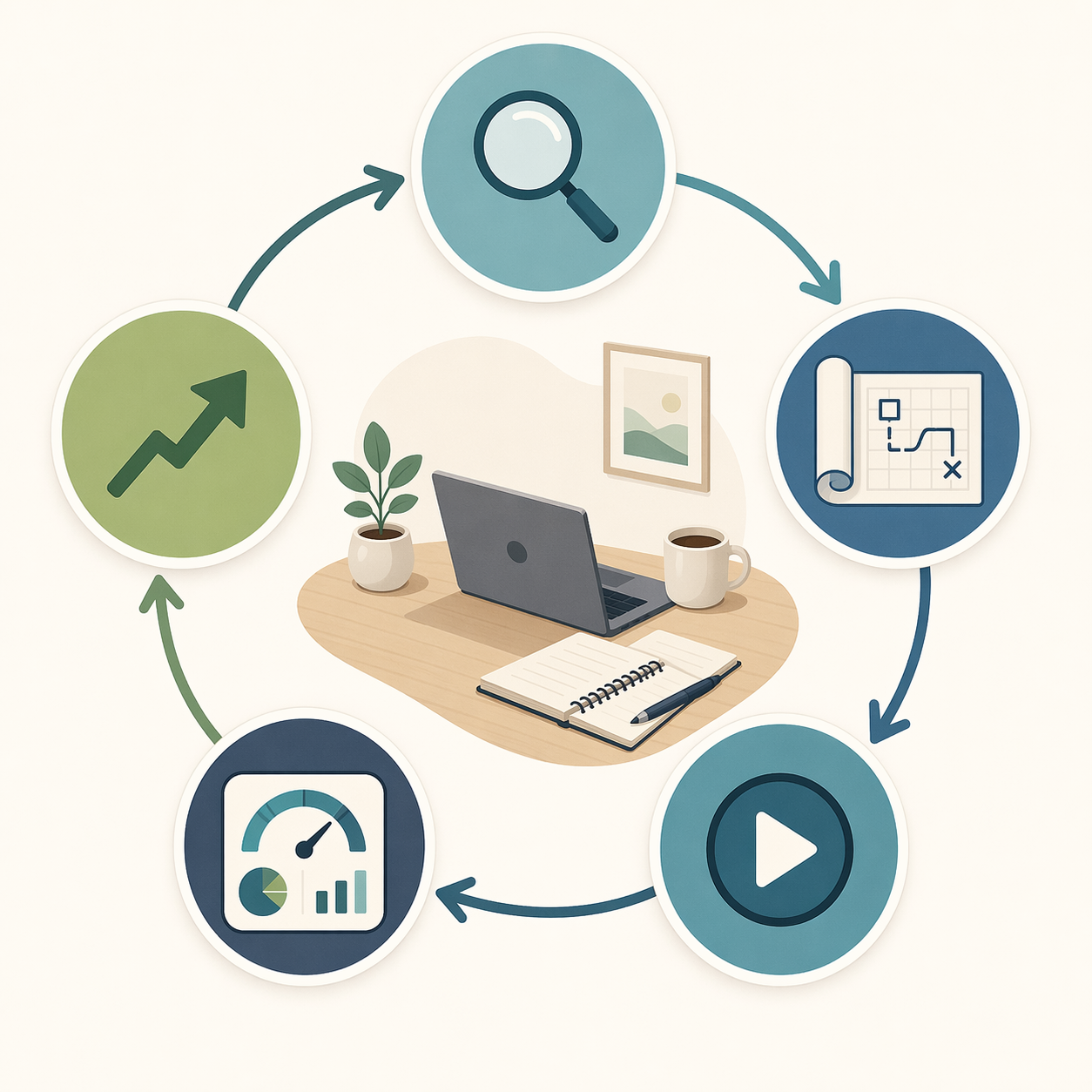
Business process management is not a piece of software you install. It is a measurement discipline. Enterprise teams have known this for years: the BPM lifecycle — analyze, model, execute, monitor, optimize — delivers results only when the loop closes. Without monitoring, mapping a workflow is like drawing a route on Google Maps and then driving with your eyes closed. This article translates that same five-step cycle into something you can run with a spreadsheet, a free Notion account, and a weekly 15-minute review. No enterprise license required.
BPM is not a tool — it is a measurement discipline
The standard definition comes from IBM: the BPM lifecycle consists of five steps — process design, model, execute, monitor, optimize. These five phases are supposed to run in a continuous loop, not a one-time waterfall. In practice, most people stop after the second step. They model their workflow, maybe execute it once, and call it done. The monitor phase — the only phase that tells you whether anything actually improved — gets skipped.
The research backs up why this matters. A 2025 BOC Group study of about 300 organizations found that process documentation delivers its strongest impact in onboarding and training (74%) and process optimization (70%). But those numbers come from companies with dedicated teams and review cadences. For a solo operator, the same logic holds — but only if you build a real measurement loop. Without it, you are betting that the initial map will magically keep your processes running smoothly. It will not.
The lifecycle: five steps, but monitor is the engine
I am going to run through all five steps, but I will spend the most time on monitor. That is where the return lives.
Analyze — track what your time actually maps to
Before you model anything, stop guessing. Pick a free time-tracking tool like Toggl, or just a spreadsheet with columns for start time, end time, task, and process name. Do this for one full working week. Capture every recurring process — client intake, billing, content production, expense tracking. After one week, you will have a list of 3–5 recurring workflows and a rough time allocation. Identify the one workflow that causes the most friction — the 20% of processes that cause 80% of your overhead. That is your candidate.
Model — do not get lost in diagrams
Modeling is where most people overinvest. They draw elaborate flowcharts in Miro, create multi-tab Notion databases, and call it process improvement. A model is a hypothesis: "If I arrange these steps in this order, the work will flow faster and with fewer errors." The model needs to be tested, and testing requires monitoring.
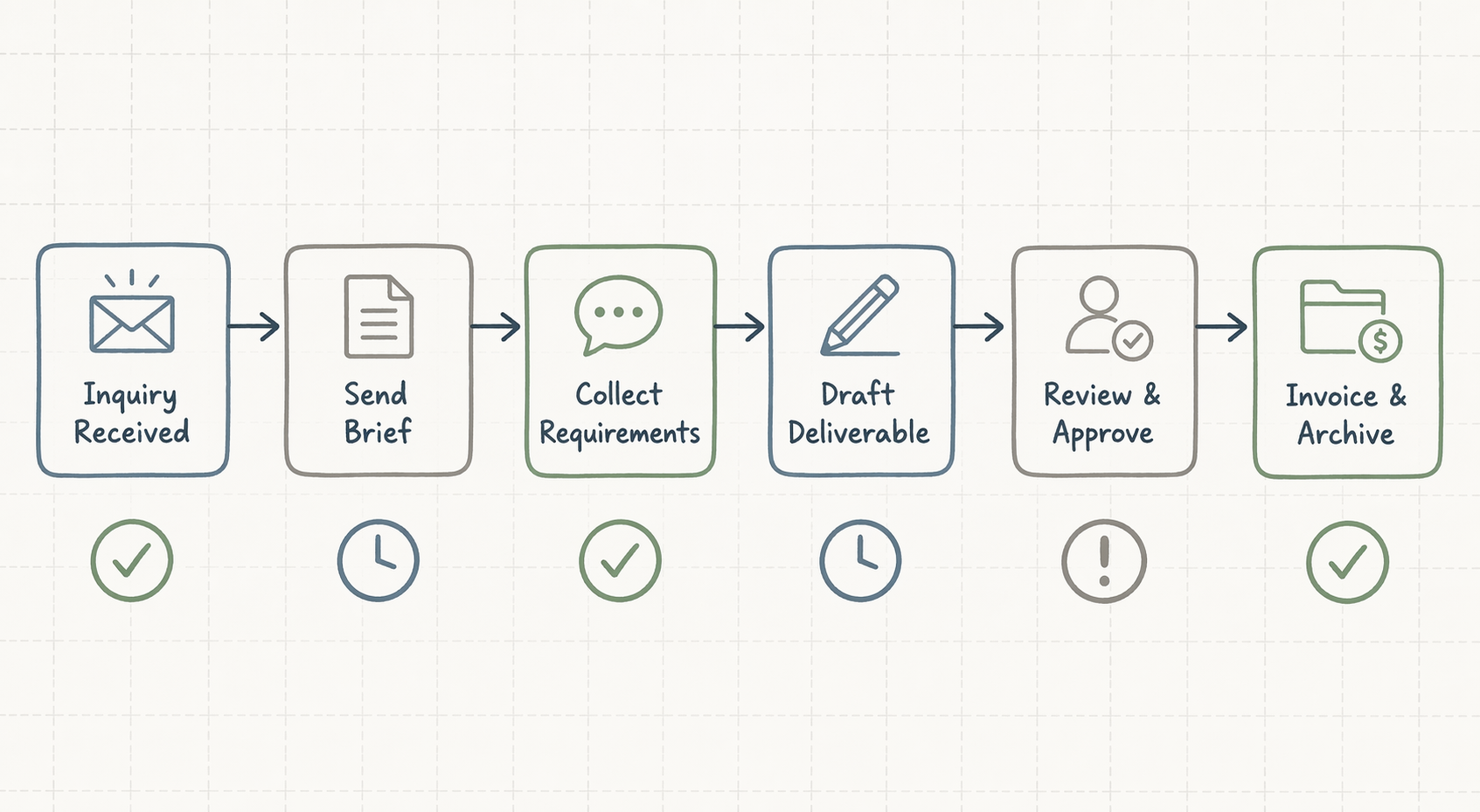
For a solo operator, keep it lightweight. A single Notion database with a status property (Inquiry Received → Brief Sent → Requirements Collected → Drafting → Review → Invoice & Archive), a template for each step, and maybe a simple Mermaid diagram. The goal is to reduce cognitive load. IBM also identifies three types of BPM: integration-centric (system-to-system automation), human-centric (workflow that involves people and approvals), and document-centric (contracts, invoices, proposals). For an individual, human-centric and document-centric are the relevant ones. Integration-centric becomes relevant when you set up Zapier or Make automations.
Execute — run the workflow, but build measurement into it
Execution is where your model becomes a living system. Run your workflow with free tools: a Notion template with property buttons, a Todoist project with recurring due dates, a Zapier automation that creates a tracking entry when a step changes status. The tools are almost irrelevant. The important thing is that every step produces a timestamp or a status change that can be collected later.
McKinsey reports that workflow automation delivers 20–30% productivity gains within the first six months. I have seen this play out for solo operators, but the gain comes not from the automation itself — it comes from the fact that the automation feeds data into the monitoring phase. If you set up a Zapier integration without also setting up a way to review the data it produces, you are missing the point.
Monitor — the only phase that separates wasted effort from real improvement
Monitor is where BPM either becomes a habit or dies. Without a review cadence, the modeled workflow drifts. Steps get skipped. The Notion database collects dust. The Zapier automation quietly breaks. And you have no way of knowing because you stopped measuring.
For a personal BPM system, you need three metrics to start. They are simple, concrete, and directly tied to the modeled steps.
| Metric | What it measures | Example for client onboarding |
|---|---|---|
| Cycle time | Total duration from start to end of the workflow | 14 days from inquiry to invoice → 9 days after optimization |
| Completion rate | Percentage of workflows that reach the final step without getting stuck | 80% → 95% |
| Rework frequency | How often you have to go back to an earlier step to fix something | Every third client required a revised brief → 1 in 10 |
You can track these in a simple spreadsheet or a Notion dashboard. Record them at the end of each run — ideally right after completing the final step. If you use automation, you can auto-log timestamps: Zapier can record when a step status changes, giving you cycle time data without manual entry.
Forrester Research reports 30–50% productivity gains for back-office processes using BPM. Those numbers come from organizations, not individuals. But when I look at my own freelancer case study (which I will get to in a moment), the improvement was inside that range — and it came entirely from the monitoring phase. The model alone did nothing. The automation saved some time. The weekly review of these three metrics drove the real change.
- Set a recurring 15-minute slot every Friday to check your metrics.
- Compare this week's cycle time to last week's. If it increased, identify which step caused the delay.
- If your completion rate dropped below 90%, look for a step where workflows are getting stuck.
- If rework frequency is high, create a small checklist for that step to catch errors earlier.
Optimize — one change per month, measured again
Optimization follows naturally from monitoring. After a month of tracking, you will have enough data to identify the bottleneck — the step with the longest cycle time or the highest rework rate. Make one change to that step. It could be adding a template, inserting a checklist, automating a handoff, or even removing a redundant step. Then measure again for the next month.
The BOC study found that process optimization delivers a 70% impact — the second-highest return after onboarding. For a solo operator, one targeted optimization per month adds up fast. After three months, you will have eliminated the three biggest friction points. After six months, the workflow runs so smoothly that you stop thinking about it — which is exactly when you need to keep measuring, because the drift starts as soon as you look away.
Case study: A freelancer’s client onboarding before and after BPM
Let me tell you about the same freelancer from the opening. Before BPM, her process was entirely in her head. A client inquiry arrived by email. She replied with a brief. The client sent requirements. She drafted the deliverable. She sent it. The client reviewed (sometimes with multiple rounds). She invoiced manually. Average cycle time: 14 days. Rework rate (meaning she had to redo at least one deliverable per project): 30%. Client satisfaction feedback was mixed.
She set up a Notion database with the six-step workflow shown earlier. Each step had a status property. She added a Zapier automation that created a new row from every email labeled "inquiry" in Gmail. She also set up a weekly 15-minute review in her calendar — every Friday at 11 a.m., she opened her tracking spreadsheet and logged the metrics for each completed project.
After three months of the BPM loop, here are the numbers she reported:
- Cycle time dropped from 14 days to 9 days (a 36% improvement).
- Rework rate fell from 30% to 10%.
- Completion rate went from about 85% to 100% for tracked projects.
The model alone did not do this. The Zapier automation saved maybe 30 minutes a week. What changed the outcome was the weekly review. Every Friday, she looked at the cycle time column and asked: "What took longer this week?" Then she made a small tweak — a checklist for the requirements step, a reminder to archive earlier, a template for the brief email. Each tweak was tiny. Accumulated over three months, they transformed the workflow.
The 73% figure from Coworker.ai — "teams using BPM automation report improved collaboration" — applies here even though she is a team of one. She collaborated better with herself. The system communicated with her, and she responded.
The $100/month threshold — when to upgrade to real BPM software
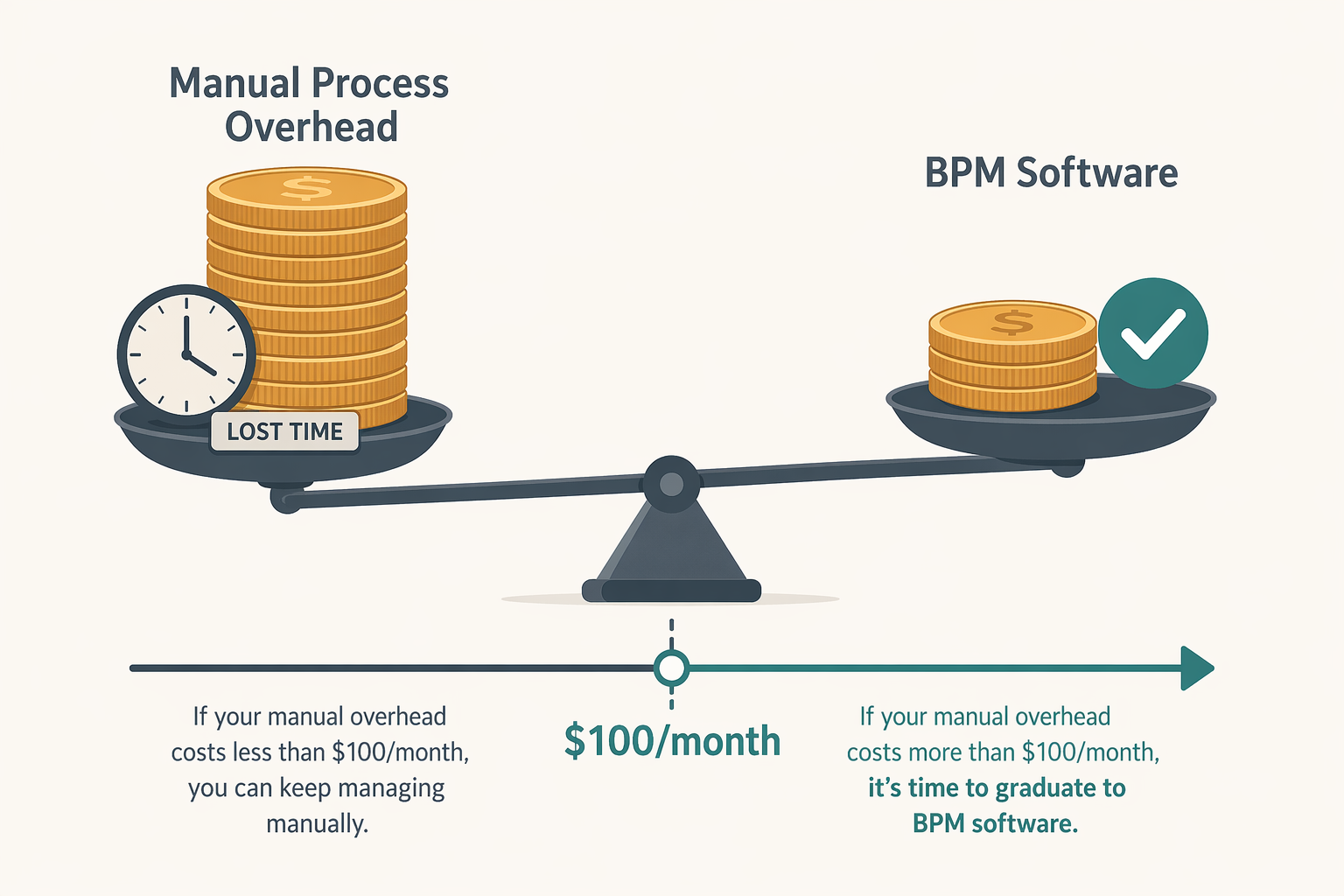
Free tools work well for the first one or two workflows. But once you have automated your highest-friction process, you may find that the next bottleneck requires more sophisticated tracking, approval routing, or reporting. That is when you need to calculate whether it is worth paying for a dedicated BPM tool.
The decision rule is simple: track the time you spend on manual overhead for all your recurring processes. Multiply by your hourly rate. If the total exceeds $100 per month, then buying a BPM tool — even a purpose-built one like Process Street or Kissflow (roughly $1,500/month for the enterprise tier, but there are cheaper plans for small teams) — makes financial sense. If the total is under $100, your free setup is still the right call.
The only discipline that matters is the weekly review
I have walked through all five phases of the BPM lifecycle. Analyze, model, execute, monitor, optimize. It sounds like a lot. But if you take away only one thing, let it be this: the monitor phase — the weekly 15-minute review — is the engine of the whole system. Without it, the model is a decoration, the execution is guesswork, and the optimization is random. With it, you have a closed loop that produces measurable, cumulative improvement.
Your weekly review checklist:
- Open your metrics spreadsheet or dashboard.
- Log the cycle time, completion rate, and rework frequency for any completed workflows this week.
- Compare to the previous week. If any metric worsened, identify the step that caused it.
- Decide on one small change to that step — no more than 10 minutes of work.
- Implement the change immediately.
That is it. The BPM lifecycle, applied at personal scale, comes down to a five-item checklist and a recurring calendar event. The tools are secondary. The discipline is the product.
Comments
Join the discussion with an anonymous comment.