
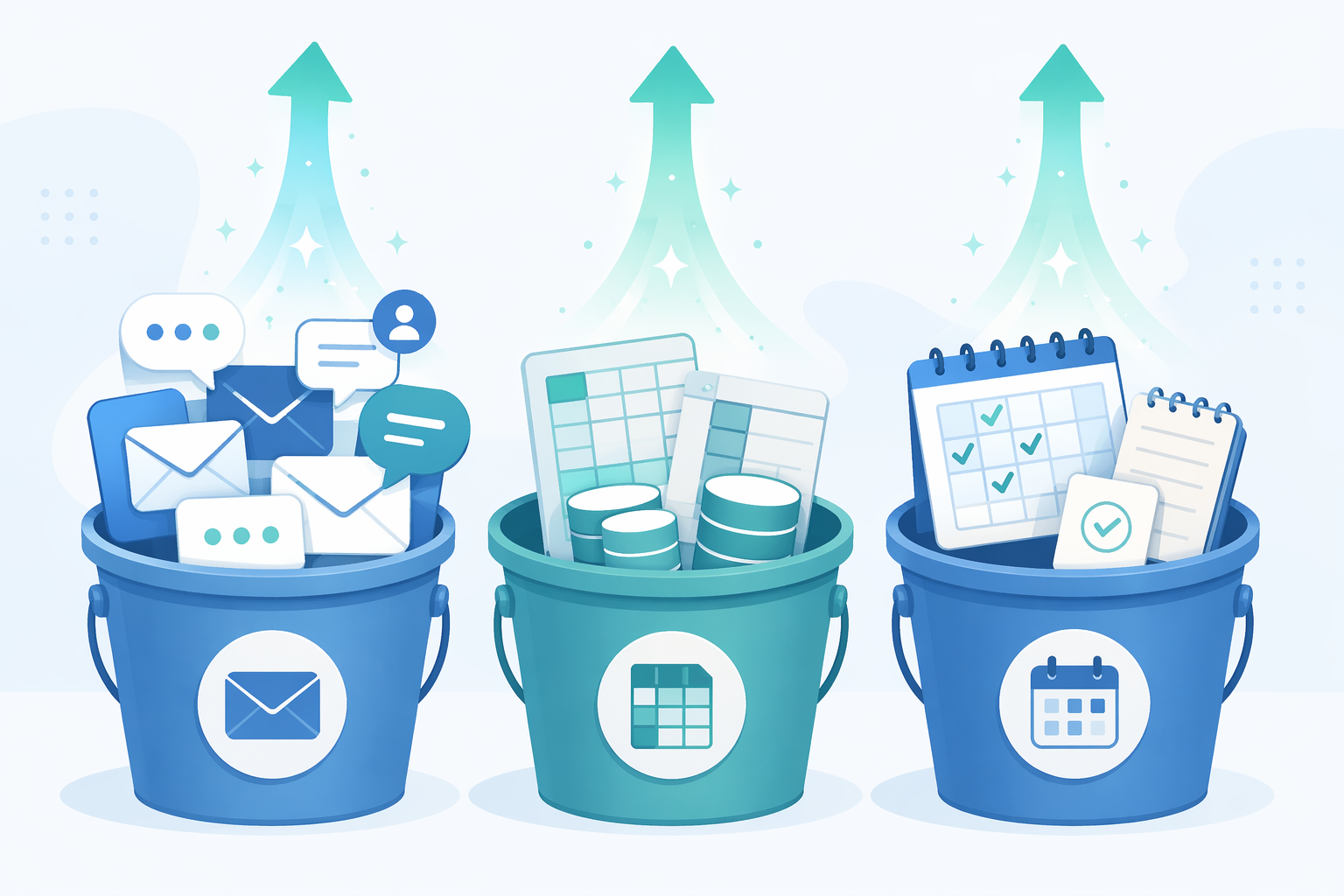
The fastest way to find value in an AI automation platform is to stop asking what the software can do and look at what is already eating your week. For most knowledge workers, the tax shows up in three places: communication overhead, manual data entry, and meeting follow-through. Email needs sorting. Someone needs a polite follow-up. A CRM record is stale again. A meeting ends with five action items and no owner unless you become the owner by default.
That is where AI automation has become more useful than the old trigger-only version of workflow software. The point is not simply “when this happens, do that.” The better platforms now read context, choose between branches, summarize messy inputs, and push work into the right app. Zapier, for example, says it connects with more than 9,000 apps and lets users describe automations in plain English through Copilot, which matters if the person building the workflow is also the person trying to finish a pipeline review before lunch. [1]

A quick pricing reality check belongs near the front, because these tools change fast. As of June 2026, many platforms still offer free entry points: Zapier lists a free tier with 100 tasks per month, Gumloop lists 5,000 credits per month, and Lindy’s Pro plan is listed at $49.99 per month. [1][2][3] Those details are not permanent buying advice; they are a reminder to test one or two workflows before turning automation into another subscription pile. Freelancers and solopreneurs comparing cheaper stacks may also want a separate look at budget-friendly workflow automation tools.
Start With the Three Places Admin Work Actually Piles Up
Most people do not need 40 automations. They need two or three that remove the most predictable drag. The useful question is: which task repeats often, has a recognizable pattern, and forces a human to switch context?
| Bucket | What Usually Happens Manually | What AI Adds |
|---|---|---|
| Communication overhead | Sorting email, drafting follow-ups, scheduling, preparing for calls | Reads intent, urgency, sender context, and missing information |
| Manual data entry | Updating CRM fields, enriching leads, processing invoices, syncing records | Extracts structured data from messy inputs and decides where it belongs |
| Meeting follow-through | Writing notes, assigning tasks, sending recaps, tracking signals after the call | Turns conversation into actions, summaries, reminders, and routed updates |
Lindy’s hands-on 2026 testing is useful here because it does not stop at generic “connect your apps” language. Its review rated Lindy 9.2 out of 10 for ease of use and identified common automation categories such as document processing, team notifications, data syncing, meeting follow-ups, lead enrichment, and CRM updates. [3] That list maps well to the work that makes a calendar look full even when no real thinking has happened.
Communication Overhead: Stop Letting the Inbox Set the Agenda
1. Triage Email by Intent, Not Just Sender
Basic filters can move a newsletter into a folder. That is fine, but it barely touches the problem. The real time sink is the message that needs judgment: a customer asking for a status update, a prospect replying with a vague “sounds good,” a manager forwarding a request with no deadline, or a vendor burying an approval question in paragraph four.
An AI automation platform can classify incoming email by intent, urgency, relationship, and likely next step. A sales rep might route pricing questions into the CRM, flag contract language for review, and draft a reply that asks for the missing procurement detail. An operator might separate “needs my decision” from “FYI” without touching every thread. The judgment layer is what makes this better than a rule that says “if subject contains invoice, label finance.”
Zapier is often the easiest first stop when the email action needs to touch many other apps, because the app coverage is broad and the setup can begin in plain English. [1] Lindy is the stronger fit when the triage depends on richer context: prior conversations, calendar state, CRM stage, or a custom decision path.
2. Draft and Queue Follow-Ups Before They Become Memory Tests
Follow-up work is small enough to underestimate and frequent enough to wreck a week. The task is rarely just “send an email.” Someone has to remember the context, find the last exchange, decide whether the tone should be warm or firm, include the right attachment, and avoid sounding like a mail merge.
A good automation watches for moments that require a next touch: no reply after a proposal, a meeting completed with no recap, a lead that opened a document, a support thread waiting on the customer. The platform can draft the message, set a delay, route sensitive replies for human approval, and log the outcome. The human still owns judgment; the system removes the scavenger hunt.
3. Turn Scheduling Into a Handoff Instead of a Thread
Scheduling automation sounds boring until you count the open loops: “What times work?” “Can you send the link?” “Actually, can we move it?” “Who else should join?” A rigid calendar link helps, but it does not always understand whether the meeting should be 15 minutes or 45, whether the account owner needs to attend, or whether the customer is in a different region.
AI-assisted scheduling can read the thread, infer the meeting type, suggest the right booking link, include prep questions, and update the CRM or project record after the booking lands. This is a sensible early automation because the risk is manageable: keep approval on for external messages until the pattern is proven.
4. Build Meeting Prep Packets Without Opening Six Tabs
Meeting prep is one of those tasks that looks optional right up until the meeting starts. The practical version is not a glossy briefing memo. It is a short packet: who is joining, what happened last time, what is open, what has changed in the account or project, and what decision the meeting needs to produce.
An AI automation platform can assemble that packet from calendar events, CRM records, email history, documents, and task tools. The useful part is not summarization alone; it is selection. The system needs to ignore stale notes, pull the current opportunity stage, surface the unresolved question, and send the prep to the owner early enough to matter.
This is where the shift from rules-based automation to AI-assisted workflow design matters. If you are still deciding which parts should stay deterministic and which parts need model judgment, this deeper guide to machine learning for automation tools is a useful companion.
Manual Data Entry: Automate the Copy-Paste Work With Consequences
5. Update CRM Records From Calls, Emails, and Forms
CRM hygiene is a perfect example of work everyone agrees is important and almost nobody wants to do at 5:42 p.m. The cost is not just annoyance. Bad records change forecasts, hide stalled deals, and make handoffs worse.
An AI automation can extract deal stage changes from call notes, identify buying committee names from email threads, summarize objections, and update fields after human approval. A trigger-only workflow can create a task when a form is submitted. A context-aware workflow can notice that the same prospect asked about security twice, add that concern to the account notes, and notify the right specialist.
Lindy’s tested categories include CRM updates and lead-related workflows, which is one reason it fits this kind of work better than a simple connector when the input is messy. [3] Zapier still has an advantage when the CRM update needs to coordinate across a long tail of tools: forms, email, spreadsheets, Slack, proposal software, and billing systems. [1]
6. Enrich Leads Before a Human Wastes Time Qualifying the Obvious
Lead enrichment is not glamorous, but it is one of the cleaner places to save time. The repetitive task is straightforward: collect company size, role, website context, industry, recent signals, and whether the person resembles a real buyer or a bad-fit contact.
The AI judgment is in deciding what matters for your motion. A freelancer may care whether the lead has a budget signal and a specific project. A B2B sales team may care about account tier, technology stack, and whether the inbound request matches the current ICP. The automation can enrich the record, assign a priority, draft a first response, and send low-fit leads into a lighter nurture path.
7. Process Invoices, Contracts, and Routine Documents
Document processing is where “AI saves time” either becomes real or becomes a mess. The useful automation does not pretend every document can be trusted blindly. It extracts the important fields, compares them against known records, flags mismatches, and sends exceptions to a human.
For invoices, that might mean vendor name, amount, due date, purchase order, and approval route. For contracts, it might mean renewal date, counterparty, termination window, or unusual clauses for review. Lindy’s testing specifically includes document processing as one of the common automation categories, which makes this a practical candidate when your week includes repeated PDF-to-system work. [3]
8. Sync Data Across Tools Without Creating Another Shadow System
Data syncing sounds like plumbing, but bad plumbing is why people stop trusting dashboards. A spreadsheet says one thing, the CRM says another, and the project tracker has a third version because someone updated the tool they happened to be in.
An AI automation platform can help when sync logic depends on interpretation rather than exact field matching. It can normalize company names, identify likely duplicates, classify records, and decide whether to update, append, or flag for review. This is also a place to be conservative. Automate low-risk fields first, keep a change log, and require approval before overwriting anything that affects revenue, billing, or compliance.
Meeting Follow-Through: The Work Starts When Everyone Leaves
9. Turn Meeting Notes Into Usable Summaries
A transcript is not a summary. A summary is not automatically useful. The valuable output is a short record of decisions, open questions, risks, owners, dates, and follow-up messages that can move into the systems where work actually happens.
The repetitive task is listening back, cleaning notes, and rewriting them for three audiences: yourself, the client or customer, and the internal team. An AI workflow can generate each version from the same meeting, then route them differently. The external recap can stay polished and brief. The internal note can include risk signals. The project task can be direct and boring, which is exactly what a task should be.
10. Assign Action Items and Chase the First Reminder
Action items fail in the handoff. Someone says “I’ll send that over,” another person says “we should review this,” and a week later the only thing moving is the person who remembered to chase everyone.
AI automation can extract commitments from a meeting, identify likely owners, create tasks, and schedule reminders. The judgment is not perfect, so the first version should ask for approval before assigning work to other people. Once the pattern is reliable, low-risk reminders can run on their own. This is one of the cleanest paths to reclaimed hours because it removes both the admin and the mental loop of remembering who owes what.
11. Convert Research and Content Inputs Into First Drafts
Research and content processing can quietly swallow half a day: pull a transcript, scan for useful points, summarize the source, turn it into a draft, log the takeaways, and send it to the right person. Gumloop’s 2026 workflow automation review gives a concrete example: teams using AI to turn YouTube transcripts into blog drafts, research summaries, and CRM notes, with one marketing team reclaiming half their week from content processing alone. [2]
That example should not be stretched into a universal promise. A team with a heavy content pipeline has more repeatable material to automate than a solo consultant who publishes twice a month. Still, the pattern is strong: if you repeatedly convert unstructured inputs into structured outputs, Gumloop-style workflows are worth testing. It tends to be especially relevant when the job involves research summaries, source extraction, draft generation, and review queues rather than simple app-to-app handoffs.
12. Route Customer and Market Signals Before They Go Stale
Signals arrive everywhere except the place you need them: a customer complaint in Slack, a feature request in a call transcript, a competitor mention in a sales email, a useful comment on social, a cancellation reason in a support thread. Manually collecting these fragments is the kind of work that feels responsible and still somehow never gets done.
An AI automation can classify the signal, summarize it, attach evidence, and route it to product, sales, support, or marketing. This is not the first automation I would build if your inbox is on fire, but it becomes valuable once your basic communication and meeting workflows are under control. The key is to define a small set of signal types; otherwise the automation becomes a dumping ground with nicer formatting.
Which Platform Fits Which Kind of Work?
Tool choice should follow workflow shape. If the task is mostly “move this thing across many apps,” Zapier’s breadth and plain-English Copilot make it a low-friction starting point. [1] If the task needs a context-aware assistant that can decide, summarize, route, and follow up, Lindy is more naturally aligned. [3] If the task involves heavier research, content transformation, or multi-step processing of unstructured material, Gumloop deserves a closer look. [2]
| Workflow Need | Likely Starting Point | Why |
|---|---|---|
| Broad app-to-app automation | Zapier | Large integration catalog and natural-language setup |
| Context-aware personal workflows | Lindy | Useful for triage, follow-ups, CRM updates, and multi-step assistant behavior |
| Research and content processing | Gumloop | Strong fit for transcript, summary, draft, and enrichment workflows |
| Budget-sensitive experimentation | Free tiers or lower-cost tools | Best when the first goal is proving one workflow before paying for scale |
The broader adoption story is real, but it is easy to overread. Forbes Advisor cites McKinsey data that 72% of businesses had adopted AI for at least one business function. [4] That does not mean most individual workers have automated the admin work that drains their day. Adoption can mean a company has AI somewhere; it does not mean your CRM updates, prep notes, or follow-ups are handled.
The same caution applies to productivity claims. Domo cites IDC data saying companies using AI automation can increase employee productivity by 40% and cut resolution times in half, but that is a secondary attribution rather than an independently verified original IDC source in this research set. [5] For an individual knowledge worker, a more believable first target is 3–5 hours per week from two or three well-chosen automations. If you want the ROI question separated from the tool hype, this piece on how AI productivity tools deliver real ROI is the better next read.
The First Three Automations to Build
Start smaller than the platform wants you to start. Pick one workflow from each bucket, run them for a week or two, and measure the time actually removed. Do not count time spent tuning prompts, fixing broken routes, or checking outputs as savings. That is setup cost.
- Communication: triage incoming email or draft follow-ups for one repeatable situation, such as post-demo recaps or unanswered proposals.
- Data entry: update one system of record, such as CRM notes from calls or invoice fields from documents, with approval before changes go live.
- Meeting follow-through: create summaries, action items, and reminder drafts from recurring meetings where next steps often slip.
The threshold is simple: the task should happen at least weekly, take enough attention to be annoying, and have a repeatable definition of success. If the workflow saves 20 minutes once a month, leave it alone. If it saves 20 minutes three times a week and prevents a dropped follow-up, build it.
There is a temptation to build an automation empire once the first one works. Resist it for a bit. A messy automation stack creates its own admin layer: broken steps, duplicate records, mystery notifications, and workflows nobody remembers owning. The mature use of an AI automation platform is not maximum automation. It is targeted removal of work that keeps pulling you out of higher-value thinking.
For a deeper build process, use a guide like how to design an AI workflow that actually saves you time. If the harder question is which stack fits your role, a role-based AI productivity tool comparison is more useful than another generic roundup. The time comes from a narrower move: automate one communication loop, one data-entry loop, and one meeting-follow-through loop, then stop long enough to see whether your week actually got lighter.
References
- The 8 best AI automation tools in 2026, Zapier
- 10 best AI workflow automation tools I'm using in 2026, Gumloop
- I Tested the Top 10 AI Automation Platforms in 2026, Lindy
- AI Statistics, Forbes Advisor
- AI Automation Platforms, Domo
Comments
Join the discussion with an anonymous comment.