
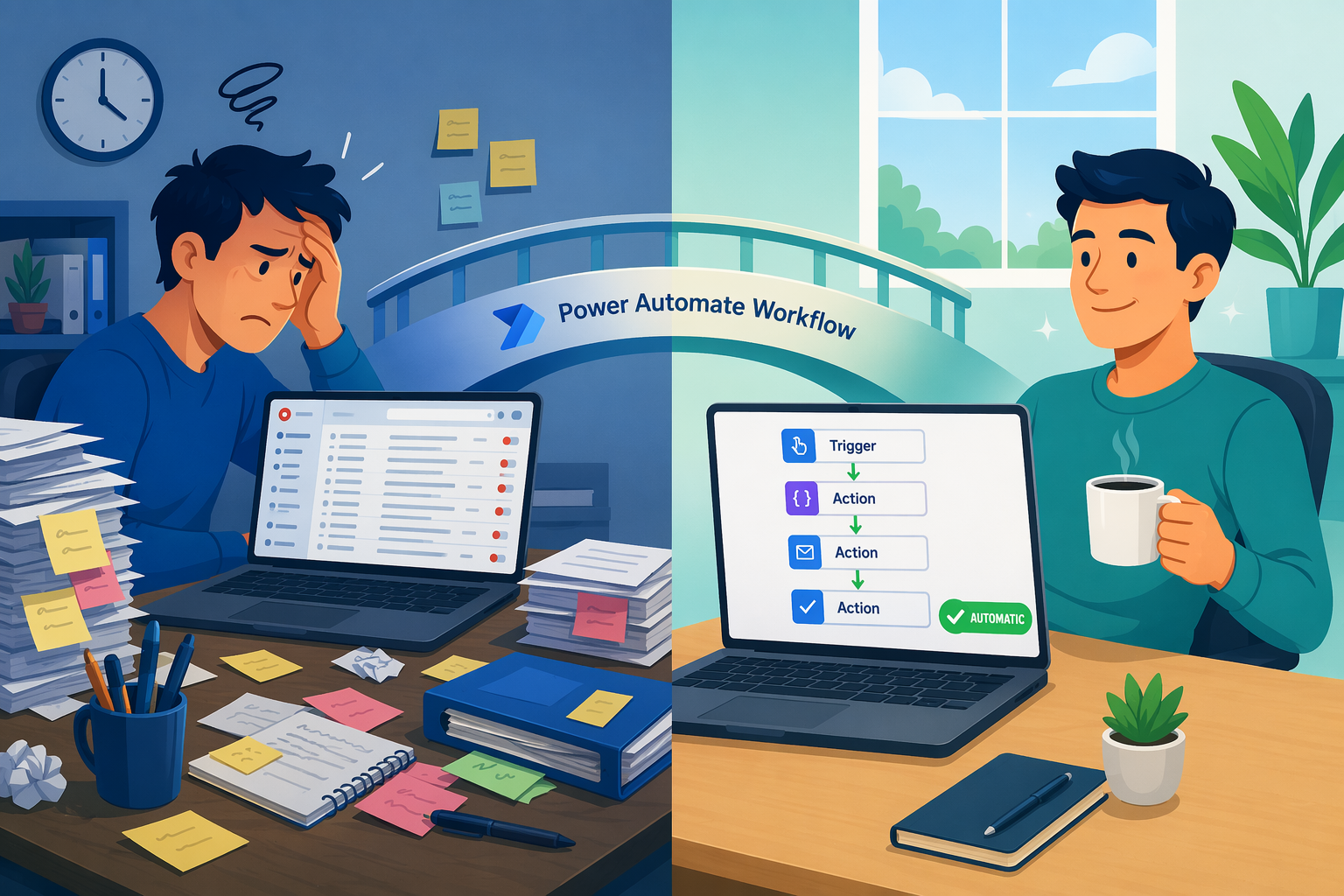
The Real Cost of Manual Processes — and Why Automation Wins
Every business runs on repetitive tasks: approving expense reports, onboarding new hires, processing incoming data files, routing support tickets. When these tasks are handled manually, they consume an outsized share of your team's working hours. Cornerstone Dynamics estimates that knowledge workers spend up to 80% of their day on low-value, repetitive activities — the kind of work that feels urgent but never moves the needle on strategic goals.
The financial toll is just as stark. A Gartner study cited in industry analysis calculates that human data entry errors in finance alone add roughly 25,000 hours of avoidable rework per year, costing organizations approximately $878,000 annually. Those are not hypothetical numbers — they represent real budget lines lost to correction cycles, missed deadlines, and compliance risks.
Microsoft Power Automate directly addresses this waste. By connecting your existing apps — Microsoft 365, Teams, SharePoint, Salesforce, and hundreds of others — into automated workflows, you can eliminate the manual handoffs that slow down every department. McKinsey research found that automating 50–75% of workflows can yield 20–35% annual run-rate cost efficiencies and reduce straight-through process time by 50–60%.
Quick-Reference Table: 10 High-Impact Power Automate Workflows
The table below summarizes each workflow, the team or function it serves best, and the primary measurable outcome. Use it to identify which automation aligns with your most pressing bottleneck, then jump to the detailed section for the full breakdown.
| Workflow | Best For | Key Outcome |
|---|---|---|
| Automated Approvals (Leave, Expenses, Invoices) | Finance, HR, Operations | Processing time reduced up to 75–83%; zero formatting errors |
| New Employee Onboarding | HR, IT, Management | Faster time-to-productivity; 25% of companies already use HR automation |
| File Processing & Data Formatting | Finance, Data Ops | 83% reduction in processing time; eliminated manual formatting errors |
| CRM Lead Alerts & Follow-Ups | Sales, Marketing | Faster response times; reduced lead leakage |
| Scheduled KPI & Reporting Flows | Executives, Operations | 50–60% reduction in report generation time; always-current data |
| IT Helpdesk Ticket Routing & Categorization | IT Support | ~20% of tickets (password resets) automated; faster resolution |
| Contract & Document Expiry Alerts | Legal, Procurement | Reduced risk of auto-renewals and compliance lapses |
| Leave Calendar Sync Across Systems | HR, Distributed Teams | Real-time visibility without manual updates |
| Meeting Follow-Up & Action Tracking | All Teams | Improved accountability; fewer dropped action items |
| Customer Feedback Routing & Sentiment Analysis | Customer Support, Product | Faster routing to right team; 90% of consumers prioritize resolution |
1. Automated Approval Workflows (Leave, Expenses, Invoices)
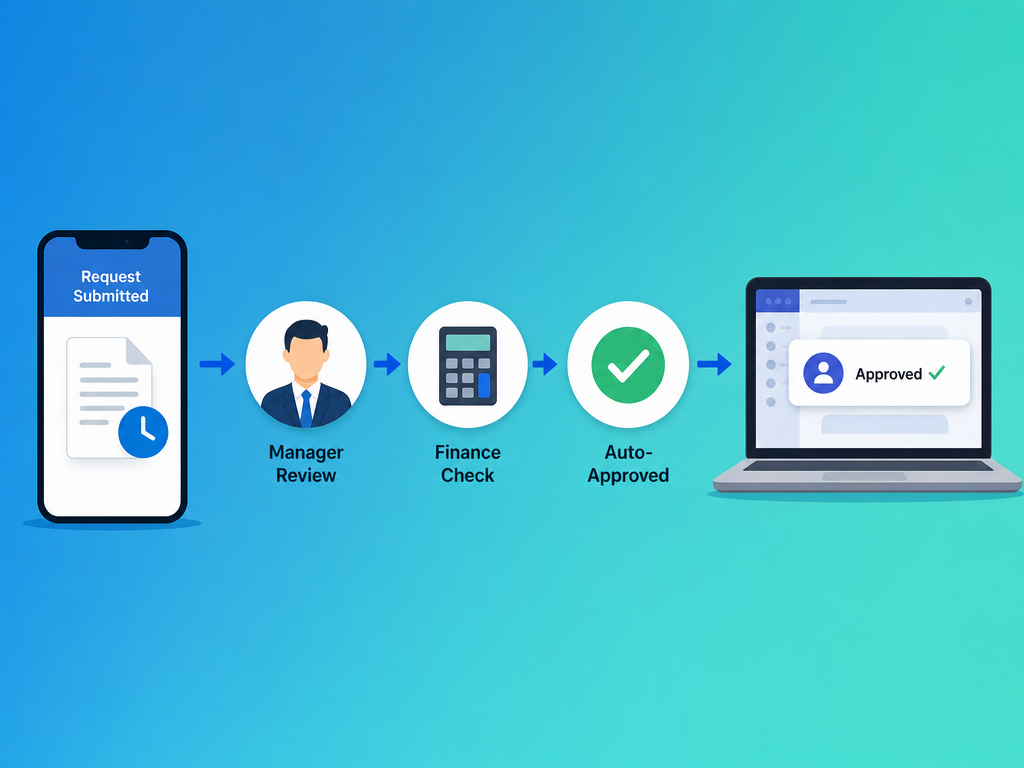
Approval processes are the classic automation candidate: they follow a predictable path, involve multiple stakeholders, and generate bottlenecks when someone forgets to forward a spreadsheet attachment. Power Automate can route approval requests through Microsoft Teams or Outlook with a single click, attaching the relevant document and tracking the entire chain.
The impact is immediate. According to Mysa, expense report automation alone reduces processing time by up to 75%. A real-world case from Synapx goes further: a financial services client automated an Excel-based file processing workflow and achieved an 83% reduction in processing time while eliminating formatting errors entirely. For finance and HR teams processing dozens or hundreds of requests per week, that translates to days of reclaimed time per month.
2. New Employee Onboarding Flows
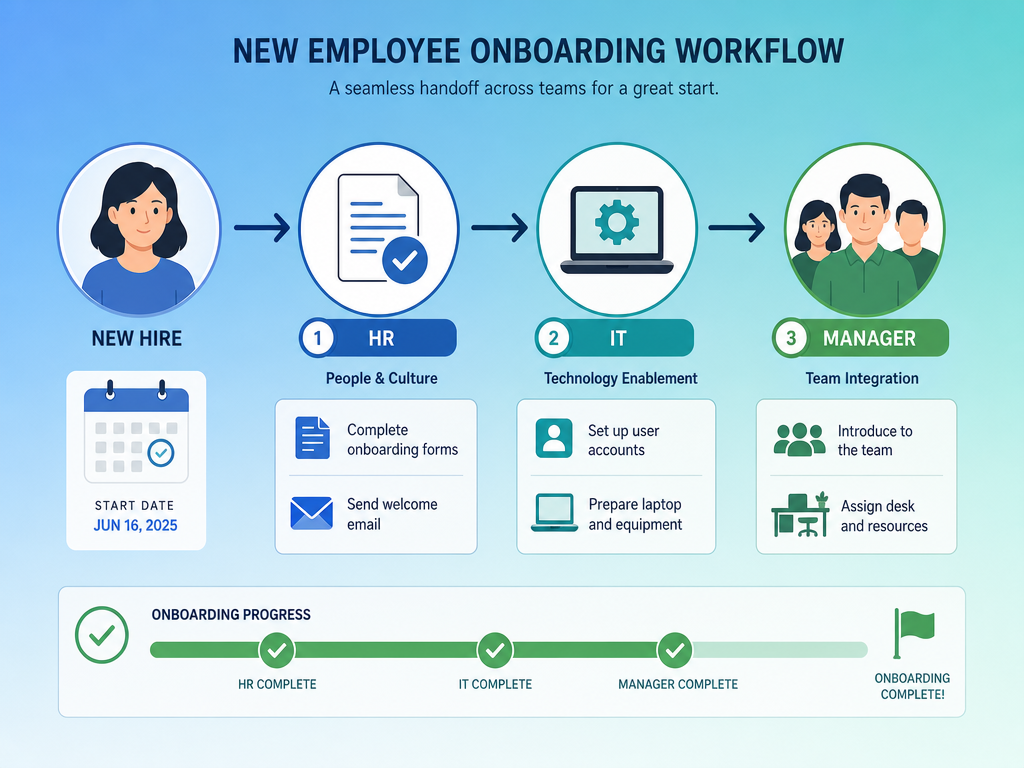
Onboarding a new hire involves HR, IT, facilities, and the hiring manager — often in a specific sequence that breaks down when someone misses a step. A Power Automate flow can orchestrate the entire sequence: trigger when a new employee record is created in your HR system, then provision accounts, assign licenses, send welcome emails, create tasks for laptop setup, and notify the manager to schedule the first week's meetings.
SHRM research indicates that 25% of companies already use HR automation, primarily for recruitment and hiring. The remaining 75% are still managing onboarding through email chains and spreadsheets — a model that is both error-prone and difficult to scale. Automating this flow ensures every new hire has a consistent experience and reaches full productivity faster, regardless of which department processes their paperwork.
- Trigger: New employee record created in HR system (e.g., BambooHR, Workday, or a SharePoint list)
- Actions: Create user accounts in Microsoft 365, assign licenses, send welcome email with login instructions
- Parallel tasks: Notify IT to prepare laptop, notify manager to assign workspace and schedule orientation
- Completion: Log onboarding status and send a summary to the HR team
3. File Processing and Data Formatting
Many businesses still receive data as emailed Excel or CSV files that must be manually cleaned, reformatted, and uploaded into a system. This is tedious, slow, and prone to the kind of errors that Gartner's $878,000 figure highlights.
Power Automate can monitor a folder or email inbox, parse incoming files, apply formatting rules, and route the cleaned data to its destination — whether that is a SharePoint list, a Dataverse table, or a SQL database. The Synapx client case is instructive here: a financial services firm automated an Excel workflow that previously required manual formatting and validation. The result was an 83% reduction in processing time and zero formatting errors. For any team that handles regular data files, this is often the highest-ROI automation available.
4. CRM Lead Alerts and Follow-Ups
Sales teams live and die by response time. When a new lead enters your CRM — Salesforce, Dynamics 365, or HubSpot — every minute of delay increases the chance the prospect goes cold. A Power Automate flow can trigger the moment a lead is created: send an instant notification to the assigned sales rep via Teams or email, create a follow-up task in Planner or To Do, and log the interaction in the CRM.
This workflow typically requires a premium connector for the CRM platform, which means a Power Automate Premium license at $15.00/user/month (paid yearly). For a sales team of ten, that is $150/month — a fraction of the cost of a single lost deal caused by slow follow-up.
5. Scheduled KPI and Reporting Flows
Weekly and monthly reporting is one of those tasks that everyone agrees is important but nobody enjoys doing. It usually involves pulling data from multiple sources, formatting it into a presentation, and emailing it to stakeholders — a process that can consume half a day or more.
Power Automate can schedule the entire pipeline: query data from your source systems, push it into Power BI for visualization, and distribute the report as a PDF or live dashboard link to a Teams channel or email distribution list. McKinsey's finding that automation can reduce straight-through process time by 50–60% applies directly here. The result is that decision-makers receive current data on schedule, and the person who used to build the report can focus on analysis instead of formatting.
6. IT Helpdesk Ticket Routing and Categorization
IT support teams are often buried in repetitive requests. Forrester concluded that approximately 20% of all support tickets are password-related — a category that can be fully automated with a self-service password reset flow. Beyond passwords, Power Automate can read incoming tickets, categorize them by keywords (e.g., "printer," "VPN," "software install"), and route them to the appropriate team or queue without human intervention.
This frees IT staff to focus on higher-value work: system improvements, security monitoring, and complex troubleshooting. Even a 20% reduction in ticket volume through automation can significantly reduce resolution times and improve team morale.
7. Contract and Document Expiry Alerts
Contracts, service agreements, and compliance documents have expiration dates that are easy to miss when managed in a shared folder or spreadsheet. Missing a renewal deadline can mean automatic renewal at unfavorable terms, or worse, a lapse in coverage.
A Power Automate flow can monitor a SharePoint list or Dataverse table containing contract records. When a contract is within 30, 14, or 7 days of expiry, the flow sends a proactive alert to the responsible stakeholder via email or Teams. This is a low-effort automation — it requires only a scheduled trigger and a conditional check — but it eliminates a significant source of operational risk.
8. Leave Calendar Sync Across Systems
Distributed teams often use different tools for leave management — Timetastic, BambooHR, or simple Excel sheets — while the rest of the organization relies on Outlook calendars or SharePoint for visibility. Manually syncing this data is a recurring chore that inevitably falls behind.
The Synapx case study describes a flow that integrates leave data from Timetastic into SharePoint and Dataverse using HTTP connectors, achieving real-time visibility without manual updates. Once the data is in Dataverse, it can be surfaced in Power BI dashboards, Teams tabs, or custom apps. For HR teams managing dozens of employees across multiple locations, this automation eliminates a weekly administrative burden.
9. Meeting Follow-Up and Action Tracking
Meetings generate action items. Without a systematic way to capture and assign them, those items get lost in email threads or buried in meeting notes that nobody reopens. A Power Automate flow can listen for meeting notes saved to a specific location (e.g., a SharePoint folder or OneNote section), parse the content for action items, and create tasks in Microsoft Planner or To Do assigned to the responsible person.
This workflow is particularly effective when combined with Microsoft Teams meeting recordings and transcripts. The flow can run after a meeting ends, extract key decisions from the transcript, and post a summary with assigned owners to the meeting's Teams channel. The outcome is clear accountability and fewer dropped follow-ups.
10. Customer Feedback Routing and Sentiment Analysis
Customer feedback arrives through multiple channels — email, support forms, social media, app store reviews — and the faster it reaches the right team, the faster you can act on it. KPMG research found that 90% of consumers regard resolution as their most important customer service issue. Speed of resolution is a direct driver of satisfaction and retention.
Power Automate can centralize feedback collection by monitoring a shared mailbox or form submission database. Using AI Builder's sentiment analysis model, the flow can classify each submission as positive, neutral, or negative. Negative feedback about a product defect routes to the product team; billing complaints route to finance; general praise routes to marketing for use in testimonials. This automated triage ensures that urgent issues are never buried in a general inbox.
What Makes a High-Impact Flow — and How to Get Started
Not every automation is worth building. The ten workflows above share three common traits that separate high-impact flows from low-value experiments:
- Solves a real bottleneck. The process is slow, error-prone, or consumes disproportionate staff time. If a task takes five minutes once a month, automating it is unlikely to move the needle.
- Runs reliably. The flow uses stable triggers and well-defined conditions. Flows that require frequent manual intervention or handle too many edge cases become maintenance burdens.
- Scales across teams. A flow built for one department can often be adapted for others. An approval flow for HR leave requests can be copied for finance expense approvals with minimal changes.
If you are evaluating where to start, pick the single process that wastes the most time today. Map it out: what triggers it, who touches it, where does the data go? Then build a minimal flow that handles the most common path — you can add edge cases later. Microsoft offers a free 30-day trial for cloud flows with standard connectors, which is enough to prototype any of the workflows described above.
Comments
Join the discussion with an anonymous comment.