
The first question with the Samsung Z Fold 8 for note taking and productivity is not whether the inner screen is big enough. It is whether your notes require a pen. If they do, the Fold 8 has a hard stop built into the hardware: Samsung removed the S Pen digitizer layer, and multiple hands-on reports confirm there is no official S Pen support on either the Galaxy Z Fold 8 or Z Fold 8 Ultra.[1][2][3]
That one decision changes the whole category of the device. The Fold 8 can still be a serious portable work surface for typed notes, dictated meetings, AI summaries, PDF translation, split-screen research, and quick document capture. It just should not be treated as a Note-line replacement for handwriting-heavy study or annotation.
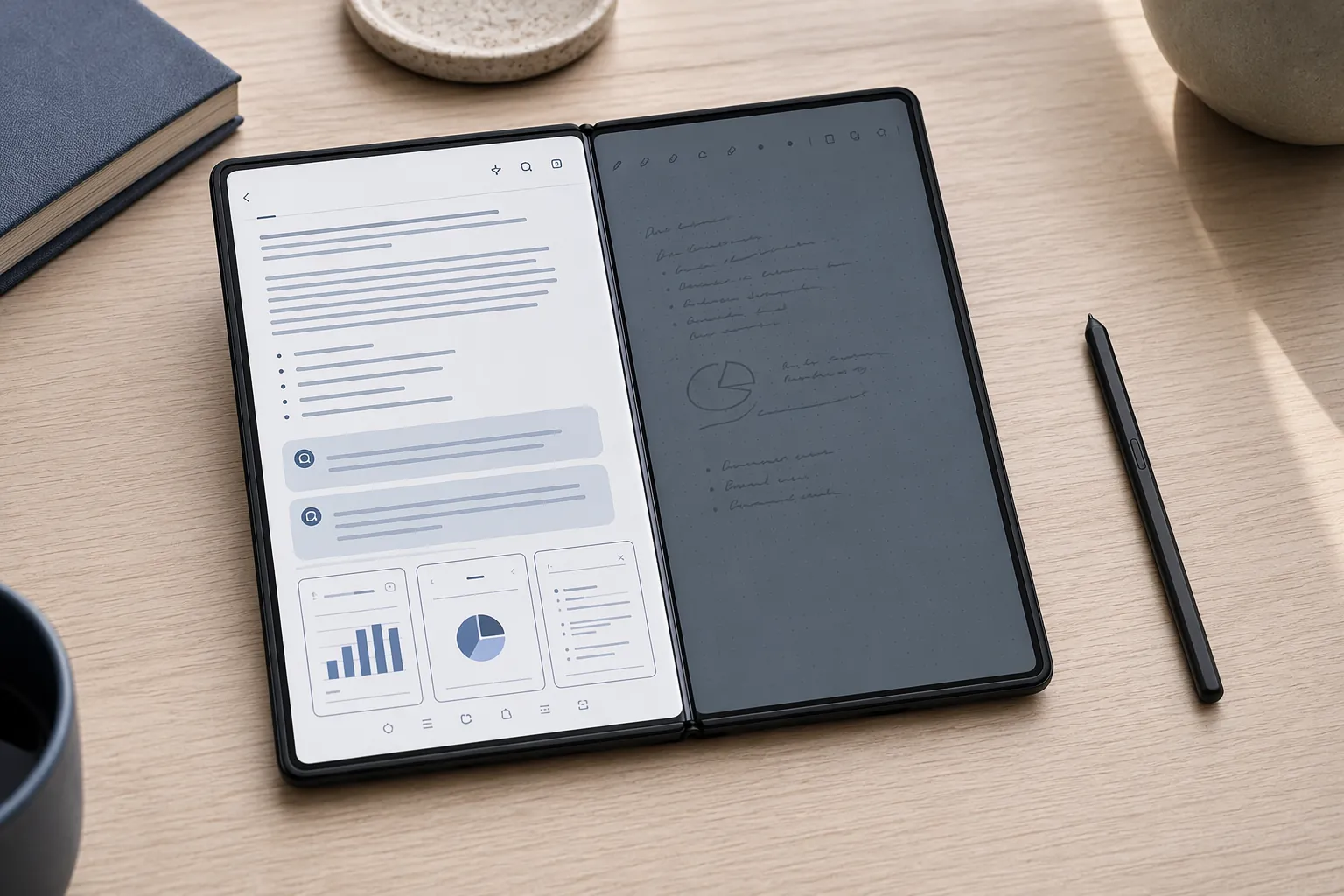
The S Pen Gap Is Confirmed, Not a Rumor
The Fold 8 does not merely ship without a bundled stylus. It lacks the digitizer layer that previous pen-capable devices used for precise S Pen input. Samsung senior product manager Peter Park told PCMag that usage data was too low to keep the feature, while Samsung MX executive director Kang Min-seok said the company is waiting for more consumer demand before bringing it back.[3][2]
That explanation may make product-planning sense, but it lands badly for the people who actually built their workflow around the pen. Low usage can still describe a high-commitment minority: students who mark up lecture PDFs, consultants who annotate decks on flights, researchers who live in margins, and anyone who expects a foldable Samsung flagship to preserve the practical inheritance of the Note line.
The missing layer also removes more than handwriting comfort. S Pen-gated functions such as handwriting-to-text, handwriting cleanup, screen-off memo, and air gestures are not available on the Fold 8. Finger input remains possible for basic marks, but that is not the same thing as palm-rejected, precise pen work.
There is also no verified escape hatch through third-party styluses. The Motorola Razr Fold is the relevant pressure point here because Android Authority found that its USI 2.0 Smart Pen provides hover cursor behavior, app integration, and palm rejection without a traditional digitizer layer.[2] That proves another foldable maker is taking the pen problem seriously. It does not prove the Fold 8 will behave well with a third-party stylus, because the tested evidence for that specific workaround is not available.
Where the Fold 8 Still Works as a Note Device
If your note system is typed, dictated, summarized, translated, or assembled from multiple apps, the Fold 8 becomes much more interesting. Samsung Notes is not being weakened as a typed-notes app. The Galaxy AI Note Assist feature set includes auto format, summarization, spell check, translation, math solver, and voice transcription, with Samsung support documents listing Android 14 / One UI 6.1 as the minimum software requirement.[4][5] The Fold 8 ships with Android 17 and One UI 9, so the software baseline is not the limiting factor.
There is a practical character limit to remember: Samsung’s support material lists a 200-to-4,000-character range requirement for supported Note Assist processing.[4][5] That matters in real note hygiene. A short meeting fragment may need expansion before it can be summarized usefully, and a long transcript may need to be broken into workable sections. This is not a reason to dismiss the feature; it is the sort of boundary that determines whether AI cleanup becomes part of a weekly routine or just a demo.
For typed meetings, the strongest Fold 8 workflow is straightforward: open Samsung Notes, type or dictate the raw capture, use transcription when voice is the better input, then clean the result with Note Assist. Sticky Memo, Gemini Notebook integration, PDF import, and PDF translation are also confirmed available in the Samsung Notes and Galaxy AI environment described in the support materials and hands-on coverage.[4][5]
That gives the Fold 8 a credible meeting-to-reading workflow. A project manager can keep a call transcript in one pane, a task list in another, and a reference document nearby. A student who types lecture notes can summarize, reformat, and translate material without moving to a tablet. A researcher can import a PDF and work through translation or typed marginal notes. None of that requires the S Pen layer.
The boundary is equally clear. If the same student expects to write equations by hand, draw diagrams quickly, or mark text with pen-level precision, the Fold 8 is the wrong tool to assume will be “basically fine.” The supported AI note features are real. They do not replace the missing handwriting pipeline.
The Inner Display Is the Reason This Is Still a Productivity Story
The Fold 8’s best argument is the open device. The standard Fold 8 has a 7.6-inch inner display with a 4:3 shape and measures 6.35 inches wide when open, making it wider than the Fold 8 Ultra’s 5.64-inch measurement in PCMag’s testing.[3] That width is not cosmetic. It is what makes the device feel less like a stretched phone and more like a compact reading desk.
Gadget Hacks and Android Authority both confirmed on review units that the standard Fold 8 supports a 90:10 three-app split-screen mode, where two apps share most of the screen while a third remains visible in a narrow strip.[6][2] They also confirmed a three-column vertical layout on the standard Fold 8 that the more expensive Fold 8 Ultra cannot replicate.[6][2]
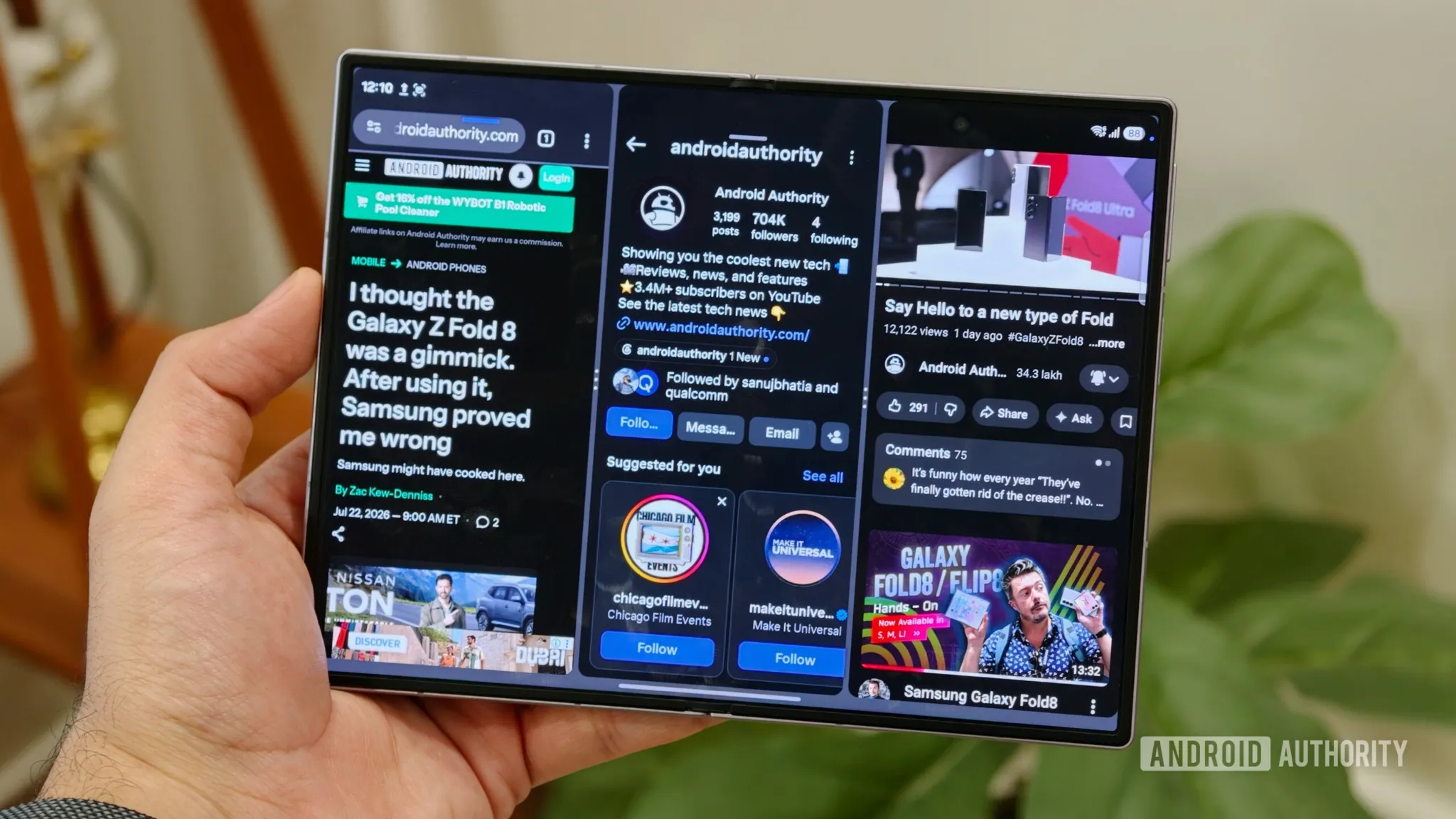
This is where the Fold 8 has a workflow advantage that a slab phone cannot fake. A research session can keep a browser or PDF large, leave Samsung Notes beside it, and keep chat, calendar, or a reference app alive in the small pane. The third app does not need to be comfortable for long reading; it only needs to stay visible enough that switching stops interrupting the work.
| Workflow | Fold 8 Fit | Reason |
|---|---|---|
| Typed meeting notes | Strong | Samsung Notes, voice transcription, formatting, summaries, and split-screen reference work are supported. |
| PDF reading and translation | Strong for typed workflows | PDF import and translation are available, and the wider inner display gives documents more usable room. |
| Handwritten lecture notes | Weak | No S Pen digitizer means no official precision pen workflow. |
| Hand-marked PDF annotation | Weak to uncertain | Finger markup is possible, but third-party stylus behavior is not verified for the Fold 8. |
| Cross-app research | Strong | 90:10 three-app split-screen and three-column layout reduce app switching. |
The 4:3 panel also changes how documents feel. A narrow foldable can make multitasking technically possible while still forcing constant zooming and scrolling. The Fold 8’s extra width gives typed notes, browser pages, and document panes enough breathing room that the device has a better chance of surviving a full work session instead of becoming a clever five-minute demo.
The App Question: Samsung Notes First, Everything Else Carefully
Samsung Notes is the safest default on the Fold 8 because it is where Samsung’s own AI features, PDF handling, sync path, and foldable optimization come together. It syncs through Samsung Cloud, which is useful if the rest of your devices are already inside Samsung’s ecosystem. If your notes need to move across Windows, iPadOS, macOS, and Android, OneNote remains the more obvious cross-platform choice, though the research material here does not support a claim that OneNote is better optimized for the Fold 8 specifically.
Goodnotes deserves a warning label. Its Android version is in beta, and the published requirement is an 8-inch screen or larger.[7] The Fold 8’s inner display is 7.6 inches. No reviewed source in the research set independently verified Goodnotes compatibility on the Fold 8, so anyone buying this device for Goodnotes should treat support as unconfirmed rather than assumed.
For PDF annotation, Xodo is the practical Android name to test alongside Samsung Notes. But here again, the input method matters. Typed comments, highlights, and basic finger markup are one thing. Long-form pen annotation is another. If your app decision depends on handwriting, compare the software side before buying hardware; FlowDesk’s guide to the best handwritten note-taking apps in 2026 is the more relevant next stop than another spec sheet.
There is a second app-economy issue: Samsung Notes is free, while some advanced alternatives on Android use paid tiers or platform-specific subscriptions. That does not make Samsung Notes automatically better, but it does affect the real cost of replacing a tablet setup. If you are weighing free Samsung Notes against paid stylus-focused alternatives, the app comparison in free vs. paid Android stylus notes is worth doing before you treat the Fold 8 as a clean migration.
Battery, Weight, and Capture Are Supporting Strengths
Battery is one of the areas where the Fold 8 looks meaningfully improved on paper and in early charging checks. It uses a 4,800mAh silicon-carbon cell with 45W wired charging and 20W wireless charging, up from the Fold 7’s 4,400mAh battery and 25W wired charging.[8][3] CNET reported a 0-to-63% charge in 30 minutes.[8]
That does not equal a tested full-day productivity guarantee. The available sources were hands-on previews rather than long-term reviews, and the device is not available until August 7, 2026.[8][3] Still, faster charging matters for a foldable work device because the failure mode is not just a dead phone. It is losing the reading pane, note pane, calendar, scanner, and meeting recorder at once.
The weight also helps the case. At 201g, the Fold 8 is reported as the lightest book-style foldable to date by PCMag and ZDNET.[3][9] That matters less at a desk and more during the awkward parts of real work: standing in a hallway after a meeting, reading on transit, or holding the device open while comparing two documents.
For document capture, the standard Fold 8 has dual 50MP cameras and no telephoto camera. CNET and PCMag found the cameras capable of readable document photos, while noting that the Ultra’s 200MP sensor is better suited to crop-zoom document capture.[8][3] That is enough for receipts, whiteboards, quick handouts, and reference pages. It is not a reason to buy the Fold 8 Ultra unless document zoom is unusually central to your work.
The Price Only Makes Sense for the Right Replacement
The Galaxy Z Fold 8 starts at $1,899.99 and comes in multiple RAM and storage tiers, with availability beginning August 7, 2026.[3][8] At that price, the honest comparison is not just another phone. It is the device stack you are trying to replace: phone plus tablet, phone plus small laptop, phone plus Galaxy Tab, or phone plus iPad and keyboard.
For a typed-note worker, the replacement argument can be coherent. One device can capture a meeting, summarize the transcript, keep a PDF open, run three-app multitasking, scan a document, and then fold back into a pocket. If that removes enough friction from your week, the price is at least attached to a real workflow.
For a pen-first worker, the price has the opposite problem. You would be paying flagship foldable money and then rebuilding the missing handwriting layer somewhere else. A used Galaxy Z Fold 6, a Galaxy S26 Ultra, a Galaxy Tab, an iPad, or the Motorola Razr Fold with its USI 2.0 Smart Pen may be a better fit depending on whether the priority is foldability, pen precision, or app continuity.[2]
Who Should Consider the Galaxy Z Fold 8 for Productivity
Consider the Fold 8 if your notes are mostly typed, dictated, summarized, translated, and cross-referenced across apps. The best fit is someone who wants one pocketable device to open into a compact research desk: Samsung Notes on one side, a document or browser beside it, and a third app staying visible just enough to reduce switching.
- Good fit: typed meeting notes, voice transcription, AI summaries, PDF reading, PDF translation, document scanning, and multi-app research.
- Risky fit: Goodnotes-centered workflows, because Android beta compatibility with the 7.6-inch Fold 8 display is unverified.
- Poor fit: handwritten lecture notes, precise PDF markup, screen-off memo habits, and pen-first study systems.
- Unproven workaround: third-party styluses, because no reviewed source confirmed native-quality behavior on the Fold 8.
The Fold 8 belongs in a serious productivity profiles category for people whose work has already moved toward keyboards, dictation, AI cleanup, and split-screen reference. It does not belong in the same category for people whose notes still depend on precise handwriting. That distinction is the buying decision.
References
- Galaxy Z Fold 8 S Pen coverage, Android Central
- Galaxy Z Fold 8 hands-on and Motorola Razr Fold USI 2.0 Smart Pen comparison testing, Android Authority
- Galaxy Z Fold 8 hands-on testing and Samsung S Pen removal comments, PCMag
- Use Note Assist on your Galaxy phone or tablet, Samsung Support, ANS10000941
- Use transcript assist and Galaxy AI features in Samsung Notes, Samsung Support, ANS10001384
- Galaxy Z Fold 8 three-way multitasking review-unit testing, Gadget Hacks, July 24, 2026
- Goodnotes for Android beta requirements, Goodnotes
- Galaxy Z Fold 8 battery, charging, and camera hands-on coverage, CNET
- Galaxy Z Fold 8 weight coverage, ZDNET