
A productivity system can look tidy and still make you feel worse. The calendar is color-coded, the task manager captures everything, the Pomodoro timer keeps you moving, and somehow the day ends with more dread than clarity. That contradiction is usually treated as a personal discipline problem. It is more often a design problem.
Mental health is not separate from productivity. The World Health Organization estimates that depression and anxiety cost the global economy US$1 trillion each year, largely through lost productivity, and notes that decent work can support recovery and inclusion when the workplace is safe and supportive.[1] Berkeley Executive Education summarizes U.S. data showing depression is associated with a 35% reduction in productivity and an annual economic burden of $210.5 billion.[2] Those numbers are blunt enough to cut through the soft-focus wellness language: when mental health is ignored, output suffers too.
The next uncomfortable fact is where responsibility sits. The U.S. Surgeon General’s workplace mental health framework cites Mind Share Partners research finding that 84% of respondents said at least one workplace factor negatively affected their mental health.[3][4] That does not mean every bad task list is an employer’s fault, or that a better personal system can fix clinical depression, unreasonable headcount, or a meeting culture that consumes the week. It does mean the answer cannot be “try harder inside the same machine.”
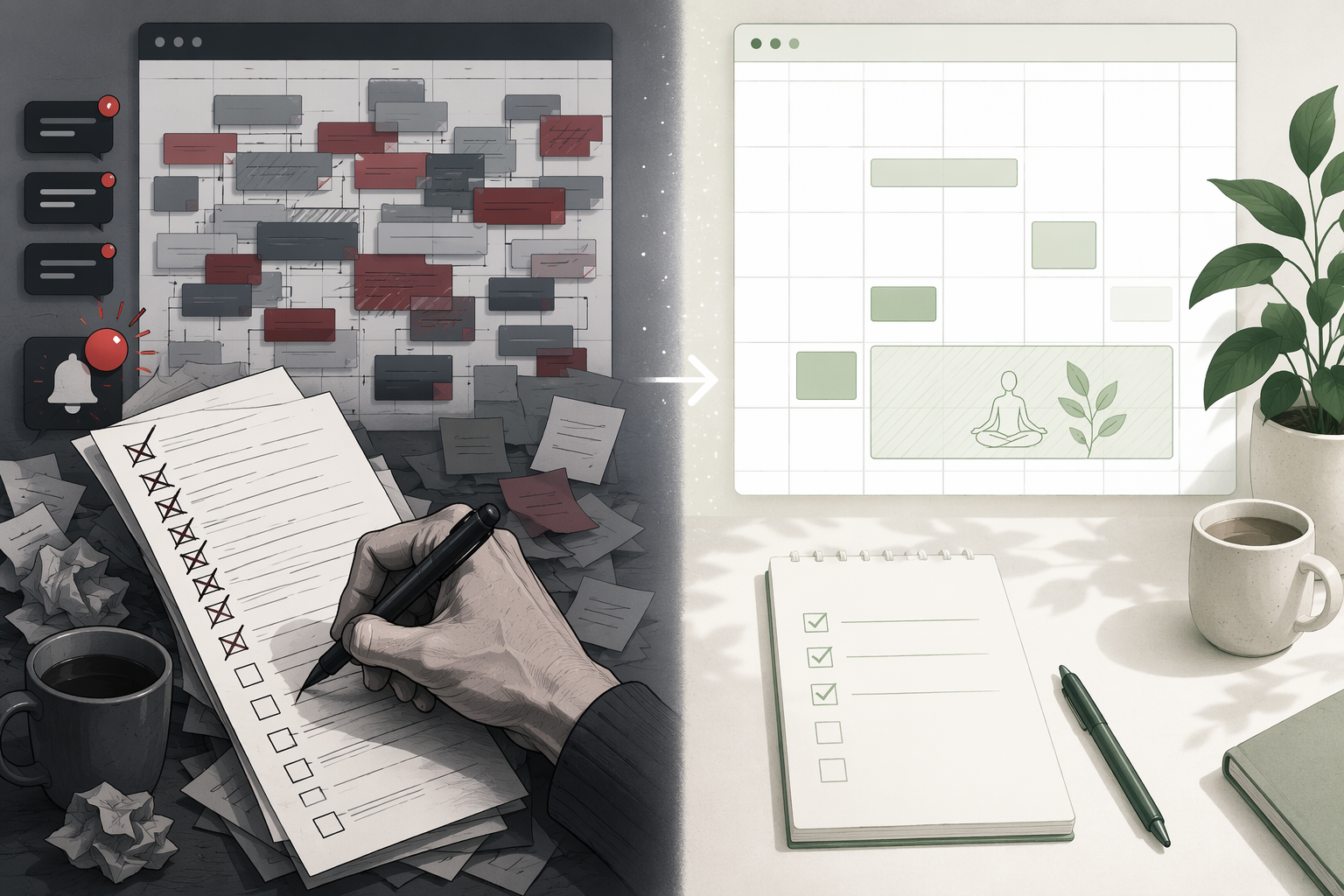
Most knowledge workers do not need to abandon structure. GTD, time-blocking, Pomodoro, PARA, task managers, focus apps, and calendar systems can all be useful when they protect attention instead of merely extracting more work from it. If you are still choosing among systems, a broader comparison such as Productivity Methods Face-Off or Which Personal Productivity System Actually Works? can help. Here, the question is narrower: how do you redesign the system you already have so it stops treating every captured task as a moral debt and every empty slot as available inventory?
The Test: What Does the System Protect?
An output-first system protects completion. It asks: did the task get done, did the block happen, did the streak continue? A mental-health-aware system still cares about completion, but it protects three things before it protects throughput: attention, recovery, and meaning.
The Surgeon General’s framework is useful because it translates that moral language into operational categories: Protection from Harm, Connection and Community, Work-Life Harmony, Mattering at Work, and Opportunity for Growth.[4] Those are not slogans for a poster. They are design constraints. If your task manager, calendar, and communication norms regularly violate them, the system will keep producing avoidable stress even when it helps you get things done.
There is also evidence for aiming productivity interventions at well-being instead of only performance. A 2021 meta-analysis by Aeon and colleagues found that time management interventions had stronger effects on well-being outcomes, such as life satisfaction, than on job performance.[5] That does not prove a calendar template will cure burnout. It does support a more practical point: when the constraint is human bandwidth, optimizing for well-being is not a retreat from productivity. It is often the more honest productivity design.
| Pressure point | What usually goes wrong | Redesign principle |
|---|---|---|
| Constant notifications | Every alert gets treated as equally eligible for attention | Protection from Harm through notification hygiene and boundaries |
| Over-scheduling | The calendar counts available time but not cognitive cost | Work-Life Harmony through calendar autonomy and realistic capacity |
| No recovery buffer | Finished tasks create more slots instead of decompression | Work-Life Harmony through protected recovery blocks |
| Relentless context-switching | The system rewards responsiveness over continuity | Connection and Community through asynchronous-first norms |
| Shame-laden task lists | Capture turns into accusation rather than trusted storage | Mattering at Work through aligned selection and shame-free review |
1. Constant Notifications: Stop Letting the System Reopen Your Attention
The most common notification mistake is not having too many apps. It is allowing every app to make a claim on the same mental channel. A Slack mention, a calendar reminder, a project-management update, a document comment, a personal message, and a software alert may represent completely different levels of urgency, but they often arrive with the same visual and emotional weight.
In the Surgeon General’s language, this is a Protection from Harm issue.[4] Harm does not only mean a dramatic crisis. It can mean a work environment where the nervous system is repeatedly pulled into vigilance because the system never distinguishes “needs action now” from “was updated somewhere.”
Redesign the notification layer before you redesign the task list. Otherwise, the task list becomes a cleanup crew for interruptions you never needed to receive in real time.
- Keep real-time alerts only for channels where delay creates meaningful harm: urgent client escalation, production incident, family emergency, or a manager-approved on-call path.
- Batch everything else into review windows: project updates, FYI comments, newsletters, automated reports, and non-urgent mentions.
- Separate capture from interruption. A task can enter your system without appearing as a banner, badge, sound, and email duplicate.
- Use status messages and communication norms to tell people when you check messages, not just when you are unavailable.
If your work depends on focus software, choose the tool by the interruption pattern it solves, not by the number of features. A guide such as Which Focus App Fixes Your Actual Problem? is useful only after you have named the real problem: impulse checking, team interruptions, app switching, or lack of shutdown boundaries.
2. Over-Scheduling: A Full Calendar Is Not a Capacity Plan
Time-blocking fails mental health when it mistakes empty space for usable capacity. A blank 30 minutes between two meetings looks available from the outside. From the inside, it may be the only time to process a hard conversation, answer a dependent question, prepare for the next call, or simply stop carrying one meeting into another.
This is where otherwise solid productivity advice becomes brittle. Time-blocking can be excellent for reducing ambiguity. Pomodoro can help people begin work they are avoiding. GTD can relieve the strain of holding commitments in memory. The trouble starts when these methods are configured as if the worker’s only scarce resource is minutes.
A mental-health-aware calendar records three forms of load: scheduled time, attention demand, and transition cost. You do not need a complicated scoring model. You need a calendar that stops pretending six hours of meetings plus two hours of deep work equals an eight-hour day.
- Mark high-cognitive-load work differently from shallow administration so you can see when a day is mentally full before it is chronologically full.
- Cap the number of major work blocks you plan before you assign times. If the task list already exceeds the day, the calendar should not be forced to lie.
- Treat meeting preparation and follow-up as part of the meeting, not as invisible labor that will somehow fit around it.
- Use tentative holds for desired work, but convert only the work you can realistically defend from interruption.
The Work-Life Harmony element of the Surgeon General’s framework includes autonomy and flexibility as part of a healthier work design.[4] On a personal calendar, autonomy starts with refusing to schedule every breathable gap away. For more tactical time-blocking patterns, 10 Time-Blocking Techniques to Boost Your Daily Productivity can help, but the important adjustment is this: recovery and transition time must appear on the calendar before overflow work does.
3. No Recovery Buffer: Build the Pause Into the System, Not Your Willpower
People often know they need recovery. They fail to take it because their system has no place for it. The calendar fills from the edges inward. The task manager rewards adding and completing. The review ritual asks what is next, not what has been carried too long. By Thursday, the only “recovery plan” is to collapse after the work is done, assuming it ever feels done.

A recovery buffer is not a decorative wellness block added after the important work. It is part of the work system’s load management. Without it, every delay, emotional conversation, technical snag, or late handoff gets paid for by the same account: your evening, your sleep, or tomorrow’s focus.
Start by adding recovery at the seams, not by trying to create an ideal calm day.
- After high-stakes meetings, leave a short unscheduled buffer for notes, emotional decompression, and next-action capture.
- After deep work, leave room for closure: save the state, write the next starting point, and clear any temporary materials.
- Before the end of the workday, reserve a shutdown block that decides what moves, what drops, and what truly needs attention tomorrow.
- After a deadline push, reduce planned cognitive load rather than letting the calendar immediately refill to its normal density.
The shutdown block deserves special protection because it prevents a common form of after-hours remedial work: reopening the laptop after dinner to find out what the day broke. A good shutdown block is not a second workday in miniature. It has a narrow job: capture loose ends, choose tomorrow’s first real action, and close open loops enough that the mind is not left monitoring them all night.
This is also where individual control has limits. If meetings are scheduled back-to-back by default across the organization, or if urgent work is routinely assigned after hours, one person’s buffer will be fragile. You can protect local seams; leadership has to change the load-bearing norms.
4. Relentless Context-Switching: Make Responsiveness Less Expensive
Context-switching is not just a focus problem. It is often a coordination problem disguised as personal distraction. If every handoff requires a live clarification, every decision happens in chat, and every request arrives without priority or deadline context, the worker becomes the integration layer.
The Surgeon General’s framework includes Connection and Community, but healthy connection is not the same as constant availability.[4] In a functioning remote or hybrid system, people should be able to understand the work without repeatedly interrupting the person doing it.
The redesign is to make asynchronous work more complete. That means requests arrive with enough information to be handled later, not enough ambiguity to force an immediate exchange.
- Require a deadline, desired outcome, and decision owner for new requests.
- Use project updates that state what changed, who is blocked, and what needs a response.
- Create office-hour windows for recurring questions instead of allowing small interruptions to scatter across the day.
- Move durable decisions out of chat and into the project record so the same question does not keep returning.
Pomodoro can still be useful here, especially for starting bounded work or protecting a short sprint. The problem is using a timer to fight a communication system that keeps reopening the door. If you want a closer look at when the method helps and when it does not, see Pomodoro Technique Explained: What the Science Says. The timer protects a work interval; the team norm protects whether that interval can exist.
5. Shame-Laden Task Lists: Capture Without Turning Everything Into Debt
A trusted task system is supposed to relieve mental load. It becomes harmful when it stores every idea, obligation, someday wish, delegated dependency, stale task, and vague intention in the same emotional register. Then opening the list feels less like checking a map and more like standing in front of a jury.
This is the tension point where Mattering at Work matters most.[4] A task list should help you select work that is aligned with role, consequence, and actual capacity. It should not imply that anything captured has become a promise.
The fix is not to capture less because you are afraid of the list. Capture is still useful. The fix is to separate storage from commitment.
| List type | What belongs there | How to review it |
|---|---|---|
| Committed | Work you have agreed to deliver or maintain | Review daily and schedule only what fits real capacity |
| Candidate | Useful work that may matter but has not been accepted yet | Review during planning, then accept, defer, delegate, or delete |
| Waiting | Work blocked by another person, decision, or dependency | Review for follow-up timing, not self-blame |
| Someday | Ideas, improvements, and optional projects | Review lightly and infrequently; do not mix with current obligations |
The weekly review should include deletion as a normal action, not an admission of failure. Some tasks expire. Some were never yours. Some were placeholders for anxiety. Some were good ideas in a different season of work. If your system has no graceful way to remove them, it will keep converting old context into fresh guilt.
A shame-free review asks practical questions: What still matters? What has a real consequence? What did I agree to? What needs renegotiation? What is merely noise preserved by software? If tool sprawl is part of the problem, a simpler setup such as The Essential Digital Minimalism Productivity Setup may help, but the emotional rule is more important than the app: a captured item is information until you consciously make it a commitment.
A Practical Redesign Sequence
Do not rebuild everything at once. A full productivity overhaul can become another way to procrastinate while feeling responsible. Use one week to change the pressure points in order of damage.
- Audit alerts for one workday. Turn off or batch anything that does not require real-time action.
- Look at the next five workdays and mark high-cognitive-load blocks. Reduce the plan where the day is mentally full, even if it is not visually full.
- Add recovery seams after the most demanding meetings and before shutdown. Protect those blocks before adding overflow tasks.
- Choose one recurring communication pattern that causes context-switching and redesign the request format or response window.
- Split your task list into committed, candidate, waiting, and someday. Delete or renegotiate items that no longer belong.
If you use time management software, judge it by whether it makes these boundaries easier to maintain. A tool that produces more charts while increasing guilt is not helping. For selection criteria, Time Management Software: Does It Help and How to Choose is a better next stop than another round of app hopping.
Where the Personal System Ends
A better task manager cannot compensate for chronic understaffing. A cleaner calendar cannot make an impossible deadline reasonable. Notification hygiene cannot fix a workplace where every delay is treated as personal failure. The 2025 Mental Health at Work Report found that employees at companies supporting mental health were twice as likely to report no burnout or depression, and that work-life harmony and flexibility ranked above benefits among what employees said would help most.[3] Those are organizational levers, not just personal habits.
Still, the personal system matters because it is where many workers experience the daily consequences of larger conditions. It decides whether unfinished work is clarified or merely carried. It decides whether recovery is planned or stolen. It decides whether attention is protected or continuously reopened. It decides whether a task list helps you choose or teaches you to feel behind.
This advice is for workflow design, not mental health treatment. If symptoms of depression, anxiety, burnout, or distress are persistent or severe, professional care and workplace support matter beyond any productivity adjustment. The system can reduce avoidable friction; it should not be asked to do clinical work.
A mental-health-aware productivity system does not abandon ambition. It changes what ambition is allowed to consume. The goal is still to do meaningful work reliably. The difference is that the system protects attention, recovery, and mattering first, so output becomes sustainable rather than extracted.
References
- Mental health at work — WHO, 2024
- The Impacts of Poor Mental Health in Business — Berkeley Exec Ed
- 2025 Mental Health at Work Report — Mind Share Partners / Qualtrics, 2025
- Workplace Mental Health & Well-Being — U.S. Surgeon General
- Effects of time management interventions on mental health — PMC / PLOS ONE
Comments
Join the discussion with an anonymous comment.