
If you are already keeping concert ideas, restaurant notes, travel windows, and recurring purchases in one place, tracking last minute event ticket prices in a note app sounds sensible. Add the artist, venue, date, target price, and a few links. Check the note when the show gets close. Buy if the number looks good.
The problem is that the best last-minute ticket price is not usually waiting politely inside your database. FinanceBuzz analyzed 22,340 resale transactions and found that day-of tickets cost 33% less than average, while only 7% of purchases happened in that window.[1] That gap is the whole issue. The discount may exist, and it may be meaningful at a time when CNBC reports average concert ticket prices at $136 in 2026 after a 50% rise since 2019.[2] But most people are not ready to act when the price appears.
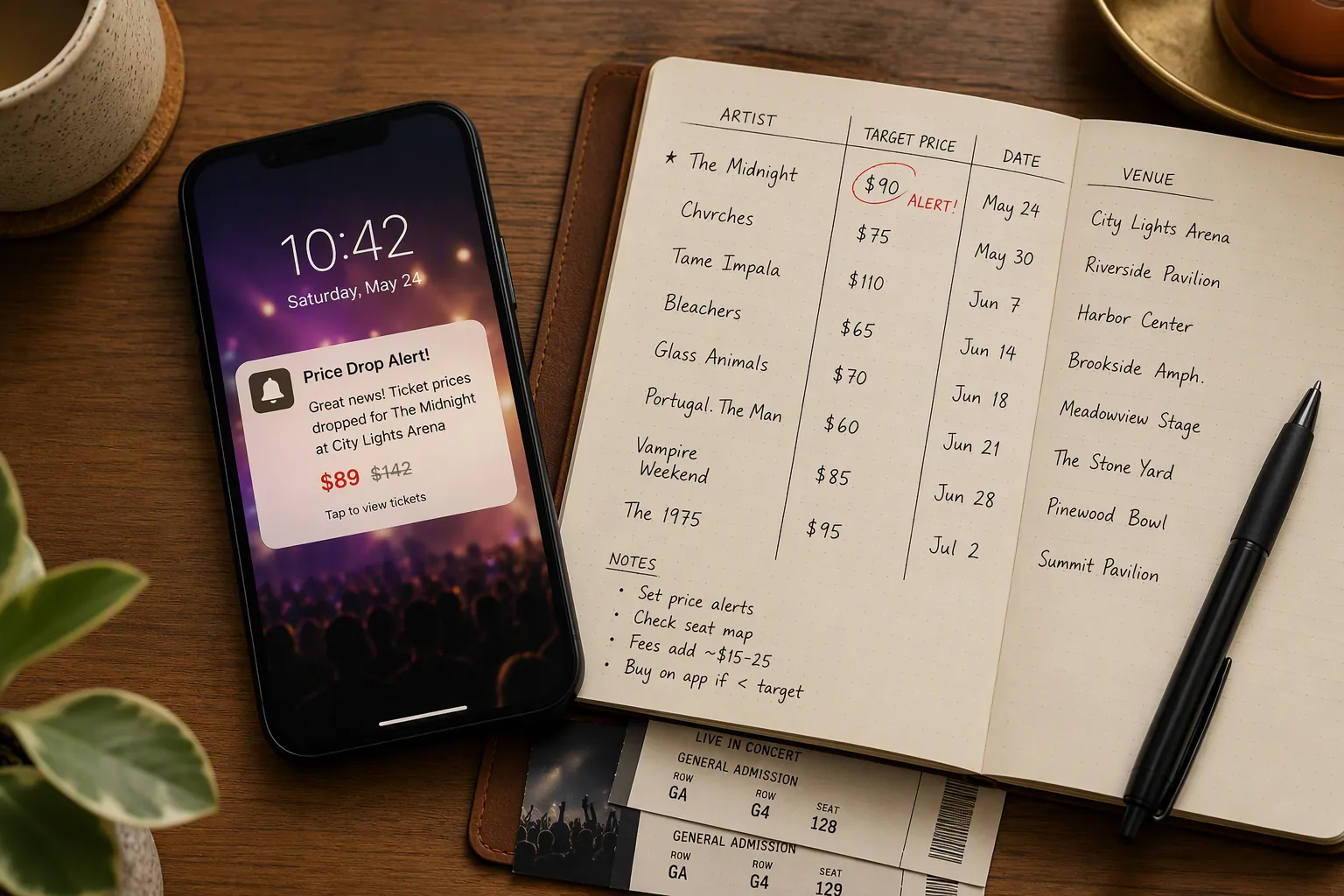
That is why the useful answer is not “use Notion” or “use a ticket app.” The useful answer is to separate the job into two parts. Live monitoring belongs to a tool that can watch the market and interrupt you. Memory belongs to the note app.
The Buying Window Is Too Short for a Static Note
SeatGeek identifies the 2–3 hours before event start as an important last-minute ticket window.[3] That is a narrow, mobile, slightly inconvenient stretch of time. You might be commuting, finishing work, meeting friends, or already near the venue. A note app can remind you that you wanted to check prices, but it does not natively poll resale listings, compare current offers against your threshold, and push the specific drop to your phone.
This distinction matters more than the beauty of the template. A lovely concert dashboard still asks you to open it. Last-minute buying asks something harsher: did the alert arrive in the two minutes when you could actually buy?
Dedicated tools are built around that interruption. Event Spy describes marketplace monitoring with price-drop alerts across multiple ticket sites.[4] Distill.io supports condition-based monitoring, including thresholds such as being alerted when an event ticket page changes or when a price condition is met.[5] SeatGeek’s Deal Score adds a different kind of signal by helping distinguish better-value listings from weaker ones on its marketplace.[6]
Those are not note-taking features. They are monitoring features. Trying to recreate them inside a note app usually means you are either doing manual refreshes or building a fragile automation stack around the note app. Neither is the same as having the ticket market watched for you.
What the Alert Tool Should Watch
Before choosing a tool, decide what signal would make you act. “Tell me if tickets get cheaper” is too vague when you are one notification away from spending real money. A useful alert usually watches one of four things:
- Price drop: the same event falls meaningfully from its recent observed range.
- Threshold: the all-in price drops below the maximum you already decided you would pay.
- Marketplace change: a new listing, section, or quantity appears where you are willing to sit.
- Bargain-quality signal: the platform flags a listing as a stronger value than nearby alternatives.
Those signals lead to different tools. If you mostly buy on SeatGeek, native SeatGeek alerts and Deal Score may be enough. If you want to watch several marketplaces, a dedicated tracker such as Event Spy is closer to the job. If you need a page-level condition on a specific ticket listing or event page, a web monitor such as Distill.io may fit better.
The alert layer should be deliberately small. One event, one target, one or two marketplaces, and push notifications turned on. If you create ten overlapping alerts, the system becomes background noise. If you create one alert tied to a price you would actually accept, the decision is mostly made before your phone buzzes.
| Buying Situation | Better Live-Monitoring Tool | Why |
|---|---|---|
| You already prefer one marketplace | Native marketplace alerts | Fewer accounts, fewer duplicate notifications, faster purchase path |
| You compare resale sites | Multi-marketplace ticket tracker | The tool watches more places than you will manually refresh |
| You have a strict maximum price | Threshold-based web monitor | The alert fires only when the number meets your rule |
| You need help judging whether a listing is actually good | Marketplace value score | The signal includes listing quality, not just a lower price |
Where the Note App Still Wins
The note app is not useless here. It is just not the watcher. Its strength is remembering the reasoning that a ticket app does not care about: why you chose a target price, which venues you avoid, whether balcony seats were fine last time, whether fees changed your opinion, and which friend always says yes too late.
This is where Notion, Obsidian, Apple Notes, Logseq, or a plain spreadsheet-like note can beat a ticket app. Ticket tools are optimized for the transaction. Your note app is optimized for context across transactions.
A useful ticket note does not need much structure. It needs enough fields to make the alert meaningful before it arrives and enough history to make the next event easier.
| Field | What to Record | Why It Matters |
|---|---|---|
| Event | Artist, team, show, or festival name | Keeps similar future events comparable |
| Date and venue | Performance date, city, venue, and preferred sections | Prevents comparing unlike shows |
| Acceptable price | Your maximum all-in price before the alert is set | Turns a notification into a yes/no decision |
| Observed prices | A few snapshots from earlier checks | Gives the last-minute drop some context |
| Alert source | SeatGeek, Event Spy, Distill.io, or another tool | Shows which tool actually helped |
| Purchase result | Bought, skipped, sold out, or price never reached target | Builds a record for future judgment |
| Next-time note | What you would change | Keeps the system from repeating the same mistake |
For a repeat attendee, that history becomes useful quickly. You may learn that you are comfortable waiting on weeknight arena shows but not on small-capacity theater dates. You may learn that your target price is unrealistic for certain venues. You may learn that a “cheap” ticket stopped being cheap once the seat location and fees were included. None of that needs a live monitor; it needs a place you will actually review.
If you use Obsidian for this layer, the appeal is local notes, links, and a lightweight history rather than a ticket-specific dashboard. Readers comparing note apps for broader use can look at Obsidian Review 2026. If you use Notion, a database view can be pleasant on desktop, but it should stay in the decision layer, not pretend to be a live price engine.
The Mobile Problem With Note-App-Only Tracking
The note-app-only version usually fails at the least glamorous point: opening the setup on your phone when time is tight. Concerts Remembered identifies mobile friction as the top abandonment reason for Notion concert templates, which is exactly the wrong failure mode for last-minute ticket buying.[7]
This does not make Notion bad. It makes the job assignment wrong. A desktop-friendly database is excellent when you are planning a month of possible shows. It is less excellent when a price drops shortly before doors and you need to authenticate, compare seats, check fees, text a friend, and complete checkout before the listing disappears.
The Notion Marketplace even has a “Concert Ticketing Tracker” template, but its own positioning is closer to organizing and logging ticket purchases than monitoring live prices.[8] That is a perfectly reasonable use. It just confirms the separation: templates remember; alert tools watch.
A Practical Hybrid Workflow
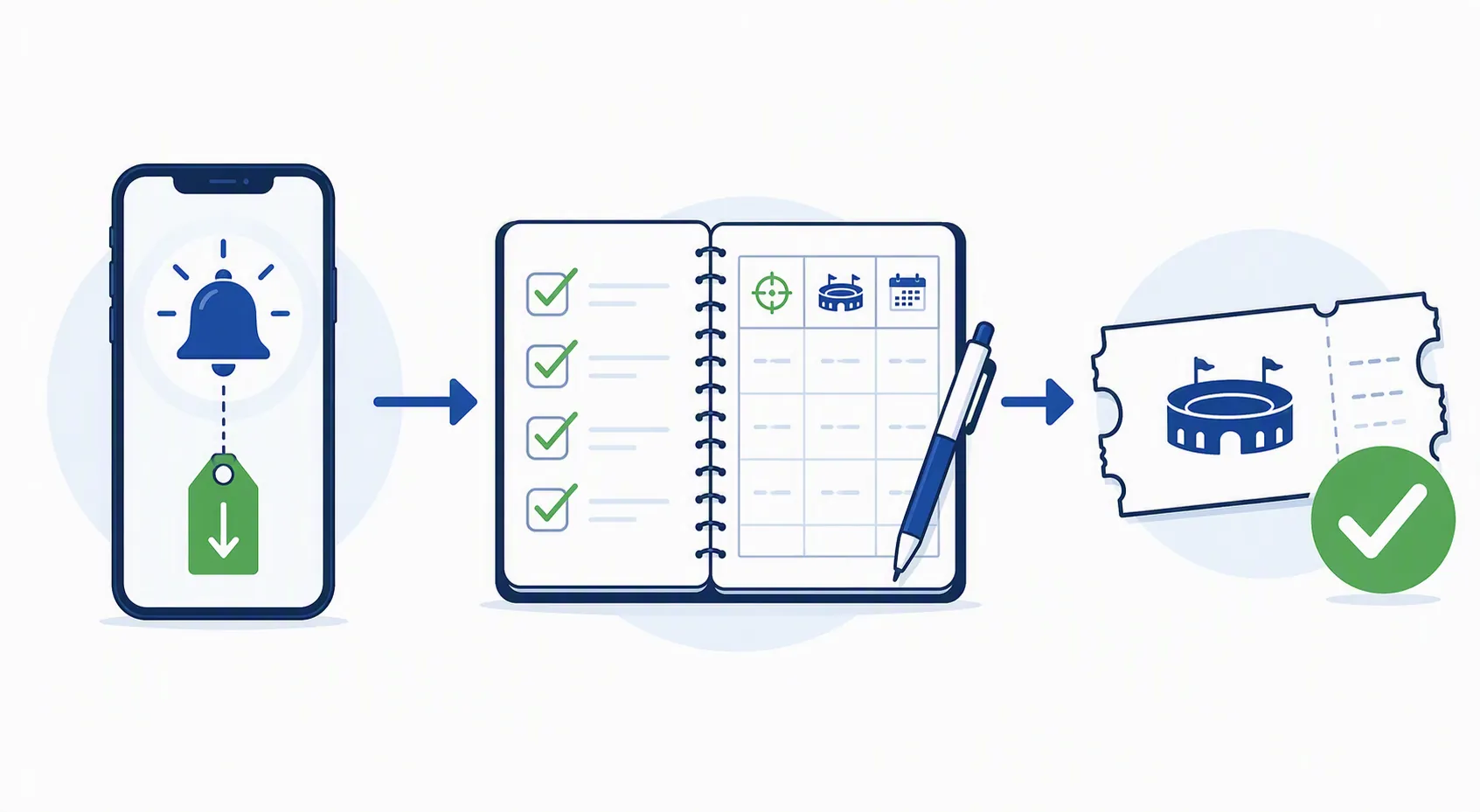
The workflow is short enough to keep. It starts in the note app, moves to the alert tool, then returns to the note app after the purchase window closes.
- Create the event note when you first become interested, not when the last-minute window begins.
- Record the event date, venue, preferred sections, likely companions, and your maximum all-in price.
- Check prices a few times before the event so your target is not imaginary.
- Set one or two alerts in the dedicated tool that match your actual buying rule.
- When an alert fires, buy from the phone if the listing meets the rule; do not reopen the entire planning system.
- Afterward, log the result: bought or skipped, final price, seat quality, timing, and what you would change.
The most important line is the maximum all-in price. Not the pre-fee listing price, not the hopeful number you would like to see, and not the price your friend might accept after three more texts. The number should be clear enough that a push notification can become a decision.
A hypothetical note might say: “Jazz festival, Friday night, outdoor venue, two seats together, willing to pay up to my set all-in limit if seats are not obstructed. Alert source: SeatGeek. If no alert by late afternoon, skip and check next month’s lineup.” The exact price would be yours; the point is that the buying rule exists before the market starts moving quickly.
After the event, the note should be blunt. “Bought too early,” “waited too long,” “fees made the drop irrelevant,” “great seat for the price,” or “friend coordination ruined the window” are more useful than a perfectly formatted archive. This is where the note app earns its keep. It turns one purchase into better judgment for the next one.
When Automation Is Worth It, and When It Is Just Maintenance
You can build a more elaborate bridge: web monitor to automation service, automation service to note app, note app to task reminder. For some power users, that is satisfying and useful. It can make sense if you track many events, buy often, or already pay for the automation tools for other reasons.
For a single concert, it is usually too much machinery. If the bridge stack costs $15–30 per month, it can eat a large part of the discount you were trying to capture, especially if you only buy one ticket occasionally. At that point, a native marketplace alert plus a simple note is cleaner.
The same restraint applies to templates. A calendar view, gallery view, venue database, artist database, and post-show rating system can be fun if concerts are a recurring hobby. They are unnecessary if your real goal is to catch one late price drop without forgetting your target.
Who Should Bother With This Setup
The hybrid setup is most useful for repeat buyers: people who attend several concerts, games, comedy shows, or theater performances a year and are willing to skip when the price does not meet the rule. The note history compounds because each result helps set the next target.
It is less useful for a once-a-year must-see event. If you will be upset to miss the show, the last-minute resale strategy may not match your risk tolerance. The note can still hold your budget and options, but the alert is not magic; it only tells you what the market offers.
There is also a market limitation. The strongest data points here come from US resale-market sources such as FinanceBuzz and SeatGeek. Buyers in other countries, or buyers using face-value exchanges and different resale marketplaces, may see different timing patterns and different alert quality. Treat the workflow as a decision system, not as a promise that day-of prices will always fall.
The same use-case thinking applies beyond tickets. If you are deciding which writing or planning app should handle which job, the broader framework in Best iPad Writing Apps by Use Case is useful for separating capture, drafting, review, and publishing rather than asking one app to do everything.
The Rule
Use alerts when the buying window is live, short, and mobile. Use the note app when the decision needs memory across events. Do not spend more on automation than the discount you are realistically chasing.
References
- Data Reveals When to Buy Concert Tickets for the Best Prices — FinanceBuzz
- Concert ticket prices are reshaping summer live music demand — CNBC, 2026
- Last-Minute Tickets: What You Need to Know Before You Buy at the Eleventh Hour — SeatGeek
- Event Spy: Ticket Price Tracker & Drop Alerts — Event Spy
- Track and buy concert and event tickets online before they sell out — Distill.io Blog
- How to track price drops and find the best ticket deals on SeatGeek — SeatGeek Blog
- Notion Concert Tracker Template: What to Know Before You Buy — Concerts Remembered
- Easy, Ready to Use Concert Ticketing Tracker Template — Notion Marketplace
Comments
Join the discussion with an anonymous comment.