
After a GrapheneOS duress password is entered, the useful question is not whether a note app was “secure.” It is whether the notes already existed somewhere outside the phone in a recoverable encrypted form. If the only copy lived on the device, the wipe wins. If the app had completed end-to-end encrypted cloud sync and you can re-authenticate afterward, the notes can usually come back.
That is the core rule for secure note apps on GrapheneOS: encryption protects data from access; sync determines whether data survives a deliberate cryptographic destruction of the device.
The wipe changes the meaning of “secure notes”
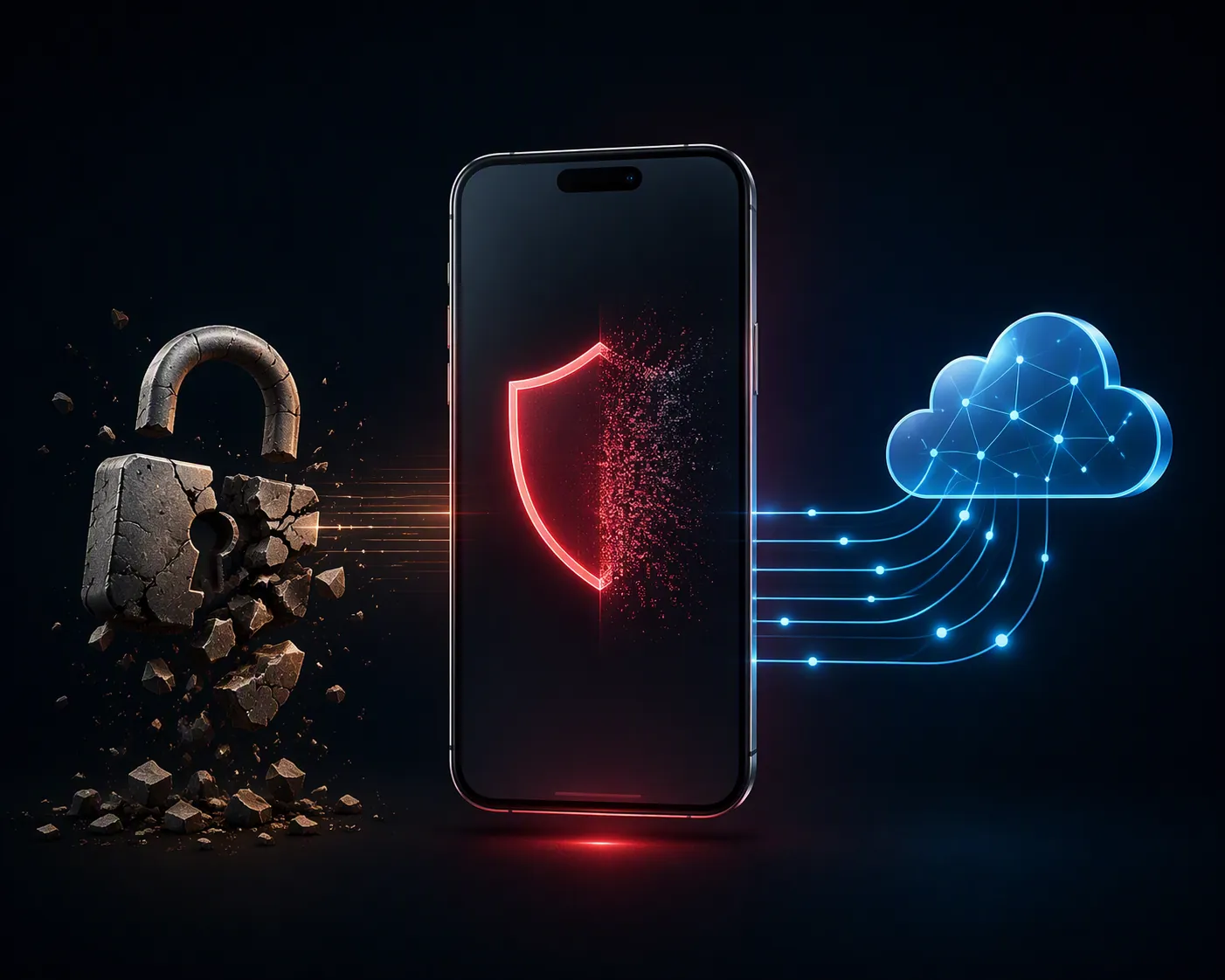
GrapheneOS documents the duress feature as an irreversible wipe that destroys the Weaver table and the TEE hardware keystore, making the device’s encrypted storage cryptographically inaccessible even to forensic tools. The same features documentation also notes that GrapheneOS supports up to 32 user profiles with separate encryption keys, but that separation does not turn a duress wipe into a selective notes-preservation tool. Once the relevant local keys are destroyed, local app data is not merely hidden or logged out; it is gone for practical recovery purposes. [1]
This is where local control gets less comforting than it sounds. A local vault, a local SQLite database, or an app folder that never left the handset can be excellent for minimizing routine exposure. Under a duress wipe, those same choices leave the user standing with a clean device and no restore path.
There is also no implemented selective-profile version of the duress wipe to plan around. A GrapheneOS issue tracking selective duress wiping confirms that per-user or selective profile wiping has not been implemented, so the realistic model is all-or-nothing across the device, not “sacrifice one profile and keep the work profile intact.” [2]
The feature is no longer just a forum thought experiment. PCMag covered a July 2026 case involving musician André Tunick, reporting that GrapheneOS defended its data-wiping function after it blocked a U.S. border search. The case was still active in that coverage: Tunick had pleaded not guilty, and a suppression motion was pending. That makes the feature concrete enough to plan for, but not a settled legal lesson to overread. [3]
Which note apps survive?
GrapheneOS community discussions commonly bring up Standard Notes, Notesnook, and Joplin when users ask for secure note apps, but those recommendations answer only part of the problem. A note app can be a reasonable privacy choice and still be a poor duress-recovery choice if its data has not left the phone before the wipe. [4]
| App or setup | Likely result after GrapheneOS duress wipe | Why |
|---|---|---|
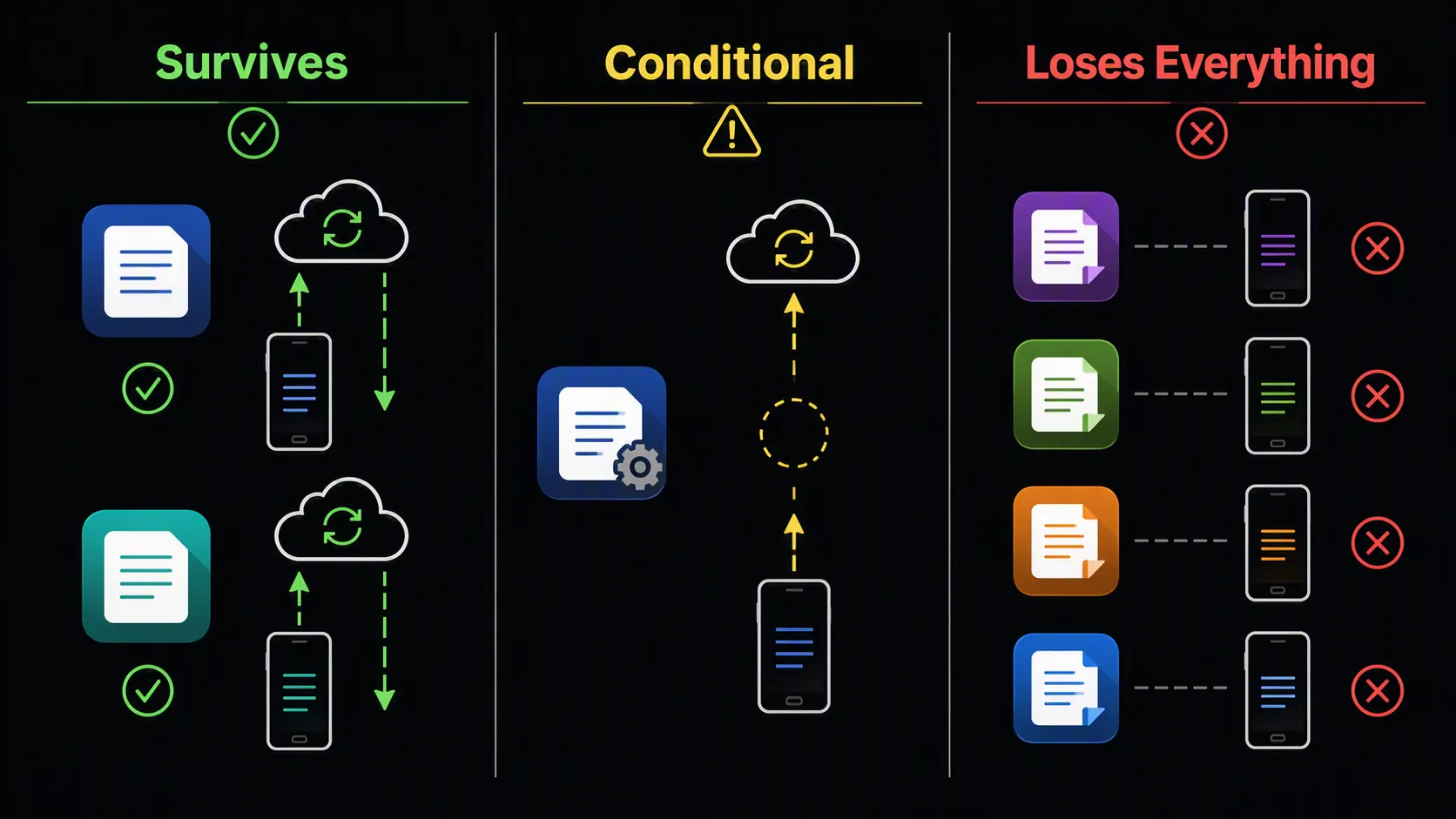
| Standard Notes | Survives if sync was complete and you can sign back in | It is an end-to-end encrypted synced note service, so the recoverable copy is not only on the wiped device. Standard Notes describes itself as independently audited and end-to-end encrypted. [5] |
| Notesnook | Survives if E2EE account sync was complete and you can sign back in | It fits the same practical recovery bucket as an encrypted cloud-synced notes app. The important condition is completed sync before the wipe, not the mere fact that the app was installed. |
| Joplin with E2EE sync configured | Conditional | It can survive through encrypted sync, but only for notes that had actually synced before the wipe. A pre-wipe sync gap can still mean partial loss. |
| Joplin without E2EE sync configured | Does not meet the same recovery standard | The local device copy is still destroyed by the wipe, and the setup lacks the encrypted off-device recovery path this threat model depends on. |
| Obsidian local vault | Loses local notes unless separately backed up outside the phone | A local vault is still local device data. The wipe does not care that the files were user-owned, Markdown-based, or easy to inspect before destruction. |
| Fossify Notes | Loses local notes unless separately backed up outside the phone | A local-only note database has no built-in post-wipe account restore path. |
| BeauTyXT | Loses local notes unless separately backed up outside the phone | If the notes exist only in local app storage, they go with the destroyed device keys. |
| EasyNotes | Loses local notes unless separately backed up outside the phone | The recovery question is not whether the app is lightweight or private; it is whether a usable encrypted copy exists elsewhere. |
| Seedvault backup | Not a universal rescue plan | Community discussion around duress and backups points to the same uncomfortable boundary: backup coverage can depend on app behavior, and apps using allowBackup="false" or hardware-bound encryption keys may not restore cleanly. [6] |
Standard Notes and Notesnook have the cleanest recovery story
For this specific risk condition, Standard Notes and Notesnook are attractive for a boring reason: the restore path is obvious. Reinstall the app, sign in, re-establish the encrypted session, and let the synced notes come down. That does not make the phone immune to loss, pressure, bad passwords, account lockout, or unsynced edits. It does mean the wipe did not destroy the only copy.
Standard Notes is easier to discuss with confidence because its public positioning is explicit: it presents itself as an end-to-end encrypted note app and describes independent audits as part of its security posture. That is still not the same as a FlowDesk destructive test after a GrapheneOS duress wipe, but it is enough to classify the app correctly: it is designed around encrypted account sync, not a phone-only notebook. [5]
Notesnook lands in the same practical bucket when used with its encrypted sync model. The caveat is the same one people tend to ignore until it matters: “I use a cloud-synced encrypted app” only helps if the last important note actually reached the service before the wipe. A note typed in airplane mode, a failed background sync, or an account session that never completed its first upload can become indistinguishable from a local-only note at the worst possible moment.
Joplin is powerful, but conditional
Joplin deserves a slower answer because it is not simply “safe” or “unsafe.” It can be used in a way that makes post-wipe recovery realistic: enable end-to-end encryption, configure a sync target, let every notebook and attachment finish syncing, and verify that another device or a fresh install can decrypt the notes. In that setup, Joplin behaves like a recoverable encrypted sync system rather than a disposable local database.
The trap is assuming Joplin gives that result by default. In this comparison, Joplin is conditional because the user has to make the right choices before anything happens. If E2EE was not enabled, if the sync target was misconfigured, if large resources were still pending upload, or if the newest field notes were sitting only in the local database, the duress wipe will not wait politely for configuration to catch up.
That does not make Joplin a bad app. It makes it an app whose safety depends on prior operational discipline. For some users, that is acceptable. For someone who needs notes to survive coercive loss of the handset, “I meant to check sync later” is not a recovery plan.
Local-only notes are intentionally disposable under this threat model
Obsidian local vaults, Fossify Notes, BeauTyXT, and EasyNotes should not be mocked for losing data after a GrapheneOS duress wipe. That is the bargain of local-only storage. The data stays close, the app may be simple, and the user may avoid a service account entirely. But after the wipe, there is no special local purity bonus. The cryptographic foundation that made the phone private is the same foundation that has just been destroyed.
Obsidian is the emotionally hardest example because its ownership model is genuinely appealing. Plain files in a vault are easier to understand than many proprietary note databases. In normal circumstances, that is a strength. After a duress wipe, a Markdown file that existed only inside the phone’s encrypted storage is just as unrecoverable as any other local app data.
The only way local-only notes survive is by no longer being only local. That might mean a separate encrypted backup maintained outside the phone, a manually exported archive stored somewhere safe, or a separate sync system the user has actually tested. The details vary, but the standard does not: if the backup is not outside the wiped device and restorable without the destroyed local keys, it should not be counted.
Seedvault and profiles are easy to overestimate
Seedvault can be useful, but it should not be treated as a universal undo button for secure notes. App backup support varies, and community discussion around GrapheneOS duress and backups specifically raises the problem of apps that opt out of backup or depend on hardware-bound keys. That is enough to be cautious, not enough to promise that any named note app will restore through Seedvault unless you have tested that exact app and backup path yourself. [6]
Multiple GrapheneOS profiles deserve the same skepticism. Profiles are useful for compartmentalization during ordinary device use, and GrapheneOS documents separate encryption keys for user profiles. But the duress wipe is not currently a profile-selection tool. If your plan is “my sensitive notes are in another profile,” the plan fails at the point where all local profile data becomes part of the same wipe event. [1][2]
The practical decision standard
For duress recovery, start with the failure scene rather than the app store description. The phone is wiped. You have a replacement device or a reinstalled system. You need the notes back. What credential, backup, or synced encrypted copy makes that happen?
- If the app uses E2EE cloud sync and all notes had synced, recovery is plausible after signing back in.
- If the app is local-only, assume the wiped phone’s copy is permanently gone.
- If the app can sync but requires manual E2EE setup, treat it as unsafe until that setup has been completed and verified.
- If you rely on Seedvault, test restoration for the exact note app before trusting it.
- If you rely on GrapheneOS profiles, remember that profile separation is not selective duress recovery.
The uncomfortable conclusion is also the most usable one. Choose Standard Notes, Notesnook, or a correctly configured Joplin setup if duress recovery matters more than staying phone-local. Choose Obsidian local vaults, Fossify Notes, BeauTyXT, or EasyNotes only if you are comfortable treating the phone copy as disposable, or if you maintain a separate backup outside the phone and know how to restore it.
References
- Features — GrapheneOS — https://grapheneos.org/features
- GitHub issue #7056 — GitHub — https://github.com/GrapheneOS/os-issue-tracker/issues/7056
- GrapheneOS Defends Data-Wiping Function That Blocked US Border Search — PCMag — July 2026 — https://www.pcmag.com/news/grapheneos-defends-data-wiping-function-that-blocked-us-border-search
- Can anyone recommend a secure note making app — GrapheneOS Forum — https://discuss.grapheneos.org/d/10692-can-anyone-recommend-a-secure-note-making-app
- Standard Notes — Standard Notes — https://standardnotes.com/
- Duress and backups — GrapheneOS Forum — https://discuss.grapheneos.org/d/14813-duress-and-backups

Comments
Join the discussion with an anonymous comment.