

The Hidden Cost of a Broken PKM System
If you have tried building a personal knowledge management system and found yourself staring at a graveyard of abandoned notes, you are not alone. The vast majority of PKM failures — roughly 80% — stem from behavioral patterns, not from choosing the wrong app or the wrong methodology. That statistic, drawn from community analysis of PKM practitioners, points to a painful truth: the tool was never the problem.
The real cost of a broken system is measured in lost time and lost thinking. Each time you migrate from one tool to another, you burn an estimated 2 to 3 weeks of productive note-taking time — time spent exporting, importing, reformatting, and re-organizing instead of capturing and connecting ideas. If you have migrated four times in two years, you have spent two to three months moving data around without creating any compound value from it.
Worse than the time cost is the cognitive cost. A system that over-invests in organization and under-invests in retrieval and synthesis becomes a digital filing cabinet — a place where notes go to die. When you cannot find what you wrote six months ago, you stop trusting the system. When you stop trusting it, you stop using it. The cycle repeats with the next shiny tool.
Self-Assessment: Is Your PKM System Actually Working?
Before diving into the twelve anti-patterns, take a moment to diagnose where you stand. A failing system leaves clear warning signs. If any of the following statements describe your current situation, you are experiencing one or more of the patterns described in the next section.
- You have migrated your notes between tools more than twice in the past year.
- You can name ten or more PKM tools but cannot point to a single note you have revisited and used to produce something.
- You spend more time organizing and tagging notes than you do finding and using them.
- Your vault or workspace has more than 5,000 notes, highlights, or clippings — and you have not revisited the vast majority of them.
- You have changed your folder structure or tagging system at least three times in the last six months.
- You have a multi-tool pipeline (e.g., Readwise → Notion → Obsidian → Raindrop → Zapier) and at least one integration has broken in the last month.
- You have spent more than three weeks watching videos and reading articles about PKM without writing a single note that matters to your current work.
- You have no backup of your notes, or your backup strategy is "I think the cloud saves it."
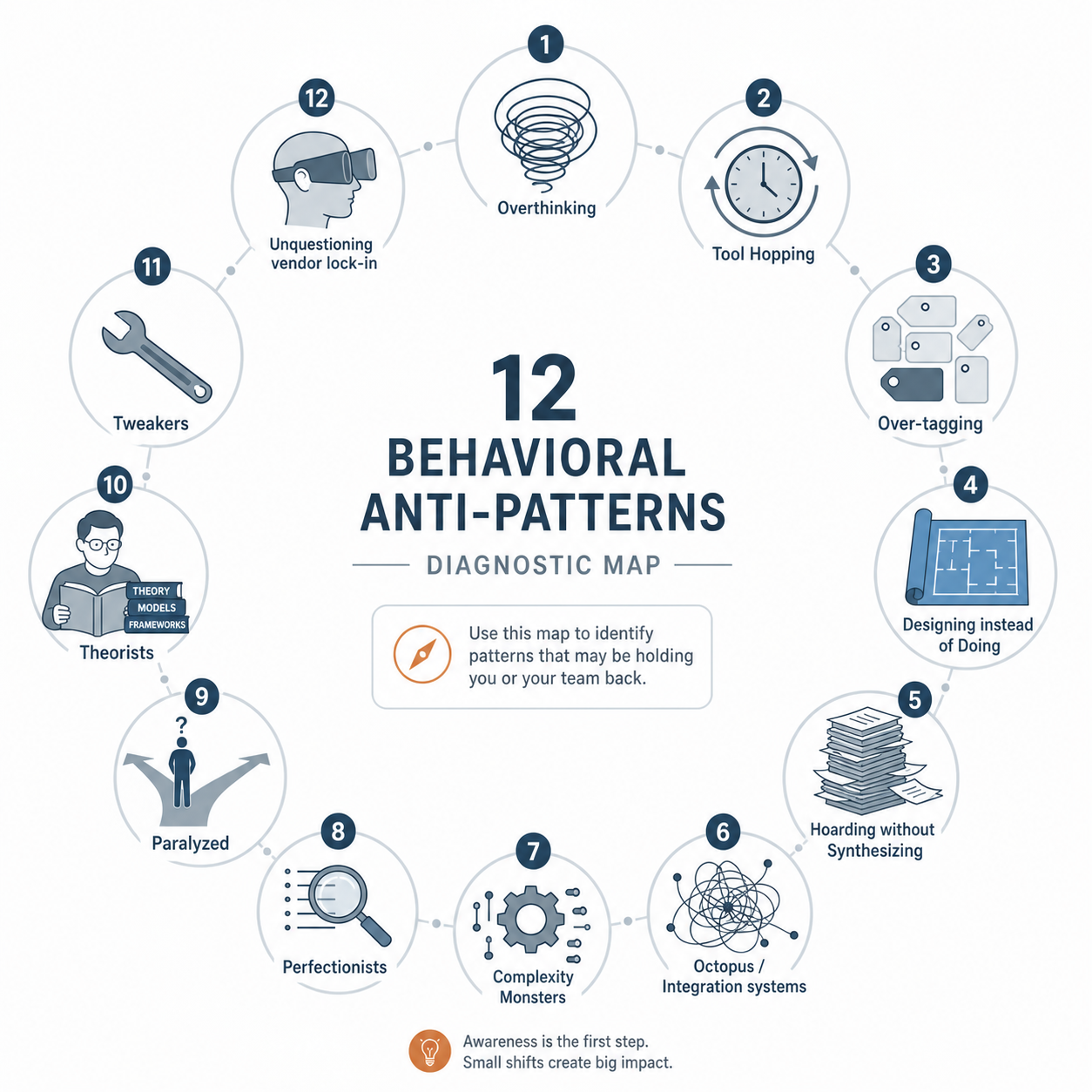
The 12 Anti-Patterns That Kill PKM Systems
Each anti-pattern below follows the same structure: the trap you fall into, a real-world warning sign that confirms you are in it, and a specific fix to break out. Read through all twelve, but only act on the one that resonates most strongly.
1. The Overthinker
The trap: You spend weeks consuming PKM content — YouTube videos, blog posts, forum threads — without writing a single note. You are studying knowledge management instead of practicing it.
Warning sign: You have watched three different "ultimate Obsidian setup" videos and can explain the difference between literature notes and permanent notes, but your actual vault contains fewer than twenty notes, most of which are about Zettelkasten itself.
The fix: Set a 48-hour moratorium on consuming any new PKM content. Open your tool of choice and write one note about something you are actually working on — a project problem, a book you are reading, a conversation you had. The note does not need to be perfectly formatted. It just needs to exist.
2. The Paralyzed
The trap: You have tried multiple tools — Notion, Obsidian, Roam, Logseq, Capacities — and your notes are scattered across all of them. You cannot commit to one because you are afraid of choosing wrong.
Warning sign: You can name more than ten PKM tools from memory, but you have never revisited a single note more than once. Your note-taking history is a trail of abandoned half-systems.
The fix: Pick the tool where you have the most existing notes — even if it is not the trendiest choice — and declare it your home for the next 90 days. Delete or archive all other tool accounts. The cost of staying paralyzed (2-3 weeks per migration, repeated indefinitely) far exceeds the cost of picking a slightly suboptimal tool and using it consistently.
3. The Theorist
The trap: You have read four books about Zettelkasten, can explain the difference between fleeting notes and permanent notes, and have strong opinions about atomicity — but your actual system contains a handful of notes, all of which are about the method itself.
Warning sign: When someone asks what you are learning or working on, you describe your note-taking methodology instead of the subject matter of your notes.
The fix: Delete every note you have written about note-taking. Replace them with notes about the actual topics you care about — your field of work, your hobbies, your reading. The method exists to serve the content, not the other way around.
4. The Tool Hopper
The trap: You migrate your notes every few months, chasing the latest feature or the newest app. Each migration costs you 2-3 weeks of productive note-taking time.
Warning sign: You have migrated your notes four or more times in two years. You have spent 2-3 months of that time moving data instead of creating value from it.
The fix: Commit to a 6-month tool moratorium. No new apps, no migrations, no trial accounts. If your current tool has a genuine dealbreaker (e.g., it is shutting down), choose a tool with strong data portability — Markdown export, open file formats — so you are not locked in. Then stop thinking about tools and start thinking about notes.
5. The Integrator (Octopus System)
The trap: You have built a pipeline of six or more tools — Readwise, Notion, Obsidian, Raindrop, Instapaper, Zapier — all connected by fragile integrations. When one integration breaks, you spend hours debugging instead of thinking.
Warning sign: You spend more time maintaining your automation pipeline than you do reading, thinking, or writing. Your system has more integration failure points than actual notes.
The fix: Audit every tool in your pipeline and ask: "Does this tool directly help me capture, connect, or create?" Eliminate any tool that serves only as a middleman. A simple two-tool system — one capture tool and one thinking tool — is more reliable than a six-tool pipeline that breaks weekly.
6. The Complexity Monster
The trap: Your Obsidian vault has 47 plugins. Your daily note template is 800 lines long. Your system is so complex that adding a single note requires navigating a labyrinth of decisions.
Warning sign: You have installed more than 20 plugins or have a daily note template that takes longer to fill out than the actual note content.
The fix: Strip your system to the bare minimum. Disable all but five essential plugins. Replace your 800-line template with a blank page and a single prompt: "What am I thinking about?" Complexity is a tax on future you. Simplify now.
7. The Tweaker
The trap: You change your folder structure every two months. You have tried twelve different tagging systems in the past year. You are optimizing your organizational schema instead of using it.
Warning sign: You have changed your folder structure six or more times in a year. You can no longer remember which tagging system is currently active.
The fix: Declare your current folder structure and tagging system frozen for 90 days. No changes, no experiments, no "quick reorganizations." If you cannot find a note, use search — do not redesign the system. After 90 days, evaluate whether the structure actually caused problems, not whether it could theoretically be better.
8. The Perfectionist
The trap: You refuse to start capturing notes because you have not yet decided on the "right" folder structure, the "right" tagging system, or the "right" tool. After three months of deliberation, you still have not written a single note.
Warning sign: You have spent more than three months researching PKM systems without producing any output that matters to your work or learning.
The fix: Start with a single folder called "Inbox" and a single rule: write one note per day about something you are actually working on. No tags, no links, no structure. After 30 days, you will have 30 notes and enough real experience to make an informed decision about organization. Perfectionism is procrastination in disguise.
9. The Designer
The trap: You spend 20 hours building a beautiful homepage dashboard with custom CSS, icons, and embedded widgets. Your system looks like a productivity porn screenshot — but you have not added a new note in two weeks.
Warning sign: You spend more time customizing the appearance of your system than you do populating it with useful content. Your dashboard is beautiful and empty.
The fix: Delete your custom dashboard. Replace it with a simple list of your ten most recent notes. If you find yourself reaching for CSS or widgets, stop and write a note instead. A beautiful empty system is still empty.
10. The Hoarder
The trap: You have 5,000 notes, highlights from 200 books, and clippings from 1,000 articles. When someone asks what you have created from all that material, you go silent.
Warning sign: Your input volume (notes captured, articles saved, books highlighted) is high, but your output volume (articles written, projects completed, decisions informed) is near zero. You are collecting, not connecting.
The fix: For the next 30 days, stop capturing new material entirely. Spend that time reviewing what you already have. For every ten notes you read, write one new note that synthesizes, contradicts, or applies what you learned. The goal is to turn your collection into a workshop.
11. The Optimist (No Backups)
The trap: You have no backup of your notes. You assume the cloud saves everything, or you have never thought about what happens if your hard drive fails.
Warning sign: You cannot describe your backup strategy in one sentence. You have lost notes before due to hardware failure or sync conflicts.
The fix: Set up a 3-2-1 backup today. Three copies of your data, on two different media types, with one copy offsite. For most tools, this means: enable the tool's built-in sync, export a plain-text backup to your local machine weekly, and sync that folder to a cloud storage service or external drive. Do this now, before you read another paragraph.
12. The Unquestioning (Vendor Lock-In)
The trap: You built your entire PKM system inside a proprietary tool that later pivoted, dropped features, tripled its price, or shut down. When you tried to export your data, you received a useless JSON dump or a format that no other tool can read.
Warning sign: You cannot export your notes in a standard format like Markdown or plain text. Your tool does not offer a one-click export option, or the export loses formatting, links, and attachments.
The fix: Before you write another note, verify that your current tool supports full export in an open, standard format. If it does not, migrate to a tool that does — even if it means losing some formatting. The cost of migrating now is far lower than the cost of losing everything when your vendor changes direction.
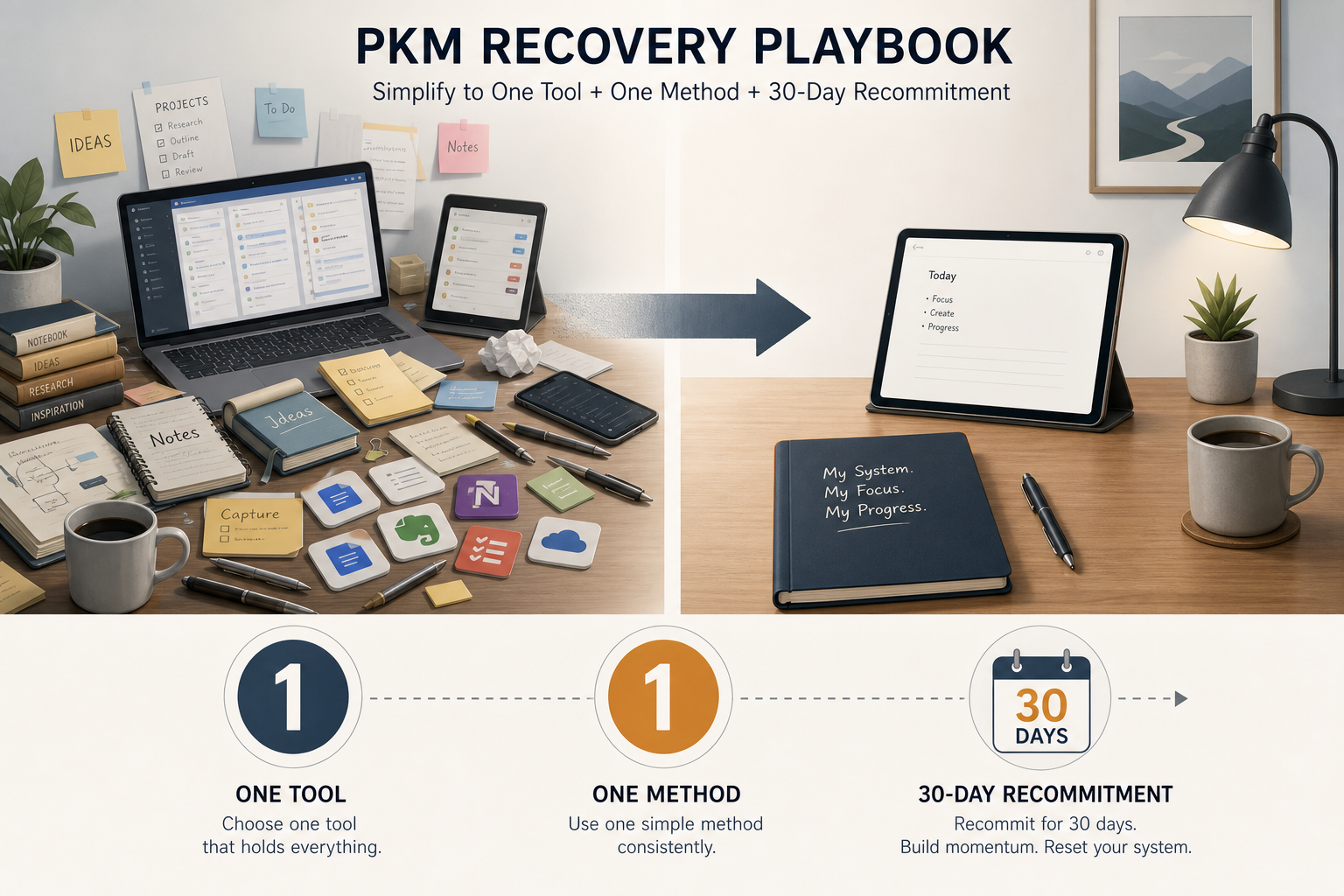
The Recovery Playbook: Simplify to One Tool + One Method + 30 Days
If you recognized yourself in three or more anti-patterns, do not try to fix them all at once. The recovery playbook is deliberately simple: one tool, one method, 30 days of consistent use.
- Pick one tool. Choose the tool where you already have the most notes, or the tool with the simplest interface. Do not pick the tool with the most features. Do not pick the tool that looks the best on YouTube. Pick the one that gets out of your way.
- Pick one method. Not a hybrid. Not a custom system. Pick PARA, Zettelkasten, or the Second Brain framework — whichever one you understand well enough to explain to a colleague in two minutes. Use it as written for 30 days before modifying anything.
- Commit to 30 days. No tool changes, no method changes, no structural changes. Your only job is to capture notes consistently and revisit at least one old note per week. The compounding effect of a PKM system only starts when retrieval pays off — and that typically does not happen until month two or three of consistent use.
When AI Can Help Fix Specific Patterns
AI-native PKM tools are not a universal solution, but they can address specific anti-patterns by shifting the burden of structure from the user to the machine. The key insight is that AI handles retrieval and organization, while you handle the quality of capture and synthesis.
| Anti-Pattern | How AI Can Help | Limitation |
|---|---|---|
| Complexity Monster / Tweaker | Semantic search eliminates the need for perfect tagging and folder structures. You can ask "what do I have on this topic?" instead of navigating a complex hierarchy. | AI search is only as good as the quality of your notes. Garbage in, garbage out. |
| Hoarder | AI summarization can surface key points from your backlog, helping you distill 5,000 highlights into actionable insights without reading everything manually. | Summarization can miss nuance and context. Always verify AI-generated summaries against the original. |
| Over-tagging | AI auto-tagging or embedding-based clustering can replace manual tagging entirely, reducing the friction that leads to over-tagging. | Auto-tagging may create categories that do not match your mental model. Review and adjust periodically. |
| Integrator (Octopus System) | All-in-one AI-native tools reduce the need for multi-tool pipelines by combining capture, retrieval, and synthesis in a single interface. | Relying on a single AI-native tool creates vendor lock-in risk. Ensure the tool supports open export formats. |
Your First Step: Pick One Pattern and Fix It This Week
You do not need to fix all twelve anti-patterns at once. You do not need to overhaul your entire system. You need to identify the single pattern that is causing the most friction in your current setup and apply its fix this week.
If you are a Tool Hopper, delete your trial accounts and commit to 6 months in one tool. If you are a Hoarder, stop capturing for 30 days and start reviewing. If you are a Perfectionist, write one imperfect note today. The specific action matters less than the act of breaking the pattern.
PKM is a practice, not a project. You do not finish building your system and then start using it. You build it by using it. The compound value — the moment when an old note surfaces exactly the insight you need — typically arrives in month two or three of consistent, imperfect use. Until then, your only job is to keep writing, keep revisiting, and stop optimizing.
Comments
Join the discussion with an anonymous comment.