
The expensive mistake starts innocently: a five-person studio searches for process and workflow management, lands on enterprise BPM pages full of orchestration, governance, and transformation language, then wonders whether a quote-based platform is what serious teams are supposed to buy.
Most small teams do not need that much machinery. If your work can be described as tasks moving through boards, forms, assignees, approvals, due dates, and notifications, start with a lightweight project or workflow tool. Add Zapier or Make only where work keeps falling between apps. Do not buy a BPM suite just because your current spreadsheet is ugly.

Quick verdict: the small-team shortlist
Pricing below reflects published vendor and third-party pricing information last verified in Q2 2026. Treat it as a buying filter, not a contract: tiers change, annual discounts blur monthly comparisons, and enterprise quotes can vary widely.
| Tool | Best fit | Pricing signal, last verified Q2 2026 | Use with automation when | Not for you if |
|---|---|---|---|---|
| Trello | Lightweight task flow, simple approvals, content calendars, repeatable small projects | Free to about $12.50/user/month | Pair Trello + Zapier for form intake, email-to-card, calendar, and CRM handoffs | You need rich reporting, workload planning, or multi-layer dependencies |
| Asana | Teams that want cleaner ownership, due dates, task dependencies, and cross-project visibility | Free to about $10.99/user/month | Pair Asana + Zapier when requests enter through forms, email, Slack, or sales tools | Your team hates structured task hygiene and will not maintain assignees or dates |
| Notion | Flexible docs-plus-tasks, lightweight operating systems, editorial workflows, client knowledge bases | Free to about $10/user/month | Pair Notion + Zapier or Make when databases need to receive leads, tickets, or form submissions | You need strict task enforcement, native workload controls, or strong permission boundaries |
| ClickUp | Teams that want one app for tasks, docs, dashboards, forms, and deeper built-in automation | Free to about $7/user/month | Pair ClickUp + Make when workflows span several apps and need conditional steps | Your team gets overwhelmed by dense settings and too many configurable views |
| Monday.com | Visual operations, intake boards, status-driven workflows, and teams that like structured dashboards | Free to about $9/user/month | Pair Monday.com + Make for multi-step routing, updates, and external app syncs | You want the cheapest possible setup or dislike per-seat scaling |
| Teamwork.com | Client-service teams that need projects, tasks, time, budgets, and client delivery in one place | Published paid tiers start around $9.99/user/month | Pair Teamwork.com + Zapier when client intake, billing, or support tools need to feed project work | You do not run client work and only need a simple internal task board |
Those price ranges come from published vendor pages and 2026 comparison guides, not negotiated contracts, so use them to rule tools in or out before you spend time on demos.[1][2][3][4]
First decide what kind of problem you actually have
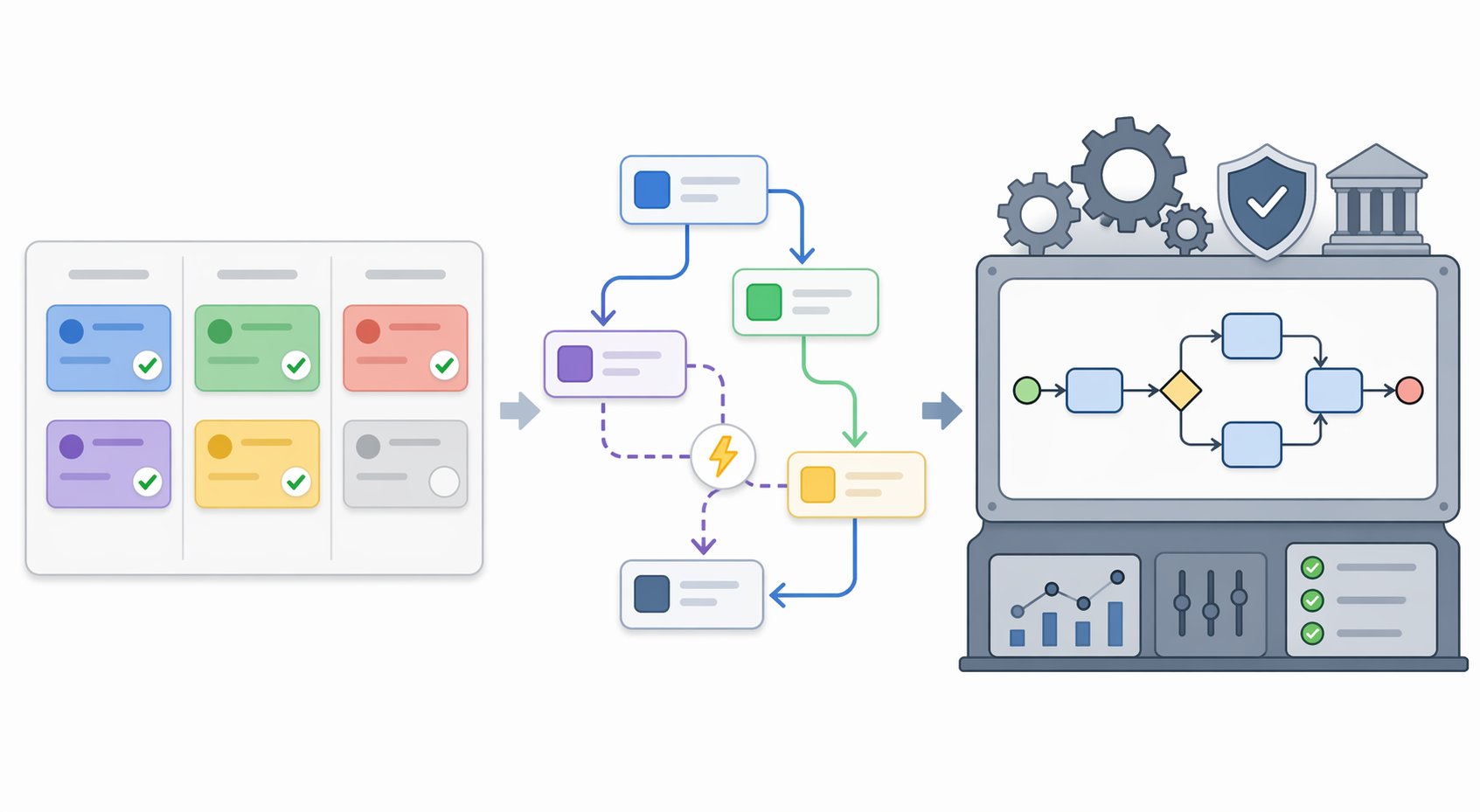
The phrase “workflow management” gets stretched until it covers almost everything: task boards, automations, approval routing, compliance controls, dashboards, process mining, and executive reporting. That is how small teams end up comparing a $10 task app with a quote-based BPM suite as if they are two versions of the same thing.
A more useful split is this:
| Your real need | What it usually looks like | Start here |
|---|---|---|
| Project-management-first | You need to see who owns what, what is due, what is blocked, and what changed since yesterday. | Trello, Asana, Teamwork.com, ClickUp |
| Workflow-management-first | Work enters from repeatable sources, follows recognizable stages, and needs reminders, assignments, approvals, or handoffs. | Asana, ClickUp, Monday.com, Notion databases, plus Zapier or Make if needed |
| Process-management / BPM | The process crosses departments, has formal controls, audit needs, policy ownership, compliance risk, and reporting obligations. | Kissflow, Nintex, Bizagi, SAP Signavio-style BPM environments |
Kissflow’s workflow-vs-process materials frame workflows as task-oriented sequences, while process management focuses on broader business outcomes and how work is governed across the organization.[5] SAP Signavio draws a similar line between workflow execution and business process management as a wider discipline for modeling, improving, and governing processes.[6]
That distinction matters because the right answer changes fast. A two-person design studio needs the inquiry form to create a task, assign the producer, and remind the designer before the kickoff call. A regulated enterprise may need process owners, audit trails, risk controls, modeling, monitoring, and change governance. Both are “process and workflow management” on a search results page. They should not be the same purchase.
The affordable tools, with the usual small-team tradeoffs
The tools below can all support workflow management. They just do it from different starting points. Choosing between them is less about feature-counting and more about the kind of mess your team already has.
Trello: best when the board is the process
Trello is still the cleanest choice when the workflow is easy to see: requests come in, cards move across stages, someone owns each card, and the main danger is forgetting what is sitting in “Waiting on client.” It works especially well for content calendars, simple production queues, lightweight sales follow-up, and recurring administrative flows.
Its strength is also the limit. Trello will not magically impose an operating model on a team that has no shared definition of stages. If every card needs custom exceptions, private side conversations, budget tracking, and dependency chains, the board starts to become a very colorful junk drawer.
For a small team, Trello plus Zapier is often enough: a website form creates a card, a new card posts to Slack, a due date triggers a reminder, and a closed card updates a spreadsheet or CRM. Zapier’s free tier is listed at 100 tasks per month in small-team automation roundups, which can cover very modest handoff automation before paid plans enter the conversation.[3]
Asana: best for clear ownership and recurring team delivery
Asana is a good default when work is no longer just a board, but still should not become a BPM implementation. It handles ownership, due dates, project views, dependencies, recurring tasks, and cross-project visibility better than the simplest card tools. That makes it useful for marketing teams, operations pods, internal service teams, and small consultancies that need fewer “who has this?” messages.
The catch is behavioral. Asana gets better when people actually use assignees, due dates, sections, and project templates. If one organized person has to chase everyone else to update tasks, the software is not managing the workflow; that person is.
Use Asana with Zapier when the work enters from outside Asana: client forms, sales calls, email requests, Slack messages, or support tickets. If the whole workflow begins and ends inside the team, start with Asana’s native rules and templates before adding another automation layer.
Notion: best for flexible docs-plus-tasks
Notion fits teams whose work lives half in tasks and half in context: briefs, notes, SOPs, client pages, editorial calendars, research databases, and lightweight project trackers. The appeal is that the process can sit beside the instructions. A new client page can hold the scope, kickoff notes, deliverables, task database, links, and handoff checklist in one place.
That flexibility is why Notion spreads quickly in small teams. It is also why it can become fragile. A lovingly built Notion operating system can break when the one person who understands the database relations goes on vacation. If your workflow needs strict enforcement, permission boundaries, workload management, or executive reporting, Notion may need support from another tool rather than more database cleverness.
Notion plus Zapier or Make works well for intake: a form submission becomes a database item, a status change triggers a message, or a new deal creates a client workspace. Keep those automations boring. The best Notion automation is usually the one a non-technical teammate can understand from its name.
ClickUp: best when you want depth without buying BPM
ClickUp is the affordable tool to consider when your small team wants more structure: tasks, docs, forms, dashboards, custom fields, multiple views, and built-in automation. Published 2026 pricing comparisons place its entry paid pricing around $7/user/month, which is why it so often appears in small-team shortlists.[2][4]
The risk is configuration sprawl. ClickUp can represent many kinds of work, but a small team does not benefit from every folder, space, field, dashboard, and automation being customized on day one. Start with one repeatable workflow, such as client onboarding or production requests, and give it just enough structure to reduce missed handoffs.
ClickUp plus Make is a sensible pairing when the workflow needs conditional routing across several tools. Make’s free tier is commonly listed at 1,000 credits per month, which gives small teams room to test multi-step automations before committing budget.[3]
Monday.com: best for visual operations and status-driven work
Monday.com is strongest when the team thinks in boards, statuses, owners, and dashboards. It is useful for operations queues, campaign tracking, production calendars, hiring pipelines, and repeatable intake processes where the workflow should be visible at a glance.
For small teams, the main buying question is not whether Monday.com can do the work. It usually can. The question is whether the visual structure is worth the per-seat cost and setup attention compared with Asana, Trello, or ClickUp. Published 2026 comparisons place entry paid pricing around $9/user/month, but actual costs depend on tier, billing terms, and user count.[4]
Monday.com plus Make can replace a surprising amount of heavier workflow software for teams that need status changes to trigger updates elsewhere: notify a client, create a folder, update a CRM record, or move a request to the next queue. The important test is whether someone on the team can repair the workflow after a field name changes.
Teamwork.com: best for client-service teams
Teamwork.com belongs in this list because client work has workflow problems that ordinary task boards often underplay: scopes, retainers, budgets, time, approvals, profitability, and client visibility. A small agency may not need BPM, but it may need to know whether a project is quietly burning hours while the team celebrates a clean task board.
Published 2026 guides list Teamwork.com paid pricing starting around $9.99/user/month, with the usual caveat that plan packaging changes over time.[1][4] It is less compelling for a team that only needs internal task routing. It is much more compelling when the workflow is tied to client delivery and the cost of missed handoffs shows up in margins.
When to add Zapier or Make instead of upgrading the whole system
A lightweight automation layer is the small-team pressure valve. It lets you keep the familiar task tool and fix the specific handoff that keeps leaking.
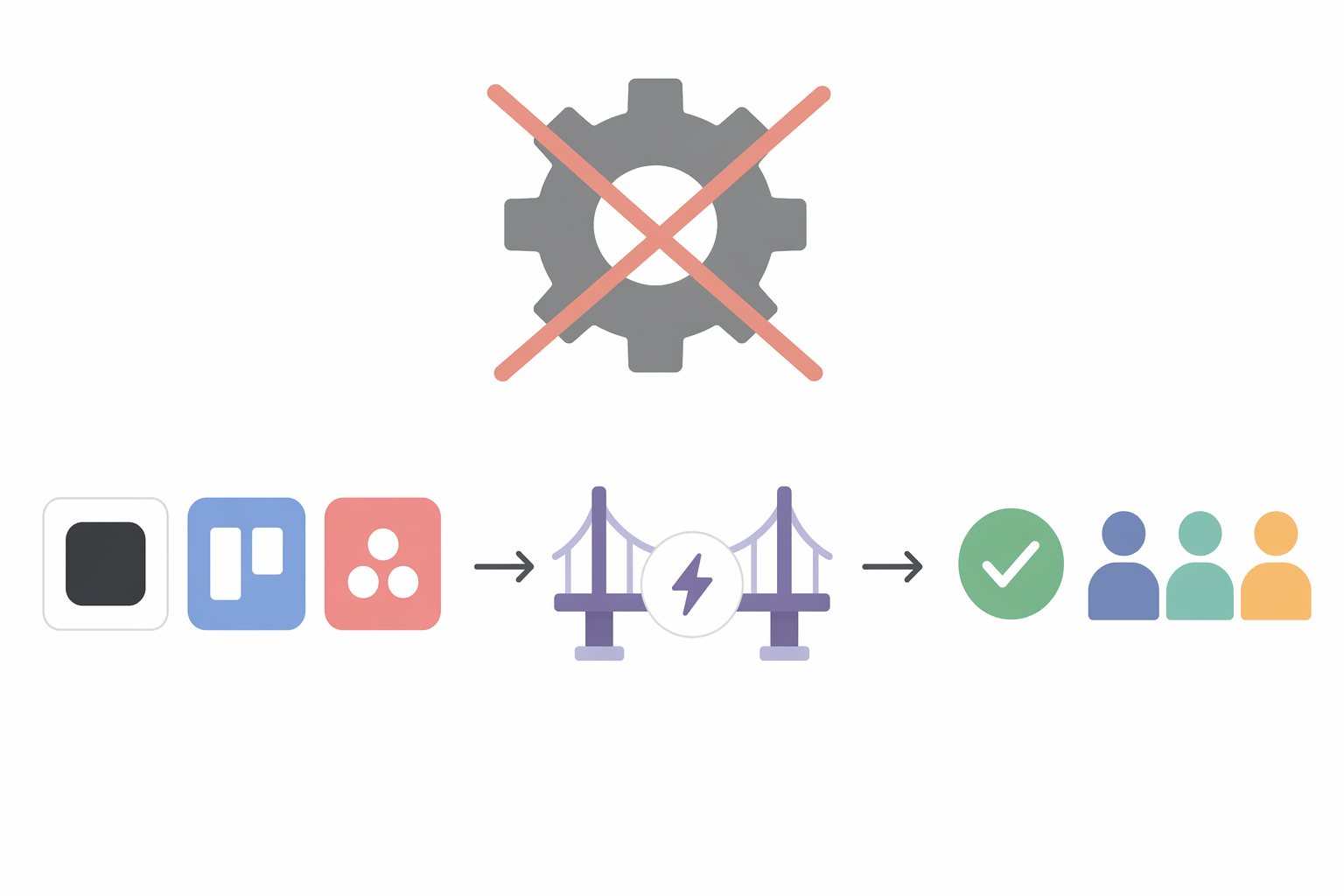
Add Zapier or Make when the problem sounds like this:
- New requests arrive in email, forms, Slack, or a CRM, then someone has to manually create the task.
- A status change in the project tool should notify a client, update a sheet, or create the next task.
- The same setup work happens every time: folder creation, task template, kickoff reminder, invoice note, calendar hold.
- People are not resisting the workflow; they are losing work during copy-and-paste handoffs.
Do not add automation to compensate for a process nobody has agreed on. If the team cannot say what should happen after a request arrives, an automation will only make the confusion faster. Write the stages first. Name the owner at each stage. Decide what “done” means. Then automate the dull transfer points.
| If your base tool is | Try this first | Good first automation |
|---|---|---|
| Trello | Zapier | Form submission creates a card with checklist and due date |
| Asana | Zapier | New sales-qualified lead creates an onboarding task from a template |
| Notion | Zapier or Make | Client intake form creates a database item and notifies the owner |
| ClickUp | Make | Status change routes work across CRM, storage, and Slack |
| Monday.com | Make | Board update triggers client notification and internal next-step task |
| Teamwork.com | Zapier | Won deal creates a client project and kickoff task list |
If you are still diagnosing whether the center of gravity is the project tool or the automation layer, read Automation-First vs. Project-Management-First: How to Choose the Right Business Workflow Tools before shopping for another platform.
Where enterprise BPM actually belongs
Enterprise BPM tools such as Kissflow, Nintex, Bizagi, and similar platforms exist for good reasons. They help larger organizations model, govern, monitor, and improve processes that cross teams, systems, policies, and risk boundaries. When a process has compliance obligations, audit requirements, formal ownership, and executive reporting, a task board with a few automations may be too loose.
That is not the usual starting point for a team of 2–20 people. Vendor and review-site materials around BPM and workflow platforms show a heavier world of implementation, administration, permissions, process design, and quote-based pricing; published small-team comparisons also point to enterprise BPM minimums that can start around $1,500/month or higher once platform requirements and minimums enter the picture.[1][4][5] That figure should be treated as a practical price-floor signal, not a universal published rate, because enterprise quotes vary.
The hidden cost is maintenance. A BPM suite needs someone to own the process model, manage changes, clean up exceptions, answer user questions, and keep reports meaningful. In a small team, that person is often not a process manager. It is the most organized freelancer, producer, ops lead, or account manager, now quietly promoted to system janitor.
Consider BPM when several of these are already true:
- The process crosses multiple departments or business units.
- There are formal approvals, audit trails, or compliance requirements.
- Process ownership is assigned to a role, not whoever likes tidy systems.
- Leadership needs reliable process reporting, not just task status.
- Changing the workflow requires governance because mistakes create legal, financial, operational, or customer risk.
If your team is growing into that territory, Business Workflow Management at Every Scale is the more relevant next read than another lightweight app comparison. If you simply want the wider tool landscape, use Best Business Workflow Management Software (2026 Comparison Roundup) or Best Workflow Management Software of 2026: Compared Head-to-Head for Teams of All Sizes.
Why lightweight tools are better than they used to be
The reason small teams can stay lightweight longer in 2026 is not that process suddenly stopped mattering. It is that ordinary work tools absorbed more workflow features: forms, templates, rules, dashboards, integrations, AI-assisted setup, and automation triggers.
The broader workflow automation market is estimated at $26.01 billion in 2026 and projected to reach $40.77 billion by 2031, according to Mordor Intelligence figures cited by Kissflow.[5] That is broad market context, not proof that every small team needs a workflow platform. It does help explain why even inexpensive tools are competing harder on automation and integration.
McKinsey reported in 2025 that 66% of organizations had automated at least one business function.[7] That statistic does not mean 66% have adopted full workflow management systems. It means automation is now ordinary enough that a small team can expect basic app-to-app handoffs without buying enterprise software.
A practical buying threshold
Buy the smallest system that reduces real friction this month. For most small teams, that means:
- Trello if the workflow is mostly a visible board.
- Asana if ownership, due dates, and repeatable delivery matter most.
- Notion if context, docs, and flexible databases are central to the work.
- ClickUp if you want more built-in structure and automation depth without moving to BPM.
- Monday.com if the team likes visual operations boards and status-driven dashboards.
- Teamwork.com if client delivery, time, budgets, and project margins are part of the workflow.
Then add Zapier or Make only where a repeated handoff crosses tools. If your workflow can be described in a few boards, forms, assignments, approvals, and notifications, a lightweight tool plus a modest automation layer is enough. Start considering enterprise BPM when process governance, compliance, cross-department ownership, and reporting complexity are real operational demands, not just the language on a polished demo page.
References
- 26 Best Workflow Management Software Tools for Teams in 2026 — Teamwork.com
- I Tested 10 Workflow Management Software: Top 2026 Picks — The Digital Project Manager
- 7 Free Workflow Software Tools for Productivity in 2026 — Activepieces
- 28 Best workflow management software available in 2026 — Wrike
- Best Workflow Management Tools (2026): 10 Compared; Workflow vs Process: Key Differences and Examples — Kissflow
- Business Process Management vs. Workflow — SAP Signavio
- McKinsey 2025 automation adoption research — McKinsey, 2025