
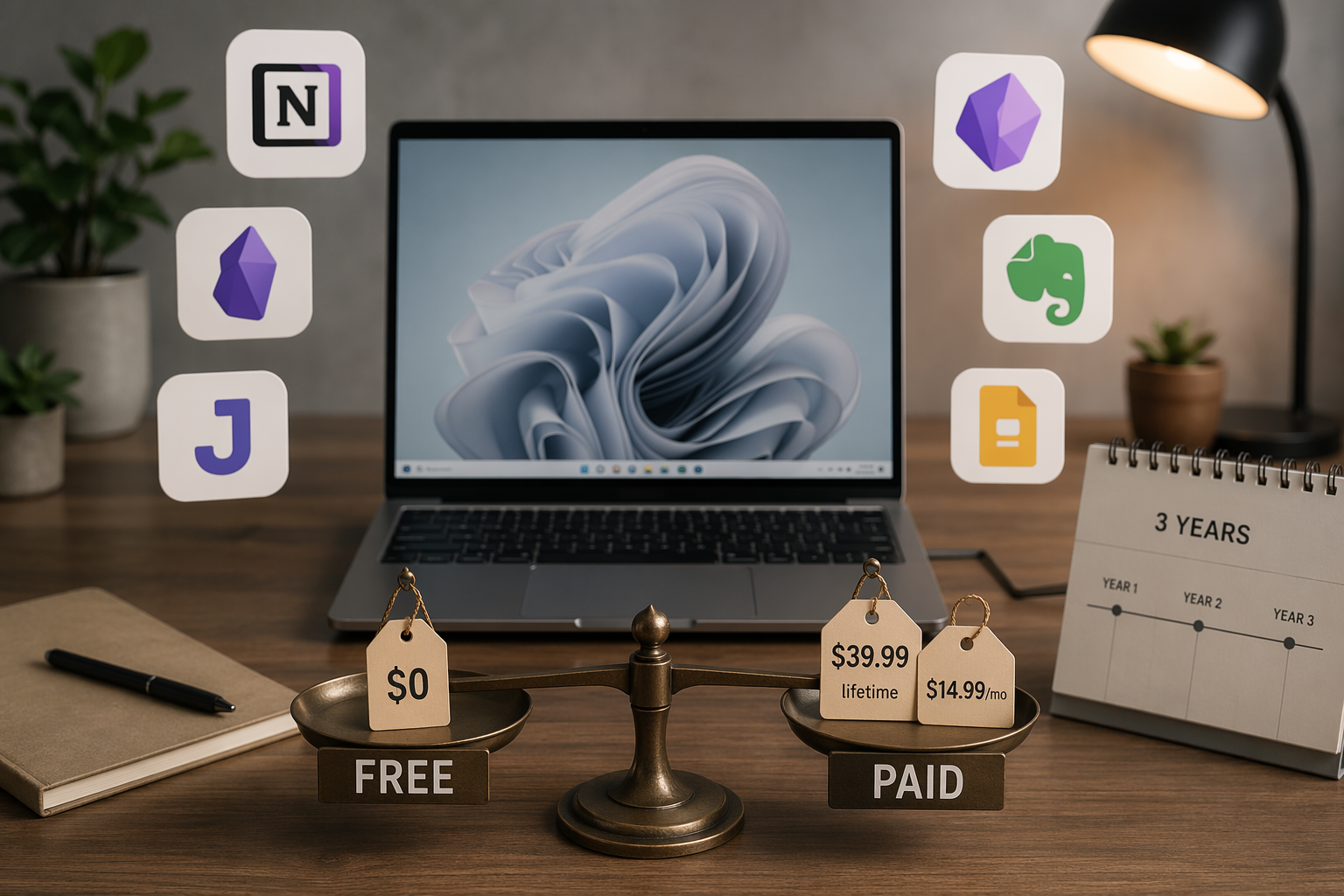
The easiest way to overspend on the best notes app for Windows is to treat “free” as one category. It is not. A free plan that lets you keep thousands of local Markdown files is not the same as a free plan that stops at 50 notes, 1 notebook, and 1 device. A $39.99 lifetime license is not the same kind of paid decision as a $14.99 monthly subscription, even if both remove limits on day one.
For Windows users, the practical test is simple: how many notes can you keep, how many devices can you use, and what happens over three years if the free plan stops being realistic? The three-year costs below are estimates based on current published pricing and no price increases. Evernote in particular needs a last-minute pricing check before publication because its plans and regional billing have changed often enough that stale numbers can mislead a buyer.
The quick value map
| App | Best fit on Windows | Free-plan reality | Paid cost over 3 years, using current pricing | Main catch |
|---|---|---|---|---|
| OneNote | Most Windows users who want a safe free default | Core features are free; storage is limited by the free 5 GB OneDrive allowance | $0 if 5 GB is enough; about $71.64 for 100 GB OneDrive at $1.99/month | Storage, not features, is the ceiling |
| Obsidian | Local-first Markdown users | Free for personal use with local files | $0 without paid sync; $144 with Obsidian Sync at $4/month | Sync is separate, and the app rewards users who like configuring their workspace |
| UpNote | Best low-cost paid bet | Free tier is limited; the value is the lifetime license | $39.99 lifetime | No OCR and no real-time collaboration |
| Joplin | Open-source users who can tolerate a plainer interface | Free, local-first, Markdown-based, with sync through services such as Dropbox, OneDrive, or Nextcloud | $0 for the app, excluding any storage or hosting costs you choose | Less polished than OneNote or Notion |
| Simplenote | Fast plain-text notes | Completely free with sync | $0 | No images, handwriting, or file attachments |
| Notion | Solo users building databases, wikis, and project pages | Generous for personal use with unlimited pages and blocks | $0 for solo use; AI value now sits in a higher paid tier | 5 MB per-file upload cap and weak offline reliability |
| Standard Notes | Users who prioritize encrypted notes | Encryption-focused free plan | $324 at $9/month for advanced editors and themes | The best editing experience is behind the paid plan |
| Goodnotes | Windows users who specifically want Goodnotes and accept the web-wrapper trade-off | Not the main value story on Windows | $35.97 at $11.99/year, before optional AI | Windows version is not native; weaker hardware may feel the delay |
| Evernote | Existing Evernote users who knowingly accept premium pricing | Functionally unusable for long-term note-taking: 50 notes, 1 notebook, 1 device | $539.64–$900 at $14.99/month to $25/month | The free tier pushes serious users into a premium subscription |
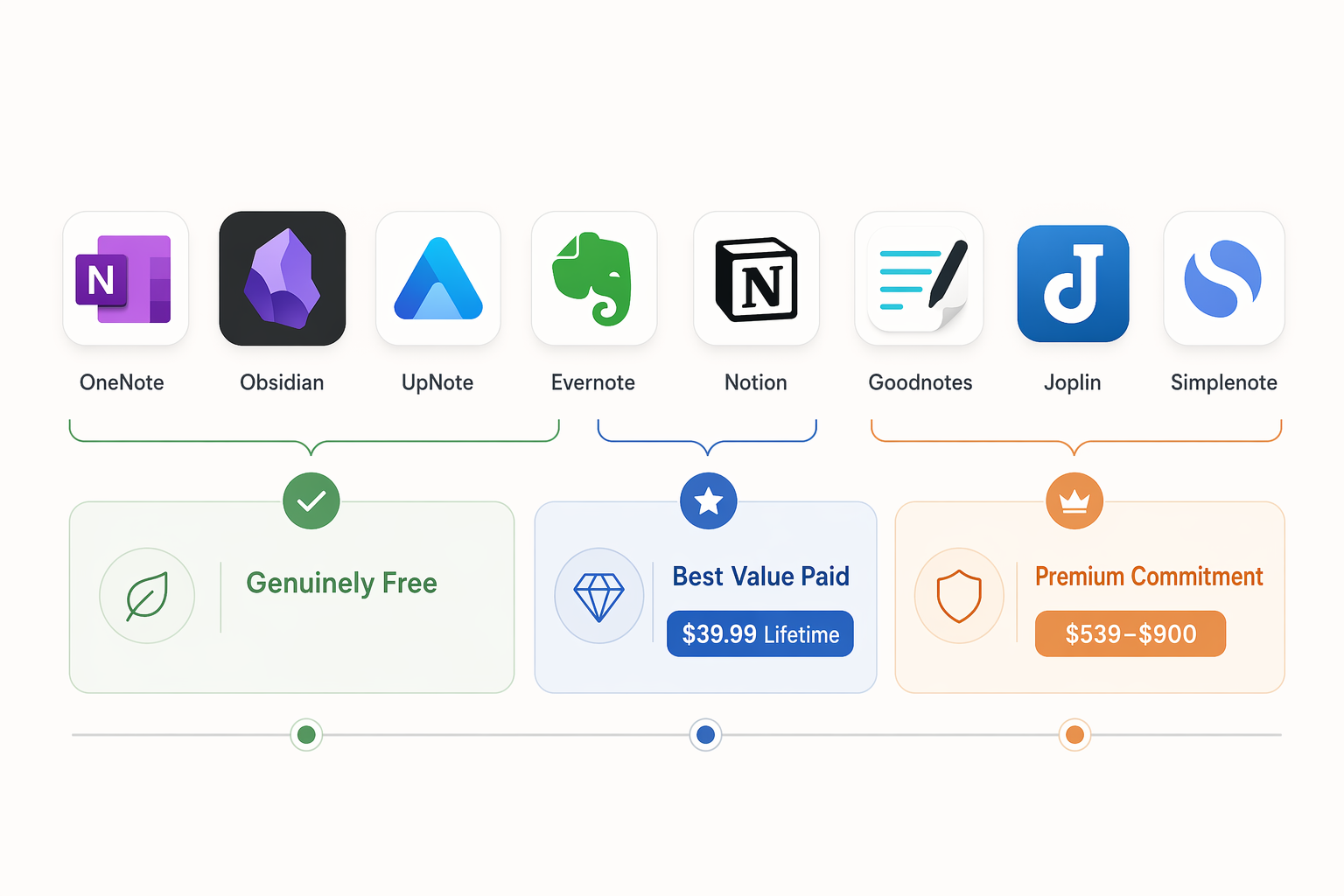
That table is the whole problem in miniature. OneNote, Obsidian, Joplin, and Simplenote can be free in a way that still works after a semester or a client project. UpNote asks for money, but the ask is small and finite. Evernote’s free tier is the one that changes character fastest: it is fine for testing the interface, not for building a durable note archive.
OneNote is still the safest free Windows default
OneNote’s advantage is not that it is glamorous. It is that the free plan does not spend its first week quietly setting a trap. PCMag gives Microsoft OneNote a 4.5 out of 5 rating and identifies its free tier as including the core feature set, with the practical limit being OneDrive storage rather than note count or notebooks. The free Microsoft account storage ceiling is 5 GB, and the 100 GB OneDrive upgrade is listed at $1.99 per month.[1]
For a Windows laptop, that matters. Keyboard shortcuts, stylus support, notebooks, sections, tags, attachments, audio notes, and mixed typed-and-handwritten pages are all part of normal use instead of upgrade bait. A student can keep lecture notes and PDFs in the same system. A freelancer can keep meeting notes beside screenshots and reference files. An office worker can build recurring project notebooks without discovering that the second notebook is locked.
The ceiling is storage. If your notes are mostly typed text, 5 GB can last a long time. If you annotate PDFs, paste images into every meeting page, record audio, or save slide decks directly into notebooks, the storage meter becomes the real paid plan. Even then, the math is cleaner than most note-app subscriptions: $1.99 per month for 100 GB works out to about $71.64 over three years, assuming the price does not change.[1]
That makes OneNote the default recommendation for most Windows users who want a serious free notes app and do not want to become their own sync administrator. It is also the better place to start if you use a pen on a Surface or 2-in-1 laptop. If performance and stylus behavior matter more than pricing alone, the site’s deeper Windows-native testing is covered in Best Note-Taking Apps for Windows in 2026: Tested for Native Performance, Stylus, and Offline Reliability.
Evernote’s free plan is too small to be a real starting point
Evernote is not disqualified because paid software exists. Good software costs money to maintain. The problem is the gap between the promise of starting free and the reality of using it for actual work. Evernote’s free plan is capped at 50 notes, 1 notebook, and 1 device, while paid plans in the cited pricing range start at $14.99 per month and reach $25 per month for Advanced.[2][3]
A 50-note cap is not a long runway. It is one busy class, a few client onboarding projects, or a month of meetings if you are disciplined. The 1-device limit is worse on Windows because many people use at least a laptop and a phone. Once the system holds anything important, the upgrade is no longer a calm comparison-shopping decision. It is a migration-or-pay decision.
At current cited prices, Evernote costs about $539.64 over three years at $14.99 per month, or $900 over three years at $25 per month, before considering any future price changes.[2] That does not make Evernote unusable. It makes it a premium commitment. If you already live in Evernote, rely on its search and capture workflow, and know the subscription is worth it, that is a valid choice. It should not be treated as the obvious upgrade path for someone who simply outgrew a weekend trial.
UpNote is the paid value outlier
UpNote is the rare paid recommendation where the price itself changes the comparison. Its lifetime license is listed at $39.99, which is less than three months of Evernote at $14.99 per month and less than one year of many subscription tools.[4][5] Over a three-year window, that one-time purchase is the cleanest low-cost paid bet in this group.
The appeal is obvious for anyone who wants a polished cross-device notes app without renting it forever. You pay once, you get out of the monthly-plan treadmill, and you avoid the storage-and-sync tinkering that comes with some local-first tools. For students and freelancers who want a tidy notebook app rather than a personal server project, that is a meaningful advantage.
The limits are also important. UpNote does not offer OCR or real-time collaboration in the cited materials.[4][5] If your workflow depends on searching scanned handouts, extracting text from images, or co-editing live meeting notes with a team, the lifetime license should not distract you from those missing pieces. UpNote is a strong personal notes purchase, not a universal replacement for every classroom, research, or workplace setup.
Obsidian and Joplin are free because your notes stay closer to you
Obsidian’s core bargain is unusually clear: it is free for personal use, stores notes as local Markdown files, and sells sync separately. Obsidian Sync is listed at $4 per month, which makes it $144 over three years if you choose the official sync add-on.[6] AtlasWorkspace scored Obsidian 8.8 out of 10 across its weighted comparison axes, the highest score in that cited analysis.[7]
The score is useful as a cross-check, not as a final authority. The practical reason to choose Obsidian is simpler: your notes are files. If you leave the app later, you are not exporting a fragile database and hoping the formatting survives. For anyone who has ever helped someone migrate years of notes under deadline, that matters more than another shiny dashboard view.
Obsidian is strongest for people who are comfortable with folders, Markdown, plugins, and local files. It can become simple or elaborate depending on how much you add to it, which is both the advantage and the danger. A clean vault for coursework or client notes is easy enough. A plugin-heavy command center can become its own maintenance job.
Joplin belongs in the same local-first conversation, but it has a different feel. Zapier and NoteApps.info describe it as a free, open-source, Markdown-based option with end-to-end encryption and sync through services such as Dropbox, OneDrive, or Nextcloud.[3][4] That makes Joplin one of the strongest no-subscription choices for people who want ownership and encryption without accepting a commercial cloud notebook as the center of the system.
The trade-off is polish. Joplin’s interface is less refined than OneNote or Notion in the cited comparisons.[3][4] That may not matter if you mainly want durable Markdown notes, encryption, and flexible sync. It will matter if you are trying to persuade a classmate, spouse, or team to use the same app without a setup conversation. For a fuller head-to-head of the big three Windows choices, see OneNote vs Obsidian vs Notion: Which Windows Note-Taking App Wins in 2026?.
Notion is generous until files, offline work, or AI enter the picture
Notion’s free Personal plan is genuinely useful for solo work. It offers unlimited pages and blocks for individual users, which makes it much less cramped than a token free tier.[8] If your notes are actually project pages, task lists, lightweight databases, reading trackers, and planning docs, Notion can feel more useful than a traditional notebook.
The limits show up in different places. The free plan has a 5 MB per-file upload cap, so it is not ideal if your notes routinely include large PDFs, media files, or design exports.[8] Offline reliability is also a weak point: AtlasWorkspace gave Notion an Offline-First Integrity score of 1 out of 10 in its proprietary methodology.[7] That does not mean Notion is bad. It means Windows users who work on trains, in classrooms with unreliable Wi-Fi, or in locked-down office networks should not treat it like a local notebook.
There is also the AI pricing shift. Notion AI value now belongs in the Business plan at $24 per user per month in the cited pricing materials.[8] If you came for a free personal workspace, that may not matter. If you expected AI summaries and writing support to be part of the inexpensive Notion story, the three-year math changes quickly.
Goodnotes is a Windows warning, not just an iPad reputation
Goodnotes has a strong name in handwriting, but Windows users should judge the Windows version, not the iPad reputation. Noteastic’s testing describes Goodnotes for Windows as a web wrapper rather than a native app.[5] In the same Windows-focused testing context, weaker hardware took more than 7 seconds to load a blank page, while OneNote loaded in under 1 second.[9][10] Krisp’s roundup ranks its own product, so it should not be treated as a neutral ranking source here; the useful point is the Windows testing context.
That delay is not a cosmetic complaint. It changes whether the app works for quick lecture capture, a client call, or a hallway conversation where you need a blank page immediately. If the notebook opens after the thought has moved on, the lower subscription price does not fix the workflow.
Goodnotes is listed at $11.99 per year, with optional AI at $9.99 per month in the cited materials.[9][10] The base plan is not expensive over three years, but Windows users are paying with performance risk and a less native experience. For more on why native behavior matters on Windows, see Windows Note-Taking Apps: How Native Performance Affects Your Workflow.
Simplenote and Standard Notes solve narrower problems well
Simplenote is the easiest app here to explain: it is completely free, syncs quickly, and is built for plain text.[3] That makes it excellent for drafts, lists, quick capture, and lightweight notes that do not need formatting theater. It is also wrong for anyone who expects images, handwriting, file attachments, or rich research notebooks. The product stays free partly because it refuses to pretend it handles every kind of note.
Standard Notes starts from a different promise. Zapier describes it as open-source with default AES-256 encryption, while advanced editors and themes require the $9 per month paid plan.[3] Over three years, that paid tier comes to $324 if the price holds. The value case is not “cheap notes.” It is encrypted notes with a paid upgrade path for people who want a better writing and customization experience.
Where each app stops being free in practice
| If this is your real use case | Start here | Avoid starting here unless you already accept the trade-off |
|---|---|---|
| Mostly typed notes, class notebooks, meeting notes, some files, one or more Windows devices | OneNote | Evernote free, because the 50-note and 1-device limits arrive too soon |
| Local Markdown archive, long-term ownership, flexible export, personal knowledge base | Obsidian | Notion, if offline work and local files are non-negotiable |
| Open-source encrypted notes with self-managed sync options | Joplin | Highly polished proprietary notebooks, if you do not want setup decisions |
| Low-cost polished personal notes with a finite payment | UpNote | Recurring subscriptions you are only choosing because the free tier collapsed |
| Pure text capture with fast sync | Simplenote | Any app you are using only as a glorified text box but paying for monthly |
| Database-style personal workspace with pages, trackers, and planning docs | Notion | Notion for large file storage or dependable offline-first work |
| Encrypted notes as the central requirement | Standard Notes | Cheaper apps that do not meet your encryption expectations |
| Handwriting-first Windows use on lower-powered hardware | OneNote first; test Goodnotes carefully before paying | Goodnotes on brand reputation alone |
This is the point where feature checklists usually get in the way. A user with 200 typed class notes and a Surface Pen has a different cheapest choice than a consultant saving client PDFs, and both differ from someone who wants a local Markdown folder they can back up themselves. The cost is not just the subscription. It is the migration later, the storage upgrade, the sync add-on, the lost offline access, or the seconds spent waiting for a blank page.
For most free Windows users, OneNote is the safest first choice because the free plan is real and the limit is understandable: 5 GB of OneDrive storage. For local-first users, Obsidian and Joplin are stronger long-term bets because the notes remain closer to standard files and user-controlled sync. For the best low-cost paid option, UpNote’s $39.99 lifetime license is hard to beat if you do not need OCR or live collaboration. Evernote belongs on the shortlist only when you knowingly accept premium subscription pricing and have a reason to pay for Evernote specifically.
References
- Microsoft OneNote Review, PCMag
- Evernote Pricing, Evernote
- The best note-taking apps, Zapier, December 2025
- NoteApps.info app comparisons, NoteApps.info
- Noteastic note-taking app testing, Noteastic
- Obsidian Pricing, Obsidian
- AtlasWorkspace note-taking app comparison, AtlasWorkspace
- Notion Pricing, Notion
- Goodnotes for Windows testing, Noteastic
- Best AI Note-Taking Apps, Krisp