
Last verified: August 26, 2026.
For anyone comparing smart glasses for hands-free note-taking, the most important finding comes before the frame design, display type, or AI demo: none of the reviewed models exports captured notes natively to Notion, Obsidian, Apple Notes, or Evernote. Ray-Ban Meta glasses send voice notes into Meta’s app, Meta Ray-Ban Display keeps its notes inside Meta’s services, Even Realities G2 saves transcripts to the Even app, MemoMind One centers its own recording and memory layer, and Rokid advertises AI summaries inside its own glasses workflow rather than your existing notes stack.[1][2][3][4][5][6]
That does not make the category useless. It changes the question. A pair of glasses can make capture genuinely easier during a walk, a lecture, or a meeting. But after the capture, every model here creates a second inbox that still has to be reviewed, exported, renamed, copied, or summarized into the place where your work actually lives.
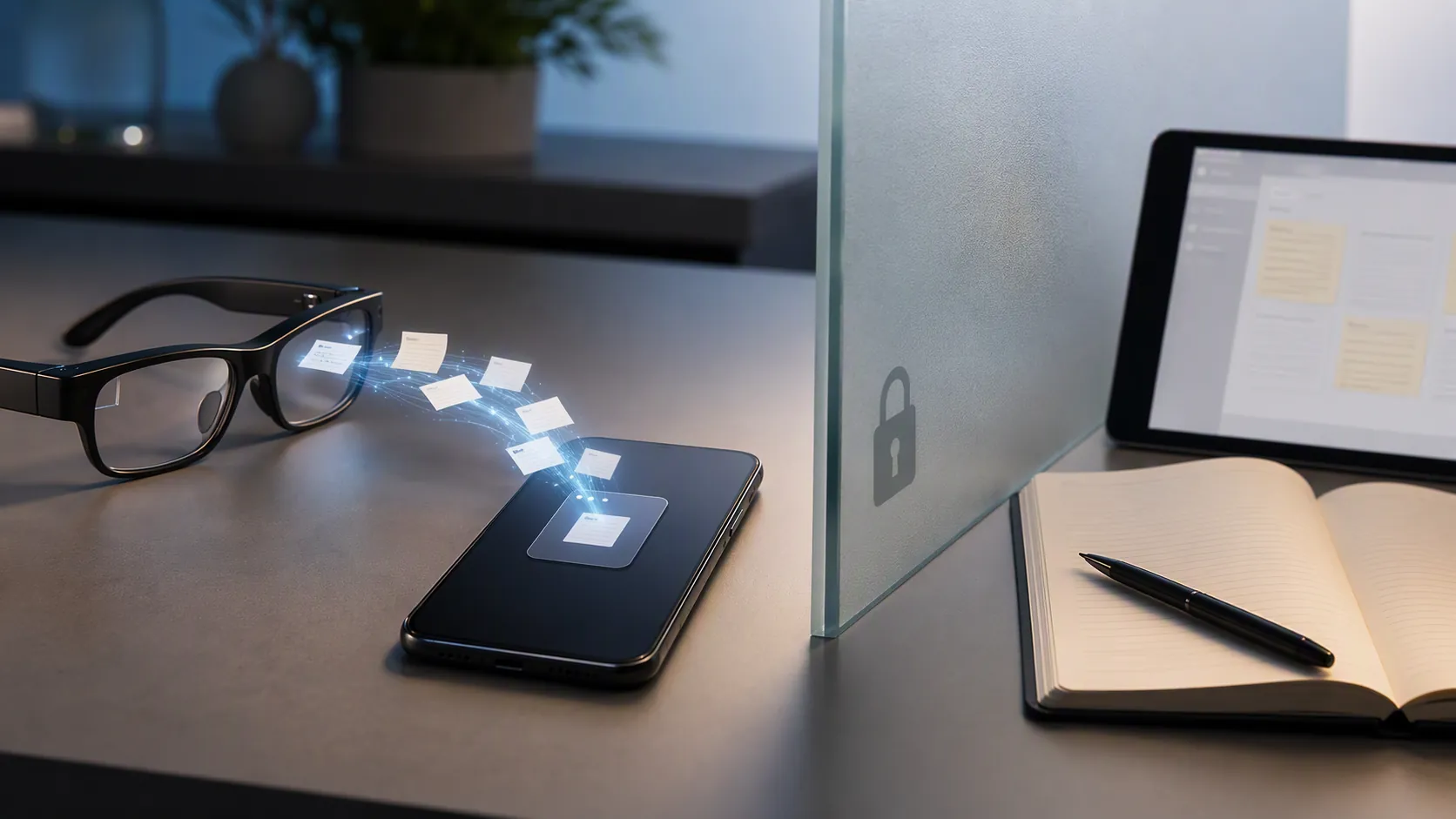
Smart glasses for hands-free note-taking compared
| Model | Capture trigger | Where the note lands | Transcription evidence | Subscription cost | Battery evidence | Practical judgment for meetings or lectures |
|---|---|---|---|---|---|---|
| Ray-Ban Meta Gen 2 | Voice command: “Hey Meta, take a note” | Meta AI app; no on-lens review of the note | No independent transcription-accuracy figure in the reviewed materials | No note-specific subscription in the reviewed materials | CNET reports roughly 8 hours in testing; Meta claims up to 12 hours in everyday use. About $379 and 49–51 g.[1][2] | Best fit for quick spoken reminders when pulling out a phone would break the moment. Not for you if the note must land directly in Notion, Obsidian, Apple Notes, or Evernote. |
| Meta Ray-Ban Display | Glasses interface with in-lens notes | Meta services | No independent transcription-accuracy figure in the reviewed materials | No note-specific subscription in the reviewed materials | No independent battery figure supplied in the sources reviewed here. PCMag lists it at $799, or $999 with prescription, and rates it 3.0.[3] | More useful than non-display Ray-Bans if seeing a note in the lens matters. Not for you if third-party app integration is the point; PCMag notes it is locked to Meta services and lacks third-party push notification support.[3] |
| Even Realities G2 | Conversate mode for live conversation transcription | Even app | Live transcripts are supported, but no independent accuracy percentage appears in the reviewed materials | No note-specific subscription in the reviewed materials | Vendor claims 2 days; WIRED reports about 10 hours. CNET and WIRED list it around 35–36 g and about $599.[4][7] | The cleanest fit here for live lecture or conversation text on-lens. Not for you if you want glasses that plug into the phone apps you already use; CNET found no hook into existing phone apps, no calls, no music, and spotty connectivity.[4] |
| MemoMind One | Records and transcribes meetings; always-on “Moments” feature available through Memo+ | MemoMind’s own app and memory layer | Meeting transcription and summaries are advertised, but no independent accuracy percentage appears in the reviewed materials | Memo+ is $20/month for the always-on “Moments” memory feature | Vendor claims 16 hours; no independent battery test appears in the reviewed materials. Price is $399.[5] | Tempting if the goal is a meeting recorder that remembers more than deliberate notes. Not for you if the always-on feature is the main attraction but another monthly notes-adjacent subscription is already hard to justify. |
| Rokid Glasses | AI assistant and meeting-summary workflow; Gemini runs natively after a March 2026 update | Rokid glasses workflow, not the user’s own AI-service account | Speaker-ID meeting summaries are advertised, but no independent accuracy percentage appears in the reviewed materials | No note-specific subscription in the reviewed materials | No independent battery figure supplied in the sources reviewed here. VR.org lists about $499 and 49 g.[6] | Interesting if you want a glasses-first AI meeting assistant. Not for you if you expect to log into the AI services you already pay for; CNET notes you cannot log into your own AI services.[2] |
| Halliday | Proactive listening and responses | Halliday’s own system | No independent accuracy percentage appears in the reviewed materials | No note-specific subscription in the reviewed materials | No independent battery figure supplied in the sources reviewed here | A warning sign for always-listening note tools. Engadget found its proactive AI responded to every line it heard, including ums and ahs.[8] |
| Xander | Captioning-first glasses rather than a mainstream note-taking product | Captioning workflow, not a normal notes-app destination | Independent reporting gives 85–95% offline transcription accuracy depending on noise, and up to 97% on Wi-Fi | No note-specific subscription in the reviewed materials | 2.5–3 hours per charge; 130 g; $5,000.[9] | Not a normal buying recommendation for notes. Useful because it shows what real transcription evidence looks like when a vendor or reviewer provides accuracy numbers. |
The hidden workflow is the vendor-app inbox
The best demo version of smart-glasses note-taking ends at capture. You say a phrase, tap a control, or let a meeting recorder run, and the thought appears somewhere without opening a laptop. The actual workflow starts one step later: opening the vendor app, deciding what is worth keeping, and moving it into the system that already holds your projects, classes, sources, and decisions.
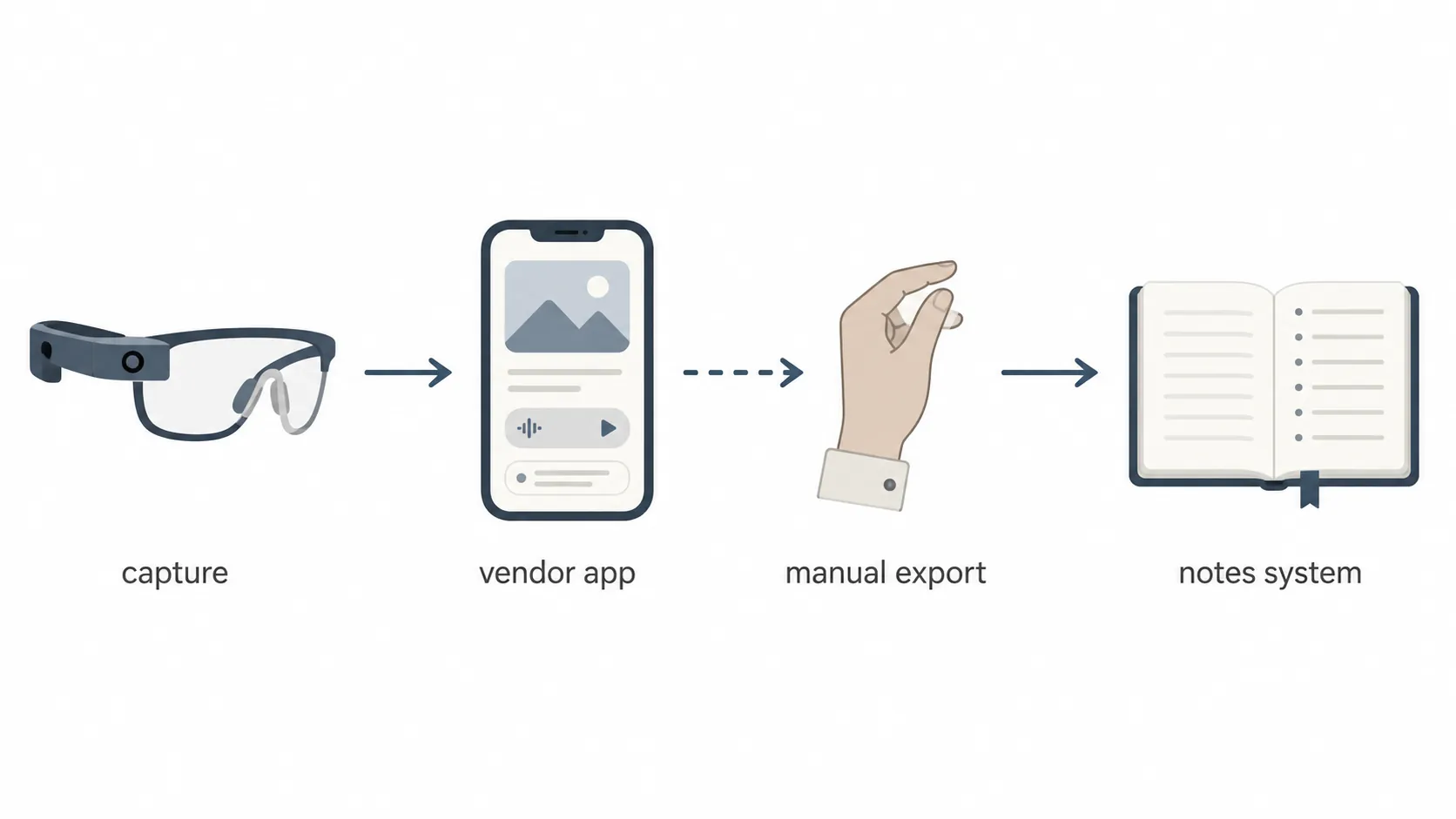
That extra inbox is not a small detail for someone who already maintains a notes system. A rough meeting summary sitting in Meta AI, Even, MemoMind, or Rokid is not yet part of a project archive. It may not have the right title, tags, backlinks, source context, class folder, client folder, or daily note trail. If it stays in the glasses app, it becomes searchable only where you are least likely to search six weeks later.
This is the same vendor-lock-in problem that shows up in conventional notes apps, just with a more glamorous capture surface. If your current setup was chosen to avoid proprietary formats, awkward exports, or subscription creep, the glasses app deserves the same scrutiny as any other notes app. FlowDesk’s guide to hidden costs in free note-taking apps is the right frame here: the price is not only the hardware. It is the ongoing cost of getting information back out.
For Notion users, the friction is often restructuring: a captured note has to become a database item, meeting page, task, or project update. For Obsidian users, the friction is portability and linking: the valuable unit is usually a Markdown note in a folder, not a transcript stranded in a mobile app. For Apple Notes and Evernote users, the issue is less ideological and more practical: can the capture be filed, searched, and trusted without turning Friday afternoon into an export session?
If you are still choosing the destination system itself, start with FlowDesk’s digital note-taking app comparison by use case before buying glasses. If you already have the destination, the relevant question is whether the glasses reduce enough capture friction to justify another manual handoff.
Quick spoken notes: Ray-Ban Meta Gen 2 is the cleanest low-friction capture, with a Meta-shaped endpoint
Ray-Ban Meta Gen 2 is the easiest model here to understand. It is not trying to become a full lecture-captioning display or an all-day memory agent. You can use the voice command “Hey Meta, take a note,” and the note is captured into the Meta AI app.[1] CNET reports the glasses at roughly 49–51 g, about $379, and around 8 hours in its testing; Meta claims up to 12 hours in everyday use.[1][2]
That combination makes sense for small interruptions: a sentence during a walk, a reminder after a hallway conversation, a thought while cooking, or a quick capture while your phone is buried in a bag. It is less convincing as a serious meeting-notes tool because the reviewed materials do not provide an independent transcription-accuracy figure, and there is no native path into the notes apps many knowledge workers already trust.
Not for you if: the important part of your workflow is not capture but filing. If your real requirement is “send this into my Obsidian daily note” or “append this to the right Notion meeting page,” Ray-Ban Meta Gen 2 stops too early.
Meta Ray-Ban Display: better in-glasses review, still a closed Meta lane
Meta Ray-Ban Display fixes one obvious problem with audio-only capture: you can see information in the lens. PCMag describes the model as adding “notes in glasses,” but also rates it 3.0 and says it is locked to Meta services with no third-party push notification support.[3] The price is also a different decision: $799, or $999 with prescription.[3]
The display matters if you want confirmation without touching a phone. In a meeting or lecture, being able to glance at a note may prevent the “did it actually save?” anxiety that voice-only capture creates. But the destination has not changed. If the note remains in Meta’s lane, you still have to move it into the place where your agenda, readings, tasks, and decisions already sit.
Not for you if: you are buying the display because you assume it means deeper app integration. The display adds review and interface surface; the reviewed evidence does not show native export into Notion, Obsidian, Apple Notes, or Evernote.
Lectures and live conversations: Even Realities G2 has the right shape, not the right escape hatch
Even Realities G2 is the most relevant pair here for someone picturing a lecture or live conversation. Its Conversate mode can transcribe live conversations and save transcripts to the Even app.[4] WIRED reports about 10 hours of battery life, while the vendor claims 2 days; CNET and WIRED place the glasses around 35–36 g and about $599.[4][7]
The weight and battery evidence are what make G2 interesting. A device that is light enough to keep on and survives a substantial day is closer to the real classroom or conference-room problem than a heavier short-session device. For a two-hour lecture, the reviewed battery evidence is more encouraging than the category average claims, though it should not be confused with a tested guarantee for every transcription-heavy scenario.
The catch is exactly where a notes-system buyer would expect it. CNET found no hook into existing phone apps, no calls, no music, and spotty connectivity.[4] That may be acceptable if the glasses are primarily a captioning and transcript device. It is harder to accept if the goal is a smooth pipeline into a course notebook, research vault, or client file.
Not for you if: the transcript is only useful after it becomes part of a larger knowledge library. G2 may capture more of the room than Ray-Ban Meta, but it still asks you to bridge the gap from vendor app to permanent notes.
Meeting memory: MemoMind One makes the subscription part of the note-taking decision
MemoMind One is built around the promise many people secretly want from smart glasses: record the meeting, transcribe it, summarize it, and remember what mattered. Gizmodo reports the glasses at $399, with meeting recording and transcription, but the always-on “Moments” memory feature — the distinctive reason to consider the product — sits behind the $20/month Memo+ subscription.[5]
That subscription changes the comparison. If MemoMind is just another meeting recorder, it competes with tools you may already use on a laptop or phone. If MemoMind is an always-on memory layer, then the monthly cost is not an accessory; it is the product. The vendor also claims 16 hours of battery life, but the reviewed materials do not include an independent test of that figure.[5]
This is where a notes buyer should compare MemoMind not only with other glasses, but with the subscriptions already attached to the notes stack. FlowDesk’s free-vs-paid note-taking app comparison and Evernote pricing analysis are useful parallels: a monthly fee is easier to defend when it removes work you can actually name.
Not for you if: you are already paying for a notes app, a meeting assistant, and cloud storage, and the only new capability is another place to review summaries. MemoMind becomes more compelling only if its capture behavior replaces a painful habit rather than duplicating one.
Rokid: AI meeting summaries without your own AI account
Rokid Glasses sit in the AI-assistant part of the category. VR.org lists them at about $499 and 49 g, with a monocular micro-LED display, and says Gemini runs natively after a March 2026 update.[6] The pitch includes speaker-ID meeting summaries.[6]
The practical limitation is account control. CNET notes that you cannot log into your own AI services.[2] For someone who already pays for an AI service, has configured privacy settings, or keeps meeting work inside a company-approved account, that is not a footnote. It means the glasses workflow may be separate from both the notes system and the AI system already in use.
Not for you if: “AI meeting summary” sounds useful only when it lands in the toolchain you already trust. The reviewed evidence supports Rokid as a glasses-first AI workflow, not as a clean extension of your existing one.
Always-listening needs a higher bar than a good demo
The more a device promises to listen proactively, the less forgiving the workflow becomes. Halliday is the useful cautionary example. Engadget found that its proactive AI responded to every line it heard, including ums and ahs.[8] That is not a privacy-law argument or a prediction about every always-listening product. It is a product-behavior warning: indiscriminate capture can create noise faster than it creates knowledge.
A good capture tool should reduce the number of decisions waiting for you later. If the glasses turn ambient speech into a stream that must be dismissed, cleaned, or reclassified, then “hands-free” has merely moved the work from the moment of capture to the moment of review.
Accuracy evidence is still thin; Xander shows what better evidence looks like
Most smart-glasses note products describe recording, transcription, summaries, or AI help without giving an independent transcription-accuracy percentage. That distinction matters. Adoption of a transcription feature is not evidence that the transcript is reliable enough for a lecture, a client meeting, or a technical interview.
Xander is not a mainstream recommendation for hands-free notes. HearingTracker reports it at $5,000, 130 g, and 2.5–3 hours per charge.[9] But it is the category’s useful benchmark because the same source reports independent transcription accuracy: 85–95% offline depending on noise, and up to 97% on Wi-Fi.[9]
That does not make Xander the answer for a student or knowledge worker who wants notes in Obsidian. It makes the evidence gap visible. When a lighter, cheaper, more stylish product says it transcribes or summarizes, the next question should be whether anyone has measured how well it does so under the noise and distance conditions you actually face.
What survives the real use cases
The answer changes by situation because “note-taking” is doing too much work as a label.
| Use case | Most defensible option from the reviewed set | Why | What still breaks |
|---|---|---|---|
| A quick spoken thought while walking or away from the phone | Ray-Ban Meta Gen 2 | The voice trigger is simple, the glasses are comparatively light, and CNET’s tested battery figure is enough for ordinary day use.[1][2] | The note lands in Meta AI, not the notes app where the idea probably belongs. |
| A two-hour lecture or live conversation where seeing text matters | Even Realities G2 | Conversate mode supports live transcription, and WIRED reports about 10 hours of battery life.[4][7] | The transcript is saved to the Even app, and CNET found no hook into existing phone apps.[4] |
| A meeting that needs a summary | MemoMind One or Rokid, depending on whether you want a memory device or glasses-first AI assistant | MemoMind records, transcribes, and summarizes meetings; Rokid advertises speaker-ID meeting summaries with Gemini running natively.[5][6] | MemoMind’s distinctive always-on feature costs $20/month, while Rokid cannot log into your own AI services.[2][5] |
| An all-day workday | No clean winner | Ray-Ban Meta Gen 2 and Even G2 have the strongest independent battery evidence among the sources reviewed here; several other figures are vendor claims or missing from the reviewed materials.[2][7] | All-day capture is not the same as all-day usefulness if every captured item still waits in a vendor inbox. |
| High-stakes transcript reliability | Xander as an evidence benchmark, not a mainstream notes pick | It has independently reported accuracy figures, unlike most note-oriented models in the reviewed set.[9] | The price, weight, and 2.5–3 hour battery make it a poor fit for ordinary note-taking.[9] |
This is also why tethered display glasses such as Xreal, Viture, and RayNeo Air-style products are not doing the same job. They can be useful virtual monitors, but this comparison is about capture devices: glasses that record, transcribe, summarize, or save notes without turning the glasses into merely another screen.
Before buying, map the export step
The safest buying test is not a feature checklist. It is a destination rehearsal. Pick one real meeting or lecture from last week and ask what would have happened if the glasses captured it. Where would the transcript appear? Who would review it? What would be deleted? What would be renamed? How would the useful part reach the project page, class note, client file, or daily log?
If that path depends on copying text from a vendor app, decide whether the capture trigger is worth that manual step. A strong yes might be reasonable for someone who loses important thoughts while walking, cannot take out a phone during lectures, or needs live captions in conversation. A weak yes is dangerous, because weak yeses become abandoned inboxes.
FlowDesk’s capture-inbox-to-knowledge-library guide is the right operating model: capture is allowed to be messy only if there is a predictable path into the durable library. Smart glasses do not remove that requirement. They make it easier to ignore until the notes pile up.
So, should smart glasses become your note-taking device?
Buy a pair for hands-free notes only if the capture moment is painful enough to justify a second inbox. Ray-Ban Meta Gen 2 is the most sensible quick-capture option. Even Realities G2 is the most relevant lecture and live-conversation option. MemoMind One is worth examining only if its memory layer replaces work you already do, and the $20/month Memo+ fee clears the same bar as any other notes subscription. Rokid is interesting for glasses-first AI summaries, but not if your existing AI account and notes stack are non-negotiable.
Do not buy any of them assuming the captured note will simply flow into Notion, Obsidian, Apple Notes, or Evernote. As of this verification, the reviewed models capture into their own apps and services. The right pair is the one whose trigger, battery, and transcription behavior solve a problem big enough that you are willing to perform the export afterward.
References
- AI glasses for productivity, Meta
- Best Smart Glasses in 2026: Wait for Google, CNET
- The Best Smart Glasses We've Tested for 2026, PCMag, August 7, 2026
- These Sleek Smart Glasses Get So Much Right. Why Am I So Disappointed?, CNET
- You Don’t Want Smart Glasses That Record Everything You Say, Trust Me, Gizmodo
- AR Glasses Buyer’s Guide, VR.org, August 2026
- Best Captioning Glasses, WIRED
- Halliday Glasses Review: Ambitious Smart Glasses with Frustrating Flaws, Engadget
- Hear with Your Eyes: Five AR Live Captioning Glasses, HearingTracker, June 8, 2026