
The 2026 version of a bad Notion workspace usually fails quietly. A consultant asks Notion AI to find the latest client decision and gets an answer that blends an active project page, an old discovery note, and a clipped article. A student asks for a semester summary and receives a confident blur of lecture notes, reading highlights, and abandoned essay outlines. A team member opens a database and cannot tell whether a page is current work, standing responsibility, reference material, or history.
That is the real question behind a PARA method Notion setup in 2026. It is not whether folders have become unfashionable. It is whether your structure gives Notion AI enough boundaries to answer from the right context instead of the nearest-looking context.
PARA still works. It just should not be implemented as four equally fussy buckets anymore. Projects and Areas need sharper edges because they describe active work and durable responsibility. Resources and Archives can be looser because AI-assisted search is better at recovering stored knowledge than it is at guessing what still matters.
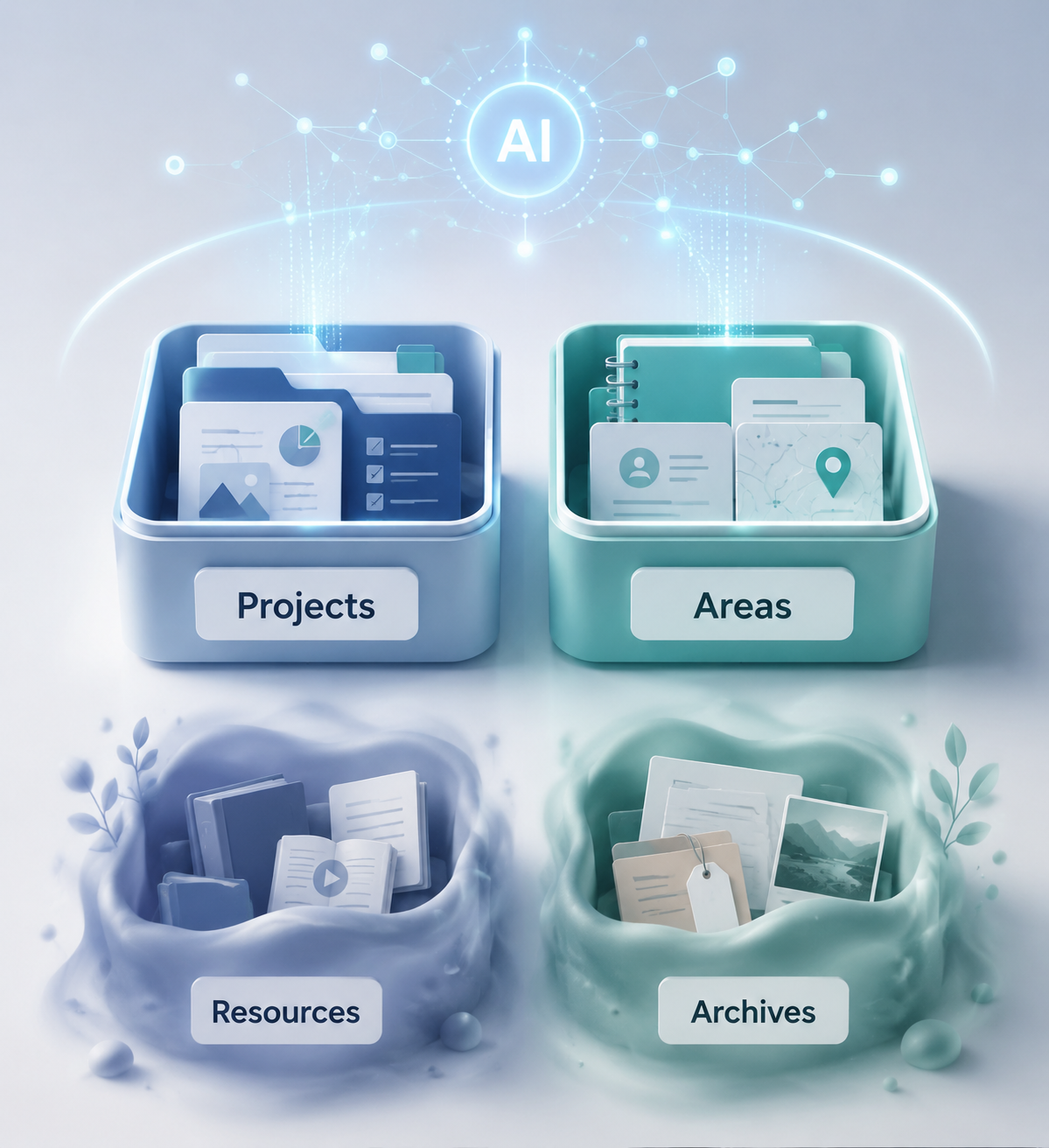
The Classic PARA Setup, Briefly
PARA divides information by actionability:
- Projects are short-term efforts with a clear outcome.
- Areas are ongoing responsibilities with a standard to maintain.
- Resources are reference material for topics you may use later.
- Archives are inactive items kept for record, reuse, or search.
That baseline still matters. If you need the traditional Notion build with databases, linked views, and page movement, use a classic setup guide for the mechanical walkthrough. The 2026 adjustment is about priority: which boundaries deserve maintenance now that AI can retrieve, summarize, and act across your workspace.
For users who do not use Notion AI, the older advice remains mostly intact. Keep Projects outcome-based, keep Areas separate from Projects, save useful Resources, and archive what is no longer active. The urgency is lower because a human is still doing most of the interpretation. Once AI enters the workspace, sloppy categories stop being a private annoyance and start shaping generated answers.
What AI Changes: Boundaries Matter Unevenly
A pre-AI PARA setup often treated all four buckets as a tidy filing system. In an AI-era setup, they do different jobs. Projects and Areas become context boundaries. Resources become a searchable library. Archives become a low-maintenance memory layer.
| PARA bucket | Classic Notion emphasis | 2026 AI-era emphasis |
|---|---|---|
| Projects | Track active outcomes | Define current commitments tightly so AI retrieves the right working context |
| Areas | Maintain ongoing responsibilities | Keep durable standards clean so AI does not confuse responsibility with one-off work |
| Resources | Tag and organize reference material | Use moderate structure; rely more on semantic search for retrieval |
| Archives | Move inactive pages out of sight | Keep inactive material searchable without over-handling or breaking database relationships |
Storyflow’s May 2026 analysis makes this distribution shift explicit: it recommends tighter discipline around Projects and Areas, looser handling for Resources, and near-passive Archives. The same article recommends keeping active Projects in a three-to-seven range for AI-context quality and describes a pattern where users who abandon structure for AI-only retrieval often rebuild a rougher system within about six months.[1]
That six-month rebound claim is useful as a practitioner observation, not as neutral research. Storyflow sells into this problem space, so its analysis has a commercial point of view. The safer takeaway is narrower: people who rely on AI retrieval without any stable categories often rediscover the need for boundaries after the workspace grows.
The pricing context raises the stakes. Storyflow describes Notion AI as a $10/user/month add-on, but pricing should be checked against Notion’s official page before budgeting in Q3 2026.[1] Either way, once AI is a paid layer on top of the workspace, organization is no longer just visual preference. Bad boundaries become a quality problem in something you are paying to use.
Projects Need the Sharpest Edge
A Project in Notion should earn its place. It needs a defined outcome, an active status, and enough ownership or context that a tired person can tell what belongs there. “Marketing,” “Client work,” and “Research” are not good Projects. They are too broad for a human and too vague for AI.
Better Project names carry the finish line: “Launch July client onboarding guide,” “Submit fall scholarship application,” “Prepare Q3 board packet.” The page can still contain messy notes, meeting fragments, drafts, and decisions. The boundary around the page should not be messy.
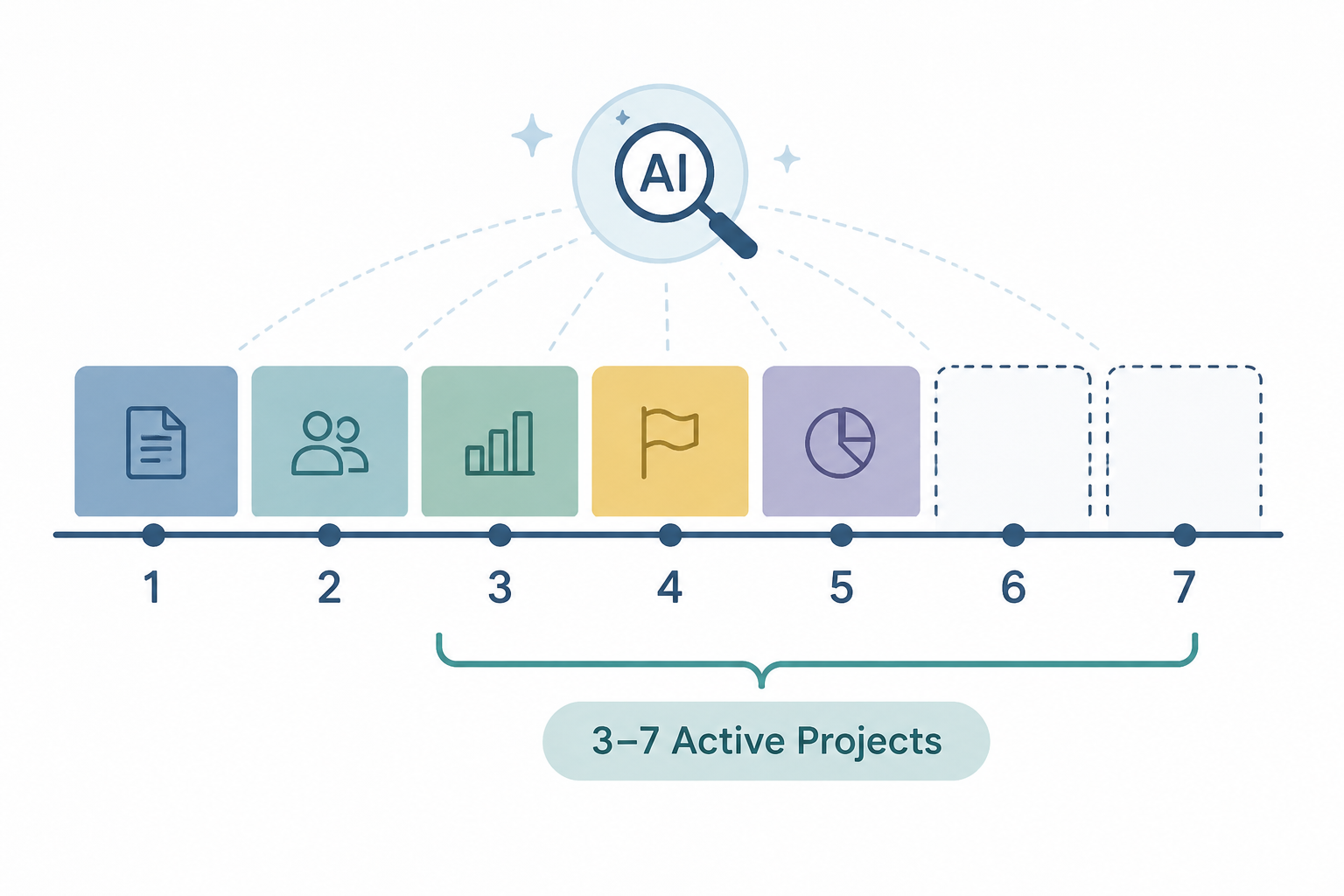
The three-to-seven active Projects range is a practical guardrail, not a personality test.[1] Fewer than three may mean you are hiding real work inside Areas or inbox pages. More than seven usually means the active layer is no longer active in any meaningful sense. AI can search a large workspace, but it cannot reliably infer your actual commitment level if everything is marked current.
For each active Project, keep the minimum fields boring and visible:
- Outcome: what will be true when this Project is done.
- Status: active, paused, waiting, or done.
- Owner or context: client, class, team, role, or life domain.
- Next action: the next visible move, not a motivational phrase.
- Related Area: the ongoing responsibility this Project supports, if one exists.
The point is not to make every Project page beautiful. It is to make active work unambiguous. If Notion AI summarizes a Project, drafts a follow-up, or searches for decisions, it should not have to choose between an active deliverable, a someday idea, and a general topic folder with the same name.
A Project Is Not a Parking Lot
The easiest way to ruin PARA in Notion is to use Projects as a dumping ground for anything that feels important. A meeting note without an outcome does not automatically become a Project. A useful article does not become a Project because you plan to read it. A vague intention like “Improve website” should not sit beside real work like “Publish new pricing page.”
When a page does not have a finish line, put it somewhere else. It may belong in an Area if it supports an ongoing standard. It may belong in Resources if it is reference. It may belong in an inbox until you decide. Leaving it in Projects because AI can find it later only postpones the decision until the moment someone needs a reliable answer.
Areas Are Durable Context, Not Vague Interests
Areas need almost as much discipline as Projects, but for a different reason. A Project ends. An Area continues. That makes an Area a durable context Notion AI may return to again and again when it interprets notes, tasks, decisions, and recurring responsibilities.
Good Areas describe standards you are responsible for maintaining: “Client delivery,” “Editorial calendar,” “Personal finances,” “Graduate coursework,” “Team operations.” Weak Areas describe interests without accountability: “Productivity,” “Ideas,” “Things to improve,” “Business.” Those may be Resource topics, but they are not Areas unless something must be kept at a certain level.
A clean Area page should answer three questions quickly:
- What standard is being maintained?
- Which active Projects currently support it?
- Which recurring tasks, notes, or decisions belong here even when no Project is active?
This is where many Notion setups get fuzzy. Someone creates an Area called “Clients,” then stores active deliverables, old proposals, reusable templates, call notes, invoices, and reading material inside it. Humans can sometimes survive that by remembering the backstory. AI has no such loyalty. It sees a context cluster and produces from the cluster.
A better client setup might keep “Client delivery” as the Area, each current engagement as a Project, reusable onboarding language as a Resource, and completed engagements in an inactive state or Archive. The Area then remains the operating standard instead of becoming a warehouse.
Teams Need Extra Care Around Areas
Shared Notion workspaces add a permissions problem. Notion Mastery’s PARA guidance notes that work and personal permissions can become difficult when the same workspace structure crosses private and shared contexts.[2] That matters more with AI because context leakage is not only about who can click a page. It is also about what material is available to summarize, retrieve, and combine.
If an Area mixes personal planning with team operations, fix that before adding more AI workflows. Use separate Areas or separate databases when access, accountability, or audience changes. A clean boundary is worth more than a clever dashboard.
Resources Can Be Looser Than You Think
Resources are where AI gives back some of the time PARA used to demand. You do not need to tag every article, quote, PDF, book note, and idea clipping into a perfect taxonomy before the workspace becomes useful. Semantic search can recover a lot of reference material from ordinary titles, page text, and loose topic groupings.
That does not mean Resources should become a trash pile. It means their structure should be proportional to reuse. A student may want Resources grouped by course or subject. A researcher may need source type, author, and reading status. A content strategist may benefit from topic clusters and publication channels. Those are working distinctions, not decorative tags.
For many users, a Resource page only needs a clear title, the captured material, and one broad topic. If you are spending more time designing Resource metadata than using the material, the system is serving itself.
| Resource behavior | Worth doing in 2026? | Why |
|---|---|---|
| Clear page titles | Yes | They improve human scanning and AI retrieval |
| Broad topic grouping | Usually | It helps browsing without becoming a maintenance burden |
| Detailed multi-tag systems | Sometimes | Useful for research-heavy work, excessive for casual reference |
| Perfect folder placement | Rarely | Semantic search reduces the payoff of exact filing |
This is the part of PARA that can relax without collapsing. The harm from a slightly under-organized Resource library is usually delay. The harm from a badly defined Project or Area is a wrong next action, a confused summary, or an AI-generated answer that sounds right while pulling from the wrong work.
Archives Should Not Become a Moving Ritual
The classic PARA habit is to move inactive material to Archive. In Notion, taking that literally can create avoidable cleanup. Maria Aldrey’s Forte Labs guide notes an important Notion limitation: moving a page between databases breaks all its relations.[3] That is not a small implementation detail if your Projects connect to clients, tasks, meetings, assets, invoices, or team areas.
For a 2026 Notion setup, archiving should often mean changing state, not moving the page. A Project can become “done” or “archived” inside the same database. A filtered view can hide it from active work. Relations stay intact, old context remains searchable, and nobody has to repair a database because the system demanded a ceremonial relocation.
A near-passive Archive works well when it has three traits: inactive items are not visible in active views, old pages remain searchable, and their relationships are preserved. That is enough for most users. Archive reviews can still be useful for regulated work, client handoffs, or academic records, but they should be chosen for a reason, not inherited as a productivity ritual.
A Practical 2026 Notion PARA Setup
If you are building from scratch, do not start with a template hunt. Start with the decision rules. Templates can save setup time, but they cannot decide what counts as active, ongoing, referential, or inactive in your actual work.
A reasonable setup looks like this:
- Create one Projects database for active outcomes, with status, owner or context, related Area, next action, and due date only if dates actually drive the work.
- Create one Areas database for ongoing responsibilities, with a short standard statement and linked active Projects.
- Create a Resources database or library with broad topics, not a sprawling tag architecture.
- Archive by status whenever possible, especially when pages have relations you want to preserve.
- Build your main dashboard from filtered views: active Projects, current Areas, recent Resources, and hidden inactive work.
Forte Labs’ Notion walkthrough describes a do-it-yourself setup taking about one to two hours, followed by several weeks of refinement.[3] That timing is believable because the first build is only the skeleton. The real work is noticing which pages land in the wrong bucket after actual use.
What to Ask Before You Let AI Work Across It
Before relying on Notion AI for summaries, project updates, or task extraction, run a small boundary audit:
- Can every active Project be finished?
- Do you have more than seven active Projects?
- Does each Area describe a responsibility rather than a topic?
- Are Resources clearly titled even if lightly tagged?
- Can inactive pages disappear from active views without breaking relations?
- Would a teammate or future you know whether a page is current work or old context?
If the answer is no, fix the boundary before adding another property, view, automation, or AI prompt.
Old PARA vs. AI-Era PARA in Notion
The old Notion PARA setup rewarded completeness. A place for every Project, every Area, every Resource, every Archive. The AI-era version rewards useful separation. It asks which boundaries change the quality of retrieval and generated output.
| Decision | Old setup instinct | Better 2026 instinct |
|---|---|---|
| Too many active Projects | Make a better dashboard | Reduce or pause Projects until active work is believable |
| Messy Areas | Add subpages and tags | Rewrite Area definitions around responsibilities and standards |
| Large Resource library | Design a complete taxonomy | Use broad grouping and rely on search unless precision is needed |
| Completed work | Move it to an Archive database | Change status first if moving would break relations |
| AI gives mixed answers | Write a better prompt | Check whether Projects, Areas, and Resources are being blended |
Prompting can compensate for some mess. It cannot reliably repair a workspace where current commitments and old reference material are treated as the same kind of object. The more you expect AI to summarize, compare, extract, or act, the more your active layers need to say what they are.
When Classic PARA Is Still Enough
Not every Notion user needs an AI-tuned system. If you use Notion as a personal wiki, a lightweight task board, or a manual reference hub, classic PARA may be enough. Keep the four buckets, review Projects, maintain Areas, save Resources, and archive inactive material in whatever way you can sustain.
The stronger AI-era rules become worthwhile when Notion AI is expected to answer across a meaningful amount of work: client notes, course material, team decisions, content plans, research libraries, meeting records, or recurring operations. In those cases, the structure is not there to look organized. It is there to reduce the chance that a plausible answer is built from the wrong pile.
The Setup Recommendation
Keep PARA in Notion for 2026, but stop giving all four buckets the same amount of maintenance. Tighten Projects until each one has an outcome, active status, owner or context, and a believable place in a three-to-seven active range. Tighten Areas until each one names an ongoing responsibility with a standard to maintain. Let Resources stay moderately structured, especially when search can recover them. Let Archives become mostly passive, and avoid moving pages between databases when a status change will preserve relations.
AI is not a reason to abandon structure. It is a reason to stop wasting structure where retrieval is already strong and sharpen it where context mistakes are expensive.
References
- PARA Method with AI in 2026: The Updated Framework, Storyflow, May 2026.
- Using the PARA method with Notion, Notion Mastery.
- How to Build a Second Brain in Notion, Forte Labs.