
The moment before a note is captured is usually more important than the tool itself. You hear an idea in a meeting, notice a connection while reading, or feel the beginning of a plan forming. The lazy question is whether paper notebooks or digital note-taking is better for creativity and productivity. The useful question is different: what kind of thinking is this note supposed to do?
Paper is strongest when the note needs friction: compression, sketching, spatial mess, and enough slowness to make you choose. Digital is strongest when the note needs memory outside your head: search, linking, reminders, collaboration, storage, and repeated retrieval. The trouble starts when we use one medium for the other job. A notebook full of decisions becomes a liability when nobody can find the decision later. A perfectly tagged app becomes a liability when it lets you collect instead of think.
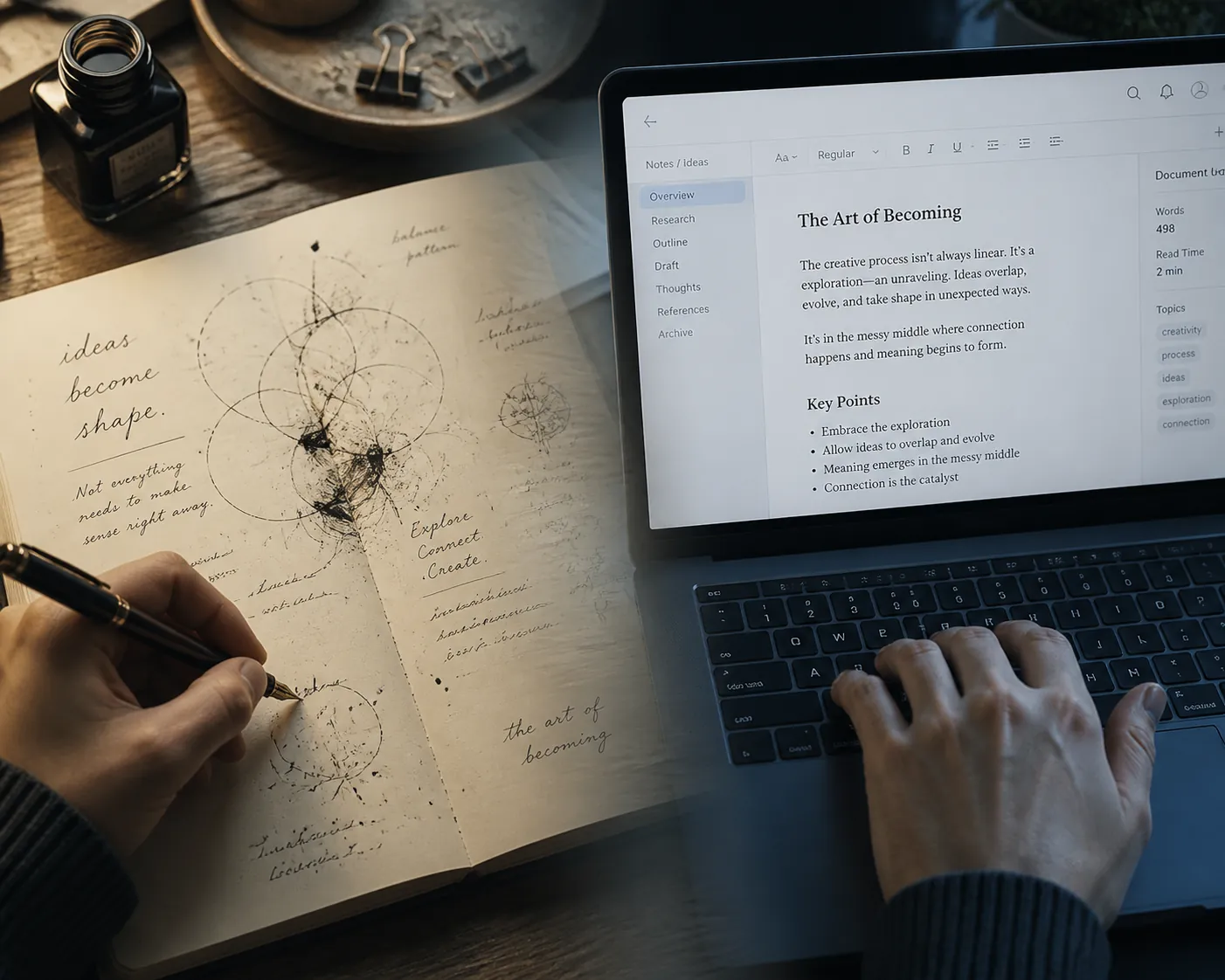
Why Paper Changes the Thinking, Not Just the Texture
The best argument for paper is not that it feels warmer or looks more personal. It is that handwriting changes the physical and cognitive work of making a note. In a 256-channel EEG study of 36 participants, Van der Weel and Van der Meer found widespread theta and alpha connectivity during handwriting, including 32 significant cluster differences across parietal and central brain regions, while typing showed minimal connectivity in the same areas.[1] That does not mean every handwritten grocery list is a neurological masterpiece. It does mean handwriting recruits a broader pattern of activity than keyboarding in the task studied.

That finding matters because notes are often mistaken for storage. In many real situations, the first job of a note is not to preserve information. It is to make the mind handle information. NPR’s 2024 reporting on handwriting and the brain describes handwriting as “among the most complex motor skills the brain is capable of,” involving pressure control, fine motor movement, and real-time visual feedback that typing largely bypasses.[2] A pen stroke is slower and more variable than a keystroke. Annoying, yes. Also useful.
The learning evidence points in the same direction. Mueller and Oppenheimer’s 2014 work found that students using longhand notes performed 0.13 to 0.29 standard deviations above laptop note-takers on factual and conceptual questions. A 2024 meta-analysis of 24 studies involving roughly 3,000 students, summarized by Edutopia, found that about 40% of students who took handwritten notes earned As and Bs, compared with about 30% of students who typed.[3] These studies are about students in learning settings, not every professional task. Still, the mechanism is hard to ignore: when the medium slows capture, it forces selection.
The penalty for speed shows up in the shape of the notes themselves. In Mueller and Oppenheimer’s study, 14.6% of laptop notes were verbatim, compared with 8.8% of handwritten notes. The speed gap helps explain why: adult handwriting is often estimated around 13 words per minute, while typing can be closer to 40 words per minute.[3] When you can type quickly enough to chase the speaker, the note can become a transcript. That feels productive because the page fills up. It may also mean the hard work of deciding what matters has been postponed.
A Task Map for Choosing Paper or Digital
The choice becomes clearer when it is made by task instead of temperament. The same person may need paper at 9 a.m. to untangle a vague idea, a digital archive at noon to compare sources, and a task manager at 4 p.m. so a meeting decision does not disappear into a beautiful notebook.
| Scenario | Better starting medium | Reason |
|---|---|---|
| Brainstorming and early creative exploration | Paper | Low structure, sketching, compression, and spatial freedom matter more than retrieval. |
| Conceptual note-taking while learning | Paper or digital handwriting | Slower capture encourages processing instead of transcription. |
| Meeting notes | Hybrid | Paper can clarify decisions in the room; digital should hold action items and searchable records. |
| Research synthesis | Hybrid leaning digital | Paper helps combine ideas; digital preserves sources, quotes, links, and citations. |
| Daily journaling | Depends on intent | Paper supports reflection; digital supports search, prompts, and longitudinal review. |
| Project planning | Digital | Deadlines, owners, dependencies, reminders, and sharing need an execution system. |
Brainstorming: Start Where the Idea Can Be Ugly
Early creative work rarely arrives as a clean outline. It arrives as fragments: a phrase, a rough shape, a maybe-useful contradiction, an arrow between two things that do not yet belong together. Paper is good here because it does not ask the idea to become a file, a card, a database item, or a title too early.
This is where friction earns its keep. A page can hold a sketch beside a sentence, a crossed-out option beside a better one, and a margin note that has no category yet. The point is not that digital tools cannot sketch. Many can. The point is that paper makes the cost of premature organization high enough that you are less tempted to tidy the work before the work exists.
A practical test: if you do not yet know what the note is about, use paper. If you are naming folders before you know the question, you are probably organizing uncertainty instead of exploring it. Give the page ten minutes. Draw the bad version. List the obvious answers so you can get past them. Put incompatible thoughts close enough to collide.
Conceptual Learning: Do Not Outsource the Compression
Lectures, interviews, books, and dense briefings create a different problem. There is too much incoming material, and not all of it deserves equal treatment. Paper helps because it cannot keep up cleanly. That limitation is not a defect when the goal is understanding. It makes you summarize, abbreviate, connect, and decide.
Typing is useful when the job is to capture exact language. It is dangerous when it lets you confuse exact capture with comprehension. The verbatim-note finding from Mueller and Oppenheimer is the important clue here: laptop users wrote down more of what was said word for word, and that habit was associated with weaker performance on later questions.[3] A transcript can be valuable, but it is not the same as a processed note.
For learning, a strong handwritten note often looks incomplete to someone else. It may have fewer sentences, more arrows, a crude hierarchy, and a few phrases that only make sense because the writer did the compression. That is part of the value. The note is not just a record of the lecture; it is evidence that the listener chose what belonged on the page.
- Use paper when the material is concept-heavy and you need to explain it later in your own words.
- Use typing when exact wording, legal language, quotes, or fast-moving factual detail matter more than interpretation.
- Use digital handwriting when you want pen-based processing but still need cloud storage, export, or later review.
- After the session, convert only the durable ideas into a searchable system instead of digitizing every mark.
Digital handwriting sits in the middle for people who like the cognitive feel of pen input but cannot tolerate losing notes across shelves, bags, and old notebooks. If that is the fork you are at, a comparison of handwritten note-taking apps is more relevant than a generic feature list. The real question is whether the app preserves enough of the pen-based process while improving storage and retrieval.
Meeting Notes: Capture the Room, Then Rescue the Decisions
Meetings punish purists. Paper is often better while people are still arguing, sketching possibilities, and revising the problem in real time. It is quick to draw a dependency, box a decision, or mark the sentence that changes the direction of the conversation. It also keeps the note-taker out of the performative glow of a laptop, which can matter in some rooms.
But a meeting note that stays only on paper has a short half-life. The decision someone needs next Thursday may be three pages after a doodle and two pages before a grocery reminder. The action item may be clear to you and invisible to the person who owns it. This is where digital wins without needing a philosophical defense.
For meetings, the handoff matters more than the capture medium. During the meeting, mark three things visibly: decisions, owners, and dates. After the meeting, move only those items into the shared system: project board, notes app, calendar, CRM, or task manager. Leave the conversational debris in the notebook unless it has future value.
Research Synthesis: Keep Sources Digital, Think on Paper When the Pattern Is Still Forming
Research work splits into two jobs that should not be forced into one medium. Source management belongs digital. Quotes, links, PDFs, publication dates, tags, and citation details need to be searchable and durable. A paper notebook is a poor archive for exact evidence because it breaks the chain between claim and source.
Synthesis is different. When you are trying to see what several sources imply together, paper can be the better temporary surface. It lets you cluster claims, cross out weak lines of argument, and notice that two facts belong in tension rather than in sequence. This is not nostalgia. It is a way to avoid mistaking a database of excerpts for an argument.
A useful research workflow is almost embarrassingly simple: collect sources digitally, print or write only the problem you are trying to solve, sketch the relationships on paper, then move the resulting structure back into digital form. The archive stays searchable. The thinking gets room to be provisional.
Daily Journaling: Choose Based on Whether You Need Reflection or Review
Journaling is the easiest place to make the wrong comparison because the word covers several different jobs. If the journal is for emotional processing, private reflection, or morning mental clearing, paper has obvious advantages. It slows the hand, lowers the pressure to format, and makes the entry feel less like another work object.
If the journal is for patterns, metrics, recurring prompts, therapy notes, gratitude tracking, or reviewing how projects and moods change over time, digital becomes more useful. Search matters. Dates matter. Repeated prompts matter. So does being able to find “the last time this happened” without rereading months of entries.
The dividing line is not privacy or seriousness. It is whether the entry is meant mainly to help you process the present or compare the present with earlier records.
Project Planning: Stop Asking Paper to Remember What Software Is Built to Track
Project planning is where digital note-taking and task systems become hard to replace. A project has owners, due dates, dependencies, status changes, files, comments, and recurring review points. Paper can help you think through the shape of the project. It should not be the only place the project lives once other people, deadlines, or repeat decisions are involved.
Digital’s retrieval advantage is the practical counterweight to paper’s encoding advantage. Research.com claimed in 2026 that digital notes can help users locate specific information 68% faster than handwritten notebooks, though that figure should be treated cautiously because the underlying study is not independently identified in Research.com’s summary.[4] Even with that caveat, the direction is unsurprising. Search boxes, tags, folders, backlinks, reminders, and cross-device access solve problems paper creates.
For anyone choosing a digital system after deciding the work has crossed into execution, the better comparison is by workflow rather than novelty. A guide to choosing a note-taking app by workflow category will usually beat a tour of shiny features. If the decision is already narrowed to app selection, broader comparisons of digital note-taking apps, iPad note-taking apps, or free iPad note-taking options become relevant.
The Handoff Point
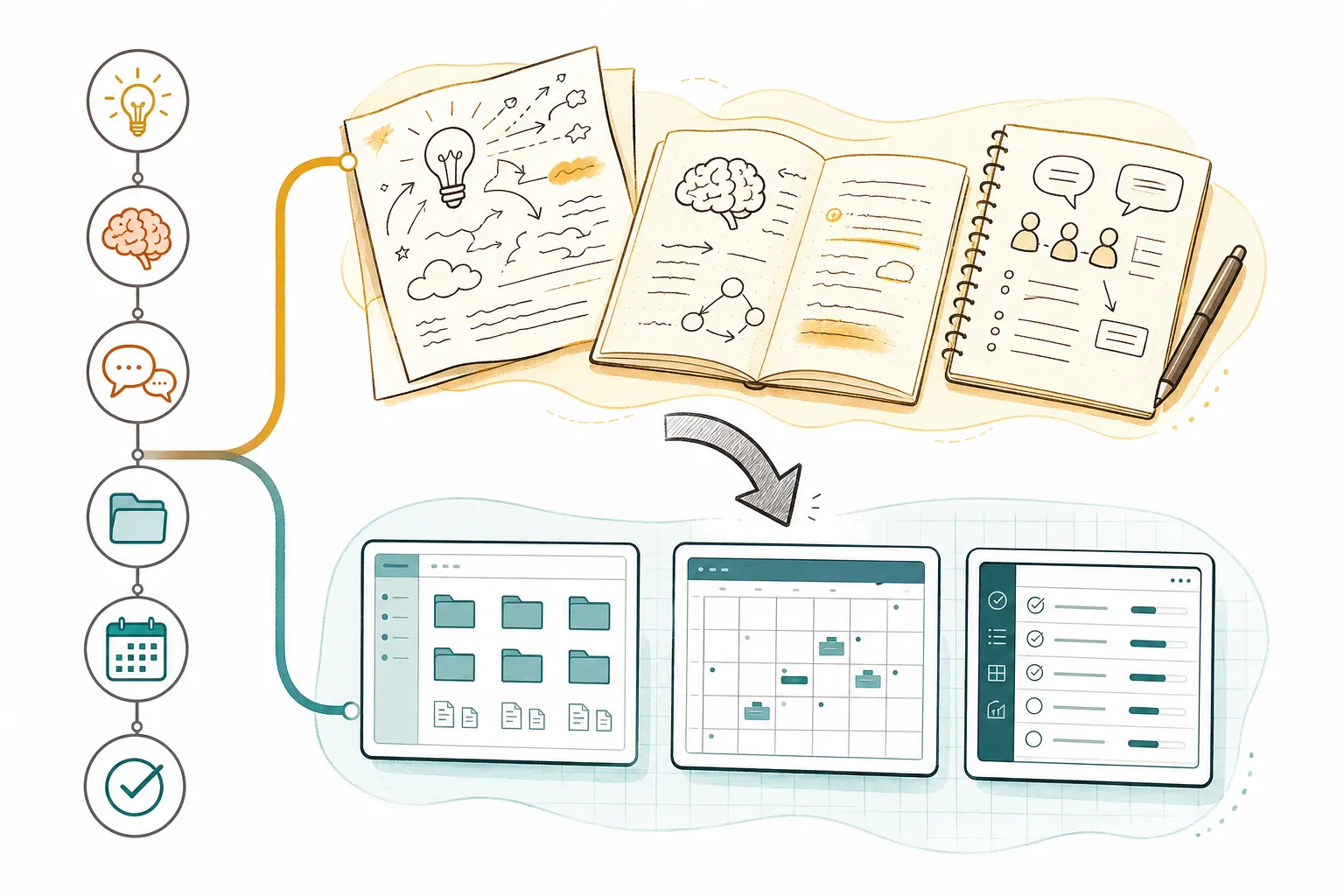
“Use both” is true enough to be useless unless the transfer point is defined. A hybrid workflow works only when paper is allowed to be temporary and digital is allowed to be selective. The notebook does not need to become a second inbox. The app does not need to contain every crossed-out phrase.
Move a paper note into digital when one of four things happens: someone else needs it, a deadline depends on it, you will need to find it later, or it has become part of a larger project. Until then, the paper note can remain what it is: a thinking surface.
- Transfer decisions, not the full meeting transcript.
- Transfer action items with owner and date, not vague intentions.
- Transfer durable concepts, not every exploratory sketch.
- Transfer exact quotes and source details immediately if they may be cited later.
- Transfer recurring references into a place where search can find them faster than memory can.
This handoff also prevents a common failure mode in digital systems: importing mess at scale and calling it organization. A photographed notebook page is searchable only if the system can read it, and useful only if the future version of you knows why it was saved. If the page contains one decision, type the decision. If it contains one project risk, put the risk where project risks are reviewed. If it contains an idea that still feels alive but not ready, give it a short note and a link back to the image if needed.
Digital Handwriting Is a Middle Ground, Not a Loophole
Stylus-based apps complicate the clean paper-versus-digital split in a useful way. They can preserve some of the slower, spatial, hand-driven behavior that makes handwriting valuable while adding cloud backup, search, export, and cross-device access. For students, designers, and visual thinkers, that can be a real improvement over both loose paper and pure typing.
They also introduce their own temptations. Infinite canvas can become infinite avoidance. Sticker-level formatting can replace thinking. Folder systems can sprawl just as badly as physical notebooks. The standard should remain the same: does the tool help the current phase of work, or is it asking you to maintain the tool?
A tool like GoodNotes, for example, is worth evaluating less as a brand identity and more as a bet on digital handwriting as a workflow. If that category is the serious candidate, a profile of GoodNotes’ current market position can help place it in context. The decision is still not “paper feeling” versus “tech.” It is whether pen input plus digital retrieval fits the work.
Caveats That Actually Matter
The evidence for handwriting is strongest in learning and encoding contexts. It does not prove that every creative professional will produce better work on paper, or that typing is shallow by default. A fast typist who pauses to synthesize may take better digital notes than a distracted person copying phrases by hand. The medium changes the incentives; it does not replace judgment.
Accessibility also changes the decision. Some people think better by typing because handwriting is painful, slow in the wrong way, or difficult to read later. Others rely on dictation, screen readers, OCR, or structured templates. The right system is the one that supports the cognitive job without creating unnecessary physical or logistical cost.
There is also a difference between capture and review. Paper may help you encode an idea today, but if you never revisit the notebook, the idea may as well have evaporated. Digital may preserve everything, but if everything is saved with equal weight, retrieval becomes another form of clutter. Both systems fail when review is absent.
A Usable Rule
Choose paper when the note is meant to change your thinking. That includes early brainstorming, conceptual learning, messy synthesis, sketching, private reflection, and any moment when slowing down would improve the quality of attention.
Choose digital when the note is meant to be found, shared, organized, linked, reminded, cited, or executed. That includes project plans, meeting follow-up, research archives, recurring references, collaborative work, and any situation where losing the note would create real cost.
Use digital handwriting or a deliberate transfer step when the work needs both. Let paper handle the unstable beginning. Let digital handle the durable result.
References
- Handwriting but not typewriting leads to widespread brain connectivity: a high-density EEG study with implications for the classroom, Frontiers in Psychology, 2024.
- Why writing by hand beats typing for thinking and learning, NPR, 2024.
- Why Writing by Hand Beats Typing in 6 Charts, Edutopia, 2026.
- Research.com, 2026.