
A work research task rarely starts with an empty question box and ends with a perfect answer. It starts with a messy question from a client, a manager, or a partner team: find the current market view, separate useful sources from recycled commentary, synthesize the evidence, and turn it into something someone can review without opening twenty tabs. That is the real test for NotebookLM deep research for work, ChatGPT Deep Research, and Perplexity.
The short version: Perplexity is strongest at live web discovery. NotebookLM is strongest once the source set needs to become a durable workspace with citations, reusable context, and deliverables. ChatGPT is strongest when the work needs broad reasoning, iteration, and polished final prose. None of the three owns the whole research lifecycle cleanly.
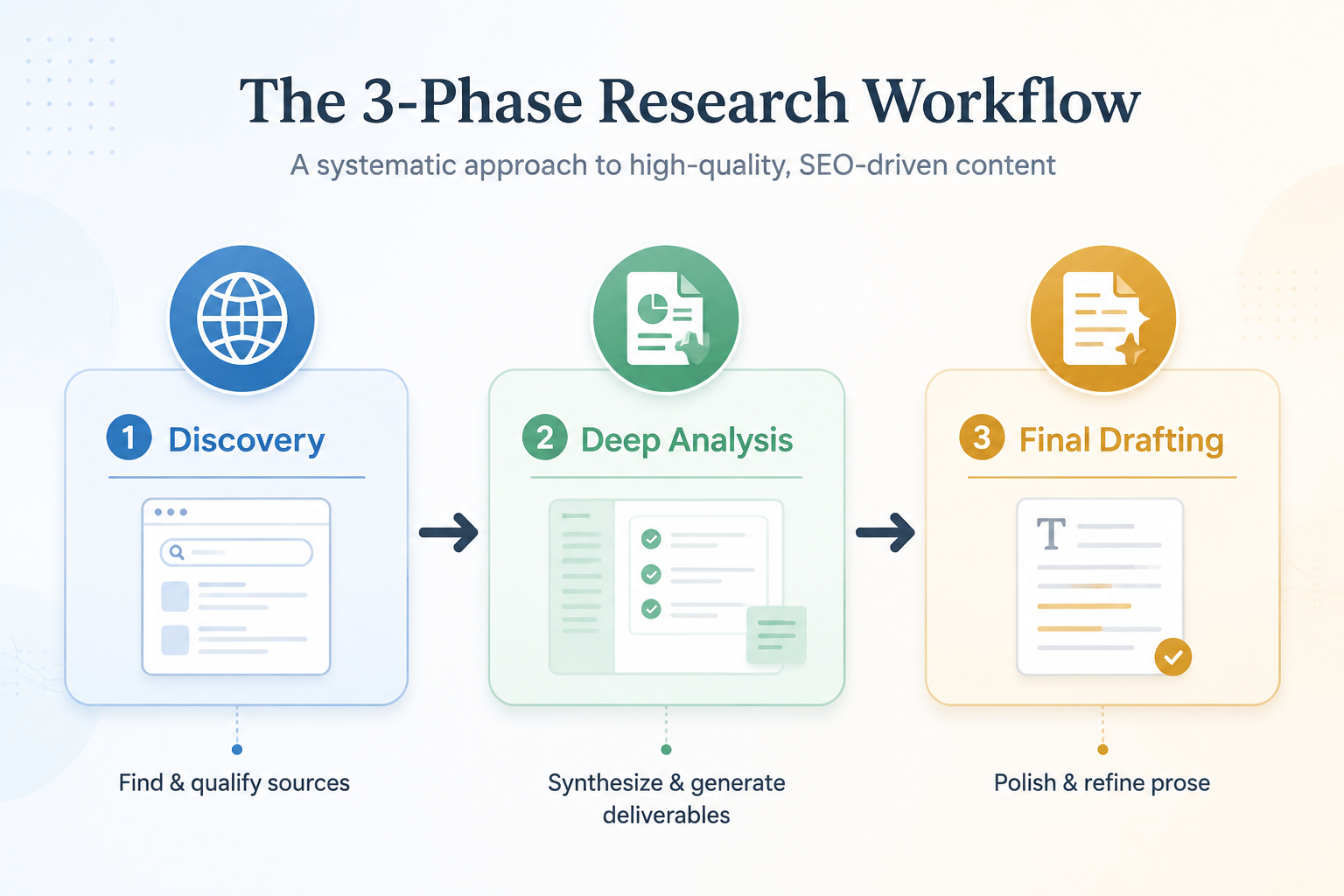
That makes the best answer less satisfying but more useful: chain them. Use Perplexity to discover and qualify current sources, move the best materials into NotebookLM for source-grounded synthesis and output generation, then use ChatGPT or Claude to shape the final draft for a specific audience. This is a pragmatic workflow, not an official integration, and it only works if the handoffs are treated as part of the research process rather than cleanup after the fact.
What “Deep Research” Has To Mean At Work
For personal curiosity, a deep research tool can simply answer a hard question with links. For work, that is only the first pass. A usable research system has to support five things: discovery, verification, synthesis, persistence, and deliverable production.
| Work requirement | What can go wrong | Tool that usually leads |
|---|---|---|
| Discovery | The tool misses current sources or overweights familiar pages | Perplexity |
| Verification | Claims look cited but are hard to trace back to the underlying document | Perplexity for web citations; NotebookLM for uploaded sources |
| Synthesis | The answer summarizes documents without resolving conflicts or gaps | ChatGPT or NotebookLM, depending on source control |
| Persistence | The team cannot return to the evidence later without rebuilding the thread | NotebookLM |
| Deliverables | The research remains trapped in a chat answer instead of becoming a report, deck, table, or briefing asset | NotebookLM, then ChatGPT for final prose |
That last point is where many comparisons get thin. A long answer with citations may be impressive, but it is not the same as a workspace that retains the source set, lets another analyst inspect the basis for a claim, and produces multiple formats from the same evidence. Work research has an afterlife. Someone revises it, challenges it, excerpts it, or inherits it.
Where Perplexity Should Enter The Workflow
If the source universe is unknown, start with Perplexity. Its advantage is not that it magically completes the research job; it is that it is fast at surfacing current web material and showing inline citations while the question is still being shaped. In the early phase, that matters more than polished formatting.
For example, a team investigating a software category, regulatory issue, or competitor move can use Perplexity to identify recent announcements, analyst commentary, vendor pages, documentation, and news coverage. The work at this stage is not to accept the first synthesized answer. It is to build a source candidate list and discard weak material before it contaminates the rest of the project.
Perplexity is also useful when the question is time-sensitive. A persistent notebook is only as good as the sources inside it. If the notebook begins with stale inputs, the later synthesis becomes tidier but not truer.
Its limit is structural. Perplexity can help find and cite material, but it is not primarily a deliverable factory or a durable project room. Once the best sources are identified, the next question is where those sources should live while the team turns them into a memo, deck, briefing, or client-ready artifact.
NotebookLM’s Advantage Starts After The Source Set Gets Serious
NotebookLM Deep Research became a more credible work research option when Google added Deep Research to NotebookLM in November 2025, alongside expanded file support and Studio output tools. Google’s announcement and TechCrunch’s coverage both described the launch as adding a Deep Research capability, support for more file types including Docx and Sheets, and output formats such as reports, slide decks, mind maps, infographics, data tables, Audio Overviews, and Video Overviews.[1][2]
That combination matters because the tool is not just answering against the open web. NotebookLM’s more distinctive work pattern is source retention: you build a notebook around a defined set of materials, query across them, and continue using that notebook later. Jeff Su’s 2026 guide argues that NotebookLM is unusual because the research report and its sources become part of a persistent, queryable notebook rather than disappearing into a one-off chat exchange.[3]
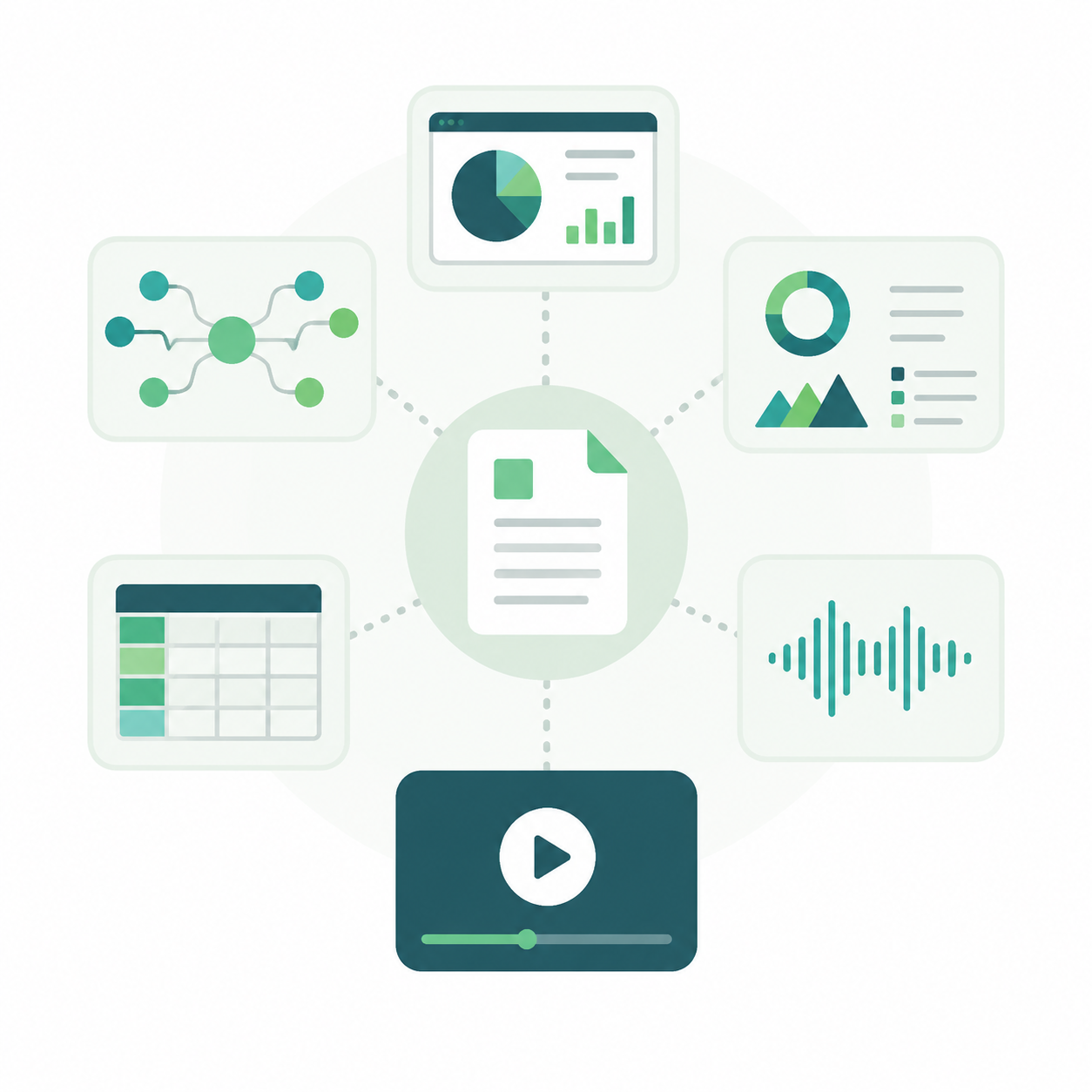
In practice, that changes where the labor happens. The analyst is not repeatedly pasting source excerpts into a chat and asking for another synthesis. The notebook becomes the working layer: collect the best documents, ask cross-source questions, generate a first report, turn a section into a table, build a slide outline, or create an audio review for someone who needs to absorb the material between meetings.
The expanded Studio outputs are not a gimmick if the research has to circulate. A manager may want a report. A partner may want a slide deck. A subject-matter reviewer may want a data table that makes the evidence easier to inspect. A busy stakeholder may listen to an Audio Overview before deciding whether the work needs another round. XDA Developers documented workflows where NotebookLM replaced separate tools for mind mapping, report generation, slide creation, and audio review, which is exactly the kind of office friction a source-grounded workspace can reduce.[4]
There are still boundaries. Studio features and exports have had staggered rollouts across web and mobile, so a team should verify the exact capability in its own environment before making a process depend on it. NotebookLM is also strongest when the important material can be brought into the notebook. If the job is open-ended web investigation, it should not be forced to do the discovery work alone.
The handoff from Perplexity to NotebookLM
The handoff is the part worth designing. Perplexity can produce a useful discovery trail, but only selected sources should enter NotebookLM. The standard should be boring and strict: original documents over summaries, current pages over undated commentary, institutional sources over derivative posts when the claim is factual, and competitor comparison pages treated as leads rather than authorities.
That last rule matters in AI-tool research. Comparison pages from vendors such as Atlas, Spine, and Rephrase can be useful for mapping the landscape, but each has a promotional interest in its own product. They can help identify dimensions to test, not settle the ranking. For actual decisions, cross-check against official product pages, independent user walkthroughs, and your own task sample.
Once the sources are in NotebookLM, the questions should become more precise. Instead of asking “which tool is best,” ask it to compare stated limits across plan pages, identify contradictions between vendor claims and independent reviews, extract only claims tied to source passages, or produce a table separating supported facts from interpretation. The tool is most valuable when the source set is narrow enough to inspect and important enough to preserve.
Where ChatGPT Deep Research Fits
ChatGPT’s strength is breadth, reasoning, and drafting flexibility. For open-ended questions where the shape of the answer is not yet obvious, it can explore paths, compare interpretations, and help turn a synthesis into a memo, narrative, FAQ, executive summary, or client-facing argument. It is often the better place to refine voice, sequence, and audience fit after the evidence has been organized elsewhere.
The weakness is not that ChatGPT cannot do research. The weakness is that the work often remains centered in the chat. A strong thread may contain useful reasoning, but it is not automatically a reusable evidence workspace for the next analyst or reviewer. If the final answer gets challenged, the team still needs a clean route back to the source set.
That makes ChatGPT most useful at two points. Early, it can help frame the research approach: what to look for, how to test competing explanations, and what evidence would change the answer. Late, it can turn NotebookLM’s structured synthesis into polished deliverables that match a specific audience. It should not be asked to compensate for a weak evidence trail.
The handoff from NotebookLM to ChatGPT or Claude
A clean handoff out of NotebookLM should include the synthesized answer, the claims that need to remain cited, and the intended audience. If the next step is a client memo, the drafting tool needs to know which points are evidence-backed and which are judgment calls. If the next step is a slide deck, it needs the decision structure, not a pile of prose.
A useful pattern is to export or copy a NotebookLM-generated report, then ask ChatGPT or Claude to revise for a concrete format while preserving the evidence hierarchy. The instruction should make the constraint explicit: do not add new factual claims unless asked, keep uncertain claims qualified, and preserve citations or source labels where the deliverable requires review.
This is also where over-automation causes trouble. A model can make a rough report read better, but it can also smooth away caveats that were doing real work. The person doing the final review still has to check that the confident sentence on page two is supported by the material in the notebook, not merely by the rhythm of a good paragraph.
Five-Dimension Comparison
| Dimension | NotebookLM Deep Research | ChatGPT Deep Research | Perplexity |
|---|---|---|---|
| Research depth | Strong when the source set is defined and reusable; less ideal as the only open-web discovery layer | Strong for broad, open-ended, multi-step reasoning and synthesis | Strong for fast current discovery, weaker for long-lived project synthesis |
| Source transparency | Strong against uploaded or retained sources because the notebook remains available for checking | Useful, but review often depends on how the chat and sources are preserved | Strong inline citations for web discovery |
| Context retention | Best of the three for persistent project notebooks | Good within a working thread or workspace, but less naturally source-library oriented | Useful for search sessions, not the strongest durable research room |
| Deliverable creation | Strong: reports, slide decks, mind maps, infographics, data tables, Audio Overviews, Video Overviews | Strong final prose and format adaptation, but fewer native research-to-multimedia workspace outputs | Limited compared with NotebookLM |
| Workflow integration | Best as the middle layer where selected sources become reusable research assets | Best as the reasoning and drafting layer before or after structured research | Best as the first layer for web discovery |
The comparison becomes clearer if the same task is followed through the tools. Suppose a consulting team is preparing a brief on a client’s category. Perplexity is the place to find recent market signals and source candidates. NotebookLM is the place to load the strongest sources, ask cross-document questions, build a traceable synthesis, and generate a report or deck outline. ChatGPT is the place to turn that synthesis into a sharper executive narrative, adapt it for a board audience, or write the final client-facing version.
A solo professional doing a one-off scan may reasonably stop earlier. If the output is a quick answer for personal use, the full chain may be heavier than necessary. The chain earns its keep when the work will be reused, challenged, presented, delegated, or revised.
NotebookLM Is Not Automatically The Best Deep Research Tool
NotebookLM’s current hype is partly justified and partly sloppy. It is very good when the source base matters. It is less compelling when the job is simply to ask a broad question and get a fast web-informed answer. Lifehacker’s critique of NotebookLM’s Deep Research feature makes the useful counterpoint: not every task benefits from routing through NotebookLM, and some use cases make the feature feel overbuilt or overpraised.[5]
The practical boundary is simple. Use NotebookLM when the materials themselves are the asset: client notes, policy documents, transcripts, product documentation, research PDFs, spreadsheets, or a curated set of web sources. Do not make it the first and only stop when the main job is finding what sources exist.
Shareuhack’s 2026 power-user guide points to more advanced NotebookLM workflows, including 10,000-character Custom Instructions and cross-notebook mounting through Gemini.[6] Those capabilities may be valuable for teams with repeatable research patterns, but they also raise the bar for governance. The more a notebook behaves like a reusable research system, the more carefully teams need to manage source quality, instructions, and review habits.
Pricing And Plan Volatility, Verified July 5, 2026
Pricing deserves a separate check because AI research tools keep changing their tiers, names, and limits. As of July 5, 2026, NotebookLM’s plans page shows a four-tier model: Free, Plus, Pro, and Ultra. The Free plan lists 10 Deep Research reports per month, while Pro is listed at $19.99 per month with 20 reports and 300 sources per notebook.[7]
| Tool | Plan caveat as of July 5, 2026 | What to verify before standardizing |
|---|---|---|
| NotebookLM | Free, Plus, Pro, and Ultra plan names and Deep Research report limits have shifted across 2025-2026 | Monthly report limits, source limits, Studio outputs, export options, and workspace availability |
| ChatGPT | Free, Plus, Pro, and Ultra-style tiers may vary by market and product packaging | Deep Research access, message or task limits, model availability, file handling, and team controls |
| Perplexity | Free, Pro, and Enterprise-style tiers can change in quota and feature access | Search limits, file support, model choices, citation behavior, and enterprise data controls |
The pricing lesson is not “pick the cheapest.” It is to match the paid plan to the bottleneck. If your bottleneck is source discovery, pay attention to Perplexity’s search and model limits. If the bottleneck is turning a known source set into reusable outputs, check NotebookLM’s report, source, and Studio limits. If the bottleneck is final drafting and broad AI work, ChatGPT’s general workspace value may matter more than its research feature alone.
A Practical Stack For Work Research
The most reliable workflow is not complicated, but it does require discipline at the handoff points.
- Start in Perplexity when you need current web discovery. Use it to find source candidates, not to finish the project.
- Select sources manually. Prefer primary sources, official documentation, credible reporting, and independent analysis over recycled summaries.
- Move the strongest materials into NotebookLM. Treat the notebook as the evidence room for the project.
- Use NotebookLM to synthesize, compare, extract, and generate working deliverables such as reports, tables, decks, mind maps, or audio briefings.
- Use ChatGPT or Claude for final drafting, audience adaptation, and refinement while preserving the evidence boundaries from NotebookLM.
This pattern is consistent with how some power users describe their own research stacks. David Shapiro, for example, documented a chaining workflow that runs from Perplexity to NotebookLM and then into Gemini or o3-Pro.[8] That is one practitioner’s setup, not a universal benchmark, but it captures the same useful separation of labor: discovery, source-grounded synthesis, then final reasoning or drafting.
If you are comparing broader AI productivity stacks, the same logic applies beyond research: choose tools by where the work breaks down, not by which product has the longest feature list. Readers building a wider setup may also want to compare role-based stacks in The Best AI Productivity Stacks for Your Role and Budget or look at the broader workflow argument in The AI Productivity Stack That Actually Works.
Decision Framework
Pick Perplexity when the research starts with the open web and the immediate job is to find current, citable sources quickly. It is the right first tool when you do not yet know what belongs in the evidence set.
Pick NotebookLM when the research starts from a defined or curated source set and needs to become a reusable workspace. It is the strongest choice when the work has to survive handoff, review, and deliverable production.
Pick ChatGPT when the research question is broad, the reasoning path is still forming, or the final output needs strong drafting and adaptation. It is especially useful before the source plan is clear and after the evidence has been synthesized.
For serious work research, the cleanest answer is usually not a single winner. Use Perplexity to discover and qualify sources, NotebookLM to turn selected materials into a persistent research workspace with deliverables, and ChatGPT or Claude to produce the final audience-ready draft. The handoffs are the workflow.
References
- NotebookLM adds Deep Research and support for more file types, Google, November 2025, link
- Google’s NotebookLM adds Deep Research tool, support for more file types, TechCrunch, November 13, 2025, link
- NotebookLM Changed Completely - Here's What Matters in 2026, Jeff Su, link
- Workflows and tasks that NotebookLM handles better than my productivity stack, XDA Developers, link
- Google NotebookLM Deep Research tool, Lifehacker, link
- NotebookLM Advanced Guide 2026, Shareuhack, link
- NotebookLM Plans, Google, link
- My Overpowered AI Research Stack, David Shapiro, link