
The best cross-platform note-taking app changes the moment your device mix changes. If everything you own is Apple, Apple Notes may be enough. If your day moves between Windows and Android, OneNote starts looking practical. If you write on a Mac, attend meetings on a locked-down Windows laptop, and reply from an iPhone, Notion or OneNote may create less daily drag. If Linux is one of your real machines, Obsidian and Joplin move much higher on the list. The question is not which app has the longest feature page; it is which app still works well on the device you use when you are tired, offline, rushed, or standing outside a meeting room.
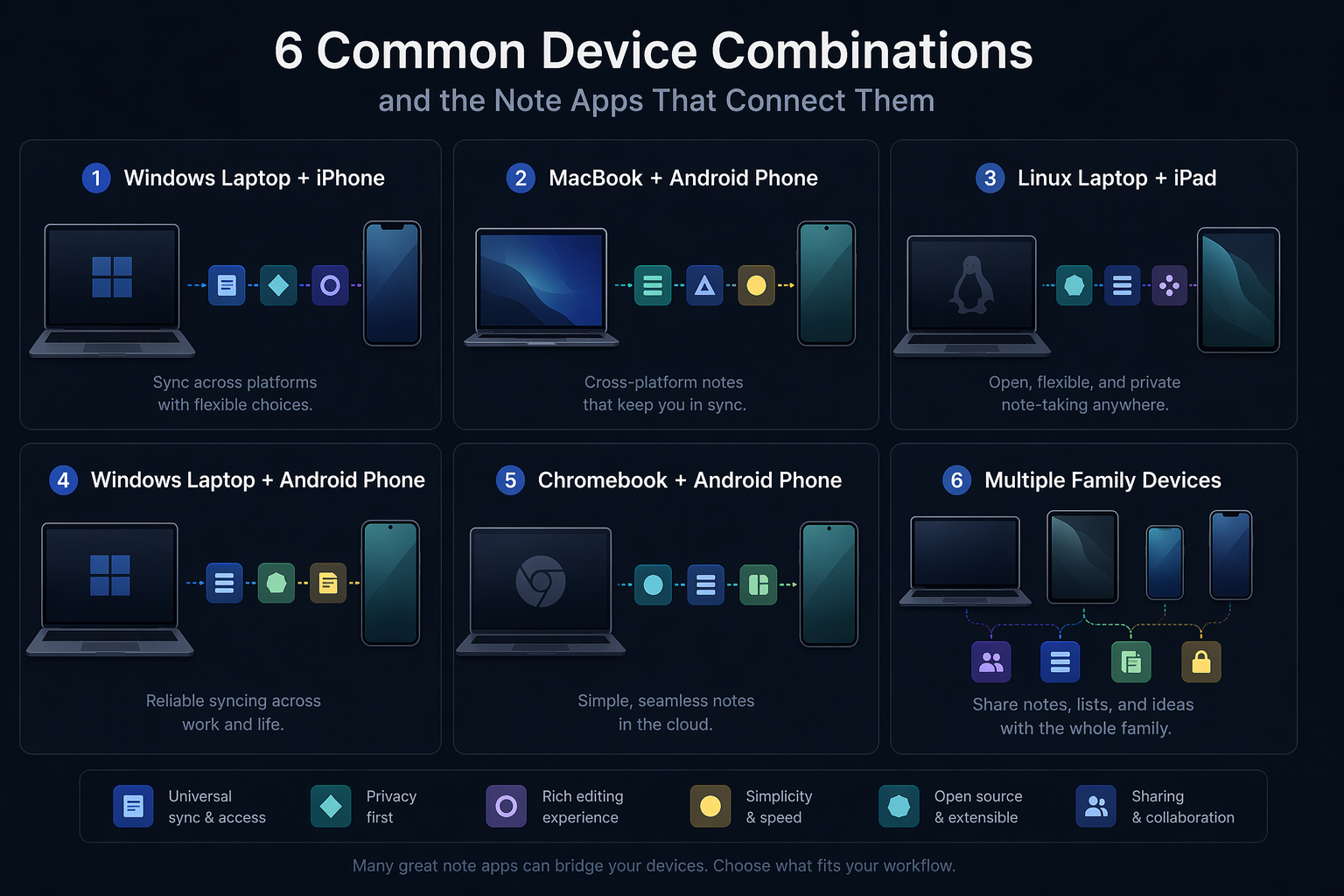
| Your device mix | Start with | Why this is the safest first look |
|---|---|---|
| Mac + iPhone + iPad | Apple Notes, then Notion or Obsidian if you need more structure | Apple Notes is frictionless inside Apple hardware, but it is not a true Android or native Windows choice. |
| Windows + Android | OneNote or Notion | Both cover the main devices well; OneNote has the stronger free case, while Notion has the cleaner workspace feel. |
| Mac + iPhone + Windows work laptop | Notion, OneNote, or Obsidian | This is the classic mixed-device compromise: polish, employer restrictions, mobile editing, and sync trust all matter. |
| Windows + iPhone | OneNote or Notion | Both avoid the trap of being excellent on one side and awkward on the other. |
| Linux + any mobile device | Obsidian or Joplin | Native Linux support sharply narrows the field; many mainstream tools become browser-only here. |
| Chromebook + Android | Notion, Google Keep for quick capture, or OneNote web | The browser matters more than the desktop app; Keep is fast but shallow for larger systems. |
| Family sharing across mixed devices | OneNote or Notion | Broad access and easy account setup usually beat perfect personal knowledge-management features. |
For this comparison, sync reliability gets the heaviest weight. Atlas Workspace’s 2026 comparison reports sync reliability as the most important factor, with an 8.9/10 importance rating from its user data, ahead of features, pricing, or interface design.[1] That matches the lived failure point: a notes app can survive a missing template gallery, but it rarely survives the day a meeting note does not appear on the machine in front of you.
Feature parity comes next. “Available on iOS, Android, Mac, Windows, and web” is only half a claim if mobile can view but not comfortably edit, if Linux means “open a browser and hope the workspace behaves,” or if offline access depends on which device cached the note last. Offline behavior is treated here as a practical failure point, not a nice extra. Pricing is judged by whether the plan remains usable in 2026, not whether there is technically a free button on the pricing page.
The comparison that matters: platforms, sync, offline use, and price pressure
Most note apps now look competent in screenshots. The differences show up after a few weeks: where the files live, what happens on an airplane, whether the mobile app can do real editing, and whether the free plan quietly stops fitting normal use.
| App | Platform reality | Sync model | Offline behavior | Feature parity | 2026 price pressure |
|---|---|---|---|---|---|
| Obsidian | Mac, Windows, Linux, iOS, Android | Local Markdown files; users manage sync themselves or pay for Obsidian Sync | Strong local access because notes live as files | Good for people comfortable with Markdown and plugins; complexity rises with customization | Free for personal use; Obsidian Sync is $4/month[1] |
| Notion | Mac, Windows, iOS, Android, and web; no native Linux app | Cloud-first workspace sync | Less reassuring than local-first tools for travel or weak connectivity | Polished across mainstream platforms, but Linux depends on web access | AI features now require the Business tier, according to 2026 comparison data[1] |
| OneNote | Mac, Windows, iOS, Android, and web; Linux through browser | Microsoft account/cloud sync | Generally practical, though the app can feel heavy for simple notes | Broad and mature, especially if you already live in Microsoft apps | Strongest broad free option among the major contenders[1] |
| Evernote | Major consumer platforms, depending on plan and device limits | Cloud sync | Usable, but the plan limits now dominate the discussion | Capable app, weaker value story | Free tier limited to 50 notes and one device; paid plans cited at $14.99–$24.99/month[1] |
| Joplin | Desktop and mobile coverage including Linux | Open-source app with configurable sync options | Good fit for users who want more control | Less polished than the mainstream workspace apps | Appealing if control matters more than polish[1] |
| Standard Notes | Broad platform coverage | Privacy-focused sync | Designed around secure note access | Best fit for encrypted plain notes and restrained workflows | Value depends on whether privacy features are the reason you are choosing it[1] |
| Logseq | Desktop and mobile options | Local-first knowledge graph approach | Strong for local thinking systems | Not a simple all-purpose notes replacement for everyone | Best for outliner/PKM users rather than general family or office notes[1] |
| Capacities | Mainstream device support with web emphasis | Cloud workspace model | Better suited to connected work than offline-first habits | Object-based structure is the point, but also the adjustment | Worth considering if Notion feels too page-centric[1] |
| UpNote | Broad consumer platform support | App-managed sync | Simple and lightweight | Good for straightforward notes, less for complex databases or team systems | Attractive when you want a calmer paid app without a large workspace model[1] |
Obsidian: the strongest answer when Linux, files, or long-term ownership matter
Obsidian is the easiest app here to defend on durability. It runs across Mac, Windows, Linux, iOS, and Android, and it stores notes as local Markdown files.[1] That combination matters more than it sounds. If your notes are just files in a folder, the app is not the only gatekeeper. You can back them up, move them, search them with other tools, and still have something readable if your workflow changes.
That also makes Obsidian unusually credible for a Linux-plus-mobile setup. Many popular note apps treat Linux as a browser session. Obsidian treats it as a first-class desktop platform, which changes the recommendation for developers, researchers, students on older hardware, and anyone whose “main computer” is not Mac or Windows.
The trade-off is sync. Obsidian is free for personal use, but cross-device sync is either something you set up yourself or something you pay Obsidian to handle through Obsidian Sync at $4/month.[1] For people who already understand cloud folders, Git, backups, or mobile file-provider quirks, that is acceptable. For someone who simply wants to type a grocery note on an Android phone and see it on a work laptop ten seconds later, it is another piece of maintenance.
Obsidian is therefore not the universal “best notes app.” It is the best answer for people who care enough about portability to tolerate setup decisions. If the weakest device in your setup is Linux, it should be on your shortlist before most prettier cloud workspaces.
Notion: polished enough to recommend, but Linux and AI bundling deserve daylight
Notion remains one of the most comfortable recommendations for mixed Mac, Windows, iPhone, and Android households or work setups. It has native apps on Mac, Windows, iOS, and Android, plus the web, and its workspace model is polished in a way that matters for daily use.[1] Databases, pages, shared docs, lightweight project tracking, and personal notes can live together without forcing most users into plugin maintenance.
Zapier’s 2026 note-app guide also treats workflow fit and sync model as central selection criteria, which is where Notion often wins: it is less a notebook and more a shared operating surface for notes, tasks, plans, and reference material.[2] That breadth is useful if your notes are not just private thoughts but meeting agendas, trip plans, reading lists, and shared household or team information.
The caveat is real: Notion has no native Linux app.[1] If you only occasionally open a Linux machine, the web app may be fine. If Linux is where you write, code, study, or manage research every day, browser-only access is not a footnote. It is the place where the cross-platform promise becomes conditional.
AI bundling is another verification point. Atlas’s 2026 comparison says Notion now requires the Business tier for AI features.[1] That should not decide the whole app choice unless AI is central to your notes workflow, but it does mean price comparisons can age quickly. If you are choosing Notion partly for AI summaries or writing help, check the official pricing page at publication time rather than relying on an old roundup.
For a Mac plus iPhone plus Windows work laptop setup, Notion is still one of the least annoying choices. It is not the most portable in the file-ownership sense, and it is not the best Linux answer. But for people who need a shared, attractive, structured workspace across mainstream devices, it earns its place near the top. Readers choosing between Notion and more focused apps may also want a deeper comparison in Notion vs. Dedicated Note-Taking Apps.
OneNote: the broad free default, especially when work already runs on Microsoft
OneNote is the app I would hand to the largest number of people who do not want to think about notes apps. It has native apps on Mac, Windows, iOS, and Android, plus web access, and it is the strongest free broad-platform option among the major contenders in the 2026 comparison data.[1] That matters for students, families, teachers, and workers who cannot justify another monthly subscription for basic note capture.
It is also a practical Windows-plus-iPhone answer. Apple Notes is nicer if you never leave Apple hardware, but a Windows work laptop changes the equation. OneNote is already familiar in many Microsoft environments, and its notebook-section-page structure is easy enough for shared reference notes, class notes, meeting notes, and family planning.
The complaint is weight. OneNote can feel like a full office notebook when all you wanted was a fast scratchpad. PCMag’s 2026 note-app coverage evaluates apps partly through platform-specific behavior and feature performance, and OneNote’s maturity comes with the usual trade-off: broad capability, more interface mass, and less of the clean blank-page feel some people want.[3]
Linux is the other limit. OneNote users on Linux are relying on the browser rather than a native desktop app.[1] That is tolerable for occasional access and weak for anyone whose Linux machine is central. For more on the Windows-versus-Mac side of this decision, see Best Note-Taking Apps for Windows Laptops vs MacBooks.
Evernote: capable, but hard to justify on 2026 value
Evernote is not bad because people have fond memories of it. It is hard to recommend because the current value story is poor for many cross-device users. Atlas’s 2026 comparison cites a free tier limited to 50 notes and one device, with paid plans at $14.99–$24.99/month under Bending Spoons.[1] A one-device limit undercuts the basic premise of a cross-platform note-taking app.
That does not mean every existing Evernote user should leave immediately. If years of clipped web pages, tags, scans, and workflows already live there, migration has a cost. But for a new user comparing options in 2026, Evernote has to beat OneNote’s free breadth, Notion’s polished workspace, and Obsidian’s local-file durability. That is a much harder argument than it used to be. If you are specifically deciding whether to move, use an Evernote Alternative Decision Framework 2026 rather than choosing emotionally after one bad billing email.
The serious secondary choices
Joplin belongs in the conversation when you want open-source software, Linux support, and more control over sync. It is not as polished as Notion or as broadly familiar as OneNote, but for users who dislike being locked into a proprietary workspace, it is a rational choice. ROIpad’s 2026 analysis is useful for its sync-model taxonomy and conflict-resolution discussion, though its testing-hour claims should be treated as vendor-style context rather than independently verified evidence.[4]
Standard Notes makes the most sense when privacy and encrypted notes are the reason for the purchase. It is less compelling if you mainly want rich project pages, databases, or shared family planning. Logseq is strongest for outliner-heavy personal knowledge management and local-first graph thinking, but that makes it a specific tool, not a general replacement for every notebook user.[1]
Capacities is worth a look if the object-based approach appeals to you and Notion feels too much like pages stacked inside pages. UpNote is the calmer option for people who want a lightweight paid notes app without turning their life into a database. Tech Insider’s 2026 rankings and noteapps.info’s 41-app database are useful cross-checks for platform coverage and screenshots, especially for these less obvious choices.[5][6]
Apple Notes and Google Keep are useful context, not full cross-platform winners
Apple Notes is excellent if your real world is iPhone, iPad, and Mac. It is fast, integrated, and good enough for a surprising amount of personal note-taking. But the moment Android or a native Windows workflow enters the picture, it stops being a clean cross-platform recommendation. It can be part of an Apple-centered life; it should not be sold as the answer for mixed hardware.
Google Keep has the opposite kind of appeal. It is quick, simple, and handy on Android and the web. For capture, reminders, and lightweight lists, it can be exactly enough. But it lacks the organizational depth most people mean when they ask for a durable note system across work, study, and reference material. Chromebook users may still find it useful as the fast front door; for a fuller device-specific breakdown, see Best Note-Taking Apps for Chromebook by Use Case [2026].
Recommendations by device mix
All Apple
Start with Apple Notes if you only use Mac, iPhone, and iPad. It is not the most powerful app here, but ecosystem fit can beat abstract feature depth. Move to Notion if you need shared workspaces, databases, or more structured planning. Move to Obsidian if you want Markdown files and long-term portability.
Windows plus Android
OneNote is the safest default here because it is broad, free, and comfortable on Windows and Android.[1] Notion is better if your notes are also projects, shared plans, or lightweight databases. Obsidian is better if you want local Markdown and do not mind making a sync decision.
Mac plus iPhone plus Windows work laptop
This is where many beautiful single-ecosystem choices fail. Apple Notes becomes awkward because the Windows machine is real, not theoretical. Notion is the polished pick if your employer allows it and your offline needs are modest. OneNote is the dependable pick if Microsoft accounts and workplace access are already normal. Obsidian is the durable pick if you can handle sync setup and want your notes as files.
Windows plus iPhone
Use OneNote if you want the fewest surprises and the strongest free path. Use Notion if you want a cleaner shared workspace. Avoid choosing Apple Notes as the primary system unless the Windows device barely matters, because the weakest device will eventually decide whether the setup survives.
Linux plus mobile
Start with Obsidian. Joplin is the other serious candidate if you prefer open-source software and configurable sync. Notion and OneNote can work through the browser, but if Linux is your daily machine, browser-only support is a compromise you will feel. For a deeper version of this trade-off, see Local-First vs. Cloud PKM: The Data Ownership Tradeoff.
Chromebook plus Android
Notion is strong if you are comfortable living in the browser and want structured pages. Google Keep is good for quick capture, not a deep knowledge base. OneNote web is worth considering if you already use Microsoft. Before paying for anything, test the web version on the actual Chromebook you carry, not just on a faster desktop browser.
Family sharing across mixed devices
OneNote and Notion are the practical finalists. OneNote is easier to justify when cost sensitivity is high. Notion is better when the family system includes trip planning, household projects, school information, embedded links, and shared pages. Obsidian may be wonderful for one person in the family and the wrong answer for everyone else.
Pricing and AI features need a last check before you commit
The pricing figures behind this comparison come from sources published from December 2025 through June 2026, and note-app pricing has become unusually fluid. Evernote’s plan structure, Notion’s AI bundling, and free-tier limits are especially worth rechecking before you migrate a large archive or invite a team. For a broader look at this trade-off, see Free vs. Paid Note-Taking Apps in 2026.
The sources also have limits. Atlas and ROIpad are useful comparison inputs, but both are commercially interested sources; Atlas promotes its own workspace product, and ROIpad’s claimed testing depth could not be independently verified from the materials available.[1][4] The scenario recommendations here are synthesized from platform coverage, sync models, offline behavior, and price constraints rather than copied from a single study.

The decision rule
Choose the app that is strongest on the weakest device in your setup. If that device is Linux, Obsidian or Joplin deserves priority. If it is a locked-down Windows work laptop, OneNote or Notion is safer than an Apple-first system. If it is a phone where you capture notes between errands, test mobile editing before you fall in love with the desktop app.
A note system usually fails at the edge: the browser-only machine, the underpowered tablet, the offline train, the phone with the limited editor, the free plan that stops being enough. The best cross-platform note-taking app is the one that still behaves well there.
References
- Best Cross-Platform Note-Taking Apps (2026): 8 Tested, Atlas Workspace
- The 7 best note taking apps in 2026, Zapier
- The Best Note-Taking Apps We've Tested for 2026, PCMag
- Ultimate Cross-Platform Note-Taking Apps 2026: A Expert Analysis, ROIpad
- Best Note-Taking Apps 2026: Tested and Ranked, Tech Insider
- Best Note-Taking Apps 2026: Data & screenshots for 41 apps, noteapps.info