
For July 2026 budgeting, pricing for Microsoft 365 Copilot, Agent 365, Copilot Chat, and Copilot Studio is not a one-line comparison. These products sit on different parts of the stack. One gives a free chat surface. One adds AI assistance inside Microsoft 365 apps. One governs agents. One builds custom agents and consumes execution credits. The invoice problem starts when those names are treated as substitutes.
The practical answer is usually a combination, not a winner. A company may need Microsoft 365 Copilot without Agent 365. Another may need Copilot Studio and Agent 365 but only for a small builder or admin group. A larger enterprise may fold some licenses into E7 and still need a separate model for agent execution. The table is the part to read first, because it shows which cost lines belong in the same budget.
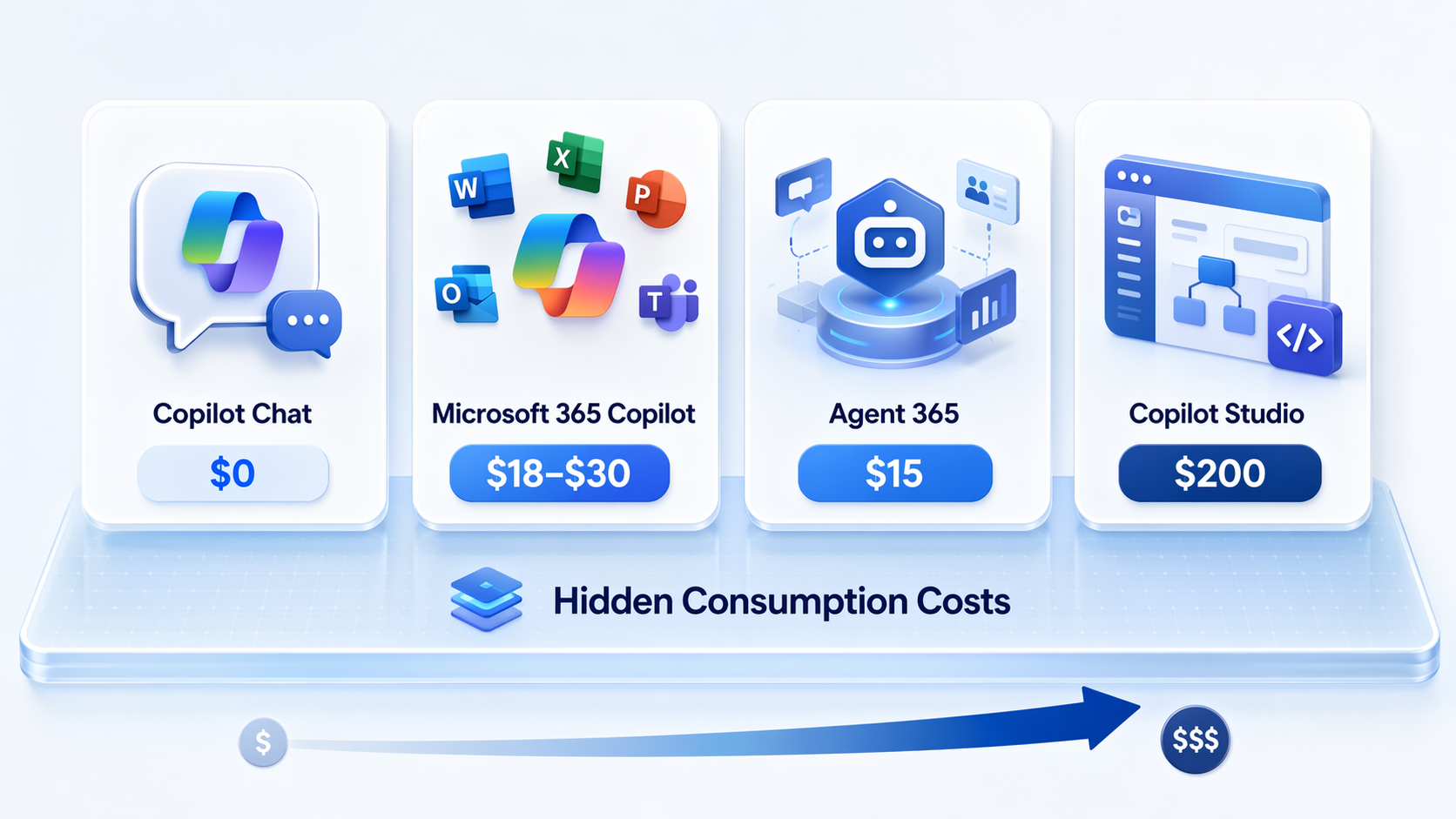
July 2026 Pricing And Purpose Comparison
| Product | Published or reported monthly price | Required base license or dependency | What it enables | What it does not include | Where hidden costs begin |
|---|---|---|---|---|---|
| Copilot Chat | $0 | Microsoft account; business use depends on tenant controls and policy | A free chat experience for basic AI assistance | No Microsoft 365 Graph grounding, no Office app integration, and no agent creation capability; reported limit of 30 chat responses per day [3] | Upgrade pressure starts when users need work-context answers, Office integration, admin controls, or repeatable business workflows |
| Microsoft 365 Copilot Business | $18/user/month promotional through Dec. 31, 2026; standard price $21/user/month; for organizations with up to 300 users [1][2] | Qualifying Microsoft 365 Business plan, such as Business Basic, Business Standard, or Business Premium; reported July 2026 base prices are $7, $14, and $22/user/month respectively [1][2] | Copilot assistance inside Microsoft 365 apps and work content, depending on tenant configuration and permissions | Does not itself provide full agent governance or custom agent execution capacity | Total cost is base Microsoft 365 license plus Copilot add-on, and any later governance, Studio, or consumption charges |
| Microsoft 365 Copilot Enterprise | $30/user/month [1] | Qualifying enterprise Microsoft 365 plan; reported July 2026 E3 and E5 base prices are $39 and $60/user/month respectively [1][2] | Enterprise-grade Copilot experience across Microsoft 365 apps and work data | Does not replace Agent 365 for agent governance, and does not cover custom agent execution consumption | Enterprise agreement terms, expired discount programs, governance add-ons, Studio capacity, and agent consumption can all change the modeled number |
| Agent 365 | $15/user/month; generally available May 1, 2026, according to SAMexpert [4] | Used with Microsoft 365 Copilot, Copilot Studio, or agent platforms such as Azure AI Foundry; a free foundational plan is reported as included with Copilot or Copilot Studio licenses [4][5] | Governance, security, inventory, and management layer for enterprise AI agents | Does not build agents and does not run them; building requires Copilot Studio or Azure AI Foundry, and running agents can incur consumption charges [4][5] | The paid governance license is only one part of the agent budget; execution costs sit outside it |
| Copilot Studio | $200/month for a capacity pack of 25,000 credits; pay-as-you-go reported at $0.01/credit [6][7] | Tenant setup and appropriate Microsoft environment; often paired with Microsoft 365 Copilot, Agent 365, Dataverse, Power Platform, or Azure services depending on the agent | Custom agent building, publishing, and extension of business workflows | The $200 pack does not guarantee unlimited agent execution; usage burns credits at different rates [6][7] | Reasoning-heavy agents can consume far more credits than scripted FAQ-style agents, so usage pattern matters as much as license price |
| Microsoft 365 E7 | $99/user/month, reported as a bundle of E5, Copilot, Entra Suite, and Agent 365 [8] | Enterprise bundle rather than a standalone agent builder | Combines several enterprise productivity, security, identity, Copilot, and agent-governance licenses | Does not include agent execution consumption costs [8] | The bundle can simplify licensing, but custom agent runtime still needs a separate consumption forecast |
Those numbers should be treated as July 2026 planning figures, not as a purchase order. Microsoft publishes the core Copilot prices directly, while some discount and bundle details come from partner and licensing-analysis sources. That distinction matters: official list price is a stronger anchor than a partner-channel promotion.
The Lowest-Commitment Option: Copilot Chat Only
Copilot Chat is the cleanest line item because it starts at zero. It is also the easiest one to overread. A free chat surface can help employees draft, summarize public information, or ask general questions, but it is not the same budget decision as deploying Microsoft 365 Copilot across the company.
The reported limits are the clue. Copilot Chat is described as free but constrained to 30 chat responses per day, without Microsoft 365 Graph grounding, Office app integration, or agent creation capability [3]. That means it can be a low-risk starting point for general use, but it should not be modeled as a replacement for work-grounded Copilot inside Outlook, Word, Excel, Teams, and other Microsoft 365 surfaces.
If procurement is asking whether free Copilot Chat is “enough,” the honest answer is: only if the required work is generic chat. The moment the use case depends on tenant data, Office workflow, administrative governance, or custom processes, the free line moves out of the center of the model.
Microsoft 365 Copilot: The Office Work Add-On
Microsoft 365 Copilot is the product most buyers mean when they say they want AI inside Microsoft 365. It is priced as an add-on, so the real per-user cost is not $18, $21, or $30 by itself. It is the base Microsoft 365 plan plus the Copilot add-on.
| User group | Base plan example | Copilot add-on | Modeled monthly total before tax, discounts, or other add-ons |
|---|---|---|---|
| Small business user during promotional period | Business Basic at $7/user/month | Copilot Business at $18/user/month | $25/user/month [1][2] |
| Small business user after promotional period | Business Standard at $14/user/month | Copilot Business at $21/user/month | $35/user/month [1][2] |
| Business Premium user during promotional period | Business Premium at $22/user/month | Copilot Business at $18/user/month | $40/user/month [1][2] |
| Enterprise E3 user | E3 at $39/user/month | Copilot Enterprise at $30/user/month | $69/user/month [1][2] |
| Enterprise E5 user | E5 at $60/user/month | Copilot Enterprise at $30/user/month | $90/user/month [1][2] |
The Business price deserves special handling in any spreadsheet. The $18/user/month figure is promotional through Dec. 31, 2026, and the standard price is $21/user/month [1][2]. A pilot approved at the promotional rate can become a different renewal conversation if the budget owner annualizes the wrong number.
Enterprise discounts are less clean. SAMexpert and Velosio report that volume discounts of 15% to 40% off Copilot expired June 30, 2026, with a 15% three-year commitment offer remaining through Sept. 30, 2026 [4][2]. That is useful for negotiation planning, but not something to hard-code as guaranteed savings. Channel, agreement type, seat count, and timing can all change the result.
Agent 365 Is Governance, Not An Agent Factory
Agent 365 is where the naming becomes expensive. A buyer can reasonably hear “Agent 365” and assume it creates or runs agents. The research points the other way: Agent 365 is a governance and security layer for managing agents at scale, not the tool that builds them and not the meter that pays for their execution [4][5].
At $15/user/month, Agent 365 belongs in the budget when the organization has agents that need inventory, controls, security posture, lifecycle management, or enterprise oversight [4]. It is less compelling as a speculative add-on for a workforce that is only using Microsoft 365 Copilot for document drafting, meeting catch-up, and inbox work.
There is also a boundary problem that is not fully published. SAMexpert and TeamsFox report that a free foundational Agent 365 plan is included with Microsoft 365 Copilot or Copilot Studio licenses, but the exact feature boundary between that inclusion and the paid $15/user/month plan is not described in full public detail [4][5]. For budgeting, that means paid Agent 365 should be attached to a governance requirement, not added automatically because an agent pilot exists somewhere in the tenant.
Copilot Studio Is Where The Consumption Model Starts To Matter
Copilot Studio changes the accounting because the visible monthly price is only the entry point. The reported base option is $200/month for a capacity pack of 25,000 credits, with pay-as-you-go pricing at $0.01 per credit [6][7]. That sounds controllable until the agent design starts changing how credits are consumed.
| Agent pattern | Reported credit behavior | Budget implication |
|---|---|---|
| Scripted FAQ-style agent | About 1 credit per response in CloudZero’s pricing analysis [6] | High-volume, narrow use cases may stay closer to the capacity-pack model if they avoid expensive reasoning patterns |
| Reasoning-model agent | About 100 credits per 10 responses in CloudZero’s pricing analysis [6] | The same response count can burn through credits much faster than a scripted flow |
| Single reasoning-heavy agent | CloudZero gives an example that can exceed $800/month [6] | One successful internal agent can become a material operating cost, not a rounding error |
| Scripted FAQ agent | CloudZero gives an example around $120/month [6] | A simple workflow and a reasoning-heavy workflow should not share the same cost assumption |
That difference is the hidden layer in most optimistic proposals. A scripted HR policy bot and a reasoning-heavy procurement assistant may both be called “agents,” but they do not behave the same financially. The first may mostly retrieve and respond through predictable paths. The second may plan, reason, call tools, evaluate context, and produce fewer but more expensive interactions.
Microsoft’s licensing guide also references capacity and usage concepts rather than an unlimited internal-agent promise [7]. The unresolved planning issue is fair usage: internal employee-facing agents may be subject to fair usage limits, but the specific numerical caps are not published in the research materials. If the agent is business-critical, that unknown belongs in the approval note.
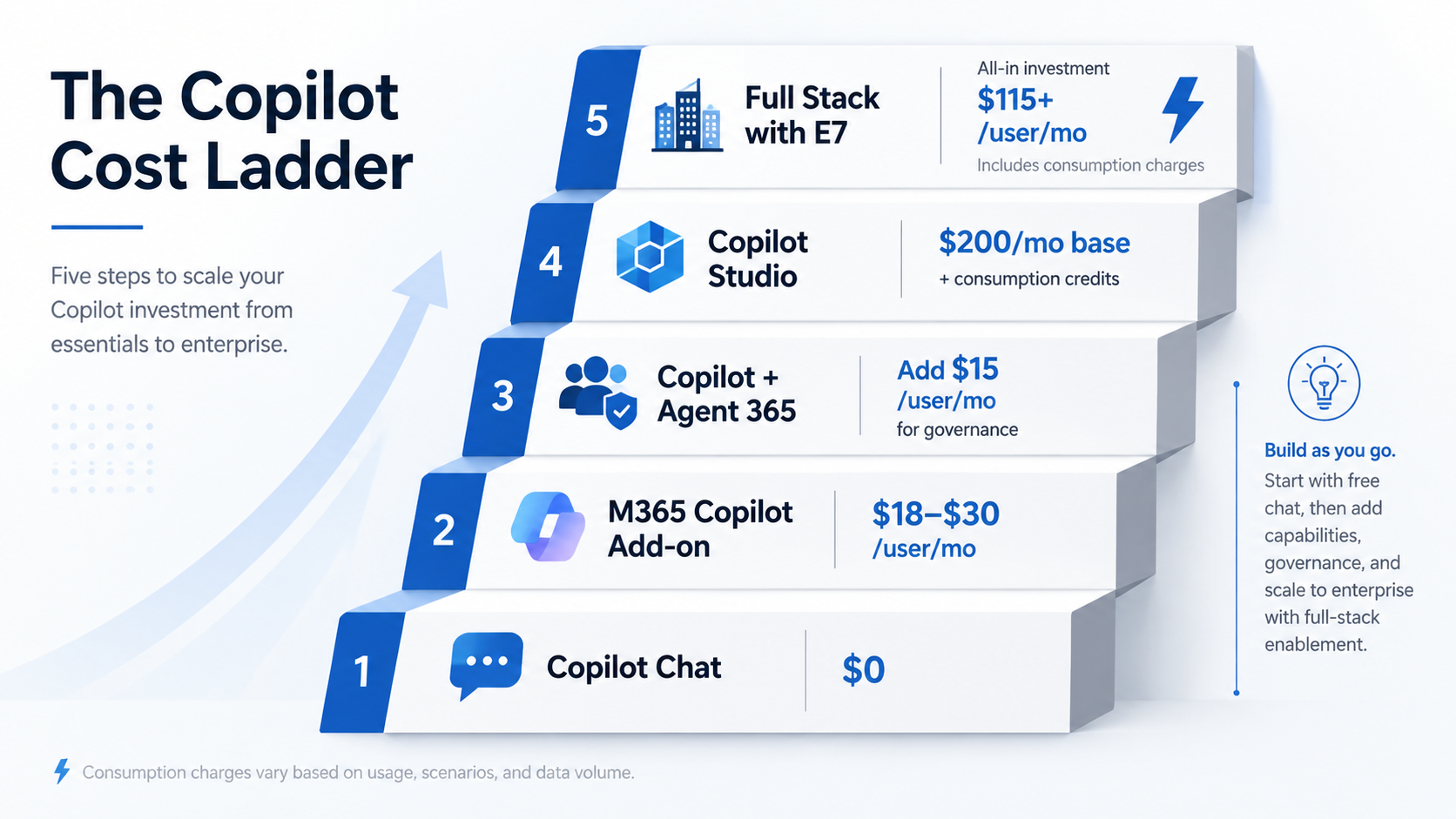
Five Budget Scenarios From Lightest To Heaviest
The cleaner way to compare these products is to stop asking which one is best and start asking which operating model the company is actually approving.
| Scenario | Likely products | What finance should model |
|---|---|---|
| General AI chat only | Copilot Chat | $0 license cost, with the understanding that it does not provide Microsoft 365 work grounding, Office integration, or agent creation [3] |
| Office-grounded productivity assistance | Microsoft 365 base plan plus Microsoft 365 Copilot | Base license plus Copilot add-on; use promotional and standard Business prices separately if the term crosses Dec. 31, 2026 [1][2] |
| Governed agent environment | Microsoft 365 Copilot plus Agent 365 where paid governance is needed | Copilot cost, base plan, $15/user/month Agent 365 for covered users, and a separate answer for who builds and runs the agents [4][5] |
| Custom internal agents | Copilot Studio, often with Microsoft 365 Copilot and possibly Agent 365 | $200/month capacity pack, PAYG credits, expected interaction volume, response type, and governance licenses [6][7] |
| Full enterprise bundle | Microsoft 365 E7 plus any required agent execution capacity | $99/user/month for the reported bundle, then separate consumption costs for custom agent execution [8] |
Scenario 1: Stay With Free Chat Until The Use Case Breaks Out Of Chat
For a cautious rollout, free Copilot Chat can be a legitimate starting point. It lets employees experiment without attaching a new per-user subscription to the renewal. The trade-off is that the organization should not count those users as having Microsoft 365 Copilot, and it should not use Chat adoption as proof that a paid Office-grounded deployment will deliver the same value.
Scenario 2: Buy Microsoft 365 Copilot For The Users Whose Work Lives In Office
The most straightforward paid scenario is Microsoft 365 Copilot for employees who spend enough time in Outlook, Teams, Word, Excel, PowerPoint, and work content to justify the add-on. This is where seat selection matters. A flat companywide rollout is easy to explain, but a role-based rollout is usually easier to defend six months later if usage and outcomes are uneven.
For broader ROI context, it is worth comparing the per-user subscription to the actual work saved, not just the feature list. A separate productivity analysis can help frame that question: which AI productivity tools actually save time.
Scenario 3: Add Agent 365 When Governance Becomes A Real Requirement
Agent 365 starts to make sense when the organization has enough agents, owners, environments, and risk to require central management. That may happen after a few successful pilots, after multiple departments start publishing agents, or before a regulated workflow moves from test to production. It is not the first license to buy just because a vendor demo used the word “agent.”
The dependency chain should be written plainly in the budget: Microsoft 365 base plan, Microsoft 365 Copilot where needed, Agent 365 for governance where needed, and a separate builder or runtime plan for the agents themselves. If that last line is blank, the model is not finished.
Scenario 4: Use Copilot Studio When The Company Is Actually Building Agents
Copilot Studio belongs in the plan when someone is building custom agents, not merely using Copilot in Office. The $200/month capacity pack is only the starting line. A useful model should estimate expected users, expected conversations, likely responses per conversation, whether the agent is scripted or reasoning-heavy, and what happens if adoption is higher than expected.
- Name the agent owner before purchase; orphaned agents still create governance and review work.
- Classify the agent pattern before assigning a credit estimate; scripted and reasoning-heavy agents should not share one average.
- Separate builder licenses, governance licenses, and execution credits in the spreadsheet.
- Put a monthly consumption ceiling in the pilot plan, then decide who can raise it.
- Review usage after launch; a successful agent can be more expensive than a failed one.
Scenario 5: Treat E7 As A Bundle, Not A Consumption Shield
Microsoft 365 E7 can make sense for organizations that already want several of the bundled components. SAMexpert describes E7 at $99/user/month, bundling E5 at $60, Copilot at $30, Entra Suite at $12, and Agent 365 at $15 for about 15% savings versus a $117 standalone stack [8]. That headline is useful, but it comes with two caveats.
First, the Entra Suite comparison uses a $12 add-on price for Entra ID P1 customers; E5 already includes Entra ID P2, and Microsoft may offer unpublished discounted pricing for P2 or E5 customers, so the actual savings can differ from the simple standalone arithmetic [8]. Second, E7 does not cover custom agent execution consumption [8]. If the company is using Copilot Studio agents heavily, E7 may simplify licensing but it does not close the runtime meter.
Adoption Signals Are Not A Substitute For Your Seat Model
Microsoft’s momentum is real, but broad market movement does not answer how many seats to buy. Licensing Guide infers from Microsoft Q3 FY2026 earnings that Copilot had about 20 million paid seats out of more than 450 million Microsoft 365 commercial seats, or under 5% adoption [9]. That figure is useful mainly because it separates experimentation and paid scale.
A low adoption percentage does not prove Copilot is ineffective. It also does not prove a late buyer is safe to wait. It says that, as of that reporting window, paid deployment was still a selective decision across the installed base. A renewal model should therefore be built from roles, workflows, data access, and agent plans, not from the assumption that every Microsoft 365 user eventually needs every AI SKU.
The same caution applies when comparing Microsoft’s stack with alternatives. Microsoft’s model is modular: chat, Office-grounded assistance, governance, builder, and consumption can appear as separate lines. Other tools may bundle more tightly or target a narrower workspace. For that broader comparison, see Notion AI Agent vs Microsoft Copilot.
A Budgeting Workflow That Avoids The Common Misbuy
Before approving Microsoft AI spend, put each requested capability into one of five buckets: chat, Office-grounded assistance, governed agent management, custom agent building, and agent execution. The products line up more cleanly after that.
- If the need is only general chat, start with Copilot Chat and document its limits.
- If the need is AI inside Microsoft 365 work, model the base Microsoft 365 plan plus Microsoft 365 Copilot.
- If agents need oversight, inventory, security, and lifecycle controls, evaluate Agent 365 as a governance layer.
- If the company is building custom agents, add Copilot Studio capacity and estimate credit consumption.
- If E7 is on the table, compare the bundle against standalone licenses but keep agent execution outside the bundle calculation.
That workflow also keeps responsibility visible. Licensing decides who can use the product. Governance decides who controls the agents. Copilot Studio decides who can build and publish them. Consumption decides what the agents cost after people actually use them. A budget that merges those into one “Copilot” line may be easy to approve, but it is difficult to reconcile at renewal.
The final decision rule is simple enough to fit on the renewal worksheet: license first, governance second, agent-building third, and consumption checked before approval. That does not make Microsoft’s AI stack cheap or expensive by itself. It makes the cost visible before the pilot becomes an operating expense.
References
- Microsoft 365 Copilot pricing, Microsoft
- M365 Copilot Pricing Calculator, Velosio
- Copilot Chat vs Business vs Enterprise vs Studio - Clear Simple Decoded, Tracy van der Schyff, Jan. 7, 2026
- Agent 365, SAMexpert
- Hidden Cost Microsoft Agent 365 Pricing, TeamsFox
- Copilot Studio Pricing, CloudZero
- Microsoft Copilot Studio Licensing Guide February 2026, Microsoft, February 2026
- Microsoft 365 E7 Licensing Guide, SAMexpert
- From Copilot to Agent 365, Licensing Guide