
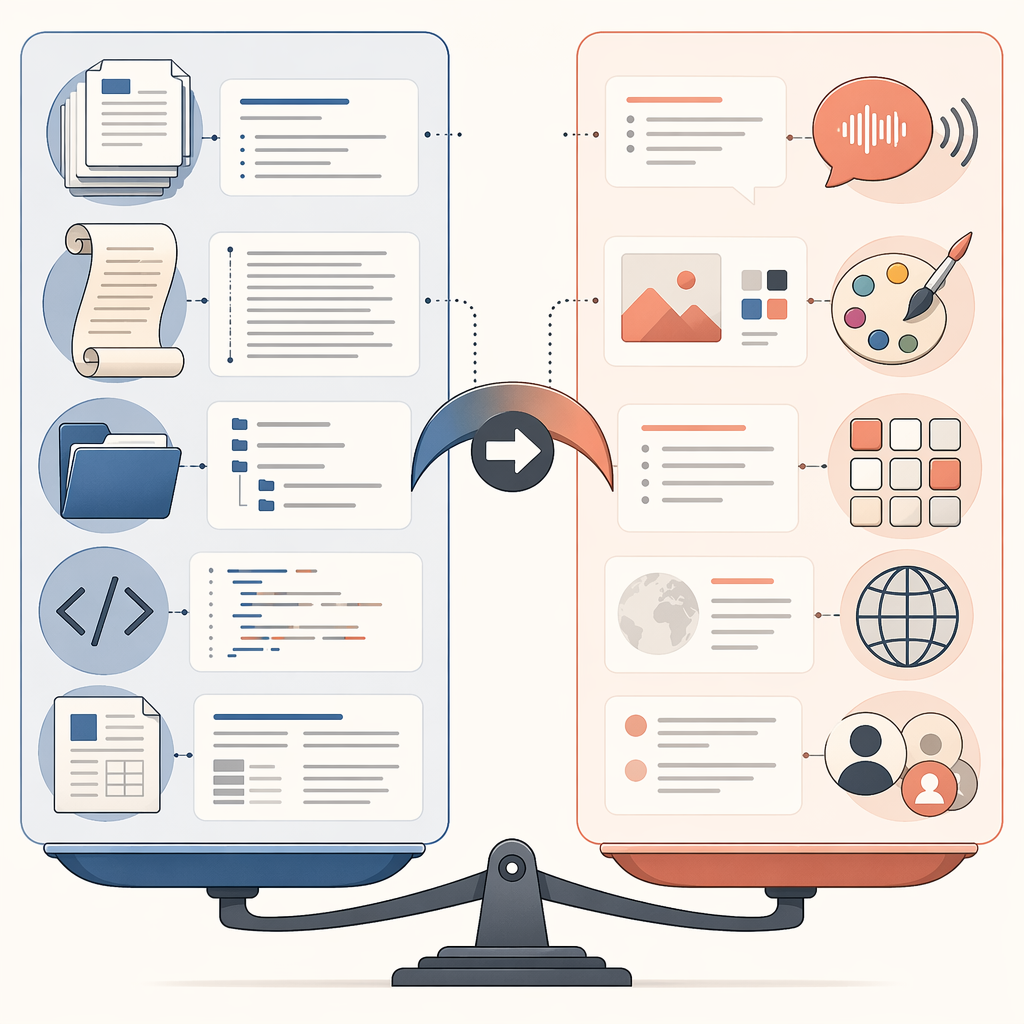
Last verified: July 21, 2026. Pricing, model names, and agent access are moving targets, so the useful question is not simply whether Claude or ChatGPT is “better.” For productivity workflows built around Claude, the sharper question is where the work actually lives. If it lives in long documents, source folders, codebases, research packets, or structured drafts, Claude is usually the cleaner fit. If it lives across voice, images, browser tabs, lightweight collaboration, plugins, and public web tasks, ChatGPT is usually easier to operationalize.
The short version: use Claude for document-heavy deep work, long-context research, structured writing, codebase review, and local-file workflows. Use ChatGPT for multimodal collaboration, voice, image generation, plugin-supported breadth, and web-facing agent tasks. Use both if your day genuinely spans both modes.

That recommendation becomes more practical once cost enters the frame. Claude Pro and ChatGPT Plus both sit at $20 per month, but Claude’s full Cowork access requires Claude Max at $100 to $200 per month, while ChatGPT Agent is available on ChatGPT Plus. ChatGPT Pro is $200 per month for heavier use and higher limits.[1][2] That means the agentic comparison is not just a feature comparison. It is a workflow-budget comparison.
Model Quality Is No Longer the Main Separator
By mid-2026, most professional users should stop treating Claude and ChatGPT as if one is broadly intelligent and the other is broadly behind. The better split is architectural: what can the assistant hold, where can it act, which modalities does it understand natively, and how much cleanup does the human have to perform afterward?
A June 2026 Tom’s Guide comparison is useful because it tested ordinary productivity work instead of abstract model benchmarks. Claude came out ahead overall, with the reviewer favoring it on tasks such as time blocking, summarization, decision-making, brainstorming, email drafting, and weekly planning. ChatGPT won the task-prioritization test, where the reviewer judged its family-first practicality stronger.[3]
That does not make Claude the universal productivity winner. It was one reviewer, one set of prompts, and one style of judgment. But it does point toward a pattern that shows up elsewhere: Claude tends to feel steadier when the task depends on interpreting text, preserving structure, and producing a draft that does not need to be wrestled back into shape.
| Workflow | Better default | Why |
|---|---|---|
| Long documents, research packets, legal or policy review | Claude | Longer context and stronger full-document handling |
| Structured writing, email, planning, synthesis | Claude | Calmer draft quality and better document discipline |
| Voice, image generation, live ideation, lightweight collaboration | ChatGPT | Broader multimodal interface and stronger creative surface area |
| Browser-based tasks, forms, online research, web workflows | ChatGPT | Agent runs through a virtual browser suited to public web tasks |
| Local folders, codebases, file edits, scheduled file workflows | Claude | Cowork and Claude Code point toward file-centered agentic work |
| Power-user daily stack | Both | Split by task type instead of forcing one assistant to do everything |
Where Claude Pulls Ahead: Long, Structured, Textual Work
Claude’s strongest productivity case starts with context. Current comparisons place Claude’s usable context range at roughly 200K to 1M tokens, while ChatGPT’s common default is around 128K tokens.[4][5] Token counts are not a personality trait, and they do not guarantee judgment. But they change the shape of the work.
With a larger context window, the user can ask Claude to sit with the whole packet: the draft strategy memo, the appendix, the meeting transcript, the competitor notes, the policy language, and the awkward spreadsheet export pasted as text. The important gain is not that the assistant can summarize more pages. It is that fewer decisions have to be made before the work begins. The analyst does not have to pre-chop source material into artificial fragments and then hope the assistant remembers which fragment contradicts which other fragment.
That matters in legal, research, consulting, software, compliance, and internal strategy work. These are not tasks where a clever paragraph is enough. The assistant has to notice whether a definition changes halfway through a document, whether a recommendation is supported by the source material, and whether the final draft preserves the structure the team already uses.
Claude’s writing advantage is easiest to see in second-draft work. A first draft from either assistant can look fluent. The difference appears when the user asks for something more constrained: tighten this without changing the claims, turn this transcript into decisions and owners, preserve the legal caveats, compare these two versions, or make the executive summary less breathless. Claude tends to reward users who bring it dense material and a clear standard.
The productivity gain here is not “AI wrote it.” The real gain is fewer reassembly steps. Fewer copied excerpts. Fewer prompt threads created only because the previous one ran out of room. Fewer minutes spent reminding the assistant what it was supposed to remember. That is the kind of saved time that can become better thinking instead of just more messages.
The review burden does not disappear
Long-context work can create a false sense of safety. If an assistant can ingest the whole document, users may assume it has weighed the whole document. That is not always true. The review burden shifts from “did it see the source?” to “did it use the source responsibly?” For consequential work, the human still needs to check quoted language, dates, exceptions, and any claim that crosses from summary into interpretation.
Claude is better than ChatGPT for many of these long-form workflows because it reduces the amount of fragmentation around the task. It does not eliminate verification. The best Claude workflows still have a source-control habit: keep the original documents intact, ask for traceable outputs, and review the assistant’s conclusions against the material that matters.
Where ChatGPT Still Has the More Useful Surface Area
ChatGPT’s advantage shows up when productivity is not mainly textual. A product manager discussing a launch asset, a founder iterating on a deck image, a teacher turning an explanation into a visual, or a team member talking through a problem by voice is doing real work. It may not look like a 40-page research synthesis, but it still moves decisions forward.
Native image generation, advanced voice mode, and a broader plugin ecosystem make ChatGPT the better default when a task needs quick movement across media and services. This is the part that document-first comparisons often underweight. A workflow that includes a screenshot, a spoken clarification, a rough image, a web lookup, and a follow-up message may be clumsy in a tool optimized for long textual concentration.
The tradeoff is that breadth can become noise. ChatGPT is often the easier place to start a mixed-media task, but that does not mean it is the easier place to finish a dense decision document. Its strength is surface area: more ways to interact, more ways to hand off, more ways to explore. For many teams, that is not a toy advantage. It is how work actually arrives.
Agentic Workflows: Local Files Versus the Browser
The most consequential split in 2026 is not chatbot tone. It is where the assistant is allowed to act. Claude Cowork, introduced in January 2026, is described as a local-first file-system agent that can read, edit, and create files inside designated folders. Anthropic added Scheduled Tasks in February 2026 and Dispatch in March 2026 for phone-triggered automation.[6]
That design makes Claude feel less like a chat window and more like a careful operator inside a workspace. The work material is local: folders, drafts, notes, code, exports, and recurring documents. A user might ask it to clean up a folder of meeting notes, update a recurring report from source files, compare draft versions, or prepare a structured briefing from documents already stored in a project area.
ChatGPT Agent takes a different route. It operates through a virtual browser, which makes it better suited to web-based tasks, form-filling, online research, and workflows where the action happens across sites rather than inside a local folder.[6] If the job is to move through a public website, gather current information, interact with web forms, or coordinate browser-visible steps, ChatGPT’s approach is often the more natural fit.
This distinction is more important than the label “agent.” An assistant that can manipulate files near your source material solves a different problem from an assistant that can operate a browser. One is closer to a document operations aide. The other is closer to a web task runner. The first helps when the bottleneck is maintaining structured internal material. The second helps when the bottleneck is traversing services.
Anthropic’s own productivity research also reports that Claude Fable 5 reached 85% on OSWorld, a benchmark for real-world computer use across environments such as Google Drive and Excel, up from 28% in February 2025.[7] That is meaningful progress, but it should not be read as a blanket guarantee that every local workflow is safe to automate. The user still needs permissions, boundaries, logs, and a review habit for anything that can overwrite or send work.
The price difference changes the recommendation
At $20 per month, Claude Pro and ChatGPT Plus are easy to compare as premium assistants. The agentic tier comparison is harsher. Full Claude Cowork access requiring Claude Max at $100 to $200 per month means a solo operator may pay five times the ChatGPT Plus price before the local-file agent becomes the relevant feature. ChatGPT Agent being available on Plus makes experimentation cheaper.[1][2]
That does not make ChatGPT Agent the better agent for every user. It makes it the easier agent to justify for mixed, browser-facing work. Claude Cowork becomes easier to justify when the monthly value comes from recurring file operations: maintaining source folders, updating structured documents, assisting inside a codebase, or reducing the handwork around long internal packets.
The practical test is simple: if the assistant needs to act where your files already live, price Claude Max against the hours spent maintaining those files. If the assistant needs to act where websites and services live, start by testing ChatGPT Agent before paying for a more expensive local-file setup.
Coding and Technical Workflows Favor Claude More Than General Chat Does
Coding is where enterprise adoption gives Claude’s case more weight. Menlo Ventures’ most recently available enterprise benchmarks, published in December 2025, report Anthropic at 40% of enterprise LLM spend versus OpenAI at 27%. The same report places Claude Code at 54% of enterprise coding market share.[8]
Those numbers do not prove that an individual developer should choose Claude for every task. Enterprise spend reflects procurement, security, team standards, and vendor strategy as much as daily preference. But the Claude Code figure is hard to ignore because codebase work has the same properties as document-heavy work: lots of context, fragile dependencies, and a high cost for confident but wrong edits.
A useful coding assistant has to do more than answer syntax questions. It has to understand the shape of a repository, preserve conventions, avoid breaking adjacent files, and explain what changed. Claude’s long-context and file-centered direction are well matched to that kind of work. ChatGPT remains strong for debugging conversation, architecture discussion, web-supported lookup, and quick examples, especially when the task benefits from breadth rather than repository immersion.
Projects Matter, But They Are Not the Whole Decision
Both Claude and ChatGPT now offer project-style organization, and for many users this layer is where the assistant starts to feel less disposable. Stored context, recurring instructions, uploaded files, and task-specific spaces reduce the friction of starting from zero each time.
The Projects comparison deserves its own treatment because it is about workspace design as much as model behavior. For a focused breakdown, see Claude Projects vs ChatGPT Projects. In this broader workflow comparison, Projects are best treated as an organizing layer, not the deciding factor. The larger question is still whether the assistant needs to handle long internal material, multimodal collaboration, local files, web actions, or some combination of those.
Productivity Claims Need a Narrow Reading
Anthropic has reported internal estimates including 80% time reductions on certain tasks and a 50% productivity boost, while also acknowledging self-reporting limitations and the risk of overestimation from Claude’s own self-evaluation methods.[9][10] Those figures are useful directional signals. They are not a promise that a knowledge worker will get half their week back by subscribing to Claude.
The narrower and more believable interpretation is that AI assistants can compress specific repeatable steps: first-pass summarization, draft transformation, document comparison, structured extraction, routine code edits, and meeting-note cleanup. Whether that becomes real productivity depends on what happens next. If the saved time turns into more unreviewed messages, the system has not improved much. If it turns into better decisions, cleaner source material, or fewer handoffs, the gain is real.
Which Assistant Should Handle Which Part of the Workday?
For a researcher, analyst, attorney, consultant, policy worker, editor, or developer, Claude should usually handle the deepest textual load: source packets, long drafts, comparison tasks, repository-level reasoning, structured synthesis, and recurring file-centered work. Its advantage grows as the input gets longer, the structure matters more, and the cost of losing context rises.
For a manager, marketer, educator, founder, sales operator, or cross-functional collaborator, ChatGPT should usually handle the wider surface area: voice brainstorming, image creation, quick web tasks, browser-based agent work, lightweight collaboration, plugin-supported actions, and fast multimodal iteration. Its advantage grows as the task moves across formats and services.
For power users, the strongest setup is not loyalty. It is routing. Claude gets the long, structured, textual, file-centered work. ChatGPT gets the multimodal, collaborative, web-facing, ecosystem-dependent work. Paying for both only makes sense if both kinds of work are real in the week, not just imaginable in a demo.
References
- Claude Plans & Pricing, Anthropic.
- ChatGPT Pricing, OpenAI.
- I tested Claude vs ChatGPT with 7 personal productivity tests — here's the clear winner, Tom's Guide, June 2026.
- Claude vs ChatGPT: Which is best? [2026], Zapier.
- Claude vs ChatGPT, MindStudio.
- 5 ways Cowork could be the biggest AI innovation of 2026, TechRadar.
- Anthropic productivity research, Anthropic.
- 2025: The State of Generative AI in the Enterprise, Menlo Ventures, December 2025.
- Estimating AI productivity gains from Claude conversations, Anthropic.
- How AI Is Transforming Work at Anthropic, Anthropic.