
If you already pay for an AI assistant, the real Claude Projects vs ChatGPT Projects productivity question is not which model sounds smarter in a fresh chat. It is which Projects system gives you back more usable working time after the third draft, the fourth client file, the half-finished code branch, and the week-old research trail. As of July 2026, Claude Projects has the stronger deep-work case: a 200K-token context window, roughly 150K words, compared with ChatGPT Projects’ 128K context window on Plus.[1][2] ChatGPT Projects has the stronger breadth case: more ways to turn a thought into a document, image, voice interaction, shared artifact, or quick multi-modal output inside the same environment.
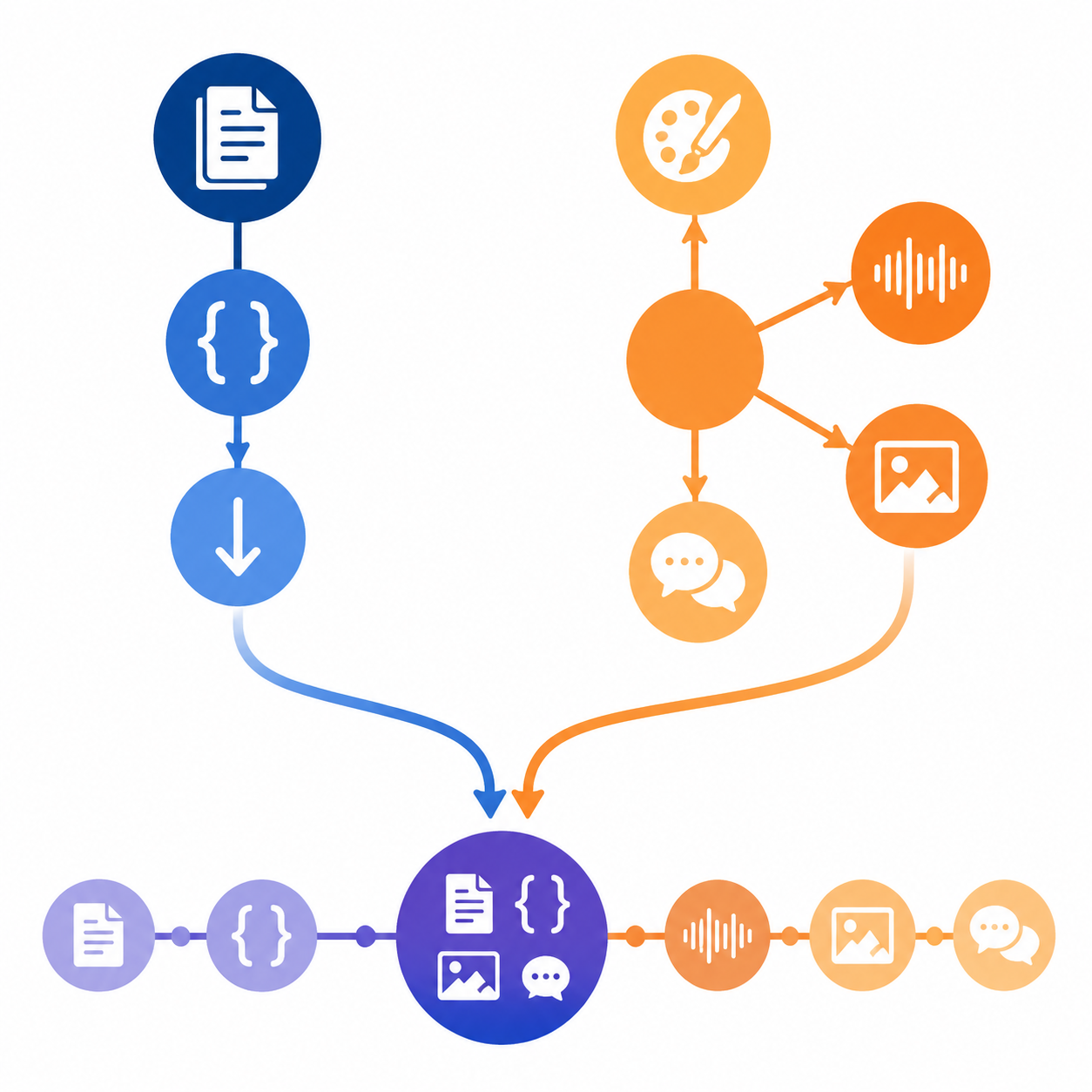
That makes a single-winner answer too blunt. Use Claude Projects when the work depends on sustained context and large reference sets. Use ChatGPT Projects when the work depends on fast execution across formats. Use both if your week contains both: long, messy knowledge work on one side; quick, multi-modal production on the other.

Quick Verdict: Depth Wins Different Hours Than Breadth
| Decision factor | Claude Projects | ChatGPT Projects | Productivity judgment |
|---|---|---|---|
| Best for | Long writing, coding, document analysis, research folders, client knowledge bases | Short-turnaround drafting, image generation, voice work, collaborative artifacts, mixed-format outputs | Claude saves time by reducing context rebuilds; ChatGPT saves time by reducing tool switching. |
| Context window | 200K tokens, roughly 150K words.[1] | 128K context window on Plus.[2] | Claude has about a 56% larger window, which matters most when the project state itself is large. |
| Knowledge-base scaling | Paid plans can auto-switch to RAG mode when project knowledge exceeds context limits, with up to 10x effective capacity for reference material.[1][3] | No equivalent auto-scaling mechanism identified in the provided sources. | Claude asks for less manual pruning when the reference set keeps growing. |
| Memory behavior | Project-scoped, auto-synthesized memory, updated about every 24 hours and user-editable.[4] | Global memory is reported as capped at roughly 1,500-1,750 words, with project behavior layered around ChatGPT’s broader memory model.[5] | Claude’s model is better aligned with returning to the same project after several days. |
| File and project limits | 30MB per file; paid-plan RAG can increase effective capacity for larger document sets.[1][3] | Per-project file caps: 5 files on Free, 25 on Plus/Go, 40 on Pro/Team, with 512MB per file.[2][5] | ChatGPT may accept larger individual files, but Claude’s paid-plan knowledge handling is stronger for large reference sets. |
| Tool ecosystem | Claude Pro includes Claude Code, a terminal-based coding agent.[8] | ChatGPT Plus includes DALL-E, Sora 720p/5s clips, voice mode, and Canvas.[8][9] | ChatGPT is the broader production surface; Claude is the more focused project workspace. |
| Pricing | Claude Pro is $20/month; Claude Max tiers are $100-$200/month for heavier use.[8] | ChatGPT Plus is $20/month; ChatGPT Pro is $200/month.[8] | The $20/month comparison is fair only if your workload fits each plan’s limits. |
| Friction points | Claude Pro users may hit rate limits, cited around 45 messages per 5 hours in the provided comparison material.[8] | ChatGPT users may see context drift after longer exchanges, cited around 30 messages in the provided comparison material.[9] | The painful limit depends on workflow: Claude can stop you; ChatGPT can keep going while losing the thread. |
| Ads | Claude’s free tier is reported as ad-free.[8] | ChatGPT Free and Go tiers are reported to show ads starting February 2026.[8] | Ads are not the whole productivity story, but interruption and trust matter in a work tool. |
| Last verified | July 2026, based on the cited sources. | July 2026, based on the cited sources. | Recheck official help pages before buying an annual plan. |
Why Context Depth Changes the Labor Cost
A bigger context window is not automatically a better workday. It becomes productive only when it removes a repeated chore: restating the brief, repasting the source material, explaining why a previous draft made a choice, or rebuilding the assistant’s sense of what the project is trying to become.
That is where Claude’s 200K-token window matters. A solo consultant working from client notes, discovery call transcripts, old proposals, and draft recommendations does not just need an answer. They need the assistant to hold enough surrounding material that the answer does not flatten the project into a generic template. The approximately 56% context advantage over ChatGPT Plus is not a decorative spec when the project folder is the work.[1][2]
The difference compounds when the reference set grows beyond what should reasonably sit in a single prompt. Claude’s paid-plan Projects can auto-switch to RAG mode when the knowledge base exceeds context limits, with the cited guidance describing up to 10x effective capacity for reference material.[1][3] The important word is not “RAG”; it is “auto.” If the user has to manually decide what to paste, what to summarize, and what to omit every time a project expands, the tool has quietly moved work back onto the user.
ChatGPT Projects can still be useful with files and instructions, and its per-file ceiling is large at 512MB. But the plan-based file caps change the experience: 5 files on Free, 25 on Plus/Go, and 40 on Pro/Team, according to the cited OpenAI and AI Toolbox material.[2][5] For a project made of a few large artifacts, that may be fine. For a project made of many small, interdependent documents, the cap can turn into curation work.
The Hidden Tax Is Reorientation
The most expensive AI failure in project work is not always a wrong answer. Often it is an answer that is plausible but detached from the project’s accumulated decisions. The assistant forgets the preferred terminology. It reopens a direction that was already rejected. It treats a final client constraint as negotiable. The user then spends ten minutes correcting the model before any actual work resumes.
Claude’s project-scoped memory is better designed for that return-to-work moment. The AI Toolbox guide describes Claude as maintaining auto-synthesized project memory, updated about every 24 hours and editable by the user.[4] That does not mean it will never misread a project. It does mean the memory unit is aligned with the work unit. A client project, research investigation, codebase, or long-form writing assignment can develop its own durable state rather than relying mainly on global user memory.
ChatGPT’s memory model is broader. The cited AI Toolbox material reports global memory as capped at roughly 1,500-1,750 words.[5] Global memory can be convenient for preferences that travel everywhere: preferred tone, recurring business context, personal formatting habits. It is less obviously ideal for a project that needs to preserve local assumptions without contaminating unrelated work. A user may want one client’s product narrative, terminology, and stakeholder politics to stay inside that client’s project.
Where Claude Projects Usually Returns More Time
Claude Projects has the cleaner productivity path when the work benefits from fewer resets. That includes long-form writing, legal or policy-style document review, technical documentation, codebase reasoning, research synthesis, client strategy work, and any assignment where yesterday’s decision has to remain visible tomorrow.
- Writing: keep the brief, source notes, outline, objections, draft history, and style constraints in one working space.
- Coding: use project context and Claude Code when the task requires moving between explanation, implementation, and terminal-based iteration.[8]
- Research: hold a larger set of source documents and ask for synthesis without first producing a manual mini-database.
- Client work: preserve the client’s terminology, constraints, and prior decisions without rebuilding the project brief in every session.
The practical test is simple: if a project becomes worse every time you compress it into a recap, Claude has the advantage. Recaps are useful, but they are lossy. They remove edge cases, weak signals, and the reason a decision was made. A larger context window and project-scoped memory do not eliminate judgment, but they reduce how often the user has to perform clerical reconstruction before doing the actual intellectual work.
The caveat is throughput. The comparison material cites Claude Pro rate limits around 45 messages per 5 hours.[8] For deep work, that may be acceptable because each message carries more project state. For rapid back-and-forth brainstorming, debugging, or production sprints, the rate limit can interrupt the exact momentum the system was supposed to protect.
Where ChatGPT Projects Usually Returns More Time
ChatGPT Projects is harder to beat when productivity means fewer handoffs between tools. A creator drafting a campaign brief, generating a concept image, talking through an outline by voice, refining copy in Canvas, and sharing a usable artifact may get more practical speed from ChatGPT’s breadth than from a larger context window.
That breadth is not cosmetic. ChatGPT Plus is described in the cited 2026 comparison material as including DALL-E, Sora with 720p/5-second clips, voice mode, and Canvas.[8][9] Those features matter when the work jumps format before it is finished. A freelancer may need a client-ready visual direction before the strategy memo is perfect. A consultant may need to talk through a messy idea while walking, then turn it into a first draft. A small team may care less about maximal context depth and more about whether the artifact can be reviewed, adjusted, and shared quickly.
This is the part that pure context comparisons miss. A shorter path from text to image, voice to draft, or draft to collaborative canvas can save real time even if the assistant occasionally needs more reorientation. Some work is not deep because it is shallow; it is wide because the deliverable has to move through several forms before it becomes useful.
ChatGPT’s weakness in this comparison is not capability. It is state management over longer exchanges. The provided comparison material flags context drift after around 30 messages as a productivity frustration.[9] That does not make ChatGPT a poor work tool. It means long-running Projects need more deliberate hygiene: shorter task threads, clearer project instructions, and periodic consolidation before the conversation starts carrying too much unresolved history.
The ROI Evidence Is Useful, But Not a Verdict
The cleanest productivity story in the source material comes from a single Claude Projects user, a tech writer who reported saving about 10 hours per week: 4 hours on research and writing, 3 hours on client communication, and 3 hours on documentation.[6] That breakdown is more useful than the headline number because it shows where the time came from. It was not magic model intelligence. It was fewer repeated explanations, faster reuse of project context, and less administrative drag around recurring knowledge work.
Still, it is one self-reported case. It should shape expectations, not settle them. A broader 2026 AI agent productivity benchmark cited a median of 6.4 hours saved per week per knowledge worker.[7] That benchmark is not specific to Claude Projects or ChatGPT Projects, so it cannot prove that either Projects system will save that amount. It does give a more grounded reference point than assuming every polished workflow demo maps cleanly onto a real workweek.
There is also no controlled head-to-head study in the provided material that directly compares Claude Projects and ChatGPT Projects across the same users, tasks, and time windows. That matters. A person doing dense document synthesis may experience Claude as obviously faster. A person producing social assets, quick briefs, and client-facing visuals may experience ChatGPT as obviously faster. Both impressions can be true because they are measuring different lost hours.
For a broader look at why AI productivity gains do not always turn into financial return, see How AI Productivity Tools Deliver Real ROI — and Why Some Don't. The same discipline applies here: count the hours a tool actually removes, not the features it lists.
Pricing Only Matters After You Map the Constraint
At the standard paid tier, the comparison looks deceptively symmetrical: Claude Pro at $20/month and ChatGPT Plus at $20/month.[8] For light users, that may be the whole decision. For anyone using Projects as a daily work surface, the relevant question is which $20 plan runs out first in the way you work.
Claude’s paid-plan advantage is knowledge handling: the larger context window and auto-RAG behavior are the reasons to pay when your projects contain a lot of reference material.[1][3] Its paid-plan frustration is rate limiting. ChatGPT’s paid-plan advantage is ecosystem access: DALL-E, Sora, voice, Canvas, file handling, and collaboration features vary by plan, but the broad production surface is the reason many users keep it open all day.[2][8][9] Its frustration is that project continuity can require more manual management as conversations grow.
Higher tiers should be treated as a pressure valve, not a default recommendation. Claude Max is cited at $100-$200/month, and ChatGPT Pro at $200/month.[8] Those prices can make sense if limits are blocking paid work. They make less sense if the underlying workflow is still undefined. Before upgrading, it is worth asking whether the bottleneck is truly capacity, or whether projects need cleaner instructions, better file organization, or a split between depth work and breadth work.
The ad question is smaller but not irrelevant. The cited comparison reports ads on ChatGPT Free and Go tiers starting February 2026, while Claude’s free tier is reported as ad-free.[8] If the tool is part of a serious work environment, interruptions and commercial placement affect trust, even when they do not show up in a feature matrix.
A Practical Split for the Next Billing Cycle
Do not test Claude Projects and ChatGPT Projects by asking both to perform one isolated task. That favors whichever model happens to respond better on that prompt. Test them where Projects are supposed to matter: continuity, reference reuse, and the number of times you have to explain the same thing again.
| If your week mostly contains | Start with | Why |
|---|---|---|
| Long client documents, research synthesis, technical writing, codebase reasoning | Claude Projects | The 200K context window, project-scoped memory, and paid-plan auto-RAG reduce reorientation work. |
| Campaign drafts, image concepts, voice brainstorming, quick client deliverables, collaborative artifacts | ChatGPT Projects | The broader tool ecosystem removes handoffs between text, media, conversation, and review. |
| Both deep analysis and fast multi-format production | Use both | Put stable project knowledge in Claude; use ChatGPT for output formats and quick execution. |
| Frequent rate-limit frustration in Claude | Move short-turnaround tasks to ChatGPT | Save Claude capacity for messages that genuinely need the larger project state. |
| Frequent context drift in ChatGPT | Move long-running knowledge work to Claude | Use ChatGPT for bounded tasks rather than letting one conversation carry the whole project. |
A clean two-tool workflow is not as messy as it sounds. Claude can hold the durable project: source notes, client constraints, draft logic, technical decisions, research synthesis. ChatGPT can handle the production edges: image directions, voice capture, Canvas drafting, quick variants, and formats that need to leave the research cave quickly. If your use case also spills into broader automation beyond Projects, AI Workflow Automation Tools Compared by Skill Level and Use Case is the more relevant comparison.
The decision rule is narrow on purpose: use Claude Projects when the costliest part of the work is preserving and reasoning over context; use ChatGPT Projects when the costliest part is moving quickly across formats and outputs. If both costs appear in the same week, the productive answer is not loyalty. It is a split workflow you can test before the next renewal.
References
- What are Projects? — Claude Help Center —
- Projects in ChatGPT — OpenAI Help Center —
- Claude Projects Complete Guide — inkeybit —
- How to Use Claude Projects Guide 2026 — AI Toolbox —
- How to Use ChatGPT Projects Guide 2026 — AI Toolbox —
- The one Claude AI feature that saved me 10 hours a week — Medium —
- AI Agent Productivity Statistics 2026: ROI Data Points — Digital Applied —
- Claude vs ChatGPT in 2026 — Jess Writes About Tech —
- Claude Projects vs ChatGPT Projects — unmarkdown —