
You are not really choosing among the “best AI tools” in the abstract. You are sitting with three tabs open, three plans priced around the same monthly amount, and a recurring bill that has to earn its place in your workweek.
The short version: start with ChatGPT Plus if you want one broad assistant for mixed work. Look hard at Claude Pro if your paid use is mostly coding, long-form writing, or careful document review. Choose Gemini AI Pro first if your working life already runs through Google Drive, Docs, Gmail, Calendar, and 2TB of cloud storage would otherwise be a separate bill.
Pricing and model names were last verified on July 5, 2026. That date matters. At this tier, ChatGPT Plus is listed at $20/month, Claude Pro at $20/month, and Gemini AI Pro at $19.99/month with 2TB of Drive storage bundled in; the same source also lists the current headline model names and benchmark claims used in this comparison.[1]
The $20 Similarity Is Real, But the Value Is Not the Same
The annoying part of this decision is that the sticker price no longer does much sorting for you. A few years ago, you could often tell which product was for casual use, which was for power users, and which was for enterprise buyers by price alone. In Q3 2026, the three mainstream paid chatbot plans sit in the same rough consumer/professional slot.
| Plan | Listed monthly price | Value that changes the decision |
|---|---|---|
| ChatGPT Plus | $20/month | Broad general assistant, GPT-5.4 Thinking, built-in computer use, Sora 2 video generation.[1] |
| Claude Pro | $20/month | Sonnet 4.6 / Opus 4.7 access, 1M token context, Custom Styles, Claude Cowork, task budgets.[1] |
| Gemini AI Pro | $19.99/month | Gemini 3.1 Pro, Deep Research, NanoBanana 2 image generation, Google Workspace integration, 2TB Drive storage.[1] |
That last column is the real comparison. If you were already paying for Google storage, Gemini AI Pro is not just a chatbot subscription; it is also replacing a storage line item. The pricing source puts 2TB Drive storage at about $10/month on its own, which makes the AI portion feel closer to a $10 add-on for the right Google user.[1] That does not make Gemini automatically better. It makes the invoice different.
Broad “best AI tools” guides are still useful for seeing the larger ecosystem: chatbots, coding assistants, research tools, image generators, automation platforms, meeting assistants, and more.[2] They are less useful when you have already narrowed the decision to one recurring $20-ish chatbot subscription. At that point, the question is not which tool has the most impressive launch page. It is which one you will actually open ten times a day.
A Fast Decision Frame
| If your main paid use is... | Start with... | Why |
|---|---|---|
| One general assistant for drafting, planning, asking, summarizing, light research, and occasional media work | ChatGPT Plus | It is the safest all-rounder, and its agentic and media features make it useful across more odd jobs. |
| Coding, long documents, voice-sensitive writing, complex review, or large-context work | Claude Pro | The 1M token context, Opus 4.7 gains, and writing controls matter when the work is deep rather than scattered.[1] |
| Work that already lives in Google Drive, Docs, Gmail, Calendar, and cloud storage | Gemini AI Pro | The Workspace fit and bundled 2TB storage can beat a technically stronger chatbot that sits outside your daily files.[1] |
| Heavy research across many sources | Depends | ChatGPT and Gemini both deserve a trial; specialist research workflows may need a separate comparison rather than a chatbot-only answer. |
| A second subscription | Only if it has a named job | ChatGPT Plus + Claude Pro at $40/month can be rational; three overlapping subscriptions are usually just anxiety with receipts. |
If you already know your main job, you can almost stop here. The rest of the article is for the cases where your work is mixed, your team uses one ecosystem but your personal work uses another, or you are trying to decide whether two $20 subscriptions beat one expensive premium tier.
ChatGPT Plus: The Broadest Default
ChatGPT Plus is the easiest recommendation when the buyer cannot name one dominant workflow. That sounds like faint praise, but it is not. A general assistant has to survive messy, switching-heavy days: write a client email, turn meeting notes into actions, explain a spreadsheet formula, outline a landing page, generate a quick image prompt, sanity-check a plan, then help with a small script before lunch.
The current Plus package is described around GPT-5.4 Thinking, which unifies reasoning into one model, along with built-in computer use for direct desktop-environment operations and Sora 2 video generation.[1] The important part is not that every user should suddenly become a video creator or hand over their desktop. It is that ChatGPT Plus covers more kinds of work without asking you to change tools as often.
The GDPval benchmark claim is also worth noting, carefully. SentiSight reports ChatGPT at 83% on GDPval.[1] That may indicate stronger performance on economically relevant tasks, but it still does not tell you whether it will handle your CRM cleanup, your messy proposal folder, or your weekly reporting loop better than the alternatives. Benchmarks point toward capability; they do not automatically describe fit.
Where ChatGPT Plus tends to win is in the “I don’t know what I’ll need next” category. It is often the right first paid chatbot for founders, solo operators, marketers, general managers, students with mixed assignments, and anyone whose work changes by the hour. If you want one subscription that can draft, brainstorm, explain, generate media, and experiment with agent-like actions, this is the default I would trial first.
The catch is that broadness can hide waste. If 80% of your paid use is code review or long-document editing, paying for the broadest assistant may feel convenient while a more specialized workflow suffers. ChatGPT Plus is strong enough to be the only subscription for many people. It is not automatically the best home for every serious workflow.
Claude Pro: The Better Fit for Deep Writing and Code
Claude Pro is the plan I would put in front of people who work inside long artifacts: codebases, product specs, legal-ish drafts, research notes, internal memos, policy documents, book chapters, grant applications, or anything where losing the thread is expensive.
The current Pro feature set includes Sonnet 4.6 / Opus 4.7 access, a 1M token context window, Custom Styles for writing voice control, Claude Cowork for desktop automation, and task budgets intended to prevent cost overruns.[1] Those details matter because Claude’s case is not only “good prose.” It is the combination of long context, controlled writing style, and more deliberate work on large tasks.
For coding, the cleanest research-supported claim is narrower than “Claude is best at code.” SentiSight reports that Opus 4.7 posted a 12-point gain on CursorBench.[1] That is meaningful for people using AI inside coding workflows, especially if they care about refactoring, multi-file reasoning, or preserving intent across a larger project. It does not prove that Claude will beat every tool on every language, framework, or repository.
In writing, Claude Pro’s advantage is less about sounding polished and more about staying obedient to the document. Custom Styles can help when you are not asking for generic “professional tone,” but for a voice that matches an existing standard. That is useful for teams with house style, consultants with client-specific writing norms, and writers who spend too much time undoing an assistant’s idea of what “clear” should sound like.
The 1M token context is the kind of feature that either matters enormously or barely matters at all.[1] If your normal prompt is three paragraphs, do not pay for a million-token ceiling as a trophy. If your normal problem is “read this giant folder and keep the relationships straight,” context length can change the workflow. It can reduce chunking, repeated setup, and the slow decay that happens when an assistant forgets what you told it twenty minutes ago.
Claude Pro is less obvious as the one-tool answer for people who want built-in media generation or the broadest consumer feature spread. Its free tier is also not a reliable substitute for paid use if you need Opus access or sustained serious work. But for code, careful writing, and large-context review, Claude Pro has the strongest claim to being the subscription that directly improves the work rather than just adding another chat window.
Gemini AI Pro: The Value Pick If Google Is Already Your Office
Gemini AI Pro is the plan that looks very different depending on where your files live. If you are not a Google Workspace person, it competes as another strong AI subscription at roughly the same price. If you are already working in Drive, Docs, Gmail, and Calendar, the bundle changes the math before the model comparison even starts.
The headline package includes Gemini 3.1 Pro, Deep Research, NanoBanana 2 image generation, 2TB Drive storage, and Google Workspace integration.[1] The 2TB storage is not a side perk for people who already need it. It is a budget offset. If you would otherwise pay for that storage separately, Gemini’s AI component feels much cheaper than the plan’s sticker price.
Gemini also carries the flashiest benchmark number in this comparison: Gemini 3.1 Pro is reported at 94.3% on GPQA Diamond.[1] That deserves attention, especially for difficult question-answering. It still should not decide the purchase by itself. A high score on a hard benchmark is not the same thing as better handling of your actual Drive permissions, messy Docs, recurring Gmail context, or calendar-bound planning.
The real Gemini question is operational: does the assistant sit where your work already happens? If the answer is yes, Gemini AI Pro can remove friction that a technically impressive standalone chatbot cannot. The best answer may be the one that can see the draft in Docs, the related file in Drive, the thread in Gmail, and the calendar constraint without making you copy half your life into a prompt box.
That same strength is also the limitation. Gemini’s value is tied to Google lock-in. If your company lives in Microsoft, your code lives in a separate IDE, your knowledge base is elsewhere, and your personal storage problem is already solved, the bundle becomes less compelling. You may still like the model. You just lose the reason it is the obvious value pick.
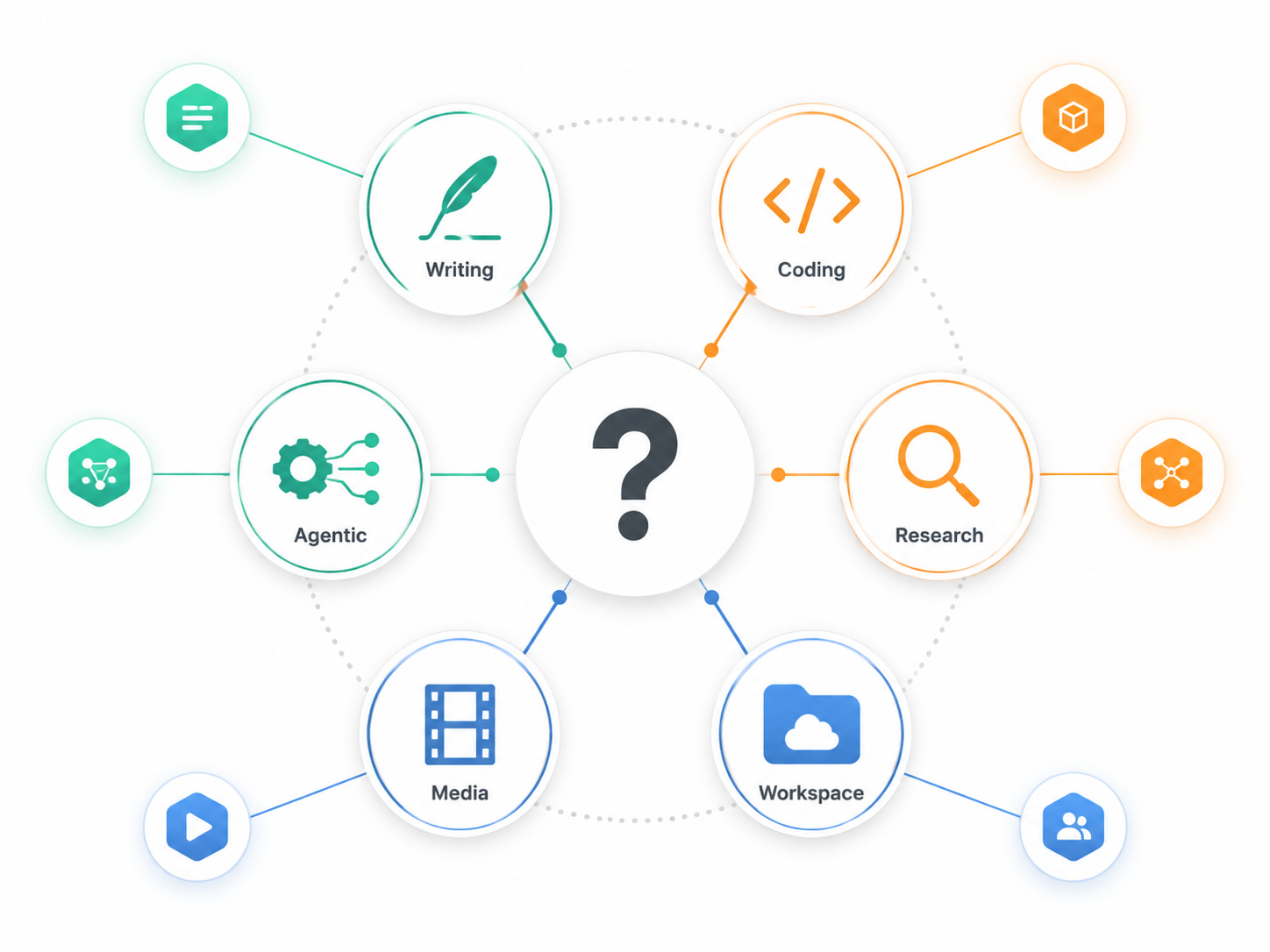
Choose by Workflow, Not by Leaderboard
The fastest way to waste money on AI is to buy the model that won the last argument online and then use it for a job it was not chosen to do. A subscription should own a loop: a repeated sequence of work where the tool saves time, improves output, or removes a handoff.
Writing and Editing
For quick drafting, rewriting, outlines, emails, and broad ideation, ChatGPT Plus is usually the easier default. It handles mixed writing tasks well and does not require you to know in advance whether the next output is a memo, a campaign idea, a script, or a structured plan.
For voice-sensitive writing, long documents, and edits where the assistant needs to preserve argument structure, Claude Pro deserves the first serious trial. Custom Styles and long context are more relevant when the work is not “make this sound better,” but “keep this consistent with the previous 80 pages and do not flatten the author’s judgment.”[1]
Gemini AI Pro moves up if the writing lives in Google Docs and depends on adjacent Drive material. The question is not whether Gemini writes the prettiest paragraph in isolation. It is whether it reduces the copy-paste tax between your source files and the draft.
Coding
Claude Pro is the strongest starting point for coding-heavy users in this comparison. The reported CursorBench improvement for Opus 4.7 supports that direction, and the long-context window is useful when the problem spans more than a single snippet.[1]
ChatGPT Plus remains useful for code explanation, quick utilities, debugging conversations, and full-stack generalism. If code is one part of a wider role, ChatGPT may still be the better single subscription because it can leave the IDE conversation and help with product copy, customer responses, data interpretation, or planning.
Gemini AI Pro is harder to recommend as the first coding subscription unless the rest of your work strongly favors Google. It may be perfectly capable in many coding tasks, but the available sources here give Claude the clearer coding-specific evidence.
Research and Source Work
For research, the answer depends on what “research” means. If you mean fast orientation, question generation, summarizing a few sources, and turning findings into a brief, ChatGPT Plus is a strong general choice. If you mean working through large document sets with sustained attention to nuance, Claude Pro’s context window becomes more important. If you mean research that starts from files already stored in Google and benefits from Deep Research, Gemini AI Pro belongs in the trial set.[1]
Readers whose main purchase reason is research should probably compare specialist workflows too. A chatbot subscription may be the center of the stack, but it is not always the whole stack. A deeper phase-by-phase comparison belongs in an AI research assistant guide, not inside a three-plan subscription shootout.
Files, Context, and Knowledge Work
This is where people often underestimate ecosystem fit. The better model can lose if it requires constant exporting, pasting, re-uploading, and explaining. Every extra setup step is a place where the subscription stops being used.
Claude Pro’s 1M token context is the obvious asset for large self-contained materials.[1] Gemini AI Pro’s asset is proximity to Google files. ChatGPT Plus sits in the middle as the flexible general workspace, especially when the material does not belong to one ecosystem or changes format constantly.
Agentic Work and Automation
Agentic features are exciting when they attach to a real bottleneck and exhausting when they create a second job called “watch the robot.” ChatGPT Plus has the clearest mainstream claim here with built-in computer use for direct desktop-environment operations.[1] Claude Pro’s Claude Cowork also belongs in the automation conversation, especially for desktop-oriented workflows.[1]
Productivity-tool roundups increasingly frame AI value around integration: the tool has to connect with the place where the work happens, not merely answer in a separate box.[4] That is the right standard for agents. If the task is “move this information from one system to another and check the result,” the tool needs access, guardrails, and a clear review point. If the task is just “think with me,” agentic features may not matter at all.
If agentic automation is your main reason for buying, read a dedicated comparison of Copilot Wave 3, Claude Cowork, and ChatGPT Agents after choosing your core chatbot. The $20 plan decision is only the first layer.
Media Generation
ChatGPT Plus gets a meaningful advantage if you want text-to-video experimentation through Sora 2 as part of the same subscription environment.[1] Gemini AI Pro has NanoBanana 2 image generation in the package.[1] Claude Pro is not the plan I would choose first for media work based on the materials available here.
For most knowledge workers, media generation should be a tie-breaker rather than the core purchase reason. It becomes central only if you routinely create campaign concepts, storyboards, social assets, product mockups, or visual drafts. Otherwise, it is a fun feature that may not touch the work you get paid to finish.
Free Plans Are for Trials, Not This Decision
Free tiers are useful for getting a feel for each assistant. They are not a reliable answer to the paid-subscription question if your work is frequent, deadline-bound, or dependent on advanced models.
DataCamp’s free-tools guide lists ChatGPT free with GPT-5.2 Instant at about 10 messages per 5 hours, Claude free with 30–100 messages per day but no Opus access, and Gemini free with 3 Flash.[3] Those limits can be fine for casual use, student experimentation, or a short trial. They are exactly the wrong place to test whether a tool can carry a serious weekly workflow.
Use free plans to test feel: response style, interface, file handling, friction, and whether the assistant misunderstands your common tasks. Do not mistake a constrained free tier for the paid product’s real ceiling.
When One Subscription Is Enough
One subscription is enough when one tool owns your main loop and the others would mostly duplicate it. This is the cleanest outcome, and for many people it is the right one.
- Choose ChatGPT Plus alone if your work is varied and you want the broadest assistant for writing, planning, explaining, experimenting, media, and occasional automation.
- Choose Claude Pro alone if your work is concentrated in code, long documents, sensitive writing, or large-context review.
- Choose Gemini AI Pro alone if your daily work and storage already sit inside Google’s ecosystem.
The practical test is boring but effective: check your last ten meaningful AI tasks. If seven or eight of them clearly belong to one tool, buy that tool and stop shopping. A clean $20/month decision is better than a $60/month collection of overlapping assistants you keep comparing instead of using.
The $40 Question: Should You Pay for Two?

The two-subscription strategy deserves more respect than it usually gets. If two complementary $20 plans solve two different high-value jobs, $40/month can be more rational than chasing a single $200/month premium tier. The pricing comparison notes a growing pattern of power users running ChatGPT Plus and Claude Pro together at $40/month rather than paying for one $200/month premium tier.[1]
The best version of that stack is simple: ChatGPT Plus as the broad daily assistant, Claude Pro as the deep writing and coding partner. That pairing works because the second subscription is not “another chatbot.” It has a different job. ChatGPT catches the scattered work; Claude handles the heavier artifacts.
A different two-tool stack also makes sense for Google-heavy users: Gemini AI Pro for Workspace-native work and either ChatGPT Plus or Claude Pro for tasks that benefit from a stronger general assistant or deeper long-context writing. In that case, Gemini is partly infrastructure, partly AI. The second tool has to justify itself outside Google’s files.
| Two-subscription stack | When it makes sense | When it is probably waste |
|---|---|---|
| ChatGPT Plus + Claude Pro | You split your week between varied general tasks and serious coding or long-form writing. | You mostly ask short questions and rarely work with long artifacts. |
| Gemini AI Pro + ChatGPT Plus | Google Workspace is your operating base, but you still want the broadest general assistant and media/agentic range. | Your Google use is light and you do not need the bundled storage. |
| Gemini AI Pro + Claude Pro | Google holds your files, while Claude handles deep writing, review, or coding outside the Workspace layer. | You mainly need quick drafting and simple summaries. |
| All three | Rarely justified for an individual unless each has a distinct, frequent, paid use. | Usually subscription collecting. |
A second subscription needs a sentence you can say without embarrassment: “I pay for Claude because it reviews long technical documents every week.” “I pay for Gemini because it replaces storage and works inside Drive.” “I pay for ChatGPT because it is my general operating assistant.” If the sentence is “I want access in case it gets better,” cancel it for a month and see what breaks.
What to Ignore for This Specific Decision
Enterprise launches, team plans, and broader AI stack questions matter, but they can muddy this purchase. The common tier ladder runs from free, to Pro around $20/month, to Team around $25–$30/user/month, to custom Enterprise pricing.[1] If you are buying for a company, procurement, security, admin controls, and data policy may outrank every consumer feature in this article.
Microsoft’s newer enterprise-oriented products may also shift larger organizational comparisons, but they sit outside the $20 consumer/professional decision this article is built to solve. If you are designing a full business stack, the more useful next read is a layered AI stack comparison or a lean productivity stack guide, not another chatbot leaderboard.
Also be cautious with commercial comparison pages, including useful ones. Vendor-adjacent sources can still contain accurate pricing tables and helpful feature summaries, but neutrality is not guaranteed. Treat benchmark claims, plan names, and feature access as perishable facts. Re-check the subscription page before you let a recurring bill start.
The Practical Pick
If you want the safest single answer, pick ChatGPT Plus. It is the broadest $20-ish assistant and the easiest default for mixed work.
If the work that pays for the subscription is coding, careful writing, or long-context review, pick Claude Pro first. The features that matter there are not decorative; they attach directly to the job.
If you already live in Google Workspace and need the storage, pick Gemini AI Pro. The model comparison still matters, but the bundle may make the financial decision unusually easy.
Add a second subscription only when it owns a different high-value workflow. Otherwise, choose the tool that will sit closest to your daily work, use it hard for a month, and re-check pricing and features before assuming Q3 2026’s answer will still be true next quarter.