
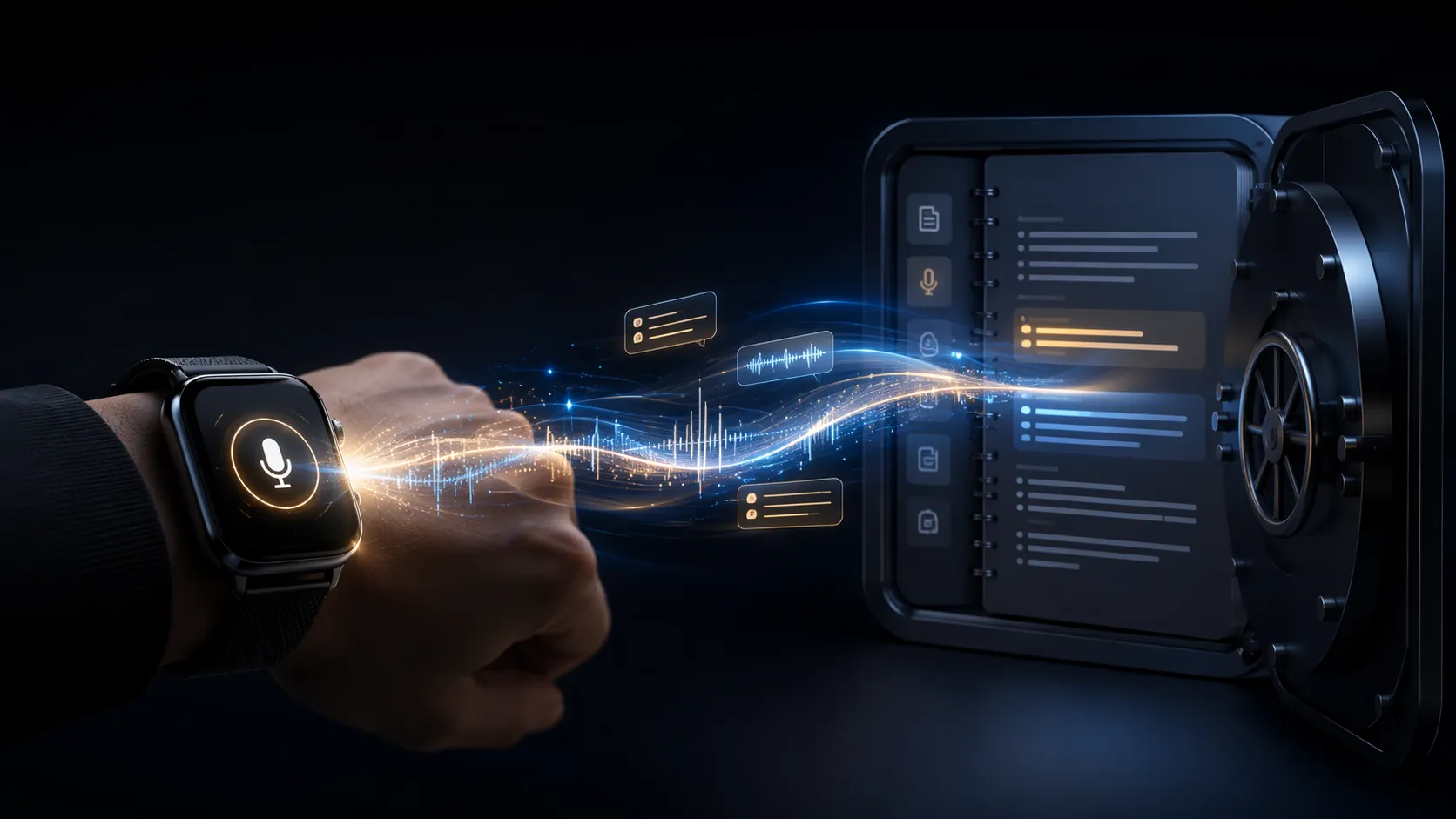
The real question is not whether a smartwatch can record your voice. Most of them can. The question behind “best smartwatch for note taking and productivity” is whether one tap on your wrist can become a transcribed note inside the place you actually review later: Obsidian, Notion, Logseq, Apple Notes, or whatever already holds your work.
A watch can feel productive for ten seconds and still fail the workflow. If the transcript lands in Voice Memos, Google Recorder, Samsung Notes, or a vendor inbox you never open, the capture is only half done. The useful comparison is the handoff: tap, record, transcribe, export, destination note.
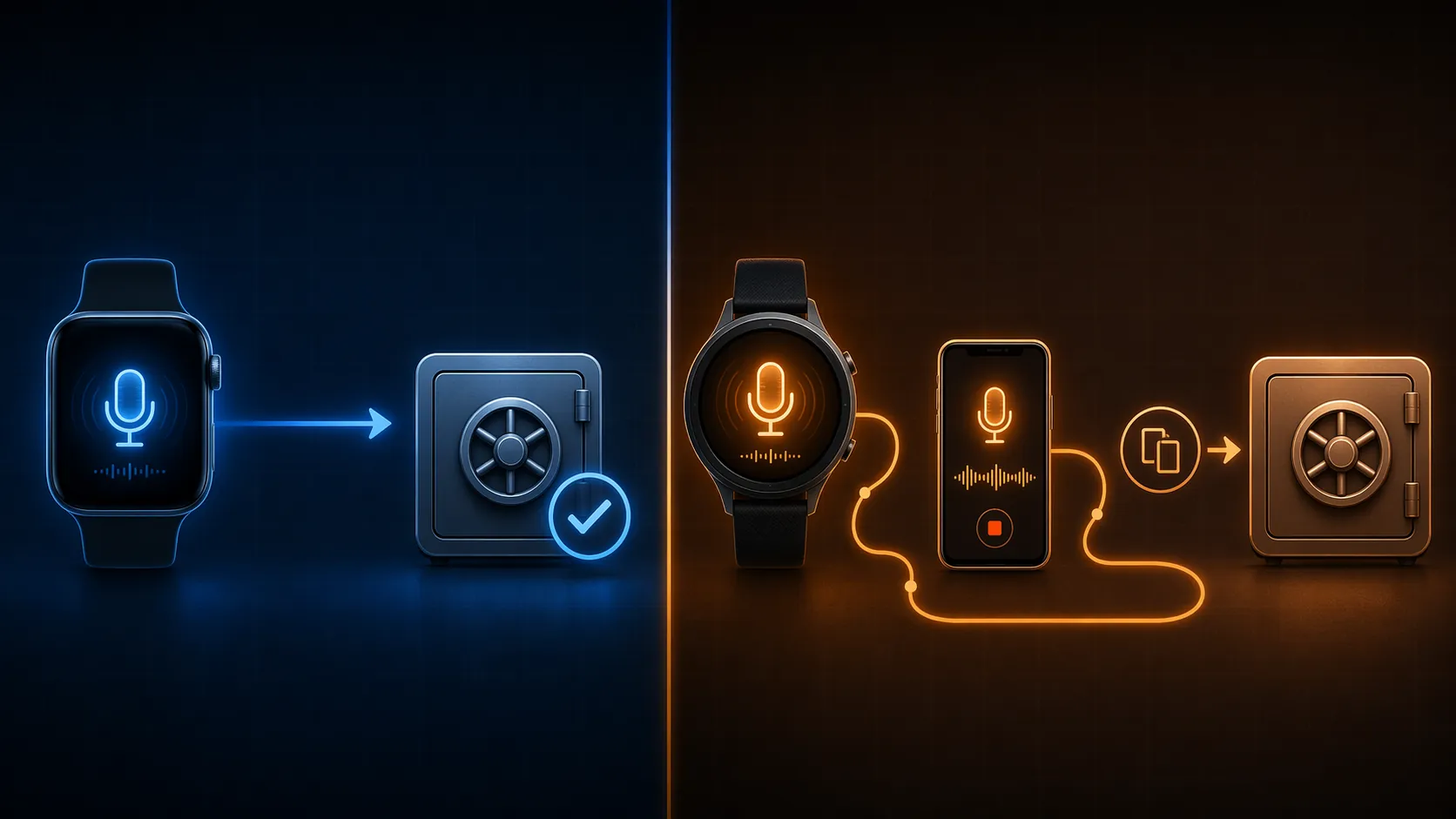
On that test, Apple Watch is currently the safest recommendation for Obsidian, Notion, and Logseq users because its bridge-app ecosystem gives you more ways to push text toward an existing vault. Apple Notes users can stay almost entirely native. Pixel Watch and Galaxy Watch are technically impressive AI recorders, but their downstream note-app exits are weaker: the transcript usually reaches the phone first, then waits for you to move it.
The Short Answer: Buy for the Destination App
If you already know where your notes live, the watch choice gets much simpler. Fitness features, display quality, watch faces, and general ecosystem loyalty matter in a normal smartwatch review. They are not the deciding variables here. For note capture, the deciding variable is whether the watch can repeatedly get text into the system you trust without a copy-paste chore.
| Your note system | Least-friction smartwatch route | Why this route wins |
|---|---|---|
| Obsidian | Apple Watch + Drafts, Markdown Voice Memos, or a GitHub-synced blip workflow | These routes can produce plain text or Markdown closer to the vault instead of stopping in a recorder app. |
| Notion | Apple Watch + blip Pro webhook, V2N, WristNote, or an iOS Shortcut hitting the Notion API | The useful path is one that creates or updates a Notion page without making the phone clipboard the inbox. |
| Apple Notes | Apple Watch Voice Memos with iOS 18 transcription | If Apple Notes is the destination, Apple’s native recording and transcription path is often enough. |
| Logseq | Apple Watch + Markdown Voice Memos | Markdown export with frontmatter fits the file-based habit better than a closed recorder inbox. |
| Google-first or Samsung-first notes | Pixel Watch or Galaxy Watch | Use these if Recorder, Gemini summaries, Samsung Notes, or Galaxy AI is the place you actually process notes. |
That table is the practical buying guide. The rest of the article is the plumbing inspection.
Apple Watch: The Best Bridge-App Platform for Existing Note Systems
Apple Watch wins this comparison less because Apple built the perfect note-taking system and more because the surrounding iPhone automation and app ecosystem gives other developers room to finish the job. A native Voice Memos recording can sync to iPhone or Mac, and iOS 18 added automatic transcription that made the watch more useful as a capture device for people already living in Apple’s apps.[1]
For Apple Notes-style capture, that may be enough. Tap the Voice Memos complication, speak, let the recording sync, and use the transcript where Apple surfaces it. The weak point appears when your real system is somewhere else. A default Voice Memos-to-vault workflow still tends to become: record on watch, wait for sync, open phone or Mac, find transcript, copy, paste into the real note. ZDNET’s David Gewirtz describes that kind of manual transfer as the reason a promising Apple Watch voice workflow became something he abandoned after a few weeks.[1]
The better Apple Watch setup uses a bridge app that treats capture as routing, not storage. Drafts is the old reliable choice for people who want a watch complication, quick dictated text, and actions that can send text onward. Asian Efficiency’s 2026 Apple Watch productivity guide highlights Drafts as one of the apps that turns the watch into a practical capture tool rather than just a notification surface.[2]
blip takes a more explicit capture-to-destination approach. Its workflow is built around starting from the wrist and pushing a transcript into systems such as Notion or a GitHub-synced Obsidian vault; its Pro tier is listed at $4.99 per month, and the vendor describes webhook-based delivery that can move a transcript to Notion or a synced vault in roughly 30 seconds.[3]
Markdown Voice Memos is the more interesting route for file-based note people. It emphasizes on-device transcription and Markdown export, including YAML frontmatter, which fits Obsidian and Logseq better than a polished app inbox that must later be emptied by hand.[4]
V2N — Voice To Notes is broader. Its App Store listing describes syncing voice notes to Notion, Obsidian, Roam, and Todoist, which makes it worth looking at for mixed PKM setups where notes, tasks, and daily logs are not all in one place.[5]
WristNote leans harder into AI on the wrist. It describes capture, AI summaries, and export routes including email, Notion, and Obsidian. That can be useful when the raw transcript is not the artifact you want to keep, but its claims should be read as vendor feature descriptions rather than independent proof that its summaries are better than another system’s.[6]
The difference between these apps matters because “Apple Watch for notes” is not one workflow. It is several possible handoffs that happen to start on the same device.
| Apple Watch route | Best fit | Main compromise |
|---|---|---|
| Native Voice Memos + iOS 18 transcription | Apple Notes users, quick personal memos, Apple-only workflows | The transcript still needs manual movement if your vault is elsewhere. |
| Drafts | People who want one-tap dictated text and customizable actions | You need to configure the actions that send text onward. |
| blip Pro | Notion users or Obsidian users with a synced repository workflow | Webhook and sync setup matter; vendor claims should be tested in your own system. |
| Markdown Voice Memos | Obsidian and Logseq users who prefer Markdown files | Best when you already understand where exported files should land. |
| V2N | Mixed systems: Notion, Obsidian, Roam, Todoist | Breadth is useful, but each destination path should be verified before depending on it. |
| WristNote | Users who want AI summaries and export options from the wrist | The summary layer is only valuable if the export lands in the right review loop. |
What About Recording Length and Audio Quality?
Apple Watch Voice Memos does not impose a fixed recording-length limit in the way Pixel Watch Recorder and Galaxy Watch speech-to-text modes do, but that does not make it a meeting recorder. UMEVO’s testing reports 30–40% Apple Watch battery drain during a 2-hour recording, and its technical analysis says Apple Watch audio is compressed at about 64kbps, which can reduce high-frequency detail that helps transcription distinguish similar words such as “fiscal” and “physical.”[7]
That source sells dedicated AI recorders, so those figures are best treated as directional rather than independently verified. Still, the practical lesson is ordinary: a watch is excellent for short, immediate captures. It is not the cleanest tool for long rooms, distant speakers, or multi-hour interviews.
Pixel Watch: Strong Recorder, Weak Vault Exit
Pixel Watch is the cleanest Android watch story if your capture system is Google Recorder on a Pixel phone. Google’s Pixel Watch help documentation says Recorder on Pixel Watch can record audio, create transcripts, and sync recordings to the paired Pixel phone, with a 30-minute limit per recording file.[8]
The AI layer is genuinely useful. ZDNET reports that Android smartwatches can now transcribe and summarize voice notes with AI, including Gemini summaries for Pixel Watch recordings once they sync to the phone.[9]
The problem is not transcription. The problem is where the text goes next. For an Obsidian, Notion, or Logseq user, Pixel Watch does not offer the same direct third-party note-app bridge ecosystem described above. The usual route becomes watch recording, Pixel phone Recorder, transcript or summary, then manual copy-paste or share-sheet gymnastics into the real workspace.
If Google Recorder is your inbox and you review it consistently, that is a valid system. If Obsidian or Notion is your inbox, Pixel Watch is more accurately described as a strong AI capture device with a downstream export gap.
Galaxy Watch: Useful AI Summaries, Samsung-Centered Routing
Galaxy Watch 8 and Galaxy Watch Ultra follow a similar pattern. ZDNET reports that Samsung’s Voice Recorder supports a speech-to-text mode with a 10-minute limit, while standard recording can run longer without on-watch transcription; Galaxy AI summaries happen on the phone, and the natural export path stays centered on Samsung Notes.[9]
That is a good fit if Samsung Notes is part of your actual review system. It is a weaker fit if Samsung Notes becomes a waiting room for text that still needs to be carried into Notion, Obsidian, or Logseq. The device has solved “turn speech into text.” It has not solved “put this sentence where Future You will see it during weekly review.”
For Samsung phone users who already use Galaxy AI and Samsung Notes, the Galaxy Watch route may feel smoother than adopting Apple hardware purely for capture. For cross-app PKM users, the same manual-transfer warning applies.
Route by Note App, Not by Watch Brand
If You Use Obsidian
Choose Apple Watch and decide whether you want text-first capture or audio-first capture. Drafts works when the note can start as dictated text and then be sent onward through actions. Markdown Voice Memos works when you want a recorded memo transcribed and exported as Markdown into a vault-like folder structure. blip can also fit if your Obsidian setup is synced through a repository or automation path that accepts pushed text.[2][3][4]
The key selection criterion is boring and important: can you make the same capture twice without thinking about where it goes? If the answer depends on opening a phone app and copying a transcript, the workflow will probably degrade exactly when you need it most: between meetings, in a hallway, while carrying groceries, or after a conversation where only one sentence mattered.
If You Use Notion
Apple Watch has the better Notion story because there are multiple plausible handoffs. blip describes a wrist-tap-to-Notion workflow using webhooks, V2N lists Notion sync, and WristNote describes Notion export among its options.[3][5][6]
Notion users should be especially suspicious of demo workflows that end with a nice transcript card inside a separate app. That may look organized, but it creates another inbox. A usable Notion capture workflow should create a page, append to a database, or send text into a known review location with as little human routing as possible.
If You Use Apple Notes
Stay native unless you have a specific reason not to. Apple Watch Voice Memos with iOS 18 transcription is the cleanest route because the capture, transcript, and Apple-device sync all live inside the same ecosystem.[1]
A bridge app can still help if you want templates, tags, or automation. But if the destination is Apple Notes and the capture is short, adding another app may increase surface area without removing a meaningful step.
If You Use Logseq
Favor Apple Watch with Markdown Voice Memos. Logseq’s file-based, Markdown-friendly model makes export format more important than AI gloss. Markdown Voice Memos’ emphasis on Markdown output and YAML frontmatter is closer to the way Logseq users already think about portable notes.[4]
A Pixel or Galaxy transcript can still be pasted into Logseq. That is not the same as having a repeatable wrist-to-graph route.
If You Use Evernote, Roam, or a Mixed Stack
Look for the export surface first. V2N lists Roam and Todoist alongside Notion and Obsidian, which makes it relevant for mixed capture systems.[5] Drafts can also be useful when your real workflow is a chain of actions rather than a single destination app.[2]
Where Dedicated AI Recorders Fit
Plaud NotePin S, Omi, UMEVO-style devices, and similar AI recorders are not failed smartwatches. They are a different answer to a different capture problem. They matter when the job is long meetings, far-field audio, speaker separation, or structured summaries from extended conversations.
UMEVO’s comparison argues that dedicated recorders can outperform smartwatches because they use hardware aimed at room capture rather than wrist-to-mouth commands; it cites Plaud Note Pro’s 4-microphone array and 16.4-foot pickup range as an example of that category difference.[7] Krisp’s 2026 roundup lists Plaud NotePin S at $179 with 20-hour battery life and GPT-4 summaries, Omi at $89 with an open-source model and 1,200 free cloud minutes per month, and UMEVO Note Plus at $149 with 40-hour battery life.[10]
Those devices may beat a smartwatch in a conference room. They also add one more thing to charge, carry, update, and remember. If the use case is “capture one thought while walking,” the extra device is often the problem, not the solution.
The Mobvoi TicNote Watch Is Interesting, but Not Yet a Main Recommendation
Mobvoi’s TicNote Watch deserves attention because it points toward the obvious future: transcription-first watches rather than watches with voice memos bolted on. T3 reported at CES in January 2026 that Mobvoi positioned TicNote Watch as the first smartwatch with on-wrist live transcription and live translation, no recording-length cap, and TicNote Cloud features for summaries and task lists.[11]
As of July 2026, the available material does not verify broad shipping status or a mature export ecosystem for Obsidian, Notion, or Logseq. That keeps it in the “watch this” category rather than the “buy this for your vault” category.
Final Buying Judgment
For Obsidian, Notion, and Logseq users, Apple Watch is the best smartwatch for note-taking productivity because its third-party bridge apps can move captured text closer to the actual vault. The recommendation is not “Apple has the best transcription.” It is “Apple Watch has the most workable handoff options.”
For Apple Notes users, Apple Watch Voice Memos with iOS 18 transcription is enough for many short captures. For Pixel Watch and Galaxy Watch users, the native AI transcription and summaries are strong, but the workflow is better framed as recorder-to-phone-to-note rather than wrist-to-vault. If your real note system is not Google Recorder or Samsung Notes, the copy-paste step is still waiting.
References
- How iOS 18 turned my Apple Watch into the productivity tool of my sci-fi dreams — ZDNET
- Apple Watch for Productivity: 2026 Guide + Best Apps — Asian Efficiency
- From wrist tap to Notion: the capture-first workflow — blip
- Markdown Voice Memos homepage
- V2N — Voice To Notes App Store page — App Store
- WristNote: The Smartest Way to Capture Every Conversation on Your Wrist
- Smartwatches vs. Dedicated AI Recorders: Which Captures Better Audio? — UMEVO
- Record audio on your Pixel Watch — Google Support
- Android smartwatches can now transcribe and summarize your voice notes, thanks to AI — ZDNET
- 7 Best AI Note Taking Devices in 2026 — Krisp Blog
- Garmin challenger brand just pulled off a world first for smartwatches — T3