
The best notes app in 2026 is not the one with the longest feature table. It is the one that still works on a bad Tuesday: when you are late, half-listening in a meeting, saving a half-formed idea from your phone, or trying to find the decision someone mentioned three weeks ago.
That is why generic rankings feel weirdly unsatisfying. Most people want the comfort of one integrated app — a 2023 survey cited by Gitnux says 71% of consumers prefer a single integrated app — but the right “one app” changes depending on how you capture, organize, and retrieve notes.[1] The cost of getting that wrong is not cosmetic. Guideflow cites McKinsey’s estimate that knowledge workers spend 19% of their week searching for information, and Gitnux cites a study where tagging improved retrieval from 60% to 81%.[2][1]
So use this as a diagnostic map, not a podium. Pick the personality that describes your worst-day behavior first. Then shortlist the apps that match it. Pricing and AI details here are last verified June 2026; verify current plan pages before paying, because note-taking apps change pricing and bundling often.
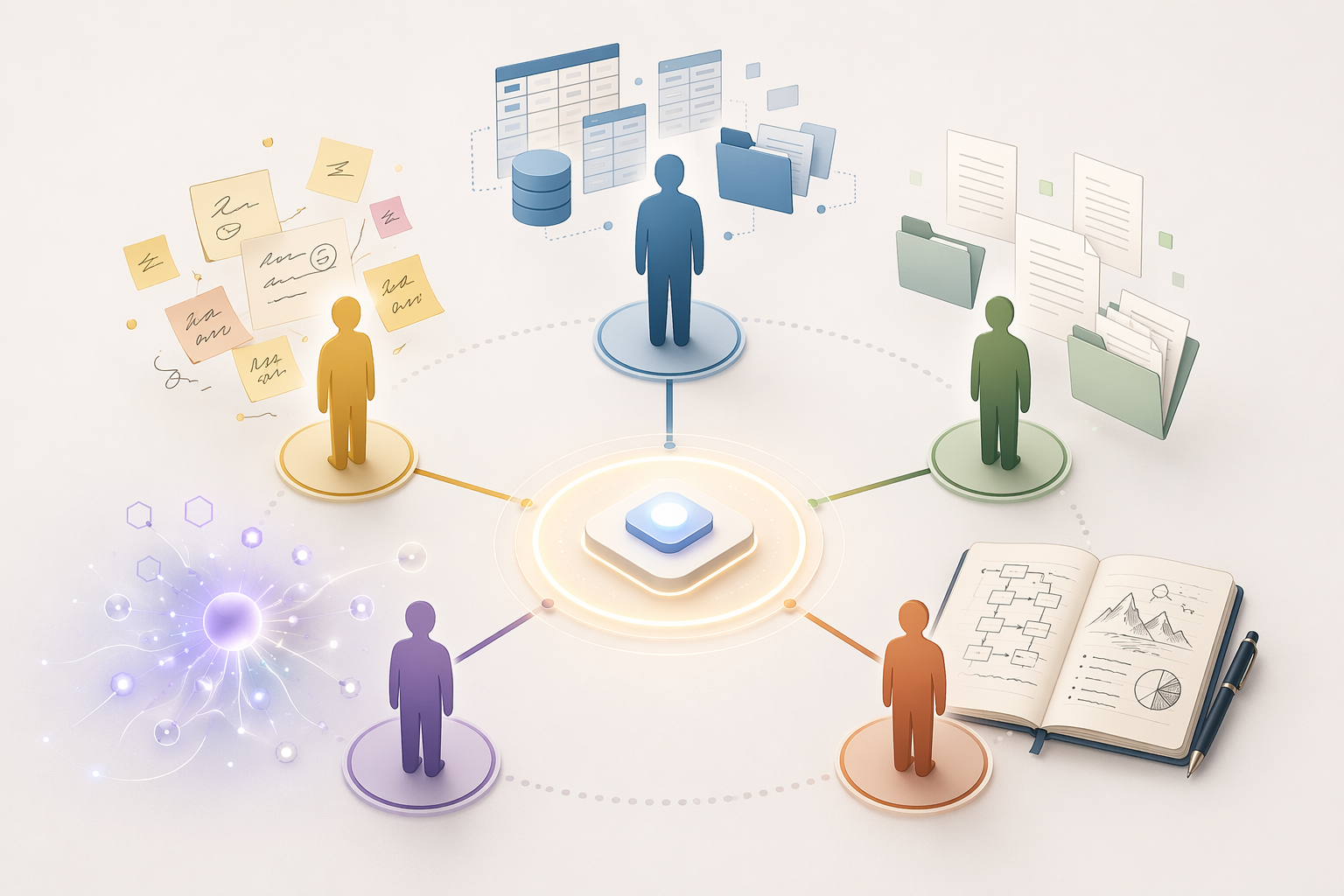
| If this sounds like you | Your likely personality | Start with these apps | Watch out for |
|---|---|---|---|
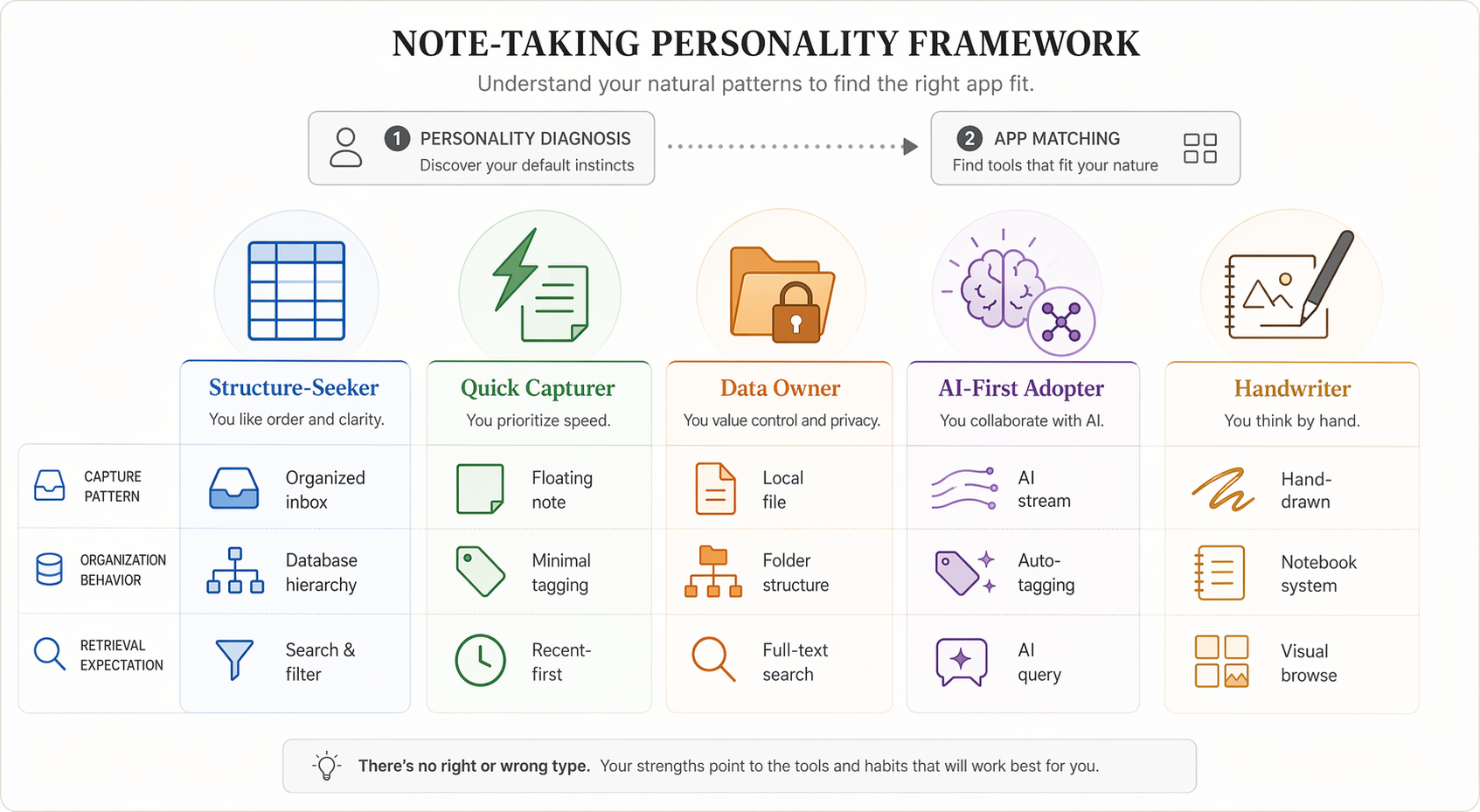
| You like dashboards, folders, databases, templates, and repeatable systems. | Structure-Seeker | Notion, OneNote, Capacities | Building a beautiful workspace you stop maintaining |
| You need to capture fast from your phone, lock screen, browser, or voice. | Quick Capturer | Apple Notes, Google Keep, Drafts | Believing you will tag and sort everything later |
| You care about local files, markdown, portability, and leaving cleanly. | Data Owner | Obsidian, Logseq, Joplin | Mistaking portability for simplicity |
| You want search, summaries, connections, and meeting memory to happen automatically. | AI-First Adopter | Mem, Atlas, Storyflow | Paying for AI before proving the retrieval value |
| You think with a pen, diagrams, margin notes, lecture slides, or PDFs. | Handwriter | OneNote, GoodNotes, Nebo | Choosing a typing-first app and fighting it every day |
Why the Usual Rankings Break Down
Most best-notes-app lists answer a different question than the one people actually have. They compare web clippers, collaboration, offline mode, AI, markdown, handwriting, databases, and pricing as if every reader values those things in the same order. That makes the final ranking look objective, but it hides the trade-off that matters most: where your notes actually land before you have time to be organized.
A database-heavy app can be excellent for someone who turns meeting notes into projects, client records, or research libraries. The same app can be a graveyard for someone who only needed to jot down a grocery idea, a quote, and a meeting action before walking into the next room. A local markdown vault can be liberating if you care about file ownership. It can feel like homework if you just wanted reliable search and a phone widget.
Roundups from Zapier, Atlas, Storyflow, Tech Insider, and others are useful for checking features, pricing, and methodology, especially because they test across many apps.[3][4][5][6] Their verdicts still need translation. “Best overall” is usually shorthand for “best for a particular set of assumptions.” If those assumptions do not match your capture habits, the app will feel wrong even when the review is accurate.
Find Your Note-Taking Personality
Do not choose based on the version of yourself who has a quiet Sunday afternoon and a fresh cup of coffee. Choose based on the version of yourself who is moving too fast and still needs the note to survive.
Structure-Seeker
You like notes that know where they belong. A meeting note becomes part of a project. A book note connects to a topic. A client note sits beside tasks, files, dates, and decisions. You are not annoyed by choosing a template before writing; the template is part of how you think.
Your retrieval expectation is structured recall. You want to filter, sort, group, and resurface notes by project, status, person, tag, or date. You are the reader for whom the tagging retrieval jump from 60% to 81% feels plausible, because you will actually do some of that classification work.[1]
Quick Capturer
You write everywhere and organize rarely. Your real requirement is not elegance; it is speed. The app has to open quickly, accept scraps without ceremony, and sync before you forget why you wrote the note in the first place.
Your retrieval expectation is forgiving search. You might remember one word, a place, a photo, or roughly when you wrote something. You probably will not maintain a folder taxonomy unless it is almost invisible. If an app makes you choose a database, folder, template, or backlink before capture, it is asking too much at the wrong moment.
Data Owner
You want notes you can leave with. You care about local files, plain text, markdown, open formats, export quality, and whether your knowledge base still makes sense if a subscription changes. You are willing to tolerate a little setup if it buys you long-term control.
Your retrieval expectation is durable retrieval. You want search and links, but you also want the underlying material to remain readable outside the app. That does not automatically make your system simpler. It means the complexity is visible and yours.
AI-First Adopter
You want the app to help read the pile. You are less interested in perfect folders and more interested in asking, “What did I decide about this client?” or “Show me related notes from previous projects.” You are comfortable with AI summaries, semantic search, suggested connections, and meeting memory, as long as the answers are useful enough to change your workflow.
Your retrieval expectation is assisted recall. You do not want to remember exactly where something lives. You want the system to infer, summarize, and surface. The warning is obvious but worth saying: AI features can be expensive, uneven, and dependent on what you are comfortable giving the service access to.
Handwriter
You think with your hand. You sketch arrows, circle phrases, annotate slides, mark up PDFs, or remember lecture material by writing it. A typing-first notes app can still be useful for you, but it should not be the center if the pen is where the thinking happens.
Your retrieval expectation is visual and spatial. You may remember the page layout, the diagram, the margin note, or the shape of the explanation before you remember a keyword. Handwriting recognition, PDF handling, canvas flexibility, and tablet experience matter more than a clever web clipper.
Best Apps for Structure-Seekers: Notion, OneNote, Capacities
Structure-Seekers should start with Notion, OneNote, and Capacities because these apps reward deliberate organization instead of treating it as an afterthought. The question is how much structure you want to design yourself.
Notion is the obvious power pick if you like databases, project hubs, content calendars, client portals, and reusable templates. Its strength is not merely that it stores notes; it turns notes into systems. A research note can sit in a database with status, source, topic, owner, and next action. A meeting note can generate tasks. A personal wiki can become a dashboard.
The 2026 caveat is price and weight. Tech Insider’s 2026 pricing analysis notes that Notion AI moved into the Business tier in early 2026, putting AI-enabled Notion in roughly the $24–$30 per user per month range, depending on billing and plan details.[5] That makes Notion a premium Structure-Seeker choice, not a casual recommendation for someone who mostly writes quick reminders.
Choose Notion if you enjoy maintaining the system and can name the databases you actually need. Avoid it if your notes fail at the capture stage. A perfect dashboard cannot rescue ideas you never entered because the mobile capture flow felt too slow.
OneNote fits Structure-Seekers who prefer familiar hierarchy over database design. Notebooks, sections, pages, and freeform page layouts make it easier to think in binders than tables. It is especially good when your work mixes typed notes, pasted screenshots, meeting notes, rough sketches, and files. Zapier and other 2026 roundups continue to treat OneNote as a major general-purpose notes app because of that breadth across platforms and input styles.[3]
Choose OneNote if you want a sturdy digital binder and do not want every note to become a database record. Avoid it if markdown portability or clean export is one of your non-negotiables.
Capacities is the more object-oriented option. Instead of dumping everything into pages, it encourages you to think in people, books, meetings, topics, and other reusable object types. That can feel natural if your notes are full of recurring entities and relationships. It can feel fussy if you only wanted a place to write.
Choose Capacities if your brain already groups notes by object type. Avoid it if you resent categorizing notes at the moment of capture. The app’s structure is the point; if you fight that structure, you will not get the benefit.
Best Apps for Quick Capturers: Apple Notes, Google Keep, Drafts
Quick Capturers should be suspicious of any app that looks impressive only after setup. Your best app is the one that catches the note before it evaporates.
Apple Notes is the best starting point for many iPhone and Mac users because it is already there, fast enough, and increasingly capable. The 2026 value change is Apple Intelligence: Tech Insider reports that Apple Notes gained rewrite, summarization, and image-generation features at no extra cost, making it one of the few major AI-enhanced note options not hidden behind a separate AI paywall in 2026.[5]
That does not make Apple Notes the best app for everyone. It makes it hard to beat for people who live in the Apple ecosystem and mainly need frictionless capture, decent search, basic organization, scanning, attachments, and now some AI help without another subscription. It is not the right choice if you need strong cross-platform parity, markdown-first workflows, or clean long-term export.
Google Keep is the quick-capture answer for people who want sticky-note simplicity, especially across Google accounts and Android devices. It works well for reminders, short lists, visual scraps, and notes that do not deserve a full document. The danger is scale. Keep is pleasant when notes are lightweight. It becomes less pleasant when you try to turn it into a serious knowledge base.
Drafts is for people who want capture as an inbox, not a library. Open, type, send the text somewhere else. That “somewhere else” might be email, a task manager, a calendar entry, a message, or a long-term notes system. Drafts makes sense if your first step is always writing and your second step changes by context.
The failure mode for Quick Capturers is aspirational organization. If you keep promising yourself that you will sort notes every Friday and never do, do not choose an app that depends on Friday. Choose fast capture and forgiving search, then add structure only where repeated pain proves it is needed.
Best Apps for Data Owners: Obsidian, Logseq, Joplin
Data Owners are not just being fussy. Switching cost is real. If you have years of notes in an app, the question is not only “Can I write here?” It is “Can I leave with my work intact?”
Obsidian is the leading pick for people who want local markdown files, links, graph-style thinking, plugins, and a vault they can inspect outside the app. Its strength is that the notes are yours in a very practical sense: files in folders, readable with other tools. Atlas notes that Obsidian Importer now supports one-step migration from Apple Notes, Bear, Craft, Evernote, Google Keep, OneNote, Notion, and Roam, verified May 2026.[4]
That importer detail matters more than a generic feature bullet. It lowers the cost of trying a Data Owner workflow after living in a more closed app. It does not guarantee that every note arrives perfectly formatted, and it does not mean Obsidian is easy for everyone. It means the exit ramp is less punishing than it used to be.
Choose Obsidian if you want local files, markdown, linking, customization, and a system that can grow into serious personal knowledge management. Avoid it if plugin choices, sync decisions, and vault design will become procrastination disguised as productivity.
Logseq is a better fit if you think in outlines, daily notes, blocks, and backlinks. It is especially appealing for people who like journaling into a daily page and letting links create structure later. Compared with Obsidian, it can feel less like building a foldered library and more like keeping a connected research log.
Choose Logseq if block-based outlining is how you naturally think. Avoid it if you want polished document layout, traditional notebooks, or a low-learning-curve app for casual notes.
Joplin is the pragmatic open-source option. It is less fashionable than Obsidian in many personal knowledge management circles, but it deserves attention from people who want markdown, encryption-oriented workflows, cross-platform access, and a more conventional notebook structure. NoteApps.info’s broad 2026 database is useful here because it lets readers compare apps across many capabilities rather than relying on a single editorial ranking.[7]
Choose Joplin if you want a portable, notebook-like app without buying into a highly designed proprietary workspace. Avoid it if you want the most polished interface or the richest AI layer.
Best Apps for AI-First Adopters: Mem, Atlas, Storyflow
AI-First Adopters are not just looking for a notes app with a chatbot bolted on. The useful version is more specific: AI should reduce the time between “I know I captured this somewhere” and “Here is the relevant material.”
Mem fits people who want lightweight capture and AI-assisted resurfacing. Its appeal is that organization can be looser because the system is supposed to help connect and retrieve material. That is attractive if you have never maintained tags for more than two weeks. It is risky if you need transparent structure, local ownership, or predictable export as the foundation of your notes.
Atlas is worth considering if your AI-first need is tied to workspace knowledge rather than private journaling. Its own 2026 guide uses a use-case scoring approach and includes migration details, so it is helpful for checking factual claims even if you should treat any vendor’s self-ranking with caution.[4] The relevant question is not whether Atlas scores itself well. It is whether the product’s retrieval model fits the body of information you need searched.
Storyflow belongs in this AI-first conversation because its 2026 roundup explicitly weights AI depth heavily in its methodology.[6] That makes it useful as a signal for readers who care less about traditional note hierarchy and more about AI handling capture, synthesis, or recall. It also means its recommendations should be read through that lens. A high AI-depth score may not matter if your actual problem is handwriting lecture diagrams or exporting markdown.
The purchase test for AI-first apps should be stricter than the demo test. Demos are often built around clean examples. Your notes are messy, duplicated, half-titled, and full of context that made sense only when you wrote them. Before paying annually, test whether the AI can answer questions you genuinely ask at work or school, not just produce summaries that sound competent.
Best Apps for Handwriters: OneNote, GoodNotes, Nebo
Handwriters should choose around the pen experience first. A notes app that is excellent for typing can still be wrong if every class, meeting, or reading session starts with a stylus.
OneNote is the flexible choice for mixed handwriting and typed work. Its freeform canvas is useful for diagrams, meeting sketches, screenshots, and notes that do not fit neatly into a linear document. It also works well when handwriting is only one part of a broader office or school workflow.
GoodNotes is the stronger fit when the notebook metaphor is central. Students, tablet-first readers, and people who annotate PDFs heavily often care about page feel, pen tools, templates, and document markup more than database features. Drawboard’s student-focused 2026 roundup is useful for this segment because it evaluates note apps from the perspective of study, PDF annotation, and classroom workflows rather than only general productivity.[8]
Nebo is the option to examine if handwriting recognition and conversion matter. Some handwriters want the handwritten page to remain the source of truth. Others want handwriting to become editable text. Nebo is more interesting for the second group.
Apple Notes also deserves a look for some Handwriters inside the Apple ecosystem, mainly because Apple Intelligence changes the value equation when basic AI help is included at no extra cost.[5] Still, do not let free AI distract from the pen test. If writing, annotating, and navigating PDFs feel worse than in GoodNotes, OneNote, or Nebo, the cheaper feature is not the better workflow.
If You Are a Hybrid, Stop Forcing One App to Do Everything
Many people are not one personality. You may be a Quick Capturer on your phone and a Data Owner at your desk. You may handwrite during lectures and use Notion for projects. You may want Apple Notes for daily scraps and Obsidian for long-term research.
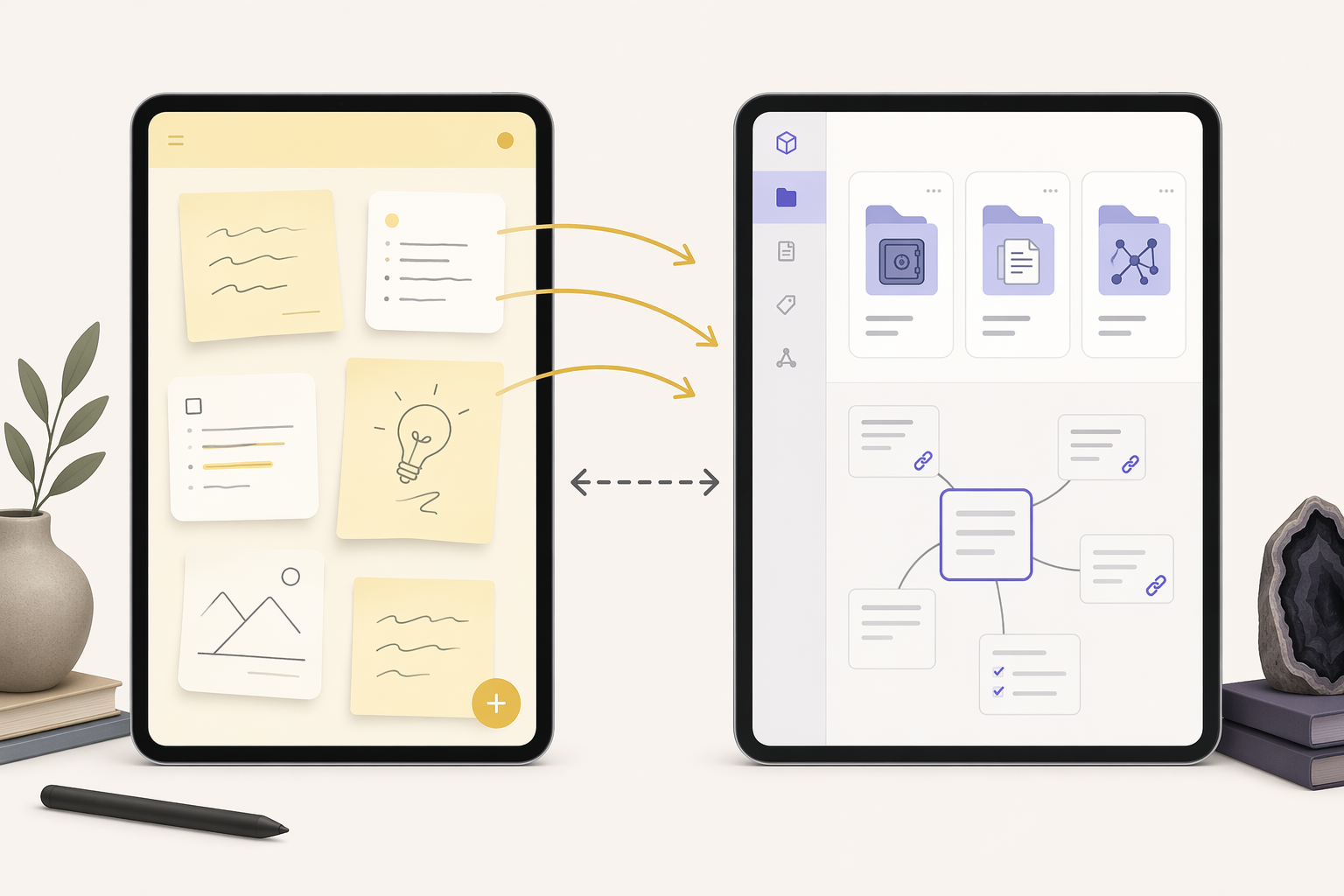
A two-app setup is not a failure if the handoff is clear. The failure is keeping five inboxes with no rules. A reasonable portfolio might look like this: Apple Notes or Drafts for instant capture, Obsidian for durable knowledge; GoodNotes for handwritten class notes, Notion for project planning; Google Keep for shared household reminders, OneNote for work binders.
| Hybrid need | Sensible split | Rule that keeps it from becoming chaos |
|---|---|---|
| Fast mobile capture plus long-term knowledge management | Apple Notes, Google Keep, or Drafts + Obsidian | Move only notes worth keeping; do not migrate every scrap |
| Handwritten study plus typed project organization | GoodNotes or Nebo + Notion or OneNote | Keep source notes in the handwriting app; summarize decisions elsewhere |
| AI meeting recall plus private durable notes | AI-first meeting tool + Obsidian or Joplin | Export or summarize only the material you will actually reuse |
| Team structure plus personal capture | Notion or OneNote + Apple Notes or Drafts | Separate shared records from private rough notes |
The test is whether each app owns a different stage. Capture, thinking, annotation, project management, and archival storage are different jobs. One app can cover several of them, but it does not have to cover all of them.
Pricing and AI Checks Before You Commit
Prices and AI bundles are now part of the app choice, not a footnote. Last verified June 2026, Notion’s AI value is tied to the Business tier, which pushes it into premium territory for individuals who mainly want better notes.[5] Apple Notes, by contrast, benefits from Apple Intelligence features that Tech Insider describes as available at no extra cost, which makes it unusually strong for Apple users who do not need a full PKM system.[5]
That comparison is not a universal win for Apple Notes. It is a value judgment by personality. A Structure-Seeker who runs projects in Notion may justify the cost because the workspace replaces several tools. A Quick Capturer may get almost everything needed from a free built-in app. A Data Owner may care less about included AI than about whether notes remain readable outside the product.
- If AI is the reason you are paying, test retrieval on your own messy notes before choosing an annual plan.
- If portability is the reason you are switching, export a sample before migrating the whole archive.
- If handwriting is the reason you are choosing, test the pen, PDF, and search workflow on the device you actually use.
- If structure is the reason you are choosing, build one real project space before importing everything.
- If price is close, wait until the personality match is clear; a cheap mismatch still costs time.
The Shortlist
If you want the fastest path to a decision, ignore the universal ranking and choose from your dominant failure mode.
- Choose Notion, OneNote, or Capacities if your notes become useful when they sit inside a repeatable structure.
- Choose Apple Notes, Google Keep, or Drafts if capture speed matters more than elegant organization.
- Choose Obsidian, Logseq, or Joplin if local ownership, markdown, and exit options matter more than polish.
- Choose Mem, Atlas, or Storyflow if AI-assisted retrieval is the main reason you are changing tools.
- Choose OneNote, GoodNotes, or Nebo if handwriting, diagrams, and PDF annotation are where the real thinking happens.
Pick the personality that describes your worst-day note habits. Choose the matching app family. Verify current pricing before paying. If device constraints are now the deciding factor, compare Mac, Windows, iPad, Android, or student-specific options within that shortlist rather than starting the whole search over.
References
- Note Taking Statistics | 2026 Verified Gitnux Data, Gitnux
- 10 best note taking software tools for teams in 2026, Guideflow
- The 7 best note taking apps in 2026, Zapier
- Best Note-Taking Apps (2026): Definitive Guide by Use Case, Atlas
- Best Note-Taking Apps 2026: Tested and Ranked, Tech Insider
- The 12 Best Note-Taking Apps in 2026 (We Tested Them All), Storyflow
- Best Note-Taking Apps 2026: Data & screenshots for 41 apps, NoteApps.info
- 9 Best Notetaking Apps for Students in 2026, Drawboard