
The phrase “best note-taking software” has become less useful in 2026, mostly because the category now hides several different jobs under one label. A fast notebook for stray thoughts is not the same thing as a team workspace. A local Markdown vault is not the same thing as a handwriting app. An AI work surface that rewrites meeting notes is not the same thing as a class notebook that opens instantly on a tablet.
So the first cut should not be “Which app has the most features?” It should be “Which app will still feel tolerable when I am tired, late, and looking for something I wrote six months ago?”
| Use case | Best pick | Why it wins | Runner-up to test |
|---|---|---|---|
| Quick capture | Google Keep or Apple Notes | Best when the note needs to exist before you lose the thought; Apple Notes is strongest if you already live on Apple devices. | OneNote |
| Best free default | Microsoft OneNote | Full core features are included, with 5GB of free storage, and PCMag rates it 4.5/5 for 2026. [1] | Apple Notes |
| Linked personal knowledge management | Obsidian | Local Markdown files, free personal use, and a large plugin ecosystem make it the clearest PKM pick. [2] | Joplin |
| Teams and shared workspaces | Notion | Its scale and collaboration model are hard to ignore: Tech Insider reports more than 100 million active users and use by over 70% of Fortune 500 teams. [2] | OneNote |
| AI-assisted active work | Notion AI | Best suited to teams or heavy users who need summarization, autofill, retrieval, rewriting, or agent-style workflows, though the AI cost is separate. [3] | AI meeting-note tools |
| Apple-native notes and handwriting | Apple Notes | Zero setup for Apple users, free unlimited storage, and iPad handwriting support make it the low-friction choice inside that ecosystem. [1] | Bear |
| Budget paid app | UpNote | The $39.99 lifetime license is the clearest long-term bargain among paid note apps cited in current testing. [1] | Bear |
| Open-source or privacy-focused notes | Joplin | Open-source, cross-platform, and positioned around end-to-end encryption and user control. [4] | Obsidian |
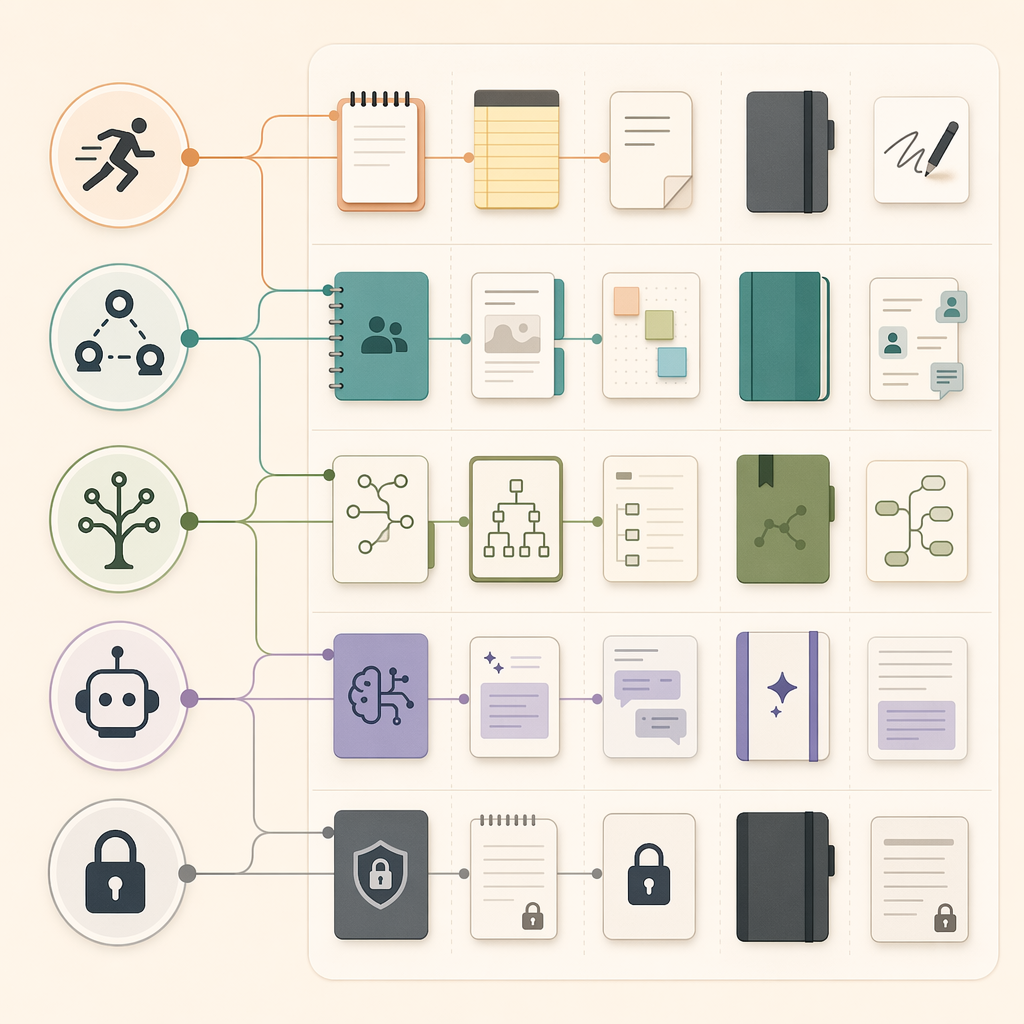
Start with the workflow, not the app
There are plenty of respectable note apps in the 2026 field: OneNote, Apple Notes, Google Keep, Evernote, Notion, Obsidian, Joplin, UpNote, Bear, Goodnotes, Simplenote, and newer AI-heavy tools. The problem is that a respectable app can still be wrong for your actual week.
A student who marks up lecture slides on an iPad should not be forced into a project-management database. A manager trying to get a team to read meeting notes should not build a private Markdown vault and hope everyone follows. A writer who captures ideas from a phone lock screen may abandon a powerful system if the first note takes too many taps.
That is why the comparison below gives more weight to fit, friction, ownership, and pricing than to long feature lists. Market growth explains why the category feels crowded—the note-taking app market is estimated at $13.3 billion in 2026—but a larger market does not make any one product safer to choose. [5]
| App | Best role in a shortlist | Main reason to choose it | Main reason to hesitate |
|---|---|---|---|
| Microsoft OneNote | Best free default | Free core feature set, 5GB storage, strong independent rating. [1] | Notebook structure can feel heavier than a plain text capture app. |
| Apple Notes | Best Apple-native option | Free, built in, Apple-friendly, supports handwritten notes on iPad. [1] | Less compelling if your devices are split across platforms. |
| Google Keep | Fastest lightweight capture candidate | Useful when speed matters more than structure. | Not the place for deep archives or complex research systems. |
| Evernote | Legacy search and OCR candidate | Still considered for search and OCR-heavy workflows in major roundups. [1][6] | Free plan is limited to 50 notes on one device; paid plans start at $14.99/month. [6][1] |
| Notion | Best team workspace | Large user base, team adoption, databases, shared pages, and AI add-ons. [2][3] | PCMag rates it 3.0/5 for note-taking and warns about complexity for most people. [1] |
| Obsidian | Best linked PKM vault | Local Markdown files, free personal use, and 2,500+ community plugins. [2] | Sync, publishing, and setup choices can add decisions for non-tinkerers. |
| Joplin | Best open-source/private option | Open-source, cross-platform, and encryption-focused. [4] | Less polished than the most consumer-friendly apps. |
| UpNote | Best budget paid option | $39.99 lifetime license. [1] | Smaller ecosystem than the giant platforms. |
| Bear | Best Apple writing app | Markdown-native, elegant, and writing-focused on Apple devices. [1][6] | Apple-first positioning limits mixed-platform teams. |
| Goodnotes | Handwriting and tablet-study candidate | Worth testing if handwritten notes are central to your study workflow. | Not a general-purpose team knowledge base. |
| Simplenote | Minimal plain-note candidate | Good when the requirement is lightweight text rather than a system. | Too spare for users who need rich organization or AI. |
| AI meeting-note tools | Meeting capture and follow-up candidate | Most useful when the note is created from a call and needs summary or action extraction. | Not a full replacement for a durable personal notebook. |
If you want the safest free choice, start with OneNote
OneNote is the rare recommendation that sounds boring until you remember what most people actually need: a place to put notes, organize them into notebooks, add images or clippings, search later, and not immediately hit a paywall. PCMag names it an outstanding option with a 4.5/5 rating, and its free plan includes all core features with 5GB of storage. [1]
That combination matters. A free app with missing core features is a trial in disguise. A generous app with an awkward capture flow becomes a filing cabinet nobody opens. OneNote is not the lightest app in the group, but it gives students, office workers, and household users enough structure without asking them to design a workspace from scratch.
Avoid it if you want plain Markdown files, a minimalist writing surface, or a local-first PKM system. It is also not the best pick if your whole problem is split-second capture; Apple Notes or Google Keep may feel faster for small notes. But as a default answer for someone who wants capable note-taking without a subscription, OneNote is difficult to beat.
For linked knowledge and ownership, Obsidian is the serious candidate
Obsidian belongs to a different mental model. Instead of treating notes as pages inside a company workspace, it treats them as local Markdown files that can be linked, searched, extended, and moved. Tech Insider highlights free personal use, local Markdown, and more than 2,500 community plugins as defining strengths. [2]
That is exactly why it suits researchers, writers, developers, analysts, and PKM users who care about ownership. Your notes are not primarily trapped in a proprietary workspace. You can build a network of concepts over time. You can keep the core simple or install plugins when the workflow genuinely needs them.
The danger is not that Obsidian is weak. The danger is that it invites system-building. If your real need is “write down what happened in today’s client call,” a graph view and plugin catalog may be a distraction. If you are choosing between a note app and a PKM system, it is worth reading a dedicated PKM decision framework before turning a simple notebook into a second job.
Joplin is the runner-up when open-source control and encryption weigh more heavily than the linked-thinking ecosystem. It is less glamorous, but for users who want cross-platform private notes and open-source software, Lindy identifies it as a leading option. [4]
Notion is best when the note is part of team work
Notion is impossible to dismiss, and it is just as easy to over-prescribe. Tech Insider reports that Notion crossed 100 million active users and is used by more than 70% of Fortune 500 teams. [2] Those numbers do not prove it is the best place for your personal notes, but they do explain why so many teams are already asking whether their meeting notes, project docs, task lists, and internal wikis should live there.
Notion is strongest when a note is not merely a note. A meeting record can connect to a project page. A research note can become a database entry. A content calendar can sit beside drafts, status fields, owners, and comments. For a team that needs shared context, that can be more useful than a beautiful private notebook.
The cost is complexity. PCMag gives Notion a 3.0/5 score as a note-taking app and warns that it can be overly complex for most people when the job is simply taking notes. [1] That warning matches the lived version of the problem: people build dashboards, databases, relations, and templates before they have written the notes they came to write.
Choose Notion if collaboration, structured pages, and shared workspace design are central to the work. Avoid it if you mostly need fast private capture, lecture notes, or a low-maintenance archive. If you are specifically comparing it against rivals, a focused Notion-versus-the-field guide will be more useful than another generic feature grid.
Evernote still has reasons to exist, but its free plan changes the math
Evernote should not be treated as either a fallen monument or an automatic recommendation. It still appears in major roundups, especially where search and OCR matter. [1][6] If you have years of material in Evernote, or your workflow depends on finding text inside saved documents and images, it may still earn a place on the shortlist.
For new users, the pricing and free-plan limits are the harder facts. Zapier reports that Evernote’s free plan is limited to 50 notes on one device, while PCMag lists paid pricing from $14.99/month. [6][1] That rules it out for many students, casual users, and anyone still experimenting with their note system.
The practical recommendation is narrow: consider Evernote if its search, OCR, or existing archive value solves a real problem you already have. Do not choose it merely because it used to be the default answer to note-taking.
For Apple users, the decision is often simpler than the comparison chart
Apple Notes is the app many Apple users should test before they test anything else. PCMag identifies it as a strong Apple-ecosystem option, with free unlimited storage and handwritten note support on iPad. [1] That combination is not exciting in a demo, but it is powerful in ordinary use: open the phone, make the note, find it later on the Mac, mark something up on the iPad.
Bear is the more deliberate Apple writing app. PCMag and Zapier both point to it as a polished, Markdown-friendly option for writers on Apple devices. [1][6] It is a better fit when the note is really a draft, a fragment, or a piece of prose that benefits from a calmer writing interface.
The Apple lane becomes less attractive when your life is not actually Apple-only. If you move between Windows laptops, Android phones, and shared work machines, platform convenience can turn into platform drag. For mixed-device decisions, compare Windows and Mac note-taking choices before committing your archive.

AI is now a real divider, but not everyone needs to pay for it
AI has become one of the biggest ways note apps separate themselves in 2026. That does not mean the app with the most visible assistant is automatically the best note-taking software. AI matters most when your notes are not finished at capture. Meeting notes need follow-ups. Research notes need synthesis. A project workspace needs fields filled, summaries written, and old context retrieved.
Notion AI is the clearest test case. Storyflow describes AI depth as a major differentiator, and Tech Insider points to Notion’s AI direction in its 2026 comparison. Storyflow also lists Notion AI at $10/user/month on top of the Plus plan, which it lists at $8/user/month. [3][2] That extra cost is not outrageous for a team using AI to summarize meetings, rewrite project updates, and automate structured work. It is harder to justify for someone mainly saving class notes, quotes, recipes, or private ideas.
The useful question is not “Does this app have AI?” It is “What will the AI do to notes I actually create every week?” If the answer is summarize calls, extract tasks, fill database properties, retrieve old project context, or transform rough notes into usable documents, then AI depth belongs near the top of the decision. If the answer is “maybe I will ask it to summarize things someday,” it belongs near the bottom.
For a feature-level breakdown, read a dedicated guide to Notion AI for note-taking. This roundup is concerned with selection: whether AI changes which app you should choose in the first place.
Where the lower-cost and private options fit
UpNote deserves attention because it makes a simple promise that many subscription-fatigued users understand immediately: pay once and keep using it. PCMag lists a $39.99 lifetime license, making it the clearest budget paid option in this group. [1] It is not the biggest platform, and it is not trying to become a team operating system. That is part of the appeal.
Joplin sits on a different axis. Its case is not low cost alone, but open-source control, cross-platform availability, and end-to-end encryption. [4] It is the app to test when the question is less “Which interface delights me?” and more “Where can I keep private notes without surrendering the whole system to a closed platform?”
Obsidian also belongs in the ownership conversation because of local Markdown files. The distinction matters: Joplin is the open-source encrypted notebook candidate; Obsidian is the local-first linked-knowledge candidate. If ownership is your deciding factor, compare local-first and cloud PKM tradeoffs before choosing based on screenshots.
A four-question way to narrow your shortlist
If the table still leaves you with four tempting choices, use the questions below. They are intentionally plain. A good note app survives plain questions.
- What kind of notes do you take most often? For lecture notes and everyday capture, start with OneNote or Apple Notes. For linked research and long-term thinking, test Obsidian. For team documents, test Notion.
- Where do you capture them? If most notes begin on a phone, speed matters more than architecture. If they begin in meetings, AI summary and collaboration may matter more. If they begin on an iPad, handwriting support can decide the shortlist.
- Do you need collaboration or ownership more? Notion is the stronger team workspace. Obsidian and Joplin are stronger ownership candidates. OneNote sits in the practical middle for many users.
- Are you willing to pay for AI or advanced structure? If the answer is yes, Notion AI and AI meeting-note tools deserve a serious test. If the answer is no, do not let AI demos distract you from free or lower-cost apps that already solve the note-taking part.
For a quicker overview of fewer tools, use a simpler app-by-app roundup. For cost-sensitive decisions, check a dedicated pricing guide before moving your notes. Pricing in this category changes often enough that a final look at the official plan page is not optional.
The shortest honest recommendation
Choose OneNote if you want the strongest free default. Choose Apple Notes if you live inside Apple devices and want zero setup. Choose Obsidian if your notes are a long-term knowledge base and local files matter. Choose Notion if notes need to become shared team work. Choose Joplin if privacy and open-source control are the point. Choose UpNote if you want a low-cost paid app without a large recurring subscription.
Then stop comparing for a while. The best note-taking software is the one that matches the workflow you repeat every week. Before committing, verify current pricing, export options, and platform support from the official app pages.
References
- The Best Note-Taking Apps We've Tested for 2026 — PCMag
- Notion vs Obsidian: 1 Clear Winner in 7 Tests [2026] — Tech Insider
- The 12 Best Note-Taking Apps in 2026 (We Tested Them All) — Storyflow, May 2026
- 10 Best Note-taking Apps in 2026 for Smarter Organization — Lindy, June 2026
- Note Taking App Market Report 2026 — The Business Research Company
- The 7 best note taking apps in 2026 — Zapier, December 2025