
Last verified: Q2 2026. Free plans in voice and AI note apps change often, so treat the limits below as a decision checkpoint, not a permanent contract. Before you build a semester, client process, or interview routine around one app that takes notes from voice, check the official pricing page and the app store listing one more time.
The disappointment usually starts after the first recording. The app heard you, sure. Then the free tier turns out to mean ten minutes, no export, no summary, a weekly word ration, or a transcript that needs enough cleanup to make typing look reasonable again. The useful question is not “Which app is best?” It is: what kind of voice note are you trying to finish without paying?
| Free tool | Best free use case | Free limit in Q2 2026 | Platform fit | What it creates | The catch |
|---|---|---|---|---|---|
| VoiceToNotes.ai | AI-summarized voice capture and quick note conversion | Advertised as unlimited on the free plan; cross-checked against independent roundups where available [1][2] | Web, mobile, Chrome extension | Transcripts plus AI-organized notes and summaries | The unlimited plan is the outlier, but Chrome extension reliability complaints for long recordings make web or mobile capture the safer free path. |
| Otter.ai | Light meeting transcription | 300 transcription minutes per month on the free plan; AI summaries are not included [3] | Web, iOS, Android, meeting integrations | Searchable meeting transcripts with speaker labels | Good for occasional classes or calls, weak if you need built-in AI summaries or several long meetings each week. |
| Wispr Flow | Polished occasional dictation | 2,000 words per week on the free plan; Wirecutter reported 98% accuracy in its testing [2] | Primarily Mac-centered workflow | Clean dictated text for writing into other apps | Excellent when the job is short-form dictation, not meeting capture. |
| Gboard voice typing | No-cost Android dictation | Free and effectively unlimited for ordinary use [2][4] | Android | Raw dictated text | You save money, then spend attention adding structure, punctuation fixes, and headings. |
| Apple Dictation | No-cost dictation inside Apple devices | Free and effectively unlimited for ordinary use [2][4] | iPhone, iPad, Mac | Raw dictated text | Convenient for quick capture, but it does not turn a rambling voice memo into a usable note by itself. |
| Google Recorder | Offline raw recording and transcription on Pixel | Free on supported Pixel phones, with offline recording and transcription [3] | Pixel phones | Recordings with transcripts | A hidden gem if you own the right phone; irrelevant if you do not. |
| Apple Voice Memos | Simple recording infrastructure | Free on Apple devices | iPhone, iPad, Mac | Audio recordings; transcription depends on device features and workflow | Useful for capture, but not a full voice-to-note system unless you add another cleanup step. |
Free Means Different Jobs, Not One Winner
Voice capture feels tempting because speaking is faster than typing for most people. Common productivity benchmarks put ordinary speech around 150 words per minute and typing around 40 words per minute, which explains the appeal even before AI enters the room. The market around speech and voice recognition is also crowded enough to create constant new free tiers: 2026 estimates range roughly from the low-$20-billion range to about $30 billion, depending on the market research firm and definition used [5].
That growth does not make every free plan generous. It mostly means there are more ways to be invited in and more ways to hit a limit. For someone trying to get through a seminar, interview, client call, commute memo, or rough draft, the practical test is narrower: does the free version leave you with something readable and usable before your patience runs out?
Modern speech-to-text accuracy helps. AssemblyAI’s 2026 survey of real-time speech-to-text apps cites OpenAI Whisper at 3.96% word error rate and GPT-4o Transcribe at 2.46% in its benchmark context [6]. Those numbers are not a promise that your noisy coffee-shop recording will be clean. They do explain why free voice tools can now be good enough for everyday notes, provided the app’s free tier does not stop the recording, hide the summary, or trap the transcript where you cannot use it.
If You Need Meeting Transcription, Start With Otter
Otter remains the easiest free recommendation for light meeting transcription because its limit is understandable: 300 minutes per month. That can cover a weekly class discussion, a few client calls, or occasional interviews if you are careful. PCMag’s 2026 AI note-taking roundup still treats Otter as one of the familiar names in meeting notes, and the free tier’s value is clearest when the job is a searchable transcript rather than a polished post-meeting brief [3].
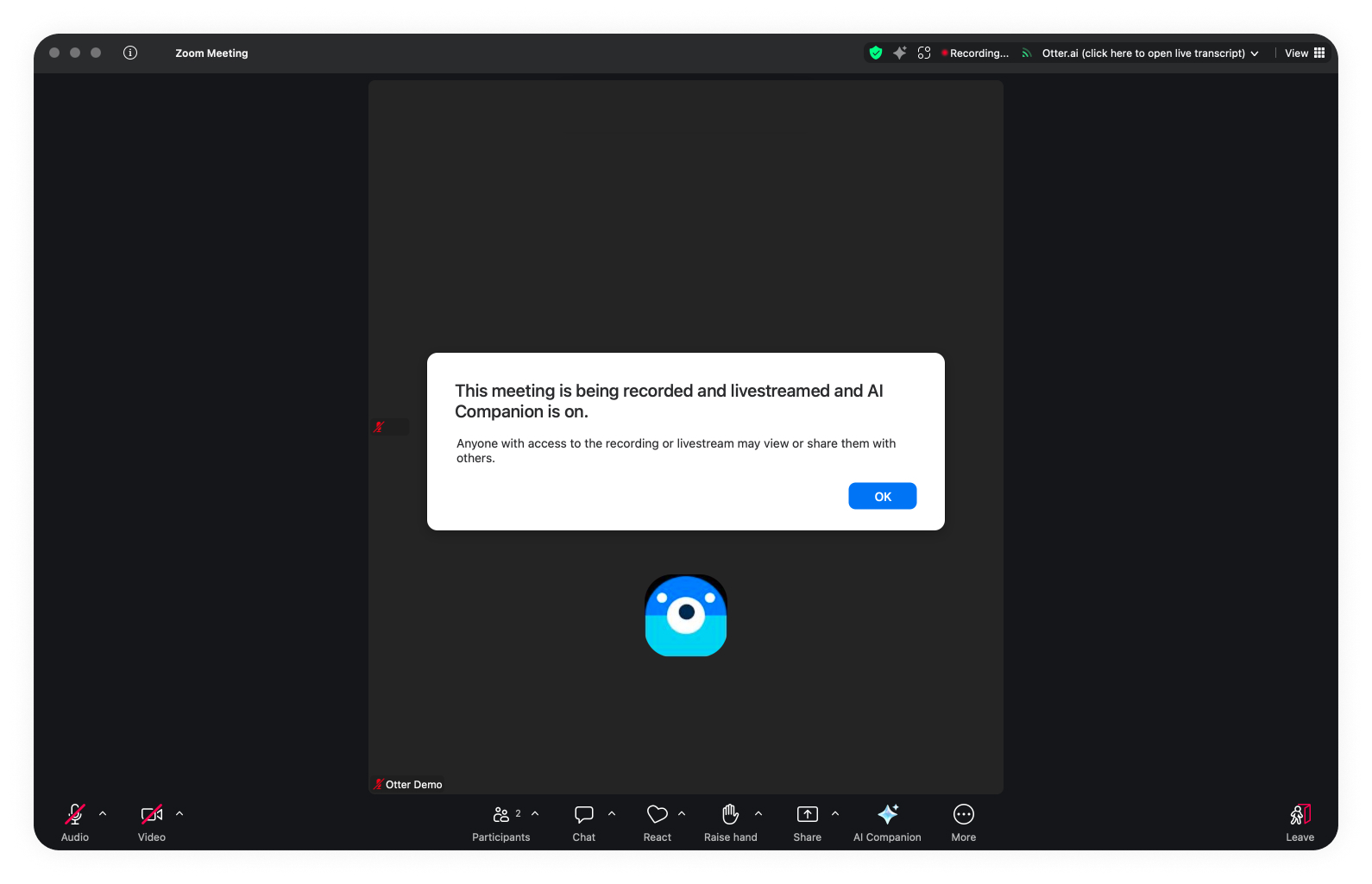
The irritating part is where the free plan stops. Otter’s free tier does not include AI summaries, so the moment after recording still belongs to you. You can search the transcript, skim speaker turns, and pull out decisions manually. That is workable for a 25-minute student meeting. It is less workable after a dense hour-long client call where the useful output should be action items, risks, and follow-ups.
The 300-minute allowance also looks different depending on the calendar. One two-hour seminar every week can use most of it. A freelancer who records discovery calls, status calls, and handoff calls can cross the line before the month feels busy. Otter is not a fake free plan, but it is a light-use plan. Once meetings become a regular part of the work, the free version starts acting less like a home base and more like a meter.
If You Want AI-Summarized Capture, VoiceToNotes.ai Changes the Math
VoiceToNotes.ai is the unusual free option because its own 2026 roundup describes the free plan as unlimited, and the independent comparison materials available here did not contradict that core claim [1][2]. For a budget user, that matters. Unlimited capture plus AI-organized notes is a different proposition from “record all you want, then clean it yourself.”
This is the kind of tool that makes sense for messy voice memos: the walk home after class, the five-minute thought dump after a client conversation, the rough outline spoken into a phone before the wording is ready. The point is not merely transcription. The point is whether the app can turn a spoken pile into headings, bullets, and a note you can search later without reopening the audio.
The caveat is reliability. The research materials flagged G2 and Reddit complaints about the Chrome extension, especially around longer recordings, while web and mobile capture were treated more favorably. That does not erase the value of the unlimited free plan. It does mean the safest free workflow is to test your actual recording length and device before trusting it with a lecture, interview, or paid client call.
There is also a source-quality wrinkle. VoiceToNotes.ai publishes comparison pages that naturally favor its own product, and Lindy’s 2026 AI note-taking roundup has the same self-promotional shape for its category [1][7]. That does not make the free-tier claim false. It means the claim deserves more caution than a neutral lab result. In this case, the practical verdict is still strong: if you want a free app that takes notes from voice and produces organized notes rather than raw text, VoiceToNotes.ai is the first tool to test, with the extension caveat kept in view.
If You Dictate Short Notes, Wispr Flow Is Cleaner Than Built-In Voice Typing
Dictation is a different job from note-taking a meeting. A dictation app does not need to identify speakers, attend a Zoom call, or summarize a transcript. It needs to let you speak into a field and produce text that does not look like a transcript of hesitation. On that narrower job, Wispr Flow is one of the more polished free choices. Wirecutter’s 2026 dictation review reported 98% accuracy for Wispr Flow, and its free plan allows 2,000 words per week [2].
That weekly limit is generous for occasional use and tight for anyone trying to draft regularly by voice. A student dictating a few reading notes may stay under it. A freelancer drafting client emails, proposals, and project notes will not. The cap also makes Wispr Flow the wrong tool for recording a class or meeting. Spoken meetings are word-heavy, and the app’s free allowance is measured like writing output, not event capture.
Platform fit matters here too. Wispr Flow makes the most sense when your daily writing already happens in the environment it supports well. A beautiful dictation layer is not helpful if it requires you to switch devices just to avoid paying.
Built-In Dictation Is Free Because You Do More of the Editing
Gboard and Apple Dictation deserve fair treatment. They are already on devices many people own, they do not add another subscription, and they can be enough for quick notes. Wirecutter and Zapier both include built-in dictation among practical speech-to-text options rather than treating it as obsolete [2][4].
The hidden cost is shape. Built-in dictation usually gives you raw text. If you speak in half-sentences, revise yourself out loud, jump between topics, or forget punctuation commands, the result is not a note. It is material for a note. That distinction matters when the whole reason you searched for an app was to stop spending time turning speech into something usable.
For a simple grocery list, daily journal entry, or two-sentence reminder, built-in dictation may be the best free option because there is almost nothing to clean up. For a lecture recap, client call, article outline, or research memo, the saved subscription cost can reappear as editing time.
Raw Recorders Still Have a Place
Not everyone needs AI notes. Sometimes the job is simply to preserve audio offline and search or review it later. Google Recorder is excellent for that narrow use if you own a supported Pixel phone: it records, transcribes, and works offline, which gives it a kind of dependability that cloud-first note apps do not always match [3].
The platform lock-in is the whole story. Pixel users should try Google Recorder before adding another free account. Non-Pixel users cannot build a workflow around it. This is not a small footnote for students or freelancers using whatever phone they already have; device requirements are real costs when the budget is zero.
Apple Voice Memos belongs in the same practical bucket, though it is more recording infrastructure than full note app. It is useful when the audio itself is the record: an interview backup, a rehearsal, a personal memo, a class recording you plan to revisit. It becomes a voice-note system only when paired with transcription, summarization, or disciplined manual review.
How to Choose Without Paying
Choose based on the output you need after recording, not the most generous-looking pricing grid.
- Use Otter if your free need is light meeting transcription and you can live with searchable transcripts instead of included AI summaries.
- Use VoiceToNotes.ai if you want free AI-summarized capture and are willing to test reliability on your own device, especially before relying on the Chrome extension for long recordings.
- Use Wispr Flow if your main job is occasional polished dictation and 2,000 words per week is enough.
- Use Gboard or Apple Dictation if you want unlimited no-cost raw text and are willing to spend time cleaning it up.
- Use Google Recorder if you have a Pixel and need dependable offline recording with transcription.
- Use Apple Voice Memos if recording the audio is enough, or if you already have a separate cleanup workflow.
If you keep hitting caps, the next decision is whether a paid tier actually removes the specific friction you are feeling. A free-versus-paid voice note app comparison is the cleaner next step than another broad roundup. If the question is whether your phone’s built-in tools are already enough, compare built-in and dedicated voice note apps before adding another account.
References
- 12 Best Voice to Notes Apps (2026) | Ranked & Reviewed — VoiceToNotes.ai
- The Best Dictation Software of 2026 | Reviews by Wirecutter — Wirecutter
- The Best AI Note-Taking Apps We've Tested for 2026 — PCMag
- The 9 best dictation and speech-to-text software in 2026 - Zapier — Zapier
- Speech and Voice Recognition Statistics and Facts (2026) — Market.us
- Best real-time speech-to-text apps in 2026 — AssemblyAI
- 7 Best AI Note-Taking Apps: I Tested and Ranked Them for 2026 — Lindy