
A productivity phone earns its keep in the unglamorous parts of the day: checking a PDF before class, answering Slack while a calendar invite is open, editing a Doc from a bus seat, screening an unknown caller before a client meeting, then making it to dinner without the battery turning red. That is the test for the best budget smartphone for productivity in 2026. Not the prettiest camera sample. Not the highest benchmark score. The phone has to keep the workday moving.
The good news is that the under-$600 field is no longer a punishment tier. Goji Mobile’s 2026 budget-phone analysis frames today’s affordable phones as delivering roughly 80–90% of the flagship experience, with the missing portion mostly tied to premium materials and niche camera features rather than the core tasks knowledge workers repeat all day.[1] That is the right way to look at this category: the question is not whether a $499 phone feels like a $1,200 flagship in every way. It is where the missing 10–20% actually interrupts work.
Quick verdict: buy the Google Pixel 10a if you want the safest all-around productivity phone under $600. Choose the OnePlus 13R if battery life is the job. Choose the Moto G Stylus 2026 if handwritten notes, markups, and annotation are central enough to accept weaker long-term software support. Choose the Samsung Galaxy A56 if you care most about keeping a midrange phone secure for years. Treat the Galaxy A17 5G as the rock-bottom budget option for light use, not heavy multitasking. The iPhone 17e is the important ecosystem caveat: it may be the right personal phone for some Apple households, but the lack of split-screen multitasking hurts this specific workflow comparison.
The Shortlist By Work Style
| Best fit | Phone | Why it fits | Main caution |
|---|---|---|---|
| Safest all-around productivity pick | Google Pixel 10a | $499, 7-year updates, Tensor G4 AI tools, and smooth daily multitasking reported by major reviewers | Not the battery specialist |
| Remote workers and client-call days | OnePlus 13R | $599, 6,000mAh battery, strong Snapdragon 8 Gen 3 performance | IP65 only, so it is splash resistant rather than submersible |
| Students and annotators | Moto G Stylus 2026 | $499, active stylus with pressure sensitivity and tilt | Only 2 years of OS updates and 3 years of security updates |
| Long-term value buyers | Samsung Galaxy A56 | About $400, 6 years of OS upgrades, 7 years of security, 5,000mAh battery, AMOLED | Less distinctive than Pixel or Moto for specialized workflows |
| Lowest viable budget | Samsung Galaxy A17 5G | $200, AMOLED and long update policy | 4GB RAM is a real multitasking constraint |
| Apple ecosystem buyers | iPhone 17e | $599 and strong iOS integration | No split-screen multitasking in this bracket |
What Productivity Actually Tests
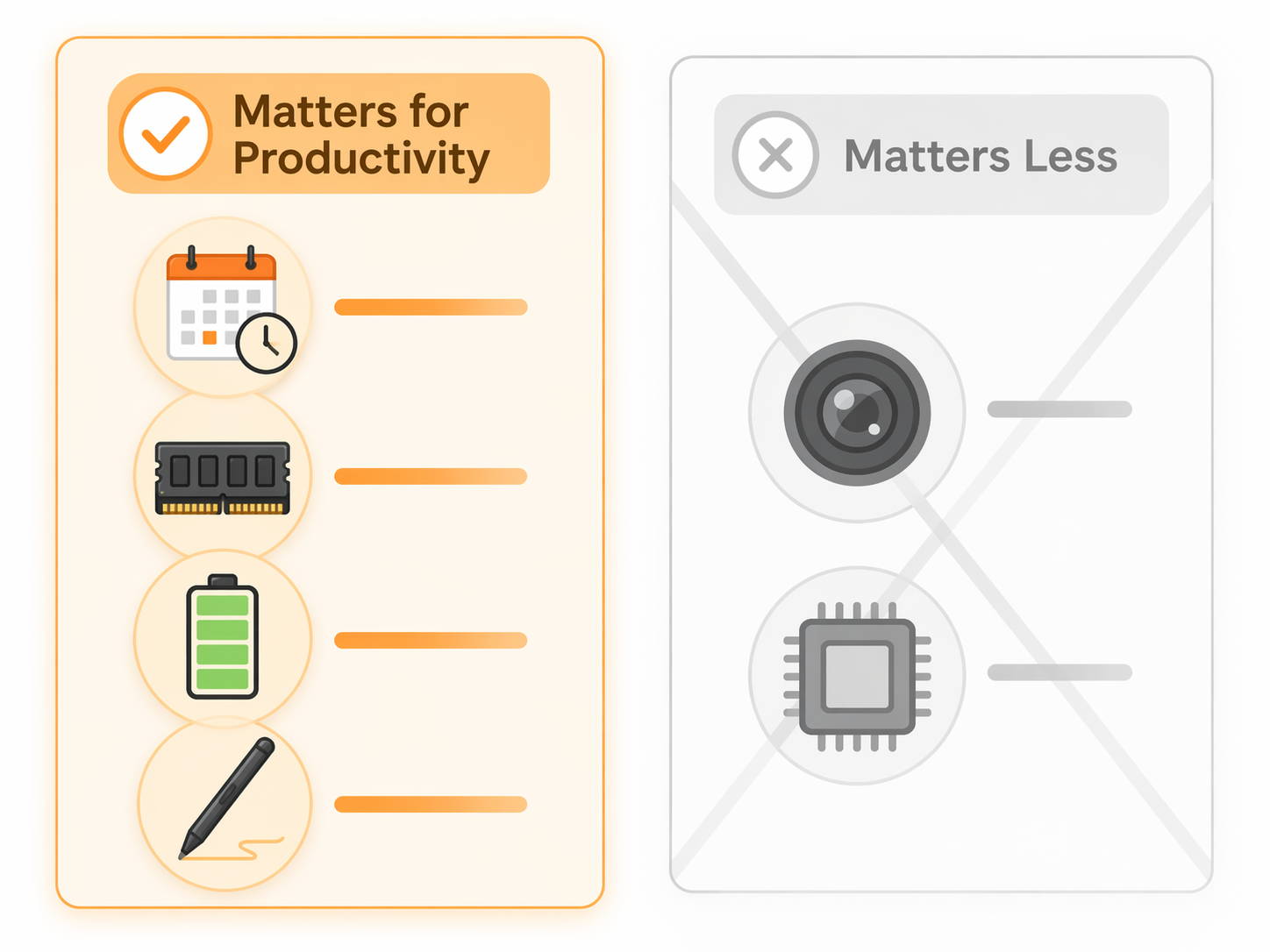
A general phone review often spends its time where differences are easiest to photograph: cameras, displays, synthetic benchmarks, and game performance. Those things are not useless. A freelancer who shoots product photos, a social manager who records clips, or a parent who wants one device for everything may care deeply about the camera. But for email, documents, tasks, calendars, calls, PDFs, and notes, the more important questions are quieter.
- Will the phone still receive security patches after the buyer has forgotten the launch year?
- Can it keep Gmail, Slack, Docs, Calendar, a browser, and picture-in-picture video alive without constant reloads?
- Can it last through navigation, hotspot use, calls, note capture, and an evening errand?
- Does it support the input method the work actually needs: typing, voice, split-screen, or stylus?
- Does its software reduce interruption, especially around calls, search, translation, and reminders?
That is why this comparison weights four criteria above processor speed and camera quality: long software support, at least 8GB of RAM for heavier multitasking, a battery of 5,000mAh or more, and Android multitasking features such as split-screen and picture-in-picture. A fast chip helps, but a fast chip with too little RAM can still reload the document you were using five minutes ago. A beautiful camera helps some jobs, but it does not rescue a phone that stops getting security updates while it is still in a student’s backpack.
Google Pixel 10a: The Safest All-Around Productivity Pick
The Pixel 10a is the phone to buy when the answer needs to be boring in the best possible way. At $499, it combines a 7-year update promise with Google’s Tensor G4 features and the kind of day-to-day smoothness that matters when the phone is being used as a pocket office rather than a toy.[2][3]
Its advantage is not one spectacular spec. It is the way several small frictions disappear. Circle to Search is useful when a student wants to identify a term from a lecture slide without leaving the app. Call Screen helps block spam before it steals attention. Gemini Live, Voice Translate, and the rest of Google’s assistant layer matter most when they shorten the distance between hearing something, capturing it, and acting on it.[4]
For everyday multitasking, the Pixel 10a also lands in the safe zone. Wirecutter and CNET both describe budget Pixel performance in terms that support normal daily use rather than benchmark drama, and that is the correct bar for this category.[2][3] The meaningful test is whether switching from a message thread to a shared Doc to Calendar to a browser tab feels routine. For most knowledge workers, the Pixel’s combination of clean software, long support, and practical AI features is more valuable than chasing the highest raw spec sheet under $600.
The weakness is that the Pixel 10a is not the specialist. If the day includes long hotspot sessions, field work, maps, calls, and video meetings away from outlets, the OnePlus 13R’s larger battery is the more comfortable choice. If your main productivity act is writing directly on the screen, the Moto has a hardware advantage the Pixel does not match. But if the phone has to serve a mixed week of calls, email, notes, documents, reminders, search, and personal errands, the Pixel 10a is the under-$600 default.
OnePlus 13R: The Battery Pick For Remote Work
The OnePlus 13R is the phone for people who do not control their outlet access. TechRadar describes its 6,000mAh battery as making it one of the longest-lasting phones you can buy, and that changes the working rhythm.[5] A remote worker moving between home, train, coworking table, school pickup, and a late client call does not need a battery estimate that sounds good in a lab. They need to stop negotiating with chargers.
At $599, it sits at the top edge of this article’s budget range, but it earns that position with the combination of battery capacity and Snapdragon 8 Gen 3 performance.[5] The practical gain is not just speed. It is confidence: more screen-on time for maps, more margin for video calls, more room for mobile hotspot use, and less anxiety when the phone becomes the fallback computer for half a day.
The caution is durability. The OnePlus 13R’s IP65 rating means splash resistance, not submersion protection.[5] For a desk-first remote worker, that may be fine. For someone who works outdoors, commutes in rough weather, or regularly uses a phone around water, it is a tradeoff to notice before being dazzled by the battery number.
Moto G Stylus 2026: The Note-Taker’s Phone With A Real Compromise
The Moto G Stylus 2026 is the most differentiated phone here because it changes how work enters the device. AndroidGuys calls the active stylus upgrade a major improvement, with pressure sensitivity and tilt support that move it beyond a basic poke-and-tap pen.[6] For students marking up lecture PDFs, field staff signing forms, designers sketching quick layout ideas, or anyone who thinks faster by writing, that matters.
A stylus is not just an accessory when it removes a conversion step. Without it, a handwritten margin note becomes a photo, a typed summary, or a task to process later. With a good active stylus, the note can live directly on the PDF, screenshot, form, or planning page. That is why the Moto deserves more than a footnote in a productivity comparison even when it is not the safest long-term buy.
The compromise is software support. The Moto G Stylus 2026 gets only 2 years of OS updates and 3 years of security updates, a limitation AndroidGuys describes as a lingering tragedy.[6] That is not a small downside for a $499 phone. A student buying in 2026 may still want the device to feel safe and current in 2029. A freelancer may be using banking apps, client portals, authentication tools, and contract documents long after the novelty of the stylus has worn off.
So the buying rule is simple: choose the Moto G Stylus 2026 if pen input is central to your work, not occasional. If you annotate every week, take handwritten meeting notes, or review documents on the move, the stylus can pay for the update compromise. If you only imagine using it once in a while, the Pixel 10a or Galaxy A56 is the more disciplined purchase.
Samsung Galaxy A56: Long-Term Value Without Much Drama
The Galaxy A56 is not the flashiest recommendation, which is part of its appeal. At about $400, it brings a 5,000mAh battery, AMOLED display, 6 years of OS upgrades, and 7 years of security updates, according to WIRED.[4] For a buyer who wants to keep a phone for three or four years and stop thinking about it, that update policy is not a footnote. It is the product.
Samsung’s midrange strength is consistency. The A56 gives students, nonprofit staff, parents managing side work, and small-business operators a phone that should remain usable and patched well past the point when cheaper devices start to feel disposable. It also keeps the core Android productivity advantage: split-screen and picture-in-picture are available for the kind of calendar-plus-email or video-plus-notes work that iOS still does not handle the same way at this price.[4]
The A56 loses the all-around crown because the Pixel 10a has the stronger productivity software story and the Moto has the clearer note-taking identity. But if the central question is, “Which phone gives me the longest runway for the least money?” the Galaxy A56 belongs near the top of the list.
Galaxy A17 5G: Good Price, Real Multitasking Limits
The Samsung Galaxy A17 5G is valuable because $200 is a very different buying decision from $499. It brings AMOLED and a long update policy to a price where many buyers are simply trying to avoid a bad phone.[4] For calls, messaging, maps, light email, school portals, two-factor authentication, and basic browsing, that can be enough.
The problem is RAM. Wirecutter and PCMag both caution that 4GB of RAM can cause lag in multitasking on budget devices such as the Galaxy A17 5G.[3][7] That warning matters more than a small processor difference. Heavy mobile productivity is not one app. It is six apps, a browser tab you cannot lose, a video call floating in a corner, and a message arriving at the worst possible moment.
Buy the A17 5G when the budget ceiling is firm and the workload is light. Do not buy it expecting it to behave like a miniature laptop. The savings are real, but so is the ceiling.
The iPhone 17e Caveat
The iPhone 17e deserves a fair mention because ecosystem fit is not imaginary. If your household, workplace, files, messages, and accessories are already built around Apple, a $599 iPhone can be the low-friction choice. For some buyers, iMessage, AirDrop, Apple Watch, and familiar settings matter more than any Android feature.
For this specific comparison, though, the iPhone 17e loses ground because it lacks split-screen multitasking, and iOS in this bracket does not offer the same split-screen and picture-in-picture workflow as the Android picks.[4] That matters when the task is copying details from email into a calendar event, watching a training video while taking notes, or checking a spreadsheet while responding in chat. The iPhone may be the better ecosystem device for a given person; it is not the better under-$600 multitasking tool.
What Not To Overbuy For
Do not ignore camera quality if your work depends on it. Real estate agents, field inspectors, social media managers, teachers recording classroom material, and sellers documenting inventory can reasonably care about camera differences. The narrower point is that camera quality should not dominate a productivity purchase unless image capture is part of the job.
The same applies to processor speed. A strong chip is welcome, especially on the OnePlus 13R, but processor talk often hides the more relevant question: will the phone keep the actual work state alive? For budget productivity, 8GB of RAM or more is a cleaner threshold than vague promises that a phone is “fast enough.” Fast enough for one app is not the same as stable under Slack, Gmail, Docs, Calendar, Chrome tabs, and picture-in-picture.
Premium materials are also easy to overvalue in this category. A nicer frame and glass back can make a device feel more expensive, and that matters to some buyers. But a case usually hides most of that feeling after the first week. Update length, RAM, battery, and input options keep mattering every workday.
Pricing, Availability, And The US Network Boundary
Prices here reflect the mid-2026 market. Flash sales, carrier credits, and post-Prime Day adjustments can change the street price quickly, especially for phones near the $600 ceiling. Prime Day ended June 26, 2026, so a Q3 buyer should check current unlocked pricing and carrier terms rather than assuming a sale price still exists.
This recommendation also stays focused on phones with clear relevance for US buyers and the three major US networks. Some international models look tempting on spec sheets, including devices from Poco or OnePlus Nord lines, but a productivity phone is a bad place to gamble on uncertain band support, missing carrier features, or warranty friction. The same caution applies to niche business or enthusiast devices that are interesting but not sold through typical US channels.
The Moto G Stylus 2026 also carries one review-timing caution: AndroidGuys’ review was based on a pre-production or early retail unit, so final mass-retail software and camera tuning may differ.[6] That does not erase the stylus advantage, but it is a reason to check current owner reports before buying if you are sensitive to bugs.
Final Buying Scaffold
- Buy the Pixel 10a if you want the safest under-$600 productivity phone for mixed work: calls, email, documents, search, reminders, and long software support.
- Buy the OnePlus 13R if your phone regularly has to survive a long remote-work day away from outlets.
- Buy the Moto G Stylus 2026 if handwritten notes and PDF annotation are central enough to justify the shorter update window.
- Buy the Galaxy A56 if your priority is long-term value, security updates, and a lower price than the Pixel.
- Buy the Galaxy A17 5G only if $200 is the real budget and your multitasking needs are modest.
- Choose the iPhone 17e only if Apple ecosystem continuity matters more than Android-style split-screen productivity.
References
- Best Affordable Phones for 2026 — Goji Mobile
- Best Cheap Phone of 2026 — CNET
- The Best Budget Android Phone of 2026 — Wirecutter
- 8 Best Cheap Phones (2026), Tested and Reviewed — WIRED
- The best cheap phones 2026 — TechRadar
- Motorola G Stylus 2026 Review — AndroidGuys
- The Best Cheap Phones We've Tested for 2026 — PCMag