
If you are looking for AI workflow automation without Zapier, the decision is probably no longer about whether automation is useful. It is about what kind of work your team is now asking automation to do: branch across messy operations logic, call an LLM, retrieve context from documents, run code, hand off to a human, or keep customer data inside infrastructure you control.
Zapier is the baseline here, not the contender. The useful question in 2026 is which replacement gives you the right mix of AI depth, maintainability, pricing mechanics, and builder skill level. A cheap visual tool can become expensive when every branch consumes credits. A free self-hosted tool can become expensive when one engineer becomes the unpaid platform team. An “AI agent” platform can save time, or it can hide enough decision-making that nobody knows why yesterday’s workflow behaved differently.
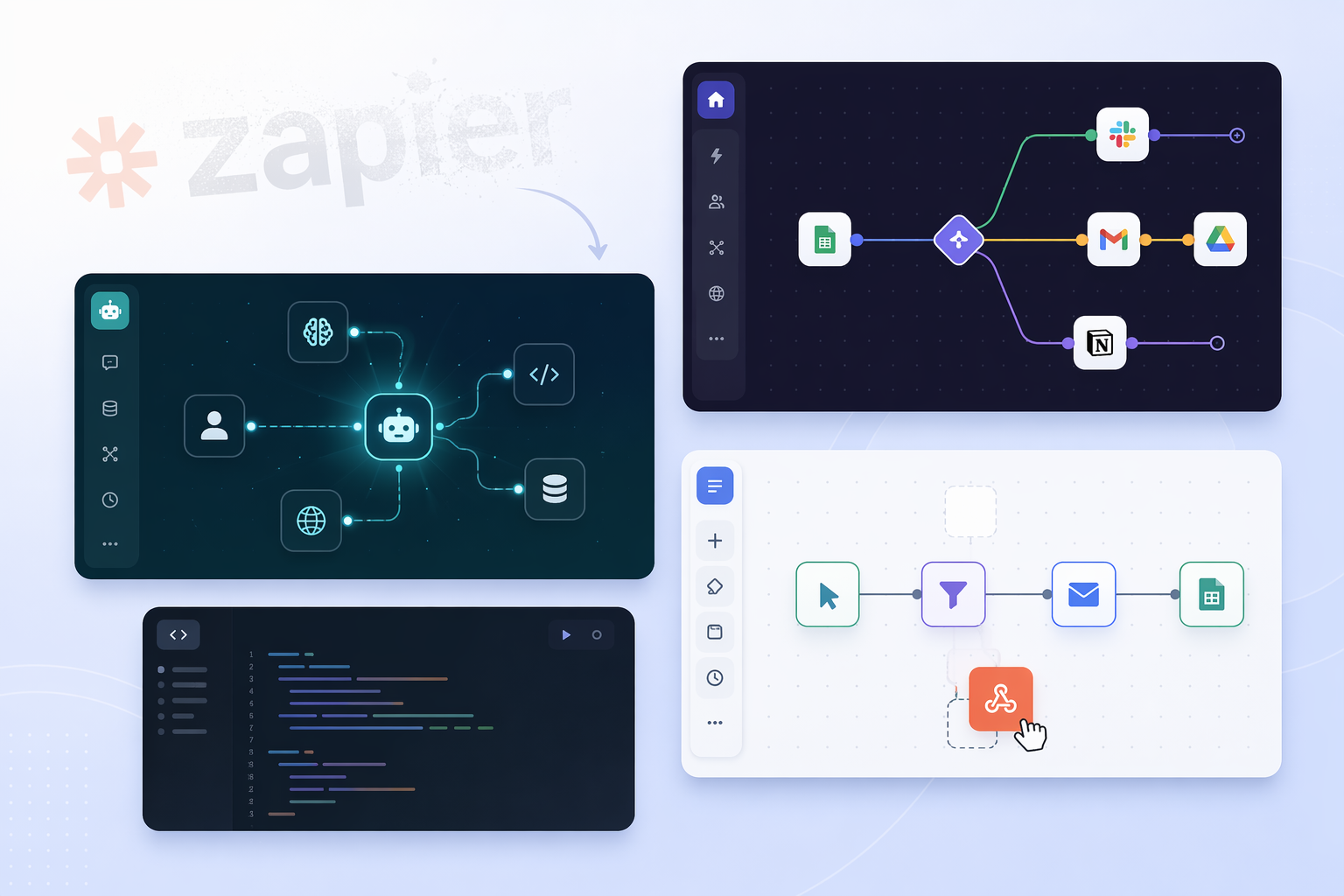
Quick Picks
- Best budget visual builder: Make, for operations teams that need complex visual branching and a low entry price.
- Best technical open-source AI platform: n8n, for teams that want native AI agent nodes, RAG patterns, and deployment control.
- Best AI-native no-code environment: Gumloop, for teams that want built-in premium LLM access without managing separate API keys.
- Best approachable open-source option: ActivePieces, for non-technical teams that still care about open-source licensing and a clean builder.
- Best sales and support agent tool: Lindy, for workflows centered on calls, emails, browser tasks, and customer-facing agents.
- Best engineering/script-first platform: Windmill, for teams that would rather express workflow steps in Python, TypeScript, Go, Bash, SQL, or PowerShell.
- Included but not over-claimed: Relay.app. It belongs in the evaluation set, but the available source base here does not support detailed 2026 claims about pricing, AI depth, or integration breadth.
The Comparison That Actually Matters
Homepage pricing and integration counts are useful only until the first workflow becomes important enough to break at 2 a.m. The stronger comparison is less glamorous: who can build it, who can debug it, what the AI layer can really do, and how the bill grows when the workflow starts running often.
| Tool | Best fit | AI depth | Pricing model, May-July 2026 snapshot | Skill level | Deployment/control | Integration breadth | Not for you if |
|---|---|---|---|---|---|---|---|
| Make | Budget visual automation with complex branching | AI steps available, but strongest identity is visual scenario design rather than agent infrastructure | Entry pricing around $9/mo; variable credit-per-step billing can make scale harder to predict | No-code to operations power user | Hosted platform | 1,800+ app integrations, self-reported | You need predictable high-volume pricing or deep native agent/RAG control |
| n8n | Technical teams replacing Zapier with AI depth and data control | Native AI agent nodes, OpenAI and Claude support, vector database connections, and RAG chatbot templates | Free self-hosted option; paid cloud around $20/mo | Technical operator to developer | Self-hosted or cloud | Connector counts vary by source and should be verified against your actual app stack | No one on the team wants to own hosting, credentials, errors, and workflow governance |
| Gumloop | AI-native no-code workflows without separate LLM key management | Built-in premium LLM access, Gummie AI assistant, and MCP support | Free plan available; paid plans start around $20/mo | No-code to AI operations builder | Hosted platform | Smaller integration library than broad iPaaS tools based on available materials | Your priority is maximum app coverage or self-hosted data control |
| ActivePieces | Open-source automation with a cleaner non-technical UI | Native AI steps with free AI tokens | Cloud entry around $10/mo; MIT-licensed open source | Non-technical builder to light technical operator | Open-source and cloud options | 200+ pieces, self-reported | You need the deepest AI agent stack or the largest connector library |
| Lindy | Agentic sales, support, and customer operations | AI agents that handle calls, emails, and browser tasks | Entry pricing around $29/mo | Business user managing agent workflows | Hosted platform; HIPAA compliance noted by vendor | 4,000+ integrations, self-reported | You need a general-purpose visual workflow engine rather than role-oriented agents |
| Relay.app | Evaluation candidate for teams comparing Zapier alternatives | Not enough supported material here for a precise AI-depth claim | Not enough supported material here for a precise 2026 pricing claim | Do not assume without hands-on testing | Do not assume without vendor verification | Do not assume without vendor verification | You need a decision based only on independently supported details in this source set |
| Windmill | Engineering-led workflow automation | AI depends on scripts, APIs, and team implementation rather than a no-code agent layer | Open-source; pricing details should be checked against current deployment choice | Developer | Open-source and deployment-flexible | Connector breadth is less central than runtime flexibility | Your team wants drag-and-drop operations workflows without code ownership |
Make’s 1,800+ integrations and low entry price come from vendor and roundup sources, so they are useful for screening but not enough to skip a connector audit for your exact stack.[1][2] n8n’s AI strength is better supported at the capability level: the platform describes native AI agent nodes, OpenAI and Claude connections, vector database integrations, and RAG chatbot templates.[3] Gumloop’s main difference is not just “AI included”; it offers built-in premium LLM access, a Gummie AI assistant, and MCP support, with Shopify and Instacart named as users in its own materials.[4] ActivePieces stands out on licensing and accessibility: the project is described as MIT-licensed, with 200+ pieces, native AI steps, free AI tokens, and a UI aimed at non-technical builders.[5] Lindy’s materials position it around agents for sales and support, with calls, emails, browser tasks, 4,000+ integrations, and HIPAA compliance.[6] Windmill is the cleanest fit when workflow steps are really scripts: Python, TypeScript, Go, Bash, SQL, and PowerShell are listed as supported step languages.[7]
Pricing: The Homepage Number Is the Beginning, Not the Bill
Across a 44-tool pricing dataset for AI workflow automation, the median cheapest paid plan was $29/month, 71.1% of tools started below $49/month, and workflow automation/iPaaS tools averaged $23/month at entry level. Only about 5.1% lacked monthly billing, annual discounts commonly sat near 20%, and enterprise plans appeared in about 90.7% of tools.[8]
That makes Make’s roughly $9/month entry point and ActivePieces’ roughly $10/month cloud entry meaningfully low for the market. n8n Cloud and Gumloop starting around $20/month sit close to the workflow automation/iPaaS average. Lindy’s $29/month entry point is almost exactly the cross-category median. None of those numbers should be read as total cost.

The billing mechanics are where teams get surprised. Make’s variable credit-per-step model is attractive when the workflow is small and visual, but cost forecasting gets harder as scenarios branch, loop, and run at volume.[1][2] Gumloop reduces one kind of billing friction by including premium LLM access without requiring separate API keys, but that does not remove the need to understand plan limits and heavy AI usage.[4] n8n’s free self-hosting can reduce vendor subscription costs, but it moves work into infrastructure, security, upgrades, observability, and incident response. ActivePieces carries a similar open-source trade-off, softened by a more approachable UI and permissive MIT license.[5][7]
For AI-heavy workflows, entry pricing can be especially misleading. A deterministic workflow that moves rows, sends messages, and updates records behaves differently from an agent workflow that calls models repeatedly, retrieves context, retries, summarizes, classifies, and waits for human approval. If your use case depends on frequent LLM calls, compare total run cost, not just plan price. The neighboring issue is covered more directly in the AI workflow automation token cost trap.
Skill Level and AI Depth Are Separate Decisions
The common mistake is to rank these tools on one ladder, as if Gumloop, Make, n8n, ActivePieces, Lindy, and Windmill are all trying to be the same product. They are not. A no-code visual builder, an AI-native agent platform, an open-source automation engine, and a script-first runtime solve different maintenance problems.
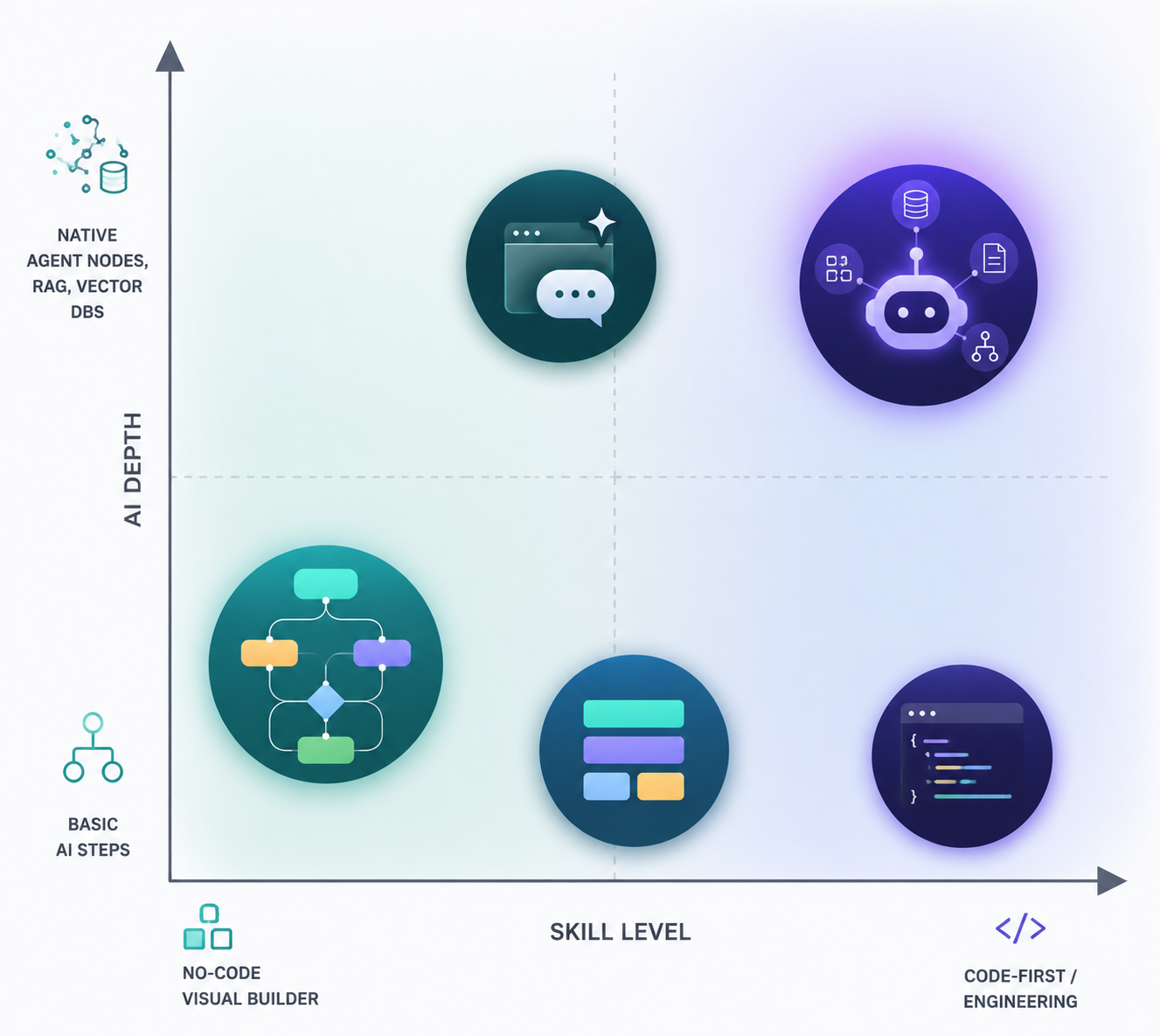
Make is for the operations person who thinks in branches, filters, routers, and visible scenarios. ActivePieces is for a similar builder who wants the open-source path kept open. Gumloop is for the team that wants to build around AI from the start and avoid stitching together separate model accounts. n8n is for teams willing to accept technical overhead in exchange for agent nodes, RAG patterns, and stronger control. Lindy is narrower and more opinionated: agents for sales, support, and similar front-office workflows. Windmill is for engineers who would rather write the step than drag it.
AI depth also needs finer language than a checkbox. Basic AI steps can classify text, summarize a message, or draft a response. LLM access can make those steps easier to configure. Native agent nodes can reason across tools and intermediate steps. RAG and vector database support matter when the workflow needs to retrieve private or changing context. Browser, call, and email agents matter when the job is not just moving data but acting in an interface or conversation. Production AI workflows may also need prompt versioning, evaluations, and model comparison; the available tool roundups warn buyers to evaluate these operational capabilities rather than treating “has AI” as enough.[9]
If you are still deciding whether Zapier belongs in the shortlist at all, start with the broader workflow automation tools comparison. If the real question is the familiar three-way split, use Zapier vs n8n vs Make as the narrower bridge.
Tool-by-Tool Trade-Offs
Make: The Visual Operations Pick With Scaling Caveats
Make is the easiest recommendation when the buyer is an operations team that wants more visual control than a simple trigger-action chain, but does not want to become an engineering team. Its scenario builder is the point: branching logic, visible routes, and a canvas that makes complex workflows easier to inspect than a long stack of hidden steps. Sources describe Make as having 1,800+ app integrations and an entry price around $9/month.[1][2]
The maintenance issue is cost shape. Credit-per-step billing can be perfectly reasonable for a few important workflows, then harder to forecast when scenarios split, retry, and run often. The person maintaining Make six months later should know which modules consume credits, which branches are noisy, and which automations deserve limits or batching.
Not for you if: you need deep native AI agent infrastructure, self-hosted data control, or predictable high-volume economics more than visual branching.
n8n: The AI-Control Pick for Technical Teams
n8n is the strongest candidate when the replacement for Zapier is also a move toward technical control. The free self-hosted option matters, but it is not the whole story. n8n’s stronger claim is the combination of deployment flexibility with native AI agent nodes, OpenAI and Claude connections, vector database integrations, and RAG chatbot templates.[3]
That makes n8n a better fit for teams building workflows that touch private data, need retrieval from internal knowledge, or require more inspection than a hosted agent box provides. It is also where the “free” option deserves the most suspicion. Self-hosting saves subscription dollars only if someone can responsibly manage hosting, updates, credentials, logging, backups, and security. For teams leaning this way, the relevant follow-up is open-source workflow automation TCO, not another connector-count comparison.
Not for you if: the team wants a purely non-technical builder and nobody is prepared to own infrastructure, workflow governance, or debugging.
Gumloop: The AI-Native No-Code Option
Gumloop is most interesting for teams that are not merely adding an AI step to an old automation pattern. Its materials describe an all-in-one AI-native platform with built-in premium LLM access, no separate API keys required, a Gummie AI assistant, and MCP support. Gumloop also names Shopify and Instacart among teams using the product.[4]
The practical advantage is fewer setup decisions around model access. A freelancer, growth operator, or lean SMB team can start building AI workflows without first becoming an LLM billing administrator. The trade-off is that built-in convenience can also mean less direct control over model routing, cost attribution, and deployment boundaries than a more technical stack.
Not for you if: your main requirement is the broadest possible app integration library, self-hosting, or engineering-level control over every model call.
ActivePieces: Open Source Without Making the UI the Punishment
ActivePieces earns its place because it changes who can plausibly build on an open-source automation platform. Its materials describe an MIT-licensed project with 200+ pieces, a cloud entry price around $10/month, native AI steps, free AI tokens, and a UI that non-technical users can use without training.[5]
That does not make it a lighter n8n in every respect. The better framing is that ActivePieces is for teams that want open-source leverage and a less intimidating builder, while n8n is for deeper technical and AI-agent control. If the team is choosing among open-source options, include Windmill only if developers are actually the intended builders.
Not for you if: you need the deepest native agent/RAG stack, the largest connector catalog, or a platform primarily designed for engineers.
Lindy: Agents for Sales and Support Workflows
Lindy should not be evaluated like a generic visual automation canvas. Its center of gravity is agentic work in sales, support, and customer operations. Lindy’s own Zapier-alternative materials describe AI agents that handle calls, emails, and browser tasks, with 4,000+ integrations and HIPAA compliance.[6]
That focus is useful when the workflow is closer to “follow up with this lead,” “triage this support request,” or “perform this browser-based task” than “move data from system A to system B after a form submission.” The risk is buying an agent platform when the job only needs deterministic automation. Agents are powerful when ambiguity is the work. They are overhead when the process is stable and rules-based.
Not for you if: you want a general-purpose workflow automation engine first and role-oriented AI agents second.
Windmill: When the Workflow Is Really Code
Windmill belongs in this comparison because some teams do not want no-code automation; they want a workflow runtime for scripts. Boolean & Beyond’s open-source comparison describes Windmill as script-first, with workflow steps in Python, TypeScript, Go, Bash, SQL, and PowerShell.[7]
For an engineering team, that can be cleaner than forcing business logic through blocks and dropdowns. For a non-technical operations manager, it is the wrong abstraction. Windmill’s value appears when versionable code, language choice, and runtime control matter more than app-store-style connector browsing.
Not for you if: the people maintaining the workflow do not write scripts and need a visual builder to understand what will happen next.
Relay.app: Keep It in the Test Set, Not the Claims Set
Relay.app is worth including if your team is doing hands-on trials of Zapier alternatives, but the available sources do not support a confident profile on its 2026 AI depth, pricing mechanics, deployment model, or integration breadth. Treat it as a product to test directly against your workflows rather than a tool to rank from secondhand claims.
Match the Tool to the Team
| If your team looks like this | Start with | Why | Watch closely |
|---|---|---|---|
| Ops team replacing brittle Zapier chains with visual branching | Make | The scenario builder is strong for visible operations logic, and entry pricing is low | Credit consumption as workflows branch and scale |
| Technical founder or platform-minded ops team | n8n | Self-hosting, cloud choice, native AI agent nodes, and RAG patterns create more control | Infrastructure and maintenance labor |
| AI-forward SMB or freelancer that does not want to manage LLM keys | Gumloop | Built-in premium LLM access and AI-native building reduce setup friction | Plan limits, model cost assumptions, and connector fit |
| Non-technical team that still wants open-source optionality | ActivePieces | MIT licensing and a cleaner UI make open-source automation more approachable | Depth of AI agent features and connector coverage |
| Sales or support team wanting agents for calls, email, and browser work | Lindy | The product is oriented around role-based agents rather than generic data movement | Whether the workflow actually needs an agent |
| Engineering team automating internal processes | Windmill | Script-first execution fits teams that want code, languages, and runtime control | Business-user accessibility |
| Team still running vendor trials | Relay.app | It may belong in a hands-on bakeoff | Do not assume pricing, AI depth, or integration breadth without direct verification |
The shortlist is fairly simple once the costs are attached to the strengths. Choose Make if visual operations complexity and low entry cost matter most. Choose n8n if AI depth and data control justify technical overhead. Choose Gumloop if built-in LLM access and AI-native building matter more than maximum control. Choose ActivePieces if open-source approachability is the priority. Choose Lindy if the workflow is genuinely agentic sales or support work. Choose Windmill if the team thinks in scripts.
References
- Top 11 No Code AI Workflow Automation Tools in 2026, Vellum
- Top 10 best Zapier alternatives I've tested in 2026, Gumloop
- The 9 best AI workflow automation tools in 2026, n8n Blog
- 10 best AI workflow automation tools I'm using in 2026, Gumloop
- n8n vs Activepieces, ActivePieces
- Top 20 Zapier Alternatives (An Expert's Honest Review), Lindy
- n8n vs Activepieces vs Windmill for Open Source Automation, Boolean & Beyond
- We Compared the Pricing of 44 AI Workflow Automation Tools, Steal What Works
- Top 10 Low-Code AI Workflow Automation Tools (2026), Vellum