
Choosing an AI weekly review workflow in 2026 is less about finding the smartest tool and more about naming the part of Friday that keeps breaking. Some people need help thinking clearly after a noisy week. Some need a planner that turns priorities into protected time. Some need a system that gathers scattered notes, tasks, meetings, and time logs before they can even begin to review.
Those are different jobs. Treating them as one job is how people end up paying for an AI calendar when the real problem is reflection, or building a Notion command center when the real problem is saying no to next week.

The GTD weekly review still gives the cleanest map: Get Clear, Get Current, Get Creative. Clear the open loops, review the commitments, then make better choices about what deserves attention next. Asian Efficiency’s 2026 guide makes a useful boundary explicit: AI can reduce administrative friction by helping with capture, drafting follow-ups, and flagging overdue items, but “the actual reflecting, prioritizing, and deciding” remains human work.[1]
That boundary is the useful constraint. No single tool in the current evidence fully clears, reviews, synthesizes, schedules, and chooses for you. The question is which part of the review you want to make lighter without hiding the decision point.
The three jobs an AI weekly review tool can do
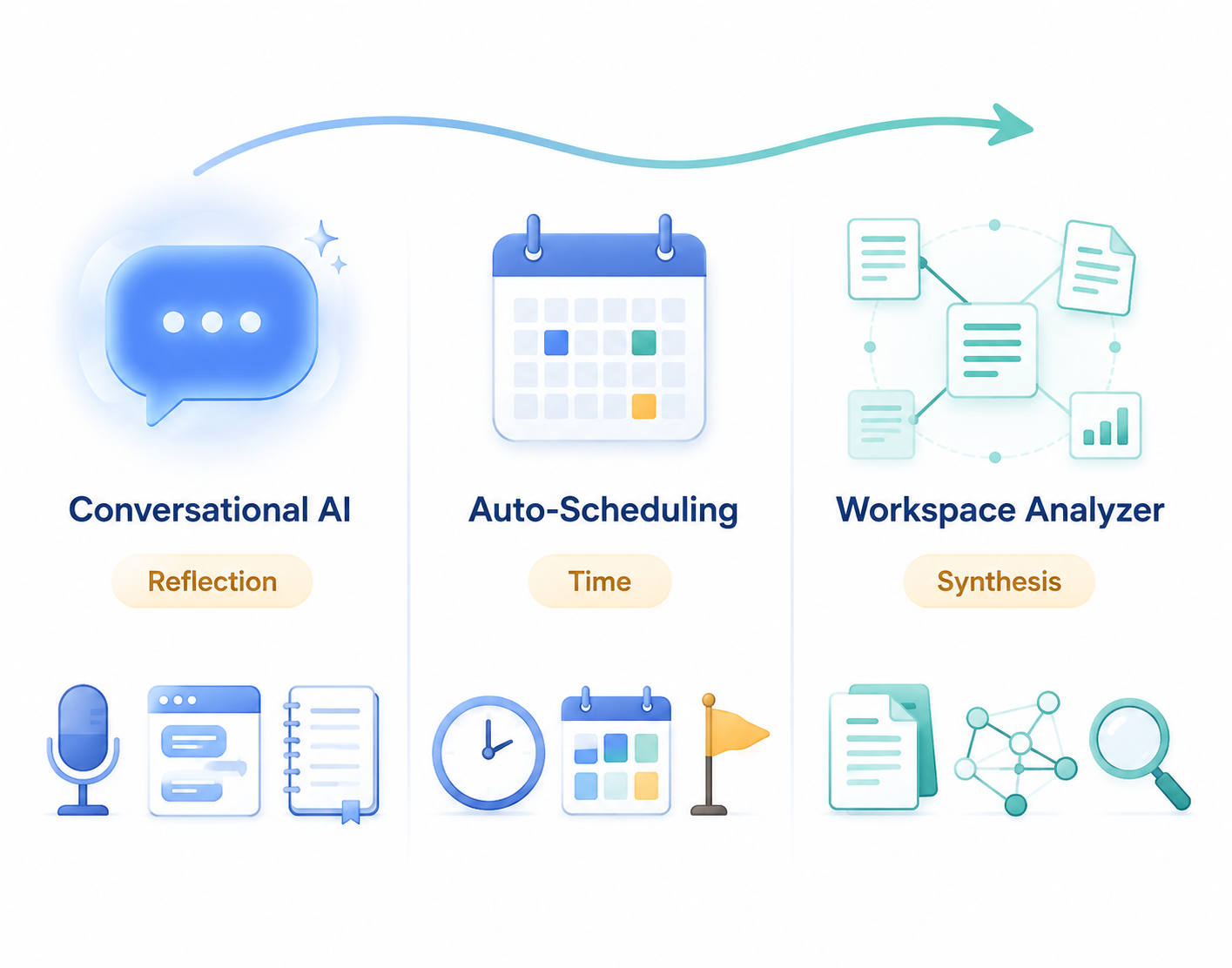
Most AI weekly review tools fall into one of three practical approaches. The categories are not based on feature branding; they are based on where the tool actually helps inside the review.
| Approach | Main bottleneck it addresses | Best GTD fit | What it usually leaves to you |
|---|---|---|---|
| Conversational AI | Reflection depth | Get Current / Get Creative | Judgment, priority tradeoffs, and follow-through |
| Auto-scheduling planner | Time allocation | Planning forward after Get Current | Meaningful reflection and calendar trust decisions |
| Workspace analyzer | Scattered information | Get Clear / Get Current | Data hygiene, interpretation, and final choices |
This framing also prevents a common purchase mistake. A tool that is excellent at defending focus time may do almost nothing with the messy notes from three client calls. A chatbot that produces a thoughtful weekly reflection may not prevent next Tuesday from becoming a meeting swamp. A workspace agent may summarize everything beautifully and still leave you staring at five priorities that cannot all fit.
Approach 1: Conversational AI for reflection
Conversational AI is the most natural fit when the weekly review fails because you do not have enough appetite left to think. The tool acts less like a planner and more like a patient interviewer: it asks what happened, compares that with your stated projects, and helps you notice patterns you might otherwise skip.
Max Frenzel’s four-month ChatGPT review system is useful because it is not just a prompt pasted into a productivity post. His documented workflow combines a daily review of about 15 minutes with a weekly review of about 15 minutes, uses voice-first input, and relies on custom project templates rather than a blank chat box each time.[2] The interesting part is the cadence: the weekly review becomes easier because the daily reviews have already created structured raw material.
That matters. A weekly review done from memory tends to reward whatever is loudest or most recent. A weekly review fed by short daily check-ins gives the AI something more useful to work with: repeated project signals, friction points, stalled intentions, and small wins that would not make it into a formal status report.
Kristen Doyle’s Friday planning method is similarly grounded. Her ChatGPT and Notion workflow takes about 15–20 minutes every Friday and is written for solopreneurs, including people with ADHD tendencies.[3] The method asks AI to help with weekly planning, but it does not pretend the output is automatically correct. Doyle explicitly notes that AI can still make calendar and priority mistakes, which means the human review pass is not optional.[3]
That admission is a strength, not a defect. In a weekly review, the dangerous failure mode is not an obviously bad suggestion. It is a plausible plan that quietly overcommits the week. Conversational AI works best when it slows you down enough to inspect those tradeoffs: which project is actually stuck, which commitment needs renegotiation, which task is being carried forward out of guilt, and which next action is fake because nobody could do it in one sitting.
- Choose conversational AI if your review notes are thin, repetitive, or too focused on task movement.
- Use voice input if typing turns the review into another administrative chore.
- Pair it with a stable project list or Notion database so the AI is reviewing against real commitments.
- Keep a final manual pass for calendar conflicts, priority errors, and decisions to stop work.
The evidence here is practitioner-reported, not a large-scale effectiveness study. Frenzel and Doyle each show a lived workflow, but they are still individual cases. That is enough to learn mechanics from them; it is not enough to claim that ChatGPT weekly reviews reliably improve productivity for everyone.
Approach 2: Auto-scheduling planners for time allocation
Auto-scheduling planners deserve a fair hearing because some weekly reviews fail after the reflection is done. You know the priorities. You know the next actions. Then the week arrives, the calendar absorbs the urgent, and the important work survives only as a task list.
Tools such as Motion, Reclaim, Sunsama, and Morgen try to solve that forward-planning problem. Pricing and positioning vary: Lindy’s April 2026 planner comparison lists Motion at $29–49 per month and characterizes it as an aggressive full-day auto-scheduler; Reclaim at $12–18 per month, with emphasis on focus time and habit defense; and Sunsama at $25 per month, with a more mindful daily planning ritual.[4] Morgen’s January 2026 comparison describes Morgen at $30 per month and frames it around more controlled AI scheduling suggestions.[5] Pricing here is last verified against the cited April–July 2026 research window.
| Tool | Scheduling temperament | Reported price | Best fit |
|---|---|---|---|
| Motion | Aggressive auto-scheduling across the day | $29–49/month | Users who want the planner to make strong calendar moves |
| Reclaim | Focus-time and habit defense | $12–18/month | Users whose week is eroded by meetings and recurring commitments |
| Sunsama | Mindful daily planning ritual | $25/month | Users who want structure without fully handing over the calendar |
| Morgen | Controlled AI scheduling suggestions | $30/month | Users who want assistance but prefer to approve the plan |
The commercial context matters. Lindy and Morgen both publish useful comparison material, but they also have product interests. Their pages are good sources for pricing, positioning, and user-reported friction; they should not be treated as neutral proof that one planner produces better work outcomes than another.
The strongest case for auto-scheduling is not that it “does your weekly review.” It does not. Its strongest case is that it makes the consequences of your review visible. If you say the proposal, hiring loop, financial review, and strategy memo are all top priorities, the calendar has to show where they fit. When they do not fit, the conflict appears before the week has already punished you.
The limitation is equally practical. Auto-scheduling tools mainly plan forward. They do little for the backward-looking part of the review: what changed, what slipped, what drained energy, what pattern repeated, or what should be cut. Motion also has user-reported friction around random calendar reshuffling and a steep learning curve in the cited comparisons.[4][5] For some people, that reshuffling is the point: the system keeps recalculating around reality. For others, it damages calendar trust. If you open your calendar and no longer believe it represents deliberate commitments, the automation has become another inbox.
A good test is simple: do you want the tool to move your work for you, or do you want it to show scheduling options while you remain the dispatcher? Motion leans toward the first. Morgen and Sunsama, as positioned in the cited comparisons, lean toward more visible user control. Reclaim sits closer to protecting categories of time, especially focus and habits, rather than turning the whole week into a fully optimized puzzle.[4][5]
Approach 3: Workspace analyzers for scattered inputs
Workspace analyzers are the least glamorous and often the most promising for people whose weekly review begins with archaeology. The problem is not reflection or scheduling yet. The problem is that the week is distributed across meeting notes, task databases, Slack follow-ups, journal entries, project pages, and time logs.
Notion AI agents can be instructed to analyze tasks, journal entries, and meeting notes to generate weekly review summaries, using templates such as Simone Smerilli’s Weekly Review Assistant instructions.[6] The catch is right there in the setup: the system depends on structured, consistently formatted data. If tasks, notes, and decisions are captured casually in five different styles, the agent has to infer too much.
NotePlan also offers an AI weekly review and planning template, which points to a similar pattern: the AI is useful when it can work from a known review structure rather than a pile of miscellaneous text.[7] Templates do not make the weekly review thoughtful by themselves. They make the input legible enough that thought can start sooner.
The real work in this category is data hygiene. Claude Blattman’s 2026 weekly review mechanics are a useful reminder because they solve unromantic problems: a three-marker system for Google Docs updates, batch writes to control API costs, and even an emoji placeholder trick to manage technical constraints.[8] Those details are not side quests. They are the difference between an AI review packet that updates reliably and one that creates cleanup work every Friday.
A second version of workspace analysis starts from time data rather than notes. Life Intelligence Group’s method uses Toggl’s free tier with Claude AI: export weekly time data, analyze it with a specific prompt, and apply a Pareto 80/20 lens to the schedule.[9] That workflow does not tell you what you value. It does show where the week actually went, which is often less flattering and more useful than a task list.
This is where workspace analyzers can outperform both chatbots and calendars. They can assemble a review packet before you sit down: overdue tasks, open loops from meeting notes, projects with no recent movement, recurring themes in journal entries, and time categories that consumed more of the week than expected. But the quality of that packet depends on boring consistency: dates, project names, status fields, task ownership, meeting-note structure, and whether decisions are marked as decisions when they happen.
- Choose workspace analysis if your review starts with searching, copying, reconciling, or remembering where things live.
- Do not start with AI prompts; start by making tasks, notes, and projects consistently readable.
- Use the AI to prepare the packet, not to silently decide the meaning of the packet.
- Expect setup time. The payoff comes from repeated reviews over the same structured inputs.
Where each approach fits in the GTD review
The cleanest way to compare these tools is to place them against the GTD sequence rather than against one another’s feature lists.
| GTD phase | What needs to happen | Best AI support | Weak fit |
|---|---|---|---|
| Get Clear | Collect loose inputs, open loops, notes, and pending items | Workspace analyzer | Auto-scheduling planner |
| Get Current | Review projects, commitments, calendars, and next actions | Workspace analyzer or conversational AI | Pure calendar automation |
| Get Creative | Ask what matters, what can change, and what should be stopped | Conversational AI | Workspace summaries without human judgment |
| Plan Forward | Translate choices into protected time | Auto-scheduling planner | Chat-only workflows |
The table also shows why “best AI weekly review tool” is the wrong buying question. A strong workspace analyzer may make Get Clear almost painless and still leave you with no protected time next week. A strong auto-scheduler may turn priorities into calendar blocks and still miss the reason a project keeps slipping. A strong conversational workflow may produce the clearest reflection you have had all month and still require you to manually update tasks, renegotiate deadlines, and defend focus.
How to choose without overbuilding the system
Start with the failure mode, not the tool. Look at the last few weekly reviews that did not work. The missed signal is usually visible.
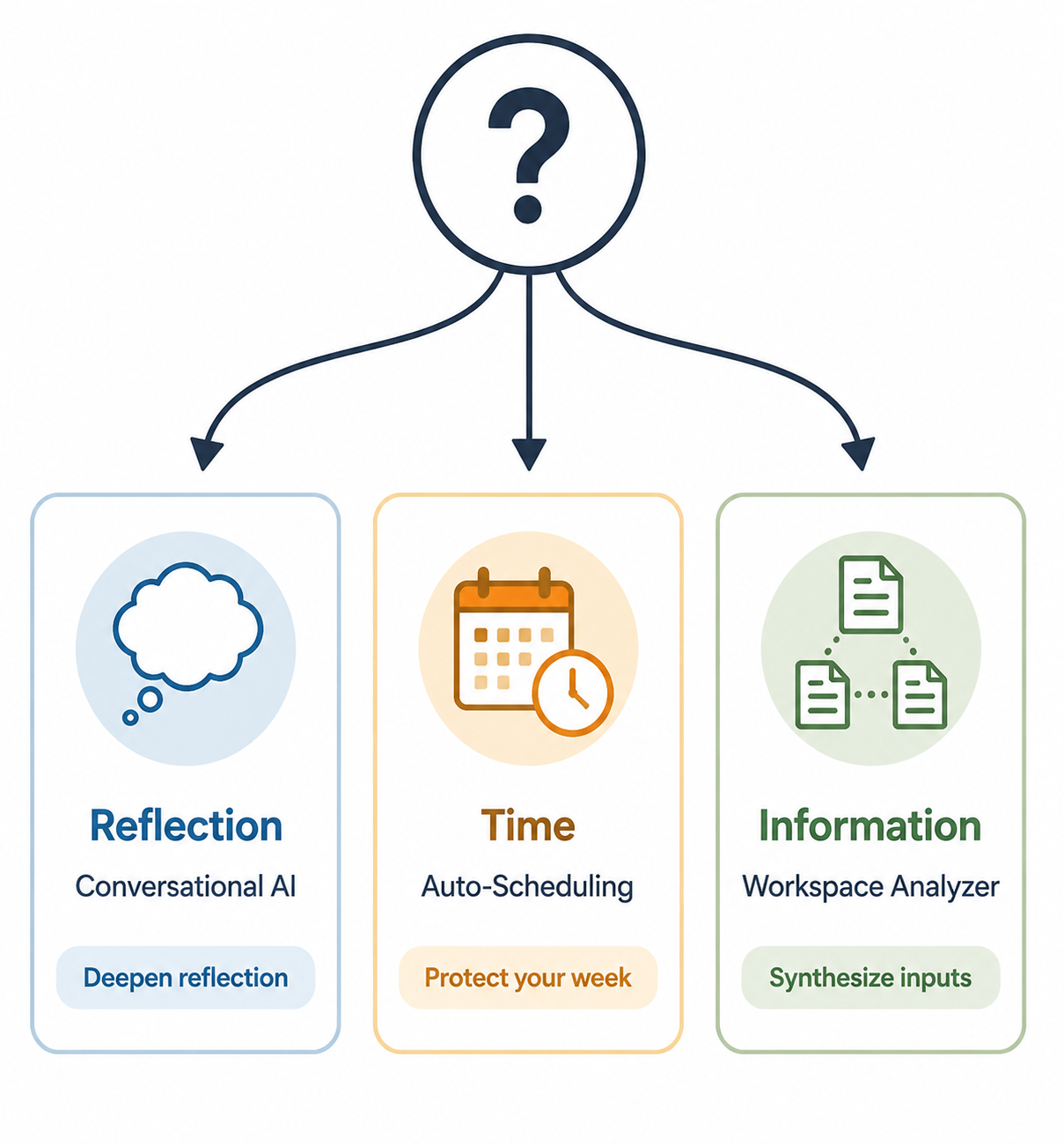
If the review feels shallow, choose conversational AI
The symptoms are familiar: you scan the task list, move unfinished work forward, glance at the calendar, and call it a review. Nothing is technically wrong, but no new judgment appears. In that case, a conversational workflow gives you the most leverage.
Use it to ask better questions: What did I avoid? Which project created repeated friction? What did I keep rescheduling? Which commitment no longer deserves next week’s time? A voice-first setup can help because it lowers the threshold for honest raw material. A saved prompt or project template keeps the review from becoming a fresh prompt-engineering session every Friday.
If priorities do not survive the week, choose auto-scheduling
The symptom here is different: your review is clear, but the week does not honor it. You finish Friday knowing what matters, then discover by Wednesday that the calendar has absorbed every margin. Auto-scheduling planners are built for that gap.
Pick the scheduling temperament carefully. If you want the system to aggressively rebuild the day, Motion’s positioning may fit. If you mainly need focus time and habits defended, Reclaim is closer to that use case. If you want a planning ritual with less calendar takeover, Sunsama is the gentler option in the cited comparisons. If you want suggestions while keeping approval visible, Morgen’s controlled approach is worth considering.[4][5]
The main buying question is whether dynamic reshuffling will increase trust or reduce it. Some managers need the calendar to adapt constantly because the day changes constantly. Others need the calendar to represent decisions they can rely on. The wrong match will make the planner feel clever and exhausting at the same time.
If information is scattered, choose workspace analysis
The symptom is not a lack of discipline; it is too much hunting. You spend the review reconstructing the week instead of reviewing it. In that case, the best first investment is a workspace analyzer or template-driven review packet.
This choice comes with a setup tax. You need consistent project names, task statuses, meeting-note formats, and update markers. If the database is sloppy, AI will either miss important items or summarize noise with confidence. If the database is clean enough, the review can start from a prepared synthesis instead of a search session.
This is also the best category for people who already live in a structured workspace. Notion AI agents and NotePlan templates make more sense when the review material is already there. They make less sense when the real system is still scattered across private notes, email, screenshots, and memory.
A practical decision scaffold
If you are choosing this week, use the smallest tool that addresses the real constraint.
| Your weekly review bottleneck | Choose | Do not expect it to |
|---|---|---|
| You move tasks around but do not learn much | Conversational AI | Automatically protect time or maintain your task system |
| You know the priorities but they do not fit into the week | Auto-scheduling planner | Explain what changed last week or decide what to cut |
| You cannot see the week clearly because inputs are scattered | Workspace analyzer | Fix inconsistent capture habits without setup work |
| All three are broken | Start with workspace analysis, then add reflection or scheduling | Solve the whole review in one purchase |
There is a reason to start with workspace analysis when everything feels broken: unclear inputs contaminate the other two choices. A chatbot cannot ask good questions about commitments it cannot see. A calendar tool cannot protect work that has not been named. Once the review packet is reliable, it becomes easier to decide whether the next bottleneck is reflection or time allocation.
There is also a reason not to overbuild. A solo operator who needs 20 minutes of honest Friday reflection may not need a multi-database Notion system. A manager drowning in meetings may get more value from protected focus blocks than from elegant review summaries. A researcher with hundreds of notes may need synthesis long before scheduling automation.
The best AI weekly review workflow in 2026 is still a partnership. Let AI reduce the clerical drag, assemble the evidence, ask better questions, or translate decisions into time. Keep the human decision point visible. No current tool fully performs Get Clear, Get Current, Get Creative, and the final act of choosing what the week is allowed to contain.
References
- GTD Weekly Review: Step-by-Step Guide + Checklist (2026) — Asian Efficiency, updated Feb. 2026.
- The Daily AI-Enabled Review System That Changed How I Work — Max Frenzel, PhD, Medium, Oct. 2025.
- AI for Weekly Planning: My 15-Minute Weekly Plan — Kristen Doyle, May 2025.
- The 7 Best AI Planners in 2026 — Lindy, Apr. 2026.
- Motion vs Reclaim: 2026 Review & Side-by-Side Comparison — Morgen, Jan. 2026.
- Weekly Review Assistant — AI Instructions Template — Notion / Simone Smerilli.
- AI Weekly Review & Planning Template — NotePlan.
- Weekly Review (Mechanics) — Claude Blattman, AI for Professionals Who Don't Code, 2026.
- How to Use AI-Powered Weekly Reviews to Fix Your Schedule — Life Intelligence Group, Mar. 2025.