
Choosing a task manager with AI prioritization is mostly a decision about authority. The risky part is not whether the app can label something “urgent.” It is whether the app is allowed to move your day around, rank work for a team, or turn an overlooked sentence in a meeting note into someone’s next obligation.
That distinction matters because the baseline problem is not small. Morgen cites Inc. research saying employees complete only 53.5% of their planned weekly tasks.[1] A better AI task manager should not simply add another view of the same backlog. It should reduce the chance that low-value work keeps winning just because it is visible, noisy, or already on the calendar.
| Prioritization approach | What the AI is allowed to do | Best fit | Main risk |
|---|---|---|---|
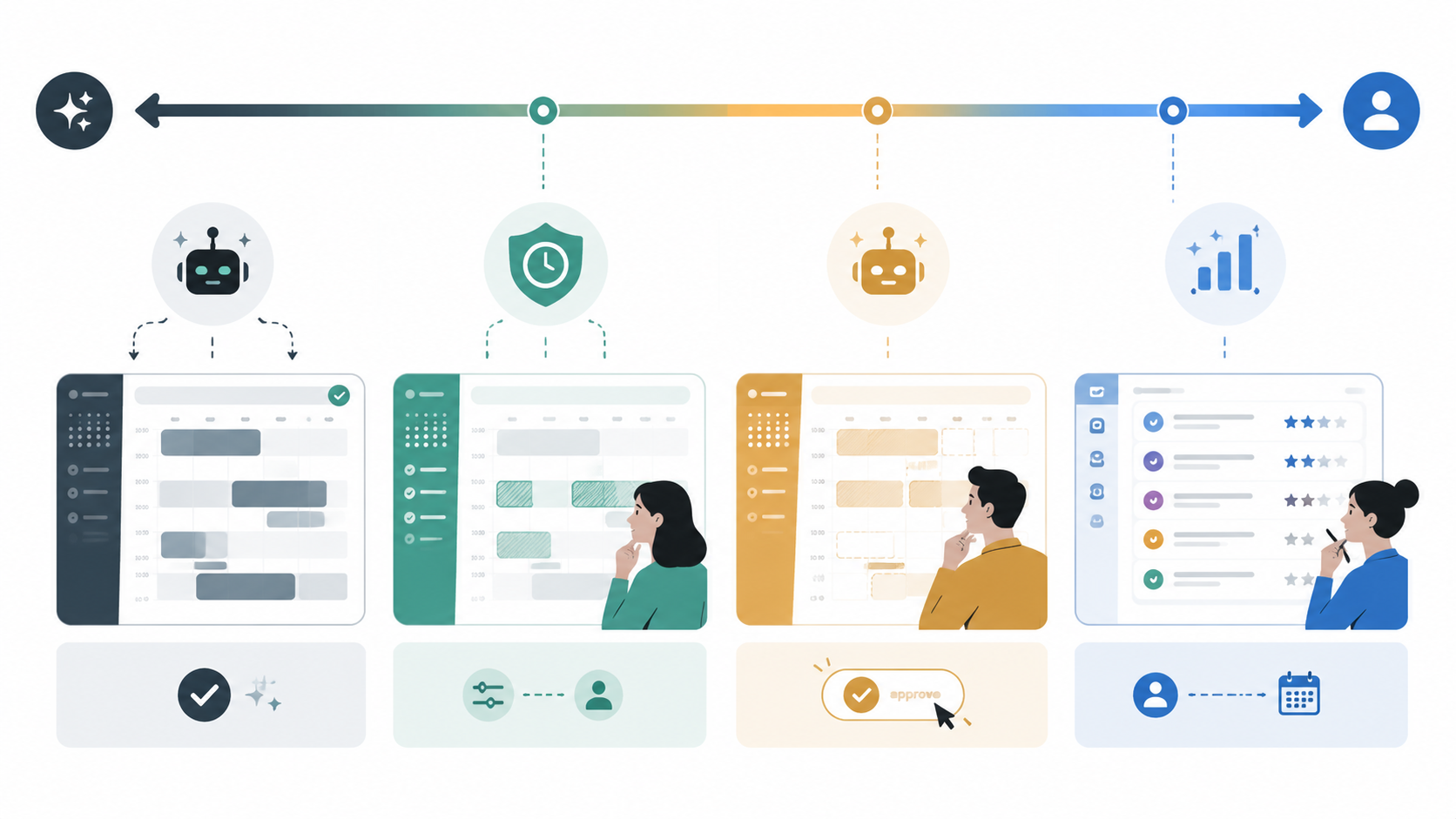
| Autopilot scheduling | Automatically schedules and reschedules tasks into the calendar | Calendar-driven solo operators, executives, consultants, founders | The system may make the wrong trade-off before you notice |
| Approve-first copilot | Suggests a schedule or plan, then waits for human approval | People who want structure but still need judgment and control | Requires more review time than full automation |
| Platform-native priority scoring | Ranks, surfaces, or flags priority work inside a project workspace | Teams already using shared projects, dependencies, and status data | Bad workspace hygiene turns into bad AI recommendations |
| Knowledge-first extraction | Pulls tasks from documents, notes, transcripts, or research material | Workflows where commitments start in messy text rather than task boards | Extraction can look useful while still needing human validation |
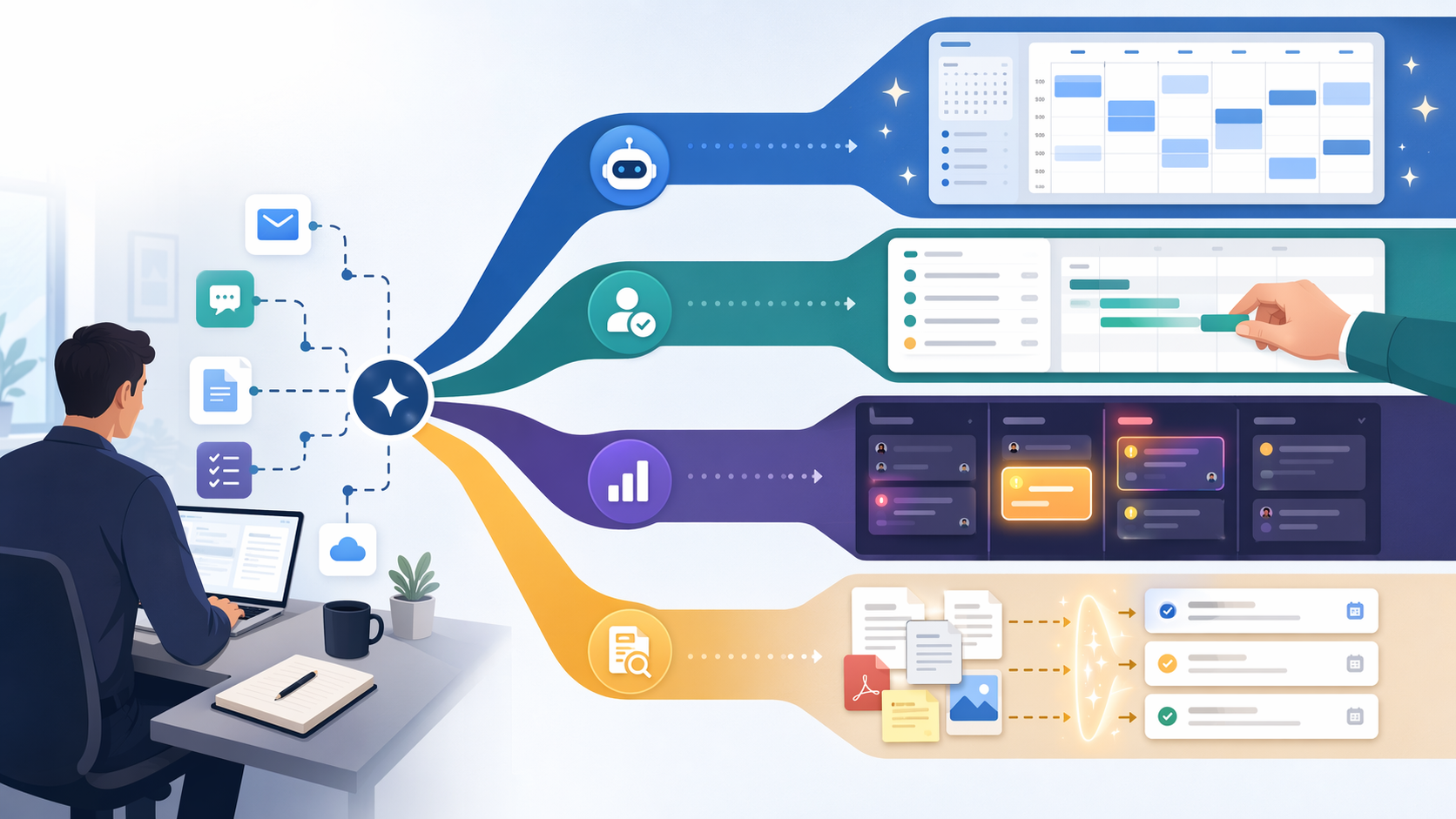
The market has already moved past the novelty stage, at least in project portfolio management. Smartsheet’s 2026 PPM Priorities Report surveyed 1,651 PPM professionals in August and September 2025 and found that 97% already use AI, while only 46% trust AI to act independently.[2] That scope is important: PPM professionals are not the same as every freelancer or solo knowledge worker. Still, the gap is useful. Adoption is high; confidence in independent action is much lower.
So the first filter is not “Which app has the most AI?” It is “Where should the AI stop?”
Autopilot vs. approve-first: the real decision behind Motion, Morgen, and Reclaim
Calendar-based AI task managers make the trade-off visible because they touch the most sensitive surface in the workday: time. A ranked task list can be ignored. A rescheduled meeting-prep block at 9:30 a.m. changes the morning.
Motion: best when the calendar can become the operating system
Motion is the purest version of autopilot scheduling in this group. Its premise is that tasks, deadlines, meetings, work hours, and priorities should all flow into one scheduling engine, which then decides what fits where. Motion describes its AI task manager as using more than 1,000 parameters to build schedules.[3]
That can be exactly right for someone whose work is already calendar-shaped: client delivery, solo consulting, sales follow-up, executive work, or founder/operator days where the question is less “What project are we on?” and more “What can actually fit before Friday?” When the calendar is the source of truth, an autopilot system can prevent the familiar failure mode where a carefully ranked task list sits beside an impossible week.
The cost of that confidence is control. Teamwork’s review places Motion at $19–$29 per user per month and says it can save 15–20 minutes per day, while also noting a steep learning curve and limited manual override.[4] Motion’s pricing also includes an AI-credit caveat in the source material: after a 7,500-credit monthly limit, additional AI credits are listed at $0.25 per 100 credits.[3] That does not make Motion expensive for everyone, but it does mean buyers should look past the headline monthly price and check how AI usage is metered before rolling it out broadly.
Motion is easiest to recommend when missed priorities come from under-scheduled work, not from unclear team ownership. If the problem is “I know what matters, but my week keeps filling with everything else,” full scheduling automation may help. If the problem is “We do not agree what matters,” an auto-filled calendar may only make disagreement move faster.
Morgen: structure without surrendering the final click
Morgen sits on the other side of the trust line. Its AI Planner uses frames: templates for how an ideal week should work, such as reserving deep work in a certain window or keeping admin work contained. The important part is that Morgen requires user approval before it schedules the plan.[1]
That makes it a better fit for people who want planning pressure removed but not judgment removed. A suggested week is useful because it exposes conflicts: too many tasks for the available hours, too much shallow work during focus time, or a deadline that quietly depends on two mornings you no longer have. But the person still accepts, adjusts, or rejects the plan before it lands.
Morgen’s source material lists pricing at $15–$30 per month, native apps for Linux, Windows, macOS, iOS, and Android, and a 30-day money-back guarantee.[1] It is described as especially useful for ADHD users and power users of tools such as Linear and Notion, which is a narrower and more useful claim than saying it is broadly “for productivity.” The real appeal is that it can impose a planning structure across tools while still making the user approve the week.
Morgen is the safer default for messy real-life planning: multiple calendars, several work streams, a task list that needs shaping, and a user who wants help but does not want Monday morning rearranged behind their back.
Reclaim: protect routines before optimizing everything else
Reclaim is less of a full “decide my whole day” system and more of a constraint optimizer. It is built around defending habits, routines, and focus blocks against the slow erosion of meetings and reactive work. Fit Small Business lists Reclaim at $10–$12 per seat per month with a free Lite tier.[5]
That distinction matters. Some people do not need AI to pick every task. They need the system to keep lunch, exercise, admin blocks, or deep work from being treated as optional just because no other person is invited. Reclaim is strongest where prioritization means protecting recurring commitments, not ranking a large project portfolio.
The practical limitations are worth taking seriously. The source material notes no color coding for tasks and difficulty with mid-task rescheduling.[5][4] Those sound minor until the day is already fragmented. If visual scanning and quick manual adjustment are central to how someone manages work, Reclaim’s automation may feel slightly boxed in.
| Tool | AI posture | Pricing in source material | Choose it when | Be careful if |
|---|---|---|---|---|
| Motion | Full autopilot scheduling | $19–$29/user/month; AI credits caveat after monthly limit | Your calendar can safely become the source of truth | You need frequent manual override or team-level prioritization |
| Morgen | Approve-first AI planning | $15–$30/month | You want an ideal-week structure and final approval | You want the system to act without review |
| Reclaim | Constraint optimization | Free Lite tier; $10–$12/seat/month | You need to protect routines, habits, and deep work | You rely heavily on color coding or mid-task reshuffling |
Platform-native AI is a different species
Asana, monday.com, ClickUp, and Teamwork are not mainly asking to run your personal calendar. They are asking to interpret a shared workspace: projects, dependencies, assignees, statuses, due dates, comments, and sometimes portfolio-level risk. That makes their AI prioritization more useful when the work already lives in the platform.
It also changes the failure mode. A calendar autopilot can make a bad scheduling decision. A platform-native AI system can make a confident recommendation based on stale fields, unclear owners, duplicate tasks, or a team culture where everything is marked high priority.
Asana AI: priority from project context
Asana AI is strongest when the project data is already reasonably disciplined. Teamwork’s review says Asana uses machine learning on project data to surface focus tasks and at-risk tasks, and reports that priority decision time dropped from 15–20 minutes to under two minutes in its testing.[4] That is a vendor-published review, not an independent audit, so the number should be treated as a useful claim under test conditions rather than a guaranteed outcome.
The pricing detail is clean compared with several competitors: the source material lists Asana Business at $24.99 per user per month with AI included and no add-on, while The Digital Project Manager notes that AI features are still rolling out.[4][6] For teams already using Asana as the place where work is assigned and reviewed, that matters. AI priority surfacing is much more valuable when it appears where managers already inspect risk.
monday.com: urgency and impact inside the board
monday.com’s AI prioritization is framed around ranking tasks by urgency and impact within project context, with AI features tied to the Pro plan in the source material.[7] That makes it less comparable to Motion and more comparable to a team operating system. The question is not whether monday.com can schedule your afternoon. It is whether the board already contains enough trustworthy context for urgency and impact to mean something.
For small teams, this can be the right level of AI: keep the work visible, let the platform rank what needs attention, and leave scheduling decisions to humans. It is weaker when boards are used as rough trackers rather than operational records. AI cannot infer reliable priority from a workspace that the team treats as decoration.
ClickUp Brain: broad AI, but price it as an add-on
ClickUp Brain belongs in the platform-native group, but its appeal is broader than priority scoring. The source material describes a wide AI feature set, including an agent-based approach, while also noting a steep learning curve.[8][5] That breadth is useful for teams that want AI across tasks, docs, summaries, and workspace search. It is also a reason not to buy it only because “AI prioritization” appears on the checklist.
The pricing needs a more careful read than a normal roundup usually gives it. ClickUp Brain is listed as a $5 per user per month add-on on top of base plans in the $7–$19 per user per month range.[8] That puts the effective AI cost in a different category from tools where AI is included in the plan. A team comparing ClickUp with Asana or monday.com should calculate the actual per-seat monthly total, not just the base subscription.
TeamworkAI: useful warning for any team platform
TeamworkAI is relevant not only as a tool but because Teamwork’s own review states the operational caveat plainly: AI can amplify good practices by 20–30% efficiency, but it cannot fix broken processes; teams should audit data quality before investing.[4] The same source claims AI can save 5–10 hours per week on planning for teams managing multiple projects.[4] Again, that is a vendor-originated claim, so it is best read as a possible upside when the underlying workflow is already in decent shape.
That warning applies across the platform-native category. If owners are missing, due dates are aspirational, dependencies are not maintained, and status updates happen after the fact, AI prioritization may simply make the workspace’s bad habits easier to see.
| Platform | Prioritization strength | Pricing note from source material | Best fit |
|---|---|---|---|
| Asana AI | Smart priorities, focus tasks, at-risk task surfacing | Business plan listed at $24.99/user/month; AI included | Teams already managing projects and dependencies in Asana |
| monday.com | Ranks tasks by urgency and impact within project context | AI features listed in Pro plan | Small-to-mid-size teams using boards as operational records |
| ClickUp Brain | Broad AI and agent-style workspace features | $5/user/month add-on on top of $7–$19/user/month base plans | Teams that want AI across tasks, docs, and workspace knowledge |
| TeamworkAI | Planning support for multi-project teams | Source emphasizes process quality before investment | Teams with reasonably clean project data and repeatable delivery practices |
Knowledge-first extraction: when tasks start outside the task manager
Some workflows do not begin with a task list or a project board. They begin in PDFs, meeting transcripts, research notes, client emails, strategy documents, or messy working docs. In those cases, the first prioritization problem is not scheduling. It is extraction: finding the obligation before it disappears.
Kuse and Notion AI represent this knowledge-first pattern in the source set. Kuse is described as parsing PDFs, meeting transcripts, and research notes into structured, prioritized tasks, with persistent project memory.[8] Notion AI fits the same broad workflow origin, although it is better understood as an AI layer inside a flexible workspace than as a dedicated AI task manager.
This category deserves caution because the source support is thinner than it is for the scheduling and platform categories. Extraction can be genuinely useful, especially for research-heavy or meeting-heavy work, but it should not be confused with fully reliable prioritization. Pulling a task from a transcript is only the first decision. Someone still has to decide whether it outranks the work already promised.
How to choose without buying the wrong kind of intelligence
A good buying process starts with the place where work actually originates. If tasks are born in calendar commitments, choose differently than if they are born in project boards or buried in long documents.
- Choose Motion if your calendar can safely become the source of truth and you want AI to schedule work without asking for approval each time.
- Choose Morgen if you want an AI-generated plan but still need to approve the schedule before it changes your week.
- Choose Reclaim if the recurring failure is loss of routines, habits, and deep work rather than uncertainty about every individual task.
- Choose Asana AI, monday.com, ClickUp Brain, or TeamworkAI if your team already manages real work inside a shared project platform.
- Choose Kuse or a Notion AI-style workflow if the most important tasks are hidden in notes, transcripts, PDFs, or research material.
Budget can change the answer quickly. Reclaim’s free Lite tier makes it the easiest low-risk entry point for routine protection.[5] Morgen’s $15–$30 monthly range is straightforward for an individual who wants approval-based planning.[1] Motion’s $19–$29 per user per month range is reasonable only if the autopilot scheduler actually replaces manual planning time, and its AI-credit structure should be checked against expected usage.[4][3] ClickUp Brain needs total-cost math because the AI fee is layered on top of the base plan.[8]
For teams, the harder question is not price but readiness. If project data is reliable, platform-native AI can surface the right work faster. If the workspace is noisy, the first investment should be cleanup: owners, statuses, due dates, dependencies, and a shared definition of priority. Otherwise, the AI is not prioritizing work so much as accelerating whatever habits the team already has.
Pricing and AI packaging in this category have been moving quickly, and the pricing cited here comes from source material published or collected around late 2025 through early 2026. Before purchase in Q3 2026, re-verify official pricing, AI-credit rules, plan eligibility, and feature availability.
References
- 5 Best AI Task Management Tools in 2026 (Tested), Morgen, https://morgen.so/blog-posts/ai-task-manager
- The era of Intelligent Work Management — 2026 PPM Priorities Report, Smartsheet, https://smartsheet.com/ppm-priorities-report-2026
- AI Task Manager: I Tested 20+ Task Managers, Motion, https://usemotion.com/blog/ai-task-manager.html
- 5 Best AI Task Managers in 2026, Teamwork.com, https://teamwork.com/blog/ai-task-manager/
- AI Task Managers: The Top 9 in 2026, Fit Small Business, https://fitsmallbusiness.com/best-ai-task-managers/
- 10 Best AI Task Management Software Reviewed in 2026, The Digital Project Manager, https://thedigitalprojectmanager.com/tools/best-ai-task-management-software/
- 7 AI Task Managers To Automate, Prioritize, & Organize Work, monday.com, https://monday.com/blog/task-management/ai-task-manager/
- I Tested the 14 Best AI Task Managers of 2026, Kuse, https://kuse.ai/blog/workflows-productivity/ai-task-manager